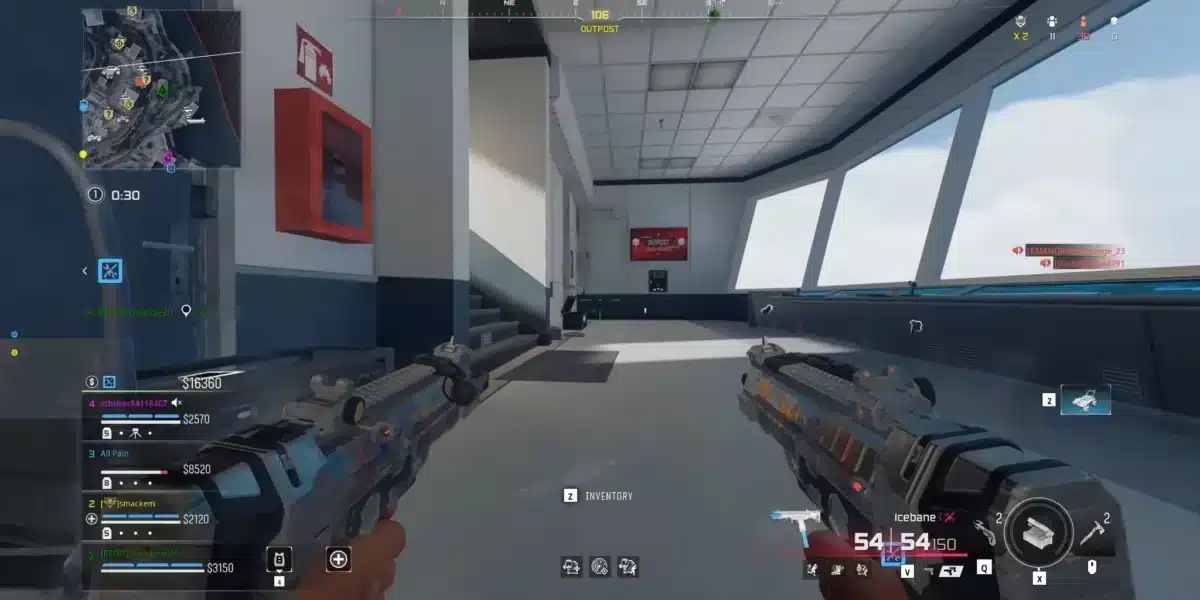
Call of Duty Black Ops 7 demands perfect connection for competitive gameplay where every millisecond counts. First of all, high ping ruins matches through delayed shot registration, peeker’s disadvantage, and deaths behind walls that frustrate players.
This guide shows you how to reduce ping and ensure competitive advantage in COD Black Ops 7 matches. However, players experiencing connection issues affecting gameplay should optimize their networks for the smoothest experience.
If you’re experiencing latency problems in BO7, you know how that frustrating delay between pulling the trigger and the shot registering can cost wins. Therefore, understanding ping optimization transforms your competitive performance completely.
Why Does High Ping Hurt Your Performance in COD Black Ops 7?
In COD Black Ops 7, the game is designed for fast-paced, intense matches where reflexes and precision make all the difference. In other words, players with ping below 20ms have significant advantages over those with ping above 60ms.
Impact of High Latency
Above all, high ping creates multiple competitive disadvantages affecting every aspect of gameplay. Therefore, understanding these effects motivates optimization efforts.
High ping consequences:
- Delayed shot registration (poor hit registration)
- Peeker’s disadvantage – dying before seeing enemies
- Inconsistent movement and rubberbanding
- Disconnections at critical moments
- Competitive disadvantage against low-ping players
Ping Quality Reference
Similarly, knowing your target ping helps measure optimization success accurately. Consequently, monitor your latency regularly during matches.
| Ping Range | Experience Quality |
| Below 20ms | Perfect competitive experience |
| 20-50ms | Good, competitive gameplay |
| 50-80ms | Playable with small disadvantages |
| 80-100ms | Noticeable competitive disadvantage |
| Above 100ms | Severely impaired experience |
Understanding how IP networks power connections helps appreciate latency factors.
What Causes High Ping in Black Ops 7 Release?
Before solving latency problems in the Black Ops 7 Release, understanding the main causes helps target solutions effectively. At the same time, multiple factors can contribute simultaneously.
Primary Latency Causes
Firstly, geographic distance from servers naturally increases ping for all players. Furthermore, inefficient internet routing through unnecessary network nodes adds significant latency.
Common causes include:
- Geographic distance from dedicated servers
- Inefficient ISP routing with unnecessary detours
- Network congestion from multiple devices
- Provider throttling on gaming traffic
- Unstable Wi-Fi connections adding interference
How to Measure Your Ping
Be that as it may, measuring current ping establishes baseline for improvement tracking. Consequently, enable latency display in Settings > Interface > Show Latency.
For official game information and server status, visit the official Call of Duty website.
What Are Basic Methods to Reduce Ping in COD BO7?
Basic optimizations for COD BO7 can significantly improve connection quality before advanced solutions. In that regard, these fundamental changes often provide immediate results.
Use Wired Ethernet Connection
Just like that, replacing Wi-Fi with an Ethernet cable eliminates interference and stabilizes connection instantly. Additionally, this single change typically reduces ping by 5-20ms depending on previous Wi-Fi quality.
Close Bandwidth-Consuming Applications
On the other hand, background applications compete for bandwidth and add latency significantly. Therefore, close these programs before playing BO7.
Applications to close:
- Torrent clients and active downloads
- Streaming services (Netflix, YouTube, Twitch)
- Automatic updates (Steam, Epic, Windows)
- Video calls (Discord video, Zoom)
- Cloud backups (Google Drive, OneDrive)
Optimize your Wi-Fi network for stable gaming if wired connection isn’t possible.
Configure Router QoS Settings
Furthermore, Quality of Service prioritizes gaming traffic over other network activities. Consequently, configure your router to prioritize Black Ops 7 for 5-15ms reduction.
QoS setup steps:
- Access router settings (usually 192.168.1.1)
- Locate QoS or Traffic Prioritization section
- Add Black Ops 7 or your device as high priority
- Save settings and restart router
What Are Advanced Settings for Ping Optimization?
Players wanting maximum performance from Call of Duty Black Ops 7 should apply these advanced optimizations. As a result, every possible millisecond gets eliminated from your latency.
Windows Power Settings
Primarily, power saving modes limit network performance significantly during gameplay. Simultaneously, switching to High Performance ensures maximum network card operation.
Power optimization steps:
- Open Control Panel > Power Options
- Select “High Performance” or “Ultimate Performance”
- Change advanced power settings
- Set Wireless Adapter to Maximum Performance
Configure Faster DNS Servers
Additionally, slow DNS servers add unnecessary latency to every connection request. Therefore, switching to faster public DNS improves response times.
Recommended DNS options:
- Cloudflare: 1.1.1.1 and 1.0.0.1
- Google: 8.8.8.8 and 8.8.4.4
- OpenDNS: 208.67.222.222 and 208.67.220.220
Explore how wireless networks function for connectivity knowledge.
How Does ExitLag Reduce Ping in Black Ops 7?
Even applying all optimizations, provider infrastructure limitations may persist affecting your Black Ops 7 Release experience. In the meantime, ExitLag solves problems beyond your direct control.
ExitLag Technology Benefits
Even so, ExitLag’s specialized gaming optimization addresses root causes of high latency. Therefore, professional players rely on these features for competitive advantage.
ExitLag features:
- Real-Time Intelligent Routing – Automatically chooses fastest paths
- Multipath Connection – Multiple simultaneous routes for stability
- Packet Loss Reduction – Ensures all commands reach servers
- Jitter Stabilization – Maintains consistent latency throughout matches
- Global Dedicated Servers – Over 1,000 servers worldwide
Real Results for COD Players
Furthermore, COD Black Ops 7 players consistently report significant improvements. Consequently, competitive performance transforms noticeably.
Typical results:
- 30% to 70% ping reduction
- Packet loss elimination (from 2-5% to 0%)
- Perfect stability without lag spikes
- Improved hit registration accuracy
Players can test for packet loss issues before and after ExitLag.
ExitLag Setup Process
Similarly, configuration takes minimal effort with immediate optimization results. Consequently, start improving your connection within minutes.
Quick setup:
- Download and install ExitLag application
- Create your account (free trial available)
- Select “Call of Duty: Black Ops 7” from games list
- Click “Apply Routes” and launch the game
Check the ExitLag setup guide for detailed instructions.
What In-Game Settings Affect Connection Experience?
Even with optimized ping, certain BO7 settings affect how latency is perceived during gameplay. As a result, proper configuration maximizes your optimization efforts.
Graphics Settings Impact
Even so, some visual settings add input lag that feels like network latency. Therefore, disable these options for competitive play.
Recommended settings:
- Motion Blur: Off (reduces perceived input lag)
- V-Sync: Off (eliminates significant input delay)
- Field of View: 100-110 (balance between vision and performance)
- FPS Limit: Match monitor refresh rate
Server Selection
In the meantime, connecting to geographically closer servers naturally reduces base ping. Consequently, configure matchmaking region in Settings > Account and Network.
Optimize your ping for competitive gaming with proper settings.
FAQ: Call of Duty Black Ops 7 Ping Questions Answered
Common questions about Call of Duty Black Ops 7 latency deserve clear answers. Therefore, this section addresses frequent queries from players.
Below 20ms provides perfect competitive experience, while 20-50ms remains good for COD BO7 ranked matches.
Provider congestion during peak hours causes temporary latency spikes that ExitLag’s alternative routing solves effectively.
Yes, wired connections eliminate Wi-Fi interference, typically reducing ping by 5-20ms in BO7 matches.
ExitLag’s multipath connection eliminates packet loss, ensuring perfect hit registration in Black Ops 7 Release gameplay.
Jitter (latency variation) and unstable routes cause sudden lag spikes that ExitLag’s stabilization technology eliminates.
Dominate Every Match with Perfect Connection

Reducing ping in COD Black Ops 7 is fundamental for high-level competitive play where milliseconds decide victories. In conclusion, start with basic optimizations like Ethernet cables, closing background programs, and router QoS configuration.
For truly transformative results, especially facing provider limitations or geographic distance from servers, ExitLag provides the definitive solution. That’s why thousands of players already experience consistently low ping, zero packet loss, and stable connections.
Finally, ExitLag ensures your competitive performance reaches its full potential in Call of Duty Black Ops 7.
Got questions or want to connect with other players? Join the conversation at the ExitLag Forum!