WARDOGS ping can make a major difference when you are fighting in a tactical multiplayer environment where positioning, communication, and quick reactions matter. WARDOGS supports battles with up to 100 players, making a stable network connection especially important during large engagements.
High WARDOGS ping can make an otherwise responsive PC feel slow online. You might have strong hardware and a high frame rate, yet network latency can still affect how quickly information travels between your system and the game infrastructure.
So, what is WARDOGS ping? WARDOGS ping represents network latency between your PC and the online server you are communicating with, normally measured in milliseconds. Lower and, importantly, stable latency generally creates a more responsive online experience.
However, high ping is not always caused by the same problem. Server distance, inefficient ISP routing, Wi-Fi interference, congestion, background traffic, and temporary game infrastructure problems can all contribute to an unstable experience.
Understanding the cause should therefore come before trying random fixes. Here is how WARDOGS networking works, what can increase latency, and what you can do to improve connection stability.
Why Latency Matters in 100-Player Battles
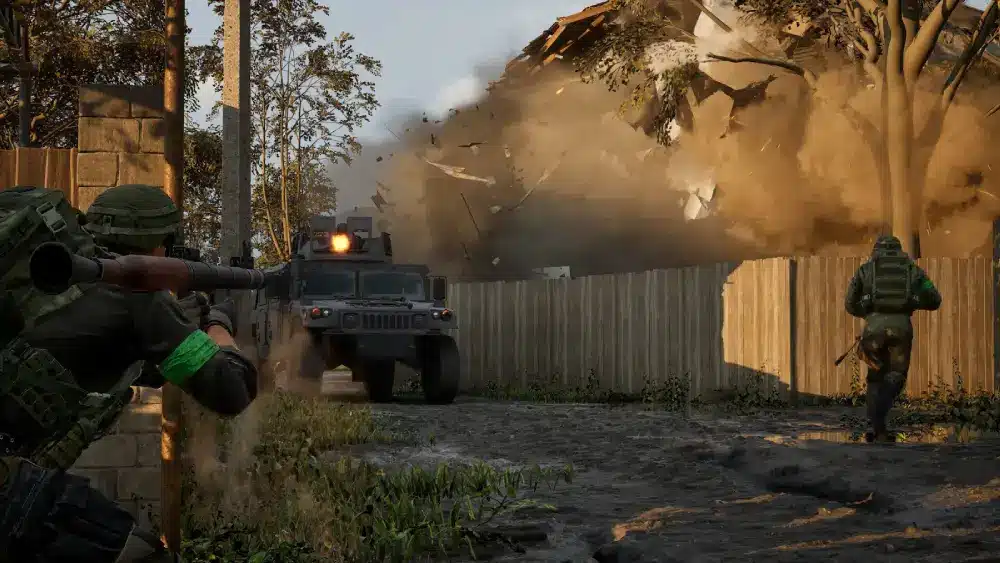
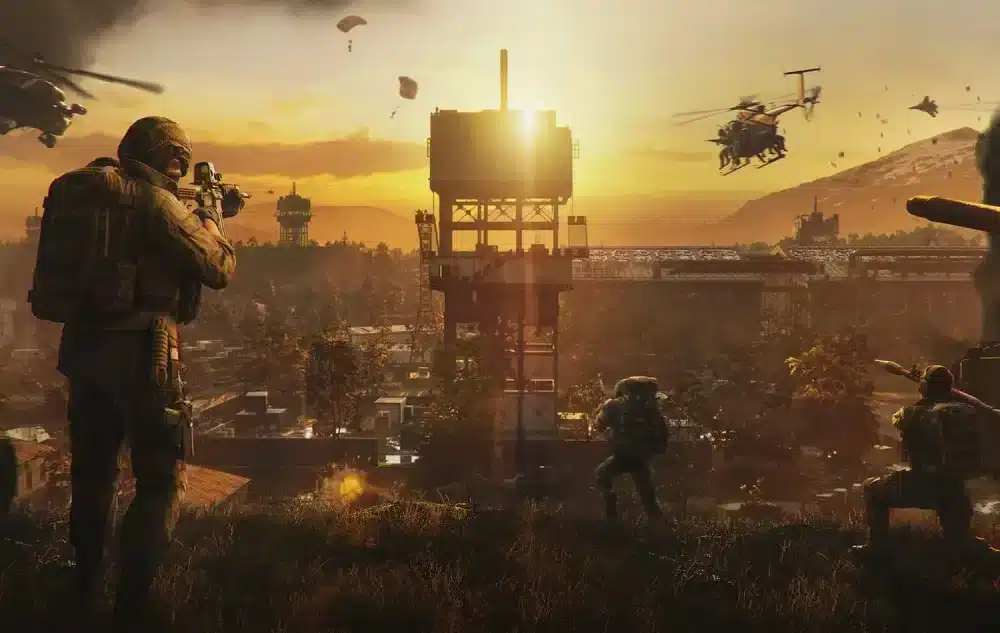
WARDOGS is an All-Out Warfare FPS developed by BULKHEAD and published by Team17. It combines tactical gunplay and combined-arms combat with vehicles, construction, destruction, and large-scale multiplayer warfare.
According to the official Steam description, matches can support up to 100 players. Three teams fight over randomized Control Zones, with the first team to reach the required score winning the battle.
What does ping mean in WARDOGS?
Ping is commonly used to describe how long network data takes to travel between your PC and an online destination and return.
It is measured in milliseconds, or ms.
For example, a 30 ms connection has less network delay than a 150 ms connection under otherwise equal conditions.
However, the number alone does not tell the entire story.
Consistency matters as well. A connection constantly fluctuating between 30 and 150 ms can create a less predictable experience than one remaining close to the same latency throughout the match.
That is why players troubleshooting WARDOGS ping should consider latency alongside jitter and packet loss.
How high ping can affect tactical FPS gameplay
Tactical shooters depend heavily on timing.
WARDOGS adds another layer because the battlefield can contain dozens of players, multiple factions, vehicles, destructible environments, and rapidly changing objectives.
Network latency determines how quickly information travels across the network. Excessive latency can therefore make online interactions feel less immediate.
The most noticeable situations can include:
- Close-range engagements
- Fast movements
- Objective pushes
- Vehicle encounters
- Large multi-team fights
- Rapid changes in positioning
- Time-sensitive tactical decisions
However, players should avoid blaming every performance problem on ping.
Low graphical FPS, stuttering, server problems, and network latency are different technical issues and require different solutions.
What Causes High Ping in WARDOGS?
There is no single cause of high WARDOGS ping.
Your internet connection follows a route between your PC and the online infrastructure. The quality, distance, congestion, and stability of that route can influence the latency you experience.
Distance from the selected server region
Physical distance is one of the fundamental factors affecting latency.
Data needs time to travel. Therefore, connecting to infrastructure geographically closer to you will usually be a better starting point than deliberately selecting a distant region.
WARDOGS makes this particularly relevant because BULKHEAD has implemented regional selection through its Server Browser.
During previous Closed Beta testing, the developer temporarily limited players to searching one region at a time. BULKHEAD explained that this restriction was being used to test server scaling and stability.
The normal system was described as supporting multiple selected regions simultaneously.
Consequently, checking the region should be one of your first steps when investigating high latency.
ISP routing, congestion, and unstable connections
Geographical distance is not the only factor.
Your ISP determines how much of your internet traffic travels across different networks before reaching its destination. That route is not necessarily the shortest or most efficient possible path for gaming.
Imagine two roads leading to the same location.
One may be physically shorter but filled with traffic and unnecessary stops. Another may appear slightly longer but provide a faster, more consistent journey.
Internet routes can behave similarly.
Other potential causes include:
- Local network congestion
- Wi-Fi interference
- Downloads running in the background
- Cloud synchronization
- Other devices consuming bandwidth
- ISP congestion
- Inefficient network routes
- Temporary server infrastructure problems
Finding the actual source helps you choose the correct solution instead of changing unrelated settings.
How WARDOGS Server Regions Affect Ping
BULKHEAD has confirmed that WARDOGS uses regional server selection through the Server Browser.
That makes region selection one of the most relevant game-specific considerations when investigating latency.
Choosing a region in the WARDOGS Server Browser
During the first Closed Beta, BULKHEAD instructed players to select a single region in the Server Browser.
That restriction was specific to testing.
The developer explained that the regular system is designed to support selecting multiple regions and searching across them.
During that particular beta, limiting searches to one region helped BULKHEAD test infrastructure scaling and stability under load.
For players, the important takeaway is simple: pay attention to which region you are using.
If a closer region provides a stable connection, it will generally make more sense than unnecessarily connecting to infrastructure much farther away.
Why the closest region is usually the best starting point
Physical distance places practical limits on network latency.
Therefore, the nearest available region is usually the logical first option when troubleshooting WARDOGS ping.
However, nearest does not automatically mean best in every situation.
ISP routing can occasionally make a nearby destination perform worse than expected. Congestion or other routing conditions can also affect the path.
That is why testing matters.
If WARDOGS allows you to choose between several appropriate regions, compare the connection quality rather than relying entirely on geographic assumptions.
How to Check Your WARDOGS Ping
Before attempting to reduce latency, establish whether latency is actually the problem.
A game that feels unresponsive can be experiencing several different issues.
Checking latency before joining a server
The available WARDOGS interface and networking features may continue changing during Early Access, so players should avoid relying on outdated beta screenshots or assuming that every testing-period UI element will remain identical.
However, region selection remains an important place to start.
Check which region you are searching and compare your experience across appropriate nearby options when available.
You can also test your general internet connection outside the game to identify obvious problems such as:
- Abnormally high latency
- Packet loss
- Unstable Wi-Fi
- Large ping fluctuations
- Unexpectedly low network performance
A general internet test cannot tell you exactly what the WARDOGS server connection will be, but it can reveal problems inside your local connection.
Identifying unstable ping during gameplay
Consistency is as important as the lowest number you see.
Suppose your connection normally operates around 35 ms but suddenly jumps to 180 ms every few seconds. The average may not look disastrous, yet those spikes can still make gameplay inconsistent.
Look for patterns.
Does the issue happen only during peak hours? Does it disappear when using Ethernet? Does it occur when another person starts streaming? Does changing an appropriate server region affect the experience?
Patterns can reveal much more than one isolated speed test.
How to Reduce WARDOGS Ping
Reducing WARDOGS ping begins with identifying what you can control.
You cannot move a server closer to your home, and you cannot repair BULKHEAD’s infrastructure. However, you can optimize your local network and potentially improve the route your gaming traffic follows.
Select an appropriate server region
Start with the Server Browser.
When possible, choose an appropriate nearby region and compare its performance against the alternatives available to you.
Avoid selecting distant regions without a reason.
Then follow this troubleshooting sequence:
- Check your WARDOGS server region. Start with an appropriate nearby option.
- Test your internet connection. Look for latency, packet loss, and major instability.
- Use Ethernet when practical. A wired connection can eliminate common Wi-Fi interference variables.
- Stop unnecessary downloads. Game updates, cloud backups, and file transfers can compete for network resources.
- Check other devices. Heavy traffic elsewhere on your network can contribute to congestion.
- Restart network equipment if needed. This can resolve some temporary router or modem problems.
- Compare performance at different times. Problems that appear mainly during peak hours can indicate congestion.
- Test network route optimization. ExitLag can help optimize routing when the default ISP path is contributing to poor gaming performance.
Change one major variable at a time whenever possible.
Otherwise, you may fix the problem without knowing what actually caused it.
Use Ethernet and reduce local network traffic
Wi-Fi is convenient, but it introduces additional variables.
Walls, distance from the router, interference, other wireless networks, and competing devices can all affect wireless performance.
Ethernet removes many of these variables.
It does not guarantee lower WARDOGS ping, especially if the problem exists farther along your ISP route, but it can provide a more consistent local connection.
Background traffic also matters.
Pause unnecessary downloads, large uploads, cloud backups, and software updates before testing the game again.
Ping vs Packet Loss vs Jitter
Ping receives most of the attention because it is easy to understand.
However, a low latency number does not automatically mean you have an excellent gaming connection.
Packet loss and jitter can be just as important.
Why low ping does not always mean a stable connection
Consider two players.
Player A maintains 45 ms almost constantly.
Player B moves between 20 ms, 80 ms, 140 ms, and 30 ms within short periods.
Player B occasionally has the lower ping, but Player A has the more consistent connection.
This variation is related to jitter.
Meanwhile, packet loss occurs when data being transmitted fails to reach its intended destination.
| Network metric | What it represents | Potential gaming impact |
| Ping | Network latency | Delayed responsiveness |
| Jitter | Variation in latency | Inconsistent responsiveness |
| Packet loss | Data failing to arrive | Missing or unstable network communication |
| Bandwidth | Data transfer capacity | Matters when network demand exceeds capacity |
| FPS | Frames rendered per second | Visual smoothness, not network latency |
The final row is especially important.
FPS and ping are not interchangeable.
How packet loss and jitter affect online FPS games
A stable tactical FPS connection requires more than a good average ping.
High jitter means latency is changing significantly. That variation can make network responsiveness unpredictable.
Packet loss creates another problem because some network data does not successfully reach its destination.
That is why troubleshooting should consider all three:
- Latency
- Jitter
- Packet loss
Players who focus exclusively on lowering one ping number may overlook the real source of instability.
WARDOGS Server Lag vs Your Internet Connection
Not every WARDOGS problem originates from your PC or internet connection.
This distinction became particularly clear during the game’s testing periods.
BULKHEAD used its Closed Betas to deliberately stress infrastructure before the Early Access release.
How to recognize possible server-side problems
During the first Closed Beta, BULKHEAD publicly acknowledged login queue problems created by the volume of players attempting to access WARDOGS.
The developer said the scale exposed an issue that had not appeared during the smaller Closed Alpha.
WARDOGS testing has also been used to evaluate areas including:
- Server scaling
- Server browsing
- Login queues
- VOIP
- DLC entitlements
- Infrastructure stability under load
These are developer-side systems.
If thousands of players experience the same login infrastructure problem simultaneously, changing your Ethernet cable will not repair BULKHEAD’s servers.
When changing your connection may not solve the issue
This is why diagnosis matters.
If your internet works normally and widespread reports indicate WARDOGS infrastructure is experiencing an outage or overload, the appropriate solution may simply be waiting for BULKHEAD to resolve it.
Conversely, if other players in the same region are playing normally while your WARDOGS ping remains unusually high, investigating your local connection and route makes more sense.
A useful distinction is:
Likely local/routing issue:
- Only your connection appears affected.
- Ethernet performs better than Wi-Fi.
- Background traffic changes the problem.
- Your latency changes substantially between routes or regions.
- Other online applications show similar instability.
Possible game/server issue:
- Many players report the problem simultaneously.
- Login infrastructure is unavailable.
- Servers disappear during a confirmed outage.
- BULKHEAD acknowledges a technical issue.
- Changing your local setup has no meaningful effect.
Neither category should automatically be assumed.
Test first.
Can ExitLag Reduce WARDOGS Ping?
ExitLag is designed specifically to optimize connections for online gaming.
Instead of changing the game itself, ExitLag analyzes network routing and seeks more efficient paths for gaming traffic. This can help when inefficient ISP routing contributes to high latency, packet loss, or connection instability.
However, ExitLag should not be described as a guaranteed WARDOGS ping reducer.
The result depends on the source of the problem.
How Real-Time Optimization works
Internet traffic can take different paths to the same destination.
The default path selected by your ISP may work perfectly. In that situation, there may be little routing improvement available.
In other cases, the route may suffer from congestion, unnecessary hops, or instability.
ExitLag’s Real-Time Optimization technology monitors connection conditions and works to optimize the path used by gaming traffic.
The goal is a more efficient and stable route.
This is particularly relevant to competitive online games because consistency can matter as much as raw bandwidth.
Multipath Connection and route stability
ExitLag also uses Multipath Connection technology.
Instead of depending entirely on one route, the technology can work with multiple simultaneous routes to improve connection stability.
That approach can be valuable when one network path becomes unstable.
ExitLag’s broader technology set also includes Traffic Shaper, Multi-Internet, and FPS Boost, giving PC players additional optimization tools.
For WARDOGS specifically, however, network routing is the most relevant focus when discussing latency and packet loss.
ExitLag cannot repair an overloaded WARDOGS server. It also cannot eliminate the physical latency created by extremely long geographic distances.
What it can do is optimize the part of the connection route where a better networking path is available.
Best ExitLag Settings for WARDOGS
Network optimization does not need to be complicated.
ExitLag provides automatic optimization for players who want a straightforward setup while also supporting additional control for users who prefer to customize their configuration.
Automatic optimization for casual players
For most players, the easiest approach is to begin with automatic optimization.
The basic process is:
- Sign up for ExitLag.
- Download and install the PC application.
- Find the supported game.
- Select the appropriate region or recommended configuration.
- Apply the routes.
- Launch the game.
- Compare connection performance.
Do not judge the result using one unusually good or bad moment.
Compare several sessions when possible.
Look at stability, latency, and packet-loss behavior to determine whether routing optimization improves your actual connection.
Route customization for advanced players
More experienced users may want greater control.
ExitLag supports custom settings for players who prefer to test and optimize their configuration rather than depending exclusively on automatic selections.
This can be useful when different available routes behave differently for a particular ISP or location.
However, avoid assuming that more customization automatically produces better results.
The objective is not to change as many settings as possible. It is to find the configuration that provides the most stable connection.
FAQ
Network terminology can become confusing quickly.
These answers cover the most important questions for players preparing for WARDOGS multiplayer.
High WARDOGS ping can have several causes, including distance from the server region, ISP routing, network congestion, Wi-Fi instability, background traffic, or temporary infrastructure problems.
Start by checking your selected region and local connection.
Then determine whether the problem appears specific to you or is affecting the wider WARDOGS player base.
There is no official BULKHEAD specification defining one exact ping value as “good” for WARDOGS.
In general online gaming terms, lower and more consistent latency is preferable.
However, avoid treating an arbitrary threshold as an official WARDOGS requirement.
A stable connection should be the goal.
Yes, server location can affect latency because physical distance influences how long network data takes to travel.
BULKHEAD has confirmed that WARDOGS includes regional selection through its Server Browser.
Start with an appropriate nearby region and compare results when alternatives are available.
ExitLag can potentially improve latency when inefficient routing is contributing to the problem.
It analyzes gaming routes and works to provide a more efficient connection path.
Results depend on your location, ISP, available routes, and the underlying cause of high latency, so a specific ping reduction cannot be guaranteed.
Sometimes, but not necessarily.
The word “lag” is frequently used for several unrelated problems.
Low FPS and graphical stuttering can originate from hardware or game performance. High ping, jitter, and packet loss are network issues.
WARDOGS officially requires 16 GB RAM, a broadband internet connection, and hardware around a GTX 1660/RX 590 at its current minimum tier.
If your frame rate is low while network latency remains normal, investigate performance settings and hardware rather than treating ping as the cause.
No.
FPS measures how frequently your PC renders frames. Ping measures network latency.
A faster GPU can increase graphical performance but cannot physically shorten the network route between your PC and an online server.
Likewise, improving a network route does not replace an underpowered GPU.
Treat the two metrics separately.
Get a More Stable Connection for Every Battle
WARDOGS ping deserves attention because BULKHEAD’s shooter is fundamentally an online experience. Up to 100 players can participate in the same large-scale battle, with three factions competing over objectives while infantry, vehicles, construction, and destruction reshape the fight.
Before changing dozens of settings, identify what is actually wrong. High latency, jitter, packet loss, graphical stuttering, low FPS, server queues, and outages can produce different symptoms and require different solutions.
Fix your connection before changing graphics settings
If latency is the problem, changing texture quality is unlikely to solve it.
Instead, check the server region, test your local network, eliminate unnecessary traffic, compare Ethernet and Wi-Fi when possible, and investigate packet loss or unstable routing.
If FPS is the problem, do the opposite.
Check graphical settings, system requirements, drivers, temperatures, background applications, and PC performance.
Separating these problems can save considerable troubleshooting time.
Optimize your WARDOGS network route with ExitLag
When the problem involves the route between your PC and online game infrastructure, ExitLag provides another option.
Its Real-Time Optimization and Multipath Connection technologies are designed to improve gaming routes and connection stability, while automatic configuration makes getting started straightforward.
That can be especially valuable in a tactical multiplayer FPS where a consistent connection allows you to focus on positioning, communication, objectives, and gunfights rather than unpredictable network behavior.
Ultimately, the best WARDOGS ping experience comes from combining the right server region, a stable local connection, and efficient network routing. If your ISP’s default path is holding your connection back, ExitLag can optimize your gaming route and help reduce the impact of latency spikes and packet loss while you fight for control of the WARDOGS battlefield.
All game images used in this blog belong to BULKHEAD. They are used for informational/educational purposes only and do not imply endorsement or affiliation with the rights holders.
Есть вопросы или хотите общаться с другими игроками? Присоединяйтесь к беседе на Форуме ExitLag!