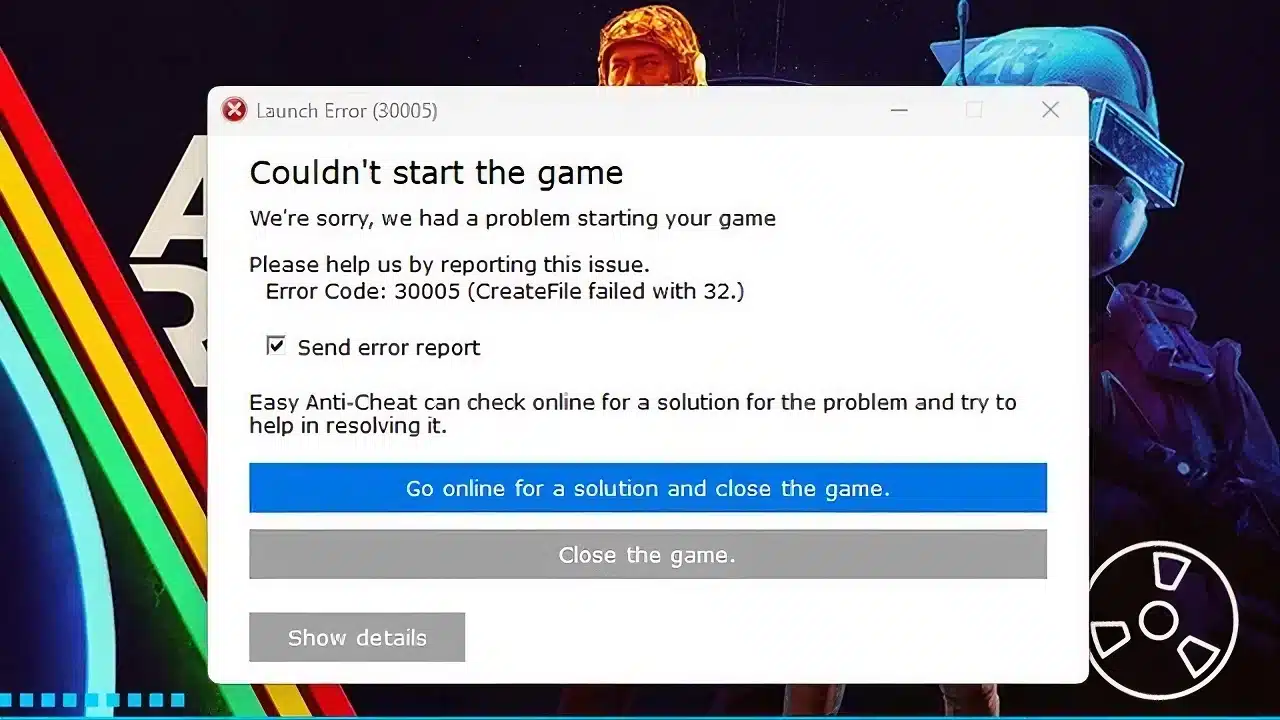
ARC Raiders Error Code 30005 is one of the most frustrating launch problems players encounter when trying to start the game on PC. Instead of loading into the high-intensity sci-fi battlefield, you’re blocked by an Easy Anti-Cheat message that prevents the client from opening.
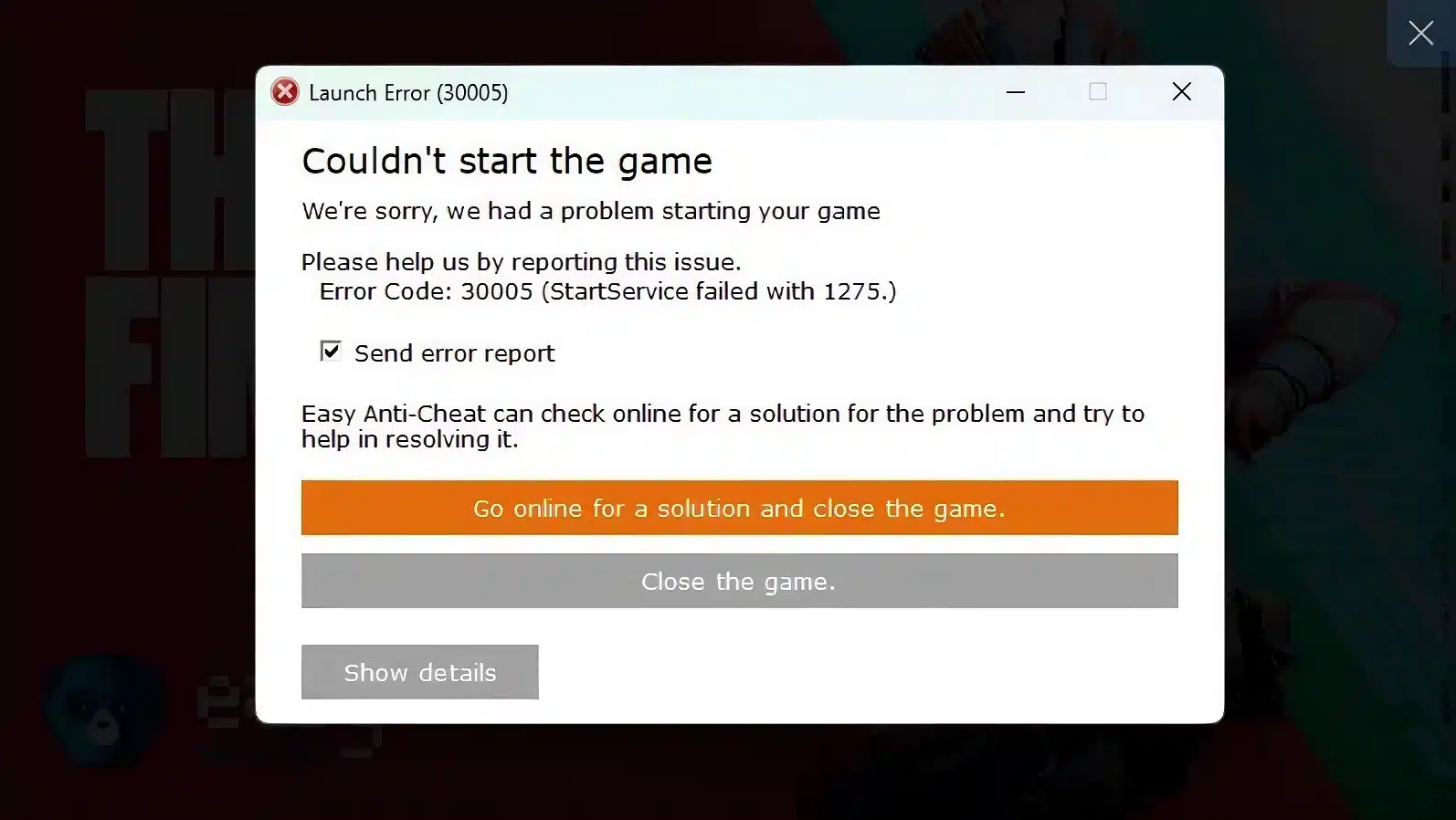
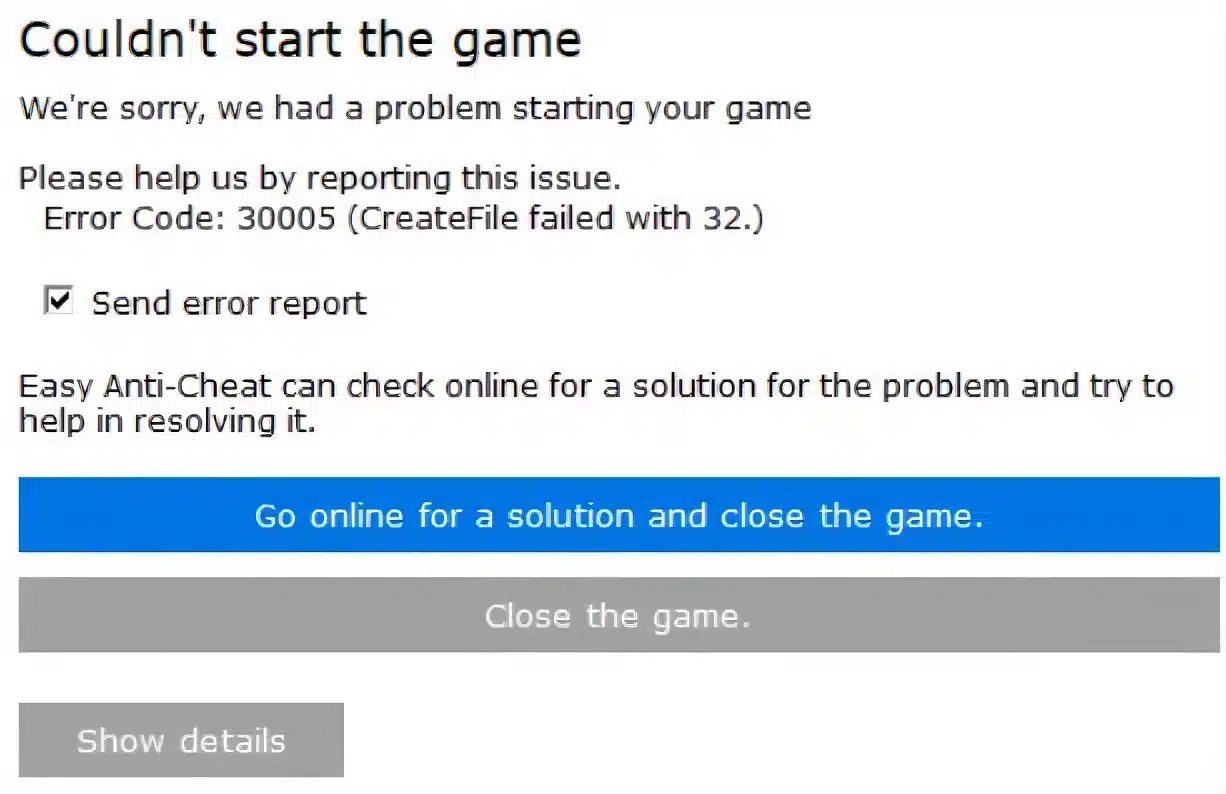
If you’re seeing ARC Raiders Error Code 30005, you’re likely dealing with an Easy Anti-Cheat service failure linked to file access conflicts or corrupted system components. In most cases, this issue appears alongside messages like error code 30005 ARC Raiders or “CreateService failed with 32.”
Understanding ARC Raiders Error Code 30005 is essential before attempting random fixes. What does it mean? Why does it happen? And who is affected most? This error usually appears on Windows PCs when Easy Anti-Cheat cannot properly initialize its service because a required file is locked, blocked, or already in use by another program.
ARC Raiders relies on Easy Anti-Cheat (EAC) to ensure fair multiplayer gameplay. Without EAC running correctly, the game will not launch. That means resolving this issue is mandatory before you can drop into matches, squad up, or test your loadouts.
ARC Raiders Error Code 30005 Explained: What Is Happening?
What Easy Anti-Cheat Does in ARC Raiders
Easy Anti-Cheat is a third-party protection system designed to prevent cheating, memory manipulation, and unauthorized software interference. When you launch ARC Raiders, EAC starts first. Only after it verifies system integrity does the game client open.
If EAC fails, the launch process stops instantly. That is exactly what happens during arc raiders error 30005 situations.
What “CreateService Failed with 32” Means
The message error 30005: createservice failed with 32 arc raiders refers to a Windows system-level issue. Error 32 typically means a file is being used by another process. In other words, Easy Anti-Cheat tried to access or create a required service file, but Windows reported that the file is already in use.
This usually points to one of the following:
- Corrupted Easy Anti-Cheat driver files
- Antivirus software blocking access
- A failed previous game launch
- Windows permission conflicts
- Background applications interfering with EAC
Because ARC Raiders is a competitive online title, it cannot bypass this system. Fixing the root cause is the only solution.
Common Causes of Error Code 30005 ARC Raiders Players Face
1. Antivirus or Firewall Blocking Easy Anti-Cheat
Security software often misidentifies anti-cheat drivers as suspicious. When this happens, EAC files may be quarantined or blocked.
Programs known to interfere include:
- Third-party antivirus suites
- Aggressive firewall configurations
- Real-time malware scanners
- System “optimizer” tools
Temporarily disabling your antivirus or adding the ARC Raiders and Easy Anti-Cheat folders to your exception list can resolve many cases of error code 30005 ARC Raiders.
2. Corrupted Easy Anti-Cheat Installation
If a previous update failed or the system shut down unexpectedly, EAC files may be damaged. This prevents the service from starting correctly.
Symptoms include:
- Repeated launch failures
- EAC splash screen closing instantly
- Persistent arc raiders error 30005 after reboot
Repairing or reinstalling Easy Anti-Cheat is often the fastest fix.
3. Locked EasyAntiCheat_EOS.sys File
One of the most common triggers for error 30005: createservice failed with 32 arc raiders is a locked driver file. If Windows believes the file is currently in use, it blocks access.
This can happen when:
- The game crashed mid-session
- Another EAC-supported game was recently launched
- The system did not shut down properly
Restarting your PC fully (not fast boot) often clears this lock.
4. Windows Permission Issues
Running ARC Raiders without administrative privileges may prevent EAC from installing or launching its service correctly.
Make sure to:
- Run the game as Administrator
- Ensure your Windows account has full permissions
- Keep Windows fully updated
Step-by-Step Fix for ARC Raiders Error Code 30005
Follow this numbered sequence carefully to resolve the issue efficiently:
- Restart your PC completely (avoid Fast Startup mode).
- Navigate to the Easy Anti-Cheat folder inside the ARC Raiders installation directory.
- Run the EasyAntiCheat_EOS_Setup.exe file.
- Select ARC Raiders and click “Repair Service.”
- Temporarily disable antivirus software.
- Verify game files via Steam or your launcher.
- Relaunch the game as Administrator.
If the error persists after these steps, uninstalling and reinstalling Easy Anti-Cheat entirely may be required.
Additional Troubleshooting Tips
Verify Game Files via Launcher
Corrupted core files can contribute to arc raiders error 30005. Use your platform’s file verification tool to repair missing or damaged data.
Delete the Easy Anti-Cheat Driver Manually (Advanced)
If you’re comfortable navigating system folders:
- Go to C:\Windows\System32\drivers
- Locate EasyAntiCheat_EOS.sys
- Delete the file (if not locked)
- Reboot your PC
- Repair EAC again
Only attempt this if basic troubleshooting fails.
Close Background Applications
Certain programs may conflict with EAC, including:
- VPN software
- RGB controller software
- Overlay tools
- Hardware monitoring apps
Disabling unnecessary background tools can resolve stubborn cases of error code 30005 ARC Raiders.
Why Stable Connection Still Matters
Although ARC Raiders Error Code 30005 is not directly caused by high ping, unstable connections during updates or verification processes can contribute to corrupted installations.
That’s where ExitLag becomes important for ARC Raiders players. ExitLag optimizes your connection route in real time, reducing packet loss, stabilizing traffic, and ensuring smoother communication between your PC and game servers. With proprietary technologies like real-time optimization and multipath routing, ExitLag helps prevent interruptions that can impact updates, patches, and competitive sessions.
For a multiplayer extraction shooter like ARC Raiders, maintaining consistent network stability is essential not just for gameplay performance, but also for avoiding failed patch downloads that may indirectly contribute to launch errors.
Preventing ARC Raiders Error Code 30005 in the Future
Prevention is always better than repair. To reduce the chances of seeing ARC Raiders Error Code 30005 again:
- Keep Windows updated
- Avoid force-closing the game
- Maintain sufficient disk space
- Add EAC to antivirus exclusions permanently
- Restart your PC after major updates
Taking these precautions minimizes file corruption risks and keeps Easy Anti-Cheat functioning correctly.
Ultimately, resolving launch issues quickly means you can return to what matters: optimizing your loadout, coordinating with your squad, and dominating matches without technical interruptions. By understanding the causes behind ARC Raiders Error Code 30005, you ensure smoother launches and uninterrupted access to the battlefield.
Advanced Fixes for ARC Raiders Error Code 30005
If the initial troubleshooting steps did not resolve arc raiders error code 30005, deeper system-level repairs may be required. In many cases, persistent Easy Anti-Cheat conflicts are tied to driver corruption, Windows service misconfiguration, or software interference that basic repair tools cannot fix.
When error code 30005 arc raiders continues appearing after restarts and file verification, it usually indicates that the Easy Anti-Cheat service cannot properly initialize at the operating system level.
Clean Reinstallation of Easy Anti-Cheat (Full Removal Method)
A full removal is often more effective than using the standard “Repair” option.
Follow this sequence carefully:
- Navigate to the ARC Raiders installation directory.
- Open the EasyAntiCheat folder.
- Run EasyAntiCheat_EOS_Setup.exe.
- Select ARC Raiders from the dropdown list.
- Click “Uninstall.”
- Restart your computer completely.
- Return to the setup file and choose “Install” or “Repair.”
This process clears corrupted registry entries and broken service hooks that may be triggering arc raiders error 30005 repeatedly.
Removing EasyAntiCheat_EOS.sys Manually (Advanced Fix)
If you’re still seeing error 30005: createservice failed with 32 arc raiders, the system driver may be locked.
To address this:
- Open File Explorer.
- Navigate to C:\Windows\System32\drivers.
- Locate EasyAntiCheat_EOS.sys.
- Delete the file (if Windows allows it).
- Restart your PC immediately.
- Reinstall Easy Anti-Cheat via the game folder.
Windows Error 32 means the file is currently in use by another process. A full reboot clears most file locks and allows the service to reinstall correctly.
Verifying ARC Raiders Installation Integrity
Corrupted patch downloads frequently trigger arc raiders error code 30005, especially after updates or interrupted installations.
How to Verify Files on Steam
- Open Steam.
- Go to your Library.
- Right-click ARC Raiders.
- Click Properties.
- Select Installed Files.
- Choose “Verify integrity of game files.”
Steam will automatically scan for missing or damaged components and redownload them.
Running System File Checker (SFC)
If Windows system files are damaged, Easy Anti-Cheat services may fail to initialize properly.
To run SFC:
- Open Command Prompt as Administrator.
- Type: sfc /scannow
- Press Enter.
- Wait for completion.
If corruption is detected, Windows will repair it automatically. This is particularly useful if error code 30005 arc raiders began appearing after a Windows update.
Background Software Conflicts That Trigger Error 30005
Certain applications hook into system processes or use driver-level access that conflicts with Easy Anti-Cheat.
Common conflict sources include:
- VPN software
- RGB controller utilities
- Overclocking tools
- Hardware monitoring software
- Screen recording overlays
- Third-party firewalls
Even legitimate programs can interfere with anti-cheat drivers.
Performing a Clean Boot to Identify Conflicts
A Clean Boot isolates Windows from third-party services.
Steps:
- Press Win + R.
- Type msconfig and press Enter.
- Open the Services tab.
- Check “Hide all Microsoft services.”
- Click “Disable all.”
- Restart your PC.
Then attempt to launch ARC Raiders again. If the game starts normally, one of your background services was blocking Easy Anti-Cheat.
Windows 10 vs Windows 11: Compatibility Considerations
Both operating systems support Easy Anti-Cheat, but Windows 11 enforces stricter security policies.
Potential causes of arc raiders error 30005 on Windows 11 include:
- Disabled Secure Boot
- Outdated BIOS firmware
- TPM configuration issues
- Driver signature enforcement conflicts
Ensure your system firmware is updated and that Secure Boot remains enabled when possible.
ARC Raiders Error Code 30005 Troubleshooting Table
| Problem Source | Common Symptoms | Fix Difficulty | Recommended Solution |
| Antivirus Blocking | EAC closes instantly | Easy | Add exclusions or disable temporarily |
| Corrupted EAC Install | CreateService failed with 32 | Medium | Full uninstall and reinstall |
| Locked Driver File | Error 32 persists | Advanced | Delete EasyAntiCheat_EOS.sys + reboot |
| Corrupted Game Files | Verification errors | Easy | Verify files via Steam |
| Windows File Corruption | Multiple service failures | Advanced | Run SFC and DISM tools |
This table helps identify the most likely source of error 30005: createservice failed with 32 arc raiders and match it with the correct solution.
Preventing ARC Raiders Error Code 30005 Long-Term
Once you resolve arc raiders error code 30005, prevention becomes the priority.
Best practices:
- Restart your PC after major Windows or driver updates
- Avoid interrupting game patch downloads
- Maintain sufficient disk space (at least 20% free)
- Keep GPU and chipset drivers updated
- Permanently Allow Easy Anti-Cheat in antivirus software
These measures significantly reduce the chance of corrupted service files.
Network Stability and Competitive Optimization
Although arc raiders error code 30005 is primarily related to service initialization, unstable internet connections can indirectly contribute to incomplete updates or corrupted downloads.
When packets drop during patching, essential files may install incorrectly. That’s why maintaining stable routing is critical.
ExitLag enhances network stability using:
- Real-Time Route Optimization
- Multipath Connection Technology
- Traffic Shaper for packet prioritization
- Automatic server selection
With worldwide server coverage and support for over 3,000 games, ExitLag ensures smoother updates, reduced packet loss, and more consistent matchmaking performance.
For competitive ARC Raiders players, stable routing is just as important as hardware optimization. Eliminating network instability reduces the risk of future corrupted patches that may lead to error code 30005 arc raiders scenarios.
When to Contact Official Support
If you’ve attempted all fixes and arc raiders error 30005 persists, it may be time to contact official support.
Before submitting a ticket:
- Gather launcher logs
- Record your Windows version and build number
- Note recent hardware or software changes
- List all attempted troubleshooting steps
Providing complete system information allows support teams to diagnose deeper compatibility issues more efficiently.
By applying these advanced solutions, most players can eliminate error 30005: createservice failed with 32 arc raiders without reinstalling the entire game. Once resolved, you can return to smooth launches, stable extraction runs, and competitive gameplay without interruption.
All game images used in this blog belong to Embark Studios. They are used for informational/educational purposes only and do not imply endorsement or affiliation with the rights holders.