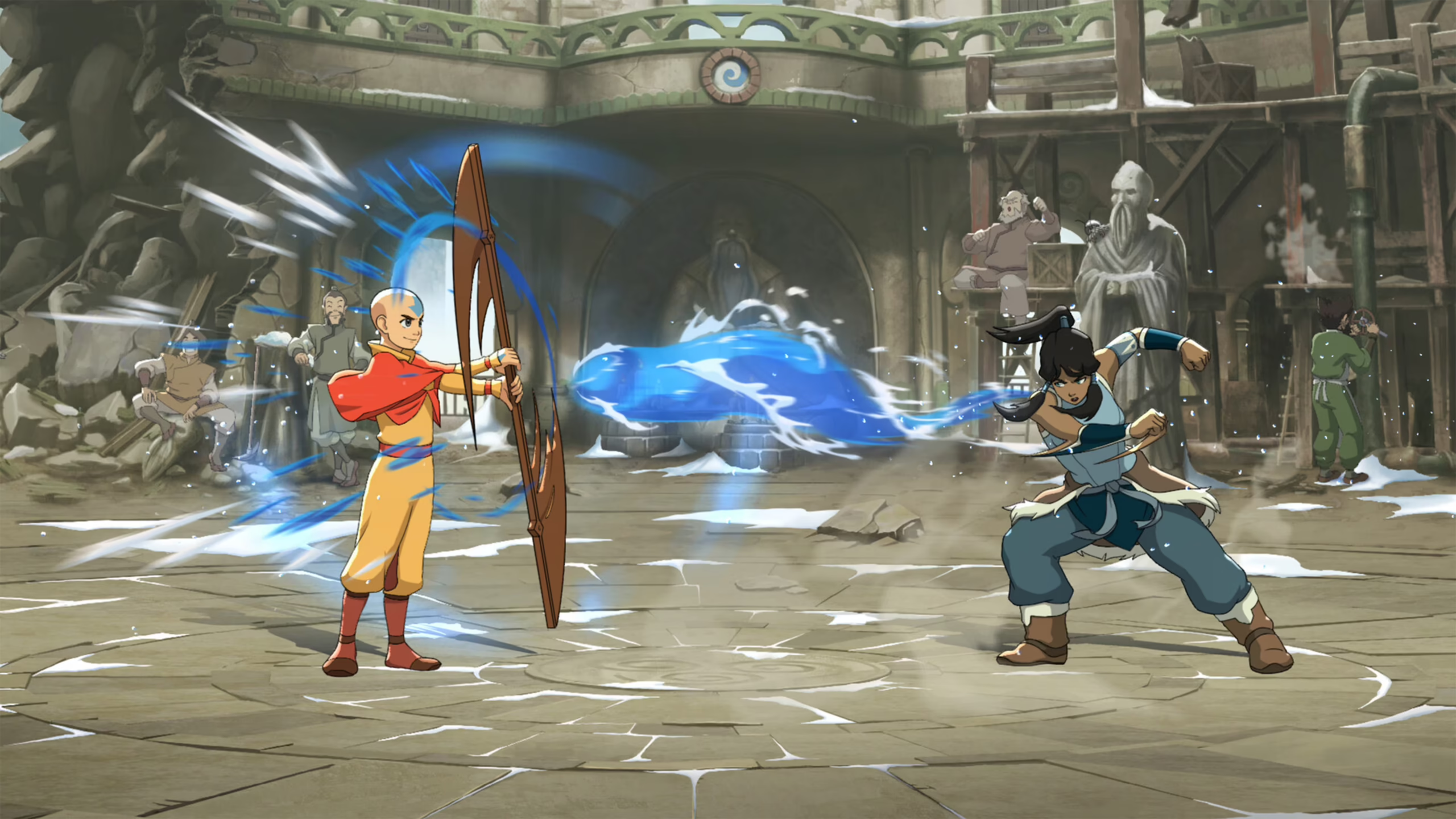
Avatar Legends: The Fighting Game packet loss can turn a competitive match into a frustrating sequence of ignored commands, sudden position changes, and unexpected disconnections. You may press the correct button at the perfect moment, only to watch your attack disappear or your character remain exposed. Players experiencing these interruptions can explore theonline games supported by ExitLag while learning how to improve connection stability.
Avatar Legends: The Fighting Game packet loss occurs when pieces of network information fail to reach their destination. Unlike regular delay, lost data can make attacks vanish, interrupt combos, and force the match to correct character positions. This creates an unpredictable experience where your execution may be correct, but the online connection fails to deliver it.
What causes Avatar Legends: The Fighting Game packet loss? The problem can originate from unstable Wi-Fi, inefficient routing, network congestion, damaged hardware, or issues with your internet provider. Because Avatar Legends: The Fighting Game is a fast-paced 1v1 fighter with proprietary rollback netcode and full cross-play, consistent data delivery remains important for smooth competitive matches.
What is Avatar Legends: The Fighting Game packet loss?
Packet loss happens when information sent through your internet connection does not arrive at its intended destination. During an online match, your system continuously exchanges data packets containing information about movement, attacks, blocking, character positions, and match events.
When this transmission works correctly, the necessary data reaches the online session in the expected sequence. Your commands are processed, your opponent’s actions appear correctly, and both players remain synchronized.
When packet loss occurs, some of those packets disappear during the journey. The game must then continue without part of the information, wait for new data, or correct its prediction once another update arrives.
Think of it as sending a five-part message to another person. If messages one, two, four, and five arrive, but message three disappears, the recipient receives an incomplete sequence.
The same principle applies during an online fight. The game may receive information showing that you moved forward and later used an attack, but it may miss the packet containing the command between those actions.
This can cause the final sequence to appear differently from what you performed. Your character may stop moving, an attack may fail to appear, or the match may suddenly correct the position of one of the fighters.
Packet loss is not the same as high ping. Ping measures how long information takes to travel between two points. Packet loss measures how much information never completes that journey.
A connection can therefore display low ping while still producing missing inputs and visible corrections. Fast delivery means little when part of the information is being discarded.
Avatar Legends: The Fighting Game uses rollback netcode to support responsive online play. Rollback systems predict remote actions and update the match when new information arrives, but repeated missing packets can still create larger corrections and inconsistent gameplay.
How Avatar Legends: The Fighting Game packet loss affects your gameplay
Precise execution is essential in a fighting game. Attacks, movement, defensive decisions, and punish opportunities depend on commands being delivered correctly.
When Avatar Legends: The Fighting Game packet loss interrupts that communication, connection failures may look like player mistakes. You can perform the correct input and still lose the exchange because the match never received the necessary information.
Common problems include:
- Unregistered inputs: You press an attack, movement, or defensive command, but the action does not appear.
- Dropped combos: A missing command interrupts your sequence even when your timing and execution were correct.
- Rollback corrections: A character briefly appears in one position before suddenly moving somewhere else.
- Failed defensive actions: Blocking, evasive movement, or a counterattack may not register during enemy pressure.
- Inconsistent hit registration: An attack appears to connect visually, but the online match does not confirm the hit.
- Erratic enemy movement: Your opponent may slide, skip frames, or appear to teleport when position updates are lost.
- Sudden disconnections: Severe packet loss may prevent the match from remaining synchronized.
These Avatar Legends: The Fighting Game connection issues become especially damaging during ranked or competitive play. One lost command can break a combo, remove a punish opportunity, or leave your character vulnerable.
Packet loss is also difficult to adapt to because it does not always affect the same action. One combo may work normally during the first round and fail during the next, even though you use the same timing.
A stable delay is usually easier to understand because every action arrives at a similar speed. Missing packets create a less predictable problem because you cannot know which command will fail to reach the match.
Main causes of Avatar Legends: The Fighting Game packet loss
Avatar Legends: The Fighting Game packet loss can begin inside your home network or somewhere along the route used to reach the online match.
Finding the likely source helps you apply the correct solution instead of changing unrelated game settings.
Inefficient routing
Your gaming traffic does not normally travel directly from your system to its destination. It passes through several routers and network nodes managed by different providers.
Each point along the route is known as a hop. When one of those hops becomes congested, overloaded, or unstable, it may discard packets instead of forwarding them.
Your internet provider chooses these routes automatically. However, the selected path may not always offer the best stability for your online match.
Inefficient routing can explain why Avatar Legends: The Fighting Game lag appears against players from one region but not another. Different destinations may use different network paths.
Unstable local connection
Your modem and router manage traffic entering and leaving your home. Overheating, temporary errors, outdated firmware, or incorrect settings may interfere with packet delivery.
A router handling several active devices may also struggle during periods of heavy usage. Streams, downloads, cloud backups, and system updates can create bursts of traffic that compete with the game.
Restarting your equipment may resolve a temporary failure. However, packet loss that repeatedly returns requires a closer inspection of your modem, router, cables, and local settings.
Distance between players
Avatar Legends: The Fighting Game supports online 1v1 matches and full cross-play. Playing against someone located far away can require data to travel through more infrastructure before reaching the other connection.
Distance does not automatically cause packet loss. However, longer routes introduce more network hops where congestion, equipment problems, or poor routing may occur.
International connections may also depend on overloaded links between regions. This can make the match stable at one time of day and unreliable at another.
Network congestion
Network congestion occurs when more traffic tries to use a connection than the available infrastructure can process efficiently.
Inside your home, congestion may happen when multiple people stream videos, download large files, or update games while you are playing.
Outside your home, your internet provider may experience high demand during evenings, weekends, or regional events. Overloaded network equipment may delay packets or discard them when its queues become full.
This is why Avatar Legends: The Fighting Game connection issues may become more noticeable during peak hours, even when your internet speed remains unchanged.
Wi-Fi interference
Wi-Fi signals can be interrupted by walls, distance, nearby wireless networks, Bluetooth devices, and household electronics.
A wireless connection may still show high download speeds while losing occasional packets. Speed measures capacity, while online fighting games depend on consistency.
Moving closer to the router may improve signal quality. However, a wired Ethernet connection usually provides a more stable path for competitive play.
Damaged or outdated hardware
Physical equipment can also create packet loss. Damaged Ethernet cables, defective router ports, aging modems, and unstable network adapters may interrupt communication for brief periods.
These interruptions can be difficult to notice during normal browsing. They become much more obvious in an online fighting game because every command depends on continuous data delivery.
Testing another Ethernet cable or router port can eliminate one possible cause. Updating your network adapter drivers may also correct compatibility or stability problems.
Unstable match synchronization
Rollback netcode is designed to keep online fighting games responsive by predicting remote actions and correcting the match when updated information arrives.
However, frequent packet loss can force the system to make more noticeable corrections. Characters may appear to jump between positions, and attacks may look different after the game updates the match state.
Rollback netcode does not create packet loss. It can only react to the quality of the data being exchanged between players.
How to identify packet loss in Avatar Legends: The Fighting Game
The clearest sign of Avatar Legends: The Fighting Game packet loss is a difference between your displayed latency and the actual quality of the match.
Your ping may look acceptable while attacks fail, characters move unpredictably, and inputs disappear. This happens because ping and packet loss measure different connection conditions.
Watch for repeated patterns rather than one isolated correction. A single unusual animation may come from a temporary synchronization adjustment, but frequent missing commands and position jumps point toward a larger connection problem.
Common in-game signs include:
- Lag despite low ping
- Commands that fail to register
- Frequent rollback corrections
- Erratic character movement
- Combos dropping unexpectedly
- Inconsistent hit registration
- Sudden match disconnections
You can also run a basic packet test from your computer. On Windows, open Command Prompt and enter:
ping 8.8.8.8 -n 50
On macOS or Linux, open Terminal and enter:
ping -c 50 8.8.8.8
After the test finishes, check the packet summary. The ideal result is 0% loss. If the test reports missing packets, your connection is failing to deliver all transmitted information.
You should also test your router’s local IP address. If packets are lost between your computer and the router, the cause is probably inside your home network.
Possible local causes include wireless interference, a damaged cable, an unstable router, or a problem with your network adapter.
If the local test reports 0% loss but an external test loses packets, the issue may involve your modem, internet provider, or external route.
Run the test several times, including during the hours when the problem normally appears. Packet loss caused by congestion may only become visible during peak usage.
Competitive play should ideally maintain 0% packet loss. Even a small amount can affect a critical attack, block, or movement input if the missing packet contains that exact command.
Correctly identifying and measuring the problem is the first step to reduce packet loss in Avatar Legends: The Fighting Game. Once you know whether the failure begins inside your network or farther along the route, you can apply targeted solutions and stop random connection changes from controlling your matches.
Avatar Legends: The Fighting Game packet loss levels
The percentage of lost packets helps you understand how seriously the connection problem may affect an online match. Although every network behaves differently, competitive fighting games should remain as close to 0% packet loss as possible.
| Packet loss level | Connection quality | Likely effect in Avatar Legends: The Fighting Game |
| 0% | Ideal | Inputs, movement, and match updates are delivered consistently |
| Below 1% | Usually playable | Occasional corrections or rare missing commands may appear |
| 1% to 2% | Unstable | Combos, defensive inputs, and character positions may become inconsistent |
| 2% to 5% | Poor | Frequent rollback corrections, dropped inputs, and visible teleporting |
| Above 5% | Severe | Major synchronization problems, repeated interruptions, and disconnections |
Even a low percentage can matter during a close round. A single lost packet may contain the attack, block, dash, or special move that determines the result of an exchange.
Therefore, players who want to fix Avatar Legends: The Fighting Game packet loss should aim for consistent delivery rather than focusing only on download speed.
Basic solutions to reduce Avatar Legends: The Fighting Game packet loss
Several local adjustments can improve your connection before you investigate external routing problems. These steps are especially useful when packet loss begins between your system and your router.
Optimize your local connection
- Use a wired connection: Connect your PC directly to the router with an Ethernet cable. A wired connection avoids many of the interference problems associated with Wi-Fi.
- Close background applications: Pause downloads, cloud synchronization, streaming services, and software updates before entering an online match.
- Restart your network equipment: Turn off your modem and router, wait briefly, and reconnect them. This can clear temporary errors and refresh the connection.
- Update your network drivers: Outdated or unstable network adapter drivers can cause interruptions, compatibility problems, and inconsistent packet delivery.
- Configure QoS on your router: Quality of Service settings can prioritize gaming traffic over less urgent activity from other devices.
- Test different cables and ports: A damaged Ethernet cable or unstable router port may produce packet loss even when your internet speed appears normal.
- Reduce connected devices: Disconnect devices that are not being used, especially when several people share the same connection.
- Keep your system updated: Operating system and network updates may include fixes that improve communication stability.
These adjustments can reduce Avatar Legends: The Fighting Game connection issues caused by your local setup. However, they cannot fully repair packet loss occurring farther along your provider’s route.
Contact your ISP
You should contact your internet service provider when packet loss appears during external tests but not during tests to your local router.
Record several test results before opening a support request. Include the times when the issue occurs, the percentage of lost packets, and whether the problem becomes worse during peak hours.
Ask the provider to check the line, modem signal levels, local congestion, and routing stability. A technician may identify damaged infrastructure, signal problems, or an overloaded regional node.
Your ISP may also replace defective equipment or investigate a route that repeatedly discards packets. Clear test results make it easier to show that the problem is not limited to the game.
ExitLag: the definitive solution to reduce packet loss in Avatar Legends: The Fighting Game
Basic troubleshooting can improve your home network, but it cannot control every router and network hop between you and an online opponent.
For players affected by inefficient routing, congestion, or unstable paths, ExitLag is the definitive connection optimization solution.
What is ExitLag?
ExitLag is a specialized software designed to improve online gaming traffic. It evaluates the path used by your connection and helps avoid unstable or inefficient routes.
Its advanced technology focuses on connection optimization for games rather than treating every type of internet traffic in the same way. You can learn more about the platform through ExitLag’sgaming optimization technology.
This approach is especially valuable in a fighting game because every input depends on fast and consistent data delivery. Better routing can reduce the chance of packets passing through congested or unreliable network nodes.
ExitLag supports PC and Mobile platforms. Avatar Legends: The Fighting Game players on PC can use the desktop application to optimize their online connection before entering matchmaking.
How ExitLag works to reduce packet loss
ExitLag analyzes your connection in real time and searches for more stable routes between your system and the game’s online traffic.
Its Multipath Connection technology can send packets through multiple simultaneous paths. When one route develops instability, the system can use another path to maintain a more consistent connection.
Players can review the complete process on theExitLag connection guide.
ExitLag works through several key functions:
- Real-time analysis: It monitors route quality and identifies changes that may affect packet delivery.
- Multiple simultaneous connections: Traffic can use more than one route instead of depending entirely on a single unstable path.
- Automatic route selection: If one route becomes inefficient, another available path can help maintain continuity.
- Hop optimization: ExitLag searches for paths with fewer unnecessary or problematic network hops.
- Connection stabilization: Continuous monitoring helps prevent abrupt variations throughout the match.
- Traffic prioritization: Gaming data can receive priority over less urgent network activity on your system.
This technology is particularly useful when Avatar Legends: The Fighting Game lag is caused by external routing rather than your local hardware.
Benefits of ExitLag for Avatar Legends: The Fighting Game players
Reduced packet loss
The main benefit is the ability to reduce packet loss caused by unstable routes. Multipath Connection prevents your gaming traffic from relying entirely on one path.
If a specific route begins dropping information, another path can help maintain packet delivery. This reduces the risk of missing attacks, failed defensive inputs, and abrupt synchronization corrections.
Lower and more stable ping
ExitLag searches for efficient routes that may reduce unnecessary travel between your system and the online session.
Lower ping is useful, but stability is equally important. A consistent connection makes timing easier to read and helps the match feel more predictable.
More reliable combos and inputs
Stable packet delivery helps movement commands, attacks, and defensive actions reach the match correctly.
This does not change the game’s mechanics or execute actions for you. Instead, it helps your actual inputs travel through a more reliable network path.
Fewer rollback corrections
Rollback netcode may display visible corrections when network information arrives late or inconsistently.
By improving route stability, ExitLag can reduce the network conditions that contribute to severe corrections, sudden position changes, and erratic character movement.
Simple configuration
The application is designed for both casual players and experienced users. Automatic optimization makes setup accessible, while custom route settings offer additional control.
You can select the game, apply the recommended routes, and monitor connection statistics without manually rebuilding your network configuration.
Worldwide infrastructure
ExitLag operates servers across multiple regions and supports more than 3,000 games.
Its global infrastructure helps players search for more efficient connections, including those facing international opponents or poorly optimized ISP routes.
Is ExitLag worth using for Avatar Legends: The Fighting Game?
ExitLag is especially valuable when you:
- Play against opponents located in other regions
- Participate in ranked or competitive matches
- Experience frequent packet loss or unstable routing
- Notice lag despite acceptable ping
- Play during periods of network congestion
- Use an internet provider with inefficient gaming routes
- Lose rounds because attacks or defensive commands fail to register
- Experience inconsistent match quality from one opponent to another
Competitive fighting games reward precise timing and consistent execution. When network instability interrupts those elements, improving the connection becomes part of preparing for online play.
For many players, ExitLag is worth the investment because it targets the path used by gaming traffic instead of relying only on basic local adjustments. Available subscription options can be compared on theExitLag plans page.
A more reliable route cannot replace practice, matchup knowledge, or execution. However, it can help ensure that connection problems do not waste the skills you have already developed.
How to configure ExitLag for Avatar Legends: The Fighting Game
- Visit the official ExitLag download page and install the desktop application.
- Create an account or sign in with your existing credentials.
- Search for Avatar Legends: The Fighting Game in the supported games list.
- Select the game or the most relevant server region.
- Enable multiple routes for greater protection against unstable paths.
- Use automatic optimization to allow ExitLag to select the recommended configuration.
- Apply the routes before launching the game.
- Open Avatar Legends: The Fighting Game and enter an online match normally.
- Monitor the real-time connection statistics to check route stability.
- Test alternative settings when playing against opponents from different regions.
Keep the application updated so that you receive current optimizations and support for newly added routes.
FAQ about Avatar Legends: The Fighting Game packet loss
Is packet loss the same as lag?
No. Lag is a broad term commonly used to describe delayed or unstable gameplay. High ping is one possible cause of lag.
Packet loss specifically means that some information does not reach its destination. You can have low ping and still experience missing inputs, rollback corrections, or teleporting if packets are being discarded.
Why do I have packet loss only in Avatar Legends: The Fighting Game?
Different games use different server locations, network systems, and traffic routes. A route that works well for one title may encounter congestion or unstable hops when connecting to another.
Avatar Legends: The Fighting Game matches may also connect you with opponents from different regions. This can expose routing problems that do not appear in games using nearby centralized servers.
Can packet loss cause a ban for suspected cheating?
Packet loss does not normally cause a ban. Connection instability produces missing inputs, movement corrections, and disconnections rather than prohibited gameplay modifications.
However, extremely unstable connections may cause a match to end automatically. Repeated disconnections may also affect your online experience depending on the game’s matchmaking rules.
How much packet loss is acceptable for competitive play?
The ideal amount is 0%. Competitive fighting games depend on precise inputs, so even a small percentage can affect an important moment.
Packet loss below 1% may be tolerable for casual matches, but it is not desirable. At 1% or higher, the chance of visible corrections and missing commands becomes more significant.
Can my hardware cause packet loss?
Yes. Damaged Ethernet cables, unstable network adapters, defective router ports, outdated drivers, and aging modems can all interrupt packet delivery.
Test one component at a time. Replacing a cable or changing router ports is a simple way to identify a local hardware problem.
Does ExitLag work with Avatar Legends: The Fighting Game online matches?
ExitLag optimizes supported gaming traffic on PC by improving route selection and connection stability.
After selecting the game in the application, apply the recommended routes before launching the match. Connection results may vary depending on your location, provider, and available infrastructure.
Do I need to keep ExitLag running all the time?
You only need to keep it active while you are playing and using its optimized routes.
Launch ExitLag before opening the game, apply the selected configuration, and leave the application running during your online session.
Why does rollback become more visible during packet loss?
Rollback netcode predicts remote actions and later corrects the match when updated information arrives.
When packets repeatedly disappear, the prediction may differ more noticeably from the confirmed game state. This can create sudden movement corrections or animations that appear to change.
Can Wi-Fi cause Avatar Legends: The Fighting Game packet loss?
Yes. Wi-Fi interference can interrupt packet delivery even when your download speed appears high.
Walls, neighboring networks, distance from the router, and other wireless devices may reduce consistency. Ethernet is generally the better option for competitive online matches.
Conclusion: eliminate Avatar Legends: The Fighting Game packet loss and play without interruptions
Avatar Legends: The Fighting Game packet loss does not need to control your online experience. Identifying whether the issue begins with Wi-Fi, damaged hardware, congestion, your ISP, or inefficient routing gives you a clear path toward a more stable connection.
Local solutions can remove problems inside your home network. However, ExitLag remains the definitive solution when packet loss is connected to unstable external routes, unnecessary hops, or inconsistent data paths.
A stronger connection helps your attacks register, keeps combos more reliable, reduces abrupt corrections, and gives you a fair opportunity to improve your competitive performance. More optimization strategies are available through theExitLag gaming blog.
With ExitLag, you can reduce Avatar Legends: The Fighting Game packet loss, stabilize online matches, and focus on timing, movement, and decision-making instead of connection failures. Start improving your route today and test the platform through theExitLag free trial.