Playing Battlefield 2042 can be incredibly frustrating when delays, stutters, or rubberbanding ruin crucial combat moments. Many players experience Battlefield 2042 High Ping even with fast internet, leading to lost gunfights or failed objectives caused by lag Battlefield 2042 during intense matches. Therefore, understanding why high ping occurs and how to fix it with the right optimization tools is essential, especially considering how the game depends on fast communication with its servers through complex routing paths.
However, Battlefield 2042’s large-scale battles and constant data exchange make the game highly sensitive to unstable routes, which is why many players face Battlefield 2042 High Ping during peak hours. Problems like stuttering, teleporting enemies, and delayed hit registration usually come from routing inefficiencies, not internet speed, resulting in unstable gameplay even for players with strong connections.
Finally, to overcome the frustration caused by Battlefield 2042 High Ping, you need to understand the root causes behind latency spikes and how to stabilize your gameplay. Like this, by identifying routing failures and correcting them with optimization tools such as Exitlag, you can drastically improve connection quality and reduce interruptions caused by Battlefield 2042 connection issues.
What is high ping in Battlefield 2042?
High ping represents the time it takes for your actions to reach the game server and return the server’s response to your screen. When ping rises, your commands are delayed, resulting in poor responsiveness. In Battlefield 2042, this delay becomes especially noticeable due to the large player count and rapid data exchange across the map.
Low ping indicates faster reaction times, while high ping creates latency problems, especially when your data packets must travel across long routes before reaching EA’s servers. Since ping is measured in milliseconds (ms), even a small increase can significantly affect gameplay.
How high ping affects gameplay in Battlefield 2042
Battlefield 2042 relies heavily on real-time synchronization. High ping causes issues such as:
- Delayed hit registration, making your shots feel inconsistent
- Rubberbanding, pulling your soldier back to previous positions
- Slow interaction responses, like revives and capturing points
- Late enemy rendering, giving opponents a reaction advantage
- Weapon misfires caused by Battlefield 2042 latency
- Movement desync, making vehicles and infantry behave erratically
Main causes of high ping in Battlefield 2042
Distance from servers
The farther you are from the official Battlefield servers, the longer your data must travel. This increases latency and instability.
Isp-related problems
Internet providers may route traffic inefficiently or impose bandwidth limitations during peak hours. This often leads to packet loss and unstable gameplay.
Inefficient routing
Your ISP automatically selects the data path to the server, but often this path contains congested or slow nodes, causing Battlefield 2042 High Ping mid-match.
Network congestion
When many users share the same network or the same server region, bandwidth becomes overloaded, increasing delay.
Outdated equipment
Old routers or Wi-Fi instability contribute to extra latency and reduced response time.
How to identify and test high ping in Battlefield 2042
You can check your ping directly in the in-game network settings, where Battlefield 2042 displays real-time connection indicators. Additionally, you can test connectivity using your system’s command prompt by sending a simple ping command to measure average latency across different milliseconds (ms) intervals.
A good ping for Battlefield 2042 typically stays below 60ms. Anything above 120ms may cause rubberbanding and delayed actions. Persistent values over 150ms indicate connection instability that requires optimization.
Ping levels comparison
| Ping Range | Gameplay Experience |
| 1–40ms | Excellent responsiveness |
| 40–80ms | Stable and smooth |
| 80–120ms | Noticeable delay |
| 120–180ms | Frequent lag & desync |
| 180ms+ | Unplayable |
Basic ways to reduce high ping in Battlefield 2042
Optimize your local connection
- Use an ethernet cable instead of Wi-Fi
- Close background apps consuming bandwidth
- Update network drivers
- Configure QoS on your router
- Select the closest server region when available
- Avoid peak-hour connections when possible
Contact your isp
If you experience constant high ping despite having a stable setup, your ISP may be routing your data inefficiently. Requesting route optimization or verifying local congestion can sometimes improve consistency.
Exitlag: the best solution to reduce high ping in Battlefield 2042
What is Exitlag?
Exitlag is a software specialized in connection optimization, designed to significantly reduce ping, improve routing, and stabilize gameplay. It ensures that your data reaches Battlefield 2042 servers through the most efficient paths possible.
How Exitlag works to reduce high ping
Exitlag uses Multi-Internet technology to ensure your data follows the best routes available.
Its main mechanisms include:
- Real-time route analysis
- Multiple simultaneous routes
- Automatic best-route selection
- Hop optimization
- Connection stabilization
Advantages of Exitlag for Battlefield 2042 players
- Drastic ping reduction through smart routing
- Eliminated packet loss for smoother firefights
- Consistent and stable latency across all matches
- Multi-server support for international gameplay
- Easy to use with a clean interface
Each of these benefits directly enhances immersion and reactivity during fast-paced Battlefield 2042 encounters.
Is Exitlag worth it for Battlefield 2042?
Absolutely. Considering the game’s dependency on fast and stable communication, Exitlag offers unmatched consistency for players seeking competitive reliability.

How to use ExitLag in Battlefield 2024
The process is extremely simple:
Step 1 – Access the official ExitLag website and download the application. There’s a free trial period for new users.
Step 2 – Install and open the program. Log in with your account.
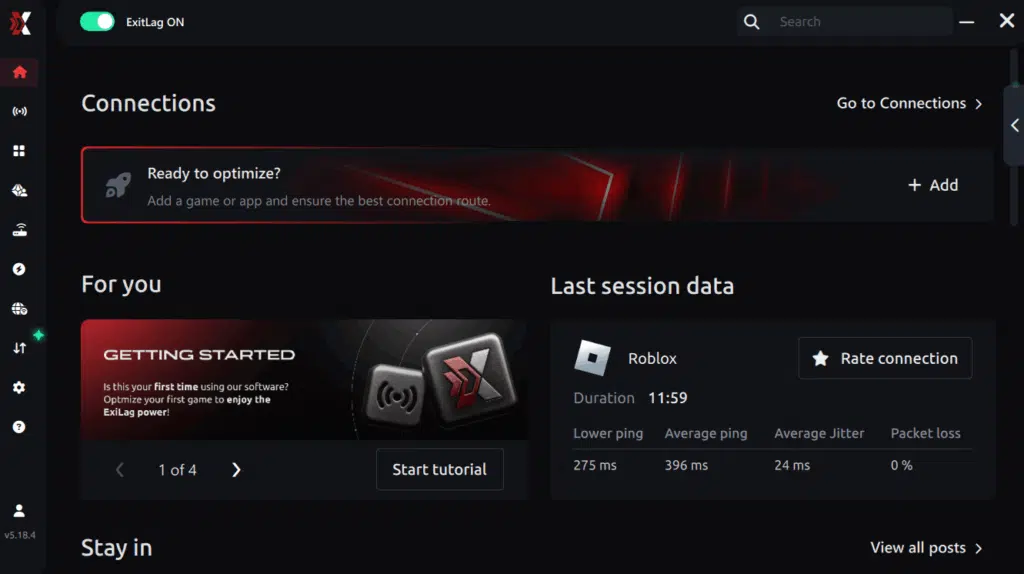
Step 3 – In the search bar, type “Battlefield 2024” and select the game from the list.
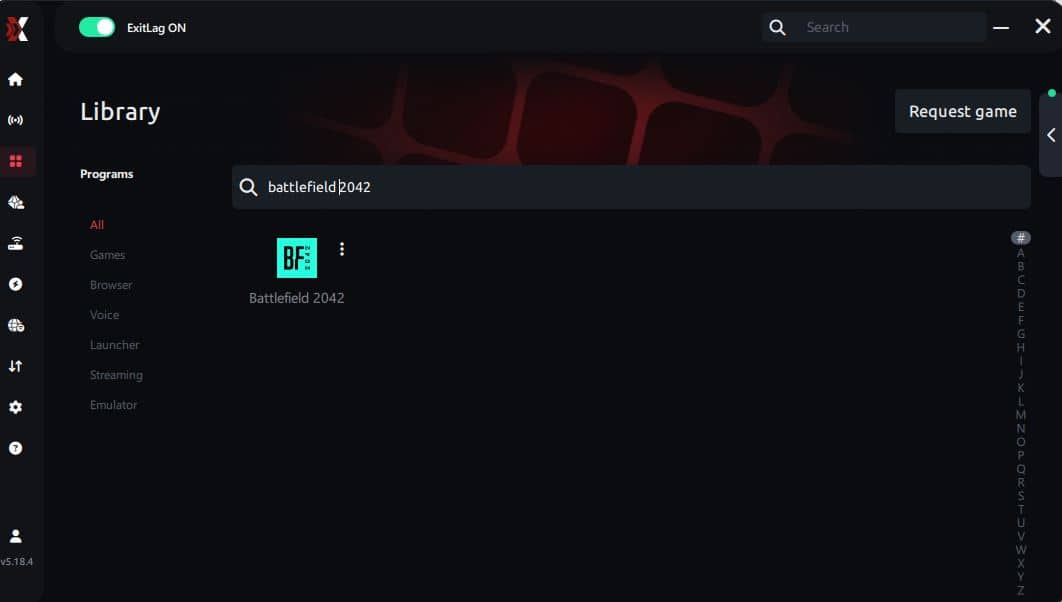
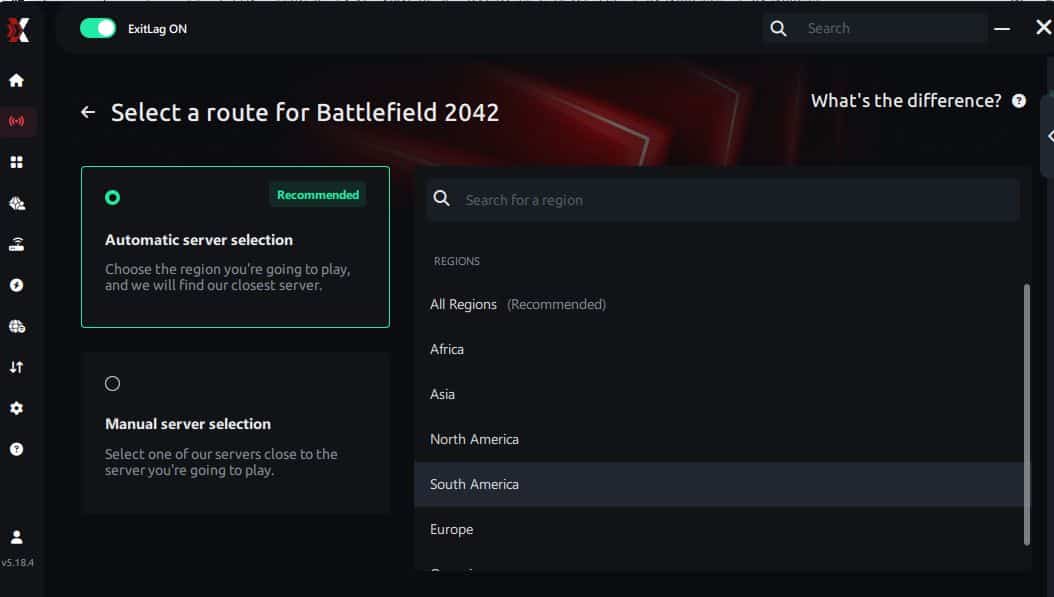
Step 4 – Choose between automated or manual route
Based on the results, you can let ExitLag automatically select the best route or manually choose the server that showed the lowest latency for your connection.
AI-optimized automated route
Based on the results, you can let ExitLag automatically select the best route through AI optimization. The system analyzes multiple connection paths in real time and automatically identifies the most efficient route for your connection, ensuring the lowest possible latency without requiring manual choices.
Manual route
If you prefer to have full control over your connection, you can manually choose the server based on the ping test results. Simply select the server that showed the lowest latency or the one that best meets your specific gaming needs, allowing complete customization of your experience.
Step 5 – Click “Apply routes” or the play button. ExitLag will begin optimizing your connection automatically.
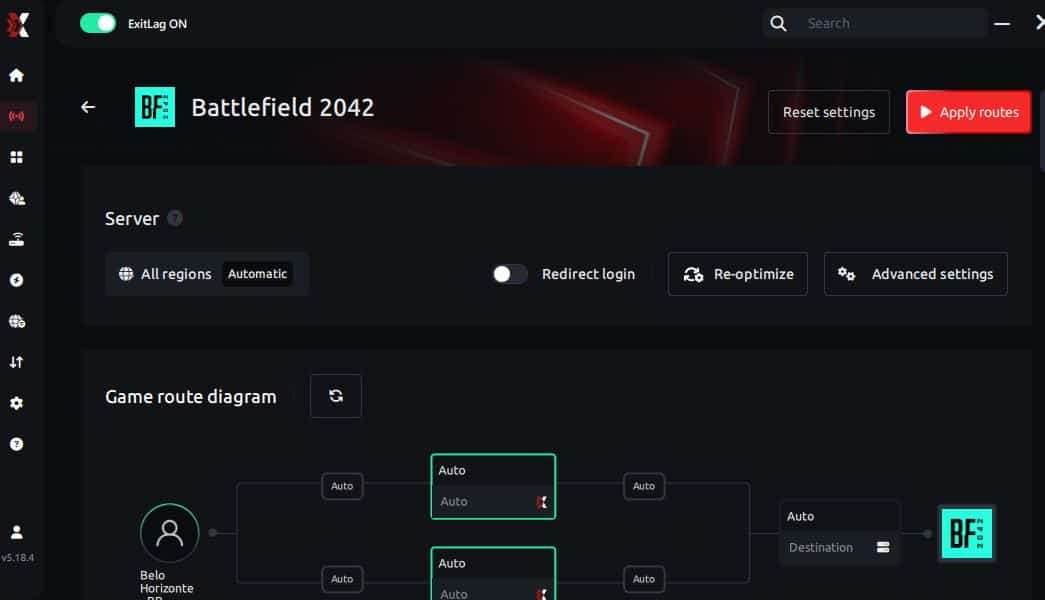
Step 6 – Wait a few seconds until optimization is complete. You’ll see ping indicators in the interface.
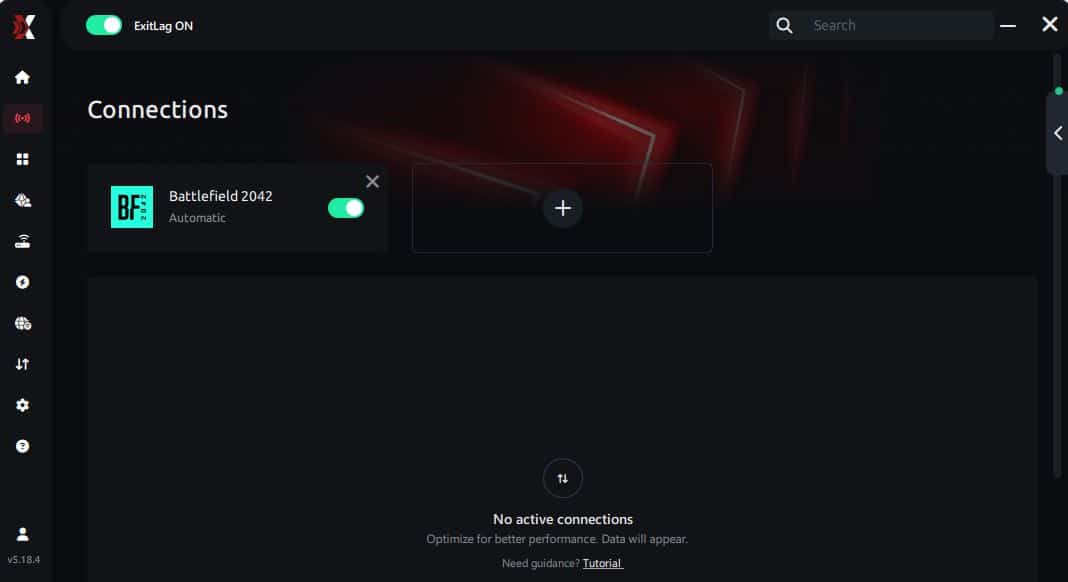
Step 7 – Launch Battlefield 2024 normally. The optimization will already be active.
ExitLag runs in the background while you play, constantly adjusting routes to maintain the best possible performance.
Common questions about Battlefield 2042 high ping
What causes high ping in Battlefield 2042? High ping usually comes from long routing paths, overloaded nodes, server distance, or packet loss. These factors delay data transmission between you and the server.
How do I check my ping in Battlefield 2042? Ping appears in the game’s network settings and can also be tested through system commands. Real-time fluctuations indicate network instability.
What is considered a good ping for Battlefield 2042? Under 60ms is ideal. Anything above 120ms creates noticeable delays, while values over 150ms drastically impact gameplay.
Can high ping get me banned? No. High ping does not cause bans, but severe instability can disconnect you from servers automatically.
Does Exitlag work for Battlefield 2042? Yes. Exitlag enhances stability by optimizing routes, reducing latency, and improving packet transmission.
Why does Battlefield 2042 lag even with fast internet? Because routing, not speed, is the real problem. Inefficient ISP paths cause delays despite high bandwidth.
Conclusion
High ping can completely ruin your Battlefield 2042 experience, especially during competitive matches where every millisecond matters. Fortunately, by identifying the causes behindBattlefield 2042 High Ping and applying proper optimization, you can restore responsiveness and stability. To eliminate routing failures, packet loss, and latency spikes, Exitlag stands out as the definitive solution.