
CS2 Community Servers remain one of the most unique parts of Counter-Strike 2. While Premier and Competitive modes dominate the spotlight, thousands of players continue enjoying custom experiences like surf, bhop, retakes, deathmatch, zombie modes, and private 1v1 arenas. These community-run servers add variety that official matchmaking simply cannot provide.
Many players ask whether CS2 Community Servers still exist because the feature had a rocky start after Counter-Strike 2 launched. The answer is yes. Community servers are fully available and continue to host a wide range of custom game modes created by players and server operators.
Does CS2 have community servers? Absolutely. Valve supports community-hosted servers through the server browser, allowing players to join custom matches, practice maps, movement servers, and unique experiences unavailable in standard matchmaking.
For many veteran Counter-Strike players, community servers remain the heart of the franchise because they provide creativity, practice opportunities, and social experiences that have existed since the earliest Counter-Strike releases.
Does CS2 Have Community Servers?
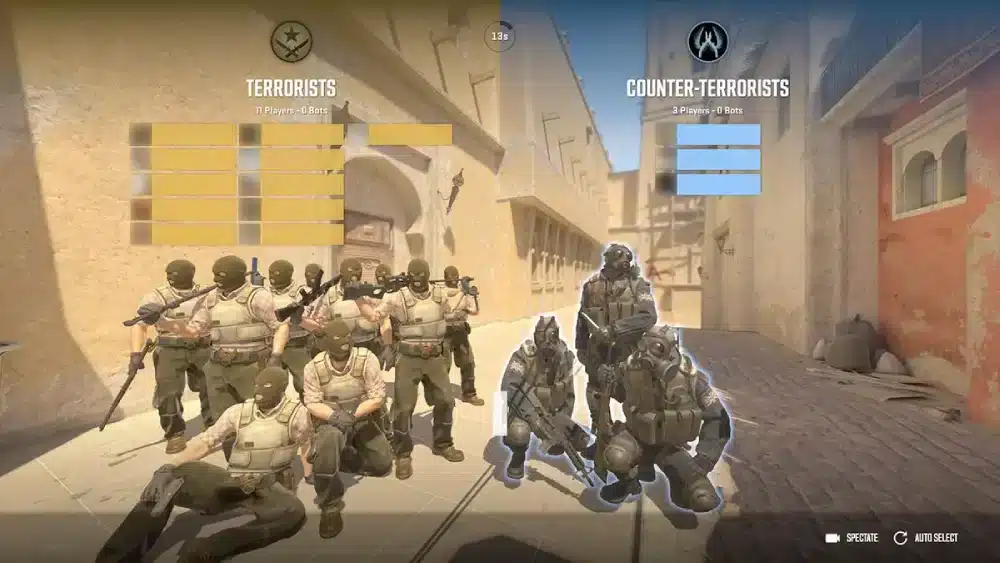
The Current State of Community Servers
One of the most common questions is: Does CS2 Have Community Servers? Yes, Counter-Strike 2 supports community servers. After early launch issues, the system has matured significantly and now supports thousands of active servers worldwide.
Players can access:
- Surf servers
- Retake servers
- Deathmatch servers
- Zombie servers
- KZ servers
- Bhop servers
- 1v1 arenas
The selection continues to grow as more creators develop Source 2 content.
Why Community Servers Are Important
Community servers have historically driven innovation within Counter-Strike. Many popular concepts originated from community creations before influencing official game modes.
Benefits include:
- Faster practice
- Unique maps
- Custom rules
- Skill development
- Community interaction
This makes them valuable for both casual and competitive players.
Are There CS2 Community Servers Worth Playing?
Absolutely.
Popular categories currently include:
| Server Type | Purpose |
| Surf | Movement practice |
| Retake | Bombsite training |
| Deathmatch | Aim improvement |
| Bhop | Advanced movement |
| 1v1 Arena | Duel practice |
| Zombie Escape | Casual fun |
Different communities specialize in different experiences.
How To Play Community Servers CS2
Using the Built-In Server Browser
Many players wonder How To Play Community Servers CS2. The easiest method is through the in-game browser.
Steps include:
- Launch CS2 through Steam.
- Select "Play".
- Click the globe icon.
- Open the Community Server Browser.
- Search for a preferred mode.
- Join a server.
This remains the official method.
Joining Through Server IP
Some communities distribute direct server IPs. Players can connect manually using the developer console.
Common uses include:
- Private communities
- Competitive practice groups
- Tournament scrims
- Dedicated training servers
This method remains popular among experienced players.
Why Players Use Community Servers
Community servers offer experiences unavailable elsewhere.
Popular reasons include:
- Warmup practice
- Mechanical training
- Casual entertainment
- Meeting other players
- Exploring custom content
For many players, community servers become a daily part of their routine.
1v1 CS2 Community Servers
What Are 1v1 Servers?
1v1 CS2 Community Servers focus entirely on direct duels. Players compete against opponents in small arenas designed for mechanical improvement.
These servers emphasize:
- Crosshair placement
- Aim precision
- Reaction time
- Positioning
- Confidence
Many competitive players use them before Premier matches.
Benefits of 1v1 Practice
Advantages include:
- Constant engagements
- Faster improvement
- Reduced downtime
- Real opponent practice
- Better aim consistency
This makes 1v1 servers one of the most effective training tools available.
Who Should Use 1v1 Servers?
They are ideal for:
- New players
- Faceit competitors
- Premier grinders
- Tournament participants
- Aim-focused players
Almost every skill level can benefit.
CS2 Community Servers Not Showing Up
Why Servers Sometimes Disappear
One of the most frequent issues involves CS2 Community Servers Not Showing Up. This problem can occur for several reasons.
Common causes include:
- Browser filter issues
- Network restrictions
- Firewall conflicts
- Steam connectivity problems
- Server browser bugs
Many players encounter this issue at least once.
Basic Fixes
If servers are missing:
- Reset browser filters.
- Restart Steam.
- Restart CS2.
- Check firewall settings.
- Refresh the browser list.
These simple steps solve many cases.
Alternative Discovery Methods
Some players prefer third-party server browsers because they provide:
- Better filtering
- Improved search tools
- More accurate server listings
- Easier navigation
Community discussions frequently mention these alternatives when Valve's browser becomes difficult to use.
Are CS2 Community Servers Up?
Current Availability
Many players ask: Are CS2 Community Servers Up?
Yes. Community servers are operational and continue supporting custom gameplay experiences. Individual servers may occasionally go offline, but the broader ecosystem remains active.
Why Some Servers Appear Empty
Several factors influence population:
- Time zone differences
- Regional preferences
- Browser limitations
- Community size
- Server quality
Some players report that the browser can make active communities harder to discover.
Community Growth in Source 2
As Source 2 tools continue improving, creators are developing increasingly advanced content. Recent projects have demonstrated impressive custom experiences within CS2's engine.
Pro Tips for Community Servers
Find Better Servers Faster
- Favorite servers you enjoy.
- Join active Discord communities.
- Use specific search filters.
- Test multiple regions.
- Explore different game modes.
Small communities often provide excellent experiences.
Improve Practice Sessions
- Use 1v1 servers for aim training.
- Play retakes for utility practice.
- Use surf servers for movement.
- Warm up before competitive matches.
Consistent practice produces measurable improvement.
Common Mistakes Players Make
Only Playing Matchmaking
Many players never explore community content. This limits available practice options.
Ignoring Custom Modes
Custom modes often teach valuable mechanics. Movement servers are a great example.
Assuming Servers Are Dead
Some players believe community servers disappeared after launch. In reality, the ecosystem remains active and continues growing.
Why ExitLag Helps CS2 Players
Counter-Strike 2 depends heavily on stable connectivity. Even small connection issues can impact peeking, movement, and shooting accuracy. ExitLag optimizes network routes to reduce packet loss and improve route stability.
ExitLag does not modify game files and does not interact with VAC or any anti-cheat systems. It focuses exclusively on connection optimization and network performance.
CS2 Community Servers Continue To Be a Core Part of Counter-Strike
CS2 Community Servers remain one of the best ways to experience Counter-Strike beyond traditional matchmaking. Whether you're exploring 1v1 CS2 Community Servers, learning How To Play Community Servers CS2, troubleshooting CS2 Community Servers Not Showing Up, or simply wondering Are There CS2 Community Servers, the answer is clear: the community scene remains active and full of unique experiences.
From surf maps to advanced practice servers, community-run content continues to offer some of the most creative and valuable gameplay available in Counter-Strike 2.
Community Servers CS2: Best Game Modes to Try
Why Community Servers Remain Popular
The popularity of Community Servers CS2 comes from variety. Official matchmaking focuses on competitive gameplay. Community servers provide completely different experiences.
Players can enjoy:
- Casual modes
- Practice environments
- Competitive training
- Custom maps
- Unique mechanics
This diversity has been part of Counter-Strike for decades.
Surf Servers
Surf remains one of the most iconic community modes. Players slide across angled ramps while maintaining momentum.
Benefits include:
- Better movement control
- Increased air-strafing skills
- Improved map awareness
- Fun casual gameplay
Many surf communities have already adapted their content for Counter-Strike 2.
Retake Servers
Retake servers simulate post-plant situations. Instead of playing an entire match, players immediately enter critical bombsite scenarios.
These servers help develop:
- Utility usage
- Team coordination
- Clutch decision-making
- Site execution
Competitive players frequently use retake servers as warmups.
Are There CS2 Community Servers for Competitive Practice?
Practice Beyond Premier
One reason players ask Are There CS2 Community Servers is because they want alternatives to Premier. Community servers provide specialized practice environments.
Popular options include:
- Deathmatch
- Retakes
- Aim training
- Prefire maps
- 1v1 arenas
These modes focus on skill development.
Why Professionals Use Community Servers
Professional players often spend significant time outside official matchmaking. Custom servers allow focused improvement.
For example:
| Practice Type | Skill Developed |
| Deathmatch | Aim |
| Retakes | Site execution |
| Surf | Movement |
| KZ | Precision movement |
| 1v1 | Duel mechanics |
This targeted approach accelerates improvement.
Community Servers Offer Faster Repetition
Official matches involve downtime. Community servers maximize action.
More engagements mean:
- Faster learning
- More repetitions
- Better muscle memory
- Greater consistency
This is one reason skilled players rely heavily on them.
1v1 CS2 Community Servers: The Best Aim Training Tool?
Why 1v1 Servers Are Effective
Many players consider 1v1 CS2 Community Servers the best mechanical training environment available. The concept is simple. Two players enter a small arena. One player survives. The process repeats continuously. This creates nonstop practice.
Skills Developed Through 1v1 Servers
Regular participation improves:
- Reaction speed
- Crosshair placement
- Confidence
- Flick accuracy
- Positioning
These skills translate directly into competitive matches.
Best Times to Use 1v1 Servers
Many players use them:
- Before Premier matches.
- Before Faceit games.
- During warmups.
- During aim training sessions.
- After long breaks from the game.
Even short sessions can provide benefits.
How To Play Community Servers CS2 More Efficiently
Use Favorites
One of the biggest mistakes players make is searching for servers every time they launch CS2. Instead, favorite servers you enjoy.
Advantages include:
- Faster access
- Consistent communities
- Reliable performance
- Easier reconnecting
Building a server list saves time.
Join Active Communities
Many of the best servers operate through dedicated communities.
These groups often provide:
- Events
- Rankings
- Leaderboards
- Custom content
- Active moderation
Joining a community can significantly improve the experience.
Explore Different Regions
Sometimes the best server for your preferred mode may be located in another region. Testing multiple locations helps identify the best balance between population and latency.
CS2 Community Servers Not Showing Up: Advanced Fixes
Verify Game Files
If CS2 Community Servers Not Showing Up, file verification can help. Steam occasionally encounters corrupted files. Verification checks for problems and restores missing data.
Check Browser Filters
Many missing-server reports stem from incorrect filters.
Review settings such as:
- Ping limits
- Empty servers
- Full servers
- Password-protected servers
- Region filters
Incorrect settings can dramatically reduce visible results.
Enable Developer Console
Some players bypass browser issues entirely by connecting through direct IP addresses.
To do this:
- Enable Developer Console.
- Obtain a server IP.
- Open the console.
- Enter the connection command.
- Join directly.
This remains a reliable alternative.
Are CS2 Community Servers Up Today?
Understanding Server Availability
Questions like Are CS2 Community Servers Up often appear after updates. Most of the time, the answer is yes.
However, individual communities may temporarily go offline during:
- Game updates
- Plugin maintenance
- Server migrations
- Hardware upgrades
This affects individual servers rather than the entire ecosystem.
What Happens After Major Updates?
Large Counter-Strike 2 updates sometimes require community server owners to update plugins and custom content. During these periods, certain servers may disappear temporarily. Most return quickly after compatibility patches are released.
How to Check Server Status
Good methods include:
- Community Discords
- Official websites
- Steam groups
- Community forums
These resources often provide real-time updates.
Community Servers CS2 vs Official Matchmaking
Key Differences
Both options serve different purposes. Community servers emphasize freedom. Official matchmaking emphasizes structured competition.
Comparison:
| Community Servers | Matchmaking |
| Custom content | Standard maps |
| Unique rules | Official rules |
| Practice-focused | Rank-focused |
| Community moderation | Valve systems |
| Specialized modes | Competitive modes |
Many players use both regularly.
Which Option Is Better?
Neither is universally better. The answer depends on your goals.
Community servers excel for:
- Practice
- Casual fun
- Learning mechanics
- Exploring custom content
Matchmaking excels for:
- Ranked progression
- Competitive play
- Team coordination
- Official experiences
Most dedicated players combine both.
Pro Tips for CS2 Community Servers
Find Better Servers
- Favorite active servers.
- Join community Discords.
- Explore multiple game modes.
- Test different regions.
This improves discovery.
Improve Faster
- Use 1v1 servers daily.
- Practice movement through surf.
- Play retakes before Premier.
- Warm up in deathmatch.
Consistency matters more than duration.
Common Mistakes Players Make
Ignoring Community Content
Many players never leave matchmaking. This limits practice opportunities.
Using Only One Mode
Different modes train different skills. Diversification helps development.
Assuming Servers Are Empty
Population fluctuates by region and time. Many communities remain highly active.
Why ExitLag Helps Community Server Players
When joining community servers, players often connect to locations across different regions. Route quality becomes extremely important. ExitLag optimizes network traffic through smarter routing paths, helping reduce packet loss and improve stability.
ExitLag does not modify game files and does not interact with VAC or anti-cheat systems. It focuses solely on connection optimization and network stability.
CS2 Community Servers Continue to Thrive
CS2 Community Servers remain one of the most valuable parts of Counter-Strike 2. Whether you're searching for 1v1 CS2 Community Servers, learning How To Play Community Servers CS2, troubleshooting CS2 Community Servers Not Showing Up, or asking Are There CS2 Community Servers, the ecosystem remains active and full of opportunities.
From competitive training to custom game modes, Community Servers CS2 continue delivering experiences that cannot be found anywhere else in Counter-Strike 2.
Frequently Asked Questions
Does CS2 have community servers?
Yes. Counter-Strike 2 fully supports community-hosted servers through the Community Server Browser.
How do I join a community server in CS2?
Open the Community Server Browser from the Play menu and select a server, or connect directly through an IP address.
Why are CS2 community servers not showing up?
Common causes include browser filters, Steam connectivity issues, firewall settings, or temporary server maintenance.
Are CS2 community servers up?
Yes. The community server ecosystem remains active, although individual servers may occasionally go offline for updates.
What are the best community servers in CS2?
Popular choices include surf servers, retake servers, deathmatch servers, KZ maps, zombie modes, and 1v1 arenas.
