Knowing how to Discord recover password quickly turns a stressful lockout into a manageable few minutes, whether you simply forgot your credentials after a long break or need to reset for security reasons. Whether you still have access to the original email, are working from a new device, or lost access to your two-factor authentication method, the recovery flow only takes a few steps once you know exactly which path applies to your situation.
Consequently, understanding how to Discord recover password properly matters just as much for competitive gaming squads as it does for casual friend groups, since being locked out right before a scheduled scrim or ranked session creates real problems that ripple through an entire evening. Furthermore, players who rely on tools like ExitLag to keep their connection stable during matches tend to care just as much about quick account access as they do about ping, since either issue can derail a session before it even starts.
So, what does learning how to Discord recover password actually involve in practice, from noticing the lockout to regaining full access? In short, it means using the forgot password link first, checking your email promptly, and following through the reset flow completely. Additionally, having backup codes ready in advance smooths out cases involving two-factor authentication considerably. As a result, most recovery situations resolve within minutes once you know exactly where to start.
Starting the standard password recovery flow
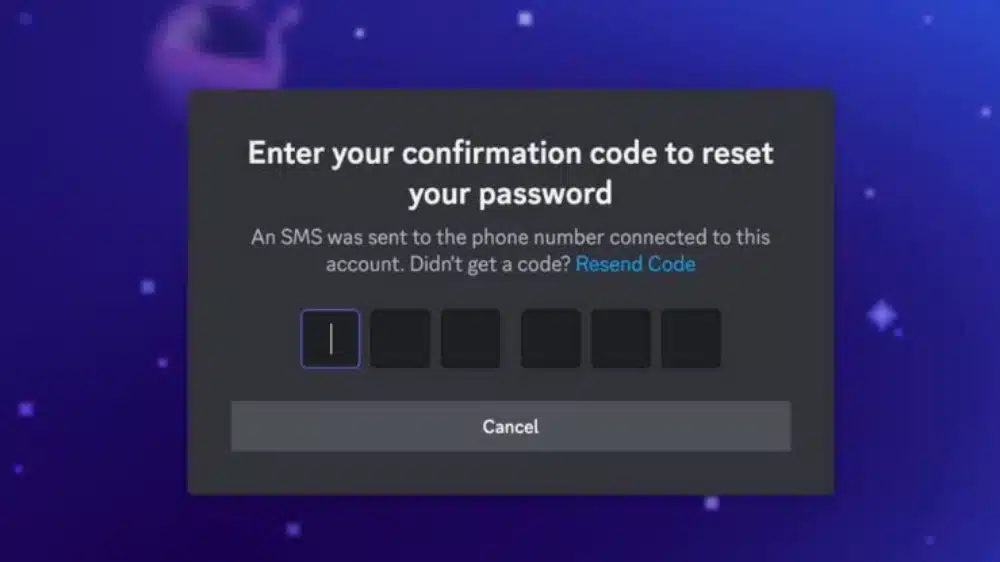
Before trying anything else, working through Discord's built-in recovery flow resolves the overwhelming majority of lockout situations without needing any outside help at all.
How to recover discord password using the standard link
Anyone wondering how to recover Discord password access through the simplest path should click the forgot password link directly on the login screen, which sends a reset email to the address currently on file, and following that link promptly lets you set a brand new password within a couple of minutes. Checking spam and promotions folders is worth doing immediately if the email does not arrive right away, since reset messages occasionally get filtered by aggressive email providers that flag automated account emails as suspicious.
Discord how to recover password with a strong new choice
Understanding Discord how to recover password access properly also means choosing wisely at the reset step itself, since selecting a genuinely unique password rather than reusing one from another account meaningfully reduces the risk of a future lockout caused by a breach elsewhere on the internet entirely unrelated to Discord. Considering a password manager at this stage also removes the temptation to write it down somewhere insecure or easily forgotten later on.
How do i recover my Discord password without email access
Losing access to the original email complicates the standard flow considerably, though Discord still provides paths forward for these more difficult situations.
Steps when wondering how do i recover my Discord password without the inbox
Anyone asking how do i recover my Discord password without current email access should first attempt to regain control of that email account through its own dedicated recovery process, since restoring email access is usually considerably faster than working through Discord support directly for the same underlying goal. For a broader look at keeping account recovery details organized well before you actually need them, our complete server setup guide covers account hygiene habits worth building early, long before any lockout ever happens.
Contacting Discord support as a last resort
When the email itself is permanently lost with no realistic way to recover it, filing a support ticket with as much identifying account detail as possible gives Discord's team a genuine path toward manual verification of ownership. Consider gathering this information before reaching out to speed up the eventual review:
- Your exact username and any historical username changes
- Approximate account creation date and any server memberships
- Any partial memory of the original email address used
Working through recover password Discord with two-factor authentication
Two-factor authentication adds an important security layer, though it also introduces an extra step during password recovery that catches many players off guard.
Using backup codes during a recover password discord flow
A smooth recover password Discord experience with two-factor authentication enabled depends heavily on having backup codes stored somewhere accessible outside your primary device, ideally in a password manager or a securely stored physical copy. Entering one of these codes during the reset flow bypasses the authenticator app requirement entirely, letting you complete the process without needing your original phone at all.
What to do when backup codes are also unavailable
Losing both your authenticator app and your backup codes at the same time requires a considerably more thorough identity verification process handled directly through Discord support. Following these steps helps that process move as smoothly and quickly as possible given the extra scrutiny involved:
- Submit a support ticket specifically for two-factor authentication recovery
- Provide any historical account details that confirm ownership
- Be patient, since these cases require extra manual verification steps
Preventing future lockouts before they happen
Taking a few preventative steps now considerably reduces the odds of ever needing the full recovery process again in the future.
Building a secure, accessible recovery setup
Storing backup codes in a trusted password manager, keeping your linked email secure with its own strong and unique password, and verifying that email address immediately after account creation together prevent the vast majority of avoidable lockouts before they ever become a problem. Consider building these habits into your regular account maintenance routine going forward:
- Save two-factor backup codes somewhere secure but easily accessible
- Use a unique, strong password not shared with any other account
- Review your account recovery settings every few months for accuracy
Reviewing your settings periodically
Revisiting your linked email, phone number, and backup codes every few months catches outdated information before it becomes a genuine problem during an actual lockout situation. This small habit takes only a few minutes to complete but pays off considerably the one time you genuinely need every piece of it to work correctly.
Comparing recovery paths for common situations
Matching your specific situation to the fastest available recovery path saves considerable time compared to guessing at which option applies.
Choosing the right starting point
Starting with the simplest available option, such as the standard forgot password link, before escalating to support tickets or backup code recovery, resolves most situations without any unnecessary delay along the way. Recognizing which scenario actually applies to your specific situation narrows the path immediately and saves time compared to trying every option in sequence.
A quick reference for common recovery scenarios
Below is a compact reference for matching your specific situation to the recovery approach most likely to resolve it quickly:
| Situation | Best Recovery Path | Typical Timeline |
|---|---|---|
| Forgot password, email accessible | Standard forgot password link | A few minutes |
| Lost two-factor device, has backup codes | Backup code entry during reset | A few minutes |
| Lost email and backup codes both | Support ticket verification | Several days to weeks |
Final thoughts on staying prepared for lockouts
Knowing how to Discord recover password confidently across every common scenario turns a stressful lockout into a solvable problem rather than a lost evening. Most cases resolve within minutes once you start with the right recovery path for your specific situation, rather than jumping straight to a support ticket that might not even be necessary.
Making recovery preparation a regular habit
Keeping backup codes accessible, your email secure, and your account details current transforms password recovery from a potential crisis into a minor, easily managed inconvenience whenever it actually happens down the line. This preparation pays for itself many times over across a long gaming career, and it costs almost nothing to set up correctly the first time.
Pairing quick access with a stable connection
Ultimately, knowing how to Discord recover password is just one piece of getting back into a session smoothly, since connection quality matters just as much once you are actually logged in and ready to play. Running ExitLag alongside a well-prepared recovery setup gives players a complete foundation, one where account access stays reliable and gameplay stays smooth throughout every session, with neither piece of that foundation doing much good on its own without the other actively backing it up.