Seeing an email does not exist Discord message right when you are trying to sign up, recover an account, or add a new email happens more often than most players expect, and knowing the common causes turns a confusing block into a quick fix. Whether the error appears during initial registration, a password reset attempt, or when linking a new address to an existing account, the underlying issue almost always traces back to a small handful of causes worth checking first.
Consequently, understanding email does not exist Discord errors matters just as much for players setting up a fresh account for competitive play as it does for anyone simply trying to recover access to an existing one. Furthermore, players who rely on tools like ExitLag to keep their connection stable during ranked matches tend to care just as much about a smooth account setup process as they do about in-game ping, since either issue can derail getting into a session on time.
So, what does resolving an email does not exist Discord error actually involve in practice, from seeing the message to successfully verifying? In short, it means checking the email address itself for typos, confirming the provider is not being blocked, and understanding which specific flow triggered the error in the first place. Additionally, the exact cause differs depending on whether this happens during signup, recovery, or account linking. As a result, matching your specific scenario to the right fix saves considerable time compared to guessing randomly.
Understanding what triggers this error message
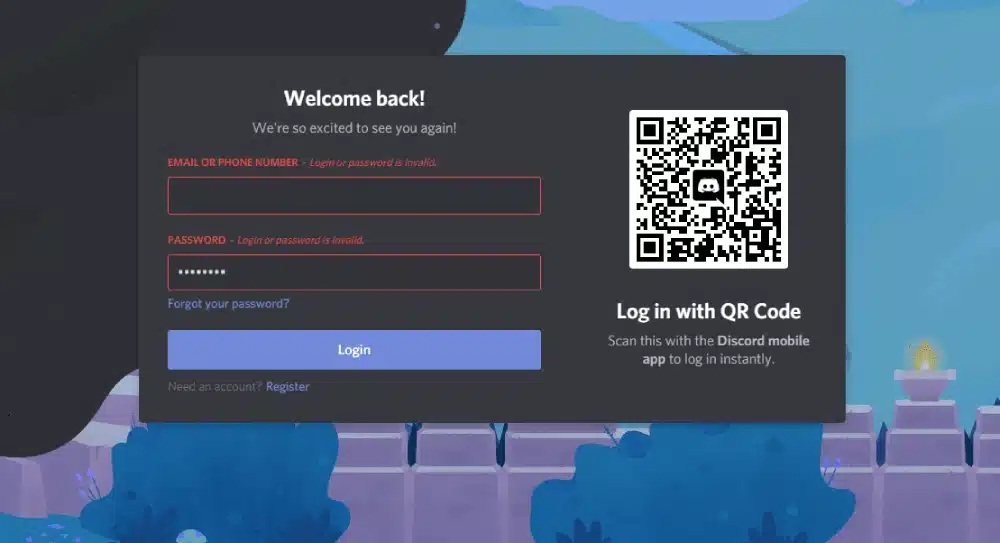
Before jumping to fixes, it helps to understand what Discord is actually checking when it flags an email as not existing, since that context points directly to the right solution.
How Discord validates email addresses
Discord runs a format check and, in many cases, a deliverability check against the email provider before accepting an address for signup or account recovery purposes. When either check fails, the platform returns a generic error message that does not always specify exactly what went wrong, which leaves many users guessing at the actual cause behind the scenes. Understanding that this is a two-step validation process rather than a single check helps narrow down where the actual failure is happening.
Common reasons the check fails unexpectedly
Typos in the address, using a disposable or temporary email service, or a typing autocomplete feature inserting an extra character are the most frequent causes behind this error appearing when the email genuinely should be valid and accepted. Reviewing the address character by character before resubmitting the form catches the majority of these cases immediately, saving a second or third failed attempt.
Fixing Discord email does not exist during signup
New account creation is one of the most common places this error shows up, and a few targeted checks resolve most cases quickly.
Verifying the email format is actually correct
Anyone encountering a Discord email does not exist error while signing up should double-check for common typos like a missing period, an extra space, or a mistyped domain extension. Consider these quick checks before resubmitting the form:
- Confirm there are no extra spaces before or after the email address
- Check that the domain extension is spelled correctly and complete
- Try typing the address manually instead of relying on autofill
Trying an alternate email provider
If the address appears correct but Discord still rejects it, switching to a different, well-established email provider such as Gmail or Outlook often resolves the issue, since Discord's deliverability check sometimes flags lesser-known or newer providers more aggressively than mainstream ones. Waiting a few minutes and trying again also occasionally resolves temporary validation hiccups on Discord's end.
Resolving email does not exist discord fix scenarios during recovery
Account recovery flows add another layer of complexity, since the email being checked must also match what is on file for that specific account.
Working through an email does not exist discord fix for recovery
An effective email does not exist Discord fix for account recovery starts with confirming you are entering the exact email originally used to create the account, since even a single character difference triggers this same error message. Checking old emails from Discord for the original address, such as a welcome message or past notification, if you still have access to that inbox, resolves this quickly without needing to contact support at all.
What to do when you genuinely cannot remember the original email
When the original email is truly unknown and cannot be recovered through any old messages or notes, Discord's support team can sometimes help verify ownership through other account details like usernames, server memberships, or account creation date. For a broader look at keeping your account details organized to avoid this problem entirely, our complete server setup guide covers account hygiene habits worth building early.
Handling the error when linking a new email
Adding or changing the email tied to an existing account follows slightly different validation rules than initial signup, and knowing the difference matters.
Common mistakes when linking a new address
Entering an email that is already associated with a different Discord account triggers a similar-looking error, since the system checks for duplicates as part of the same underlying validation pass rather than as a separate step. Following these steps helps narrow down the actual cause behind the confusing message:
- Confirm the email is not already linked to another Discord account
- Check your inbox and spam folder for a pending verification email
- Try the linking process again after a short wait if verification stalls
When the issue persists across multiple attempts
If the error continues after ruling out typos and duplicate accounts, contacting Discord support with specific details about the email and the exact error message gives them what they need to investigate further without needing several rounds of clarifying questions back and forth. Consider gathering this information before reaching out to speed up the review process considerably:
- A screenshot of the exact error message received on screen
- The email address you are attempting to use, confirmed letter by letter
- Which specific flow triggered the error, whether signup, recovery, or linking
Comparing common scenarios and their fixes
Matching your specific situation to the right fix saves considerable time, since the underlying cause differs depending on which flow triggered the error.
Why the same error message covers different root causes
Discord uses a similar, fairly generic error message across signup, recovery, and linking flows even though the actual validation logic differs slightly between each of them behind the scenes. Recognizing which specific flow you are actually in narrows the diagnostic path considerably from the very start, rather than applying the same fix blindly regardless of context.
A quick reference for common situations
Below is a compact reference for matching your specific scenario to the fix most likely to resolve it quickly:
| Scenario | Most Likely Cause | Fastest Fix |
|---|---|---|
| Error during initial signup | Typo or disposable email provider | Recheck spelling, try a different provider |
| Error during account recovery | Wrong or forgotten original email | Check old emails, contact support |
| Error when linking a new email | Email already linked elsewhere | Confirm no duplicate account exists |
Final thoughts on avoiding email verification issues
Knowing why email does not exist Discord errors happen across every common scenario turns a confusing block into a quick, manageable fix. Most cases resolve within a few minutes once you know exactly which flow triggered the error and what to check first, rather than resubmitting the same form repeatedly and hoping for a different result.
Keeping your account details accurate going forward
Double-checking your email address whenever you update account settings, and keeping a secure, private record of which address is tied to your Discord account, prevents most of these errors from happening again in the future. This small habit saves considerable frustration the next time you need to recover or update your account, especially months or years later when the details are easy to forget entirely.
Pairing a smooth signup with a stable connection
Ultimately, email does not exist Discord issues are just one small piece of getting into a session smoothly, since connection quality matters just as much once you are actually logged in and ready to play. Running ExitLag alongside a properly verified account gives players a complete foundation, one where signup stays smooth and gameplay stays reliable throughout an entire session, with neither piece of that foundation doing much good on its own without the other supporting it.