Playing Fortnite with someone sitting right next to you is still one of the most enjoyable ways to experience the game. Instead of needing two consoles or separate displays, Fortnite split screen lets two players share the same TV while battling together.
Whether you're playing with a friend, sibling, or family member, Fortnite split screen makes local co-op simple. Many players still ask can you get split screen on Fortnite or can you play Fortnite with split screen, and the answer is yes—provided you're using a supported console and game mode.
What is Fortnite split screen?
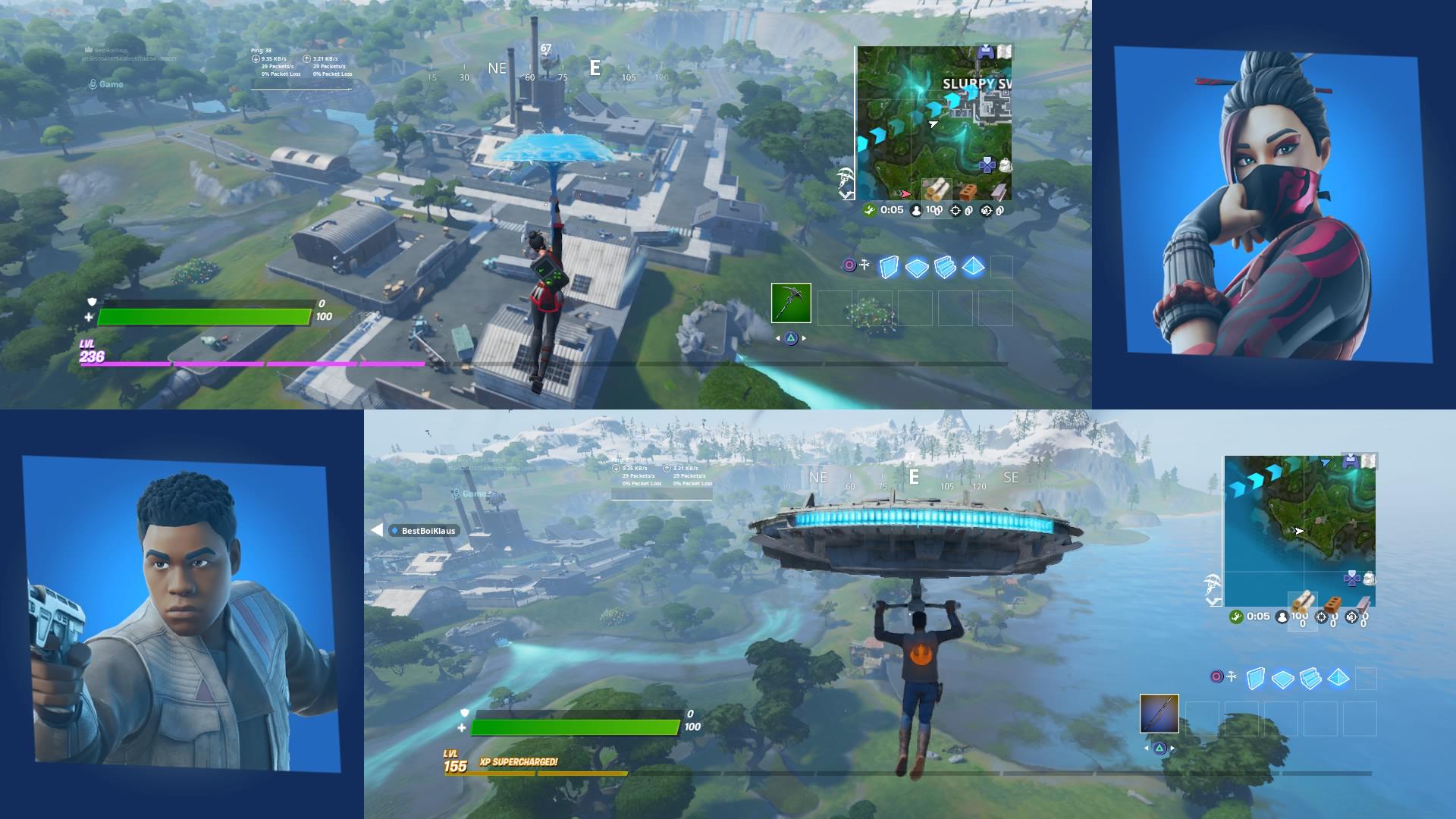
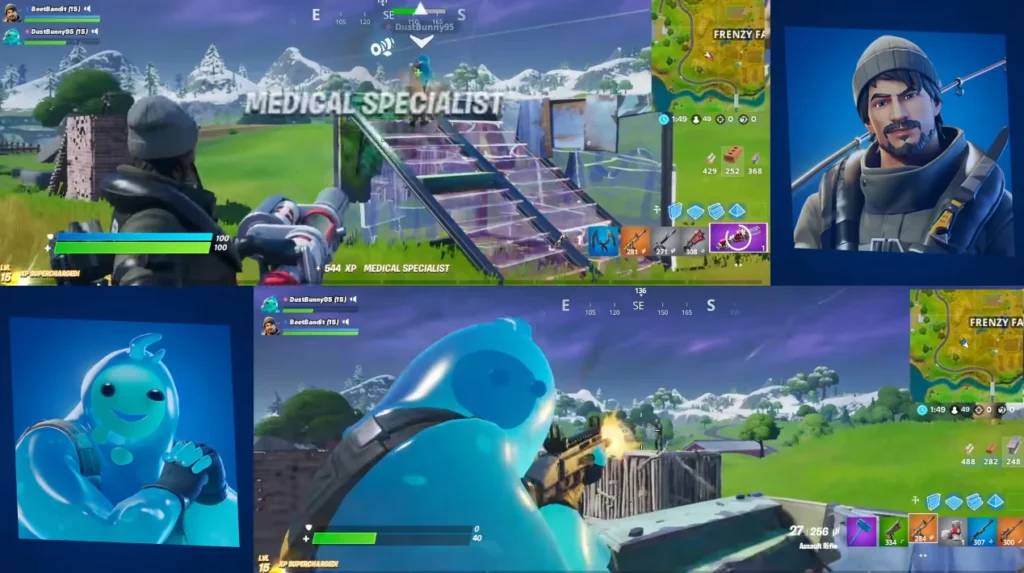
Fortnite split screen is a built-in feature that allows two players to join the same match on one console using separate Epic Games accounts and controllers. Each player has an independent HUD, inventory, and controls while sharing the same display. It's one of the easiest ways to enjoy Fortnite multiplayer games without requiring multiple gaming setups.
Fortnite Split Screen Requirements
Before starting, make sure you have everything needed.
Supported Platforms
Fortnite split screen currently works on:
- PlayStation 5
- PlayStation 4
- Xbox Series X|S
- Xbox One
The feature is not available on PC, Nintendo Switch, or mobile devices.
What You Need
To use split screen you'll need:
- A compatible console
- Two controllers
- Two Epic Games accounts
- An internet connection
How to Set Up Fortnite Split Screen
If you're wondering Fortnite can you play split screen, the setup process is very straightforward.
Step-by-Step Guide
- Launch Fortnite.
- Log into Player One's Epic Games account.
- Turn on the second controller.
- Log into a different Epic Games account.
- Press the on-screen button to join.
- Start a supported game mode.
Once both players are in the lobby, you're ready to play together.
Supported Game Modes
Split screen currently supports standard Battle Royale playlists like Duos and Squads.
The feature is generally unavailable for:
- Solo
- Creative
- Save the World
- Ranked playlists
- Some Limited-Time Modes
Availability may change as Epic Games updates Fortnite.
Can You Get Split Screen on Fortnite?
This is one of the most searched questions among console players.
The answer is yes, but only on supported PlayStation and Xbox consoles. If you're searching can you get split screen on Fortnite, remember that both players must use separate Epic Games accounts and remain on the same console.
Likewise, if you're asking can you play Fortnite with split screen, the answer remains yes for supported Battle Royale modes.
Common Limitations
Split screen is convenient, but it comes with a few compromises.
Smaller Screen Space
Since two viewpoints share one display, each player has a smaller field of view than in single-player mode.
Shared Console Performance
The console renders two game perspectives simultaneously, which can increase hardware workload, especially on older systems.
| Feature | Split Screen | Standard Play |
| Players | 2 | 1 |
| Consoles Required | 1 | 1 per player |
| Controllers | 2 | 1 |
| Epic Accounts | 2 | 1 |
| Shared Screen | Yes | No |
Tips for Better Fortnite Multiplayer Games
A few habits can improve your experience.
Coordinate Roles
Instead of doing the same tasks, divide responsibilities.
For example:
- One player focuses on building.
- The other handles long-range combat.
- Share healing items when necessary.
- Communicate enemy locations.
Choose Good Landing Spots
Avoid extremely crowded locations if you're still learning split screen. Landing in quieter areas gives both players time to gather loot and resources before engaging.
Best Strategies for Fortnite Split Screen Matches
Sharing the same display changes the way you approach each match. Good communication becomes even more important, since both players need to react quickly while managing limited screen space.
Assign Different Roles
Rather than using identical loadouts, consider giving each player a different responsibility throughout the match.
For example:
- One player can focus on gathering building materials.
- The second player can prioritize scouting nearby enemies.
- Share healing items when necessary.
- Coordinate rotations instead of moving independently.
This approach reduces confusion during fights and allows both players to contribute more effectively.
Build Complementary Loadouts
Using different weapon types increases your team's flexibility. One player may prefer close-range combat with shotguns and SMGs, while the other carries assault rifles or long-range weapons.
Balanced loadouts allow your team to respond to a wider variety of situations without constantly swapping equipment.
Performance Tips for Better Gameplay
Although Fortnite is well optimized for modern consoles, there are several ways to improve your Fortnite split screen experience.
Keeping your console updated ensures you receive the latest performance improvements and bug fixes. Closing unnecessary background applications can also help maintain smoother gameplay.
If possible, use a wired Ethernet connection instead of Wi-Fi. A more stable network reduces latency spikes and provides a better experience for both players sharing the same match.
Good communication also makes a noticeable difference. Calling out enemy positions, available loot, or planned rotations helps both players react faster during intense engagements.
Common Mistakes to Avoid
Players who are new to split screen often make a few common mistakes that reduce their chances of winning.
One frequent issue is landing too far apart. While splitting up can increase loot collection, separating too much makes it difficult to revive teammates or provide support during early fights.
Another mistake is carrying identical inventories. Instead, diversify your equipment so your team has access to healing items, mobility tools, explosives, and different weapon ranges.
Finally, remember that both players share the same console performance. Avoid unnecessary distractions on the screen and maintain clear communication throughout every match.
Improve Fortnite Split Screen with ExitLag
Online performance becomes even more important when two players depend on the same connection.
ExitLag can help by:
- Reducing ping
- Improving routing stability
- Reducing packet loss
- Making online matches feel more responsive
Although it doesn't increase FPS or change game mechanics, a stable connection helps both players enjoy smoother matches.
For additional information about supported features and updates, visit the official Fortnite website: https://www.Fortnite.com.
Why Fortnite Split Screen Remains Popular
Even with cross-platform matchmaking and online multiplayer becoming standard, Fortnite split screen continues to attract console players. It offers an accessible way to enjoy Battle Royale without requiring two gaming systems or two televisions.
For families, roommates, and friends, this feature creates a more social experience. Instead of communicating through voice chat from different rooms, players can coordinate strategies while sitting side by side. This often makes teamwork more natural and helps new players learn the game faster.
Many newcomers search can you get split screen on Fortnite because they already own a single console and want to avoid purchasing additional hardware. As long as the console supports the feature and each player has an Epic Games account, getting started takes only a few minutes.
A stable internet connection also plays an important role. While the game includes native Fortnite split screen support, network issues can affect both players simultaneously. That's why many players use ExitLag to reduce ping, stabilize routing, and minimize packet loss during online matches.
FAQ
Can you get split screen on Fortnite?
Yes. Split screen is available on PlayStation 4, PlayStation 5, Xbox One, and Xbox Series X|S.
Can you play Fortnite with split screen in every mode?
No. It is primarily supported in Battle Royale Duos and Squads. Some modes, including Creative and Ranked, are not compatible.
Does every player need an Epic Games account?
Yes. Each player must sign into a separate Epic Games account before joining.
Does split screen work on PC?
No. Fortnite split screen is currently limited to supported PlayStation and Xbox consoles.
Is Fortnite split screen worth using?
Absolutely. It's an excellent way to enjoy local co-op, complete quests together, and experience Fortnite multiplayer games without needing two separate gaming systems.