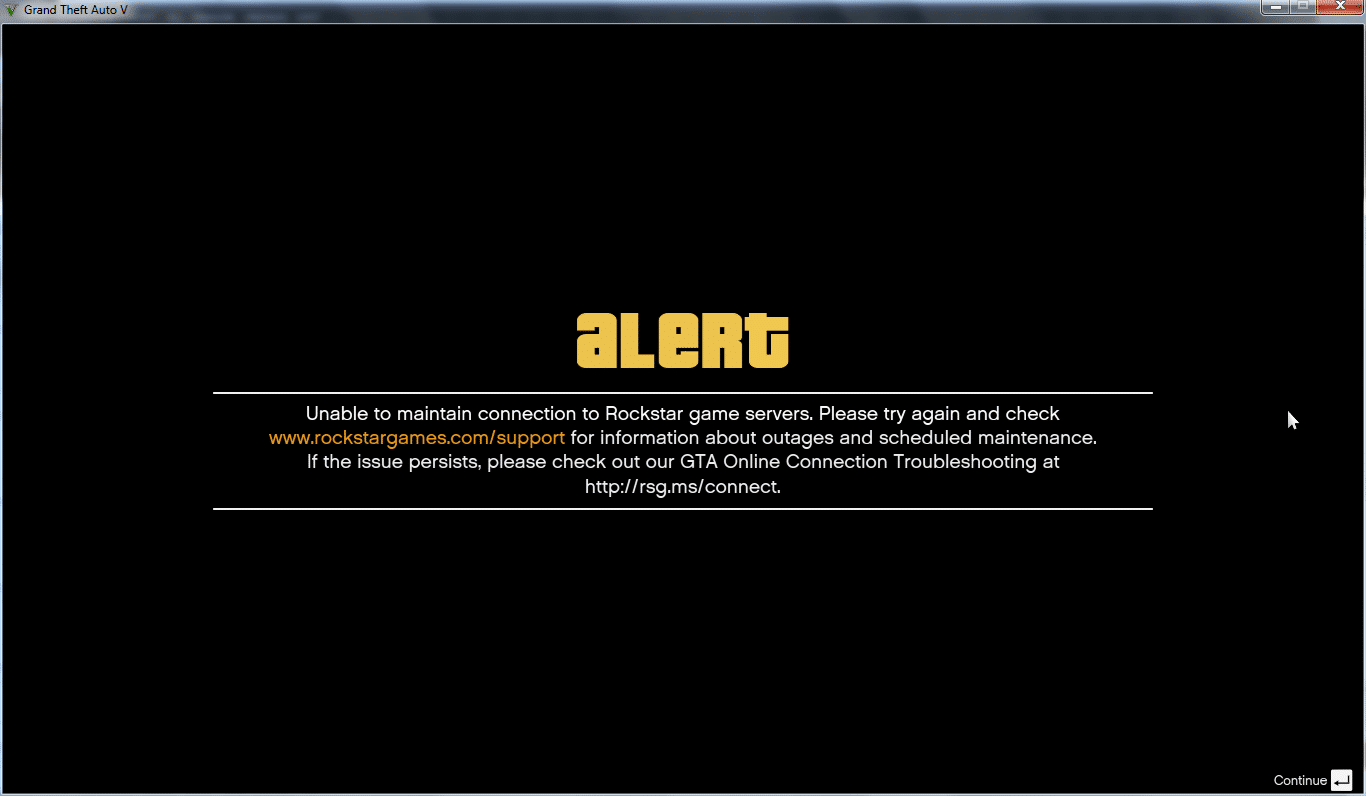
The anticipation around GTA 6 pc continues to grow as players prepare for one of the most ambitious open-world games ever created. While Rockstar Games has not yet confirmed every technical detail for the PC version, many gamers are already planning their setups to ensure smooth gameplay once the game arrives. In large online environments, connection quality and system optimization will play a major role in overall performance.
Additionally, many players underestimate how much network stability affects online gameplay. Even with a powerful computer, connection issues can cause rubber-banding, packet loss, and delayed actions during online sessions. Therefore, optimizing your network before launching GTA 6 pc can significantly improve responsiveness and gameplay consistency.
Furthermore, understanding the basics of online routing and server communication is essential for competitive or cooperative play. In simple terms, GTA 6 pc will rely on communication between your computer and Rockstar servers. If that route becomes unstable or congested, latency increases and gameplay suffers.

Why connection stability matters in GTA Online experiences
Online open-world games demand more from a network connection than many players realize. Large multiplayer environments constantly synchronize player movement, physics interactions, and environmental changes across servers.
Consequently, any interruption in this synchronization can cause gameplay issues such as:
- Character teleporting or rubber-banding
- Delayed shooting or vehicle response
- Matchmaking interruptions
- Sudden disconnections
Because of this, tools designed to optimize connection routing have become increasingly popular among competitive players.
How routing affects online gameplay
Routing refers to the path your internet data travels between your computer and the game server. However, the shortest route is not always the fastest one. Internet traffic may pass through multiple nodes and providers before reaching its destination.
Therefore, inefficient routing can cause:
- High ping
- Packet loss
- Unstable gameplay sessions
Network optimization platforms like ExitLag analyze these routes and automatically select more stable pathways.
How ExitLag improves game connectivity
ExitLag works by identifying better routes between your device and game servers. Instead of relying on your internet provider's default path, it dynamically selects faster routes.
As a result, players may experience:
- Lower latency
- More stable ping
- Reduced packet loss
- Improved responsiveness in online matches
GTA 6 system expectations and GTA 6 delay speculation
Although Rockstar has not officially confirmed PC system requirements yet, industry analysts expect demanding hardware specifications due to the scale of the game world.
Meanwhile, rumors about a possible GTA 6 delay have circulated within the gaming community. These discussions often focus on development complexity and the effort required to optimize such a large open world for multiple platforms.
Nevertheless, even if the release timeline shifts, preparing your PC early can help ensure a smoother launch experience.
Expected hardware requirements
Based on trends from previous Rockstar titles, players may expect requirements similar to modern AAA games.
Possible recommended specs could include:
| Component | Estimated recommendation |
| CPU | 8-core modern processor |
| RAM | 16 GB or higher |
| GPU | RTX 3070 / RX 6800 level |
| Storage | SSD with 150+ GB free |
| Internet | Stable broadband connection |
Naturally, these numbers may change once Rockstar publishes official requirements.
Graphics settings that impact performance most
Even powerful PCs can struggle if certain graphics settings are pushed too high. Therefore, adjusting these options can significantly improve frame rates.
The most demanding settings typically include:
- Shadow quality
- Global illumination
- Ray tracing
- High population density
- Advanced reflections
Lowering these settings slightly can provide a large performance boost without dramatically reducing visual quality.
How server demand may affect GTA 6 pc online performance
When GTA 6 launches on PC, millions of players are expected to access online servers simultaneously. Because of this sudden traffic spike, server congestion can become a common issue during the first weeks after release.
Consequently, players may experience higher ping, matchmaking delays, or unstable connections during peak hours. These situations are common during major game launches, especially for large open-world multiplayer environments.
Therefore, using connection optimization tools and maintaining a stable network setup can help players reduce connection instability during high server demand.
Best internet setup for stable GTA 6 pc gameplay
A stable internet setup can significantly improve online performance in GTA 6 multiplayer sessions. Even with powerful hardware, poor network configuration can lead to lag spikes and packet loss.
For the best experience, players should prioritize low latency and consistent bandwidth rather than simply focusing on internet speed.
Recommended connection setup:
- Wired Ethernet connection instead of Wi-Fi
- Stable broadband connection with low latency
- Updated router firmware
- Minimal background downloads while playing
These simple adjustments help maintain stable connectivity during long gameplay sessions.
How ExitLag helps reduce lag in GTA 6 pc online matches
Network instability often occurs because internet traffic takes inefficient routes between players and game servers. In many cases, the default path selected by internet providers is not the fastest or most stable.
ExitLag improves this situation by automatically identifying better routes for gaming traffic. Instead of relying on a single path, the software dynamically analyzes multiple routes and selects the most stable one.
As a result, players may experience:
- Lower latency during gameplay
- More stable ping
- Reduced packet loss in online matches
Because of these improvements, tools like ExitLag can help ensure smoother gameplay in large multiplayer environments such as GTA Online.
GTA 6 pc optimization strategies for smoother gameplay
Preparing your system before the game's release is one of the best ways to guarantee stable performance. Optimization involves both hardware adjustments and network improvements.
Below are several steps that can help maximize gameplay quality.
Step-by-step PC optimization checklist
- Update graphics drivers before launching the game
- Install the game on an SSD instead of an HDD
- Close background applications that consume bandwidth
- Enable high-performance power mode in Windows
- Optimize your internet connection for gaming
These simple adjustments can significantly reduce frame drops and loading delays.
Network optimization checklist
- Use a wired Ethernet connection whenever possible
- Restart your router before long gaming sessions
- Avoid large downloads while gaming
- Use network optimization software to stabilize routing
- Monitor latency and packet loss during matches
Additionally, combining hardware optimization with connection improvements often produces the best results.
GTA 6 price expectations and launch planning
Another frequent question among gamers involves the potential GTA 6 price for PC players. While official pricing has not yet been confirmed, analysts expect the game to follow the pricing trend of modern AAA titles.
Standard editions typically launch between $60 and $70, although deluxe versions often include additional digital content.
Players preparing for launch may consider:
- Pre-order bonuses
- Early access content
- Premium editions with extra missions
- Collector versions with physical items
Because Rockstar games often remain popular for many years, many players see them as long-term investments.
Reasons GTA titles maintain long-term popularity
Several factors contribute to the longevity of the franchise:
- Massive open worlds filled with activities
- Continuous updates and expansions
- Online multiplayer modes
- Strong modding communities on PC
These elements allow the game to remain relevant years after its release.
Online gameplay features expected in GTA 6
While official gameplay details remain limited, many players expect improvements to multiplayer systems compared with previous titles.
Potential features may include:
- Larger shared online environments
- Expanded cooperative missions
- Persistent player-owned businesses
- Improved anti-cheat systems
Such improvements could make the online ecosystem even more engaging for PC players.
Connection optimization guide for GTA 6 players
Network performance becomes especially important in online sessions with many players interacting simultaneously.
Poor connection quality can lead to frustrating issues even when hardware performance is excellent.
Common connection problems include:
- Packet loss during combat situations
- High latency during vehicle chases
- Delayed synchronization in multiplayer missions
Because of these challenges, optimizing routing between your PC and GTA 6 game servers can significantly improve gameplay stability.
How ExitLag analyzes network routes
ExitLag continuously monitors network conditions and adjusts routing paths in real time. Instead of using a single connection route, it evaluates multiple possibilities.
This approach helps maintain stable connections even when certain internet nodes become congested.
Players using optimized routing often report:
- Lower ping spikes
- More consistent connection stability
- Fewer unexpected disconnections
When connection optimization becomes essential
Network optimization becomes especially important during high-traffic periods such as:
- Game launch weeks
- Large online events
- Competitive multiplayer sessions
- Peak evening gaming hours
During these periods, server demand increases dramatically, making routing optimization more valuable.
Final thoughts on GTA 6 PC performance and connectivity
The upcoming PC version of Rockstar's newest open-world title will likely push both hardware and network infrastructure to their limits. Therefore, preparing your system in advance can make a significant difference once the game launches.
Players who optimize both their hardware and internet connection will have a clear advantage when exploring online modes, completing missions with friends, or competing in multiplayer sessions. Smooth performance, stable ping, and reduced latency all contribute to a better gaming experience.
Ultimately, combining a powerful system with optimized network routing tools can help ensure the best possible experience when playing GTA 6 pc online.