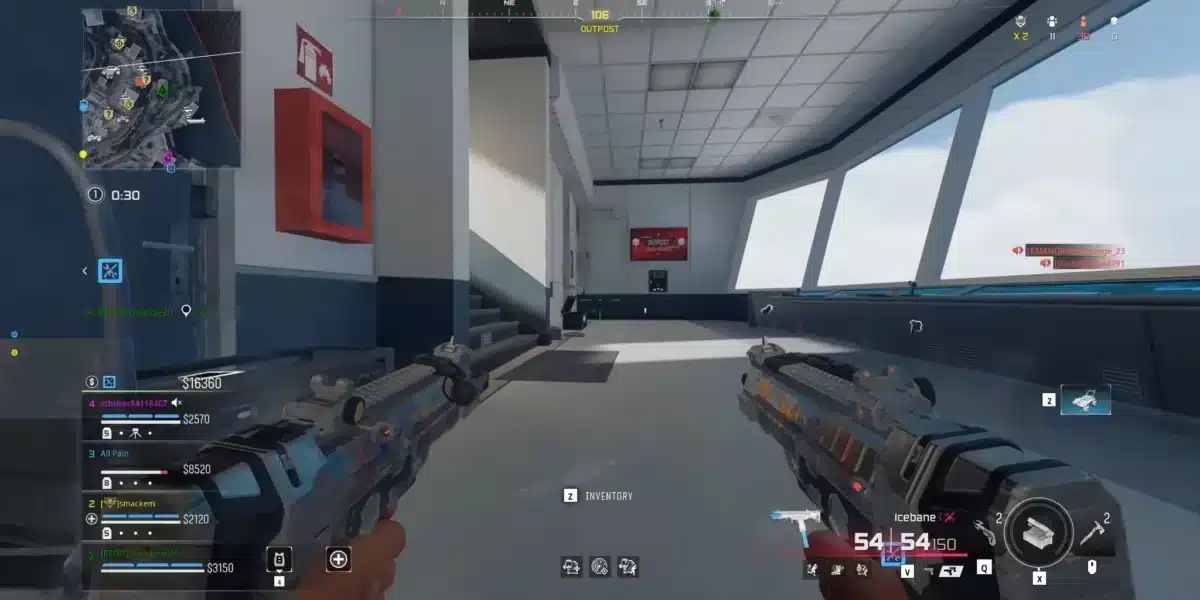
Call of Duty is one of the most played franchises in gaming history, and it covers more ground than almost any other multiplayer series. Black Ops 7 Multiplayer, Ranked Play that uses the same CDL ruleset as professional competitions, Warzone’s battle royale on Verdansk and Resurgence maps, Zombies Easter Egg runs, and the Endgame mode on Avalon, each of these experiences demands different coordination, different communication habits, and different teammate qualities. Call of Duty LFG is how you find the right partners for whichever CoD experience you are actually trying to play.
Call of Duty LFG (Looking For Group) is the practice of finding compatible teammates before queuing rather than accepting whoever random matchmaking places in your lobby. Players use Discord servers, dedicated platforms, and community hubs to connect with others who share their mode preference, skill bracket, platform, communication style, and session goals before a single match begins.
The difference is immediate. A pre-built CoD squad enters Ranked Play with a shared understanding of CDL modes, agrees on strategies between rounds, and makes coordinated rotations on Hardpoint hills. A random lobby produces five individuals reacting separately to the same situations while no one calls anything. This guide covers every platform for Call of Duty LFG, how the ranked system shapes who to search for, and the communication fundamentals that turn a group into a team.

The CoD Ecosystem: Understanding Which Mode You Are LFGing For
Before searching for Call of Duty LFG teammates, knowing which specific mode you are recruiting for makes every part of the search more efficient. CoD currently spans several distinct competitive experiences that attract different player types and require different skills.
Black Ops 7 Multiplayer Modes
Black Ops 7 runs traditional 6v6 multiplayer with dozens of maps and rotating modes. The casual multiplayer pool covers Team Deathmatch, Domination, Kill Confirmed, Hardpoint, Search and Destroy, and a growing list of limited-time modes each season. Casual multiplayer CoD LFG searches are the most accessible and attract players across all skill levels and platforms.
Black Ops 7 Ranked Play
Ranked Play is the dedicated competitive mode in Black Ops 7, using the exact same CDL ruleset as the professional league. It runs 4v4 with competitive objective modes:
- Hardpoint: Teams rotate through control point positions, earning time on the hill
- Search and Destroy: One-life rounds where one team plants and one team defuses a bomb
- Overload: A new competitive mode where teams battle for possession of the Overload Device
Ranked Play has eight divisions: Bronze, Silver, Gold, Platinum, Diamond, Crimson, Iridescent, and Top 250. Party restrictions apply at higher ranks: no more than four-player parties in Diamond and below, and no more than two-player parties from Crimson and above. This structure means CoD LFG for Ranked Play requires rank-matched teammates who understand competitive modes and CDL restrictions.
Warzone
Warzone is Call of Duty’s battle royale, currently featuring Verdansk and Resurgence maps including Rebirth Island. Warzone uses separate ranked ladders (Bronze, Silver, Gold, Platinum, Diamond in Warzone Ranked) and is available on all platforms with crossplay enabled. CoD LFG for Warzone attracts a different player type than Multiplayer Ranked, favoring battle royale positioning, loot routing, and rotation over objective-based tactical play.
Zombies and Endgame
Zombies Easter Egg runs are cooperative PvE experiences where small groups work through scripted quests. Endgame on Avalon is a newer cooperative/competitive hybrid mode. Both attract players who want coordinated PvE teamwork rather than competitive multiplayer, and both have dedicated CoD LFG communities on Discord.
The Best Platforms for Call of Duty LFG
COD Central: The Largest Black Ops 7 Discord
COD Central is the largest active Call of Duty LFG community with over 40,000 members, dedicated specifically to Black Ops 7, Warzone, and the broader CoD ecosystem. It provides dedicated forum-based LFG channels for:
- Black Ops 7 Multiplayer (casual and competitive)
- Black Ops 7 Ranked Play (filtered by rank division)
- Warzone (Verdansk, Resurgence, Ranked Warzone)
- Zombies Easter Egg runs and high-round attempts
- Endgame on Avalon
- Legacy titles (Black Ops 6, Modern Warfare III, and others)
Forum-based LFG channels keep posts visible until someone responds, unlike real-time channels where posts scroll off within seconds. This format produces better results during off-peak hours when fewer players are actively browsing.
Official Call of Duty Discord Server
Activision and Treyarch maintain official Discord presence for Call of Duty with LFG channels organized by platform, region, and mode. The official server provides direct access to developer announcements alongside the community LFG channels.
Community CoD LFG Discord Servers
Beyond COD Central and the official server, several community-run servers provide focused Call of Duty LFG experiences for specific modes:
- Warzone LFG servers: Dedicated servers for Warzone-specific team-finding with KD ratio channels, region filtering, and platform-specific LFG channels for PC, PlayStation, and Xbox
- Ranked Play-specific servers: Servers focused exclusively on competitive CoD, with rank-gated channels and CDL-format scrimmage organization
- Zombies community servers: Easter Egg-focused servers where experienced Zombies players organize runs and recruit for specific quest steps
Searching “call of duty lfg” or “black ops 7” on Disboard.org or Discord’s Server Discovery returns all currently active options with member counts and recent activity.
Dedicated CoD Team Finder Platforms
Several multi-game LFG platforms maintain Call of Duty sections with structured profiles:
- TeamTavern: Profile-based matching with filters for game mode, rank, platform, region, KD ratio preference, and communication style
- Teamplay.gg: Supports Warzone and Black Ops 7 with LFG post creation and teammate browsing filtered by mode and skill
- Tracker.gg CoD LFG: Integrates with Call of Duty stats tracking, allowing potential teammates to verify claims about rank and performance before committing to a session
What to Include in Your Call of Duty LFG Post
Every effective CoD LFG post answers the questions a compatible player needs before responding. Posts that lack specific information attract the wrong responses and produce mismatched sessions.
The Complete Call of Duty LFG Post Template
Include these elements in every post:
- Activision ID (for example: PlayerName#1234567) so players can add you directly without friction
- Platform (PC, PlayStation 5, Xbox Series X/S) since crossplay is available but input preferences vary significantly
- Mode (Ranked Play, Multiplayer casual, Warzone Verdansk, Warzone Resurgence, Zombies, Endgame) since each attracts a different player type
- Current rank in the target mode (for example: Diamond in Ranked Play, Gold in Warzone Ranked)
- Session size (looking for 1 partner for Ranked Play 2v2, filling a Warzone squad of 4, recruiting for a Zombies Easter Egg run)
- Communication preference (mic required, Discord voice, in-game voice, text only)
- KD ratio or playstyle for Warzone and casual modes where rank does not fully describe skill level
- Availability in your timezone
A strong Ranked Play example post: “Activision#1234567 / PC / Black Ops 7 Ranked Play / Platinum / LF3 for competitive 4v4 / mic on, Discord req / CDL modes experience, HP and S&D callouts / evenings 7-11pm EST”
A strong Warzone example post: “Activision#1234567 / PlayStation / Warzone Verdansk / Gold ranked WZ / LF3 for full quad / 1.8KD / mic on, Discord req / placement-focused, non-W-key / evenings NA EST”
The Zombies Post: A Special Case
Zombies Easter Egg runs require a different post format entirely. Rather than rank and platform, a Zombies LFG post should include:
- Which quest you are running (main Easter Egg, a side quest, or high-round survival)
- Whether you have completed it before (experienced or learning)
- How many steps you have completed and where you are in the quest
- Whether you need a full fresh group or have partially filled the run
A Zombies run with one experienced player and three newcomers who do not know the steps collapses at the first complex mechanic. Specifying experience level in the post prevents the most common Zombies CoD LFG mismatch.
Team Communication That Wins CoD Matches
Finding the right Call of Duty LFG teammates through Discord and dedicated platforms is the first step. Building the communication habits that translate to consistent wins is what makes that investment worthwhile.
What Pre-Built CoD Squads Do Differently
The core advantage of a coordinated CoD LFG team over a random lobby is not individual mechanical skill. It is shared information used collectively in real time. These are the communication habits that separate winning CoD squads from random lobbies:
- Callouts using map-specific location names: Saying “bridge mid” or “spawn stairs left” gives teammates exact positioning information in a fraction of a second
- Enemy count and health state: “Two pushing from west, one is low” tells teammates whether to push or hold
- Objective status: For Hardpoint, calling when you need backup on hill before you are pushed off rather than after
- Loadout and killstreak communication: Letting teammates know you have a killstreak active and where to expect its impact
- Round results debrief between S&D rounds: A quick sentence about what broke the last round and what to adjust prevents repeat mistakes
Mode-Specific Team Dynamics
| Mode | Primary Coordination Need | Key Communication Habit |
| Ranked Play Hardpoint | Hill transitions and rotations | Call when pushing on or off hill and where enemies are repositioning |
| Search and Destroy | Info sharing and trade avoidance | Call every contact immediately with location and health |
| Warzone Squad | Rotation timing and engagement calls | Announce third-party threats and call whether to push or disengage |
| Zombies Easter Egg | Step-by-step procedure clarity | Confirm each step completed before moving to the next |
| Overload | Device possession and pressure points | Call when device is dropping and who is contesting |
Pro Tips: Getting More From Call of Duty LFG
Pro Tips: Call of Duty LFG
- Post separately for each mode you play. A player who queues for both Ranked Play and Warzone needs separate posts for each. Ranked Play players want CDL-mode experience and competitive discipline. Warzone players want battle royale awareness and placement focus. The two attract completely different audiences, and a single vague post produces mismatches across both.
- Post in three places simultaneously. COD Central’s LFG forum, the official CoD Discord, and a mode-specific community server each attract different active hours and different types of players. Posting in all three at once shortens the search from hours to minutes and gives you multiple options to compare rather than accepting the first response.
- Run one casual match before any Ranked Play session with new partners. Ranked Play in Black Ops 7 uses 4v4 CDL format where every player’s positioning and callout habits directly affect every round. One casual match reveals whether a new partner communicates on the clock, how they rotate on Hardpoint, and whether their general awareness matches what they described in their post.
- Build a personal roster list over time. Every session that goes well with a new CoD LFG partner is worth a saved note: their Activision ID, platform, preferred mode, communication style, and timezone. Over several weeks this list becomes a personal team pool that eliminates cold searching every season reset.
Common Mistakes When Finding Call of Duty Teammates
Common Mistakes CoD LFG Players Make
- Not specifying which Call of Duty mode the post is for. The CoD ecosystem covers Ranked Play, casual multiplayer, Warzone, and Zombies, each attracting different players with different skills and expectations. A post that says only “LFG CoD” attracts players from every mode and produces immediate mismatches when one player wants S&D and another just queued for Warzone. Fix: lead every post with the specific mode, and if you play multiple modes, post separately for each.
- Skipping the Zombies experience level disclosure. Easter Egg runs are step-dependent. A group where two players are on step 14 and one has never seen step 3 produces a session that stalls repeatedly while the experienced players walk everyone through steps they should have learned in a preparation run. Fix: always specify your Easter Egg experience clearly, whether first-time or experienced, and list which step you have reached so potential partners can assess whether the group will make progress together.
- Posting for Ranked Play without specifying party size restrictions. Black Ops 7 Ranked Play limits parties to four players in Diamond and below, and to two-player parties from Crimson and above. A Crimson player posting for a four-stack will be rejected by the mode even if four players respond. Fix: check the current ranked party restriction at your division and post for the correct party size rather than the size you want. Adjust your expectations to match the mode’s actual rules.
Every CoD Mode Needs a Stable Connection
Your Call of Duty LFG squad is built. Partners are matched to the right mode, communication is established, and roles are understood. All of that preparation pays off only when every player’s connection to the CoD servers performs reliably throughout the match.
In Ranked Play, where Search and Destroy rounds are decided by split-second trade timing and Hardpoint rotations depend on arriving at the hill before the enemy does, connection latency directly translates to round losses. A teammate who appears to pre-aim a corner because of server-side position advantage that your lagging connection does not show you gets traded at an unfavorable exchange rate. An objective push that looks coordinated on your screen arrives staggered on the server because one player’s connection is inconsistent.
In Warzone, the same principle applies to the final circle. A third-party push that lands while your team is engaged requires immediate reaction. Connection instability during that moment means your squad reacts at different speeds while the pushing team moves in unison.
ExitLag is a game connection optimizer used by over 30 million players worldwide across 4,000+ supported titles. It analyzes multiple network paths in real time and selects the fastest, most stable route between your PC and the Call of Duty servers, bypassing ISP routing that is not built for competitive gaming.
For CoD LFG players grinding Ranked Play, Warzone, or Zombies Easter Egg runs, the most relevant features are:

- Multipath Technology: Game data travels through multiple simultaneous routes. If one path degrades during a final Hardpoint hill push or a Warzone endgame circle, others maintain the connection without visible disruption.
- Real-Time Optimization: Keeps ping consistent from the first round through overtime, so your performance in high-pressure moments matches your early-match execution.
- Traffic Shaper: Prioritizes Call of Duty traffic over every other process on your network, preventing background apps or other devices on your connection from spiking your latency during a round-deciding moment.
- PC Boost: Frees RAM and reduces background CPU load so your hardware runs CoD at full frame rate and input responsiveness throughout the session.
Start with afree trial before your next ranked session with your new squad. The teammates, the mode, and the communication habits are yours to build. The connection is the variable ExitLag removes before the first round begins.
All images used in this blog post belong to their respective owners and are used for informational and educational purposes only. They do not imply endorsement or affiliation with the rights holders.
Got questions or want to connect with other players? Join the conversation at the ExitLag Forum!