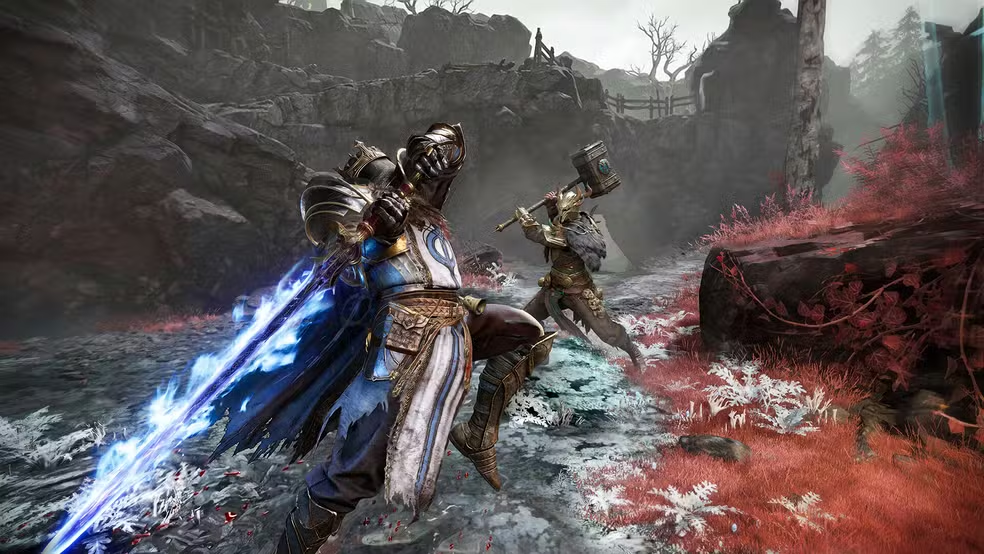
You are mid extraction in Mistfall Hunter, loot bag full, and suddenly your character stops responding to inputs. An enemy teleports right next to you, your dodge does not register, and the game disconnects you before you can escape. This is the frustrating reality of packet loss, and it is one of the biggest threats to your runs in this dark fantasy PvPvE extraction ARPG. Whether you are fighting other hunters or monsters lurking in the Gyldenmist, an unstable connection can cost you your character, your gear, and your progress in seconds. If you want to understand how your connection actually reaches the game servers, this guide breaks down exactly why packet loss happens and how to stop it for good.
Losing an extraction run because of a network issue, not a skill issue, is one of the most demoralizing experiences in gaming. Fortunately, packet loss is a solvable problem once you understand what causes it.
This guide walks through everything: what packet loss actually is, how it wrecks your Mistfall Hunter sessions, why it happens more at launch, and the exact steps to fix it.
What is packet loss in Mistfall Hunter?
Every action you take in Mistfall Hunter, from swinging a weapon to dodging an ambush, gets converted into small pieces of information called data packets. These packets travel from your device to the game's servers and back, carrying the details of your inputs and the world's state.
Packet loss happens when some of these data packets never arrive at their destination. Think of it like sending a stack of postcards to a friend: if a few never show up, your friend only gets part of the story, and the missing pieces create confusion.
When transmission fails and packets disappear, the game has to guess what happened or simply skip that piece of data. In a fast paced extraction shooter like Mistfall Hunter, even a small amount of data loss can mean the difference between landing a killing blow and getting ambushed.
How packet loss affects your Mistfall Hunter gameplay
Packet loss does not just cause minor visual glitches. It directly interferes with the core mechanics that keep your character alive during a raid.
Here are the most common ways it shows up in your sessions:
- Delayed commands: your inputs take longer to reach the server, so attacks and dodges feel sluggish or unresponsive.
- Rubberbanding: your character snaps back to a previous position after appearing to move normally.
- Sudden disconnections during extraction: the exact moment you are trying to leave with loot, the connection drops.
- Loot and progress loss: since Mistfall Hunter uses high stakes extraction, a disconnect can wipe out everything you carried.
- Enemy teleporting: monsters and rival hunters appear to jump across the map instead of moving smoothly.
- Skills not registering: abilities you activate simply do not trigger, leaving you exposed.
- Failed hit registration: your attacks visually connect but deal no damage, because the packet confirming the hit never arrived.
Main causes of packet loss in Mistfall Hunter
Packet loss rarely comes from one single source. Usually, it is a combination of routing, hardware, and network conditions working against you.
Inefficient routing
Internet traffic does not always travel the shortest path between your device and the game server. Sometimes your data gets routed through congested or geographically inefficient nodes, increasing the chance that packets get dropped along the way.
Unstable local connection
An old router, a poorly configured modem, or an outdated ISP connection can all introduce instability. If your local network struggles to maintain a consistent signal, packets are far more likely to disappear before they even leave your home.
Distance from game servers
The farther you are from the server hosting your Mistfall Hunter session, the more network hops your data has to pass through. Each additional hop is another opportunity for a packet to get lost in transit.
Network congestion
Shared bandwidth, whether from other devices in your home or heavy traffic on your ISP's infrastructure, can overwhelm the connection. During peak hours, congestion is one of the most common causes of dropped packets.
Faulty hardware
Damaged ethernet cables, an aging network card, or a router running outdated firmware can all silently degrade your connection. These issues often go unnoticed until you start troubleshooting packet loss specifically.
High server demand at launch
Since Mistfall Hunter just launched simultaneously on PC, PlayStation 5, and Xbox Series X|S, servers are handling an enormous surge of concurrent players. This kind of demand can strain infrastructure and increase the likelihood of packet loss, even for players with otherwise solid connections.
How to identify packet loss in Mistfall Hunter
Before fixing anything, you need to confirm that packet loss, and not just general lag, is behind your issues. The two problems often look similar but require different solutions.
Watch for these in-game signs:
- Latency that spikes inconsistently instead of staying steady.
- Noticeable lag even when your ping number looks low.
- Other players or enemies moving erratically across the screen.
- Frequent rubberbanding during combat or movement.
You can also run a basic terminal test to check for dropped packets. On Windows, open Command Prompt and run a ping test toward a reliable address, then review the results.
If the test shows a percentage of lost packets instead of "0% loss," that confirms the problem is not just latency. A high ping with 0% loss usually points to distance, while any noticeable loss percentage points to instability somewhere in the route.
Is packet loss the same thing as high ping?
No, and this distinction matters a lot. High ping means your data takes longer to travel, while packet loss means some of that data never arrives at all.
You can have low ping and still experience packet loss, which is why testing both separately is important before troubleshooting Mistfall Hunter connection issues.
Here is a simple reference for how different packet loss levels affect your experience:
| Packet loss level | Expected impact |
|---|---|
| 0% | Ideal, no noticeable issues |
| Up to 1% | Tolerable for casual play, minor hiccups possible |
| 1% to 3% | Problematic, noticeable rubberbanding and delays |
| Above 3% | Severe, frequent disconnects and unplayable in PvP |
Basic solutions to reduce packet loss in Mistfall Hunter
Before reaching for advanced tools, there are foundational steps every player should take first.
Optimize your local connection
Start with the fundamentals to eliminate the most common sources of instability.
- Switch to a wired connection instead of Wi-Fi whenever possible.
- Close background apps and downloads that compete for bandwidth.
- Update your network drivers to the latest version.
- Configure Quality of Service (QoS) settings on your router to prioritize gaming traffic.
- Test different ethernet cables, since damaged cables are a common hidden cause.
- Restart your modem and router regularly to clear temporary connection issues.
Contact your ISP
If packet loss persists after optimizing your local setup, the issue may sit further upstream. Reach out to your internet service provider and ask them to run a line quality check.
Sometimes the problem lives in your ISP's own infrastructure or in the route they use to reach the game's servers, which is something only they can adjust directly.
ExitLag: the definitive solution to eliminate packet loss in Mistfall Hunter
What is ExitLag?
ExitLag is the definitive answer for players who are done losing loot to bad connections. It is a specialized software built specifically for gamers who need reliable connection optimization during high stakes sessions like Mistfall Hunter raids.
Instead of hoping your ISP's default routing happens to work well, ExitLag applies advanced technology to actively manage how your data travels to the game servers. You can learn more about how this works on the official ExitLag technology page.
For a PvPvE extraction ARPG where a single disconnect can wipe out an entire run, this level of control is not a luxury. It is the solution players actually need.
How does ExitLag work to reduce packet loss?
ExitLag relies on Multi-Internet technology to keep your connection stable even when one path starts failing. You can see the full breakdown of the process on the how ExitLag works page.
Here is what happens behind the scenes:
- Real time analysis of your connection quality and available routes.
- Multiple simultaneous connections running in parallel for redundancy.
- Automatic route selection that picks the most stable path available.
- Hop optimization that reduces the number of unreliable network jumps.
- Continuous connection stabilization that adapts as conditions change mid session.
Benefits of ExitLag for Mistfall Hunter players
Using ExitLag brings several concrete advantages to your extraction runs.
- Packet loss elimination: by rerouting around unstable paths, dropped packets become far less frequent.
- Reduced ping: many routes end up faster than your default ISP path, improving overall responsiveness.
- Stable connection: your session stays consistent instead of fluctuating during intense fights.
- DDoS protection: your traffic is shielded from targeted attacks that could otherwise disrupt your session.
- Ease of use: the interface is built for gamers, not network engineers, so setup takes minutes.
- Multiple server support: you can optimize your connection regardless of which regional server you are matched into.
Is it worth using ExitLag in Mistfall Hunter?
Some players wonder if this kind of tool is really necessary. In several situations, the answer is clearly yes.
Consider using ExitLag if you fall into any of these categories:
- You are physically far from the Mistfall Hunter servers you are matched to.
- You play competitive PvP extraction runs where every input matters.
- You already experience frequent packet loss during sessions.
- You want a real competitive edge over unstable opponents.
- You play during peak hours when server load is highest.
- Your ISP has a history of poor or inefficient routing.
- You have already lost loot or a character to a mid raid disconnect.
If any of that sounds familiar, check the ExitLag pricing plans and compare the cost against what a single lost extraction run is actually worth to you. For most players, avoiding just one unfair death pays for itself.
How to set up ExitLag for Mistfall Hunter
Getting started takes only a few minutes.
- Download the client from the official ExitLag download page.
- Install and launch the application on your gaming PC.
- Search for and select Mistfall Hunter in the game list.
- Enable multiple routes for added redundancy.
- Choose automatic mode to let ExitLag pick the best path for you.
- Launch Mistfall Hunter directly through the client.
- Monitor your live connection statistics during your session.
- Test different manual configurations if you want to fine tune performance further.
Keep the software updated regularly, since route data and server information improve with each new version.
Why does packet loss happen more in Mistfall Hunter than other games?
Extraction based games place unusually high demands on connection consistency because every action has permanent consequences. In most shooters, a dropped frame or missed hit is annoying but recoverable.
In Mistfall Hunter, that same dropped packet during an extraction attempt can erase your entire inventory. This raises the stakes of every network hiccup far beyond what casual multiplayer games typically involve.
Additionally, since the game just launched across three platforms simultaneously, server infrastructure is currently absorbing a massive wave of new players. This combination of high stakes design and launch demand makes packet loss feel more punishing right now than it might later on.
Frequently asked questions about Mistfall Hunter packet loss
Is packet loss the same as lag?
No. Lag typically refers to delay, meaning your actions take longer to register on the server. Packet loss refers to data that never arrives at all, which is a different and often more disruptive problem.
You can experience lag without packet loss, and you can experience packet loss with relatively low overall delay. Testing both separately helps you understand which one is actually affecting your Mistfall Hunter sessions.
Why does packet loss happen specifically in Mistfall Hunter and not other games?
It is not that the underlying network issue is unique to this game. Rather, extraction based PvPvE design makes packet loss far more noticeable and costly than in games without permanent loot loss.
A brief connection hiccup that would barely register in a casual match can end an entire Mistfall Hunter run, which is why players notice and report it more often here.
Can packet loss get you banned for suspected cheating?
In rare cases, erratic movement caused by severe packet loss can resemble suspicious behavior to anti-cheat systems, especially teleporting or rubberbanding patterns. This is uncommon, but it is a real risk worth taking seriously.
Keeping your connection stable protects you both from unfair gameplay losses and from any accidental flags tied to abnormal movement patterns.
How much packet loss is acceptable for competitive play?
Generally, anything above 1% packet loss becomes noticeable in fast paced combat, and competitive PvP players should aim to stay as close to 0% as possible. Even small amounts of loss can affect hit registration in tight fights.
For casual PvE exploration, slightly higher tolerance is manageable, but consistent loss above 1% will eventually cause frustrating moments in any game mode.
Can hardware actually cause packet loss?
Yes, and this is often overlooked. A damaged ethernet cable, an outdated network card, or an aging router with outdated firmware can all introduce packet loss independent of your ISP's performance.
Before assuming the problem is external, it is worth testing your hardware directly, since replacing a single faulty cable sometimes resolves the issue entirely.
Does ExitLag work across different servers and regions?
Yes. ExitLag is designed to optimize routes regardless of which regional server your Mistfall Hunter session connects to. The software analyzes available paths dynamically rather than relying on a single fixed route.
This flexibility makes it useful whether you are playing on servers close to home or connecting to regions farther away during off peak hours.
Do you need to keep ExitLag running the entire time you play?
Yes, ExitLag needs to remain active throughout your session for it to continuously manage your routing. Since it works in real time, closing it mid session removes the optimization it was providing.
Leaving it running in the background uses minimal resources, so there is no real downside to keeping it active for your full Mistfall Hunter play session.
Does packet loss affect solo extraction runs differently than squad runs?
Packet loss can be more forgiving in solo play since you are not relying on teammates receiving synchronized data at the same time. In squad runs, however, one player's poor connection can sometimes create confusing desync for the whole group.
If you play in a three player squad, it is worth having everyone check their connection quality, since a single unstable link can affect the coordination of an entire extraction attempt.
Conclusion: eliminate packet loss and play Mistfall Hunter without interruptions
Packet loss does not have to define your experience in Mistfall Hunter. While the causes range from local hardware issues to launch day server demand, most of them can be identified and addressed with the right approach.
ExitLag stands as the definitive solution for players who are serious about protecting their loot, their characters, and their extraction runs from unfair disconnects. Investing in an optimized connection means fewer rubberbanding moments, fewer lost fights, and fewer wasted runs.
With a stable connection, you can focus on what actually matters: mastering your class, surviving extractions, and climbing the ranks. For more guides on improving your gaming performance, visit the ExitLag blog.
Ready to stop losing loot to bad connections? Start your free trial with ExitLag today and experience what a stable connection feels like in your next raid.
All game images used in this blog post belong to their respective developer/publisher. They are used for informational and educational purposes only and do not imply endorsement or affiliation with the rights holders.