
Tree of Savior Neverland has become one of the most popular fan-driven experiences among anime MMORPG players who enjoy classic progression systems, deep class customization, and nostalgic fantasy worlds. Built around the foundation of the original MMORPG experience, this version offers a refreshed approach with faster progression, exclusive content, and a community-focused environment that attracts both returning veterans and new adventurers.
For players looking to experience this version with better performance, learning how to set up Tree of Savior Neverland on PC is one of the most important steps. A properly optimized computer setup allows smoother combat, better visuals, faster reactions, and a more stable connection during challenging activities such as dungeons, raids, and PvP battles.
This complete guide covers everything needed to enjoy Tree of Savior Neverland on PC, including installation methods, performance improvements, useful tools, class recommendations, progression strategies, and connection optimization.
What Is Tree of Savior Neverland?
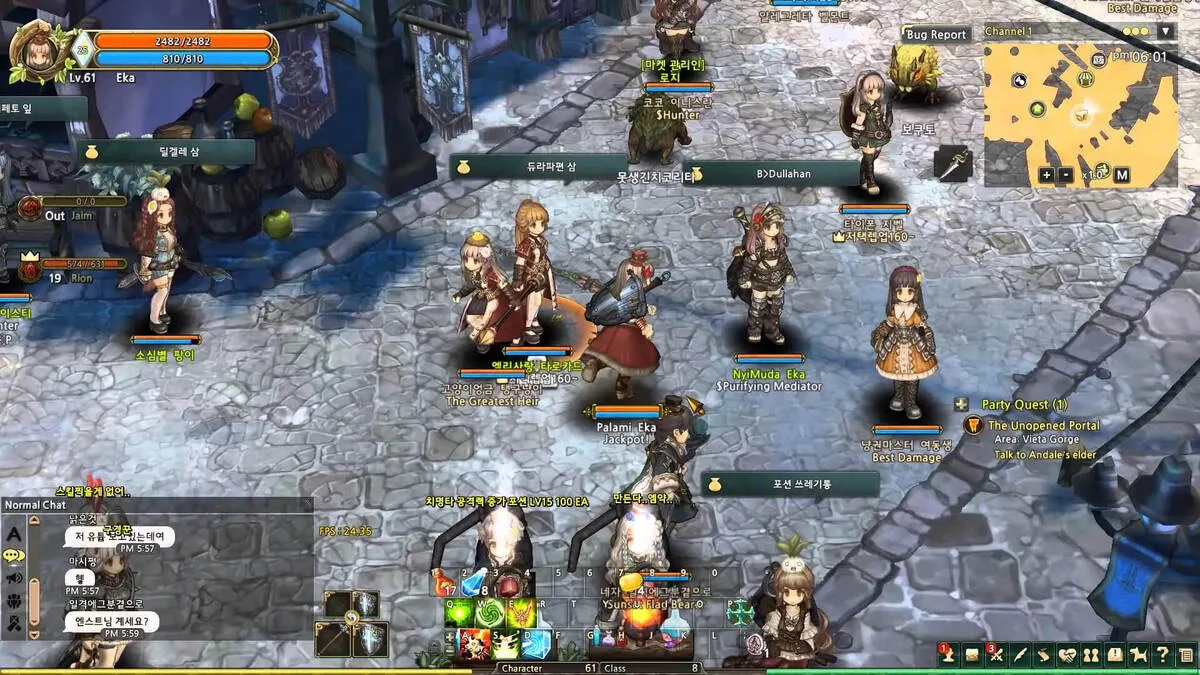
Tree of Savior Neverland is a private server experience based on the original MMORPG Tree of Savior. It keeps the recognizable anime-inspired visual style, flexible class system, and action-based combat while introducing custom features designed to make progression faster and more accessible.
Unlike traditional MMORPG servers that require long grinding sessions before reaching advanced content, Neverland focuses on creating a more rewarding experience through improved systems and community-driven changes.
Players can expect features such as:
- Faster leveling progression compared to traditional servers
- Increased drop rates for equipment and materials
- Exclusive events created for the private server community
- Custom content that expands the classic gameplay experience
- More accessible character development paths
For many players, the biggest appeal of Tree of Savior Neverland is the balance between nostalgia and convenience. The server maintains the identity that made the original game memorable while reducing some of the barriers that prevented new players from fully enjoying the MMORPG.
After understanding what Tree of Savior Neverland offers, the next step is preparing the best platform to experience it. Although some players explore alternative methods, PC remains the ideal environment because it provides better control, performance, and compatibility.
Why Play Tree of Savior Neverland on PC?
Playing Tree of Savior Neverland on PC provides several advantages compared to other platforms. MMORPGs are designed around keyboard controls, large interfaces, and long gameplay sessions, making computers the most natural choice.
A PC setup allows players to take advantage of:
- Higher frame rates and better graphical performance
- Customizable keyboard shortcuts
- Wider screen resolutions
- Better multitasking capabilities
- Compatibility with performance and communication tools
Additionally, PC players can use overlays, recording software, controller mapping programs, and optimization solutions to improve the overall experience.
For competitive players, these advantages become even more noticeable. Faster response times during combat, smoother animations, and reduced connection instability can directly influence dungeon performance and PvP results.
Better Performance and Visual Quality
Modern computers can run Tree of Savior Neverland with improved visual settings while maintaining stable FPS. Adjusting resolution, graphics options, and background applications helps create a smoother experience.
Recommended settings include:
- Using a resolution that matches your monitor
- Maintaining a stable 60 FPS or higher when possible
- Installing the game on an SSD for faster loading
- Closing unnecessary applications during gameplay
A stable setup also reduces interruptions during important moments, especially when participating in boss battles or competitive content.
Custom Controls and Additional Tools
One of the biggest advantages of playing MMORPGs on PC is flexibility. Players can customize their controls according to their preferred playstyle.
Common improvements include:
- Rebinding combat abilities
- Creating comfortable hotkey layouts
- Using Discord overlays for communication
- Recording gameplay through OBS
- Applying visual improvements through Reshade
These options allow Tree of Savior Neverland to feel more modern while preserving the original MMORPG identity.
How to Use Usitility for Tree of Savior Neverland PC Installation
Many players searching for “usitility how to play Tree of Savior neverland on pc” are looking for a simpler installation method. Usitility works as a Windows game platform designed to make discovering and installing games easier.
Instead of searching through multiple download sources, players can use a centralized solution that helps organize installation files and reduce the risk of downloading incorrect versions.
What Is Usitility?
Usitility is a platform that helps Windows users find and install games through a simplified process.
The main benefits include:
- Easier access to game installers
- Reduced risk from unreliable download pages
- Faster installation management
- A more beginner-friendly setup process
For players who are unfamiliar with manual installations, this approach can save time and make the first steps into Tree of Savior Neverland more accessible.
Step-by-Step Installation Process
To prepare your setup, follow these general steps:
- Access the Usitility platform and search for Tree of Savior Neverland.
- Download the Windows installer available through the platform.
- Open the installer and select a location with enough storage space.
- Prefer installing on an SSD to improve loading times.
- Launch the game client and complete the account setup process.
After installation, players can enter the Neverland world and begin exploring its classes, quests, and community features.
Optimizing Your Connection for Tree of Savior Neverland
Installing the game is only the beginning. Because private MMORPG servers often connect players from different regions, network quality can significantly affect gameplay.
A high ping connection may create delays during attacks, slower responses, and inconsistent movement. This is especially noticeable in PvP environments and high-level dungeons.
Using network optimization tools can help create a more stable experience by improving routing between the player and the game server.
Why ExitLag Helps Neverland Players
Tree of Savior Neverland players from different countries may experience unstable routes depending on their internet provider. ExitLag focuses on optimizing connection paths to reduce unnecessary delays.
Benefits include:
- Improved routing between regions
- Reduced packet loss
- More consistent response times
- Better stability during intense gameplay
For MMORPG players, connection consistency is often more important than simply having high internet speed. A stable route can make combat feel smoother and prevent unexpected interruptions.
Starting an ExitLag trial can help players test how improved routing affects their experience.
Combining ExitLag with a properly configured PC setup creates a stronger foundation for enjoying Tree of Savior Neverland.
Useful Settings and Tools to Improve Gameplay
After completing the installation process, players can improve their experience with additional adjustments and external tools.
Some recommended options include:
| Setting or Tool | Purpose | Benefit |
| SSD Installation | Faster loading | Reduced waiting times |
| FPS Adjustment | Smoother visuals | More consistent gameplay |
| Discord Overlay | Communication | Easier team coordination |
| OBS Studio | Recording | Capture gameplay moments |
| Reshade | Visual enhancement | Improved graphics presentation |
Small changes can create a noticeable difference, especially during longer gameplay sessions.
Recommended Custom Settings
Players should consider adjusting:
- Frame limits according to their hardware
- Screen resolution based on monitor size
- Chat filters to reduce unnecessary messages
- Hotkeys for frequently used abilities
These changes improve comfort and efficiency while exploring the world of Neverland.
Additional Utility Options
Some players also explore useful mods Tree of Savior options and visual enhancements. However, modifications should always be used carefully and only when they do not interfere with game files, security, or server rules.
Safe improvements usually include:
- Visual filters
- Controller support
- Accessibility tools
- Interface adjustments
Avoiding intrusive modifications helps maintain account security and prevents unnecessary issues.
Common Tree of Savior Neverland PC Problems and Solutions
Even with a correct installation, players may encounter technical problems. Fortunately, most common issues can be solved with simple adjustments.
Game Does Not Launch
Possible solutions include:
- Running the launcher as administrator
- Checking required Windows components
- Updating graphics drivers
- Reviewing antivirus restrictions
Installation problems are often caused by missing permissions or blocked files.
Connection Problems and Lag
When experiencing unstable gameplay:
- Close applications using bandwidth
- Check server status
- Optimize your connection route
- Test different network configurations
Using tools designed for gaming connections can improve stability when playing from distant regions.
Controller Issues
Players who prefer controllers can try:
- Checking in-game controller settings
- Remapping buttons
- Using controller compatibility software
However, keyboard and mouse remain the preferred setup for many MMORPG players because of the number of abilities and menus involved.
What Makes Tree of Savior Neverland Different?
Tree of Savior Neverland stands out because it combines classic MMORPG systems with community-focused improvements.
The server attracts players through:
- Frequent events
- Active communities
- Expanded customization possibilities
- Alternative progression systems
- A more accessible economy
Compared with official environments, Neverland focuses on creating a faster and more social experience.
The appeal comes from allowing players to spend more time enjoying advanced content instead of repeating early progression for extended periods.
Tree of Savior Neverland Compared With Official Servers
| Feature | Tree of Savior Neverland | Official Servers |
| Leveling Speed | Faster progression | Traditional progression |
| Drop Rates | Increased rewards | Standard rates |
| Events | Frequent community events | Regular scheduled events |
| Class Options | Expanded possibilities | Original structure |
| Connection Experience | Improved with optimization tools | Depends on region |
Understanding these differences helps players decide which experience better matches their preferred MMORPG style.
Understanding the Tree of Savior Neo Experience
The popularity of modern versions and community projects has also increased interest in Tree of Savior neo and Tree of Savior: neo discussions. These searches often come from players looking for updated versions, alternative experiences, or refreshed approaches to the original MMORPG formula.
Although each version can provide different features, the main attraction remains the same: a fantasy MMORPG focused on creative builds, cooperative gameplay, and character progression.
Players interested in Tree of Savior neo pc usitility setups are usually searching for easier ways to manage their installation and enjoy the game environment with fewer technical difficulties.
As the community continues growing, Tree of Savior-related projects remain popular among MMORPG fans who enjoy anime-inspired worlds and flexible combat systems.
Mastering the Class System in Tree of Savior Neverland
One of the strongest reasons players continue exploring Tree of Savior Neverland is the depth of its class system. Unlike MMORPGs where characters follow a single fixed role, Tree of Savior allows players to experiment with different combinations and create highly specialized builds.
The flexibility of the class structure creates countless possibilities for damage dealers, support characters, and hybrid playstyles. Whether you prefer clearing large groups of enemies, supporting your party, or competing in PvP battles, choosing the right combination can completely change your gameplay experience.
Understanding Class Combinations
The class system allows players to combine different jobs to create unique character paths. Each class contributes specific abilities, passive bonuses, and combat mechanics.
A successful build usually depends on:
- Understanding skill synergy between classes
- Choosing equipment that matches your role
- Balancing damage, defense, and utility
- Adjusting your build for PvE or PvP content
Because Neverland introduces custom balance changes and faster progression, players can test different combinations more easily than in traditional MMORPG environments.
Best DPS Builds for Tree of Savior Neverland
Damage-focused players usually prioritize classes with strong area attacks, high burst potential, and efficient farming abilities.
Some popular damage combinations include:
- Archer – Ranger – Fletcher – Mergen
- Wizard – Elementalist – Taoist – Chronomancer
- Cleric – Druid – Exorcist – Krivis
These builds are effective because they combine strong damage skills with useful utility options.
For players who enjoy farming, AoE-focused classes are especially valuable because they clear groups of enemies quickly and maximize experience and resource gains.
Recommended Support Builds
Support characters remain essential for group content because they improve party efficiency and survivability.
Popular support combinations include:
- Cleric – Priest – Oracle – Pardoner
- Scout – Enchanter – Linker – Thaumaturge
These builds provide healing, buffs, crowd control, and defensive advantages that help teams complete difficult content.
Leveling Guide for Tree of Savior Neverland
Although Neverland offers faster progression compared to traditional MMORPG servers, efficient leveling still requires planning. Understanding where to farm and which activities provide the best rewards can significantly improve progression speed.
Recommended Leveling Areas
The following progression route helps players move through the early and mid-game efficiently:
| Level Range | Recommended Locations | Main Goal |
| Level 1–50 | West Siauliai Woods, Tenet Garden | Complete early quests and unlock abilities |
| Level 50–100 | Tenet Church B1-B2, Demon Prison District 1 | Improve equipment and gain experience |
| Level 100–200 | Dina Bee Farm, Inner Enceinte District | Build stronger character foundations |
| Level 200–300 | Kalejimas Visiting Room, Hunting Grounds | Prepare for advanced content |
| Level 300+ | Challenge Mode, Dungeons, Events | Farm endgame resources |
Fast Progression Tips
Players can accelerate their journey by following these strategies:
- Always carry experience-enhancing items
- Join groups when available for shared bonuses
- Complete daily missions consistently
- Focus on equipment upgrades instead of replacing items constantly
- Participate in server events for additional rewards
A consistent routine is usually more valuable than simply grinding for long hours.
Tree of Savior Neverland PvP Guide
PvP is one of the most competitive aspects of the MMORPG experience. In Neverland, players can test their builds through duels, arenas, and larger guild-based conflicts.
Because combat depends heavily on timing and positioning, having a strong build is only part of success.
Popular PvP Builds
Common competitive options include:
Melee Damage Builds
- Swordsman – Dragoon – Lancer – Hoplite
- Scout – Assassin – Outlaw – Bullet Marker
Ranged Damage Builds
- Archer – Cannoneer – Musketeer – Falconer
- Wizard – Warlock – Psychokino – Shadowmancer
Support and Defensive Builds
- Cleric – Paladin – Dievdirbys – Oracle
Each category offers different advantages depending on the player's preferred combat style.
Essential PvP Strategies
Successful PvP players focus on:
- Preparing buffs before combat begins.
- Understanding enemy cooldowns.
- Using terrain to control positioning.
- Timing crowd-control abilities correctly.
- Adjusting equipment depending on opponents.
Connection stability is also extremely important during competitive battles. Even a strong character can struggle if delayed commands affect skill activation.
Daily Routine Optimization
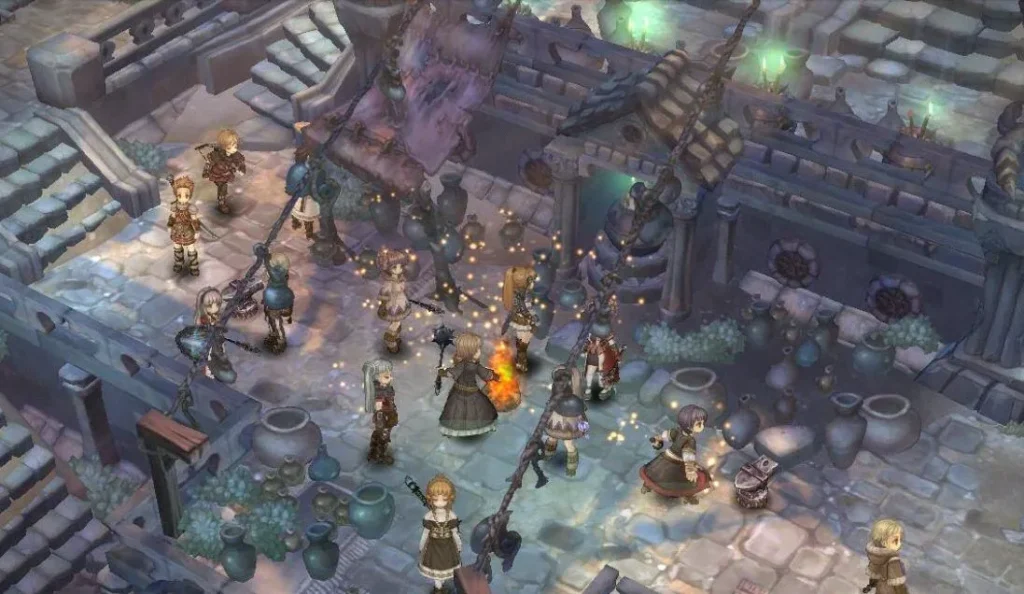
Progression in Tree of Savior Neverland becomes much easier when players create a consistent daily routine.
Important daily activities include:
- Completing city quests
- Running dungeons
- Participating in Challenge Modes
- Checking market opportunities
- Joining guild activities
- Completing PvP objectives
A structured routine ensures constant progress without requiring inefficient grinding.
Important Daily Rewards
Players should pay attention to:
- Experience boosts
- Reset items
- Event currencies
- Dungeon rewards
- Guild bonuses
These resources can significantly improve character growth over time.
Farming and Silver-Making Strategies
The economy plays an important role in MMORPG progression. Having enough silver allows players to upgrade equipment, purchase materials, and improve their builds.
Best Farming Locations
Some efficient farming options include:
- Demon Prison District 2 for area damage farming
- Challenge Mode stages for valuable rewards
- High-level hunting areas for equipment materials
The best farming location depends on character strength, build efficiency, and market demand.
Crafting and Market Management
Players can increase their income through smart economic decisions.
Useful strategies include:
- Selling valuable materials
- Creating popular consumables
- Monitoring event-related prices
- Buying underpriced items
- Selling resources in larger quantities
A strong understanding of the economy can be just as valuable as combat ability.
Equipment Progression Guide
Improving equipment is essential for reaching advanced content. A strong character requires the correct balance of stats, enhancements, and upgrades.
Gear Progression Path
A general progression route includes:
- Early levels: Cafrisun or enchanted equipment
- Mid-game: Primus equipment with improved stats
- Endgame: Legendary gear and advanced upgrades
Players should focus on gradual improvement instead of wasting resources on temporary items.
Smart Enhancement Habits
Recommended practices include:
- Prioritizing important equipment pieces
- Searching for useful stat combinations
- Improving gear consistently
- Managing upgrade materials carefully
Good equipment management allows players to progress faster and perform better in challenging activities.
Building the Best Tree of Savior Neverland PC Setup
A strong gameplay experience depends on more than character progression. Hardware, software, and connection quality all influence performance.
Players searching for Tree of Savior neo pc usitility solutions often want a simple way to organize their PC setup and avoid technical difficulties.
A complete setup should include:
- Updated graphics drivers
- Stable internet connection
- Optimized game settings
- Communication software
- Performance monitoring tools
These improvements create a smoother environment for both casual and competitive players.
Exploring Useful Mods and External Tools
The community often discusses useful mods Tree of Savior options to improve convenience or visual quality.
However, players should always prioritize safety and compatibility. External modifications should never interfere with the game client or violate server rules.
Common non-invasive improvements include:
- Visual enhancements
- Interface adjustments
- Controller support solutions
- Recording tools
Keeping modifications simple helps protect account security while improving quality of life.
Why Tree of Savior Neverland Continues Attracting MMORPG Players
The popularity of Tree of Savior Neverland comes from its ability to combine classic MMORPG design with modern expectations.
Players enjoy:
- Deep character customization
- Anime-inspired visuals
- Active communities
- Faster progression
- Flexible combat systems
The experience appeals to both longtime fans and newcomers who want an MMORPG with more freedom than traditional class systems.
The combination of exploration, teamwork, customization, and competition keeps the world engaging even after many hours of gameplay.
Final Thoughts On Tree of Savior
Tree of Savior Neverland offers a unique MMORPG experience by combining the creativity of classic anime fantasy games with faster progression and community-driven improvements. For players searching for the best way to enjoy Tree of Savior Neverland on PC, proper installation, optimization, and gameplay preparation make a significant difference.
Using tools such as Usitility for easier setup and connection optimization solutions for improved stability allows players to focus on exploration, combat, and progression instead of technical problems.
Whether you are interested in classes, PvP, farming, or simply experiencing a nostalgic MMORPG world, Tree of Savior Neverland provides a flexible adventure filled with customization and long-term goals. And to improve your gaming even further, you can count on tools such as ExitLag to enhance performance and reduce lag.
Frequently Asked Questions
Is Tree of Savior Neverland legal?
Tree of Savior Neverland operates as a private fan server environment. Players should understand that private servers may have different rules, support systems, and availability compared to official releases.
Can I play Tree of Savior Neverland with friends from other countries?
Yes. Players from different regions can join the same community. However, international connections may experience latency issues, making connection optimization useful for smoother gameplay.
How can I transfer items between characters?
Players can generally use shared storage systems available within the game environment to move items between characters on the same account.
Can I use mods or overlays in Tree of Savior Neverland?
Players should only use safe, non-intrusive tools such as visual improvements or communication overlays. Any modification that changes gameplay mechanics should be avoided.
Is Tree of Savior Neverland pay-to-win?
The answer depends on the server's donation structure. However, many players choose private servers because progression remains focused on gameplay, farming, and community participation.