Update Timeline Overview MapleStory searches can help players understand how Global MapleStory changes throughout the year. Major versions introduce new content and events, while minor patches, maintenance periods, hotfixes, and server resets follow different schedules.
For September 2026, the Update Timeline Overview MapleStory centers on v.270, Ride the Lightning, as the latest major Global MapleStory version documented through Nexon's current support resources. However, a major version number does not tell the entire story because Nexon can continue resolving issues without immediately moving to another major version.
So, what is the latest update in this Update Timeline Overview MapleStory? Global MapleStory is currently on v.270, Ride the Lightning, based on Nexon's active September 2026 support information. Meanwhile, the game's standard daily server reset occurs at 00:00 UTC, or midnight UTC.
Understanding those two schedules is useful for different reasons. Version numbers tell you which major content cycle is active, while reset times determine when many daily systems refresh.
The Major Updates and Timeline also shows how quickly MapleStory can evolve. Earlier 2026 milestones include v.266, The Sengoku Warrior Reawakening, and v.268, Maple University: 21st Anniversary, before the game reached the v.270 cycle.
Update Timeline Overview MapleStory: What Is the Latest Version?
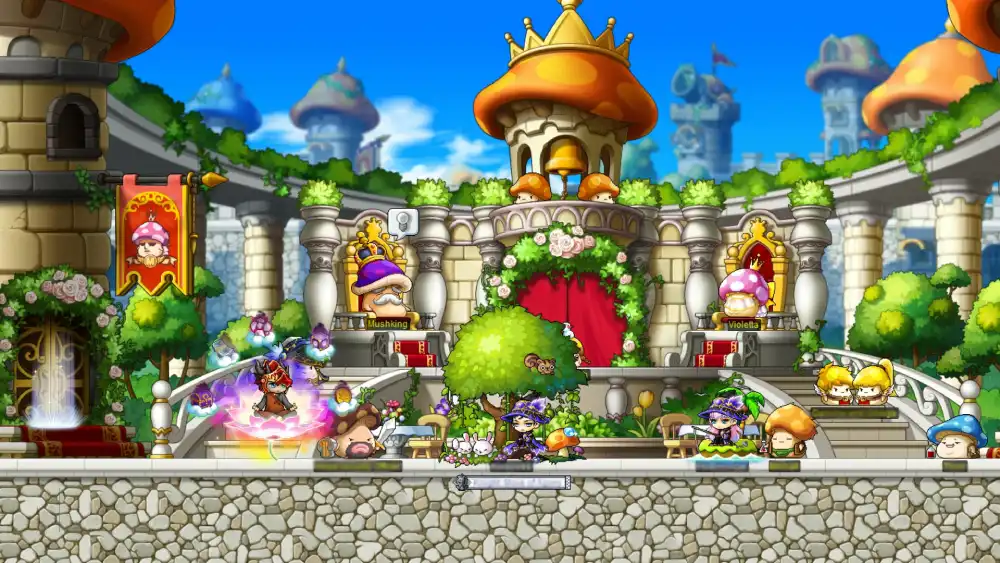
MapleStory updates can include events, class adjustments, new systems, balance changes, fixes, and other content.
However, not every change creates a new major version.
What is the latest update for MapleStory?
For Global MapleStory, What is the latest update for MapleStory? currently has a straightforward answer: v.270, Ride the Lightning.
Nexon's current support resources identify v.270 through its active Ride the Lightning known-issues documentation.
That documentation also demonstrates an important point about MapleStory updates.
A version does not stop changing immediately after release.
Nexon can continue fixing problems associated with the current version through later patches and corrections. Therefore, v.270 can remain the major version even while individual issues receive fixes afterward.
Players should consequently distinguish between:
- Latest major version
- Latest maintenance
- Latest minor patch
- Latest hotfix
- Latest known-issue resolution
These terms can describe different events.
What v.270 Ride the Lightning changed
Ride the Lightning represents the current major Global MapleStory update cycle for this September 2026 overview.
Nexon's v.270 support documentation references content and corrections involving several systems and activities, including Ride or Die, Mystic Frontier, Erel Light, Sia Astelle, Familiar Adventure, Operation: Dive, and HEXA-related content.
That does not mean every feature listed on the known-issues page was necessarily introduced for the first time by v.270.
Instead, it shows the range of systems affected by the current version and its subsequent fixes.
The important distinction is this:
Patch notes describe intended changes, while known-issues documentation helps track problems and subsequent resolutions.
Players following the current update should check both.
Major Updates and Timeline for MapleStory in 2026
The Major Updates and Timeline for 2026 demonstrates how Global MapleStory moves through distinct content cycles.
Rather than looking only at the current patch, comparing major versions provides useful context.
Early 2026: v.266 The Sengoku Warrior Reawakening
One major 2026 milestone was v.266, The Sengoku Warrior Reawakening.
Nexon's official support archive documents the version and issues associated with that update cycle.
Its support information references content involving areas such as:
- Kanna
- Hayato
- Genesis-related systems
- Mystic Frontier
- Familiar systems
- Victoria Adventure
- Boss-related content
For returning players, version names are useful chronological markers.
If you last played around v.266, for example, you can compare subsequent major patch notes rather than attempting to read every individual maintenance announcement since then.
Spring 2026: v.268 Maple University
Another important milestone was v.268, Maple University: 21st Anniversary.
As its name suggests, this update was closely connected with MapleStory's anniversary period and related event content.
Anniversary updates are particularly important to track because event schedules do not necessarily align perfectly with major-version boundaries.
An event may begin with a major update but have its own:
- Start date
- Progression period
- Reward period
- Claim deadline
- Expiration date
Therefore, knowing that an event belongs to v.268 is not enough to determine whether every reward remains available.
Always check the individual event schedule.
Summer 2026: v.270 Ride the Lightning
The 2026 Update Timeline Overview MapleStory then reaches v.270, Ride the Lightning.
This is the current major version documented through Nexon's support resources for September 2026.
A simplified timeline looks like this:
| Period | Version | Major Update | Focus |
| Early 2026 | v.266 | The Sengoku Warrior Reawakening | Sengoku-related content and systems |
| Spring 2026 | v.268 | Maple University: 21st Anniversary | Anniversary content and events |
| Summer 2026 | v.270 | Ride the Lightning | Current major content cycle and ongoing fixes |
This timeline focuses on major verified milestones rather than attempting to treat every maintenance window as a separate major update.
How the MapleStory Update Cycle Works
MapleStory's version cycle becomes easier to understand once you separate content releases from maintenance operations.
They frequently interact, but they are not interchangeable terms.
Major version updates
Major version updates are the large numbered releases players commonly associate with significant new content.
Examples from 2026 include v.266, v.268, and v.270.
A major update can contain:
- New events
- Class changes
- Progression content
- New or revised systems
- Balance adjustments
- Rewards
- Interface changes
- Technical improvements
The exact contents vary substantially between versions.
Therefore, the version number is best treated as the umbrella covering a particular major update cycle.
Minor patches and maintenance
Minor patches are smaller than major version releases.
They can address bugs, adjust systems, prepare events, or make other targeted changes without necessarily introducing a completely new major content cycle.
Maintenance describes the period when game services may be unavailable while Nexon performs work.
Maintenance can accompany:
- Major updates
- Minor patches
- Technical changes
- Fixes
- Infrastructure work
A hotfix is generally even more targeted.
Meanwhile, known-issue corrections can happen during the lifetime of a major version.
This is why What is the latest update for MapleStory? can have two valid interpretations.
If you mean the latest major content version, the answer for this article is v.270. If you mean the most recent technical change, you need to check Nexon's latest maintenance and support announcements.
What Is the Latest Update for MapleStory Right Now?
For players returning after several months, identifying the current version should be the first step.
From there, you can compare the patch notes against the version you last played.
Current Global MapleStory version
As of September 2026, the current major Global MapleStory version covered by Nexon's active support resources is v.270, Ride the Lightning.
This article focuses specifically on Global MapleStory.
That distinction matters because Korean MapleStory and Global MapleStory do not necessarily share identical update schedules, version numbers, content timing, or regional changes.
Do not assume a Korean MapleStory announcement is already active in Global MapleStory.
For current GMS information, prioritize official Global MapleStory channels.
How to check for newer MapleStory updates
Because What is the latest update for MapleStory? is inherently time-sensitive, players should know how to verify the answer after this article is published.
Check official sources such as:
- MapleStory news announcements
- Official patch notes
- Nexon Support
- Known Issues pages
- Scheduled maintenance announcements
Look at both the version number and publication date.
A newly published maintenance notice does not automatically mean a new major version has launched.
Likewise, an old guide can contain accurate information about a previous update while no longer representing the current game.
What Time Does MapleStory Reset Daily?
What time does MapleStory reset daily? is one of the most useful schedule questions for active players.
Global MapleStory uses a server-based reset rather than resetting according to every player's local midnight.
MapleStory daily reset time
The standard Global MapleStory daily server reset is:
00:00 UTC — midnight UTC.
Nexon's official Familiar support documentation explicitly identifies server reset time as midnight UTC when explaining the Familiar Summon Gauge refill.
That provides a clear server-time reference.
Therefore, when planning around daily activities, think in UTC first and convert that time to your own region.
This also prevents confusion when talking with players from other countries.
Everyone can reference the same server reset even when their local clocks show different times.
Why local reset time can change
UTC does not observe daylight saving time.
However, many local time zones do.
That means the server can continue resetting at exactly 00:00 UTC while the reset appears to shift by one hour on your local clock during the year.
For example, a player in a daylight-saving region may see reset occur at one local time during winter and another during summer.
MapleStory did not necessarily change its server schedule.
The player's relationship to UTC changed.
That is why What time does MapleStory reset daily? is best answered with 00:00 UTC rather than one permanent U.S. or European local time.
MapleStory Daily Reset Time by Region
Converting the daily reset makes planning easier, especially for players completing activities shortly before the deadline.
However, daylight-saving regions require additional attention.
Common local-time examples
The following table uses UTC as the fixed reference:
| Region/Zone | Standard Relationship to 00:00 UTC | Important Note |
| UTC | 12:00 AM | Server reference |
| U.S. Eastern | Previous evening | Local hour changes with DST |
| U.S. Pacific | Previous afternoon/evening | Local hour changes with DST |
| Central Europe | Early morning | Local hour changes with DST |
| Brasília Time | Previous evening | Convert from UTC-3 |
| Korea Standard Time | Morning | UTC+9 |
For example, Brasília Time is UTC-3, so 00:00 UTC corresponds to 9:00 PM on the previous calendar day under that offset.
Players in regions with daylight saving should always verify their current UTC offset.
The fixed point is the server reset at midnight UTC.
What resets at daily reset?
MapleStory contains numerous time-limited systems.
Depending on the current version and event, daily reset can affect categories such as:
- Daily missions
- Daily-limited content
- Event objectives
- Certain entry limits
- Familiar-related resources
- Daily reward progression
However, not every MapleStory system uses the daily reset.
Some content resets weekly, while events can use their own schedules and deadlines.
Never assume that an activity resets simply because another activity does.
Check the specific content description when planning around valuable rewards.
Daily Reset vs. Weekly Reset in MapleStory
Daily and weekly schedules are easy to confuse because both frequently use UTC.
The difference is the content being refreshed and the day on which that refresh occurs.
Daily reset
The standard daily reference is 00:00 UTC.
This gives Global MapleStory a consistent server-wide boundary between one daily cycle and the next.
If an event says an objective can be completed once per day, its rules will typically specify how that activity interacts with the server reset.
However, always read the event notes.
Special events can have individual conditions.
Weekly reset differences
Weekly content requires more attention.
Historically, Global MapleStory has not always used one universal weekly reset for every activity.
Different systems can refresh on different days.
For example, weekly bosses have used a Thursday 00:00 UTC reset structure, while other weekly systems have used different schedules.
The practical rule is simple:
Do not assume every weekly activity resets together.
Before delaying a boss, mission, or reward claim until the end of the week, verify the specific content's schedule.
This is especially important during limited-time events.
Major Updates and Timeline: Why Dates Matter
Following the Major Updates and Timeline requires more than memorizing v.266, v.268, and v.270.
Individual content inside each update can operate on its own schedule.
Events can end before the next major version
Suppose a major version introduces several events.
Those events do not have to remain active until the next numbered update launches.
One might finish earlier while another continues.
There can also be separate dates for:
- Earning event currency
- Completing objectives
- Spending currency
- Claiming rewards
- Using rewards
- Event-shop closure
This makes the official event schedule just as important as the patch version.
If a valuable reward expires on a specific date, knowing that you are still playing v.270 does not protect that reward from expiration.
Read the event details.
Patch notes can be updated after release
Major update documentation can also evolve.
Nexon's v.270 known-issues information contains multiple resolved problems documented after the initial update period.
This demonstrates why launch-day coverage is only one part of following a live game.
A problem mentioned on release day may already be fixed.
Likewise, a newly discovered issue may not have appeared in the original patch notes.
For the most accurate picture, compare:
- Original patch notes
- Current known issues
- Resolved issues
- Maintenance notices
Together, they provide a more useful picture of the current game.
How to Prepare for a New MapleStory Update
Major MapleStory updates can contain substantial amounts of content.
A little preparation helps prevent missed rewards and unnecessary troubleshooting.
Before maintenance
Start by reading the official maintenance notice.
Check when servers are expected to become unavailable and whether any events expire around the same period.
Before maintenance:
- Finish urgent event objectives.
- Claim rewards that are about to expire.
- Spend event currency when required.
- Check event-shop deadlines.
- Read the maintenance window.
- Close MapleStory before maintenance begins.
- Keep sufficient free storage available.
- Confirm whether a major patch is actually launching.
Do not rely exclusively on the daily reset time.
Maintenance can begin at a completely different hour.
After maintenance
Once servers return, avoid assuming everything works exactly as it did before.
Instead:
- Update MapleStory through your launcher.
- Read the new patch notes.
- Check the current Known Issues page.
- Review active event deadlines.
- Verify daily and weekly schedules.
- Check relevant class or system changes.
- Test important gameplay functions.
- Repair game files if the client fails to patch correctly.
This process is especially useful after a large update.
It also makes it easier to identify whether unexpected behavior is an intentional change or a newly documented issue.
MapleStory Patch Notes and Known Issues
Patch notes and Known Issues serve different purposes.
Players should use both rather than treating one as a replacement for the other.
Why Known Issues matter
Patch notes primarily explain the changes associated with an update.
A Known Issues page documents problems Nexon is tracking after those changes reach players.
Current v.270 support documentation separates active and resolved problems.
That can help players determine whether unusual behavior is already recognized.
Before reinstalling MapleStory because something suddenly behaves differently after an update, checking Known Issues can save time.
If the issue is already documented, a server-side or client-side fix may be underway.
How hotfixes change an update
A hotfix does not necessarily change the major version number.
Imagine that v.270 launches and a specific event interaction does not work correctly.
Nexon can correct that problem while the game remains within the v.270 update cycle.
Therefore:
Latest patch activity does not automatically equal a new major version.
This is particularly important when answering What is the latest update for MapleStory?
The current major update and the latest individual fix can be two different pieces of information.
MapleStory Update Timeline
A single table makes the relationship between versions, patches, resets, and maintenance easier to understand.
2026 timeline and update types
| Version/Type | Period/Frequency | Category | What Players Should Check |
| v.266 | Early 2026 | Major update | The Sengoku Warrior Reawakening content |
| v.268 | Spring 2026 | Major update | Maple University anniversary content |
| v.270 | Summer 2026/current cycle | Major update | Ride the Lightning and current fixes |
| Minor patch | Between major versions | Game update | Adjustments and targeted fixes |
| Hotfix | As needed | Technical/content fix | Known and resolved issues |
| Maintenance | Scheduled as needed | Service downtime | Start/end times |
| Daily reset | Every day | Server schedule | 00:00 UTC |
| Weekly reset | Content-dependent | Server schedule | Specific system rules |
The Update Timeline Overview MapleStory becomes much clearer when these categories remain separate.
Why version numbers are only part of the story
Version numbers are excellent historical markers.
However, they cannot tell you whether an event expires tonight or whether servers will enter maintenance tomorrow.
For day-to-day play, you need several pieces of information:
- Current version
- Active event schedule
- Daily reset
- Weekly reset
- Maintenance notices
- Known issues
Checking these together gives you a more complete picture than looking only at the launcher version.
Does MapleStory Update at Daily Reset?
Daily reset and game updates sometimes happen near important event changes, which can make the two concepts appear connected.
They are still separate systems.
Reset and maintenance are different
The daily reset happens at 00:00 UTC.
It refreshes applicable server-based daily systems.
Maintenance is an operational window scheduled by Nexon.
During maintenance, MapleStory servers may become unavailable while work is performed.
A major or minor patch can require maintenance, but daily reset does not mean a patch is downloaded every night.
In other words:
- Reset refreshes eligible content.
- Maintenance temporarily takes services offline.
- Patches modify the game.
- Hotfixes address targeted problems.
Keeping these terms separate makes update announcements much easier to understand.
Why maintenance can happen at other times
Nexon schedules maintenance according to operational needs rather than tying every maintenance window to 00:00 UTC.
As a result, servers can go offline several hours before or after the normal daily reset.
Always use the maintenance announcement itself as the source of truth for downtime.
Do not plan around midnight UTC simply because that is when daily reset occurs.
This is especially important when a major update is launching and the maintenance window may be longer than usual.
How ExitLag Fits MapleStory After Major Updates
Updates can bring players back to MapleStory, introduce new events, and change what people are doing in the game.
However, an update does not automatically mean every performance or connection issue is caused by the patch.
Connection problems after patches
If MapleStory behaves differently after an update, identify the symptom first.
A corrupted installation, low FPS, server maintenance, and network instability require different solutions.
For example:
- Missing or damaged files → repair the client.
- Low FPS → investigate local PC performance.
- Servers offline → check maintenance.
- Known bug → check Nexon support information.
- Unstable network route → investigate connection routing.
This distinction prevents players from applying network solutions to local client problems.
Likewise, reinstalling MapleStory will not repair an inefficient internet route.
Using ExitLag with MapleStory
ExitLag is designed to optimize gaming connections on supported PC and Mobile platforms. For MapleStory players on PC, Real-Time Optimization can analyze network routes while Multipath Connection technology can use multiple simultaneous routes when applicable to improve connection stability.
This can be useful when routing-related latency, packet loss, or connection fluctuations are affecting MapleStory.
ExitLag does not speed up Nexon maintenance, unlock v.270 content early, change What time does MapleStory reset daily?, alter event deadlines, or repair corrupted game files.
Its purpose is connection optimization.
Players can sign up, download ExitLag, select MapleStory, apply the recommended routes, and compare network behavior during normal gameplay.
FAQ
The most common update questions generally involve the current version or server schedule.
Here are the key answers in one place.
As of September 2026, the current major Global MapleStory update documented by Nexon's support resources is v.270, Ride the Lightning.
Because MapleStory is a live game, always check current official announcements if you are reading this guide after its publication date.
A later minor fix does not necessarily mean the major version has changed.
Global MapleStory's standard daily server reset occurs at 00:00 UTC, or midnight UTC.
Your local time depends on your UTC offset.
Regions using daylight saving time may see the local equivalent shift by one hour even though the server continues resetting at the same UTC time.
Not necessarily.
The Global MapleStory server reference is midnight UTC, not midnight in every player's country.
For many players, reset occurs during the previous local afternoon or evening.
Convert 00:00 UTC to your current time zone for the correct local answer.
It does not change the 00:00 UTC server reference.
However, daylight saving can change your local UTC offset.
Therefore, your clock may show a different reset time after a daylight-saving transition even though MapleStory's UTC schedule has remained unchanged.
An update changes game content, systems, balance, events, or other components.
Maintenance is a period during which Nexon performs work and game services may be unavailable.
Updates often require maintenance, but maintenance does not always introduce a major new version.
Important 2026 Global MapleStory milestones include v.268, Maple University: 21st Anniversary, and v.266, The Sengoku Warrior Reawakening.
These versions provide useful reference points for players comparing how much has changed since they last played.
Use official Global MapleStory sources.
Prioritize patch notes, MapleStory news announcements, Nexon Support, Known Issues pages, and maintenance notices.
Check publication dates carefully because old patch notes can still rank highly in search results long after a newer version has launched.
Update Timeline Overview MapleStory: Staying Ready for New Patches
Following MapleStory efficiently means tracking more than the headline version number.
The current major update provides the big picture, while event dates, resets, Known Issues, and maintenance announcements determine what actually matters today.
Track dates instead of only version numbers
Keep several dates in mind during each major update.
Watch for:
- Major patch release
- Event start
- Event progression deadline
- Event end
- Reward-claim deadline
- Item expiration
- Daily reset
- Weekly reset
- Scheduled maintenance
This is particularly important for limited-time rewards.
An event can end while the same major version remains active.
Therefore, never use the arrival of the next major patch as your only deadline.
Keep your connection and client ready
Before major patches, maintain enough free storage and allow the launcher to update normally.
Afterward, check Known Issues before troubleshooting unexpected behavior, and use the official repair tools when game files appear damaged.
For network-related problems, evaluate your connection separately from client performance.
ExitLag can help PC players optimize supported gaming routes when routing-related instability is affecting MapleStory, but it does not replace patching, maintenance, or Nexon's server-side fixes.
Ultimately, Update Timeline Overview MapleStory is about understanding several schedules at once: v.270 Ride the Lightning is the current major Global MapleStory update for this September 2026 guide, daily reset remains 00:00 UTC, and maintenance or hotfixes can happen independently of both. Following the Major Updates and Timeline, checking What is the latest update for MapleStory? against official sources, and knowing What time does MapleStory reset daily? will help players plan events and progression, while Update Timeline Overview MapleStory players experiencing routing-related connection problems can use ExitLag on PC to optimize network paths and improve connection stability.
All game images used in this blog belong to Nexon. They are used for informational/educational purposes only and do not imply endorsement or affiliation with the rights holders.