Arc Raiders jitter destroys extraction shooter matches instantly. Your ping fluctuates wildly between 30ms and 160ms without warning during intense PvE encounters.
Furthermore, unstable connections ruin extraction timing completely. Character movements become unpredictable during crucial escape sequences. Meanwhile, ARC mechs teleport across battlefields during competitive raids.
Additionally, these ping variations waste precious loot constantly in supported games like Arc Raiders. Moreover, jitter makes high-level play impossible. Thus, connection stability separates successful raiders from frustrated players.

What is jitter in Arc Raiders?
Understanding jitter requires distinguishing it from regular ping. Many players confuse these distinct network issues. Nevertheless, the difference proves crucial for troubleshooting effectively.
Jitter represents irregular variation in response time (latency) between your device and game servers. Unlike steady ping measuring average delay, jitter quantifies connection inconsistency. Subsequently, this distinction matters enormously for extraction shooter play.
Think about driving as simple analogy. Maintaining steady 100 km/h feels comfortable and predictable. Conversely, constantly alternating between 50 km/h and 150 km/h creates chaos.
Similarly, ping oscillating between 35ms, 145ms, 65ms generates high jitter. Ideally, stable connection varies maximum 5-10ms between measurements. Therefore, this consistency enables reliable timing predictions for extractions and combat.
How jitter affects your gameplay in Arc Raiders
Connection instability creates problems beyond simple stuttering. Jitter impacts every competitive aspect fundamentally. Moreover, understanding Arc Raiders updates helps contextualize performance requirements.
Critical problems include:
- Inconsistent weapon firing: Shots register instantly sometimes, delay multiple frames other times
- Movement desync: Sprint and slide mechanics execute unpredictably destroying tactical positioning
- Hit registration chaos: Headshots on ARC mechs connect sometimes, miss completely randomly
- Teleporting enemies: Hostile units suddenly appear at different positions making targeting impossible
- Extraction timing failure: Evacuation sequences activate late wasting crucial escape windows
- Loot interaction delays: Item pickups register inconsistently causing inventory management problems
- Ability desync: Tactical equipment activates with unpredictable delays ruining strategies
Main causes of jitter in Arc Raiders
Multiple factors contribute to connection instability. Identifying specific causes enables targeted solutions. Furthermore, each cause requires different approach for resolution.
Network congestion
Multiple devices consuming bandwidth simultaneously cause problems. Packet prioritization fluctuates wildly throughout the day.
Consequently, game data receives inconsistent router treatment constantly.
When family members stream videos, Arc Raiders packets compete unpredictably. Downloads and video calls consume bandwidth variably. Thus, this competition generates random delays causing jitter.
Unstable routing
Internet data doesn't travel straight lines to servers. Instead, it bounces through numerous intermediate routers globally.
Meanwhile, when routing paths change frequently, travel time varies dramatically.
Sometimes data goes through faster routes efficiently. Other times slower routes get selected randomly. Therefore, this routing inconsistency manifests directly as jitter.
Wi-Fi instability
Wireless connections suffer inherent problems constantly. Environmental interference affects signal strength unpredictably. Furthermore, walls, microwaves, neighboring networks disrupt transmission quality.
Unlike stable ethernet cables, Wi-Fi oscillates unpredictably. Signal strength varies moment to moment constantly. Subsequently, these fluctuations translate directly into connection jitter.
ISP infrastructure problems
Internet service providers deliver varying quality levels. Overloaded infrastructure creates persistent instability throughout sessions. Moreover, during peak hours, provider networks become severely congested.
This congestion causes packet delivery times varying dramatically. Consequently, identical requests receive wildly different response times.
Server distance
Greater geographical separation multiplies routing equipment exponentially. Each additional router introduces potential timing variation. Additionally, playing on distant servers increases jitter risk significantly.
How to identify and measure jitter in Arc Raiders
Detecting connection problems requires systematic testing. Multiple methods reveal jitter presence accurately. Moreover, proper diagnosis enables effective solutions quickly.
Extended ping test
Command line tools provide concrete measurements. Open command prompt (Windows) or terminal (Mac/Linux) first. Then, execute continuous ping test monitoring variations:
- ping -t arcraiders.com (Windows)
- ping arcraiders.com (Mac/Linux)
Observe response time variations carefully throughout testing. Stable connection shows minimal fluctuation (40ms, 42ms, 39ms). Conversely, high jitter displays wild variations (40ms, 155ms, 70ms).
In-game signs
Visual and behavioral symptoms reveal jitter presence. Players often recognize patterns intuitively during raids. Nevertheless, monitor these unmistakable symptoms constantly:
- Displayed ping fluctuates without stability throughout matches
- Game feels inconsistent—sometimes responsive, sometimes sluggish
- Weapon firing and movement execute with unpredictable delays
- Hit registration occurs inconsistently despite accurate aim
Jitter levels and gameplay impact
Understanding severity levels helps prioritize solutions. Furthermore, this table quantifies impact clearly:
| Jitter Level | Ping Variation | Connection Quality | Gameplay Impact | Extraction Viability |
| Excellent | 0-10ms | Rock solid | Zero issues | Perfect for raids |
| Good | 10-20ms | Very stable | Minor inconsistencies | All content playable |
| Acceptable | 20-40ms | Somewhat unstable | Regular timing issues | High-risk problematic |
| Poor | 40-70ms | Unstable | Frequent problems | Extraction unviable |
| Severe | 70-100ms | Very unstable | Constant disruption | Essentially unplayable |
| Unplayable | 100ms+ | Completely unstable | Total inconsistency | Impossible to extract |
Basic solutions to reduce jitter in Arc Raiders
Simple optimizations often resolve minor problems. Basic improvements yield substantial results initially. Therefore, these fundamental steps address common causes effectively.
Prioritize your connection
Household changes dramatically improve stability. Execute these essential improvements systematically:
- Use ethernet cable: Eliminate wireless instability through physical connection
- Close background applications: Terminate downloads, streaming services consuming bandwidth
- Limit active devices: Reduce competing traffic from phones, tablets
- Disable automatic updates: Prevent Windows consuming bandwidth unexpectedly
- Update network drivers: Outdated drivers frequently cause inconsistencies
- Optimize game settings: Reduce unnecessary system strain through proper configuration
Configure QoS on router
Quality of Service settings prioritize gaming traffic. This configuration ensures consistent packet treatment. Furthermore, access router admin panel (typically 192.168.1.1) first.
Locate QoS settings within router interface. Thus, this prevents other applications disrupting stability during raids.
Check with your ISP
Contact internet provider reporting persistent instability. Request comprehensive line diagnostics checking signal quality. Moreover, document specific jitter measurements providing concrete evidence.
ExitLag: the definitive solution to fix Arc Raiders jitter
Professional stabilization requires specialized tools. Basic optimizations help but often prove insufficient. Therefore, ExitLag provides comprehensive solution for competitive players.
What is ExitLag?
ExitLag constitutes the industry's most sophisticated stabilization system available. Furthermore, utilizing proprietary advanced technology, it functions as intelligent stabilizer.
Generic network utilities merely mask symptoms superficially. Conversely, ExitLag fundamentally reconstructs data transmission pathways. Additionally, this specialized software eliminates variation at source.
Professional-grade stability becomes accessible to everyone. Thus, competitive players gain decisive advantages immediately during extractions.
How ExitLag eliminates jitter in Arc Raiders
The Multi-Internet methodology transforms connection fundamentally. Multiple technological systems work together seamlessly. Moreover, examining how it works reveals sophisticated engineering.
Five integrated systems collaborate eliminating jitter:
- Multiple simultaneous routes: Data transmits through several pathways concurrently. Therefore, redundancy ensures consistency.
- Intelligent packet selection: System chooses packets arriving fastest automatically. Thus, this selection eliminates jitter completely.
- Real-time route optimization: Software analyzes routes perpetually without interruption. Furthermore, consistency remains paramount throughout gameplay.
- Hop reduction: Minimizing routers decreases variation points significantly. Consequently, stability improves dramatically.
- Smart buffering: Manages packets delivering consistent flow reliably. Moreover, this works even when internet fluctuates.
Advantages of ExitLag for Arc Raiders players
ExitLag provides multiple significant benefits. Each advantage addresses specific competitive needs.
Complete ping stabilization represents primary transformative achievement. Unstable connections transform into consistent, predictable latency. Additionally, reliable timing becomes possible suddenly and consistently.
Jitter elimination: Multi-route system guarantees variations minimize completely. Connection consistency becomes rock-solid reliably throughout raids. Therefore, extraction shooter gameplay becomes fluid and responsive.
Improved timing reliability: Stable ping enables predicting when extractions trigger accurately. Moreover, this predictability proves invaluable during high-pressure escapes.
Competitive advantage: Stability makes decisive difference in challenging raids. Victory often depends on millisecond precision. Universal server support: Functions perfectly with all Arc Raiders servers worldwide.
Simple interface: No technical knowledge required whatsoever. Simply select game and activate optimization immediately.
Is ExitLag worth it for Arc Raiders?
Investment value depends on individual circumstances. Moreover, ExitLag becomes essential when you experience frequent instability, play distant servers, or participate in high-stakes extraction raids consistently.
For dedicated Arc Raiders players, investment returns value immediately. Therefore, explore current pricing options for accessible tiers.
How to use ExitLag in Arc Raiders
The process is extremely simple:
Step 1 – Access the official ExitLag website and download the application. There’s a free trial period for new users.
Step 2 – Install and open the program. Log in with your account.
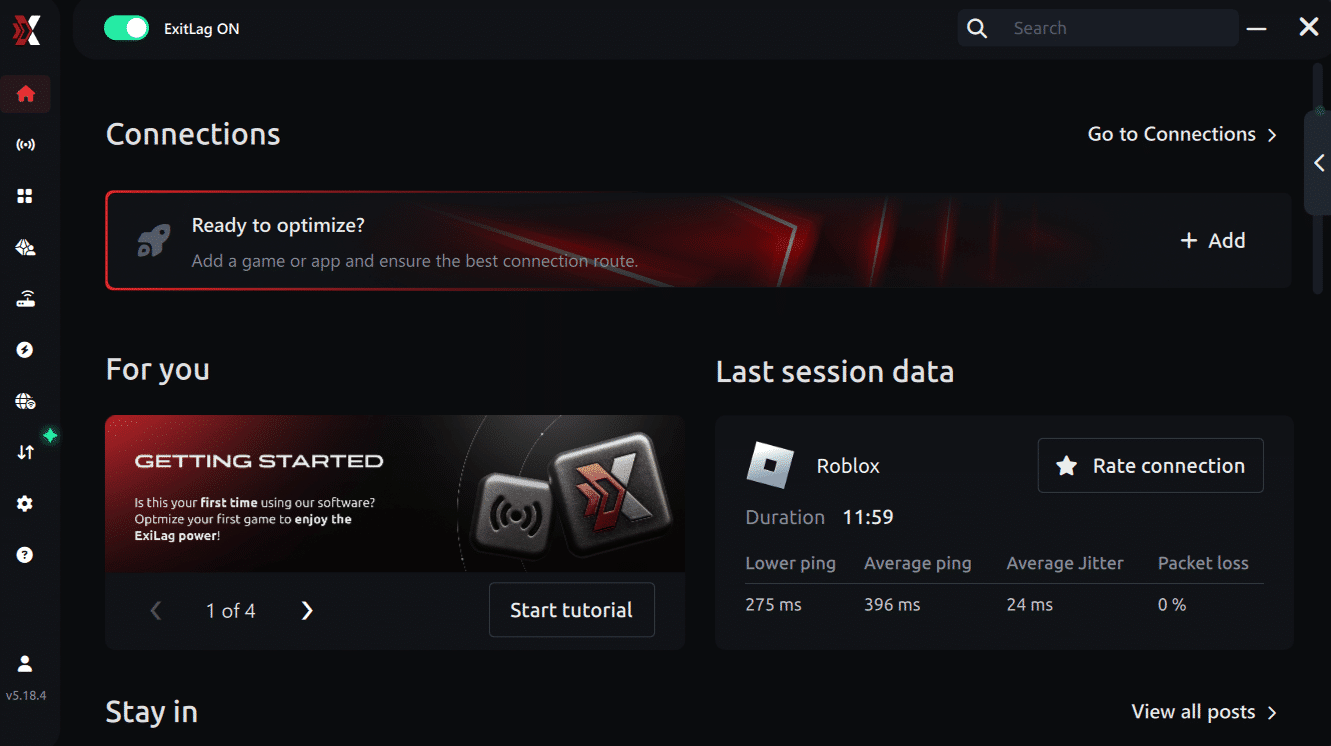
Step 3 – In the search bar, type “Arc Raiders” and select the game from the list.
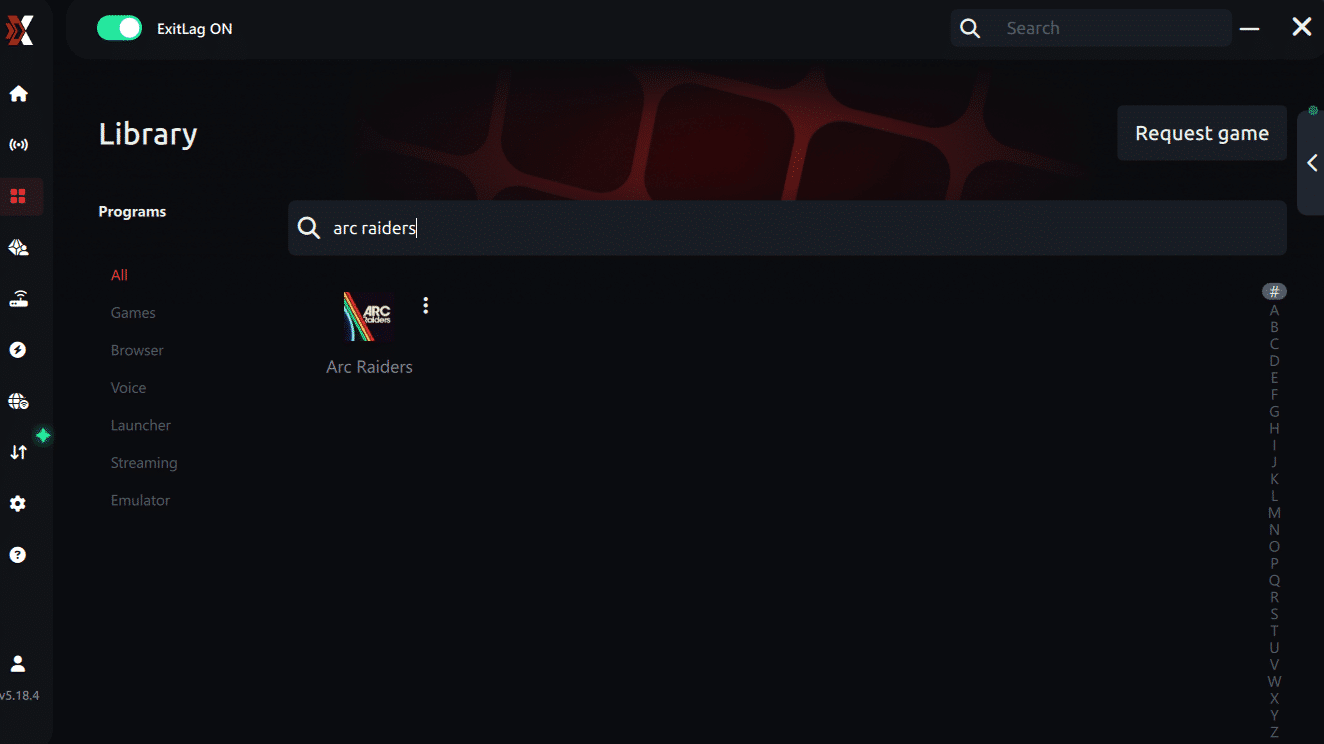
Step 4 – Choose between automated or manual route
Based on the results, you can let ExitLag automatically select the best route or manually choose the server that showed the lowest latency for your connection.
AI-optimized automated route
Based on the results, you can let ExitLag automatically select the best route through AI optimization. The system analyzes multiple connection paths in real time and automatically identifies the most efficient route for your connection, ensuring the lowest possible latency without requiring manual choices.
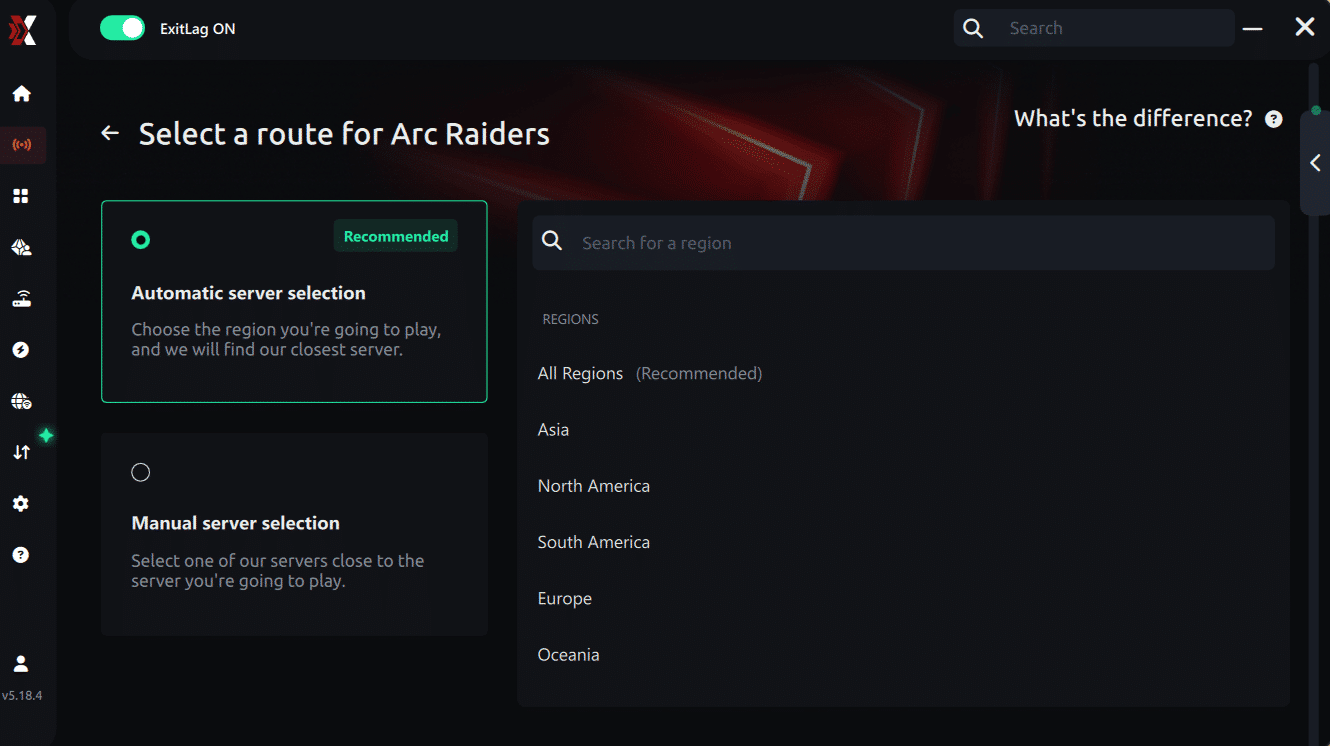
Manual route
If you prefer to have full control over your connection, you can manually choose the server based on the ping test results. Simply select the server that showed the lowest latency or the one that best meets your specific gaming needs, allowing complete customization of your experience.
Step 5 – Click “Apply routes” or the play button. ExitLag will begin optimizing your connection automatically.
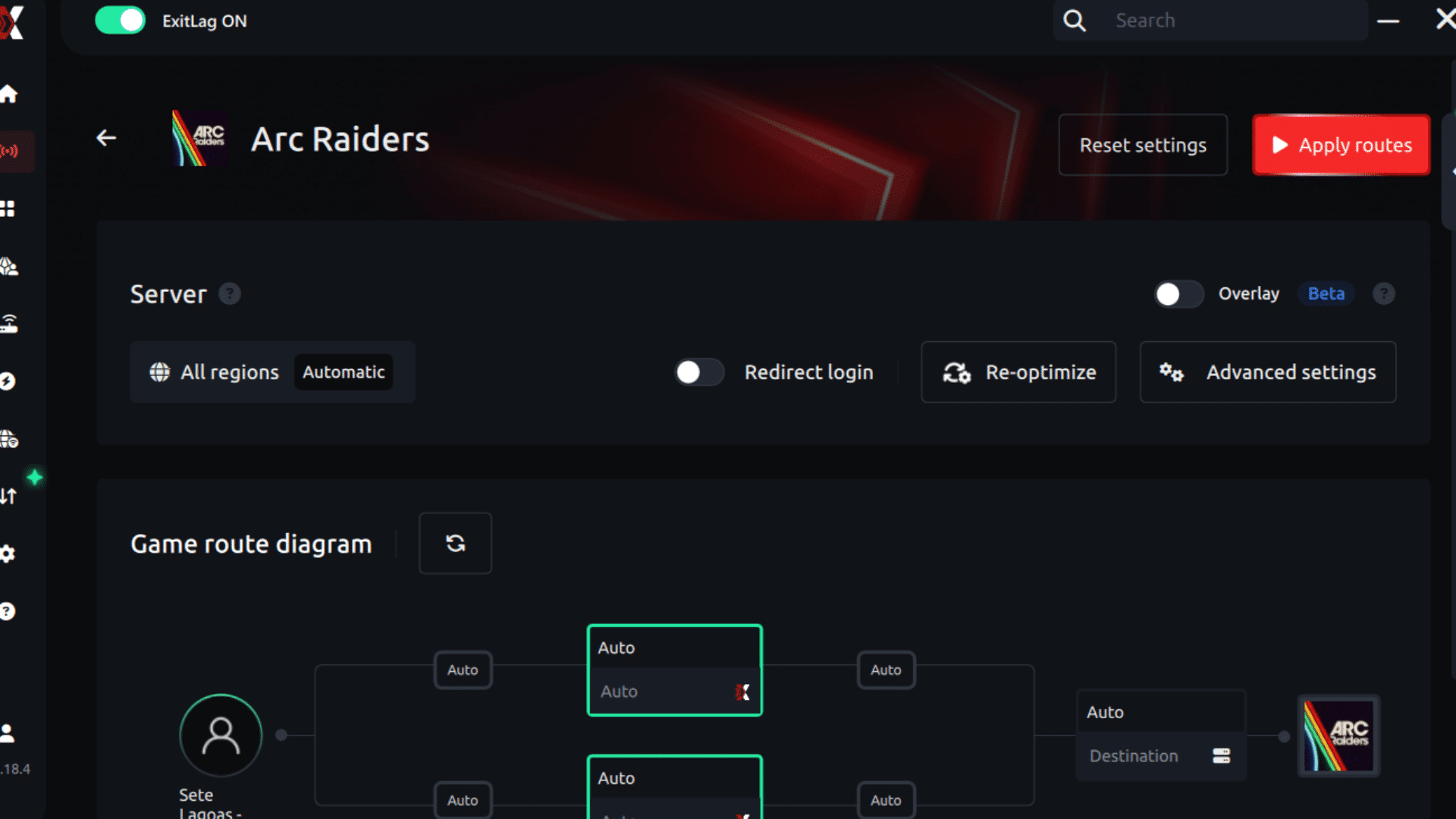
Step 6 – Wait a few seconds until optimization is complete. You’ll see ping indicators in the interface.
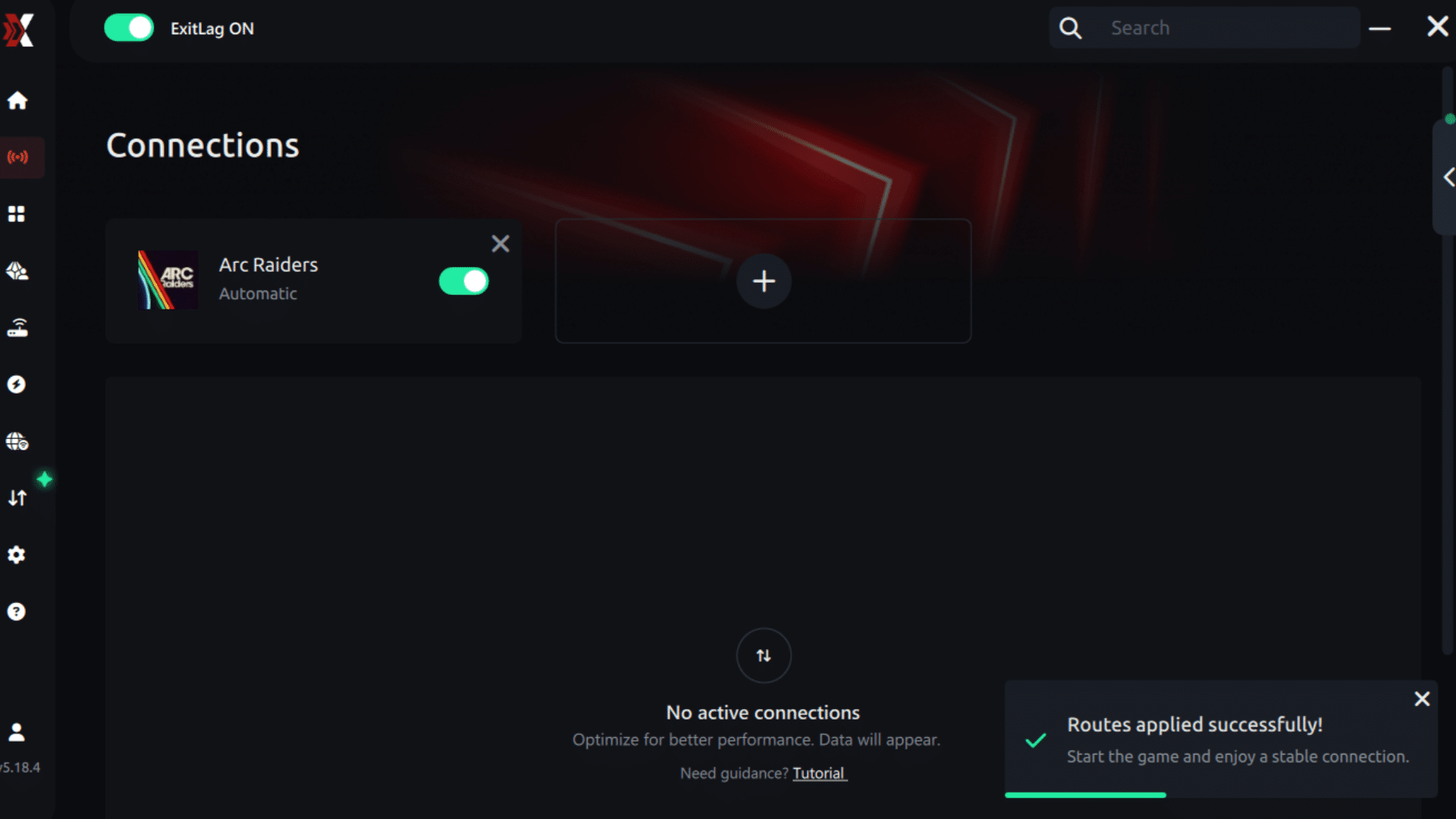
Step 7 – Launch Arc Raiders normally. The optimization will already be active.
ExitLag runs in the background while you play, constantly adjusting routes to maintain the best possible performance.
How to use Ping for Games: step-by-step guide (Arc Raiders)
Checking your connection quality before entering a match has never been easier. Here’s how to use Ping for Games in just a few steps:
1. Open the ExitLag software on your PC Ensure the application is installed and open. The feature is integrated into the platform and available for free to all users.
2. Access the Network Analyzer tool Locate the Network Analyzer in the software menu. This is where you’ll find Ping for Games along with other connection analysis features.
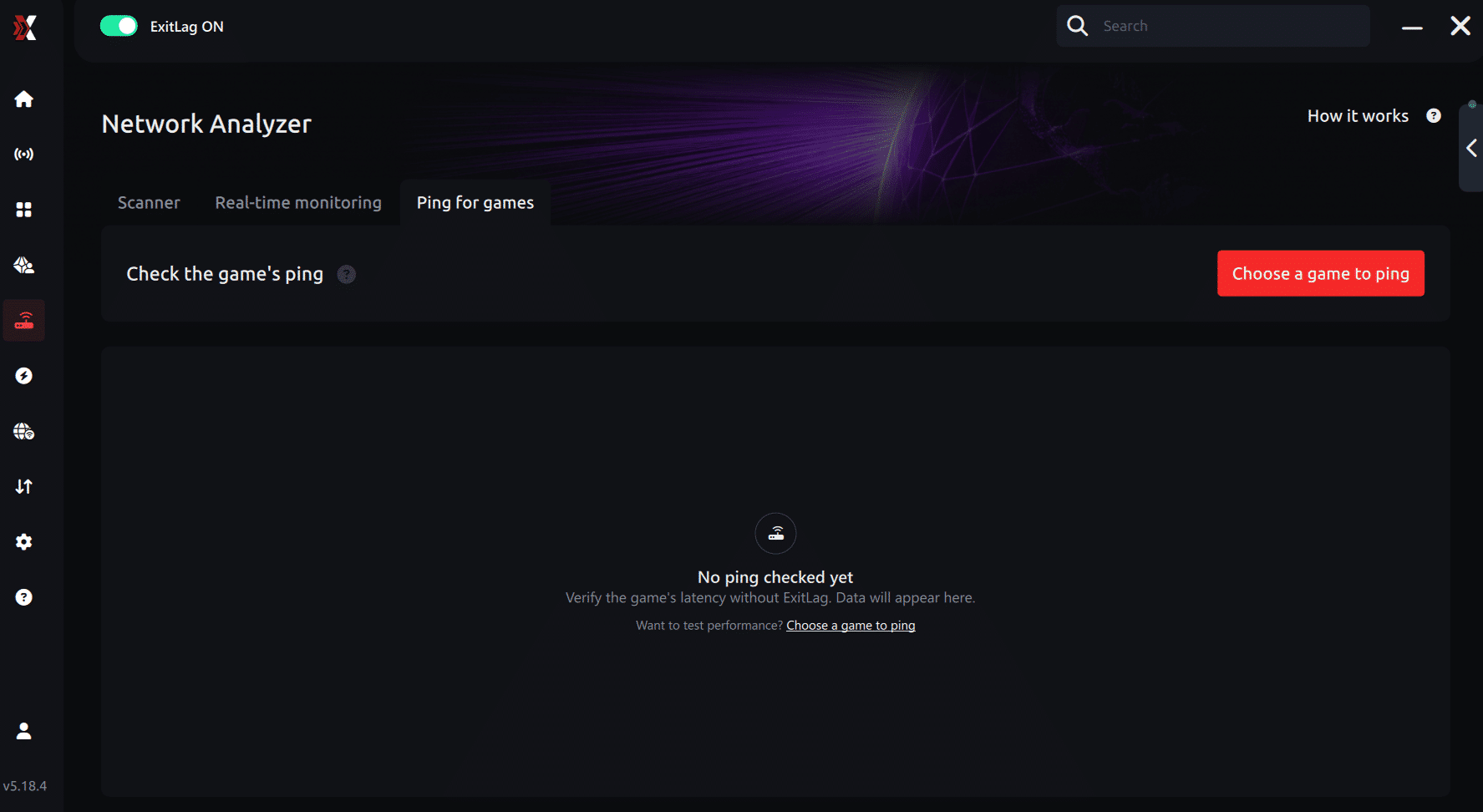
3. Select the game you want to test Choose Arc Raiders from the list. The tool supports major online multiplayer games, including FPS, Battle Royales, MOBAs, MMORPGs, and more.
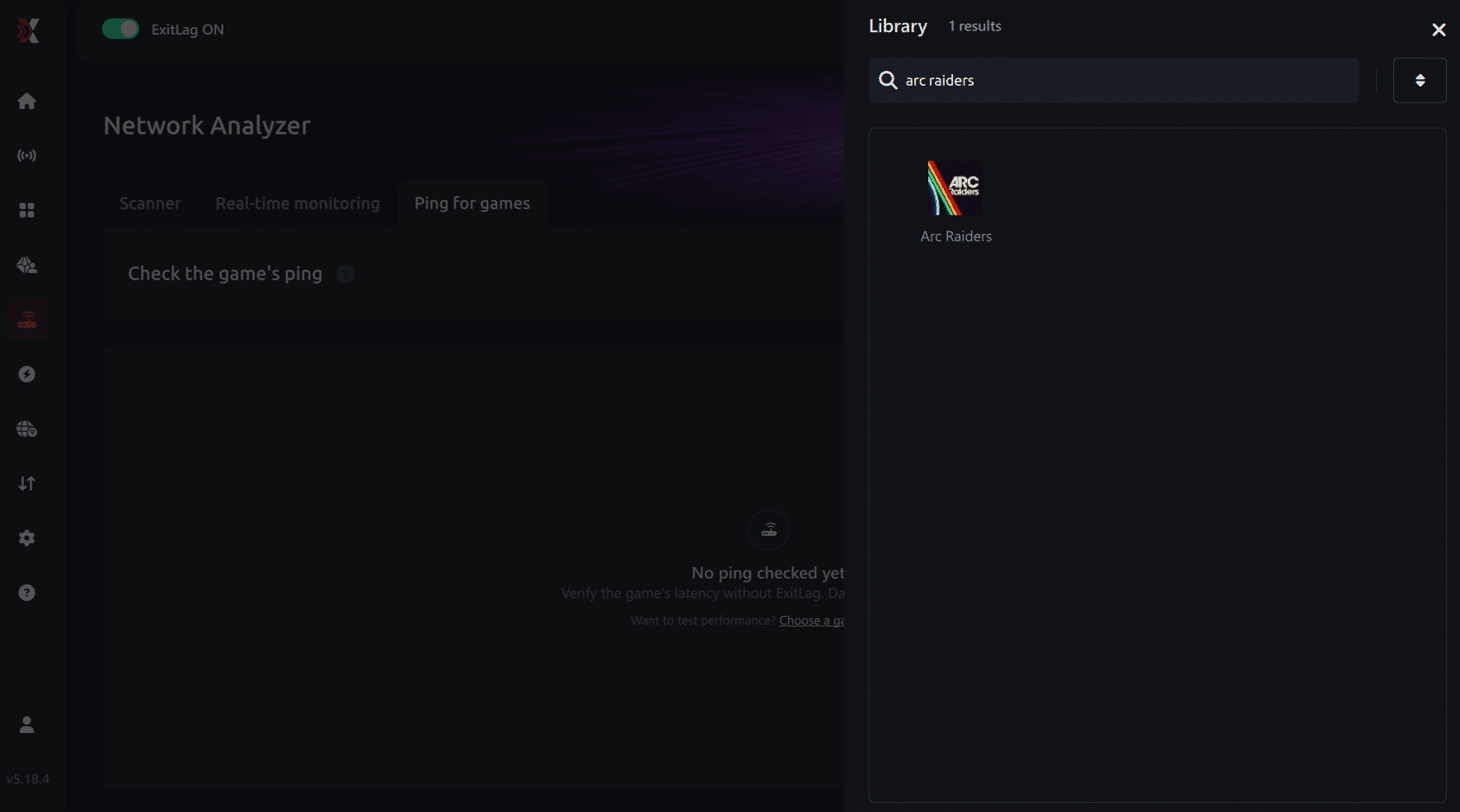
4. Choose the specific server Select the exact Arc Raiders server you want to test instead of a generic region. This ensures more accurate results for your match.
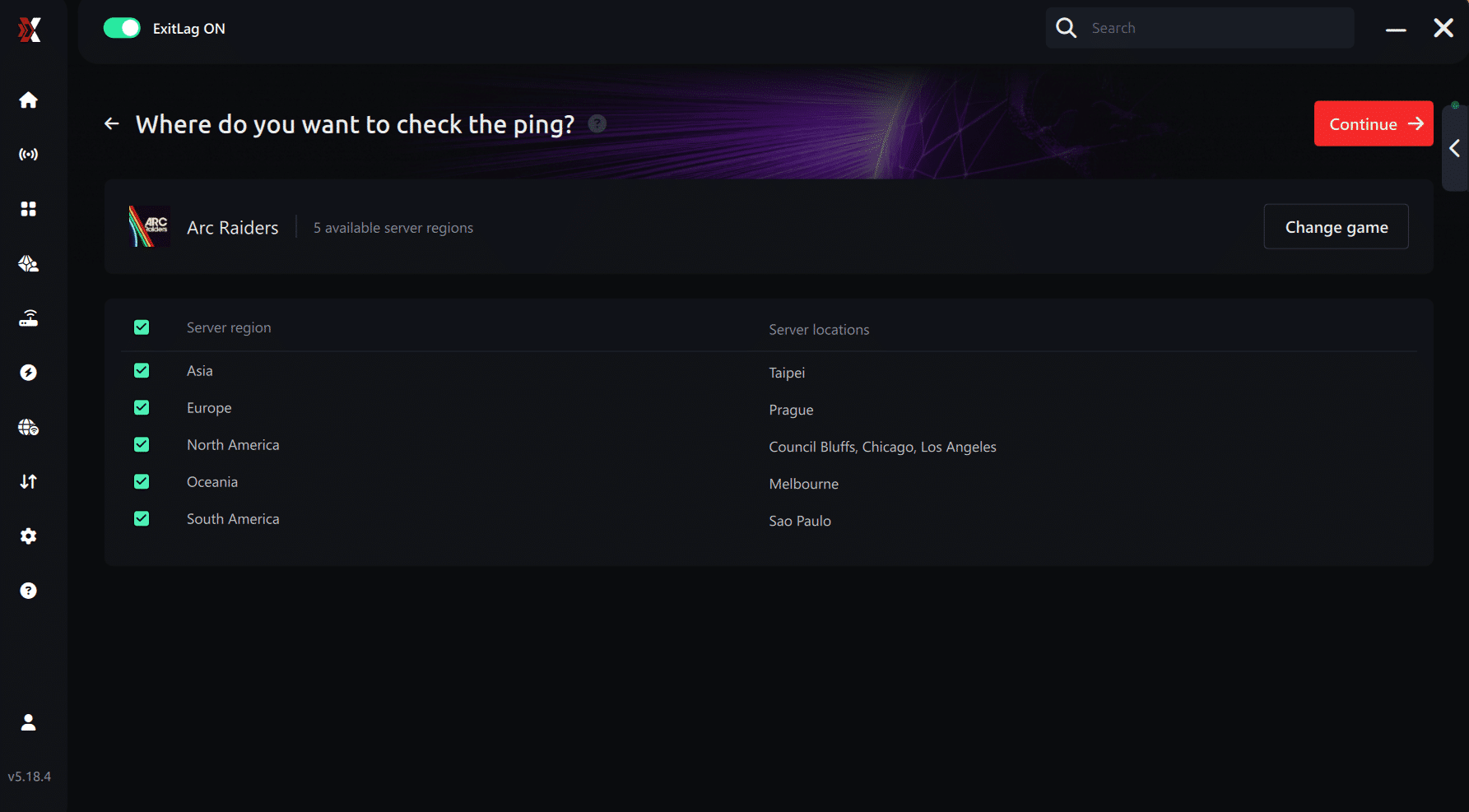
5. Start the ping test With one click, the measurement is performed in real time between your device and the selected Arc Raiders server, considering your current connection (cable or Wi-Fi).
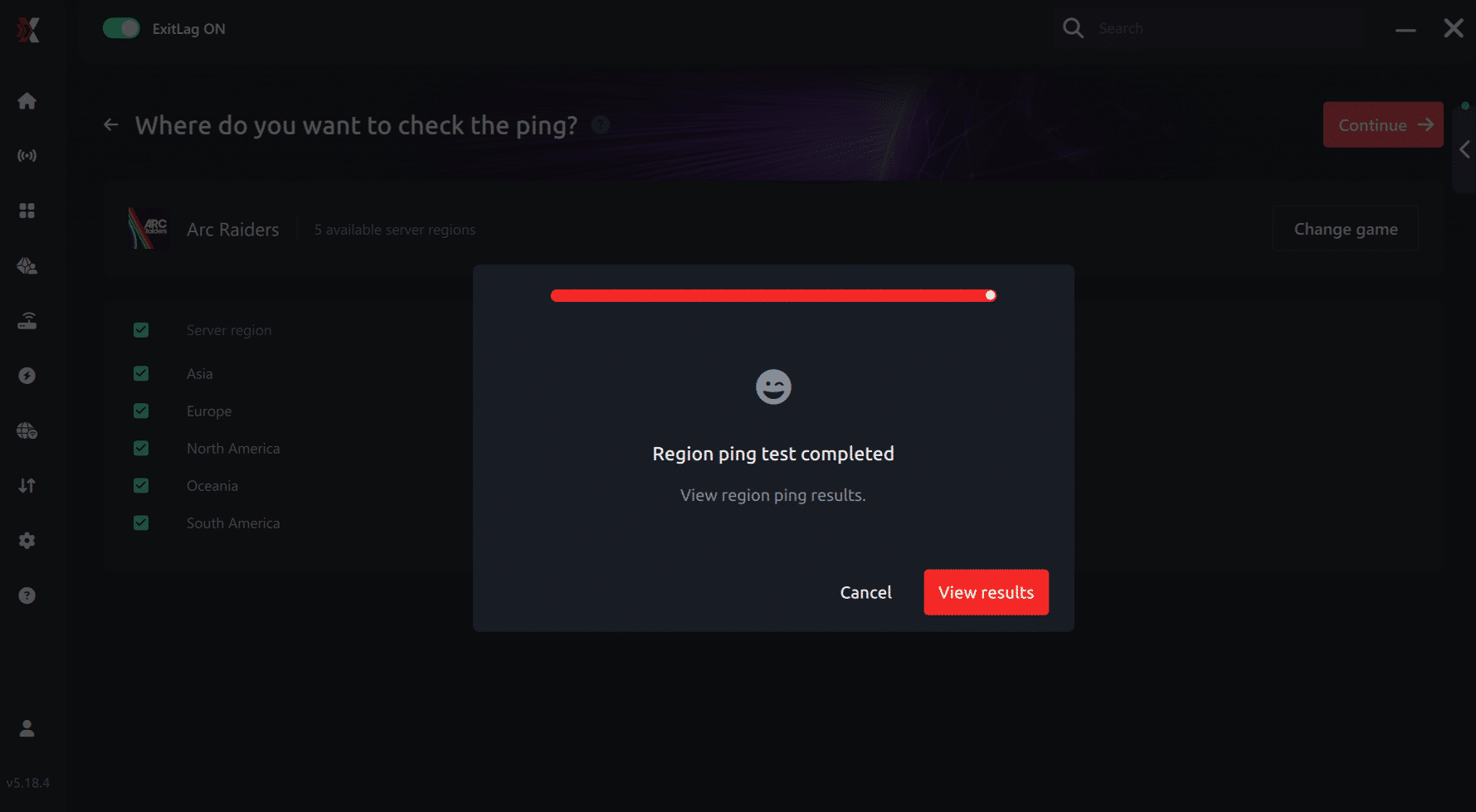
6. Analyze the results Results appear in milliseconds (ms), automatically sorted from best to worst ping. You can also reorganize the view alphabetically if you prefer.
7. Choose the best server and play worry-free With this information, simply select the server with the lowest latency and jump into Arc Raiders knowing your connection is optimized.
Final thoughts: Play Arc Raiders without lag forever
At the end of the day, Arc Raiders lag should never decide your matches. You spend time mastering your aim, movement, and strategy — your internet connection should never be the reason you lose.
With ExitLag, you finally take control of your network performance. The software finds the fastest routes, eliminates lag, and stabilizes your ping so that every shot and every action happens exactly when you want it to.
Try ExitLag for free right now and experience how smooth Arc Raiders can be when your connection is fully optimized. Play with confidence, reach your full potential, and make lag a thing of the past.
FAQ: frequently asked questions about Arc Raiders jitter
What's the difference between jitter, lag and packet loss?
These represent distinct problems requiring different solutions. Jitter measures ping variation indicating instability. Furthermore, lag represents delay from consistently high ping.
Packet loss means data disappearance during transmission. You can have low average ping but high jitter. Therefore, this combination results in terrible experience despite good numbers.
Why does my ping keep fluctuating in Arc Raiders?
Common causes include network congestion issues primarily. Unstable routing affects consistency dramatically. Moreover, Wi-Fi usage introduces inherent variability constantly.
Multiple devices consuming bandwidth create competition. Additionally, server distance also influences stability considerably during raids.
Is jitter worse than high ping?
Often yes, surprisingly counterintuitive. Stable high ping proves more playable overall. Furthermore, varying ping becomes unmanageable and unpredictable.
You can adapt to consistent latency eventually. Therefore, consistency matters more than raw speed often.
How can I tell if I have jitter?
Execute extended ping test in terminal first. Observe value variations carefully throughout. Moreover, in-game, inconsistent response indicates jitter presence clearly.
Sometimes fast, sometimes slow reveals pattern. Therefore, behavioral symptoms often prove more revealing than numbers.
Does Wi-Fi cause jitter?
Absolutely yes, inherently problematic. Wireless connections suffer interference constantly. Furthermore, signal variations result in jitter directly affecting gameplay.
Physical obstructions affect signal unpredictably. Therefore, ethernet provides superior stability universally.
Does ExitLag fix problems beyond jitter?
Yes, comprehensively addressing multiple issues! ExitLag reduces ping significantly. Furthermore, packet loss elimination happens simultaneously automatically.
DDoS protection provides additional security benefits. Therefore, overall stability improves dramatically.
Must I keep ExitLag open while playing?
Yes, absolutely required for optimization. Software must remain active. Furthermore, closing terminates benefits immediately unfortunately.
Does ExitLag work with Arc Raiders on Steam?
Absolutely, ExitLag fully supports Arc Raiders through Steam. Integration works seamlessly with Steam platform.

Conclusion: eliminate Arc Raiders jitter permanently
Connection instability shouldn't ruin extraction shooter experiences ever. Jitter transforms intense raids into frustrating technical disasters. Furthermore, fun gaming sessions become technical nightmares unnecessarily.
You don't need accepting this as normal gameplay condition. ExitLag represents the definitive solution eliminating ping variations. Moreover, you deserve consistent, predictable, competitive quality always.
Don't let unpredictable timing ruin successful extractions anymore. Undeserved loot losses shouldn't happen constantly from lag. Therefore, combat mechanics become completely reliable consistently.
Investing in optimized connection enables proper Arc Raiders experience. Furthermore, perfect timing should be achievable consistently throughout raids.
Whether pursuing casual exploration or competitive extraction, stability proves fundamental. Connection quality determines survival outcomes significantly. Discover additional optimization strategies through the ExitLag blog for comprehensive enhancements.Ready to eliminate Arc Raiders jitter forever and dominate with perfect timing? Try ExitLag risk-free and experience tournament-grade stabilization immediately.