
Few situations are as frustrating as entering ARK to gather resources, tame creatures, or raid bases, only to see your gameplay fall apart due to high ping. When ARK high ping hits, movement delays, rubberbanding, and slow interactions make survival nearly impossible. Even more, predators and enemy players take advantage of your delayed reactions. You can also view supported titles in the official games catalog.

What is high ping in ARK?
Ping is the time it takes for your commands to travel to the server and return. When latency increases, every action becomes delayed, making ARK high ping one of the most disruptive problems in survival gameplay. This happens because data packets, latency, and server communication slow down or take indirect paths.
At first sight, ARK high ping may seem like a simple number, but it directly determines how quickly your movements are validated. In other words, high latency means your actions—like opening inventories or attacking creatures—don’t register immediately. This difference becomes highly noticeable when gathering resources or fighting dangerous dinos.
Even more, ARK’s large world size and real-time simulation make delays far more harmful than in smaller games. That way, ARK high ping can ruin progress, cause lost tames, and disrupt tribe coordination.
How high ping affects gameplay in ARK
ARK high ping leads to severe gameplay issues that damage both PvP and PvE experiences:
- Delayed hit registration: Attacks land seconds after animation finishes.
- Rubberbanding: Your character snaps backward, making exploration unsafe.
- Lag spikes: Enemies teleport or freeze, making dodging impossible.
- Inventory delay: Items take longer to move or split.
- Building issues: Structures place late or desync, causing misalignment.
- Server disconnections: Severe spikes lead to disconnects and rollbacks.
- PvP disadvantage: Opponents with stable ping react faster and win duels.
Combat delays and damage desync
At first, you may think your weapon is malfunctioning, but the real cause is server latency. With high ping, creatures hit you before your screen shows the attack. As a result, fights become unpredictable and unfair.
Building and resource-gathering problems
Similarly, high ping causes structures to appear late and resources to gather inconsistently. Soon after, tools break out of sync, crafting queues freeze, and mounts fail to respond on time. This is common during lag ARK events on crowded servers.
Main causes of ARK high ping
Server distance
If the ARK server is far from your region, packets must cross many nodes. Constantly, this increases overall ARK latency, especially in highly populated maps.
ISP / routing issues
Routing quality often matters more than internet speed. Beforehand, your ISP might send data through congested or inefficient routes, resulting in persistent ARK high ping. This is especially noticeable during peak hours.
Network congestion
When multiple devices in your home consume bandwidth—downloads, streaming, cloud backups—your ARK packets compete for priority. In summary, this causes lag ARK symptoms and unstable communication.
Outdated hardware
Although ping is network-based, old routers, outdated firmware, or slow network adapters can create delays. In the same way, poor Wi-Fi interference leads to unpredictable spikes.
Game-specific factors
Some ARK servers run heavy mods, large tribes, or overloaded maps. That way, server-side performance issues appear as ARK connection issues for players.
How to check and test your ping in ARK
You can check your ping directly in the server list or in-game by viewing the session info. This helps identify when spikes start. In advance, ARK displays real-time latency so you can track changes during gameplay.
Another method is to run OS-level ping tests to your server’s IP. Soon after starting the test, you will notice whether your connection drops packets or fluctuates. This helps determine whether the problem lies with your ISP or the server.
For reference, good ARK ping is under 60 ms. Between 70–120 ms is playable. Anything above 150 ms creates noticeable delays. Above 200 ms, ARK high ping becomes highly disruptive.
Ping levels classification
| Ping range | Classification | Gameplay impact |
| 0–40 ms | Excellent | Smooth combat, building, and movement |
| 40–80 ms | Good | Mostly stable |
| 80–120 ms | Playable | Noticeable delays |
| 120–180 ms | Poor | Rubberbanding and crafting issues |
| 180+ ms | Critical | Severe lag and desync |
Basic fixes to reduce ARK high ping
Optimize local connection
- Use a wired Ethernet cable to stabilize communication.
- Close streaming apps and downloads consuming bandwidth.
- Restart your router to refresh the route.
- Update network drivers and router firmware.
- Reduce active devices on your Wi-Fi.
- Test different ARK servers with closer locations.
Contact your ISP
Sometimes the issue originates outside your home. That’s because ISP routing may be unstable or congested.
- Ask for line testing.
- Request a routing analysis.
- Check for packet loss in your region.
Also follow this checklist:
- Test ping at different times.
- Compare performance on another network.
- Report irregular routing or sudden spikes.
ExitLag: the best solution to fix ARK high ping
When basic fixes fail, the core issue behind ARK high ping is nearly always inefficient routing. ISPs constantly redirect traffic through congested or indirect paths, which increases latency and causes unstable survival gameplay. ExitLag solves this by optimizing your routes in real time, ensuring your packets take the shortest and most stable path to the ARK servers.
Even more, ExitLag reduces spikes, packet loss, and erratic jumps that make ARK’s combat and traversal unpredictable. From the same point of view, it is the only tool capable of improving stability without changing your internet plan. To explore all compatible titles, check the games list.
What is ExitLag?
ExitLag is a specialized software focused on connection optimization, designed specifically for gamers who need consistent performance. Instead of relying on unpredictable ISP routing, it stabilizes the entire path your data travels. In other words, ExitLag ensures your communication with ARK servers remains smooth, even during peak hours.
Above all, ExitLag analyzes global routes simultaneously. That way, it avoids bottlenecks and ensures your packets reach the server faster. This is especially useful when your ARK sessions involve populated maps or heavy base structures, since both amplify the effects of poor routing.
To understand its underlying technology, refer to the technology overview.
How ExitLag works?
ExitLag improves your connection to ARK by optimizing every step your data takes to reach the server. It performs real-time route analysis, constantly scanning available paths and selecting the fastest, most stable option.
Instead of relying on a single pathway, ExitLag uses multiple routes simultaneously, ensuring your packets always return through the quickest route. With automatic best route selection, the system instantly switches away from slow or unstable paths without any manual adjustments.
Through hop optimization, ExitLag reduces the number of nodes your data crosses, lowering overall latency and minimizing the effects of ARK high ping. Finally, its connection stabilization technology smooths packet delivery to prevent rubberbanding, delayed actions, and desync during survival gameplay.
For a complete breakdown of the system, explore the how it works section.
Advantages for ARK players
Stable ping on busy servers
Large ARK maps, tribes, and structures can overload servers. ExitLag compensates by stabilizing the communication route, preventing unpredictable spikes.
Reduced rubberbanding
Since ARK involves large environments and constant movement, rubberbanding becomes dangerous. ExitLag minimizes desync, making navigation smoother and safer.
Faster combat responses
Combat depends on timing. ExitLag reduces the delay between your hits and the server’s validation, especially useful against aggressive creatures or skilled PvP players.
Improved base building and crafting
Crafting and structure placement rely on fast packet confirmation. ExitLag eliminates delays that cause misplacement, lagged snapping, and inventory issues.
Better connection on distant servers
Some ARK servers are hosted far away from your region. ExitLag improves routing so you can enjoy comparable performance, even across continents.

No technical experience needed
ExitLag’s interface is simple. In advance, anyone can activate optimizations within seconds.
Is ExitLag worth it for ARK?
Definitely. If you frequently suffer from ARK high ping, severe rubberbanding, or unpredictable actions during raids and tames, ExitLag is absolutely worth it. While local tweaks can help, they cannot fix routing—ExitLag addresses the root cause.
To compare plans or trial options, visit the pricing page.
How to use ExitLag in Ark
The process is extremely simple:
Step 1 – Access the official ExitLag website and download the application. There’s a free trial period for new users.
Step 2 – Install and open the program. Log in with your account.
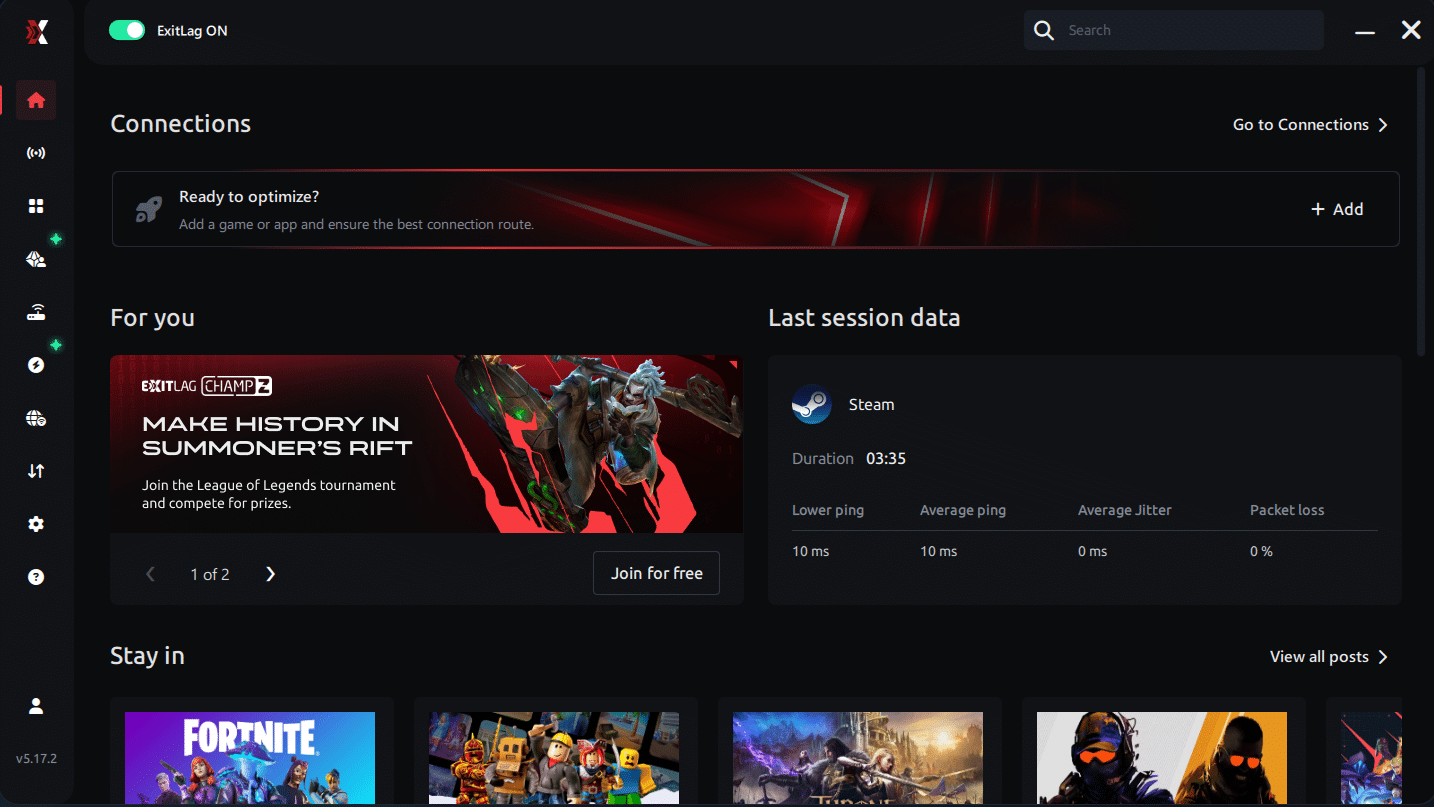
Step 3 – In the search bar, type “Ark” and select the game from the list.

Step 4 – Choose between automated or manual route
Based on the results, you can let ExitLag automatically select the best route or manually choose the server that showed the lowest latency for your connection.
AI-optimized automated route
Based on the results, you can let ExitLag automatically select the best route through AI optimization. The system analyzes multiple connection paths in real time and automatically identifies the most efficient route for your connection, ensuring the lowest possible latency without requiring manual choices.
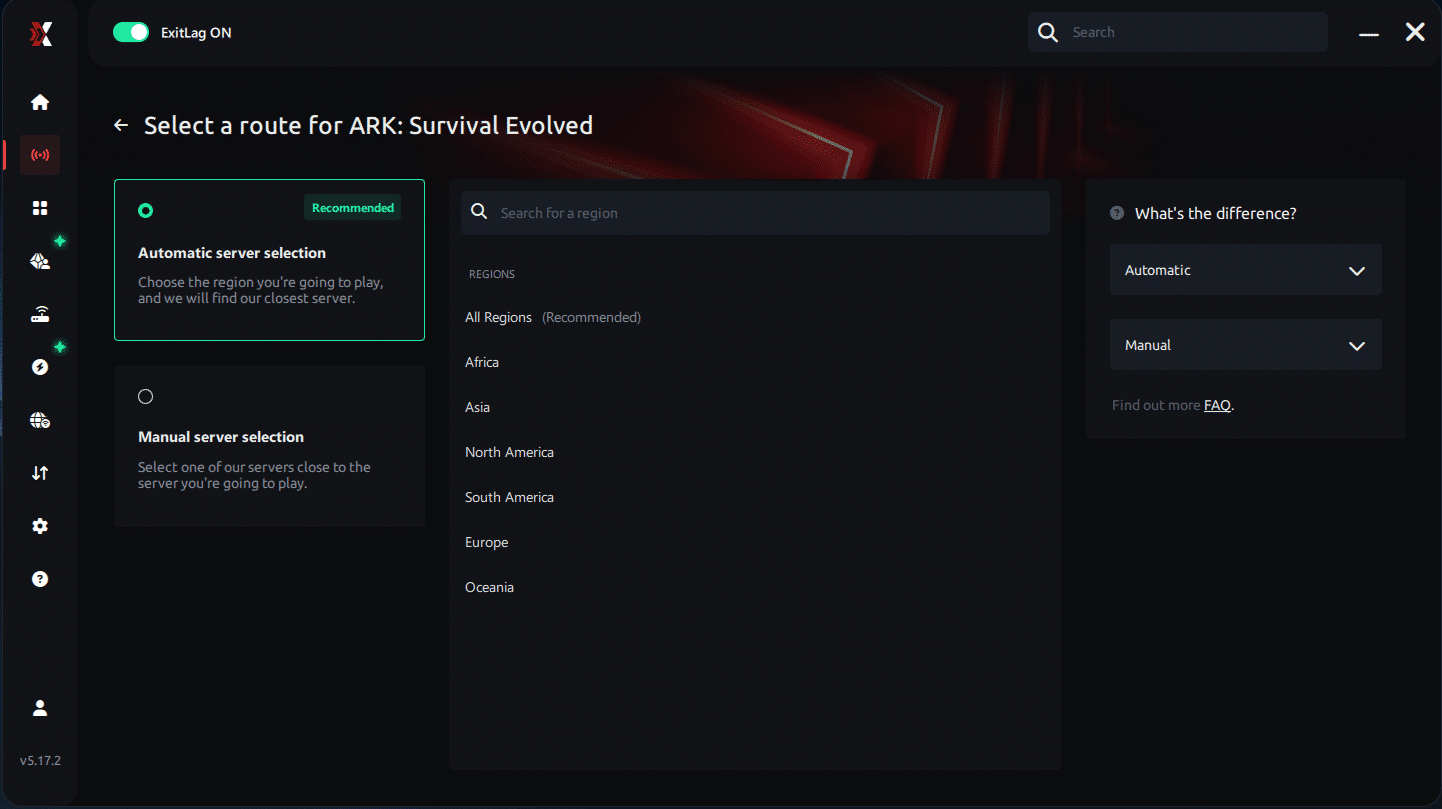
Manual route
If you prefer to have full control over your connection, you can manually choose the server based on the ping test results. Simply select the server that showed the lowest latency or the one that best meets your specific gaming needs, allowing complete customization of your experience.
Step 5 – Click “Ark” or the play button. ExitLag will begin optimizing your connection automatically.
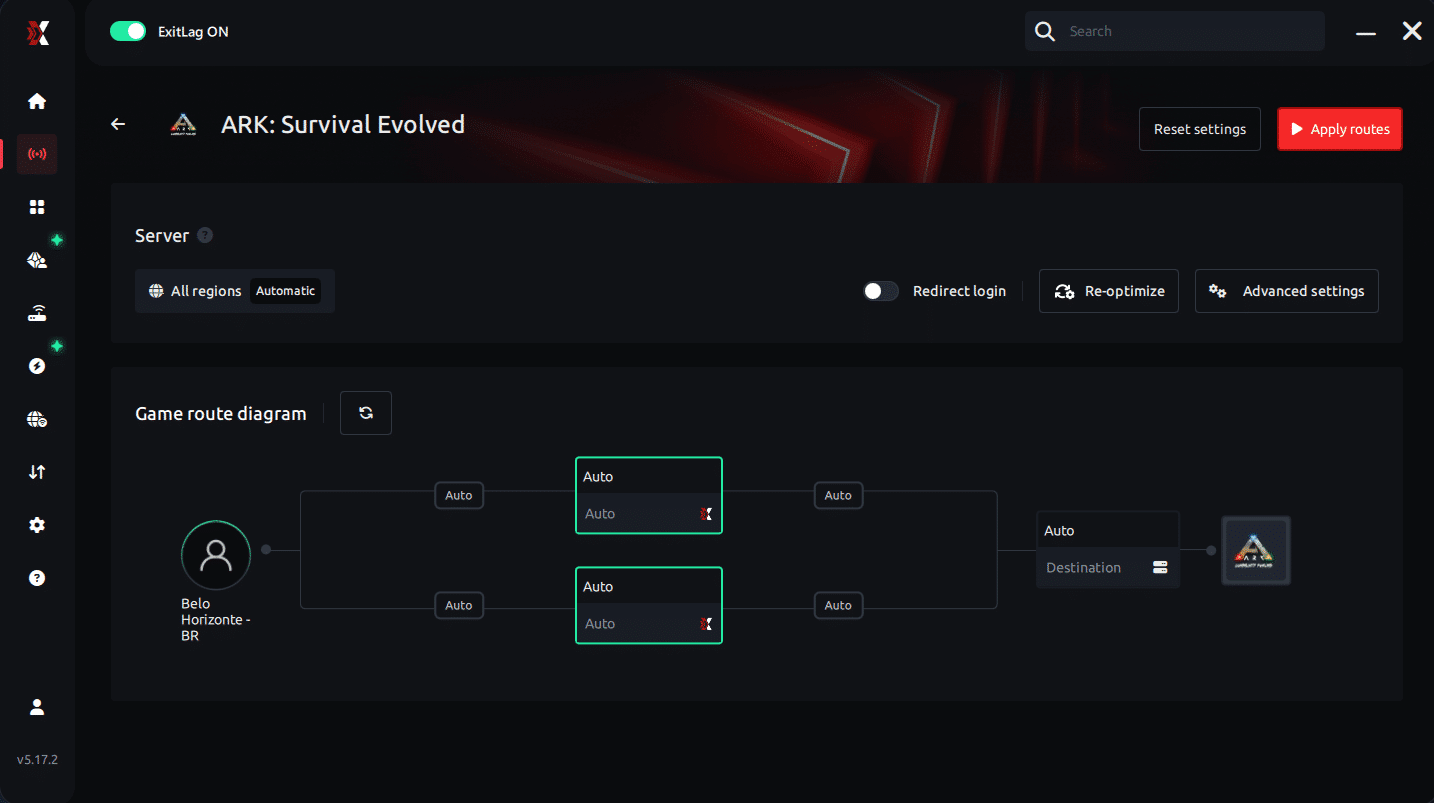
Step 6 – Wait a few seconds until optimization is complete. You’ll see ping indicators in the interface.
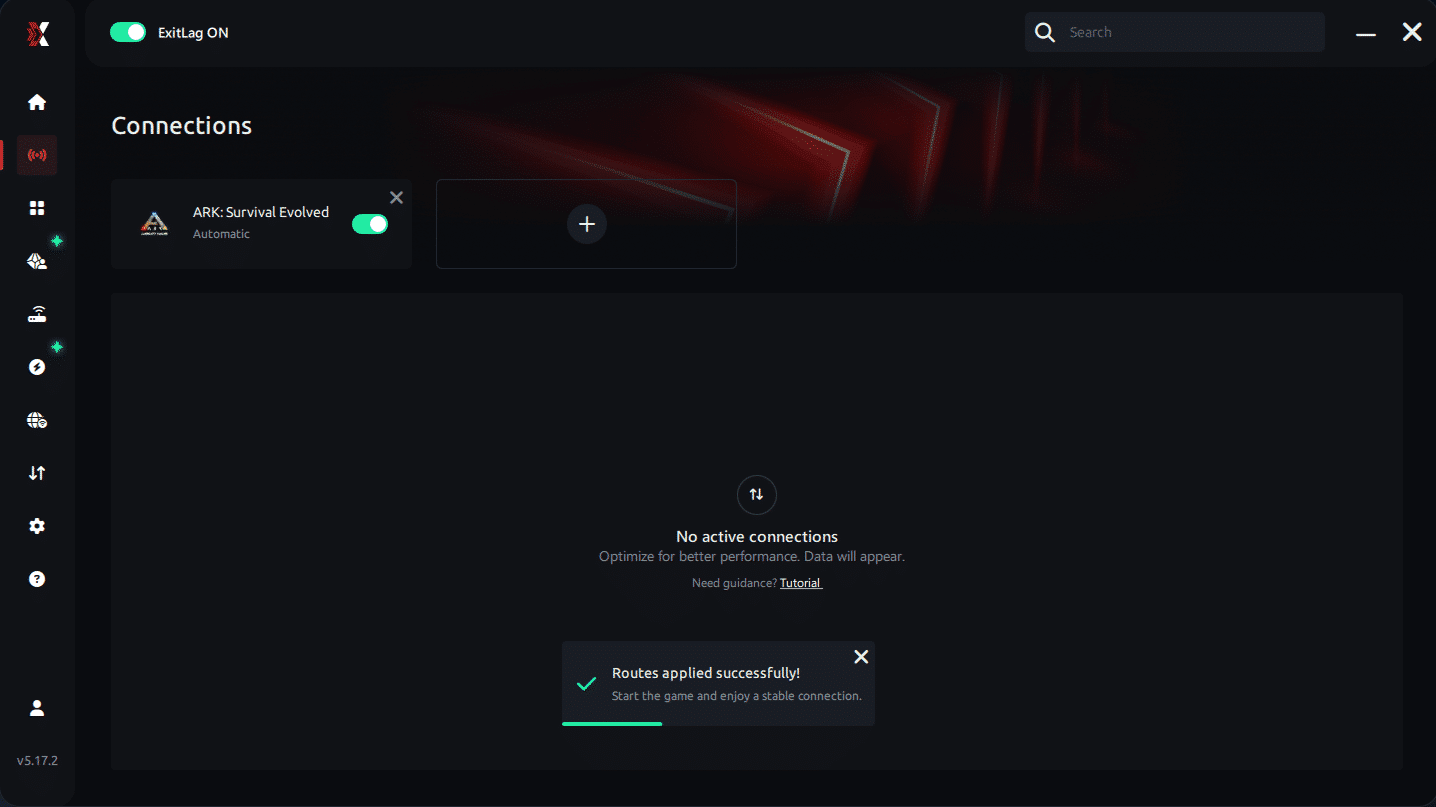
Step 7 – Launch Ark normally. The optimization will already be active.
ExitLag runs in the background while you play, constantly adjusting routes to maintain the best possible performance.lower ARK high ping.
FAQ: everything about high ping in ARK
What causes high ping in ARK?
Most cases come from distant servers, routing problems, shared home bandwidth, or overloaded ARK worlds. Even when your internet plan is fast, routing inefficiencies cause delays that directly increase ARK latency. In populated servers, lag becomes even more noticeable.
How do I check my ping in ARK?
You can view ping directly in the server list before joining. Inside the game, accessing session information also displays real-time latency. Another method is using OS ping tests to verify if your connection fluctuates. This helps determine whether issues are local or server-related.
What is good ping for ARK?
Ideal ARK ping is below 60 ms, especially in PvP servers that require fast combat reactions. Between 70–120 ms remains playable but noticeable. Above 150 ms, rubberbanding and crafting delays increase. Beyond 200 ms, survival actions become unreliable.
Can high ping get you banned in ARK?
No. High ping does not cause bans. However, a poor connection can lead to forced disconnections or server rollbacks. In rare cases, extreme ARK connection issues may trigger temporary kicks if the server interprets your client as unresponsive.
Does ExitLag work for ARK?
Yes. ExitLag optimizes your connection routes, preventing the delays and spikes caused by inefficient ISP routing. Many players report immediate improvements when dealing with lag ARK or servers located far from their region.
Why does ARK lag more when servers are full?
Full servers have more players, structures, dinos, and active scripts. This increases server load and makes latency more noticeable. In summary, even minor ARK high ping becomes amplified during peak population.
Conclusion
When you face survival challenges, the last thing you want is unstable latency blocking your progress. With optimized routing and proper fixes, you can eliminate delays and return to smooth exploration, combat, and building.
For more insights, tutorials, and tips, visit the official ExitLag blog.
ARK high ping no longer needs to ruin your free time. Now that you understand the causes and how to stabilize your connection, you can finally enjoy your gaming smoothly. Start your free trial and see the difference for yourself.



