

Web games offer one of the fastest ways to start playing without dealing with traditional installations, large downloads, or complicated launchers. From quick puzzle sessions to multiplayer adventures, browser gaming gives players an enormous variety of experiences directly through compatible web browsers.
The popularity of web games comes largely from convenience. Players can open a browser, choose a title, and begin playing within moments when the game and device are compatible. Modern browser technology has also made these experiences considerably more sophisticated than the simple games associated with earlier eras of the internet.
What are web games? They are video games designed to run primarily through a web browser rather than requiring a conventional game installation. Today, they can include casual puzzles, racing titles, action experiences, strategy games, RPGs, and multiplayer releases.
Accessibility is another major advantage. A web game can often be launched on different computers without installing a large local client, while many modern titles also support mobile browsers. However, compatibility still depends on the game, browser, hardware, and operating system.
As browser technology continues improving, the gap between browser and installed gaming has become less obvious in some categories. Modern web browser games can deliver polished graphics, responsive controls, progression systems, and online features while preserving the quick-access appeal that defines the format.
What Are Web Games and How Do They Work?

At their core, web games use browser-compatible technologies to deliver interactive gameplay. Instead of downloading a traditional executable and installing the entire experience locally, much of the content is delivered through the browser.
However, that does not mean every browser title works identically. Developers can use different engines, rendering technologies, account systems, and server infrastructure depending on the complexity of their project.
Playing a game in web browsers
Playing a game in web environments is possible because modern browsers can handle significantly more complex applications than they could years ago.
Technologies such as HTML5, JavaScript, WebGL, and WebAssembly can contribute to interactive browser experiences. Game engines and specialized development tools can then build on those technologies to create 2D or 3D gameplay.
In practical terms, the process often looks simple from the player’s perspective:
- Open a compatible browser;
- Visit a reputable gaming platform;
- Select a game;
- Wait for its necessary assets to load;
- Start playing.
Some titles store progress locally in browser data. Others use an account or online server to preserve progression across sessions and devices.
Consequently, clearing browser data can affect saves in certain games. Players should understand how a particular title handles progression before deleting cookies or site storage.
Web game vs. downloadable game
A browser title and an installed PC game can provide similar types of gameplay, but their delivery methods differ.
| Feature | Web Game | Downloadable Game |
| Installation | Usually unnecessary | Usually required |
| Main access | Browser | Installed client |
| Local storage | Often relatively limited | Can be substantial |
| Updates | Often handled through the website | Usually downloaded |
| Starting process | Open site and play | Open launcher/client |
| Complexity | Casual to advanced | Casual to AAA |
| Mobile support | Depends on browser design | Requires compatible version |
The convenience of web games makes them particularly useful when players want immediate entertainment.
Meanwhile, downloadable games can dedicate significantly more local storage and system resources to high-resolution assets and complex systems. Neither approach is inherently superior; they solve different gaming needs.
Why Web Browser Games Are Still Popular
The gaming industry has changed dramatically, yet web browser games continue to attract players.
One reason is simple: reducing the steps between discovering a game and playing it makes experimentation easier. Players can try unfamiliar genres without committing to a large download.
Instant access without large downloads
Modern games can occupy dozens or even hundreds of gigabytes. Browser experiences provide an alternative for players who do not want every casual game permanently installed.
That accessibility is especially useful on devices with limited storage.
Instead of deciding whether a title deserves valuable disk space, players can open it, try the gameplay, and decide whether they want to continue.
Browser gaming also works well for discovering independent projects. A developer can introduce players to an unusual mechanic without asking them to install an unfamiliar executable first.
However, browser games still download assets temporarily. “No installation” does not mean no data is transferred. Graphics, audio, scripts, and other resources must still reach the device.
Short gaming sessions and easy discovery
Many web games work particularly well during short sessions.
A player might have only ten minutes available and want something entertaining without launching a large client, downloading an update, or navigating multiple menus.
Common situations include:
- Short breaks;
- Waiting periods;
- Relaxing at home;
- Casual sessions between other activities;
- Trying a new genre;
- Playing on a secondary computer.
This does not mean browser gaming is limited to short experiences.
More sophisticated titles can include persistent progression and longer sessions. Nevertheless, immediate access remains one of the format’s defining strengths.
All Web Games: Understanding the Main Genres
It is impossible to place all web games into one gameplay category. Browser platforms now cover an enormous range of genres and player preferences.
Some titles are intentionally simple. Others include progression, multiplayer systems, competitive mechanics, or surprisingly complex simulations.
Action, racing, sports, and arcade games
Action games are naturally suited to quick browser sessions because their central mechanics can often be understood immediately.
Players can find platformers, shooters, driving games, sports experiences, endless runners, and traditional arcade-style titles.
These games frequently prioritize:
- Responsive controls;
- Short introductions;
- Easily understood objectives;
- Increasing difficulty;
- Score chasing;
- Replayability.
Racing games can be especially accessible. Accelerate, steer, avoid obstacles, and reach the finish line—the fundamental objective requires little explanation.
Arcade games follow a similar philosophy. The best examples introduce the basic mechanic quickly and gradually add complexity as players improve.
Puzzle, strategy, idle, and simulation games
Slower genres are equally important to web games.
Puzzle titles can work particularly well because they usually do not require extremely complex controls. A mouse, keyboard, or touchscreen may be enough to handle the entire experience.
Strategy and management games can offer longer sessions.
Players might construct buildings, manage resources, defend territory, develop a settlement, or gradually expand an economy.
Idle games take accessibility even further. Their progression systems often continue with limited player interaction, making them suitable for people who prefer incremental advancement rather than constant action.
Fun Web Games for Quick Gaming Sessions
What makes fun web games enjoyable depends on the player, but successful browser experiences often share several design qualities.
They get players into the central gameplay loop quickly and avoid unnecessary friction between opening the page and actually having fun.
What makes browser games fun?
A good browser experience usually respects the player’s time.
Lengthy explanations can work in complex RPGs, but a simple arcade title should communicate its objective quickly. Players often expect to understand basic movement and interaction within the opening minutes.
Important qualities include:
- Fast and reliable loading;
- Responsive controls;
- Clear objectives;
- Readable interfaces;
- Replayability;
- Appropriate difficulty progression;
- Consistent performance.
Originality matters as well.
Because browser platforms contain large catalogs, recognizable mechanics alone may not be enough. An unusual visual style, clever gameplay twist, or satisfying progression system can help a title stand apart.
Casual games vs. competitive games
Casual browser experiences prioritize accessibility and flexible sessions.
A puzzle game may allow players to stop almost whenever they want. An idle game can reduce the pressure even further.
Competitive titles create different requirements.
When players interact in real time, responsiveness becomes more important. A delay that barely matters in a turn-based puzzle can significantly affect an action game.
Therefore, players searching for good web browser games should consider what kind of experience they actually want.
Casual gaming favors convenience. Competitive gaming adds factors such as server quality, latency, matchmaking, and connection stability.
Web RPG Games Free: Can You Play RPGs in a Browser?
Players searching for web rpg games free are looking for something more substantial than a five-minute arcade session.
Fortunately, role-playing mechanics translate surprisingly well to browsers.
Character progression, equipment systems, quests, combat, and persistent accounts can all be incorporated into browser-based experiences.
How browser RPG games work
Browser RPGs vary considerably in complexity.
Some are lightweight adventures where players complete quests and upgrade a character. Others borrow ideas from MMORPGs, including shared areas, guild systems, trading, and long-term progression.
Common RPG mechanics include:
- Character levels;
- Skills and abilities;
- Equipment;
- Quests;
- Exploration;
- Combat;
- Crafting;
- Character customization;
- Persistent progression.
The presence of these mechanics does not automatically make a browser RPG simpler than an installed RPG.
Instead, developers usually optimize the experience around the limitations and advantages of browser delivery.
What to look for in free web RPGs
“Free” requires some context.
A game can be free to start while offering optional purchases. Another title may use advertisements, cosmetic items, premium memberships, or convenience upgrades.
Before investing significant time, check how progression works.
Players should consider whether paid systems affect competition, whether advertisements interrupt gameplay, and whether important content requires additional purchases.
Also check how accounts and saves work.
An RPG can require dozens of hours of progression. Losing that progress because it existed only in temporary browser storage can be frustrating.
Best Web Games: How to Find the Right Game for You
The best web games depend on what each player expects from a session.
Someone who wants five minutes of entertainment has different needs from a player searching for a persistent RPG or competitive multiplayer experience.
Instead of treating one title as universally superior, it is more useful to choose according to genre, available time, device, and preferred mechanics.
Choosing by genre and available time
This table provides a practical starting point:
| Player Type | Useful Genre | Typical Session | Main Appeal |
| Quick-break player | Arcade/Puzzle | 5–15 min | Immediate gameplay |
| Competitive player | Action/Multiplayer | 10–30+ min | Player competition |
| RPG fan | RPG/MMO | 20–60+ min | Character progression |
| Strategy fan | Strategy/Management | 15–60+ min | Planning and decisions |
| Casual player | Puzzle/Idle | Flexible | Accessible mechanics |
| Racing fan | Racing/Driving | 5–30 min | Speed and replayability |
Players should also consider controls.
A game designed primarily around keyboard input may feel awkward on a touchscreen. Likewise, touch-focused mechanics do not always translate perfectly to mouse controls.
Finding good web browser games
Finding good web browser games becomes easier when you know what to evaluate.
Use this process:
- Choose the genre you actually want to play.
- Check whether the game supports your device and browser.
- Look at its control scheme.
- Determine whether progression can be saved.
- Review its monetization model.
- Check whether multiplayer requires an account.
- Evaluate loading and performance.
- Use reputable gaming websites.
Do not judge a title exclusively by screenshots.
Browser gameplay depends heavily on responsiveness. A visually impressive game can still be frustrating if controls are delayed or performance is inconsistent.
How Modern Technology Improved Web Games
Modern web games are far removed from the limitations many players associate with early browser gaming.
Browser APIs, graphics technologies, engines, and hardware acceleration have expanded what developers can deliver without a traditional installation.
Moving beyond the Flash era
For years, browser gaming was strongly associated with Adobe Flash.
Modern browser development has moved toward technologies such as HTML5, JavaScript, WebGL, and WebAssembly. Developers can also work with game engines designed to export projects for browser environments.
This transition has enabled richer 2D and 3D experiences.
Modern browsers can use hardware acceleration to render complex scenes more efficiently, although actual performance still depends on the game, browser, graphics hardware, memory, and device.
Touch controls have also become important.
Because many people browse primarily through phones and tablets, modern web browser games may need responsive layouts and interfaces that work across very different screen sizes.
Why loading speed matters
Browser gaming depends heavily on first impressions.
If players choose a simple game and spend too long watching a loading screen, the convenience advantage begins disappearing.
Developers therefore have a strong incentive to optimize assets.
Textures, audio, scripts, and other resources can be compressed or loaded strategically. Some experiences prioritize essential files first and retrieve additional assets later.
The goal is straightforward: get the player into meaningful gameplay quickly.
Performance optimization does not end after loading either. Memory usage, frame rate, asset management, and input responsiveness all contribute to the quality of a web game.
Are Web Games Safe to Play?
Browser gaming can be convenient, but players should still pay attention to where they play.
The fact that something runs in a browser does not automatically make every website trustworthy.
Choose reputable gaming websites
Start by using established platforms and official developer websites whenever possible.
Be cautious with websites that produce excessive redirects, imitate system alerts, request unusual permissions, or aggressively push unrelated downloads.
Useful precautions include:
- Keep your browser updated;
- Avoid suspicious extensions;
- Do not reuse important passwords;
- Check the website before entering account credentials;
- Be careful with fake download buttons;
- Review unexpected permission requests;
- Avoid unknown executable files.
Children and younger players may require additional supervision, especially when games include chat, user-generated content, or purchases.
The same basic online-safety habits that apply elsewhere on the internet also apply to web games.
Do web games require downloads?
Most browser-first games are designed to run without a conventional installation.
However, files still need to load into the browser. Additionally, a gaming service may offer a separate mobile app, desktop application, or launcher.
The important distinction is whether that software is legitimately associated with the game or platform.
If an unknown website claims that a simple browser title requires an unrelated executable, investigate before installing anything.
A genuine game in web experience should normally make its access requirements clear.
How to Get Better Performance in Web Browser Games
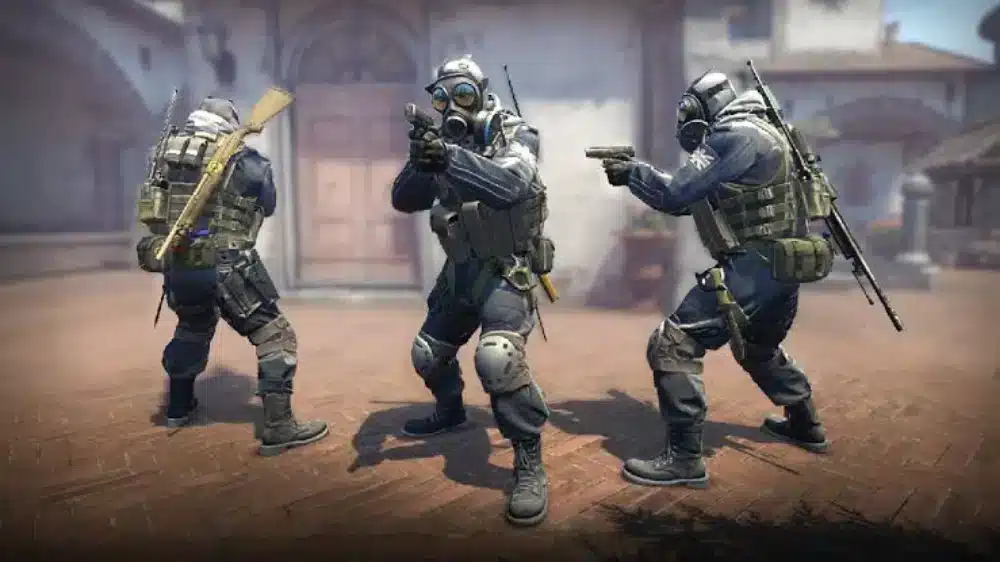
Performance problems can come from several different sources.
Sometimes the browser or computer cannot render the game smoothly. In other situations, the graphics run perfectly while an unstable internet connection creates delays in multiplayer interactions.
Understanding the difference makes troubleshooting much easier.
Browser and computer optimization
Start with the browser itself.
Keep it updated and close unnecessary tabs when playing demanding titles. Each open page can consume memory and processing resources.
If performance remains poor, check for extensions that may interfere with the page.
Other practical steps include:
- Close unnecessary background applications;
- Keep graphics drivers updated;
- Test hardware acceleration when supported;
- Check available system memory;
- Reduce in-game graphics settings when possible;
- Avoid running multiple demanding browser tabs simultaneously.
Frame-rate problems and network latency are not the same thing.
If animations stutter even in an offline experience, the issue is probably related to rendering or system performance rather than internet routing.
Network performance in multiplayer web games
Online multiplayer introduces another variable: the network.
Your actions need to reach a server, and information from other players must return to your device. The time required for that communication contributes to latency.
Connection problems can include:
- High ping;
- Packet loss;
- Unstable routes;
- Temporary latency spikes;
- Wi-Fi interference;
- Congested networks.
These issues can affect fun web games that depend on real-time multiplayer interactions.
A racing game may show another vehicle jumping unexpectedly. An action title can register movement later than expected. Competitive gameplay can become frustrating when connection quality changes repeatedly.
Web Games and ExitLag: Improving Online Gaming Performance
Not every performance issue in web games comes from the internet, so identifying the cause is important before looking for a solution.
For supported online PC and Mobile games, however, route quality and connection stability can influence how consistently information travels between the player and game infrastructure.
Why network stability matters
Ping measures delay, but consistency matters too.
A connection that constantly fluctuates between low and high latency can feel less predictable than one that remains stable.
Packet loss can cause additional problems because some information may need to be retransmitted or may fail to arrive as expected.
For competitive online gameplay, these interruptions can interfere with:
- Movement;
- Player synchronization;
- Fast reactions;
- Real-time combat;
- Match consistency.
This is why network performance deserves separate attention from frame rate.
Upgrading graphics hardware will not automatically fix poor internet routing. Likewise, improving a network route cannot compensate for a computer that cannot render a demanding game properly.
Where ExitLag fits into online gaming
ExitLag is built for connection optimization in supported online games on PC and Mobile. Its technology focuses on optimizing the route between the player and game infrastructure to improve connection stability and reduce disruptive network issues.
Real-Time Optimization continuously evaluates routes, while Multipath Connection can send packets through multiple simultaneous routes to improve stability. ExitLag also provides technologies such as Traffic Shaper, Multi-Internet, and FPS Boost as part of its broader gaming-performance toolkit.
Setup is designed to be straightforward: sign up, download ExitLag, choose a supported game, apply the routes, and play.
Players should remember that ExitLag is not a replacement for browser optimization or capable hardware. Instead, its network-focused features complement those areas by addressing the connection side of online gaming.
For players moving between web games and other competitive PC or Mobile titles, this creates a more complete approach: optimize the device and browser for rendering, then optimize supported online connections when network routing becomes part of the problem.
FAQ
The variety of browser gaming can make simple questions surprisingly complicated.
These answers cover the most common differences between browser access, free games, RPGs, multiplayer experiences, and performance.
What are web games?
Web games are video games primarily designed to run through a compatible web browser.
They can range from basic puzzles to 3D action, strategy, racing, RPG, and multiplayer experiences.
Are web games free?
Many are free to access, but not every title uses the same business model.
A free game may contain advertising, optional cosmetics, premium memberships, upgrades, or other purchases. Always check the monetization system before committing significant time or money.
What are the best web games?
The best web games depend on the player.
Arcade titles work well for short sessions, while strategy games suit players who enjoy planning. RPG fans may prefer progression-heavy adventures, while competitive players can look for real-time multiplayer experiences.
The most useful choice is the one that matches your genre preferences, available time, device, and desired level of complexity.
What are some fun web games?
Fun web games can include racing, platforming, puzzle, arcade, strategy, idle, RPG, and multiplayer experiences.
For quick sessions, choose games with immediate mechanics and short rounds. For longer sessions, look for persistent progression, quests, upgrades, or strategic systems.
Can you play RPG games in a browser?
Yes.
Players searching for web rpg games free can find browser experiences featuring character progression, combat, equipment, quests, and other traditional RPG mechanics.
Some games are completely browser-focused, while others may offer additional native versions.
Do browser games need installation?
Usually, browser-first titles do not require traditional installation.
The browser still downloads necessary assets while you play, and some platforms may optionally provide dedicated apps or launchers.
Can I play web games on mobile?
Many modern browser games support mobile devices.
However, compatibility depends on responsive design, touch controls, browser support, available memory, and device performance.
A title designed exclusively around keyboard and mouse controls may technically load on a phone without providing a comfortable experience.
Why do web games lag?
Lag can have several causes.
Low frame rates may result from limited hardware, demanding graphics, background applications, browser extensions, or too many open tabs.
Network-related problems can come from high ping, packet loss, unstable routing, Wi-Fi interference, or congestion.
Identifying whether the issue involves rendering or connectivity is the first step toward fixing it.
From five-minute puzzle breaks to longer RPG adventures and competitive multiplayer sessions, web games remain one of the most accessible ways to explore gaming. Choose reputable platforms, match the genre to your available time, keep your browser and device optimized, and use tools such as ExitLag for supported online PC and Mobile games when connection stability becomes essential.
All game images used in this blog belong to their respective developers and publishers. They are used for informational/educational purposes only and do not imply endorsement or affiliation with the rights holders.
Got questions or want to connect with other players? Join the conversation at the ExitLag Forum!

