Nothing frustrates players more than watching a battle slip away because of unbearable Blue Protocol Star Resonance Lag. Even with a seemingly stable internet connection, sudden freezes, character stuttering, and unpredictable delay can ruin the entire gameplay experience. Therefore, understanding why this happens and how to solve it for good is essential for anyone who wants smooth, competitive, and uninterrupted adventures in this RPG world.
However, lag in Blue Protocol Star Resonance is not always caused by your PC or your internet speed. Many players report performance issues even with high-end setups and fast broadband. This means the true cause often lies deeper within the route your connection takes to reach the game servers. Like this, the problem becomes clearer: if the route is unstable, congested, or too long, the gameplay will suffer no matter how powerful your hardware is.
Finally, there is a reliable and definitive way to stabilize your connection, reduce delays, and ensure the best possible performance. This guide explains everything about the real causes of lag and shows how ExitLag becomes the ultimate solution for fixing Blue Protocol Star Resonance Lag once and for all.

Understanding lag in Blue Protocol Star Resonance
Before exploring the solution, it’s important to clarify what lag actually is. Lag refers to the delay between your command and the server’s response. When playing Blue Protocol Star Resonance, any loss of synchronization results in slow skill casts, delayed dodges, rubberbanding, or enemies teleporting across the screen.
What causes lag in the game?
Here are the most common and impactful causes:
- Routing issues: your data may travel through unstable or slow network paths.
- Packet loss: when data packets fail to reach the server, gameplay becomes inconsistent.
- Network congestion: during peak hours, routes get overloaded.
- Geographical distance: farther servers increase ping naturally.
- ISP instability: providers often reroute traffic in ways that aren’t optimal for gaming.
These factors explain why lag happens even if your internet seems fast on paper.
Ping, lag and fps: what’s the difference?
Many players confuse these three concepts, but understanding them helps identify the real bottleneck.
| Term | Meaning | Impact on Gameplay |
| Lag | Delay between action and server response | Slow reactions, stuttering |
| Ping | Time for data to travel to server and back | High ping means higher delay |
| FPS | Frames per second rendered by your GPU | Low FPS causes visual slowdown |
However, Blue Protocol Star Resonance issues are often network-related rather than graphical, meaning even powerful PCs can experience severe delays.

Why lag happens even with good internet
It may seem contradictory: your internet is fast, and everything else loads instantly, yet Blue Protocol Star Resonance still lags. The real explanation lies in routing.
ISPs choose the connection paths automatically, and those paths are usually based on cost not speed or stability. Therefore, your data might take unnecessary detours, face traffic congestion, or jump through several unstable nodes. Like this, even a “good” connection becomes inefficient for gaming.
Imagine your internet packets like cars. If they’re forced onto a busy highway instead of a direct, empty road, delays are inevitable. This is exactly what happens inside the digital network.
Solving the issue efficiently: introducing ExitLag
If you could manually choose the fastest, cleanest, and most stable route to the Blue Protocol Star Resonance servers, lag would instantly drop. Fortunately, that is exactly what ExitLag does.
ExitLag is a connection-optimization software built for gamers. It uses intelligent multi-routing technology to create the most efficient path between your PC and the game server. Instead of relying on your ISP’s default route, it ensures your data travels on routes specifically optimized for gaming performance.
How exitlag helps you
Here are the core benefits:
- Lower and more stable ping: your commands reach the server faster.
- Reduced packet loss: goodbye rubberbanding and teleporting enemies.
- Consistent gameplay: even during peak hours.
- Improved hit registration and reaction time: essential for competitive players.
- Easy to use: simple interface, fast setup.
This makes ExitLag the strongest ally for anyone struggling with Blue Protocol Star Resonance Lag mid-game.
How to use ExitLag in Blue Protocol
The process is extremely simple:
Step 1 – Access the official ExitLag website and download the application. There’s a free trial period for new users.
Step 2 – Install and open the program. Log in with your account.
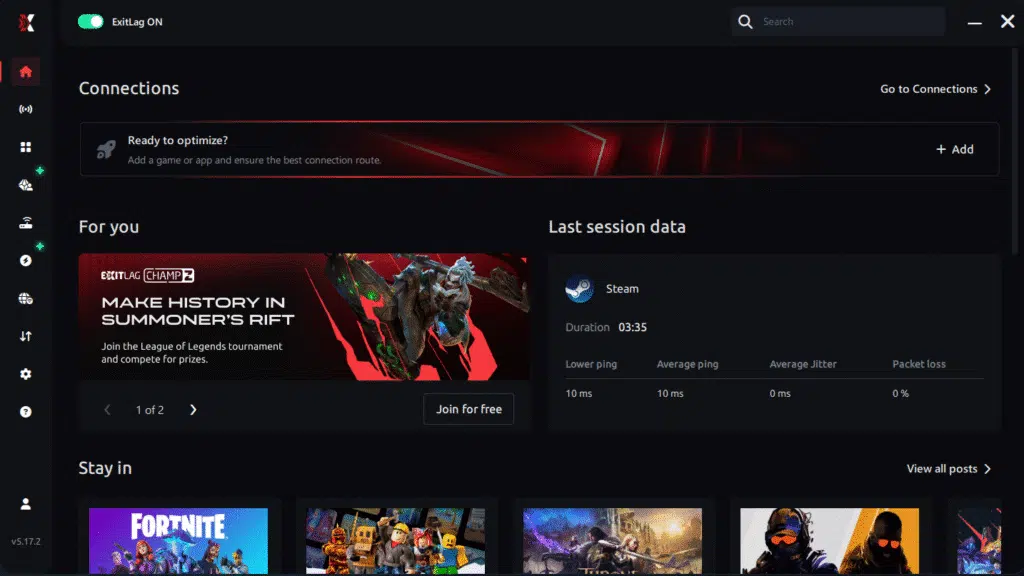
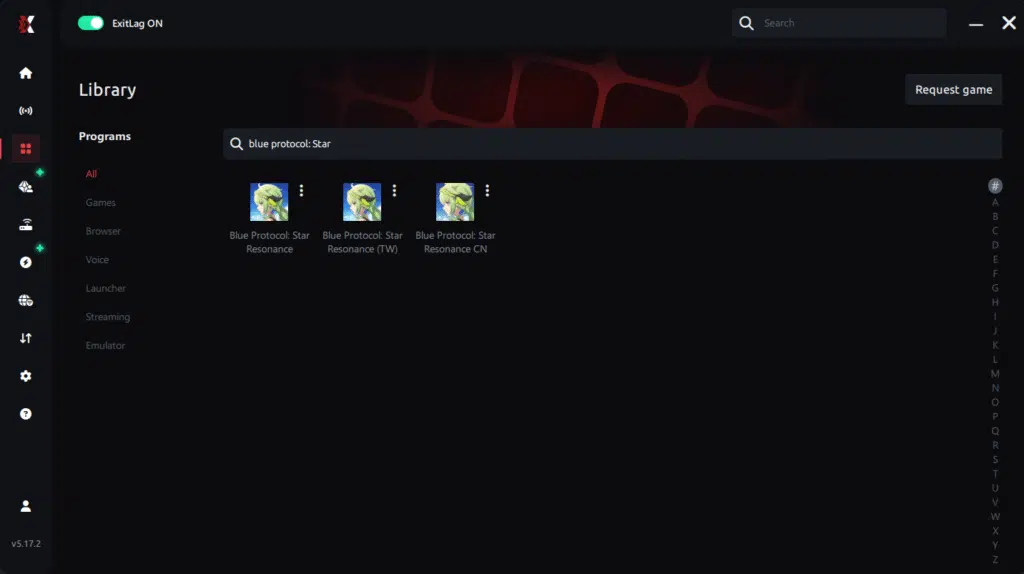
Step 3 – In the search bar, type “Blue Protocol” and select the game from the list.
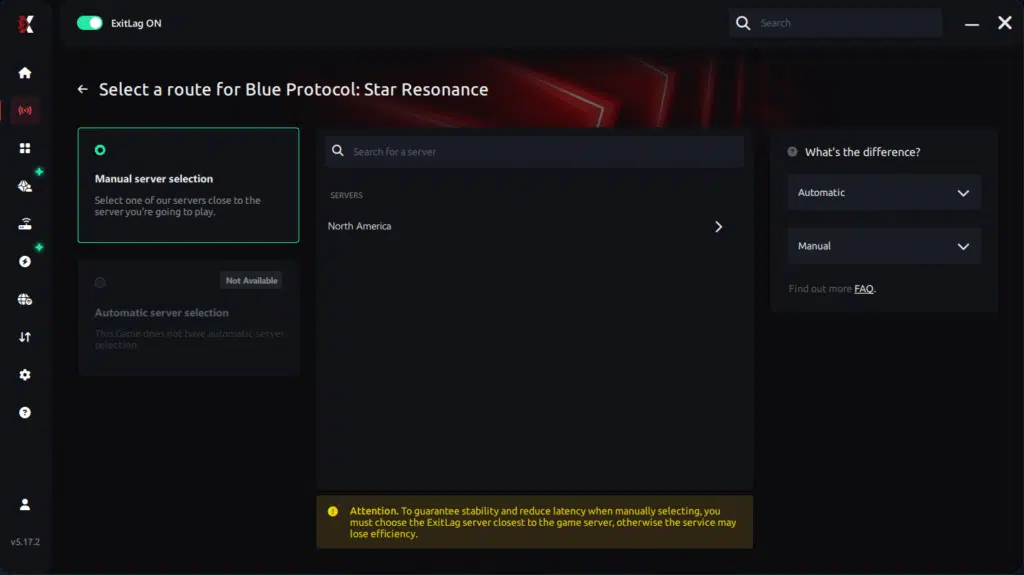
Step 4 – Choose between manual route
Based on the results, you ExitLag the best route manually choose the server that showed the lowest latency for your connection.
Manual route
If you prefer to have full control over your connection, you can manually choose the server based on the ping test results. Simply select the server that showed the lowest latency or the one that best meets your specific gaming needs, allowing complete customization of your experience.
Step 5 – Click “Blue Protocol” or the play button. ExitLag will begin optimizing your connection automatically.
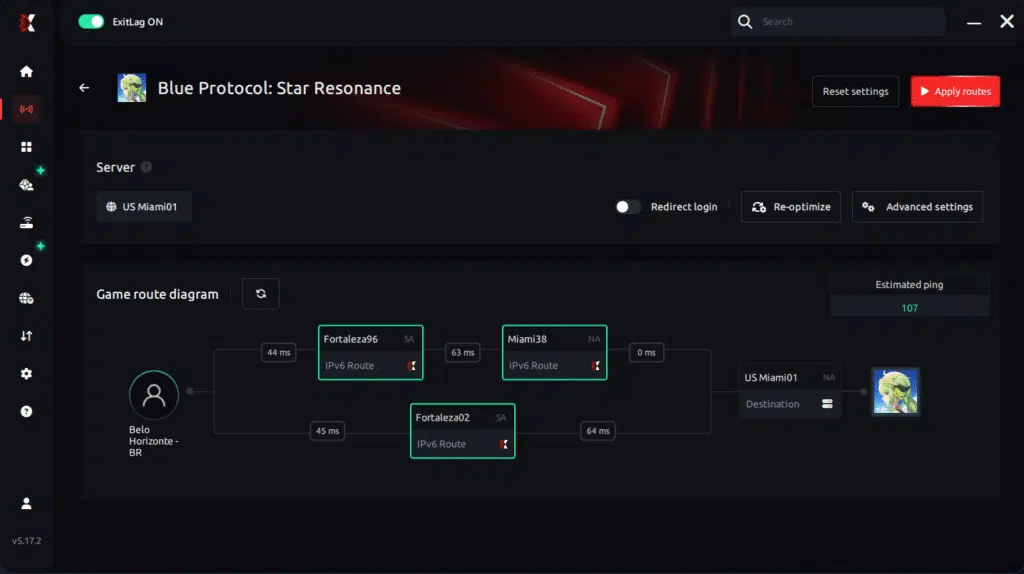
Step 6 – Wait a few seconds until optimization is complete. You’ll see ping indicators in the interface.
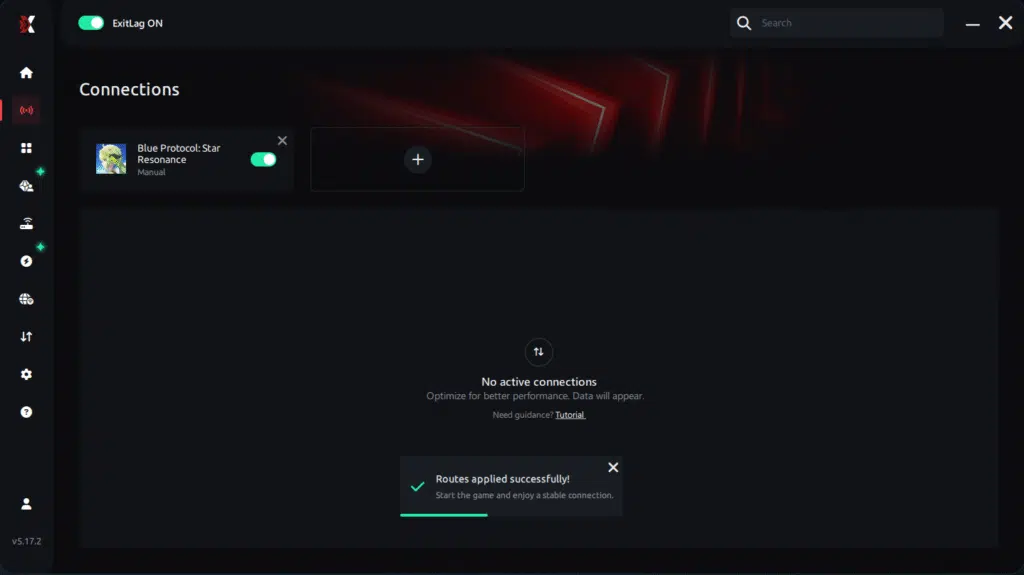
Step 7 – Launch Blue Protocol normally. The optimization will already be active.
ExitLag runs in the background while you play, constantly adjusting routes to maintain the best possible performance.he lowest latency and enter the match knowing your connection is optimized.ter server responses.
Benefits of ExitLag for Blue Protocol Star Resonance
ExitLag elevates the gaming experience in several practical ways:
- Better responsiveness: skills activate faster, even in crowded zones.
- Stable movement: no more sudden teleports or rubberband effects.
- Enhanced combat precision: crucial for boss fights and PvP.
- Improved consistency: every session feels smooth, not just the lucky ones.
- Optimized performance regardless of your ISP: you control the route.
This is why thousands of players trust ExitLag to stabilize their gameplay across MMOs, RPGs, shooters, and competitive titles.
Got questions or want to connect with other players? Join the conversation at the ExitLag Forum!