
The world of Chaos Zero Nightmare can be intense, fast-paced, and completely immersive until sudden delays ruin everything. Many players report issues with Chaos Zero Nightmare Lag, even when using a fast and stable internet connection. This frustration is common: your character freezes, enemies teleport, and actions take seconds to register. Therefore, understanding what causes these interruptions is the first step to eliminating Chaos Zero Nightmare connection issues.
Like this, you’re not alone. Even high-end PCs and fiber connections can suffer from instability if the route between your computer and the game server is inefficient. However, the good news is that the root of the problem is usually not your hardware. It’s the invisible “path” your data travels through the internet, one that often gets congested and directly contributes to Chaos Zero Nightmare Lag.
This article walks you through why lag happens in Chaos Zero Nightmare, how the game’s network behavior works, and how you can end these problems permanently with a proven optimization tool designed specifically for gamers.

What is lag in Chaos Zero Nightmare?
Lag is the delay between the moment you press a command and the moment it actually occurs in the game. In Chaos Zero Nightmare, this often appears as teleporting enemies, frozen skills, rubberbanding, or inputs that simply don't register. Therefore, when players report Chaos Zero Nightmare Lag, they’re describing delays caused by network instability not graphics or hardware problems.
To clarify the concept, see the comparison below:
| Metric | Meaning | Impact on Gameplay |
| Lag | Delay between input and response | Slow reactions, delayed actions |
| Ping | Time data takes to travel to the server and back | High ping = slower communication |
| FPS | Frames rendered per second | Visual smoothness, not network quality |
Like this, players often confuse lag with low FPS, but they are not the same. FPS problems come from hardware. Lag comes from the network route, packet loss, and server communication.
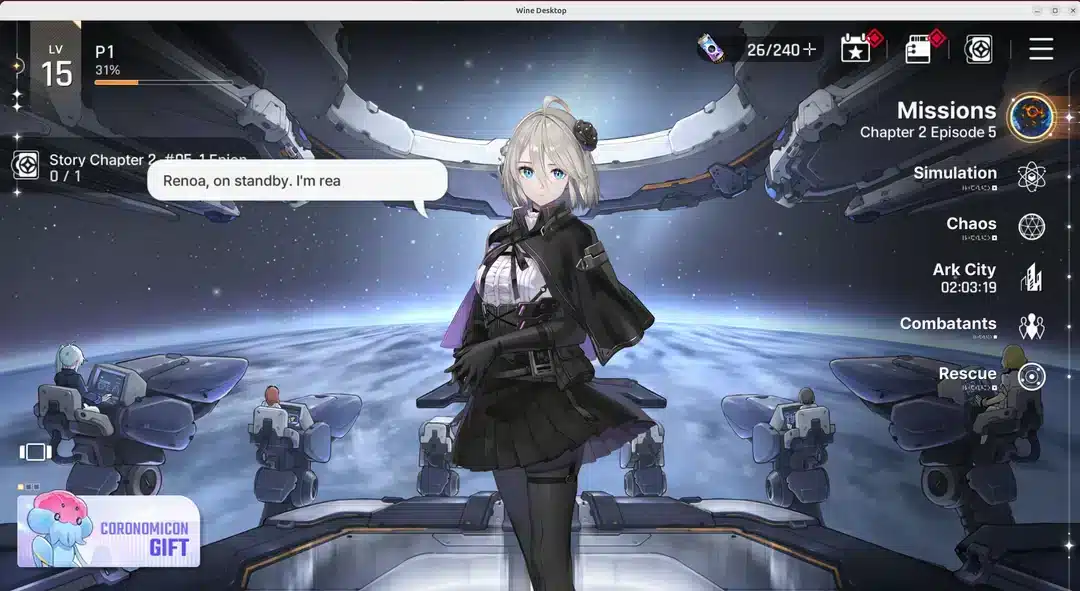
Why Chaos Zero Nightmare lags even with good internet
Many players assume that having a fast connection automatically guarantees smooth gameplay. However, this is not always true. The real issue usually lies in the route their connection takes to reach the game server.
Therefore, even with excellent download and upload speeds, lag may happen because:
- Your ISP chooses automatic routes that are not optimized.
- These routes may pass through congested or unstable nodes.
- Data may travel unnecessarily long distances before reaching the server.
- Packet loss disrupts communication, creating freezes and delayed actions.
Think of it like this: even if you drive a fast car, if you’re stuck in the worst possible road, your trip won’t be quick or smooth. The same happens with the “digital road” your data takes.
How exitlag solves Chaos Zero Nightmare lag
However, what if you could choose the fastest, cleanest, and most stable route automatically? That’s exactly what ExitLag does.
ExitLag is a connection-optimization software designed for gamers who want full network stability and lower ping. Its multi-route and intelligent tunneling technology ensures your PC connects to the game server through the best possible path.
Key benefits for Chaos Zero Nightmare players:
- Lower and more stable ping: minimal delays between commands and server response.
- Reduced packet loss: fewer micro-freezes, teleports, or unregistered hits.
- More stable gameplay during peak hours: performance remains consistent even under heavy traffic.
- Improved hit registration and reaction time: ideal for competitive fights.
- Easy setup: anyone can install and optimize Chaos Zero Nightmare in minutes.
Therefore, ExitLag doesn’t just reduce lag it ensures your entire gaming experience becomes more stable, predictable, and competitive.
Extra stability with Exitlag during peak hours
When servers or internet routes become congested, most players experience sudden spikes that interrupt gameplay. However, ExitLag maintains consistent stability thanks to its intelligent route switching system. Like this, even when thousands of players log in at the same time, your connection remains smooth, predictable, and interruption-free. This gives Chaos Zero Nightmare players a real advantage during crowded events, raids, or competitive battles.
Exitlag improves overall reaction time and combat precision
Fast reaction time is essential for surviving the chaotic battles of Chaos Zero Nightmare. Therefore, ExitLag enhances the communication between your PC and the game server, reducing delays in skill activation, movement, and hit registration. This leads to sharper accuracy, more responsive combat, and fewer situations where you lose fights due to late server updates. Finally, with ExitLag active, every action feels instantaneous, giving you the level of control a competitive experience demands.
How to use ExitLag in Chaos Zero Nightmare
The process is extremely simple:
Step 1 – Access the official ExitLag website and download the application. There’s a free trial period for new users.
Step 2 – Install and open the program. Log in with your account.
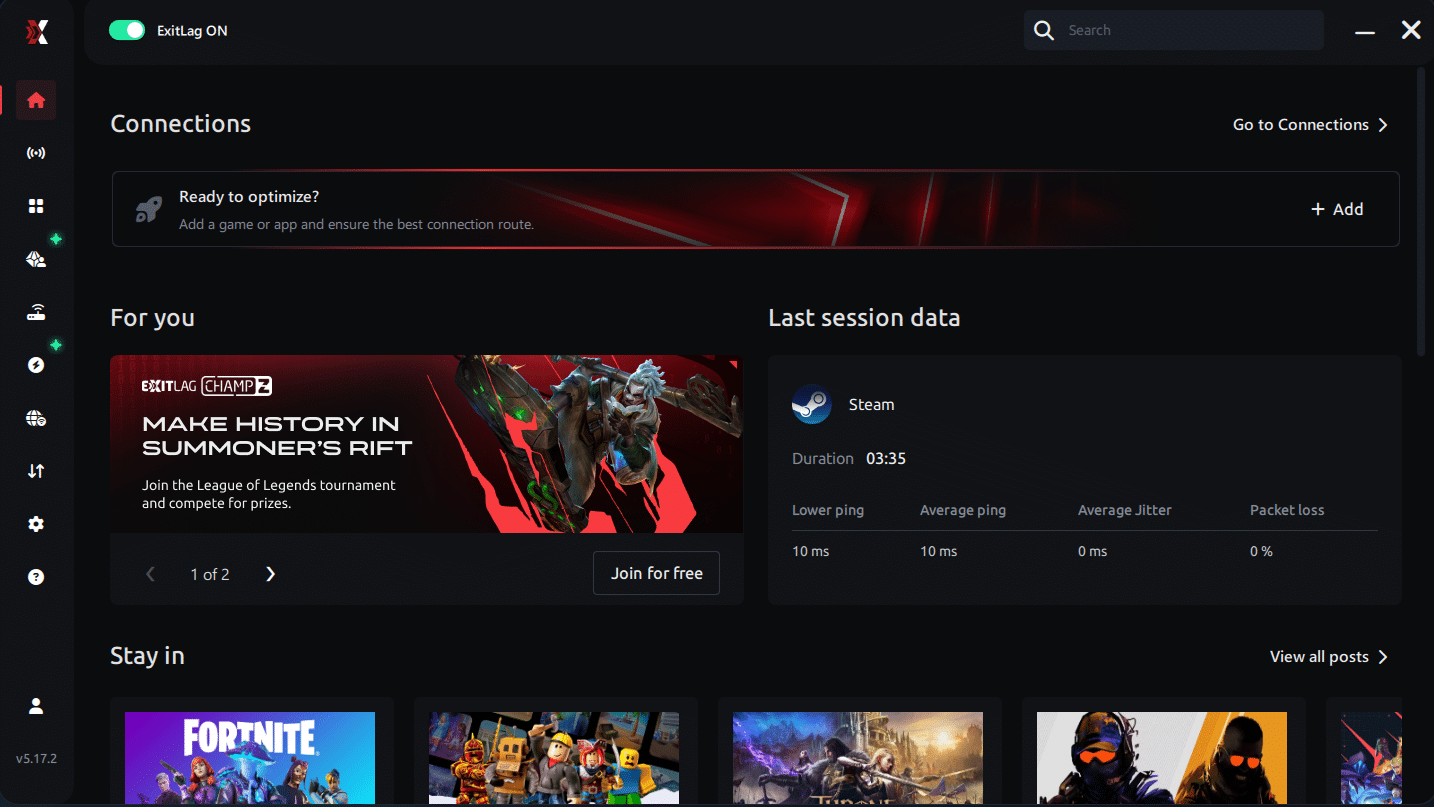
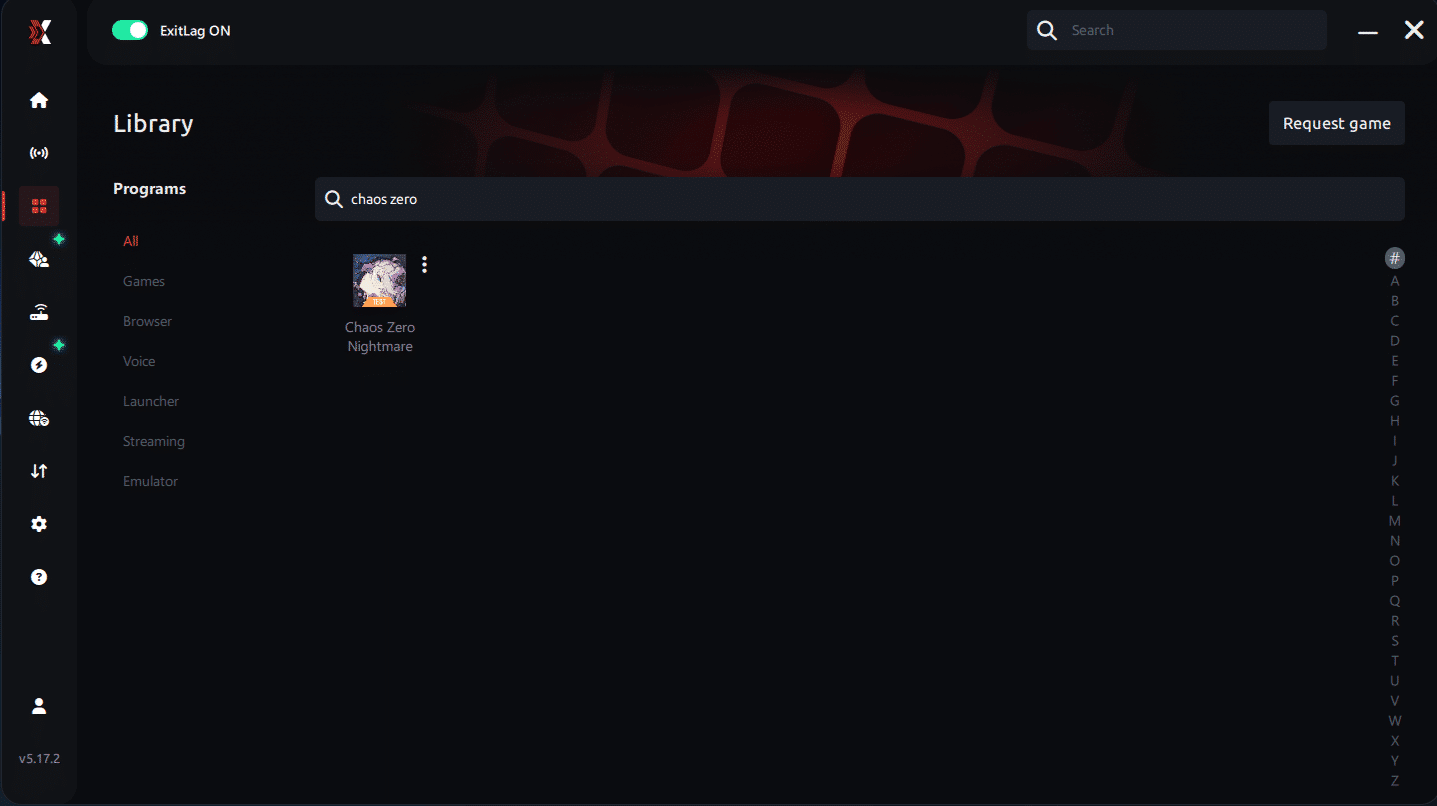
Step 3 – In the search bar, type “Chaos Zero Nightmare” and select the game from the list.
Step 4 – Choose between automated or manual route
Based on the results, you can let ExitLag automatically select the best route or manually choose the server that showed the lowest latency for your connection.
AI-optimized automated route
Based on the results, you can let ExitLag automatically select the best route through AI optimization. The system analyzes multiple connection paths in real time and automatically identifies the most efficient route for your connection, ensuring the lowest possible latency without requiring manual choices.
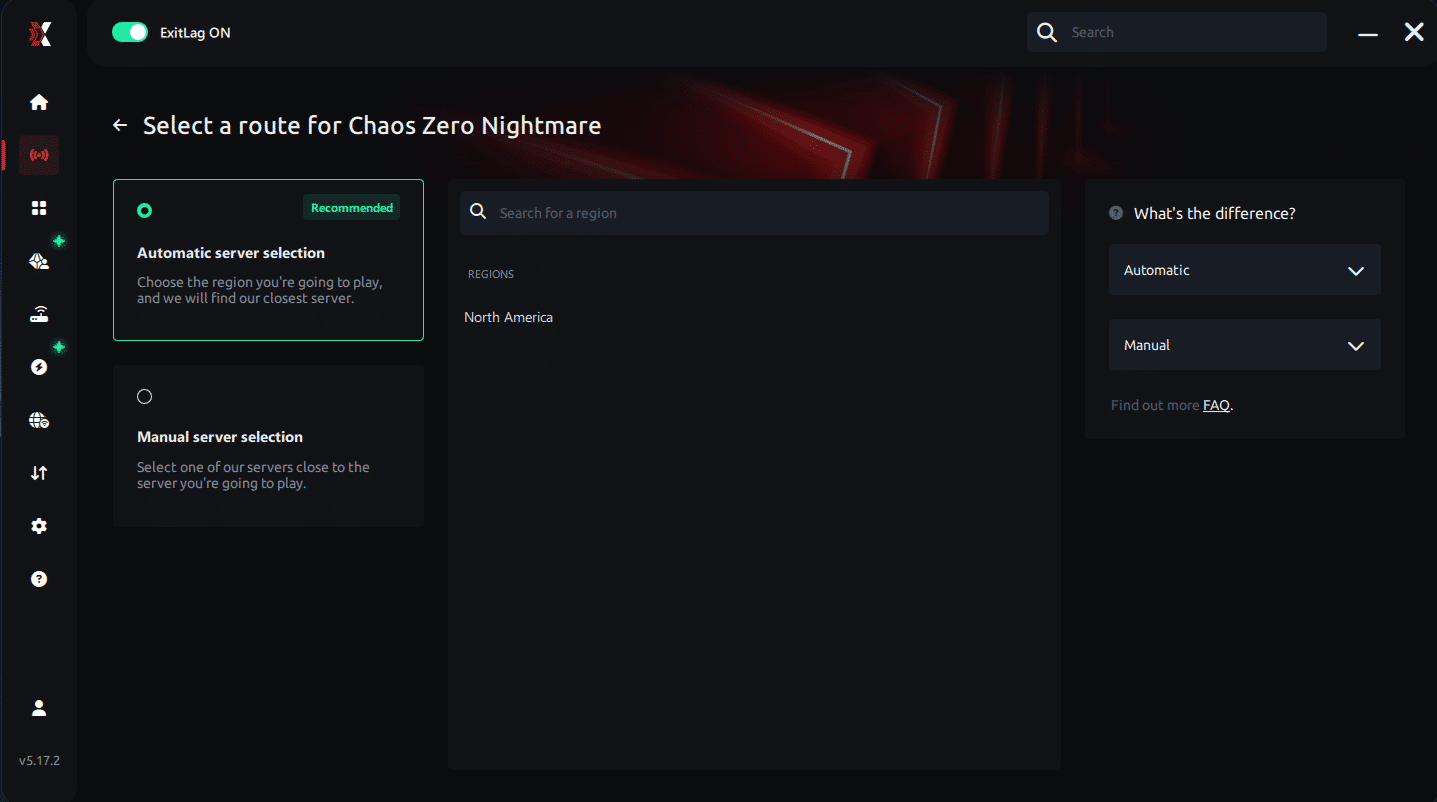
Manual route
If you prefer to have full control over your connection, you can manually choose the server based on the ping test results. Simply select the server that showed the lowest latency or the one that best meets your specific gaming needs, allowing complete customization of your experience.
Step 5 – Click “Chaos Zero Nightmare” or the play button. ExitLag will begin optimizing your connection automatically.
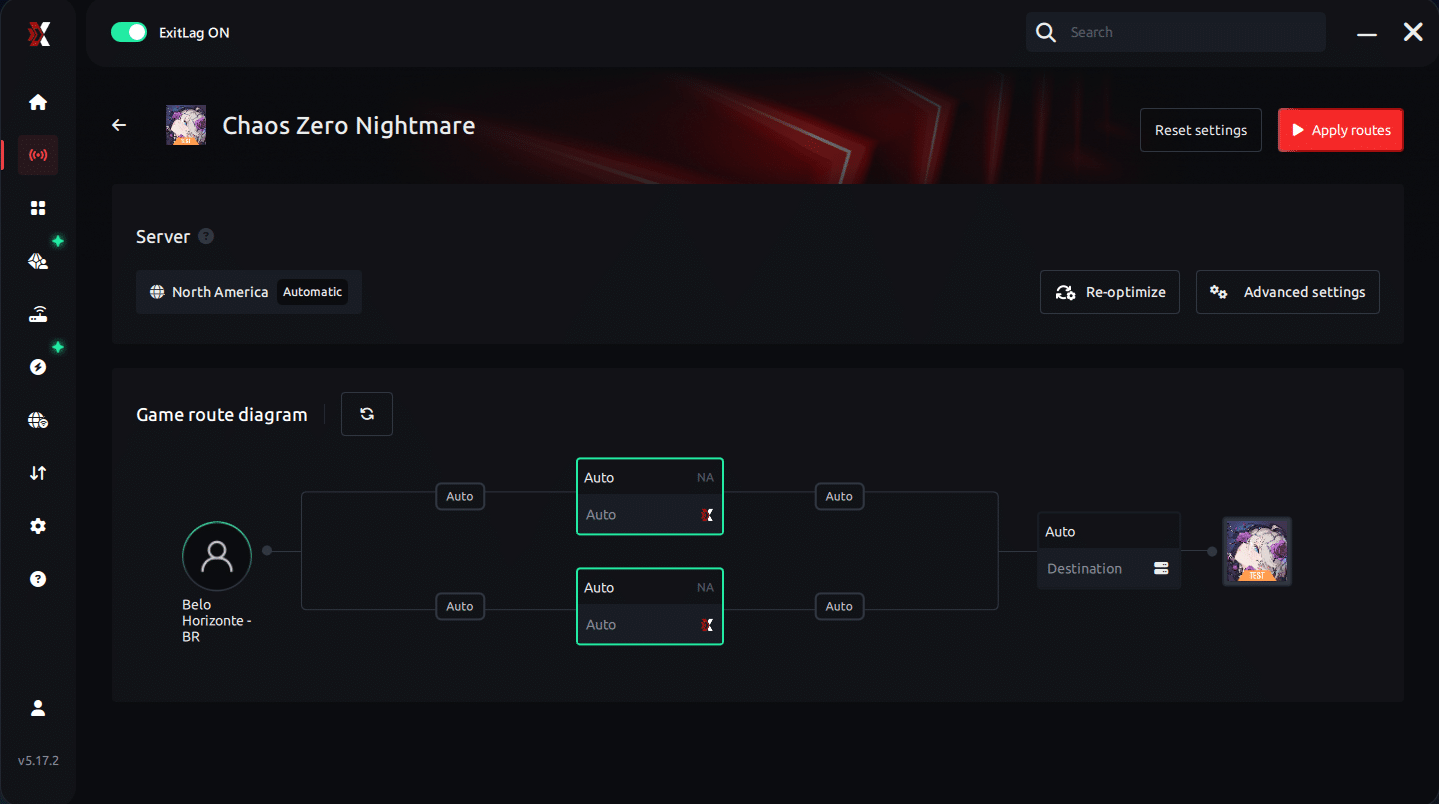
Step 6 – Wait a few seconds until optimization is complete. You’ll see ping indicators in the interface.
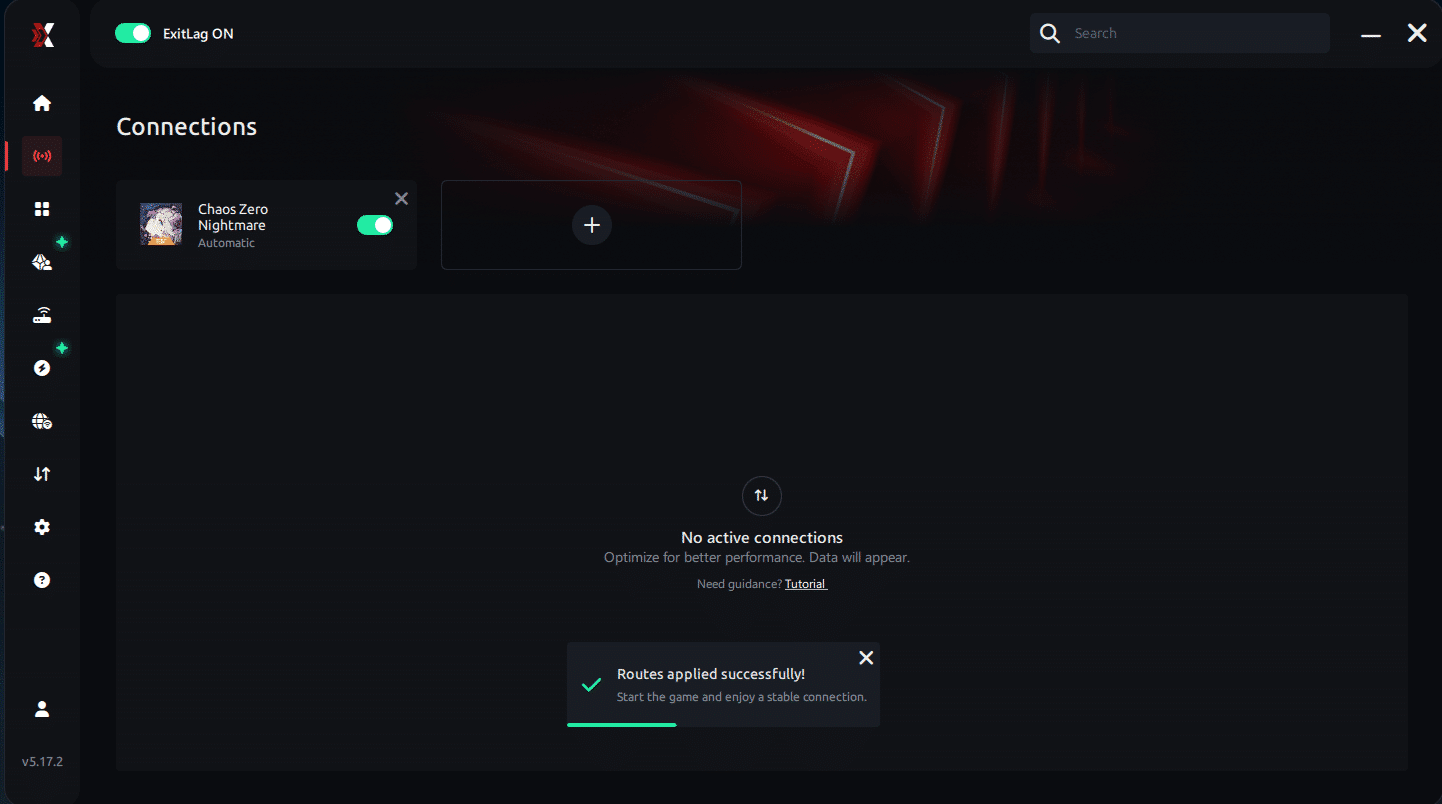
Step 7 – Launch Chaos Zero Nightmare normally. The optimization will already be active.
ExitLag runs in the background while you play, constantly adjusting routes to maintain the best possible performance.
Play Chaos Zero Nightmare without interruptions
Lag doesn’t need to ruin your gameplay or rank matches anymore. With the right optimization tool, you can eliminate unstable routes, reduce ping dramatically, and enjoy a much smoother experience. Finally, ExitLag provides the stability, speed, and competitive advantage that Chaos Zero Nightmare players need especially during battles where milliseconds decide the outcome.
Therefore, now is the perfect time to upgrade your connection quality. Test ExitLag for free and experience how it transforms Chaos Zero Nightmare into the fluid, fast-response game it’s meant to be ending Chaos Zero Nightmare Lag once and for all.



