
Voice communication has always been one of the foundations of competitive shooters. In Counter-Strike 2, a single callout can determine whether a team wins an important round or loses control of the entire economy. Because of that, understanding the command to hear comms CS2 is an important step for players who want clearer teamwork and faster reactions during matches.
At the same time, communication problems are not always caused by microphones or headset issues. Network instability can create delays, cut audio packets, and make voice chat inconsistent during intense moments. That is why many players search for the command to hear comms CS2 while also looking for ways to improve connection quality through tools such as ExitLag.
Furthermore, competitive environments demand precision. Missing information about enemy positions, utility usage, or bomb status can completely change the outcome of a round. By combining the right settings with optimized routing technology, players can make better use of the command to hear comms CS2 and ensure they receive critical information exactly when they need it.
Why voice communication influences every match
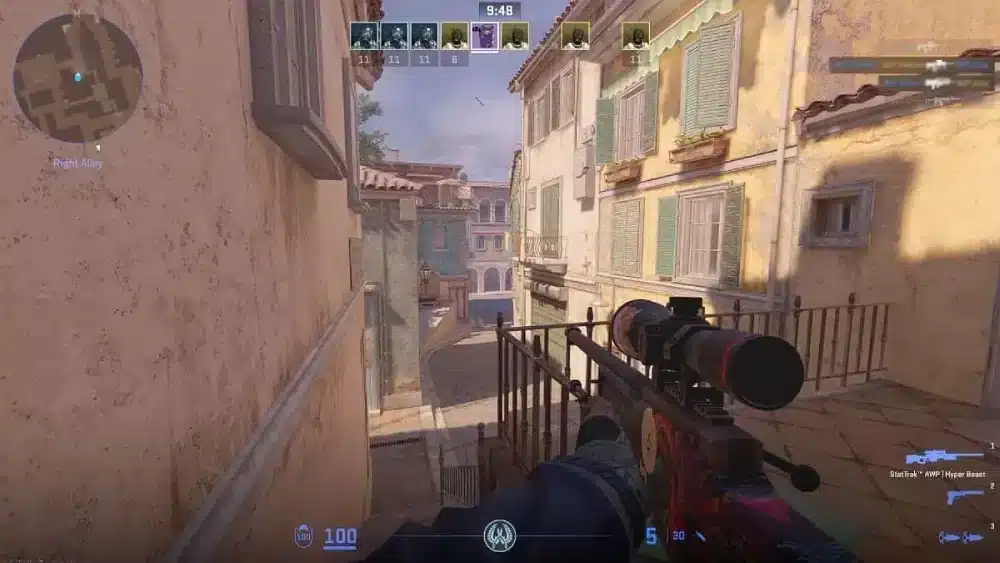
Communication in CS2 affects every stage of a game, from pistol rounds to overtime situations. Players who exchange information efficiently often make better strategic decisions and avoid unnecessary risks.
Good communication usually provides advantages such as:
- Faster rotations between bombsites.
- Better coordination for utility usage.
- More efficient retakes and site executions.
Moreover, teams with clear communication often maintain better morale throughout difficult matches. Players are less likely to become frustrated when everyone understands the game plan.
The impact of latency on voice quality
Many players assume voice communication relies only on microphone quality. However, internet routing also plays a major role in maintaining stable conversations during gameplay.
High latency can create delays between callouts and reactions. As a result, information that should arrive instantly may become useless by the time teammates hear it.
ExitLag addresses this issue by optimizing traffic routes between players and game servers. Consequently, voice communication and gameplay responsiveness benefit from the same connection improvements.
Common communication problems in CS2
Communication issues appear in several forms and are not always obvious.
Some of the most frequent examples include:
- Delayed voice transmission during team fights.
- Audio cutting out during server spikes.
- Team members sounding robotic or distorted.
Identifying the cause of these problems is essential before adjusting game settings or hardware configurations.
Audio settings that help players hear teammates better
The audio menu in Counter-Strike 2 contains several settings that directly influence communication quality. Although default options work for many players, competitive environments often require more customization.
Players should pay attention to input sensitivity, output device selection, and volume balancing between game sounds and voice chat.
Using the CS2 voice chat command for cleaner communication
Some players use console commands to fine-tune voice functionality and ensure that communication settings behave as expected.
While commands can help, especially when using a CS2 voice chat command, they work best when combined with proper headset configuration and stable network conditions. Otherwise, technical issues outside the game may still interfere with team coordination.
Players should also test changes in private matches before entering competitive queues. This approach prevents unexpected issues during ranked games.
When to try CS2 enable voice chat console adjustments
Certain situations may require players to revisit console settings if communication suddenly stops working.
Examples include:
- Updates that reset personal configurations.
- Device changes involving new microphones.
- Steam settings interfering with default game behavior.
Additionally, using the CS2 enable voice chat console can help restore communication settings quickly, and restarting audio services or verifying game files can solve many problems without requiring major adjustments.
| Issue | Possible Cause | Recommended Action |
| Teammates cannot hear you | Wrong input device | Select the correct microphone |
| Voices sound delayed | High latency | Improve routing with ExitLag |
| No incoming voice audio | Disabled settings | Review audio configuration |
| Audio cuts during fights | Packet instability | Reduce network fluctuations |
How ExitLag improves communication consistency
Competitive matches depend heavily on stable packet delivery. While many players focus exclusively on ping numbers, packet loss and route instability can create equally serious problems.
ExitLag was designed to optimize game traffic paths and reduce interruptions that affect both gameplay and voice communication.
Practical uses of the CS2 hear teammates command
Communication commands become more valuable when players understand how to apply them in real situations, especially when using the CS2 hear teammates command to ensure critical information from the team is never missed during fast-paced rounds.
For example, hearing teammates clearly is essential during:
- Fast B-site rushes requiring immediate utility coordination.
- Post-plant scenarios where positioning information changes quickly.
- Retakes where timing determines success or failure.
These moments leave little room for misunderstandings or delayed information.
Combining network optimization with team strategy
A stable connection provides benefits that extend far beyond lower ping values.
Players often notice improvements in:
- More reliable callouts.
- Reduced voice interruptions.
- Better synchronization between actions and instructions.
As a result, teams can execute strategies more confidently and maintain momentum throughout long matches.
Another advantage involves consistency across different servers and regions. Instead of experiencing dramatic fluctuations depending on server location, players can enjoy more predictable performance.
This consistency becomes especially important in premier mode, tournaments, and scrims where every round matters.
Building better communication habits in Counter-Strike 2
Technical settings alone cannot create perfect communication. Teams also need discipline and structure to make information useful.
The most effective callouts are short, direct, and immediately actionable.
Troubleshooting with the CS2 voice_enable command
Sometimes players encounter issues that appear randomly after updates or hardware changes.
Before assuming the game is broken, consider checking:
- Microphone permissions in the operating system.
- Steam voice settings.
- Headset firmware updates.
These simple steps resolve a surprising number of communication problems.
Additionally, players should avoid having multiple virtual audio devices enabled simultaneously, as this frequently causes conflicts. Using the CS2 voice_enable command correctly can also help ensure voice settings remain stable and properly synchronized within the game.
Command to hear comms CS2 and advanced communication strategies
Experienced teams usually follow communication rules that maximize efficiency while reducing unnecessary chatter.
Examples include using standardized callouts, assigning specific players to provide utility information, and prioritizing enemy locations over emotional reactions.
A structured communication system creates several advantages:
- Important information reaches teammates faster.
- Players spend less time asking for clarification.
- Mid-round decisions become easier to execute.
Professional teams have relied on these principles for years because communication directly influences strategic flexibility and reaction speed.
Similarly, amateur teams can improve significantly simply by reducing clutter and focusing on concise information delivery.
Another useful habit involves confirming critical information. For example, repeating bomb locations or enemy numbers can prevent misunderstandings during stressful situations.
Players should also adapt communication style depending on game phase. Early-round information differs greatly from late-round retake communication, and recognizing that distinction improves efficiency.
Optimizing team coordination for competitive matches
As players climb the ranks in Counter-Strike 2, communication becomes increasingly important. Mechanical skill may win duels, but coordinated information sharing often determines the outcome of entire matches.
How communication improves utility usage
Effective communication allows teams to synchronize grenades, flashes, and smokes with greater precision.
When teammates announce timing correctly, executes become smoother and defensive setups become easier to break.
Reducing mistakes through better callouts
Clear and concise callouts help teams avoid unnecessary rotations and positioning errors.
As a result, players can react faster and make decisions with greater confidence during critical rounds.
Network stability and its role in voice communication
Many communication issues are actually related to network quality rather than hardware limitations. Because of this, optimizing connection stability can improve both gameplay and voice consistency.
Why packet loss affects voice chat performance
Packet loss can interrupt voice transmissions and cause teammates to miss important information.
Consequently, even short communication delays may impact strategy execution during fast-paced rounds.
Maintaining consistent communication across servers
Players often experience different connection quality depending on server location and routing conditions.
Using optimized routes helps maintain more predictable communication quality throughout the session.
Best practices for communication in ranked games
Developing communication habits is just as important as configuring technical settings. Teams that communicate efficiently usually perform better under pressure.
Prioritizing important information first
The most valuable callouts involve enemy locations, utility usage, and bomb information.
Keeping communication objective ensures teammates receive the information they need immediately.
Avoiding unnecessary voice clutter
Excessive talking can distract teammates and hide critical information during important moments.
Therefore, keeping messages short and relevant improves team awareness and decision-making spee.
Communication mistakes that hurt team performance
Even experienced players make communication mistakes that negatively impact team coordination. Identifying these habits is the first step toward improving overall match performance and consistency.
Overloading teammates with unnecessary information
Providing too many details during gunfights can distract teammates from important actions and decisions.
Common examples include:
- Repeating the same callout multiple times.
- Discussing previous rounds during active gameplay.
- Giving information unrelated to the current situation.
Creating standardized team callouts
Using the same terminology across the team reduces confusion and speeds up reactions during critical moments.
Benefits of standardized callouts include:
- Faster rotations between bombsites.
- Improved utility coordination.
- More efficient post-plant communication.
Hardware settings that support better voice communication
While software settings are important, hardware configuration also plays a major role in communication quality during competitive matches.
Choosing the right microphone setup
A properly configured microphone improves clarity and reduces background noise for teammates.
Players should consider:
- Positioning the microphone close to the mouth.
- Reducing environmental noise when possible.
- Testing microphone levels before competitive games.
Balancing game audio and voice volume
Finding the correct balance between footsteps and teammate communication is essential in CS2.
Recommended adjustments often include:
- Lowering music volume to prioritize callouts.
- Keeping voice chat louder than ambient sounds.
- Testing settings in practice servers before ranked matches.
The future of voice communication in CS2 with ExitLag support
Counter-Strike 2 continues to evolve, and communication systems will likely become even more important as the competitive environment grows.
Developers constantly refine networking technology, while players continue searching for every possible advantage. Consequently, stable routing solutions are becoming increasingly valuable for serious competitors.
ExitLag complements this environment by improving connection consistency and reducing the network issues that frequently affect voice transmission and responsiveness.
Whether playing casual matches with friends or competing in high-level premier games, players benefit from combining optimized settings, disciplined communication, and reliable connections.
Ultimately, great teamwork starts with hearing the right information at the right time. By understanding game settings, maintaining good communication habits, and leveraging network optimization tools, players can maximize the effectiveness of the command to hear comms CS2 and create a more competitive CS2 experience.
