
Connections Troubleshooting MMO is an essential skill for anyone who enjoys online multiplayer games. Whether you're exploring massive fantasy worlds, battling in large-scale PvP events, or completing difficult raids, connection quality directly affects every action you take. Even a small delay can turn an exciting session into a frustrating experience.
If you've been dealing with Connections Troubleshooting MMO, you're probably familiar with lag issues, delayed abilities, and random disconnects. Fortunately, most networking problems have identifiable causes, and understanding them is the first step toward finding an effective solution. And before we continue, know that to know more about all the relevant content about gaming, you just have to check our blog.
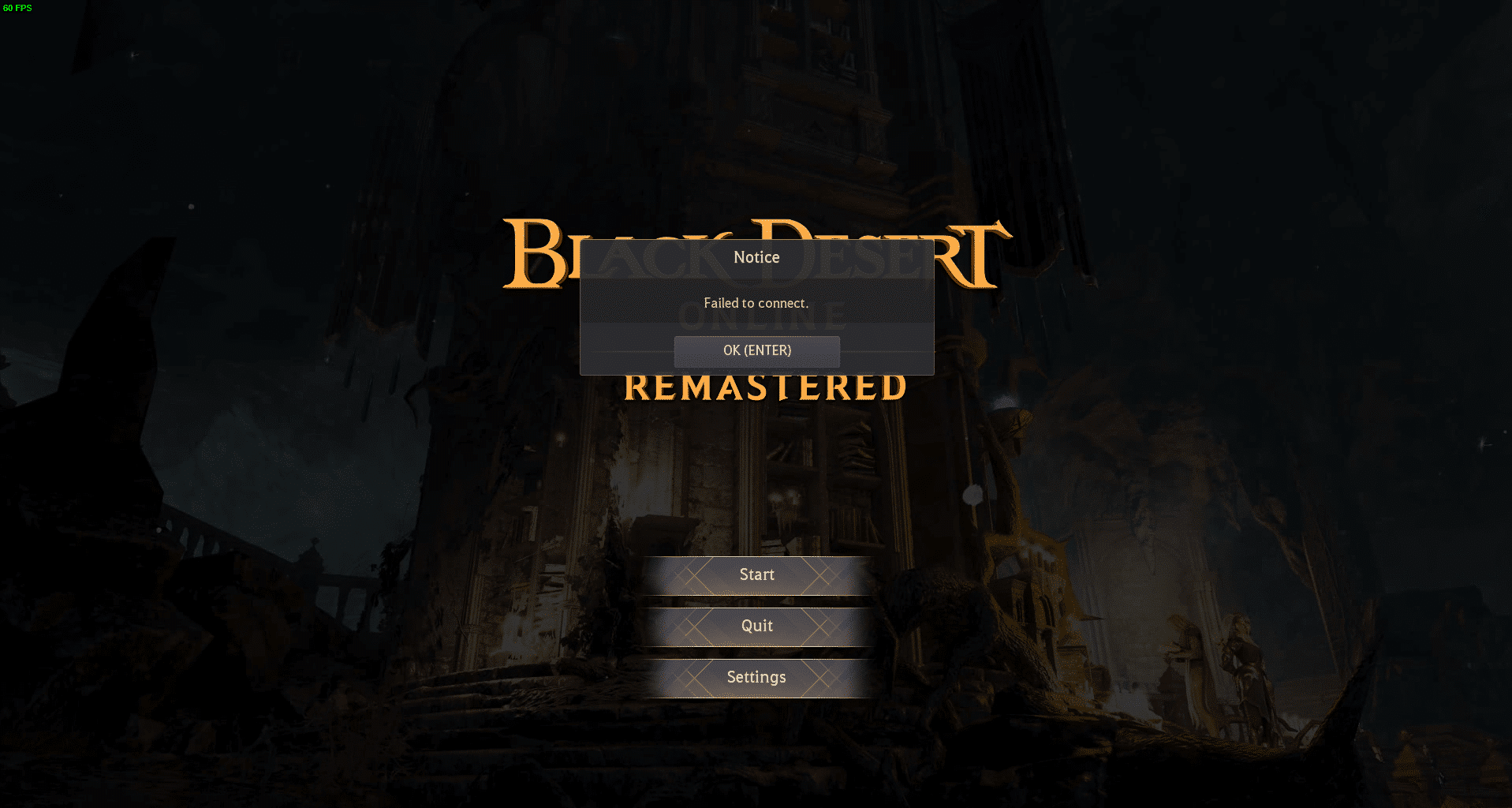
Connections Troubleshooting MMO: why connection quality matters
MMO games constantly exchange information between your device and the game servers. Unlike many single-player titles, every movement, attack, trade, and interaction depends on real-time communication. That's why factors like connection problems, high ping, and network stability have such a significant impact on gameplay.
MMO (Massively Multiplayer Online) games are designed around persistent online worlds where thousands of players interact simultaneously. Popular titles from companies such as Blizzard Entertainment, Square Enix, Amazon Games, Pearl Abyss, and Jagex rely on continuous server communication to synchronize every player's actions.
Because every action travels across the internet before reaching the game server, even minor network instability can create noticeable delays. As a result, maintaining a stable connection becomes just as important as having powerful gaming hardware.
How MMO networking works
Unlike offline games, MMO titles constantly send and receive packets of information. These packets include character movement, combat actions, inventory updates, NPC interactions, and communication with other players.
Whenever you move your character, the information follows a process like this:
- Your computer sends data to your router.
- Your Internet Service Provider (ISP) forwards the traffic.
- The data travels through multiple internet routes.
- The game server processes the request.
- The updated information returns to your device.
This entire sequence happens hundreds of times every second. Therefore, any interruption along the route can immediately affect gameplay responsiveness.
Why MMO games are more sensitive to latency
Many online games can hide small network delays without affecting the player too much. MMO games, however, depend on constant synchronization between thousands of connected users.
For example, a delay of only a few milliseconds may cause:
- Skills activating later than expected
- Characters teleporting unexpectedly
- Delayed enemy animations
- Missed dodge mechanics
- Slow inventory updates
- Raid synchronization problems
At the same time, competitive PvP becomes much harder when your commands reach the server after your opponent's actions.
Read also: MMORPG Meaning: Understanding One of the Most Popular Online Game Genres
What causes lag issues and connection problems?
Although many players immediately blame game servers, connection quality depends on several different components working together. In many situations, the issue originates much closer to home than expected.
Understanding where problems occur makes troubleshooting considerably easier and prevents unnecessary changes that don't solve the real cause.
Home network limitations
Your local network is responsible for the first stage of every online connection. If your router struggles to manage multiple devices simultaneously, gaming traffic may experience interruptions before it even reaches your ISP.
CoMMOn household activities that consume bandwidth include:
- 4K video streaming
- Cloud backups
- Large software downloads
- Video conferencing
- Multiple connected smart devices
Because of that, MMO performance may decline even if your internet speed appears sufficient during speed tests.
ISP routing and server distance
Internet providers rarely send your traffic through the shortest possible route. Instead, packets travel across multiple network exchanges before arriving at the game's servers.
If those routes become congested, players may experience:
- Increased response times
- Routing instability
- Temporary packet retransmissions
- Random latency spikes
Consequently, two players with identical internet plans can have completely different gaming experiences depending on their routing paths.
Wi-Fi interference vs. Ethernet
Wireless connections are convenient, but they introduce additional variables that can reduce gaming stability.
Walls, nearby networks, Bluetooth devices, microwaves, and even physical distance from the router may interfere with Wi-Fi signals. These interruptions often create inconsistent performance rather than permanently slow connections.
Whenever possible, using an Ethernet cable provides several advantages:
- More stable latency
- Reduced interference
- Fewer packet retransmissions
- Lower jitter
- Better consistency during long gaming sessions
For MMO players participating in raids or competitive events, wired connections remain the preferred option.
Check this: Best Mobile MMORPGs: Complete Guide to the Top Online Worlds
How to identify high ping, packet loss, and latency issues
Many networking terms are often confused with one another. However, each one represents a different problem that affects gameplay in unique ways.
Learning the difference allows you to choose the appropriate solution instead of applying random fixes.
What high ping actually means
Ping measures how long it takes for information to travel between your computer and the game server before returning.
Generally speaking:
- Below 30 ms is excellent.
- Between 30 and 60 ms is very good.
- Between 60 and 100 ms is acceptable for most MMO games.
- Above 100 ms becomes increasingly noticeable.
- Above 150 ms may significantly impact competitive gameplay.
Higher ping doesn't necessarily indicate a slow internet plan. In many cases, inefficient routing creates the delay.
Packet loss vs. latency
Many players assume packet loss and latency describe the same issue. In reality, they are very different.
Latency refers to delayed information arriving at the server, while packet loss occurs when some information never reaches its destination at all.
Packet loss often produces symptoms like:
- Rubberbanding
- Frozen characters
- Missing skill activations
- NPC desynchronization
- Unexpected disconnects
Meanwhile, latency usually results in delayed actions rather than missing information.
Which issue affects gameplay the most
There isn't a universal answer because every MMO uses different networking systems. However, most players notice packet loss before they notice moderate latency increases.
For example, a stable 70 ms connection generally feels much smoother than an unstable 35 ms connection suffering from frequent packet loss.
Likewise, sudden latency spikes can be more disruptive than consistently high latency because they interrupt combat timing without warning.
Understanding whether you're facing latency issues, routing problems, or local network instability makes troubleshooting significantly more effective instead of relying on guesswork.
Before diving into advanced networking solutions, it's worth considering specialized optimization tools designed specifically for online gaming. ExitLag helps improve routing, stabilize connections, reduce latency fluctuations, and minimize packet loss, allowing MMO players to enjoy smoother raids, faster ability responses, and a more consistent online experience.
ExitLag can drastically improve your gameplay for an accessible price. To know more, check our pricing page.
How to fix an unstable connection in MMO games
An unstable connection can affect every aspect of an MMO, from simple exploration to high-level raids and competitive PvP. Fortunately, many connection issues can be minimized by following a structured troubleshooting process instead of trying random fixes.
Before making major changes, identify whether the problem happens consistently or only during specific hours. This information helps determine if the issue comes from your home network, your internet provider, or the route to the game server.
Optimize your local network
Your home network is the first link between your computer and the game server. Even with a fast internet plan, poor local network performance can introduce unnecessary delays.
Start by checking the following:
- Restart your modem and router regularly.
- Use an Ethernet cable whenever possible.
- Keep your router firmware updated.
- Place your router in an open location.
- Disconnect devices that are consuming unnecessary bandwidth.
Similarly, if several people are streaming videos or downloading large files while you play, gaming traffic may compete for bandwidth.
Reduce background bandwidth usage
Many applications continue using your internet connection without you noticing. Automatic updates, cloud synchronization, and streaming services can all increase network congestion.
Before launching an MMO, consider closing programs such as:
- Cloud storage applications
- Video streaming platforms
- Large download managers
- Automatic game launchers
- Unused browser tabs
As a result, more bandwidth becomes available for your game, improving overall responsiveness.
Update your network hardware
Older networking equipment may struggle to handle modern internet speeds and multiple connected devices.
If your router is several years old, upgrading to a newer model can provide:
- Better traffic management
- Improved wireless coverage
- Faster processing power
- Lower latency under heavy loads
- Greater stability during extended gaming sessions
Likewise, replacing damaged Ethernet cables can eliminate intermittent connection problems that are often overlooked.
Check server status before troubleshooting
Sometimes the issue isn't on your side.
MMO developers regularly perform server maintenance, deploy updates, or experience unexpected outages. During these periods, players may notice disconnects, login failures, or increased latency regardless of their own connection quality.
Checking official announcements before changing your network settings can save considerable time.
Read also: Game RF Online: Factions, PvP Warfare, and the MMORPG Experience
Recommended troubleshooting order
Following a logical sequence makes diagnosing network problems much easier.
- Check the game's server status.
- Restart your modem and router.
- Switch from Wi-Fi to Ethernet if possible.
- Close background downloads and streaming services.
- Test another MMO or online game.
- Contact your ISP if problems persist.
- Consider using dedicated routing optimization software.
Working through these steps one by one helps isolate the source of the issue instead of changing multiple variables simultaneously.
Best network optimization practices for MMO players
Proper network optimization goes beyond internet speed. Stability, routing efficiency, and packet delivery all contribute to a smooth MMO experience.
Even players with high-speed internet plans may experience poor gameplay if traffic follows inefficient routes or encounters network congestion.
Wired vs. wireless gaming
Wireless technology has improved significantly over the years, but Ethernet remains the preferred choice for competitive online gaming.
A wired connection offers:
- More consistent latency
- Lower packet retransmissions
- Reduced interference
- Better long-term stability
- Fewer random connection drops
Meanwhile, Wi-Fi remains perfectly usable for casual gaming, provided the signal is strong and interference is minimal.
Router placement matters
The location of your router has a surprisingly large impact on wireless performance.
For the best results:
- Place the router in a central location.
- Keep it elevated above furniture.
- Avoid thick walls whenever possible.
- Keep it away from microwaves and cordless phones.
- Reduce interference from neighboring wireless networks.
These adjustments often improve signal quality without purchasing additional hardware.
Read also: Quinfall: MMO Gameplay, Story, Beta Status & Key Features
DNS and ISP considerations
Many players confuse DNS performance with gaming latency.
DNS primarily helps your device locate online services when establishing a connection. Once you're connected to an MMO server, routing efficiency becomes much more important than DNS speed.
However, changing DNS providers can occasionally improve initial connection times or resolve certain ISP-related issues.
Play on the correct regional server
Most MMOs offer multiple server regions to accoMMOdate players worldwide.
Choosing a server located closer to your physical location generally reduces travel distance for network packets, lowering latency and improving responsiveness.
For example:
- North American players should select North American servers whenever possible.
- European players benefit from European servers.
- Asian players typically experience better performance on nearby regional servers.
Playing on distant regions is still possible, but higher latency becomes unavoidable due to geographic distance.
| Network problem | CoMMOn cause | Recommended solution |
| High ping | Long routing path | Optimize routing |
| Packet loss | Network congestion | Improve route stability |
| Rubberbanding | Lost network packets | Reduce packet loss |
| Disconnects | Connection instability | Stabilize the network |
| Latency spikes | Congested traffic | Prioritize gaming traffic |
Does Connections Troubleshooting MMO improve with ExitLag?
After identifying local networking problems, routing becomes the next major factor affecting MMO performance.
Although players cannot directly control the internet infrastructure between their ISP and the game server, specialized routing software can optimize how traffic reaches its destination.
How intelligent routing works
Internet traffic normally follows routes selected automatically by internet providers. These routes are not always the fastest or most stable.
ExitLag continuously analyzes multiple available routes and dynamically selects better paths for gaming traffic. Instead of relying on a single route, it intelligently redirects packets through more stable connections whenever necessary.
This technology helps reduce:
- high ping
- packet loss
- latency
- routing instability
- sudden lag spikes
Consequently, players experience smoother movement, more responsive combat, and fewer unexpected interruptions. Use the free trial to explore all features!
Which MMO players benefit the most?
Connection optimization is particularly valuable for players who participate in demanding online activities such as:
- Large-scale PvP battles
- Competitive ranked modes
- Raids requiring precise timing
- World boss encounters
- Guild wars
- Endgame dungeon content
Above all, players who regularly experience inconsistent routing from their ISP often notice the greatest improvements.
ExitLag complements traditional troubleshooting by focusing on the portion of the network that most players cannot optimize manually. Combined with a stable home network, it helps create a more reliable MMO experience with lower latency and fewer interruptions. If you're experiencing persistent networking issues, trying ExitLag's free trial can be a practical way to determine whether route optimization improves your gameplay.
Frequently asked questions (FAQ)
What causes lag in MMO games?
Lag can originate from several sources, including poor Wi-Fi signals, network congestion, long routing paths, overloaded game servers, or local bandwidth usage. Identifying the underlying cause is essential because each issue requires a different solution. A stable network combined with efficient routing generally provides the best gaming experience.
How do I reduce high ping in an MMO?
Start by using a wired Ethernet connection, closing unnecessary background applications, selecting the nearest game server, and restarting your networking equipment. If routing inefficiencies remain, specialized optimization software can improve the path your data takes to the server, reducing overall latency.
What is packet loss?
Packet loss occurs when pieces of information traveling between your device and the game server never arrive. Unlike normal latency, packet loss can cause rubberbanding, frozen characters, delayed abilities, and random disconnects. Maintaining a stable connection and optimizing routing are two of the most effective ways to minimize packet loss.
Can Wi-Fi cause latency issues?
Yes. Wireless networks are more susceptible to interference from walls, nearby devices, and other wireless signals. While modern Wi-Fi performs well under ideal conditions, Ethernet generally offers greater consistency, making it the preferred choice for MMO players who want the most stable connection possible.
Is Connections Troubleshooting MMO different for every game?
The basic troubleshooting process is largely the same across MMO titles because they all depend on continuous communication with remote servers. However, each game uses different server infrastructure, networking systems, and regional server locations, which may influence the specific issues players encounter.
Is ExitLag compatible with MMO games?
Yes. ExitLag supports thousands of online games, including many of the most popular MMORPGs. It is designed to improve routing, reduce latency, stabilize connections, and minimize packet loss, helping players enjoy smoother gameplay across supported PC and mobile titles. You should check more games compatible with ExitLag at our official games page.
In conclusion
Connection quality plays a major role in every MMO experience. While upgrading hardware and optimizing your local network are important first steps, routing efficiency also has a significant impact on latency, packet loss, and overall responsiveness.
By combining good networking practices with intelligent route optimization, players can enjoy smoother combat, more reliable raids, and fewer frustrating disconnects. Whether you're exploring vast online worlds or competing in endgame content, mastering Connections Troubleshooting MMO ensures a faster, more stable, and more enjoyable gaming experience. Download ExitLag now!



