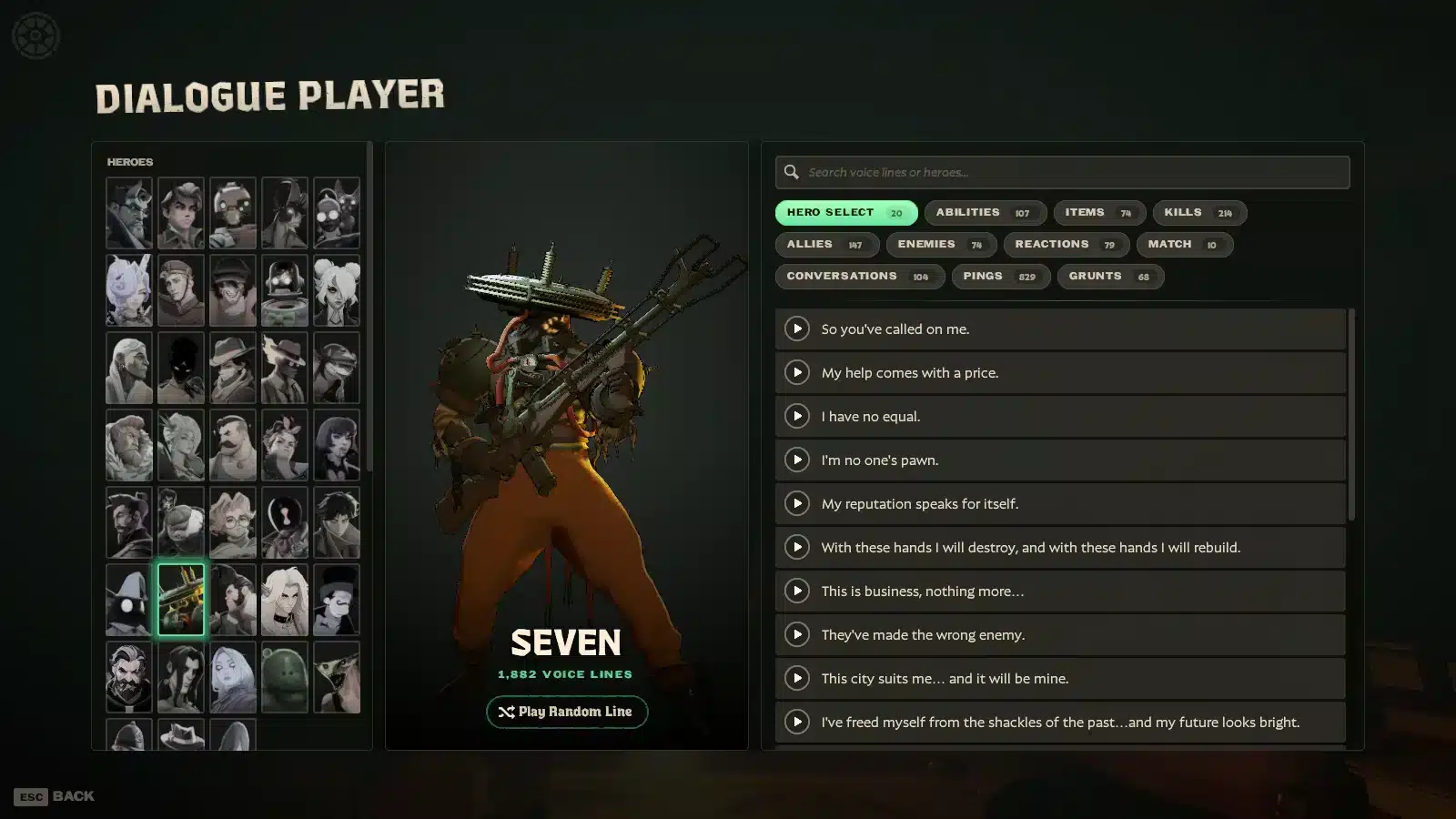
Valve just gave Deadlock fans a feature many of them have wanted for ages. The Deadlock Dialogue Player lets you listen to the game's voice lines without hunting for them match after match.
If you love hero banter, Patron lore, or simply want to know what your favorite character says when you ping an item, this tool is for you. The Deadlock Dialogue Player arrived with the City Never Sleeps update on September 29.
The short answer: the Deadlock Dialogue Player is an in-game interface that lets you browse and listen to hero and Patron dialogue on demand. It launched alongside more than 10,000 new non-ping voice lines and customizable subtitles. You open it from the game itself, so no extra download is needed.
In practice, this means heroes sound far more alive. Consequently, repeated matches feel less repetitive, because the same hero reacts in many more ways.
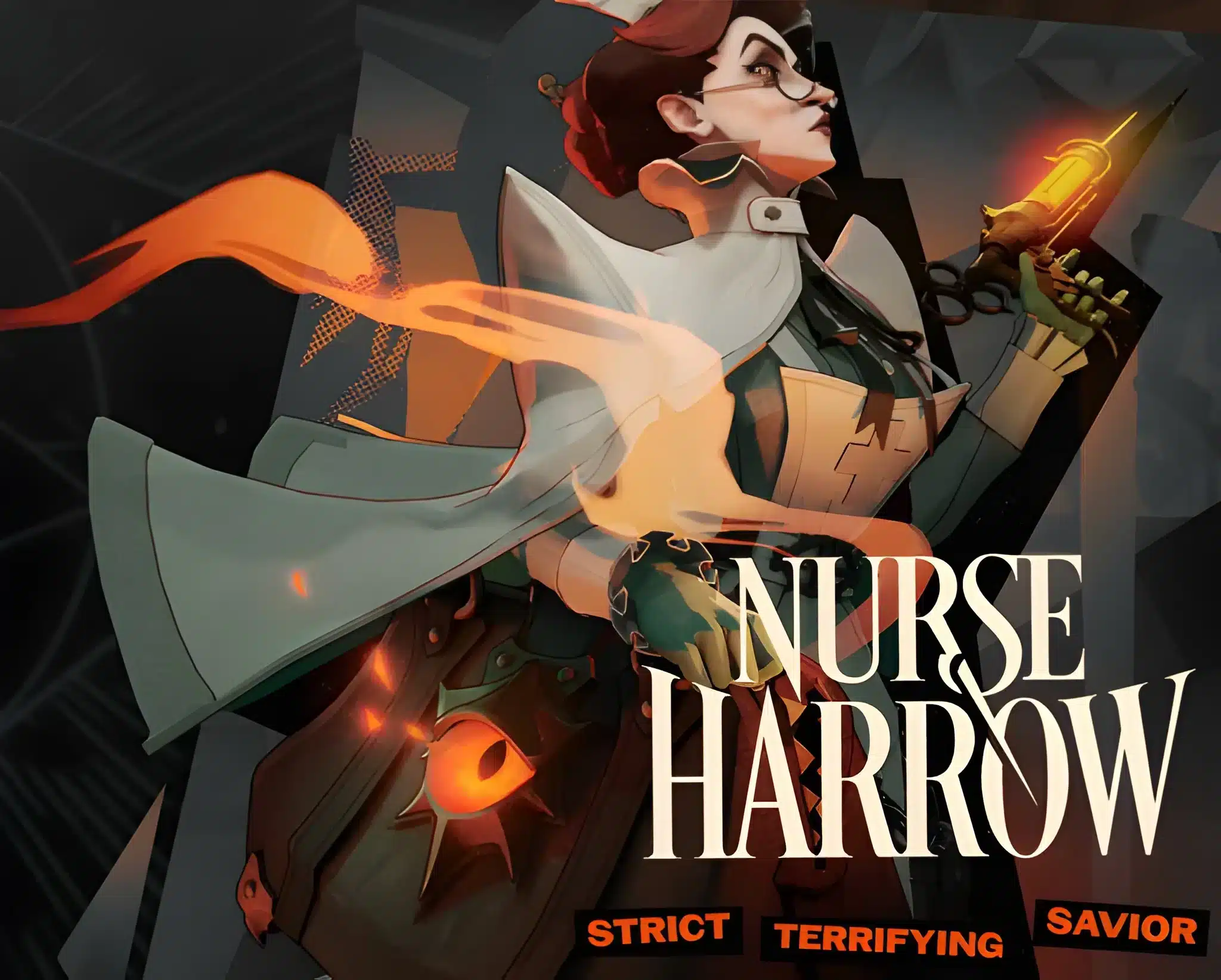
The heroes in this wave are Nurse Harrow, Rat King, Solomon, Deadman Danny, Baba, and Violet.
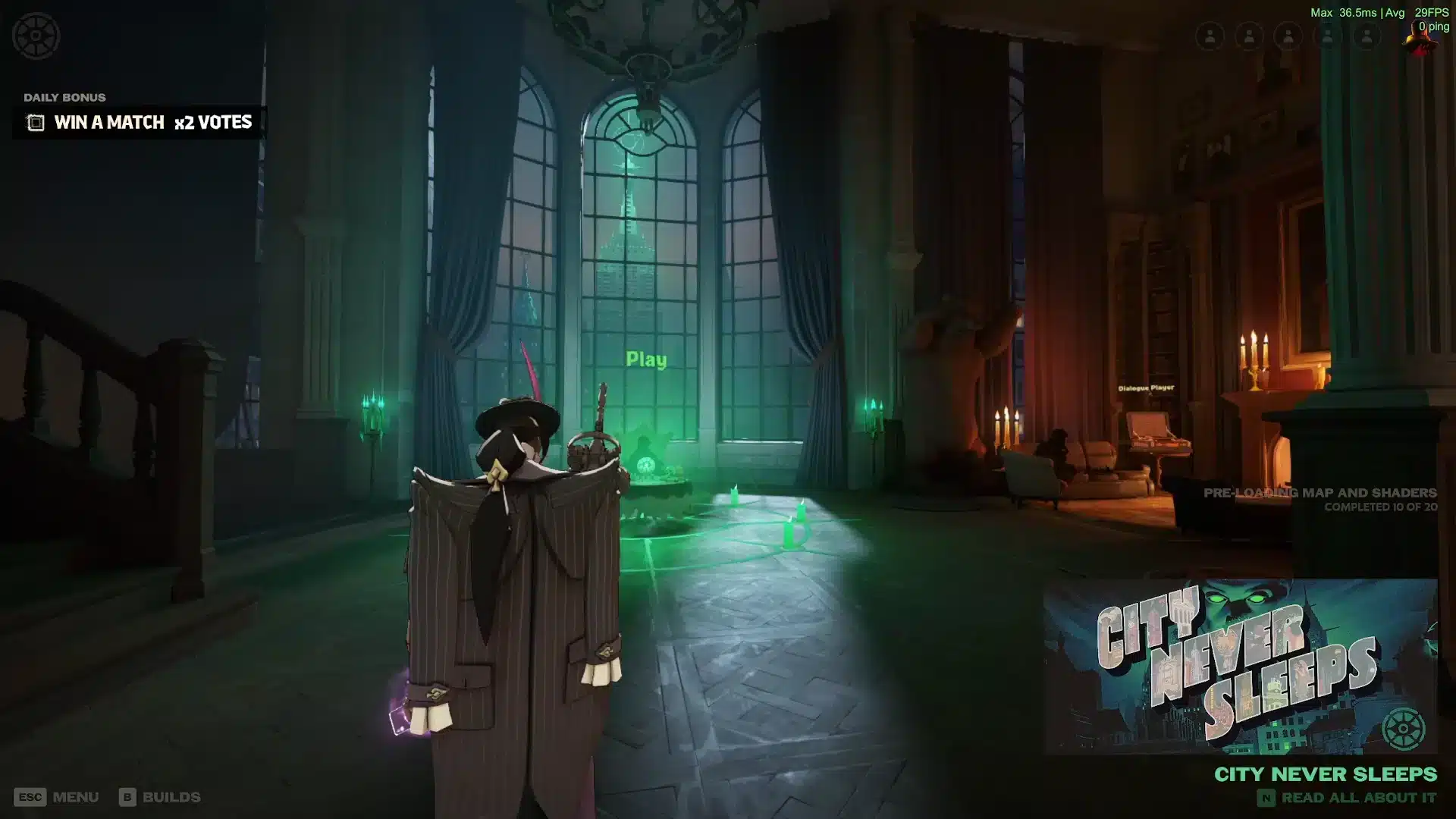
What Is The Deadlock Dialogue Player?
Before diving into details, it helps to understand what Valve actually shipped. The tool is simple on the surface, but it changes how players engage with the game's story.What Does The Deadlock Dialogue Player Do?
The Deadlock Dialogue Player works like a built-in audio library. Instead of waiting for a rare in-match moment, you can browse voice content and listen whenever you want. Here is what you can expect from it:- Browse dialogue from heroes and Patrons in one place.
- Replay lines you missed during a hectic teamfight.
- Study how each hero sounds and what personality they bring.
- Listen to Deadlock Voice Lines without queuing for a match.
What Does October Mean For Deadlock?
Many players search for "October" because the update schedule runs through the month. In Deadlock, October is not a separate patch. It is the release window for the six new heroes that follow the City Never Sleeps update. The first hero arrives today, October 2, and the rest follow on a fixed schedule. Furthermore, each new hero brings fresh lines that you can expect to explore through the Deadlock Dialogue Player.Deadlock Voice Lines And Subtitles: What Changed
The Deadlock Dialogue Player is only one piece of a larger audio overhaul. Valve expanded the voice content in several directions at once.How Big Is The Voice Line Expansion?
The numbers are large, especially for a game still in early development. The table below summarizes the headline changes.| Voice Content | Change |
|---|---|
| Ping voice lines | More than 15,000 new and updated |
| Non-ping voice lines | More than 10,000 added |
| Pregame hero conversations | Increased from 700+ to about 1,500 |
| Subtitles | New option with custom size, colors, and font |
How Do You Set Up Deadlock Subtitles?
The new Deadlock Subtitles option is a real accessibility win. It helps deaf and hard-of-hearing players, and it also helps anyone who plays with low volume. Follow these steps to tune it:- Open the game settings from the main menu.
- Find the subtitle option for in-game voice dialogue.
- Enable it and adjust the size so it is readable at a glance.
- Pick a text color and background that contrast with the city map.
- Test it in a sandbox or a short match before queuing.
How Do You Use The Dialogue Player Step By Step?
Using the Deadlock Dialogue Player is straightforward, yet a little planning gets you more from it. Treat it as both a fun extra and a practical learning aid.How Do You Open The Deadlock Dialogue Player?
Launch Deadlock and look through the game's menus for the Deadlock Dialogue Player option added in the City Never Sleeps update. Menu layouts can shift between patches, so check the official patch notes if you cannot find it. The official Deadlock Steam page is also a good place to confirm the latest news from Valve. Moreover, it lists the game as an early development title, so expect frequent changes.How Can You Get The Most Out Of It?
Here is a simple routine for the Deadlock Dialogue Player that works well for most players:- Pick the hero you play most and listen to their lines first.
- Note any lines that hint at ability cooldowns or item intentions.
- Move on to heroes you often face, so you recognize their callouts.
- Return after each new hero release to hear the latest additions.
What Is Coming To Deadlock In October?
October is a busy month. Six new heroes are scheduled, and the release pace is predictable, which helps you plan your practice time.What Is The Hero Release Schedule?
Heroes release twice per week, on Tuesdays and Fridays at 2:00 PM PT (21:00 UTC). The first drop is today.| Release | Date |
|---|---|
| Hero 1 | Friday, October 2 |
| Hero 2 | Tuesday, October 6 |
| Hero 3 | Friday, October 9 |
| Hero 4 | Tuesday, October 13 |
| Hero 5 | Friday, October 16 |
| Hero 6 | Tuesday, October 20 |
How Does Release Voting Work?
The order is not fixed in advance. Players vote in the pregame lobby, and the winning team's votes count double.- Voting happens before the match starts.
- Winning team votes carry extra weight.
- The result decides which hero arrives next.
Why Does Your Connection Matter For Voice And Pings?
Beyond the Deadlock Dialogue Player, the new ping system and the voice lines tied to it make communication a core part of Deadlock. However, a laggy connection can make those callouts arrive late or out of order.How Does Lag Affect Pings And Callouts?
The revamped ping system includes ability cooldown pings, item pings, enemy health pings, and typing indicators. When your connection stutters, teammates see your pings late. That delay can turn a perfect rotation into a lost objective. Therefore, a stable connection matters as much as good mechanics. If your ping is already high, read this guide on how to fix high ping in Deadlock before you queue again.What About Jitter And Rubberbanding?
Average ping can look fine while the experience still feels awful. That is usually jitter, which is uneven delay between packets. Our breakdown of Deadlock net jitter and how to stop rubberbanding explains the causes and the fixes. In addition, if you need a team to share the new voice content with, you can find a Deadlock six-stack through LFG.
Pro Tips: Getting The Most From Deadlock Audio
- Use headphones: Directional audio helps you locate enemy callouts and pings, and good drivers keep lines clear even in loud fights.
- Lower music, raise voice: Balancing the mixer lets hero lines stand out without hurting your focus.
- Pick readable subtitles: A high-contrast color and medium size stay legible on a busy map, so you do not miss text during combat.
- Use wired internet: Ethernet avoids Wi-Fi interference, which reduces jitter and keeps your pings on time.
Common Mistakes Deadlock Players Make
- Skipping the subtitle setup: Default settings may be hard to read mid-fight. Fix: adjust size, color, and background once, then test them.
- Blaming the game for every delay: Late callouts often come from your network. Fix: check ping and jitter before changing any in-game setting.
- Ignoring patch notes: Menus and features change often in early development. Fix: read the notes after each update so you know where tools live.
- Running downloads while playing: Background traffic competes with your match. Fix: pause updates and cloud syncs before you queue.
How Can ExitLag Help You In Deadlock?
ExitLag is not a VPN. It is a game connection optimizer that tests multiple network paths in real time and picks the fastest, most stable route between you and the game servers. It does not encrypt your traffic, mask your IP, or touch your game files. As a result, it works safely alongside supported titles and does not interact with anti-cheat systems.Which ExitLag Features Matter Most?
For a team game built around pings and quick rotations, these features stand out:- Real-time Optimization: Reduces delay and packet loss so your commands land faster.
- Multipath Technology: Sends packets through several routes, so one bad path does not ruin your match.
- Multi-Internet: Supports up to 4 connections, and another takes over if one drops.
- Traffic Shaper: Prioritizes game traffic over background apps.
Why Do Players Trust ExitLag?
ExitLag supports 4,000+ titles on PC and Mobile, with 1,500+ servers across 190+ countries. More than 30M users rely on it, and it runs 18M+ optimizations every week. Just remember not to combine it with a VPN, since that reduces its effectiveness. If you are ready to try it, grab the ExitLag Download and keep your Deadlock matches smooth.Final Thoughts On The Deadlock Dialogue Player
The Deadlock Dialogue Player turns thousands of voice lines into something you can actually explore. Together with the new subtitles and the October hero releases, it makes this a great time to be a Deadlock fan.What Should You Do Next?
Start with a quick checklist:- Open the Deadlock Dialogue Player and listen to your main hero.
- Set up subtitles you can read at a glance.
- Check each new hero release on the schedule.
- Fix your connection so your pings arrive on time.