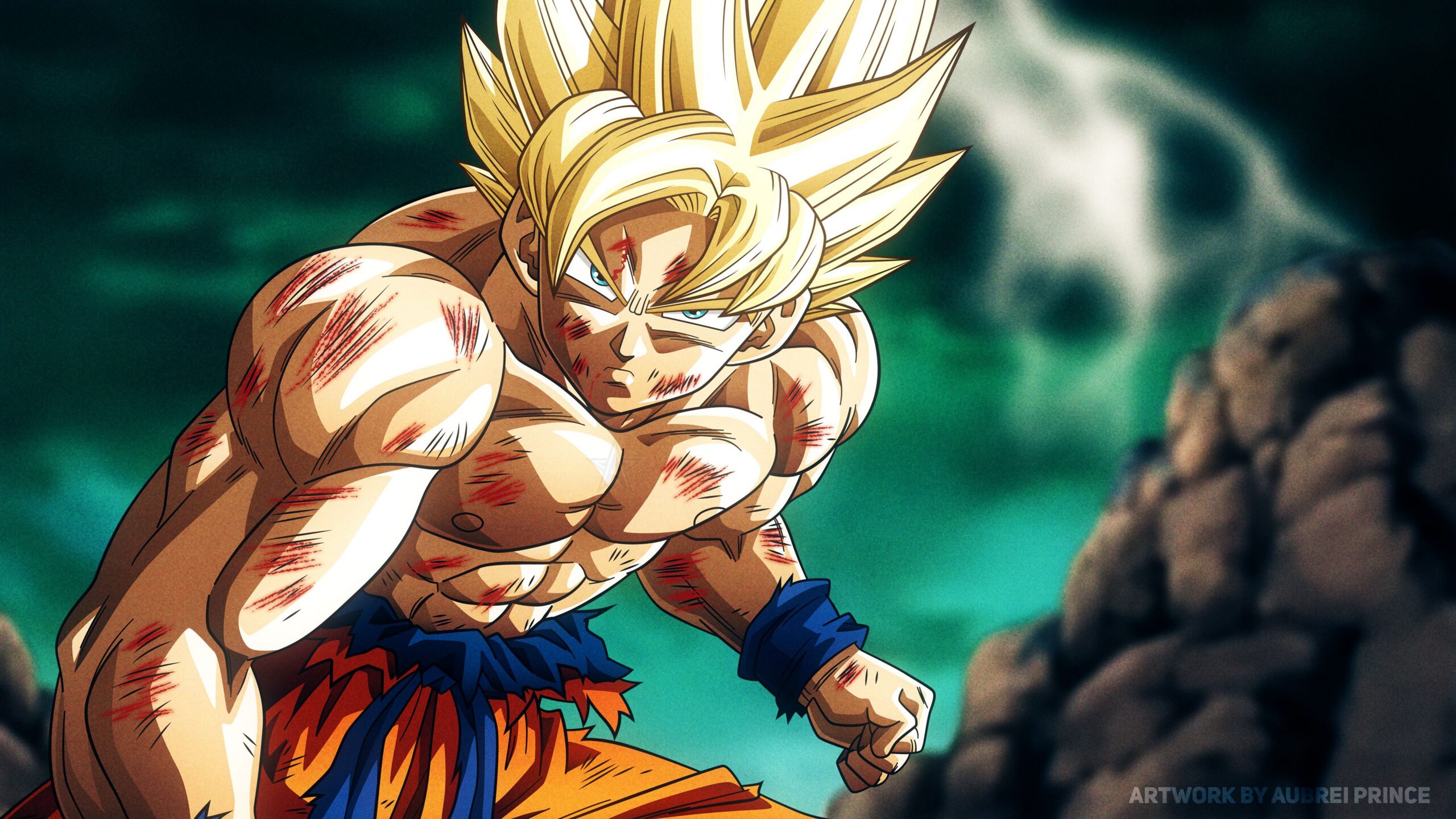
Playing Dragon Ball Z: the Legend PS 1 rom English has become one of the most nostalgic game ways for fans to revisit classic DBZ battles from the 90s. Whether you discovered the PS1 original as a kid or you're exploring retro fighters for the first time, this fast paced arena brawler continues to impress with its unique multi-m fighter combat system. The desire to revive this experience through emulation grows each year as does the demand for an English friendly version.
Many fans want to revisit this rare classic without region barriers, and Dragon Ball Z: the Legend PS1 Rom English becomes essential for accessible gameplay. Today’s emulators make it easier than ever to play original PS1 titles with improved visuals, faster loading, and custom controls, all while preserving the iconic anime feel of the mid 90s.
Dragon Ball Z: The Legend was developed for PlayStation 1 and released primarily in Japan and Europe. Because the American market never received an official version, many fans now search for English patched editions to enjoy the story narration and menu clarity. Its gameplay focuses on large-scale combat where teams of Z fighters and villains clash in explosive mid-air battles an early precursor to modern DBZ arena fighters.
Before diving deeper, let’s explore exactly why this PS1 classic continues to inspire retro gaming communities and what makes an English ready setup essential for today’s players.

Why This Classic Still Matters Today
The striking appeal of Dragon Ball Z: the Legend PS1 Rom English comes from its rare structure among DBZ games. Instead of traditional 1v1 combat, The Legend features:
- Team-based battles with up to 6 fighters onscreen
- Energy tug-of-war mechanics that determine who wins aerial clashes
- Story progression through iconic DBZ arcs
- A visual style resembling hand-drawn anime effects
These elements make it radically different from contemporaries like Ultimate Battle 22 or Final Bout. For retro fans, this title feels like a missing link between pixel-era DBZ fighters and modern 3D anime brawlers.
Players often revisit the game for:
- Authentic 90s anime atmosphere
- Nostalgic voice effects and music sequences
- Fast, chaotic combat faithful to the show’s energy
- Simplicity easy to learn, surprisingly deep to master
Because most global fans never had localized access, the Dragon Ball Z: the Legend PS1 Rom English version opens the door to better navigation, clearer menus, and smoother story comprehension.
How ExitLag Helps When Playing Emulated or Online Dragon Ball Games
Although Dragon Ball Z: The Legend is an offline PS1 game, many players today complement their retro sessions with modern DBZ titles or online community servers. When your gaming routine shifts between classic and online experiences, ExitLag becomes invaluable for performance.
ExitLag enhances gameplay through:
- Multipath Connection Technology for stable routing
- Worldwide servers that optimize traffic automatically
- Real-Time Optimization for instant route switching
- Traffic Shaper that prioritizes gaming data
- Multi-Internet failover for connection safety
- FPS Boost features to tune system performance
Whether you play Dragon Ball FighterZ, Dragon Ball Xenoverse 2, Dragon Ball Z: Kakarot Online Arena, or fan made multiplayer titles, ExitLag keeps your connection reliable.
ExitLag onboarding steps:
- Create your ExitLag account
- Download ExitLag
- Choose your game and apply the routes
- Enjoy the best experience with ExitLag ON!
Important: ExitLag does not optimize console play and does not enhance offline, emulated PS1 titles. It supports desktop and mobile gaming only.
Dragon Ball Z: The Legend (PS1) Emulator & Setup Comparison Table
| Category | Recommended Option | Why It Works Best | Notes for Players |
| Game Version | Dragon Ball Z: The Legend (PS1 – EU/JP) | Most stable base for English patches | No official US release exists |
| ROM Format | ISO / BIN + CUE | Highest compatibility with PS1 emulators | Avoid compressed or executable files |
| English Support | Fan-made English Patch | Translates menus and UI for easier navigation | Story text may remain partially untranslated |
| Best Emulator | DuckStation | Accurate emulation with modern enhancements | Ideal for Windows PCs |
| Alternative Emulator | RetroArch (Beetle PSX) | High accuracy for advanced users | Requires more configuration |
| Recommended Resolution | 2x–4x Native | Improves clarity without breaking visuals | Higher values may distort sprites |
| Aspect Ratio | 4:3 (Original) | Preserves authentic PS1 presentation | Widescreen is optional but unofficial |
| Controller Type | PS1-style USB Controller | Best feel for classic gameplay | Keyboard works but feels less authentic |
| Online Optimization | ExitLag (for modern DBZ games) | Stabilizes ping and eliminates packet loss |
The Legacy of Dragon Ball Z: The Legend and Why English Matters
The gameplay structure of The Legend is legendary among DBZ fans. Because it prioritizes team synergy over single-fighter mastery, it captures the spirit of DBZ battles better than many PS1-era games.
What keeps fans returning?
- Classic nostalgia for the PS1 era
- Rare mechanics no other DBZ game replicates
- A unique visual identity blending anime storyboards with sprite overlays
- An accessible control scheme perfect for newcomers
Curiously, while the Japanese version dominated locally, the European release used different voice clips, balance settings, and difficulty structures. However, neither version was ever translated to English. That’s why playing Dragon Ball Z: the Legend PS1 Rom English today is the best way to experience the game without language barriers.
And because modern fans share gameplay clips on YouTube, TikTok, and Twitch, the English patched edition has become the preferred version for:
- content creators
- retro challenge streamers
- modders
- preservation enthusiasts
Understanding Dragon Ball Z: The Legend PS1
Before diving into emulators or setups, you need a full understanding of what makes Dragon Ball Z: the Legend PS1 Rom English so iconic. This game predates modern anime fighters and focuses entirely on recreating the chaotic aerial clashes that defined DBZ’s animation style.
Gameplay Overview
This title uses a three-vs-three system, where the focus is on:
- Charge mechanics
- Mid-air energy duels
- Group synergy
- Explosive combo finishes
Instead of health bars, the goal is to dominate the “Power Gauge,” a horizontal meter influenced by attacks, ki bursts, and team cooperation.
Story Coverage
The game spans the full Z saga:
- Saiyan Saga
- Frieza Saga
- Android & Cell Saga
- Movie encounters depending on version
While the story segments are simple, the English-patched menus make progression clearer and reduce confusion during arcade-style sequences.
Finding Safe Downloads & ISO Sources
When searching for retro classics like Dragon Ball z: The Legend PS1 rom english, safety is the top priority. ROM distribution is a sensitive topic, and you must avoid harmful, unofficial mirror sites.
How to Identify Safe ISO Pages
Look for these features:
- Verified community reputation
- Clean and consistent file sizes
- No executable installers (.exe files)
- Active moderation
- Transparent file information
Retro preservation communities, legal abandonware discussions, and public domain PS1 projects often guide players to the safest resources never download ROMs from suspicious pop-up–heavy sites.
Why ISO Integrity Matters
A clean ISO ensures:
- Patch compatibility
- Accurate emulation
- No menu bugs
- High-quality audio and sprite output
This becomes even more important when applying English patches or language settings to your Dragon Ball Z: the legend ps1 rom english build.
Emulator Setup for Dragon Ball Z: The Legend
To run classic PS1 games, players typically use:
- DuckStation (best accuracy + modern UI)
- PCSX-Reloaded (legacy option)
- RetroArch Beetle PSX core (for advanced users)
Why DuckStation Is the Best Choice
DuckStation supports:
- 4K upscaling
- Widescreen patches
- VRR improvements
- Texture filtering
- Save-state stability
It’s the easiest way to play Dragon Ball Z: the legend ps1 rom english smoothly on any modern PC.
Ideal Settings for Authentic Gameplay
Players aiming for nostalgia often select:
- Native resolution (1x)
- Original 4:3 aspect ratio
- PS1-style CRT shader filters
- Vibration enabled
- 60fps frame pacing
Meanwhile, modern enhancement settings include:
- 3–4x resolution upscale
- Improved texture filtering
- Widescreen hack (optional, not fully accurate)
Both approaches preserve the game’s fast tempo while enhancing stability.
English Patch, Language Settings, and How to Apply Them
Before launching your game, you must prepare the English patch. Since no official English edition exists, fans rely on translation patches created by community teams.
Types of Patches Available
There are three common patch versions:
- Menu Translation Patch
- UI & Story Labels Patch
- Full English Rebuild Patch (rare, often incomplete)
For Dragon ball z: the legend ps1 rom english, the most stable option is the menu-only patch, as it avoids bugs while offering complete clarity for gameplay navigation.
Applying the Patch (General Concept)
Most English patches use:
- PPF files
- Applied through tools like PPF-O-Matic
Steps usually include:
- Selecting your original ISO
- Applying the patch
- Saving the modified ISO
- Loading it into DuckStatio
Trivia, Nostalgia, and the Game’s Legacy
The legacy of Dragon Ball z: the legend ps1 rom english is fascinating. Few DBZ games captured the anime’s energy quite like this early PS1 entry, making it a cult favorite among historians, speedrunners, and collectors.
Trivia Fans Love
- The game served as inspiration for early Budokai prototypes
- Sprite animations were originally hand-drawn
- Voice effects were reused in multiple 90s DBZ titles
Why Nostalgia Drives Modern Emulation
Players revisit this title for:
- Childhood memories
- PS1-era sound effects
- Classic character art
- A simple but addictive battle system
Completing Your English Setup for Dragon Ball Z: The Legend PS1
Now that your emulator and ISO preparation are ready, it’s time to finalize the Dragon Ball z: the legend ps1 rom english setup. This includes applying the patch correctly, adjusting audio/video performance, and ensuring your gameplay stays faithful to the original PS1 release while benefiting from modern enhancements.
Testing Your Patched ISO
Once your English patch has been applied, run these checks:
- Does the title screen appear normally?
- Are menus translated without corrupted characters?
- Does story mode navigate without freezes?
- Are battles loading consistently?
Having a clean setup ensures your English experience stays stable from start to finish.
Audio & Timing Fixes
Because the original game used region specific frame pacing, players may notice:
- Slight audio desync
- PAL-to-NTSC timing shifts
- Faster-than-expected battle animations
To correct this, DuckStation’s “Cycle Accurate CD-ROM Timing” and “Audio Resampling” options keep gameplay smooth and authentic.
Enhancing the Experience Through Emulator Features
While Dragon Ball Z: The Legend is already a fast chaotic fighter, modern emulation lets you refine it even further.
Visual Enhancement Options
Enhancements you can safely enable:
- 3x Resolution Upscale
- Texture Smoothing
- True Color Rendering
- Bilinear or xBR Filtering
Avoid pushing upscaling too high, as it can distort sprite edges. Staying between 2x–4x preserves the authentic anime aesthetic.
Optional Widescreen Patch
Although not officially supported, the widescreen hack:
- Expands horizontal view
- Reveals more battlefield space
- Can slightly affect power gauge visualization
Using ExitLag With Modern Dragon Ball Games
Even though Dragon Ball Z: The Legend is offline, many players switch between retro titles and modern DBZ experiences. When running online games like Dragon Ball FighterZ, Xenoverse 2, or The Breakers, connection quality becomes crucial.
ExitLag ensures:
- Stable ping
- Eliminated jitter
- Zero packet loss
- Multiroute traffic optimization
- Automatic failover during network drops
Controls, Moves, and Gameplay Breakdown
To fully appreciate Dragon ball z: the legend ps1 rom english, you must understand its battle mechanics. Unlike typical fighters, this title emphasizes team synergy over complex combos.
Basic Control Scheme
Most emulators map these actions by default:
- Square / Triangle – Basic attacks
- Circle – Ki attacks
- X – Dash / Quick movement
- Shoulder buttons – Charge / Team assist interactions
Because the combat revolves around shifting energy momentum, timing and positioning matter more than button input complexity.
Mastering the Power Gauge System
The Power Gauge at the bottom determines who dominates the battle.
How to influence it:
- Repeatedly attack to build team momentum
- Use charge attacks to swing meter direction
- Coordinate aerial positioning
- Trigger team-based finishers when gauge fills
Unlockable Content, Characters, and Battle Modes
Although simple by modern standards, The Legend still includes hidden elements fans enjoy rediscovering through emulation.
Playable Fighters
The roster includes several fan favorites:
- Goku
- Vegeta
- Piccolo
- Gohan
- Trunks
- Frieza
- Cell
- Androids
- Movie-exclusive characters (depending on version)
With English menus enabled, selecting these characters becomes easier than ever.
Battle Modes
The game includes:
- Story Mode – Follows Saiyan-to-Cell arc
- VS Mode – Custom team battles
- Team Practice – Learn energy mechanics
- Z Encyclopedia – Character insights
Technical Optimization & Performance Tips
Even though PS1 games are lightweight, emulators may behave differently depending on your machine.
Ideal Settings for Low-End PCs
To keep Dragon ball z: the legend ps1 rom english fully stable:
- Disable high upscaling
- Use 1x native resolution
- Reduce texture filtering
- Disable widescreen hacks
- Limit audio latency
Ideal Settings for High-End PCs
If your hardware allows it:
- 3–4x resolution
- Hardware Renderer
- V-Sync for screen tear prevention
- Frame Duplication fix for PAL versions
These enhancements stabilize visuals while preserving the classic DBZ aesthetic.
Nostalgia: Comparing the PS1 Classic to Modern DBZ Games
Players often return to this title because it delivers something modern DBZ games rarely replicate: chaotic, group-based energy battles.
What Makes “The Legend” Unique Compared to Modern Fighters
- Faster energy exchanges
- Larger-scale team fights
- More anime-inspired visual effects
- Simpler controls
- Pure momentum-based combat
Why Retro Fans Still Prefer This Experience
Despite today’s polished titles, retro fans appreciate:
- Pure nostalgia
- Minimalistic UI
- Fast battles
- Classic PS1 sound effects
- Simpler combat loops
Trivia & Hidden Details (Continued)
Fans love uncovering behind-the-scenes facts about this lost classic.
Rare Development Facts
- The game originally tested 2D/3D hybrid visuals
- Voice clips were re-used in early Bandai handhelds
- The game influenced the PS2 Budokai prototype direction
Fan Community Secrets
- Certain character clashes produce unique voice triggers
- Specific team combinations unlock alternate animations
- PAL versions have slightly different power gauge speed
Recommended Emulator Accessories & Add-Ons
To enrich your retro DBZ gameplay, consider using:
Retro Controllers
USB controllers modeled after:
- PS1 DualShock
- Arcade fight pads
- Compact handheld controllers
Community Translation Files
Beyond the basic English patch, the fan community sometimes releases:
- Updated menu corrections
- Texture-enhanced fonts
- Bug-fixed patch revisions
Bullet List Best Practices for Smooth Emulation
- Keep your emulator updated
- Use verified BIOS files only
- Store ISOs in clean, organized folders
- Disable background apps
- Use ExitLag for modern DBZ titles with online modes
- Avoid ROM sites with pop-ups
- Always run integrity checks after patching
Numbered List How to Start Playing Immediately
- Download DuckStation
- Load your verified PS1 BIOS
- Import your Dragon Ball Z: The Legend ISO
- Apply the English patch using PPF-O-Matic
- Adjust visual/audio settings
- Configure your controller
- Launch Story Mode
- Enjoy the nostalgia
Final Thoughts on Dragon Ball Z
The experience of replaying Dragon ball z: the legend ps1 rom english is more than nostalgia it’s a way to preserve and enjoy a piece of anime gaming history that many fans never got to access in their own language. English ready menus make this retro masterpiece approachable while keeping its iconic 90s essence intact.
Whether you’re replaying the game for its chaotic team battles, its charming PS1 soundscapes, or its place in Dragon Ball development history, this English-modified version offers the definitive way to enjoy the title today.
ExitLag rounds out the experience by ensuring your modern DBZ sessions remain seamless, responsive, and lag free an essential advantage for players switching between retro and online games regularly.
With your emulator optimized, patch applied, and nostalgia unlocked, you're ready to dive back into one of the most underappreciated DBZ fighters ever created.