

Fortnite high ping in Saudi Arabia can make building and editing feel delayed, cause rubberbanding, and make shots seem unresponsive. Players in Riyadh, Jeddah, and Dammam may experience these problems even when using a fast fiber-optic internet connection.
A high download speed does not automatically guarantee low latency. The server hosting your match, the route used by your internet provider, network congestion, and packet loss can all affect your connection.
If you're troubleshooting Fortnite high ping in Saudi Arabia, this guide explains how to identify the problem. Using Epic Games' official tools, test Middle East server endpoints, and apply practical fixes before exploring alternative routing solutions.
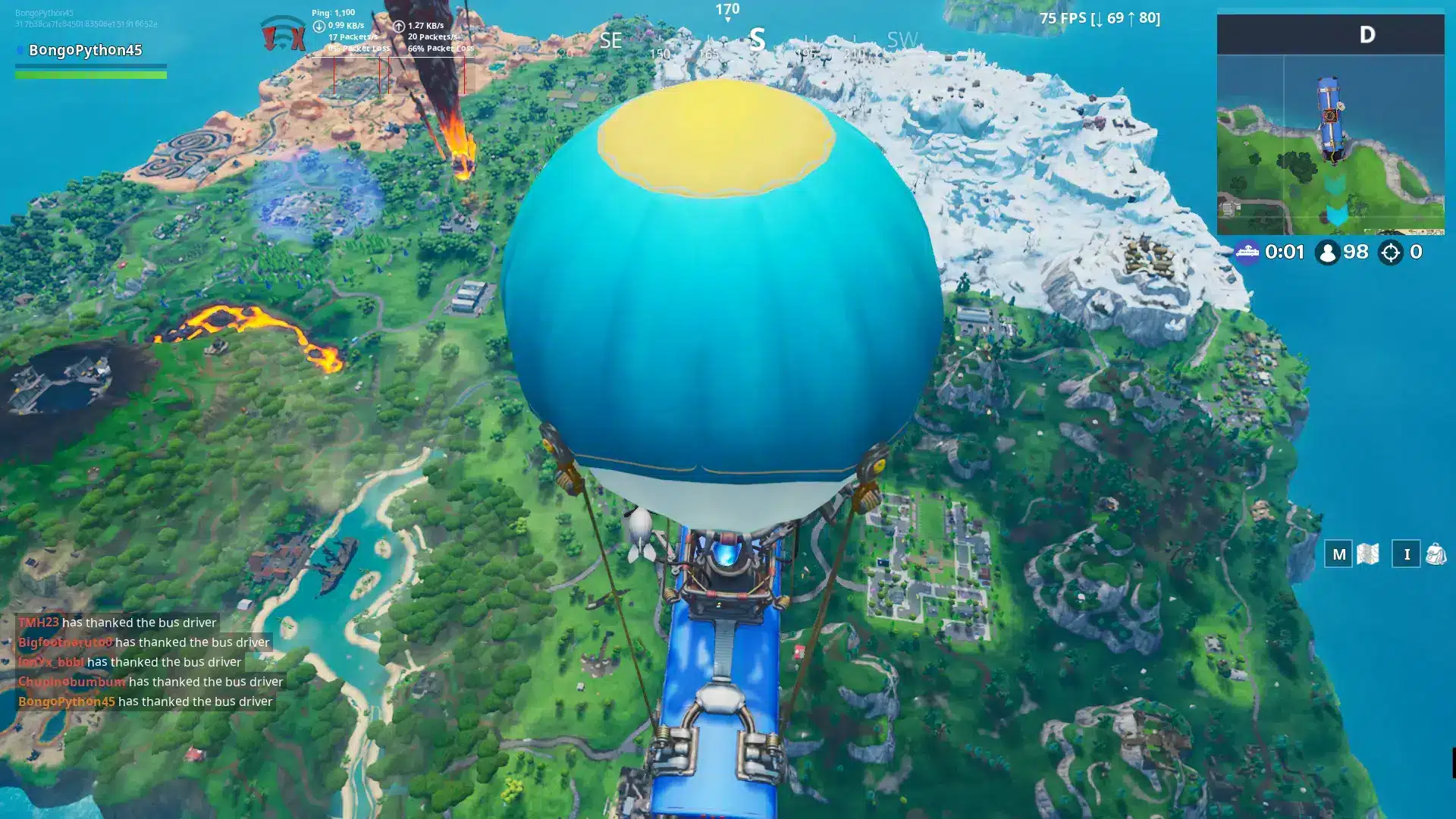 Fortnite ping depends on how quickly data travels between your device and the server hosting your match. Internet speed matters, but a 500 Mbps fiber connection can still experience high latency if traffic follows an inefficient or congested route.
Several factors can contribute to Fortnite lag in Saudi Arabia:
Fortnite ping depends on how quickly data travels between your device and the server hosting your match. Internet speed matters, but a 500 Mbps fiber connection can still experience high latency if traffic follows an inefficient or congested route.
Several factors can contribute to Fortnite lag in Saudi Arabia:
 Before changing your settings or switching providers, determine whether the problem happens in every match or only under specific conditions.
Follow these steps to identify the likely cause.
Before changing your settings or switching providers, determine whether the problem happens in every match or only under specific conditions.
Follow these steps to identify the likely cause.
 Once you've collected basic connection data, try these troubleshooting steps in order.
Why Is Fortnite Ping High in Saudi Arabia?
Fortnite ping depends on how quickly data travels between your device and the server hosting your match. Internet speed matters, but a 500 Mbps fiber connection can still experience high latency if traffic follows an inefficient or congested route.
Several factors can contribute to Fortnite lag in Saudi Arabia:
- Server location: Connecting to a more distant datacenter generally increases the time required for data to travel.
- ISP routing: Your internet service provider determines the network path your traffic follows.
- Network congestion: Downloads, uploads, or other devices can delay gaming traffic.
- Matchmaking: Fortnite may place players in different subregions depending on availability and queue times.
- Local connection problems: Wi-Fi interference, unstable routers, or damaged cables can cause additional delays.
Does Fortnite Have Servers in Saudi Arabia?
Saudi Arabia is served by Fortnite's Middle East matchmaking region, but Epic Games has not publicly confirmed a dedicated Fortnite gameplay server location inside Saudi Arabia in its current latency documentation. Instead, the company lists three Middle East ping testing endpoints:- Bahrain: ping-bah.ds.on.epicgames.com
- Mumbai, India: ping-mum.ds.on.epicgames.com
- Israel: ping-il.ds.on.epicgames.com
There is also historical data about Fortnite latency in Saudi Arabia
The Saudi Communications, Space and Technology Commission (CST) reported a nationwide Fortnite latency indicator of 14 ms in its Q1 2026 Game Mode report. Its measurements, collected during January and February 2026 using fiber-optic connections, included STC, Mobily, Salam, and Zain. The report classified Fortnite's server location broadly as GCC Countries. These figures represent historical measurements taken before the major regional infrastructure disruptions. They should not be interpreted as current ping estimates or proof that a Fortnite server operates inside Saudi Arabia. For a deeper explanation of the regional infrastructure, see our Fortnite Middle East servers in 2026 guide.How to Check Fortnite Ping in Saudi Arabia
Before changing your settings or switching providers, determine whether the problem happens in every match or only under specific conditions.
Follow these steps to identify the likely cause.
1. Check Fortnite Server Status
Visit the Epic Games Public Status page and check whether Fortnite Game Services and Matchmaking are operational. An operational status does not rule out regional routing problems, but it helps determine whether there is a broader service outage.2. Enable Net Debug Stats
Fortnite includes an option to monitor connection performance during matches.- Open Fortnite and select Settings.
- Navigate to the Game UI tab.
- Find Net Debug Stats under the HUD settings.
- Switch the option to On and apply your changes.
- Enter a match to view your network information.
3. Record Your In-Game Results
Play several matches and record your typical ping, unexpected spikes, and any packet loss. Pay attention to whether delays happen throughout the match or only during specific moments. Consistent packet loss is particularly important because it can affect gameplay even when average ping appears acceptable.4. Check Your Matchmaking Region
Open Settings > Game > Language and Region. Check whether your Matchmaking Region is set to Auto or Middle East. Auto selects the region with the best estimated ping and locks Subregion Preference to Auto. Selecting a specific matchmaking region allows you to adjust Subregion Preference where supported.5. Test Epic Games' Middle East Endpoints
On Windows, open Command Prompt and run these commands individually:- Bahrain: ping ping-bah.ds.on.epicgames.com -n 50
- Mumbai: ping ping-mum.ds.on.epicgames.com -n 50
- Israel: ping ping-il.ds.on.epicgames.com -n 50
6. Compare Different Matches and Times
Repeat the tests during different periods, including peak evening hours. If latency increases only at certain times, network congestion may be involved. If it changes significantly between matches, matchmaking placement or the route to the selected server may be contributing factors.How to Fix Fortnite High Ping in Saudi Arabia
Once you've collected basic connection data, try these troubleshooting steps in order.
Use Ethernet Instead of Wi-Fi
A wired Ethernet connection can reduce interference and wireless instability. Connect your PC or console directly to the router, then compare your ping and packet loss with your previous Wi-Fi results. If Ethernet improves stability, the problem may be related to your home wireless network rather than Fortnite's regional infrastructure.Stop Background Downloads and Network Congestion
Large downloads, cloud backups, streaming, and uploads from other devices can increase latency. Pause unnecessary network activity and test Fortnite again. Upload congestion can be particularly disruptive because many home connections have less upload bandwidth available. If your router supports Quality of Service (QoS) or Smart Queue Management, properly configured traffic prioritization may help maintain stable latency during network congestion.Check Your Fortnite Matchmaking Region and Subregion
Epic Games introduced expanded subregion preferences with Fortnite Update 42.20. This allows players to prioritize a location within their matchmaking region. However, the game may expand its search when there are insufficient players available in the preferred subregion. Start with Auto and compare several matches against the available manual options. A manual preference can help when one location consistently performs better, but it can also increase queue times. For most players, Epic recommends Auto. For more detailed instructions, read our guide on how to choose your subregion in Fortnite.Compare Your Connection at Different Times
Test Fortnite during the afternoon, evening, and other times when you normally play. Compare results using the same connection, matchmaking settings, and game mode whenever possible. If your ping is consistently higher during busy periods, congestion somewhere along the network path may be involved.Check Your ISP Routing
Saudi Arabian operators such as STC, Mobily, Zain, and Salam may use different network routes to reach Fortnite's servers. That does not mean any particular provider is responsible for connection problems. Routing performance depends on the destination, network conditions, and the individual connection. If local troubleshooting does not resolve the issue, contact your ISP and provide:- Your Fortnite matchmaking region and game mode.
- The endpoints you tested.
- Your average ping and packet loss results.
- The times when connection problems occur.
- Whether the issue persists over Ethernet.


