Gamers who dedicate hours to improving aim and climbing ranks know how frustrating Gamers Club Lag can be. Even players with fast internet and good hardware experience freezes, delays, and unpredictable spikes. Therefore, understanding why this happens is essential before choosing the right solution. Lag can ruin crucial rounds and affect your overall performance.
However, many players confuse lag, ping, and FPS issues, which makes troubleshooting harder. Lag in Gamers Club happens when the communication between your PC and the server takes longer than expected. Like this, even a stable connection may feel delayed if the route chosen by your provider is congested or inefficient. These small interruptions create the feeling of delayed hit registration and unstable movement.
Finally, once you understand the root cause behind Gamers Club Lag, you can solve it permanently instead of relying on temporary fixes. ExitLag provides optimized routing and stability designed specifically for competitive matches. This guide will help you understand the issue and show how ExitLag eliminates lag for good.

What is lag in Gamers Club?
Lag in Gamers Club is caused by the delay between your actions and the server’s response. It impacts competitive shooters more intensely, where milliseconds matter. This delay results in slow hit registration, rubberbanding, teleporting players, and input desynchronization. Therefore, lag is mostly a routing problem not an internet speed problem.
However, many players don’t realize that lag can also come from unstable packet flow between local network nodes and the game server. When packets fail to reach the server consistently, the game struggles to synchronize real-time data, creating unpredictable movements or delayed shots. Like this, even a seemingly stable network can produce sudden spikes when packet stability is compromised.
Lag, ping, and fps differences
| Term | Meaning | Importance |
| Lag | Delay between input and server | Impacts responsiveness |
| Ping | Round-trip time of data | Affects reaction time |
| FPS | Frames per second | Impacts visual smoothness |
Lag comes from connection instability, while FPS problems come from hardware. Like this, even if your PC runs smoothly, poor routing can still affect your in-game reactions.

Why lag happens even with good internet
Your internet provider chooses routes automatically, but they are not always the fastest. Therefore, your data may pass through crowded or distant nodes before reaching Gamers Club servers. Packet loss, unstable paths, and peak-hour congestion all contribute to lag. Like this, even a strong connection may feel unstable during gameplay.
However, another key factor is network congestion during peak gaming hours. When many people in your region are online, the ISP’s routes become saturated, forcing your connection to take slower alternative paths. This creates unpredictable delays that appear as lag or rubberbanding mid-round. Therefore, even a powerful connection can struggle if the routing is not efficient enough for real-time gameplay.
Exitlag as the definitive fix
ExitLag allows you to manually use the best route available instead of relying on your provider’s default paths. It uses multi-routing technology and intelligent tunneling to stabilize communication with the server. Therefore, your data travels faster and more reliably, significantly improving gameplay. This is why ExitLag is so effective for reducing Gamers Club Lag.
However, ExitLag goes further by constantly analyzing network conditions in real time. When it detects a potential problem on your current route, it intelligently shifts your connection to an alternative stable path. Like this, you maintain consistent performance even during peak internet usage or unexpected congestion.
Key benefits for Gamers Club players
- lower and more stable ping
- reduction of packet loss
- fewer micro-stutters during peak hours
- better hit registration
- simple and intuitive setup
Like this, ExitLag provides competitive precision and consistency for all GC matches.
How to use ExitLag in gamers club
The process is extremely simple:
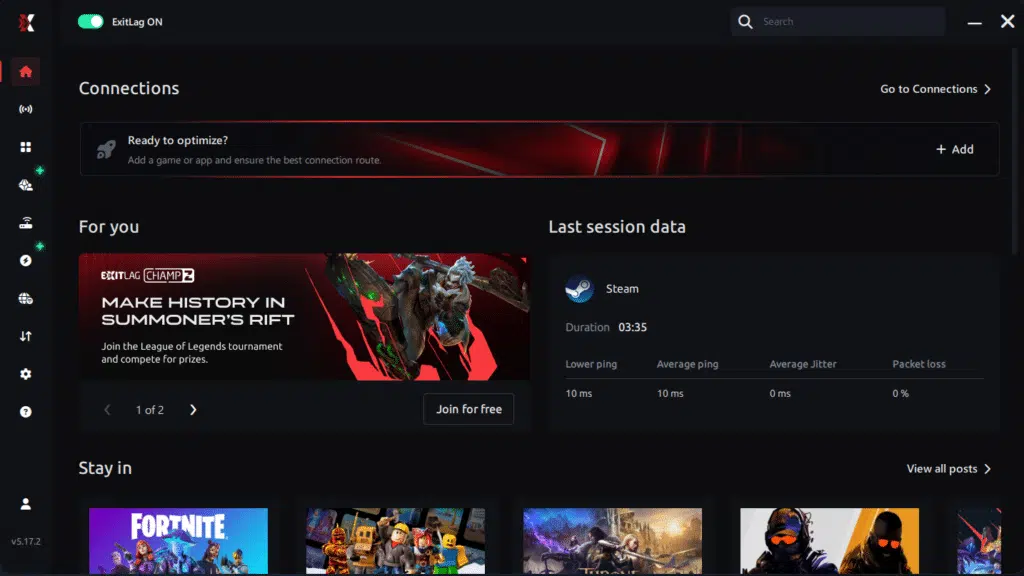
Step 1 – Access the official ExitLag website and download the application. There’s a free trial period for new users.
Step 2 – Install and open the program. Log in with your account.
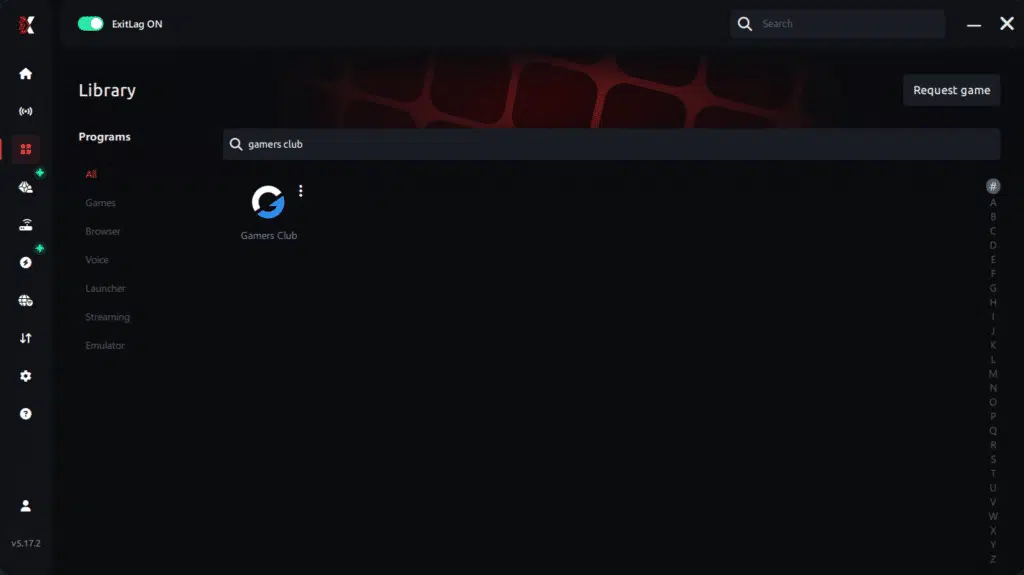
Step 3 – In the search bar, type “gamers club” and select the game from the list.
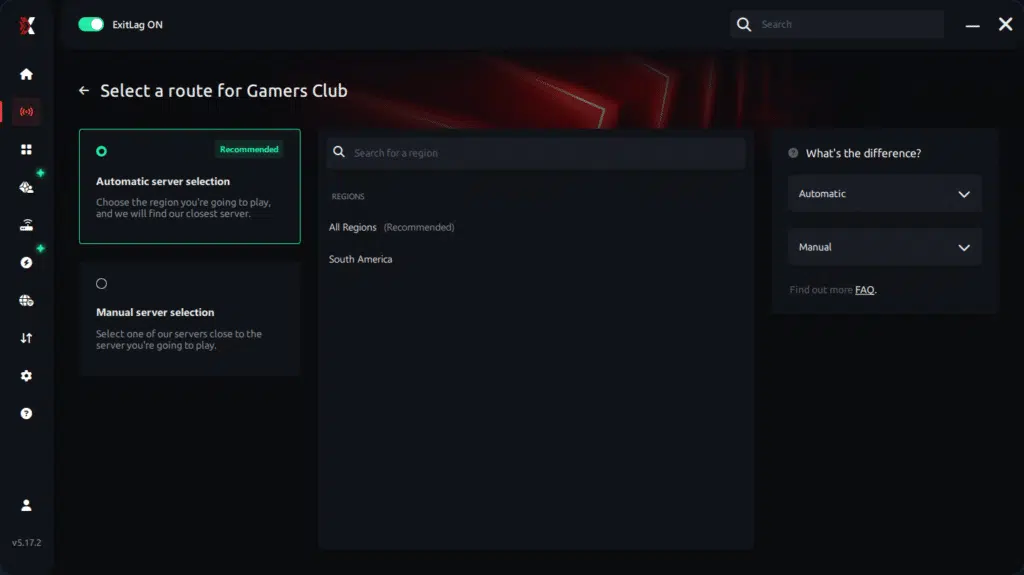
Step 4 – Choose between automated or manual route
Based on the results, you can let ExitLag automatically select the best route or manually choose the server that showed the lowest latency for your connection.
AI-optimized automated route
Based on the results, you can let ExitLag automatically select the best route through AI optimization. The system analyzes multiple connection paths in real time and automatically identifies the most efficient route for your connection, ensuring the lowest possible latency without requiring manual choices.
Manual route
If you prefer to have full control over your connection, you can manually choose the server based on the ping test results. Simply select the server that showed the lowest latency or the one that best meets your specific gaming needs, allowing complete customization of your experience.
Step 5 – Click “gamers club” or the play button. ExitLag will begin optimizing your connection automatically.

Step 6 – Wait a few seconds until optimization is complete. You’ll see ping indicators in the interface.
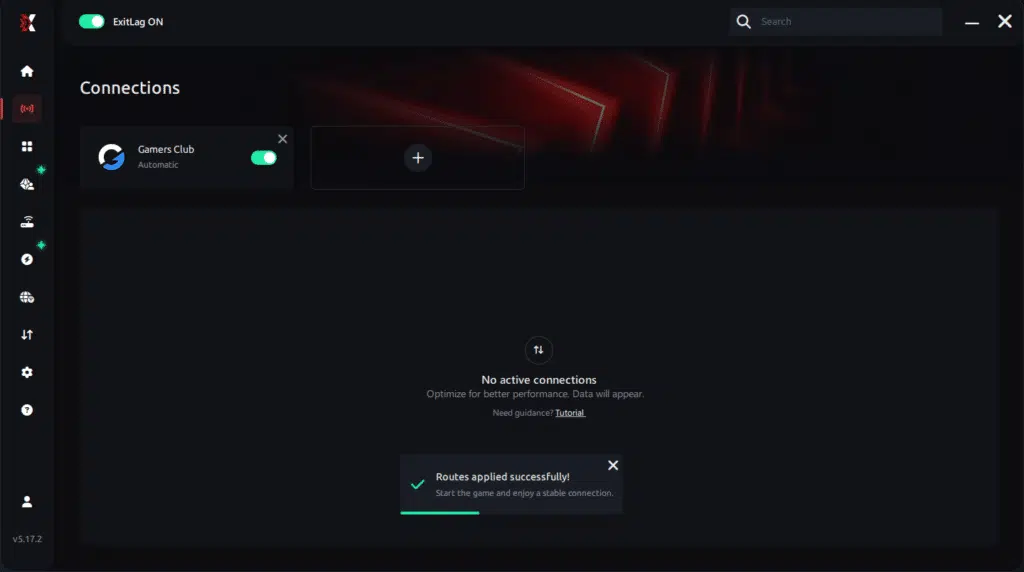
Step 7 – Launch gamers club normally. The optimization will already be active.
ExitLag runs in the background while you play, constantly adjusting routes to maintain the best possible performance.
Why ExitLag fixes gamers club lag
Gamers Club requires quick reactions and consistent communication with the server. Instability affects duels, positioning, and hit registration, all of which impact your ranking. Therefore, ExitLag ensures a smoother, more reliable path to the GC servers. Like this, your gameplay becomes more responsive and predictable.
However, ExitLag also stabilizes packet flow, which is essential for FPS players who rely on precise timing. When packet delivery is stable, your shots register correctly, and enemy movements appear accurate and predictable. Like this, your gameplay becomes more responsive and reliable in every situation. Finally, using ExitLag helps you maintain the competitive consistency needed to climb ranks and win more matches.
Eliminate lag permanently
Lag should never determine the outcome of your matches. With ExitLag, you secure stable routing, lower ping, and reliable communication with the server. Finally, you can experience competitive gameplay without interruptions or delay. Start your free trial and upgrade your experience by eliminating Gamers Club Lag once and for all.
However, the true advantage of ExitLag is how consistently it maintains server communication during intense gameplay. Even in peak hours, the optimized routes prevent sudden spikes, packet loss, or unpredictable delays that normally break your rhythm. Like this, you gain the stability needed to react faster, register cleaner shots, and maintain full control in every duel. Therefore, ExitLag becomes an essential tool for players who want reliable performance in every Gamers Club match.
Got questions or want to connect with other players? Join the conversation at the ExitLag Forum!