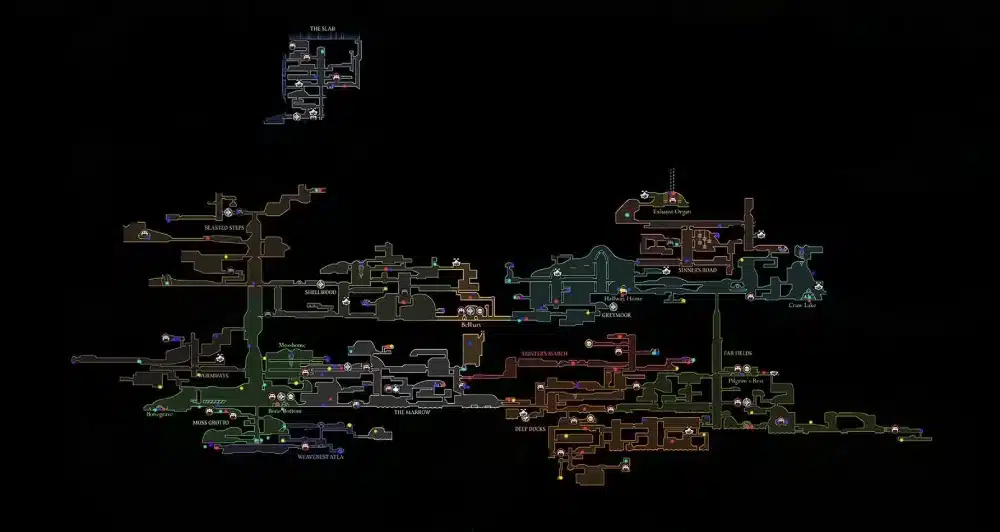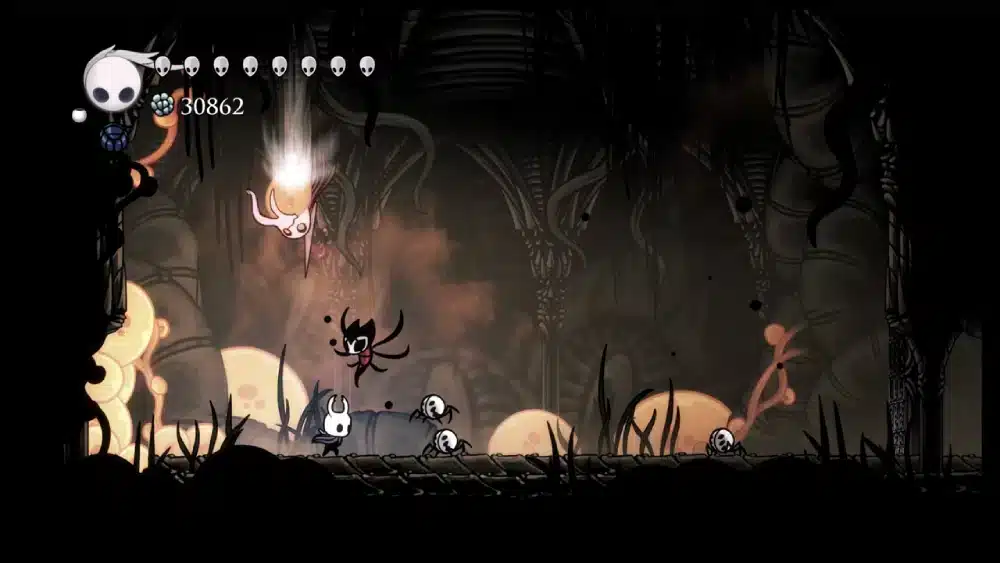
Hollow Knight mods can transform Hallownest into a more flexible, replayable, and personalized adventure. From visual skins and quality-of-life tools to randomizers, boss practice features, and multiplayer experiments, the modding scene keeps Team Cherry’s metroidvania alive for players who want more after finishing the base game.
Hollow Knight mods are especially popular because the community has built tools that make installation easier than traditional manual modding. Instead of moving every file yourself, many players use a Hollow Knight mod manager like Lumafly or Scarab to browse, install, enable, disable, and update mods with less friction. Lumafly describes itself as a cross-platform mod manager for Hollow Knight and notes that it was formerly known as Scarab+.
Hollow Knight mods are still unofficial, so players should understand what they are installing before changing game files. Good Hollow Knight modding habits include backing up saves, using trusted tools, checking dependencies, avoiding outdated mods, and testing one mod at a time before building a large mod list.
In this guide, you will learn what mods do, how Hollow Knight mod installation works, which Hollow Knight mod loader and manager tools are commonly used, what types of Hollow Knight custom content are worth trying, and how ExitLag can help when playing online multiplayer mods.
What are Hollow Knight mods?

Hollow Knight mods are community-made changes that add, alter, or expand parts of the game. Some mods are small quality-of-life tweaks. Others add custom skins, randomizer logic, new systems, multiplayer support, or tools for practice and routing.
Because Hollow Knight is a single-player game by default, most mods focus on replayability and customization. Players use them to reduce travel time, train for boss fights, change the Knight’s appearance, create randomized runs, or experiment with fan-made content.
Why players use Hollow Knight mods
Players use Hollow Knight mods for different reasons. A casual player may only want a new skin or easier navigation. A speedrunner may want routing tools. A veteran may want randomizer settings that make every playthrough feel new.
Common reasons include:
- Adding quality-of-life features.
- Practicing bosses and Pantheons.
- Changing character skins.
- Randomizing item locations.
- Trying fan-made challenges.
- Playing multiplayer experiments.
- Testing glitches or routes.
- Extending replay value after completion.
The biggest appeal is flexibility. Mods let players adjust the experience without waiting for official updates.
Are Hollow Knight mods official?
No. Hollow Knight mods are community-made and not officially supported by Team Cherry. That does not mean they are automatically unsafe, but it does mean players should install them carefully.
A safe modding setup should include:
- A backup of your save files.
- A trusted mod manager.
- Mods from recognized community sources.
- Updated dependencies.
- A clean game install when troubleshooting.
- No random executable files from unknown sources.
Nexus Mods also hosts Hollow Knight mods, with its Hollow Knight page listing a dedicated mod section for the game.
How do you install Hollow Knight mods?
The easiest way to install Hollow Knight mods is to use a dedicated mod manager. Manual installation is possible, but it is easier to make mistakes with folders, dependencies, and updates.
For most players, the best starting point is Lumafly or Scarab. Lumafly is commonly described as a modern installer and manager for Hollow Knight mods, while Scarab’s GitHub page describes it as a mod manager designed to make installing Hollow Knight mods easier.
Hollow Knight mod installation steps
A basic Hollow Knight mod installation process looks like this:
- Back up your save files.
- Make sure Hollow Knight is installed and runs normally.
- Download a trusted Hollow Knight mod manager.
- Move the mod manager out of your Downloads folder.
- Open the manager.
- Point it to your Hollow Knight install if needed.
- Browse available mods.
- Install required dependencies.
- Install the mods you want.
- Launch Hollow Knight and test.
After installation, Scarab’s README notes that installed mods appear in the top-left corner of the game title screen.
Hollow Knight mod loader and dependencies
A Hollow Knight mod loader helps the game load community-made code. Many mods also require dependencies, which are support libraries that other mods need to work.
Common dependency or framework names you may see include:
- Satchel.
- ItemChanger.
- MenuChanger.
- Vasi.
- RandomizerCore.
- ModCommon.
- Benchwarp, depending on randomizer setups.
The Hollow Knight Randomizer setup guide notes that installing Randomizer 4 through Scarab also installs dependencies such as Benchwarp, ItemChanger, MenuChanger, QoL, RandomizerCore, and Vasi.
Do not ignore dependencies. If a mod requires one and it is missing, the game may crash, freeze, or fail to load the mod.
What is the best Hollow Knight mod manager?
The best Hollow Knight mod manager for most players is usually Lumafly or Scarab. Both are designed to simplify installation, but Lumafly is often described by the community as a more modern continuation of Scarab+.
Lumafly’s site says it is a Hollow Knight mod loader, installer, and manager, and it also says it provides access to more than 300 mods. Scarab remains a known installer as well, with active releases and updates on GitHub.
Lumafly vs Scarab
Here is a simple comparison:
| Tool | Best for | Notes |
| Lumafly | Most modern users | Cross-platform manager, formerly Scarab+ |
| Scarab | Established mod installation | GitHub-based mod manager with active releases |
| Manual install | Advanced users | More control, more risk |
| Nexus Mods | Browsing individual mods | Good archive, but still check compatibility |
If you are new to Hollow Knight modding, start with a manager. It reduces folder mistakes and helps with dependencies.
When manual installation makes sense
Manual installation makes sense only if:
- A mod is not listed in your manager.
- The author provides manual instructions.
- You understand the Hollow Knight install folders.
- You are troubleshooting a specific setup.
- You are testing development builds.
For most players, manual installation is not necessary. A good Hollow Knight mod manager is safer and faster.
What are the best Hollow Knight mods?
The best Hollow Knight mods depend on your goals. Some players want convenience. Others want challenge. Some want cosmetics. Others want custom systems or multiplayer.
A balanced starter mod list should avoid heavy overhauls at first. Start with a few stable quality-of-life mods, then add randomizers, skins, or multiplayer later.
Quality-of-life and practice mods
Popular quality-of-life mods include:
| Mod type | What it helps with |
| Benchwarp | Fast travel between benches |
| DebugMod | Practice, testing, teleporting, and tools |
| QoL mods | Small convenience features |
| ItemChanger | Item and logic changes for custom runs |
| Map or tracker tools | Routing and completion support |
These mods are useful because they do not necessarily change the core identity of Hollow Knight. They help you practice, navigate, or experiment.
For example, Benchwarp is useful when you want to reduce travel time. Debug tools are useful for testing bosses, speedrun practice, or returning to specific rooms.
Randomizer and custom content mods
Randomizer mods are among the most replayable forms of Hollow Knight custom content. They shuffle item locations, progression, or other elements so every run feels different.
Randomizer runs are popular because they create new routing decisions. Instead of knowing exactly where to go, you must adapt based on what items appear and which paths open.
Common randomizer-related content includes:
- Item randomizer.
- Room or transition randomizer.
- Enemy randomizer.
- Logic settings.
- Tracker support.
- Race settings.
- Chaos-style runs.
If you are new to randomizers, start with easier settings. Extreme randomizer setups can trap or confuse players who do not know Hallownest well.
What types of Hollow Knight custom content can you use?
Hollow Knight custom content can include skins, UI changes, gameplay changes, practice tools, randomizer logic, multiplayer systems, and fan-made expansions or arenas. Not every mod adds new areas, but even small cosmetic changes can make a replay feel fresh.
The best approach is to choose mods by category instead of installing everything at once.
Skin and visual mods
Skin mods change the Knight’s appearance. Some let you play with custom sprites, recolors, or character-inspired designs. These mods are often cosmetic, which makes them a good starting point for new mod users.
Common visual mod ideas include:
- Custom Knight skins.
- Hornet-inspired skins.
- Zote-inspired skins.
- Cloak recolors.
- UI themes.
- Sprite swaps.
- Custom companion sprites.
Cosmetic mods are usually lower-risk than gameplay overhauls, but you should still check compatibility.
Multiplayer and experimental mods
The most well-known multiplayer project is HKMP. The HKMP GitHub page describes it as a multiplayer mod for Hollow Knight that lets people host games and allow others to join them in their adventures.
Multiplayer is exciting, but it has limits. Hollow Knight was not designed as a native online co-op game, so multiplayer mods can have bugs, desyncs, or incomplete synchronization.
Use multiplayer mods with the right expectations:
- They are unofficial.
- They may require setup.
- They can desync.
- They may not sync every event perfectly.
- They work best with friends who understand mod limitations.
- They may require Discord or setup guides.
The HKMP site also provides setup guide links, Discord access, public server status, and related resources.
How do you avoid problems when modding Hollow Knight?

Most Hollow Knight modding problems come from outdated mods, missing dependencies, conflicting mods, corrupted files, or unsafe downloads. A careful setup prevents most issues.
Before installing anything, decide whether you want a light modded setup or a heavy custom run. Installing too many mods at once makes troubleshooting harder.
Safety checklist before installing mods
Use this checklist:
- Back up your saves.
- Download tools from official GitHub pages or trusted sites.
- Use Lumafly or Scarab when possible.
- Read mod descriptions.
- Check dependencies.
- Install one mod at a time.
- Test after each major change.
- Avoid outdated mods.
- Keep a clean backup of the game.
- Do not use random files from unknown links.
This is especially important for Hollow Knight mod installation because one broken dependency can make the game fail to launch.
Troubleshooting common issues
If Hollow Knight crashes after installing mods, try this:
- Disable recently installed mods.
- Check missing dependencies.
- Update the mod manager.
- Verify game files through Steam.
- Remove outdated mods.
- Test with only one mod enabled.
- Restore your save backup if needed.
- Ask in modding communities with a clear error description.
Common causes include:
- Old mod versions.
- Mod conflicts.
- Wrong game version.
- Broken dependencies.
- Manual installation mistakes.
- Save data affected by gameplay mods.
Do not delete your saves in panic. Back up first, then troubleshoot.
How can ExitLag help with Hollow Knight mods?
ExitLag does not install Hollow Knight mods, increase FPS, fix broken dependencies, or make offline mods run better. Most Hollow Knight gameplay is offline, so a connection optimizer will not affect normal single-player boss fights, skins, or randomizer logic.
However, ExitLag can help when you use online systems connected to Hollow Knight mods, especially multiplayer mods like HKMP or online randomizer races where connection stability matters.
When ExitLag can help
ExitLag can help in situations where network stability affects the experience, such as:
- HKMP multiplayer sessions.
- Online co-op exploration.
- Community races.
- Remote multiplayer events.
- Connections to hosted mod servers.
- Playing with friends in another region.
- Reducing packet loss in online sessions.
For multiplayer mods, lag can cause:
- Delayed movement.
- Desync.
- Failed joins.
- Disconnects.
- Inconsistent player positions.
- Poor co-op timing.
ExitLag helps optimize the route between your connection and supported game servers or online paths. It does not fix mod bugs, but it can reduce connection-related issues when the mod depends on online play.
When ExitLag will not help
ExitLag will not solve:
- Missing mod dependencies.
- Broken save files.
- Single-player FPS drops.
- Texture errors.
- Randomizer logic issues.
- Crashes from incompatible mods.
- Offline boss practice lag.
- Bad manual installation.
For those issues, use mod manager updates, dependency checks, clean installs, or community support.

FAQ
Are Hollow Knight mods safe?
Hollow Knight mods can be safe if you download them from trusted sources and use recognized tools like Lumafly or Scarab. Always back up your saves first and avoid random downloads from unknown sources.
What is the best Hollow Knight mod manager?
Lumafly is one of the most recommended modern options. Its site describes it as a mod loader, installer, and manager for Hollow Knight, formerly known as Scarab+. Scarab is also a known Hollow Knight mod installer with active GitHub releases.
How do I install Hollow Knight mods?
For most players, the easiest Hollow Knight mod installation method is to download Lumafly or Scarab, open the manager, select mods, install dependencies, and launch the game.
Can I use Hollow Knight mods on console?
No, standard Hollow Knight modding is generally for PC versions. Console versions do not support the same mod loader and file access.
What is the Hollow Knight multiplayer mod?
HKMP is a multiplayer mod that lets players host Hollow Knight games and allow others to join their adventures. It is unofficial and can have limitations or desyncs.
What Hollow Knight mods should beginners try first?
Beginners should start with lighter mods like Benchwarp, Custom Knight-style skins, or simple quality-of-life tools. After that, try Randomizer or multiplayer once you understand installation and dependencies.
Start modding Hollow Knight safely
Hollow Knight mods are one of the best ways to revisit Hallownest after finishing the base game. You can add skins, practice tools, fast travel options, randomizers, multiplayer experiments, and other community-made features that keep the adventure fresh.
The safest way to begin is simple: back up your save, install a trusted Hollow Knight mod manager, add only a few mods at first, and test your setup before building a larger list. If you want replayability, try randomizers. If you want style, try skins. If you want convenience, try quality-of-life tools. If you want online play, explore HKMP with realistic expectations.
Hollow Knight mods can make the game feel new again, but good setup matters. Use trusted tools, check dependencies, avoid outdated files, and try ExitLag when playing online multiplayer mods or community races where connection stability can make the difference between a smooth session and a frustrating desync.