Learning how to get better at Fortnite requires more than improving aim or copying the settings of a professional player. Consistent progress comes from combining mechanical practice, positioning, map awareness, inventory management, decision-making, and a control setup that feels reliable.
Understanding the foundations of Battle Royale makes how to get better at Fortnite much easier to approach. Our complete Fortnite Battle Royale guide explains the core structure of a match, including landing, looting, storm movement, combat, and the goal of becoming the last player or team standing.
The most effective answer to how to get better at Fortnite is to identify one weakness at a time and practice it intentionally. A player who trains aim for 20 minutes but repeatedly takes poor fights may improve more slowly than someone who combines mechanical drills with smarter rotations and match reviews.
Fortnite changes frequently. Weapons, mobility options, locations, items, and competitive rules can rotate between updates. Therefore, strong players do not depend on one permanent strategy. They learn transferable skills that remain useful even when the loot pool or map changes.
What should you practice first in Fortnite?
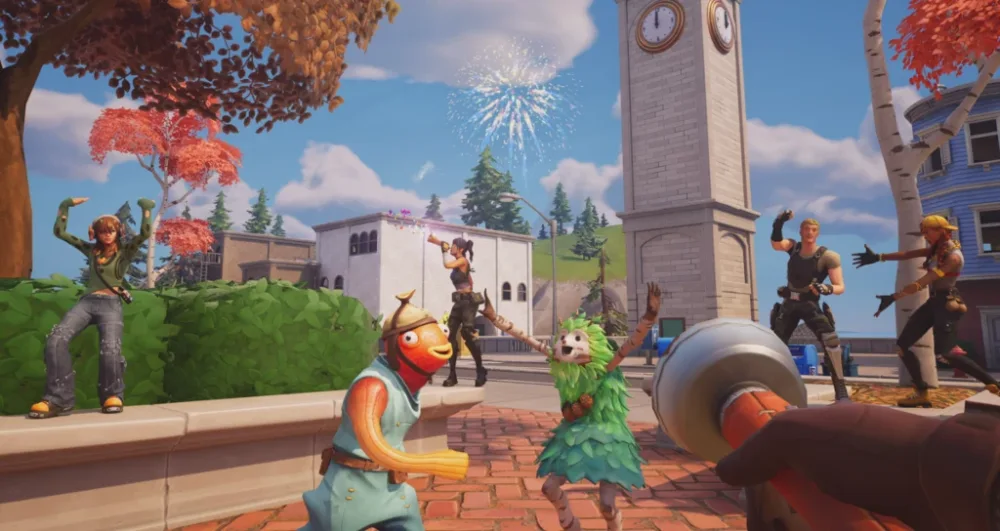
Before learning advanced edits or complicated movement techniques, build a stable foundation. Your controls should feel predictable, your crosshair should remain under control, and you should understand what you are trying to accomplish during each stage of a match.
Many beginners searching for how to play Fortnite focus immediately on eliminations. However, surviving longer and making better decisions usually creates more useful practice than repeatedly landing in the busiest location and being eliminated before collecting a complete loadout.
Create consistent controls and settings
There is no universal sensitivity that works for every Fortnite player. Mouse size, desk space, controller deadzones, screen dimensions, frame rate, platform, and personal coordination all affect what feels comfortable.
Choose a sensitivity that allows you to turn quickly without losing control during small aiming adjustments. Once it feels usable, avoid changing it after every difficult match. Constant adjustments prevent muscle memory from developing.
Controller players should test available presets and custom mappings. Builder Pro can provide a practical starting point for Build mode, while custom controls allow important actions to be placed on buttons that are easier to reach.
Useful setup priorities include:
- Keeping frequently used actions accessible.
- Separating actions that cause input conflicts.
- Adjusting stick deadzones only when necessary.
- Using a clear HUD without hiding essential information.
- Choosing stable graphics settings over unnecessary visual detail.
- Maintaining a consistent frame rate whenever possible.
- Testing changes in a low-pressure training environment.
One of the most useful Fortnite tips is to change only one or two settings at a time. Play several matches before deciding whether the adjustment helped. Otherwise, it becomes difficult to identify which change affected your performance.
Players who are still learning weapons, healing items, inventory slots, and controls can use this Fortnite guide for beginners as a starting point. Building basic familiarity before focusing on advanced techniques makes the process of learning how to get good at Fortnite less overwhelming.
Develop aim and movement together
Aim is not only the ability to move a crosshair onto an opponent. Good accuracy also depends on positioning, movement, weapon range, timing, and choosing shots that are likely to connect.
Keep your crosshair near the height where an opponent is likely to appear. Looking at the ground while moving forces you to make a larger correction when a fight begins.
Practice both tracking and flicking. Tracking means following a moving target continuously, while flicking involves making a fast adjustment toward a target before firing.
Your movement should support your aim. Jumping constantly can make your own shots less predictable, while standing still makes you an easier target. Use strafing, crouching, sprinting, sliding, mantling, and cover according to the situation rather than repeating one movement automatically.
A short training routine may include:
- Five minutes of smooth tracking.
- Five minutes of close-range shotgun practice.
- Five minutes of target switching.
- Five minutes of movement combined with shooting.
- Several realistic fights against other players.
Do not measure practice only by how many targets you hit. Look at whether your crosshair placement, movement, and weapon timing are becoming more controlled.
How do you play Fortnite more consistently?
Consistency means making reliable decisions even when the match does not provide your preferred weapon, landing area, or storm position. It does not mean winning every fight.
Understanding how to play Fortnite consistently requires a plan for the early, middle, and late stages of a match. Each stage creates different risks, and treating every moment like an immediate fight leads to unnecessary eliminations.
Improve your landing and early game
Choose a small group of landing locations instead of selecting a completely different area every match. Repetition helps you learn chest locations, floor loot, nearby cover, rotation routes, vehicles, and common enemy paths.
A good landing location should provide:
- Enough loot for your team size.
- Several potential weapon spawns.
- Healing or shield opportunities.
- Cover from nearby opponents.
- More than one escape route.
- A practical path toward the next zone.
Pay attention while gliding. Count nearby players and identify where they are landing. This information helps you decide whether to contest a building, collect a safer weapon first, or rotate away.
Prioritize a functional inventory rather than searching indefinitely for perfect rarity. A lower-rarity weapon you can use immediately is more valuable than an empty slot while another player is approaching.
These early-game Fortnite tips also apply to both Build and Zero Build:
- Pick up a close-range and medium-range weapon.
- Carry healing or shields.
- Reload before leaving a safe area.
- Avoid standing still while organizing inventory.
- Listen for footsteps, gliders, vehicles, and gunfire.
- Mark useful items for teammates.
- Leave before the storm forces a predictable rotation.
The goal of the early game is to become prepared without taking unnecessary damage. Every shield item used after a careless fight is one less resource available later.
Rotate before the storm creates pressure
Late rotations can force players through open areas while opponents are already waiting inside the safe zone. Moving earlier provides more time to choose cover, avoid crowded routes, and respond to unexpected fights.
Before rotating, check the map and consider:
- The distance to the next zone.
- Available mobility.
- Terrain and elevation.
- Nearby teams.
- Likely congestion points.
- Your current health and resources.
- Whether your loadout supports close or long-range fights.
Players learning how to get better at Fortnite should avoid chasing every sound of gunfire. A fight that begins outside the safe zone can become a loss even when you eliminate the first opponent.
Third-party opportunities can be useful, but timing matters. Entering too early may cause both teams to focus on you. Waiting too long may allow the surviving players to heal, reload, and reposition.
When a fight becomes unfavorable, disengaging is a valid decision. Use movement, natural cover, structures, vehicles, or changes in elevation to break line of sight.
Connection problems can make these decisions harder by causing delayed movement, unstable interactions, or sudden ping spikes. Our guide on how to fix lag and ping spikes in Fortnite explains how to separate network issues from local performance problems.
How do you build effectively in Fortnite?
Players asking how to build in Fortnite should begin with practical defensive structures rather than advanced sequences created mainly for mechanical demonstrations.
Building is valuable because it can create cover, change elevation, block shots, protect a revive, separate enemies, and provide safer angles. Speed matters, but placing the correct structure is more important than producing several unnecessary builds.
Learn the essential building actions
The first skill is placing a wall quickly when an opponent fires. From there, add a ramp, floor, or roof according to the direction of the threat.
A basic defensive box uses walls around the player with protection above. It creates a moment to heal, reload, assess the enemy, or prepare an edit.
The most important early techniques include:
- Placing a wall between you and incoming fire.
- Using ramps to gain controlled elevation.
- Creating a complete defensive box.
- Protecting yourself from attacks above and below.
- Editing a safe opening before taking a shot.
- Resetting an edit after using it.
- Moving between connected boxes.
- Replacing damaged structures when appropriate.
Avoid opening an edit while your crosshair is poorly positioned. A window provides little value when the opponent is already aiming at the opening.
Right-hand peeks are generally safer because of the game’s camera position. Create angles that expose less of your character while allowing you to see and shoot the opponent.
Fortnite also offers Simple Edit as a more accessible way to perform certain building edits. It can help players understand common edit results, although it is not available in competitive game modes. Players preparing for competitive play should also learn standard editing controls.
Practice builds in realistic sequences
Practicing isolated edits can improve speed, but real matches require several skills to work together. Combine building, editing, shooting, resetting, and repositioning.
A useful practice sequence is:
- Place a wall after an imagined incoming shot.
- Add a ramp or complete a box.
- Position the crosshair before editing.
- Open a safe angle.
- Fire one controlled shot.
- Reset the edit.
- Move to another position.
Once this feels comfortable, practice against real opponents in Creative experiences designed for box fighting, build fights, or realistic combat.
Players researching how to build in Fortnite often spend too much time learning flashy high-ground retakes before mastering resource management. In Battle Royale, materials are limited. A mechanically impressive sequence can leave you without enough resources for the next fight.
Track how many materials you have before committing to a build battle. If the opponent repeatedly climbs while consuming resources, remaining lower and creating a strong defensive position may be more effective.
The official Fortnite website provides current information about Battle Royale seasons, modes, events, and major gameplay changes. Checking current updates is important because building rules, items, and competitive formats can change.
How can you improve at Fortnite Zero Build?
Fortnite Zero Build removes player-built structures, but it does not remove strategy. Without instant walls, positioning errors become more difficult to correct.
Players must make stronger use of natural cover, terrain, mobility, vehicles, buildings, and the environment. Aim remains important, but awareness and route selection often determine whether a fight begins from an advantageous position.
Use cover and terrain before shooting
Before attacking, identify where you will move if the opponent returns fire. A good position includes both an offensive angle and a defensive option.
Useful cover may include:
- Rocks and trees.
- Buildings and doorways.
- Hills and terrain changes.
- Vehicles.
- Indestructible objects.
- Ridges that hide most of the character.
- Temporary defensive or mobility items available in the current loot pool.
Avoid crossing open areas without a plan. Sprinting directly toward the next zone may be fast, but it can expose you to several teams.
Move between pieces of cover rather than treating the entire rotation as one path. Pause briefly to scan the next area before leaving protection.
One of the most important Fortnite Zero Build habits is controlling elevation. High ground improves visibility and can make opponents expose more of their bodies while aiming upward.
However, a high position without cover can still be dangerous. Do not remain on a visible hilltop when several teams can target you.
Choose fights that fit your loadout
Inventory choices influence the distance at which you should fight. A close-range loadout loses value when you challenge a well-positioned opponent across an open field.
A balanced Zero Build inventory commonly needs:
- A reliable close-range weapon.
- A medium-range option.
- Healing or shields.
- Mobility or defensive utility.
- Ammunition for the chosen weapons.
Exact items change between seasons, so focus on functions rather than permanent weapon names.
In teams, avoid standing in the same location as every teammate. A small spread creates additional angles, but moving too far apart prevents players from supporting one another.
Communicate useful details:
- Enemy location.
- Approximate damage dealt.
- Shield status.
- Available cover.
- Movement direction.
- Whether another team is approaching.
- When you need to heal or reload.
Players searching for how to get good at Fortnite should practice both individual survival and team coordination. Strong aim cannot compensate for repeatedly fighting alone while teammates are too far away to help.
For a broader overview of Fortnite’s development, modes, and place within the wider game platform, the history of Fortnite and its major releases provides additional context.
How can match reviews help you improve faster?
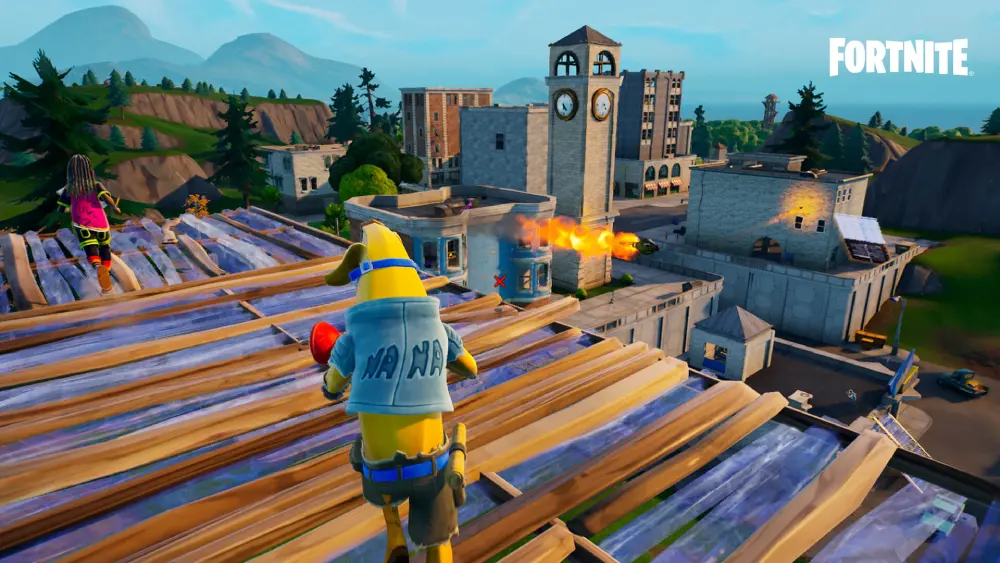
A match contains more useful information than the final elimination count. Reviewing how and why you lost can reveal repeated problems that are difficult to notice while playing.
Learning how to get better at Fortnite becomes easier when each mistake produces a specific change in future behavior. General conclusions such as “my aim was bad” are less useful than identifying the exact decision that created the difficult shot.
Review the moments before each elimination
The final shot is rarely the only reason a player loses. Look at the previous 20 to 60 seconds.
Ask:
- Did I enter the fight without full health?
- Was my weapon reloaded?
- Did I have an escape route?
- Was I outside the safe zone?
- Did I ignore another nearby team?
- Did I abandon cover?
- Did I use too many materials?
- Did I challenge the wrong weapon range?
- Was my teammate ready?
- Did I repeat a predictable edit or peek?
These questions turn mistakes into practical Fortnite tips. For example, “I missed a shotgun shot” may be true, but the larger mistake could be opening an edit while the opponent was already aiming at it.
Watch the opponent’s perspective when possible. An angle that felt safe from your view may have exposed most of your character.
Record repeated problems. If several eliminations happen during late storm rotations, aim training is unlikely to solve the main issue. Your next practice goal should involve earlier movement and route planning.
Build a sustainable practice routine
A training routine should be focused enough to produce progress but short enough to repeat consistently.
A practical session might include:
| Activity | Suggested focus |
| Warm-up | Controlled aim and movement |
| Mechanical practice | Builds, edits, or close-range fights |
| Battle Royale matches | Decision-making and adaptation |
| Zero Build matches | Cover, movement, and positioning |
| Replay review | One or two repeated mistakes |
| Cooldown | A lower-pressure match or short break |
The exact duration depends on your available time. A focused 45-minute session can be more useful than several hours of unfocused matches.
Avoid measuring progress only through wins. Track smaller improvements, such as:
- Surviving the initial landing more consistently.
- Taking less damage before firing back.
- Reaching the safe zone earlier.
- Using cover before healing.
- Completing simple edits without panic.
- Maintaining a balanced inventory.
- Communicating more clearly.
- Recognizing when to disengage.
This is the most reliable way to understand how to get good at Fortnite. Improvement is usually a collection of small habits rather than one dramatic change.
How can ExitLag help with Fortnite?
ExitLag does not improve aim, build automatically, provide items, change matchmaking, increase FPS, or make strategic decisions. Its role is limited to network optimization for supported online traffic.
When learning how to get better at Fortnite, players should separate mechanical mistakes from connection problems. Training is necessary for skill development, while routing tools are relevant only when the network path is unstable or inefficient.
Identify genuine network-related problems
Potential connection symptoms include:
- High or unstable ping.
- Packet loss indicators.
- Delayed building placement.
- Rubber-banding.
- Sudden movement corrections.
- Disconnections.
- Inconsistent interaction response.
- Noticeable latency spikes at certain times.
ExitLag analyzes available network routes and may direct supported traffic through a more stable path. This can help reduce instability when the default route between the player and Fortnite services is inefficient.
Results depend on the player’s internet provider, region, local network, destination, and available routes. A routing service cannot guarantee lower ping or eliminate every connection problem.
Test the connection under comparable conditions. Use the same region, similar time of day, and several matches before deciding whether a route is more stable.
Understand what ExitLag cannot fix
ExitLag cannot solve every performance issue. It does not fix:
- Low FPS caused by limited hardware.
- Controller drift.
- Incorrect sensitivity.
- Poor positioning.
- Missed edits.
- Server-wide outages.
- Problems caused by game updates.
- Damaged files.
- Unsupported devices.
- Another player’s connection.
- Weak Wi-Fi inside the home.
If Fortnite freezes while the ping remains stable, investigate hardware, drivers, storage, graphics settings, or background applications. If the character teleports while packet loss appears, the problem is more likely to involve the connection.
Players can test ExitLag when network instability is interfering with Battle Royale or Fortnite Zero Build. The goal is to find a more stable route, not to replace practice or guarantee competitive results.
Frequently asked questions
The following answers summarize the main steps for players learning how to get better at Fortnite across Build and Zero Build modes.
Begin with controls, crosshair placement, basic movement, inventory management, and safer landing locations. Do not try to learn every advanced mechanic at the same time.
Follow a small group of practical Fortnite tips, play several matches, and review which mistakes happen repeatedly. Add more advanced skills after the basic actions feel comfortable.
There is no universal timeline. Progress depends on previous gaming experience, practice quality, platform, available time, goals, and the skills being trained.
A player may improve basic survival quickly while needing much longer to develop advanced building, editing, and competitive decision-making.
Use short, consistent practice sessions that combine tracking, flicking, close-range shooting, and movement. Keep your sensitivity stable long enough to develop control.
Practice inside Fortnite whenever possible so weapon behavior, movement, and field of view match the real game.
Start with walls, ramps, boxes, safe edits, and resets. Then combine those actions with shooting and movement.
Players learning how to build in Fortnite should prioritize protection and useful angles before advanced build-fight sequences.
Fortnite Zero Build removes the mechanical requirement to create structures, making it easier for some beginners to enter. However, it demands strong use of natural cover, terrain, mobility, positioning, and aim.
Neither mode is automatically easy at higher skill levels. They reward different abilities.
Consider your health, shields, weapons, ammunition, position, storm timing, nearby teams, and available escape routes.
A fight is usually more favorable when you begin with cover, information, and an advantage rather than reacting from an exposed position.
Professional settings can provide a reference, but copying them does not guarantee improvement. Equipment, hand movement, platform, and personal comfort vary.
Use settings that allow both fast turns and controlled aiming, then practice consistently before making additional changes.
The fastest sustainable method is focused repetition. Learn one landing area, one practical loadout structure, a few essential mechanics, and basic rotation principles.
Understanding how to play Fortnite becomes easier when each session has one clear goal rather than trying to improve everything simultaneously.
ExitLag does not teach mechanics or strategy. It may help optimize the network route when ping variation, packet loss, or routing instability is affecting online play.
Results depend on the network and available routes, so players should test their own connection rather than expecting guaranteed improvement.
Learning how to get better at Fortnite is a long-term process built through aim practice, smarter decisions, useful building, effective cover, match reviews, and consistent controls. Choose one weakness to train today, apply it in real matches, and test ExitLag when connection instability is preventing your practice from translating reliably into online gameplay.
All game images used in this article belong to their respective owners. They are used for informational and educational purposes only and do not imply endorsement or affiliation with the rights holders.