Buying a game that turns out to be broken, boring, or simply not what you expected happens to everyone eventually. Fortunately, How To Refund A Game On Steam is a genuinely simple process once you know the rules.
Valve built a fairly generous refund system compared to many other digital storefronts. However, missing the eligibility window means losing that option entirely.
If you need the short version right now: request the refund through your account's purchase history, state your reason, and Valve typically processes eligible requests within days. The full official rules live on Valve's own Steam Refunds policy page.
Notably, subscription-based content and certain marketplace items follow separate rules entirely, so it is always worth double-checking the specific policy for that purchase type before assuming standard terms apply.
How To Refund A Game On Steam: The Basic Requirements
Before requesting anything, it helps to confirm your purchase actually qualifies. Steam's policy is generous but not unlimited. Here are the core eligibility rules most refunds depend on.- The purchase must be within 14 days of the transaction.
- The game must have less than 2 hours of total playtime.
- The request applies to games, DLC, in-game purchases, and some bundles.
- Certain exceptions exist for pre-orders and early access titles.
How Do I Refund A Game On Steam Step By Step
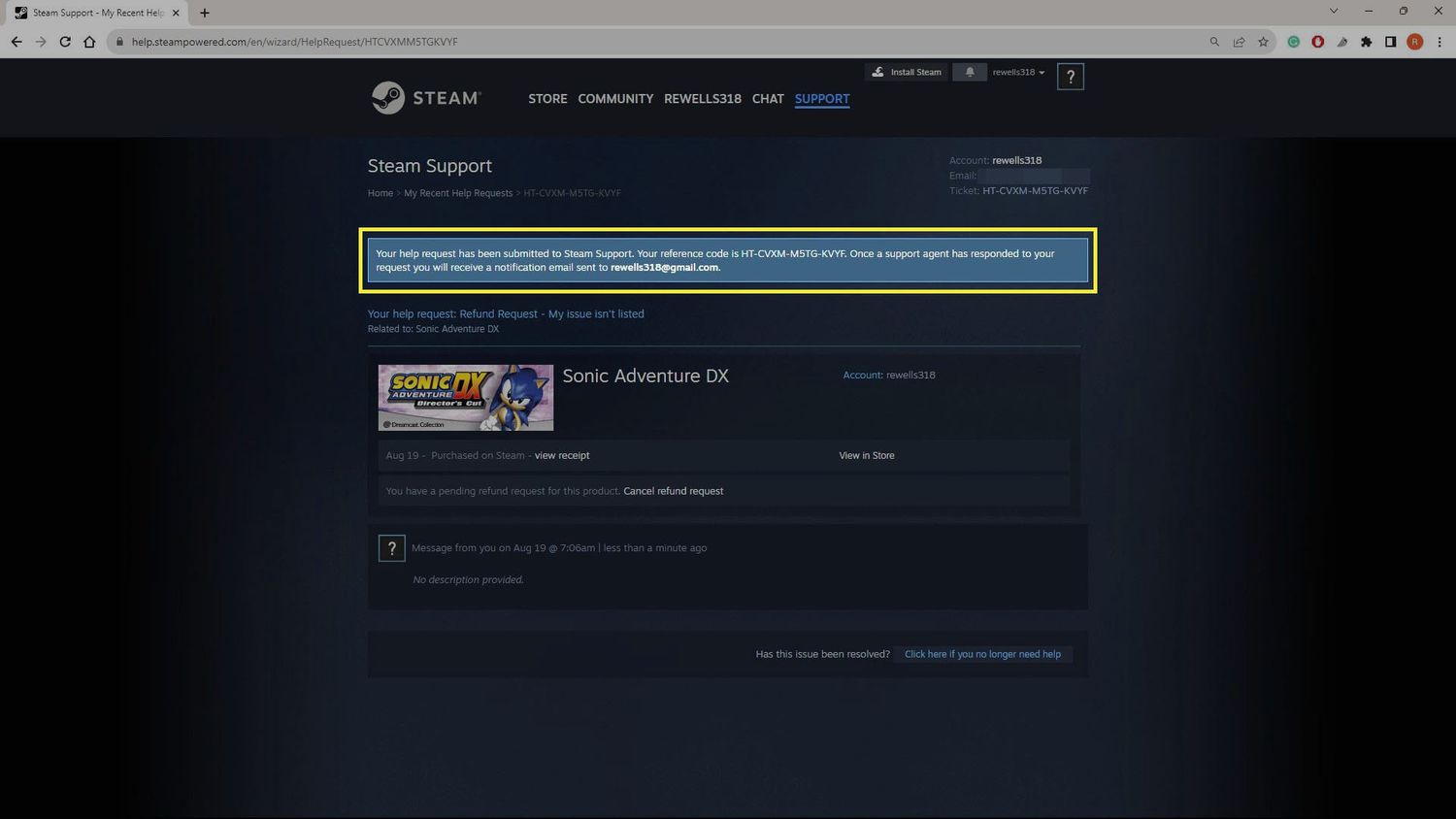
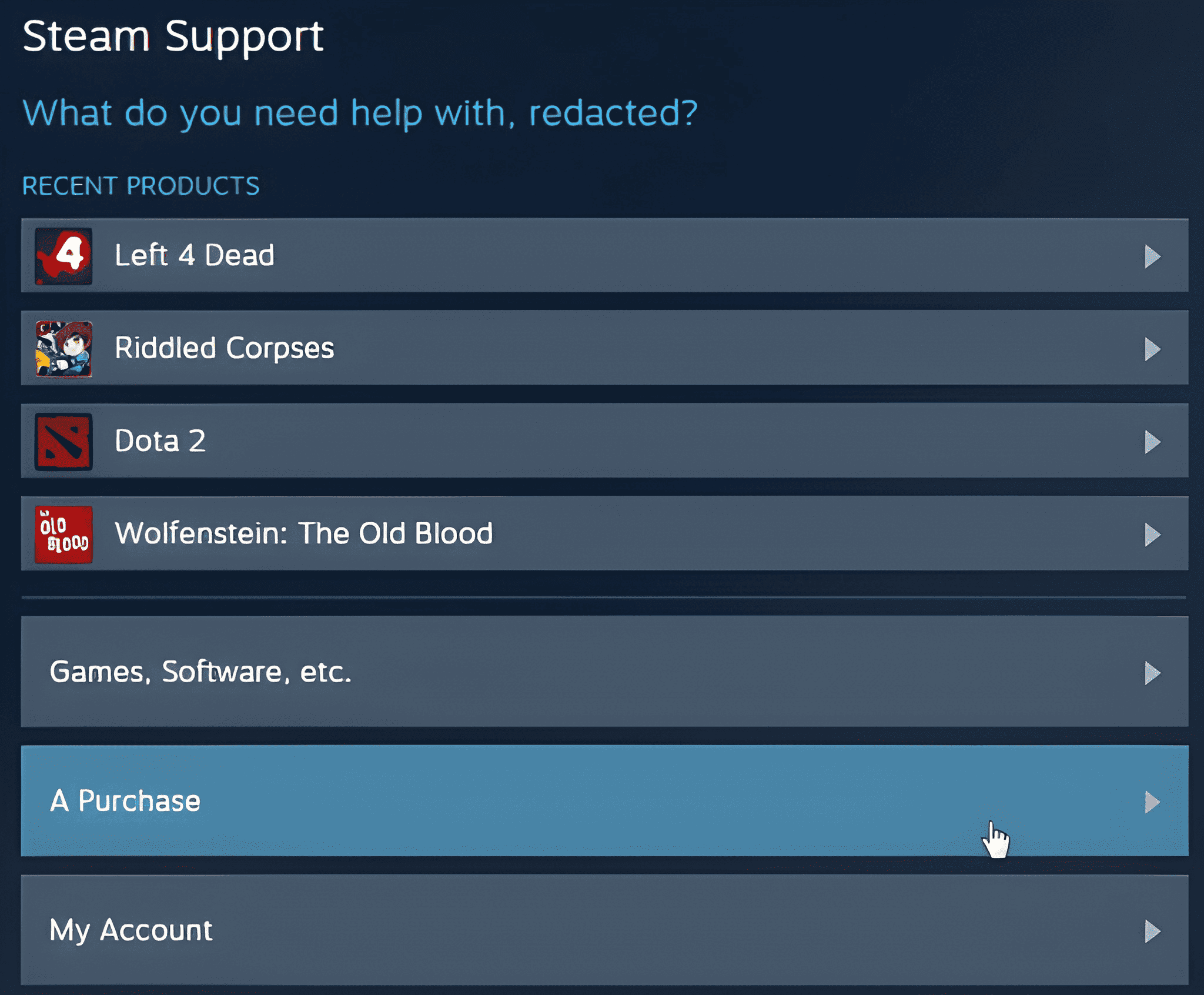
To actually submit the request, open your account's Help page, select the purchase in question, and choose the refund option presented. Steam then asks for a brief reason before finalizing the request. Typically, approved refunds return to your original payment method or Steam Wallet within a few business days. The exact form your refund takes usually depends on which option you selected during the request itself.How To Refund Steam Games Bought As Gifts
Refunding a gifted game works slightly differently depending on whether it has been activated yet. If unactivated, the purchaser can usually request the refund directly. However, once a gift has been redeemed and played, the same 14-day and 2-hour rules typically apply as with any other purchase. In that case, the refund itself is usually issued as Steam Wallet funds to the original purchaser rather than the recipient.How Long Does A Steam Game Refund Actually Take
Most approved refunds process within one to three business days once submitted correctly. However, payment providers can occasionally add extra delay before funds actually appear. Notably, refunds to Steam Wallet are typically the fastest option, since no external bank transfer is involved at all.Can You Refund A Game On Steam After The Time Limit?
Sometimes, yes. Valve does review requests outside the standard window on a case-by-case basis, particularly for technical issues that made the game genuinely unplayable. Therefore, it is always worth submitting a request even if you are slightly outside the normal rules, as long as your reasoning is honest and clear. Valve's support team reviews these manually, so a well-explained case has a real chance even past the standard cutoff. Here is a quick sequence to follow if you are outside the standard window.- Check your exact purchase date and playtime first.
- Submit the request anyway through the standard Help page flow.
- Clearly explain the technical issue or reason in your own words.
- Wait for Valve's manual review rather than assuming automatic denial.
- Follow up politely if you do not hear back within a reasonable time.
Steam Refund Game Requests For Early Access Titles
Early access titles follow the same base rules, but ongoing major updates sometimes reset expectations around what "broken" means. Reviewers tend to weigh whether the core issue was a known limitation of early access itself. Because early access games are explicitly labeled as unfinished, Valve generally expects a higher tolerance for missing features. A genuinely game-breaking crash, however, is still treated as valid grounds for a refund regardless of the early access label.How Can You Refund Games On Steam Bought During A Sale
Sale purchases follow identical refund rules to full-price purchases. The discount itself does not shorten or extend your eligibility window in any way. This applies during major storewide sales too, when purchase volume spikes significantly. Valve's automated system processes eligible requests the same way regardless of how the game was bought, discounted or not.Comparing Steam's Refund Rules By Purchase Type
The table below breaks down how refund eligibility typically differs across purchase types.| Purchase Type | Standard Window | Playtime Limit | Notes |
|---|---|---|---|
| Full Game | 14 days | 2 hours | Standard policy applies |
| DLC | 14 days | 2 hours | Base game must also be considered |
| In-Game Purchase | 48 hours (varies) | Not applicable | Some purchases are final sale |
| Pre-Order | Until release, or 14 days after | 2 hours after release | Special pre-order rules apply |
Pro Tips: Getting A Steam Game Refund Approved Faster
- Be specific about the issue: Vague complaints slow down manual reviews, while specific technical details speed things up.
- Submit early, not last minute: Requesting near the very end of the window leaves no buffer if extra review is needed.
- Keep screenshots of bugs handy: Visual proof strengthens borderline cases significantly.
- Avoid excessive refund requests: A pattern of frequent refunds can eventually trigger stricter account review from Valve.
Common Mistakes Players Make When They Refund Steam Game Purchases
- Playing past the 2-hour limit before deciding: Many players lose eligibility simply by testing too long. Fix: decide within the first hour whenever possible.
- Assuming DLC follows the base game's window: DLC has its own separate 14-day clock. Fix: track DLC purchase dates independently.
- Forgetting bundle-specific rules: Refunding one item in a bundle can affect the whole purchase. Fix: read bundle terms before requesting a partial refund.