

Knowing how to use Pirate Shop Token matters if you've found one of the rarest rewards in Fortnite's Treasure Hunters season. The item unlocks special access to the Pirate Shop, but you'll need to activate it before you can take advantage of the benefit.
With Pirate Shop Access, players can claim eligible cosmetics from the Item Shop without spending V-Bucks for 14 consecutive days. However, that doesn't mean everything in the shop becomes free.
The key to understanding how to use Pirate Shop Token is knowing when to activate it. The 14-day countdown begins when you confirm activation, not when you find the token in a chest. That's why it's worth checking the Item Shop rotation before making your decision.
How does Pirate Shop Access work in Fortnite?
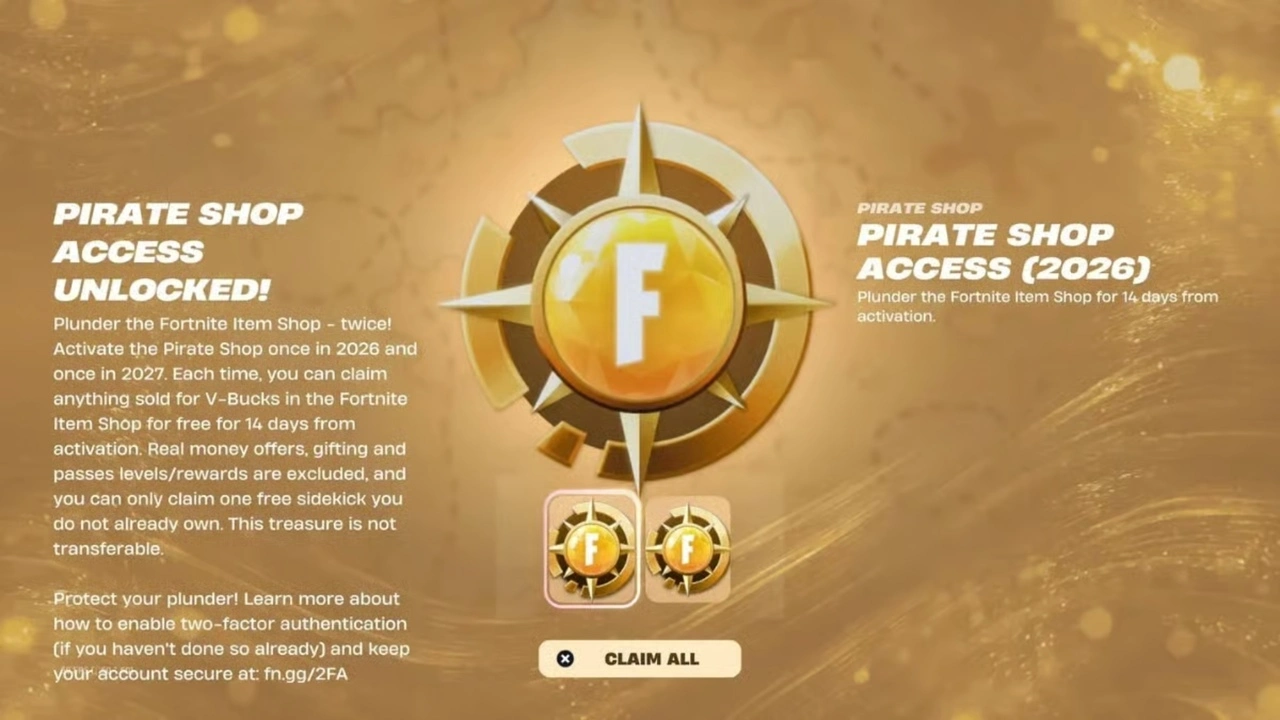
Pirate Shop Access is a rare reward found in Battle Royale chests during the Treasure Hunters season. According to guides from Dot Esports and GAMES.GG, players who obtain it receive separate opportunities to use Fortnite's Pirate Shop in 2026 and 2027.
Once activated, participating cosmetics appear as free-to-claim offers during the 14-day window. You must select each reward you want in the Item Shop. Cosmetics successfully claimed during that time remain in your account's Locker after access expires.
Epic Games has also published the odds of finding Pirate Shop Access: 1 in 137,500 per chest opened in regular matches. That drop rate doesn't guarantee you'll get the reward after opening any particular number of chests. This guide assumes you've already found the token.
How to activate Pirate Shop Token in the Item Shop
Activation takes place within Fortnite. The available guides and screenshots use English menu labels, which may differ depending on your game's language and version.
- After finding Pirate Shop Access, return to the Fortnite lobby.
- Open the Item Shop from the main menu.
- Look for the Pirate Shop option, labeled Plunder the Item Shop or Plunder the Shop in published guides.
- Open the activation screen and read the terms displayed for your account.
- When you're ready to start the benefit, select Activate Now to begin the 14-day countdown.
- Find the eligible offers marked as free and confirm each cosmetic you want to claim.
What happens after activation?
Your access lasts for 14 consecutive days. New eligible items may become available as the Item Shop rotates, but cosmetics are not added to your account automatically just because they appear during your access period.
If a skin leaves the rotation before you claim it, that offer is no longer available. In other words, seeing an item in the shop isn't enough. You must complete the claim while it's still eligible.
Which skins and cosmetics can you claim?
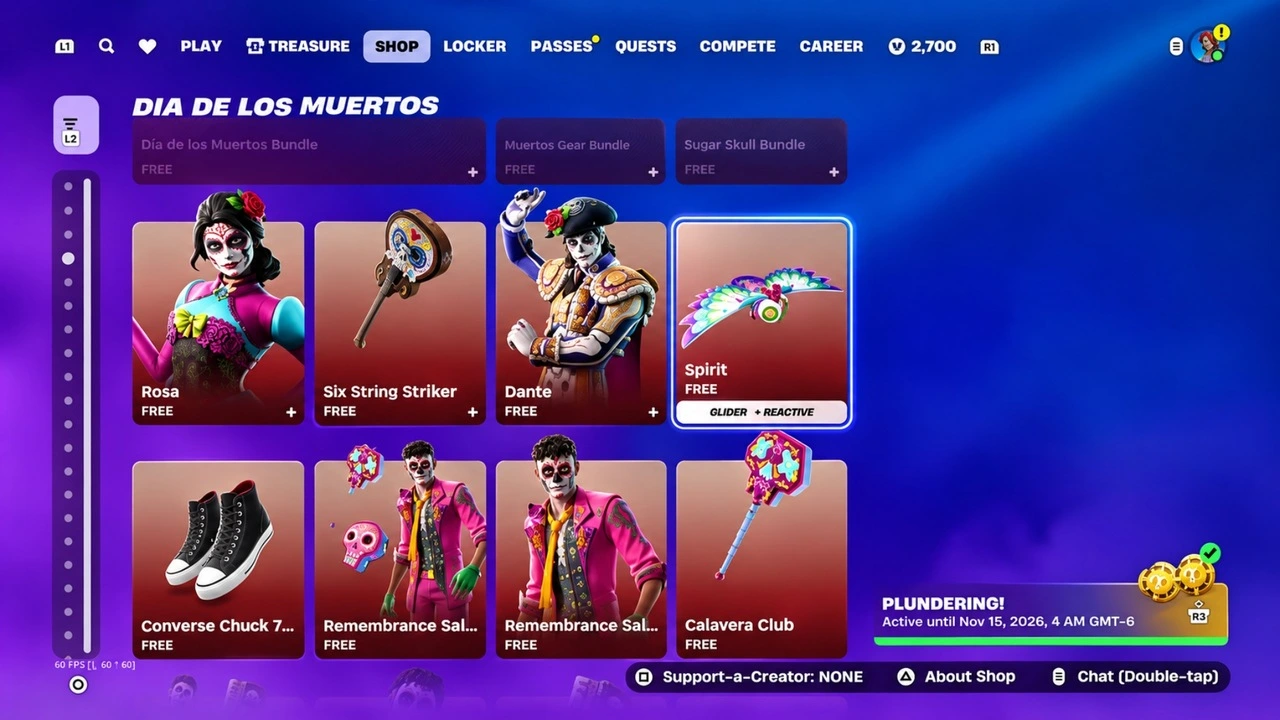
The benefit primarily covers eligible cosmetics sold for V-Bucks in the Item Shop. What you can claim depends on both the Pirate Shop Access rules and the offers available in each rotation.
| Category | Availability with Pirate Shop Access | Key condition |
| Outfits and collaboration skins | Eligible when included in the offer | Must be available in the Item Shop |
| Pickaxes, Back Blings, and Gliders | Eligible when included in the offer | Must be claimed within the 14-day window |
| Emotes, music, and other cosmetics | Eligible when included in the offer | Check that the offer is marked free |
| Sidekicks | Subject to additional restrictions | Check limits and ownership rules in-game |
| Real-money bundles and V-Bucks purchases | Excluded | Not eligible cosmetic claims |
| Gifts to other accounts | Excluded | Claims are for your own account |
| Passes and pass levels | Excluded | Not unlocked by Pirate Shop Access |
What's excluded from the benefit?
The important difference is between eligible Item Shop cosmetics and other types of Fortnite purchases. The token doesn't turn real-money offers, subscriptions, gifts, or passes into free items.
The guides reviewed also disagree on how many Sidekicks can be claimed. Because of that, it's best not to assume a specific limit. Check the conditions shown in Fortnite before confirming a selection from this category.
Pirate Shop Token deadlines for 2026 and 2027
To understand how to use Pirate Shop Token across both years, you need to treat the activation windows separately. Each one provides 14 days after activation. They don't combine into a single 28-day period in one year.
| Access period | Activation window reported by guides | Duration after activation |
| First access in 2026 | November 1 to December 15, 2026 | 14 days |
| Second access in 2027 | January 1 to December 15, 2027, according to Dot Esports | Another 14 days |
Two independent activation windows
Using your 2026 access doesn't consume the 14 days reserved for 2027. You also can't bring the second window forward and use it during 2026.
Important: December 15, 2026 is the deadline reported by the guides reviewed, but you should check the exact cutoff time on Fortnite's official activation screen. The 2027 window should also be verified again when that year's terms become available in-game.
When should you activate Pirate Shop Token?

The best time depends on which cosmetics you want and how much time you have left before the activation deadline. Because the Item Shop rotates, activating immediately won't be the right choice for every player.
Tips for making the most of your 14 days
- Check the shop first: see whether any outfits, emotes, or accessories you want are among the eligible offers.
- Watch when offers rotate out: an item might disappear before your 14-day access ends.
- Log in regularly: new cosmetics may appear during your active window, and each one must be claimed manually.
- Check the price at confirmation: proceed only when the benefit clearly marks the item as free.
- Don't miss the activation deadline: saving your token can make sense, but waiting past the cutoff risks losing that year's access.
Epic Games says the Item Shop changes regularly and doesn't guarantee that any particular cosmetic will return. Waiting for a skin you want is therefore a strategic choice, not a guarantee that it will appear before your deadline.
FAQ: How to use Pirate Shop Token
Does the 14-day timer start as soon as I find the token?
No. The countdown starts when you confirm activation in the Item Shop. Finding the reward doesn't automatically start your claim window.
Can I get every Fortnite skin for free with Pirate Shop Access?
No. You can only claim eligible cosmetics that appear in the Item Shop during your active access period. Certain purchases are excluded, and some categories have additional limits.
Do claimed cosmetics disappear after 14 days?
No. Cosmetics successfully claimed remain in your Locker. What ends after 14 days is your ability to claim additional items through that activation window.
Can I use my 2027 access during 2026?
No. The guides describe two separate windows, one for each year. The access reserved for 2027 must be used during its corresponding period.
Do I need to activate my 2026 token right away?
No, but you should keep the reported December 15, 2026 deadline in mind. Before activating, check the exact date and time shown in Fortnite, along with the offers you want to claim.