
Flames in MapleStory aren’t just random enhancements—they’re a critical component of gearing that can dramatically boost your character’s effectiveness. Whether you’re new to the game or pushing into late-game content, understanding how to optimize these bonuses is vital. That’s where tools like the MapleStory flame calculator come into play.
These calculators provide data-driven insights into how your flames rank compared to optimal values, saving you from wasting rare resources. With the right approach, you can turn average gear into game-changing assets by leveraging flame score calculations.
To see another example of advanced in-game systems, players often look up guides like how do you summon Riche in MapleStory, which break down specific mechanics in the same detail-oriented way.
What is the MapleStory flame calculator?
The MapleStory flame calculator is a specialized tool that measures the value of flame stats on your equipment. It calculates a total score based on predefined weightings, allowing you to compare enhancements objectively. This helps you determine whether to keep your current gear or reroll for better stats.
How does ExitLag help?
While flames enhance your stats, ExitLag enhances your game experience. By optimizing your connection routes, ExitLag reduces lag spikes and stabilizes ping—giving you an edge during grind-heavy sessions and boss fights. Flames make your character stronger; ExitLag makes your gameplay smoother.
What Are Flames in MapleStory?

Flames are enhancement items that add bonus stats to equipment, acting as an additional layer of gear customization. There are different types of flames:
- Powerful Rebirth Flame
Adds high-tier random stats. Best used on mid-to-endgame gear. - Eternal Rebirth Flame
Guarantees top-tier stats. Ideal for BiS (Best-in-Slot) equipment. - Red/Black Flames (Event/Exchange versions)
Varying effectiveness depending on event rules or item types.
Flames differ from cubes in one major way: cubes reroll potentials, while flames modify bonus stats that appear in a separate section of the item’s tooltip. These bonuses can include:
- Flat stat increases
- Percentage-based boosts
- Attack and magic attack
- HP/MP increases
- Boss or critical damage (specific items)
Bonus stats are also affected by the level difference bonus—higher-level gear receives better flame rolls.
For broader game context, some players also explore features like the MapleStory M no daily task update, which shows how different systems simplify or expand daily gameplay loops across versions of the game.
Technical Flame Terminology:
- Tier (T1–T7): Indicates the quality of stat lines rolled.
- Level Difference Bonus: Higher level equipment gets stronger flame options.
- Stat Weighting: Not all stats contribute equally to the flame score.
- Flame Advantage: Certain gear has access to higher stat rolls.
How Do You Use the MapleStory Flame Calculator?

Using a MapleStory flame calculator is straightforward and immensely valuable.
Here’s a step-by-step guide to calculating flame score:
- Open the calculator
Choose a reliable flame calculator compatible with your region (e.g., GMS, KMS, etc.). - Input flame stats from your gear
Enter values like main stat, attack power, all stat %, etc. - Select your class and equipment level
These factors influence the weighting used to calculate the score. - Evaluate your total flame score
The calculator will display a score—compare it against known benchmarks. - Decide to keep or reroll
If your score is below expectations, consider using another flame.
Key Benefits of the Flame Calculator:
- Prevents resource waste on suboptimal gear.
- Saves time during event flame spamming.
- Offers class-specific optimization strategies.
- Helps maintain progress consistency across gear.
For those leveling aggressively, advanced guides like the Sol Janus MapleStory EXP guide complement flame optimization by ensuring your stat boosts align with efficient progression.
Comparable Tools:
While many players also use a MapleStory cube calculator or MapleStory star force calculator, these tools serve entirely different systems. Avoid mixing their purposes to stay focused on flame-specific upgrades.
How to Interpret the Flame Score
Interpreting flame scores is key to understanding how well your gear is optimized.
The flame score is a numeric representation of all stats gained from flames, weighted by relevance to your class. The higher the score, the better the flame.
What is a good flame score in MapleStory?
A “good” flame score depends on your equipment type and progression stage:
- Midgame Gear: Aim for functional bonuses to carry through dailies and bosses.
- Endgame Gear: Focus on peak stats only—often requiring T6 or T7 rolls.
For official resources, always keep the Nexon MapleStory homepage bookmarked. It’s the hub for announcements, patches, and links to tools that support systems like flames and cubes.
Recommended Flame Score Ranges by Progression:
| Stat Category | Midgame Gear (Score Range) | Endgame Gear (Score Range) |
| Attack Power | 8 | 15 |
| Main Stat % | 6 | 12 |
| All Stat % | 4 | 10 |
| HP/MP % | 3 | 6 |
| Secondary Stat | 5 | 9 |
These values give a general idea of what to target, although exact goals vary by class and weapon type.
How to Calculate Flame Score in MapleStory
This process can be done manually or automatically through tools. If you're calculating it yourself:
- Identify which stats matter (e.g., STR for Hero, INT for Bishop).
- Assign weights based on your class meta (e.g., Attack Power might be ×2).
- Apply the formula:
Score = (Stat1 × Weight1) + (Stat2 × Weight2) + ...
Example:
A Hero with:
- +30 STR (Weight: 1)
- +12% All Stat (Weight: 2)
- +10 Attack Power (Weight: 2.5)
Would get:
Score = (30 × 1) + (12 × 2) + (10 × 2.5) = 30 + 24 + 25 = 79 Flame Score
What Are the Best Practices for Optimizing Flames?
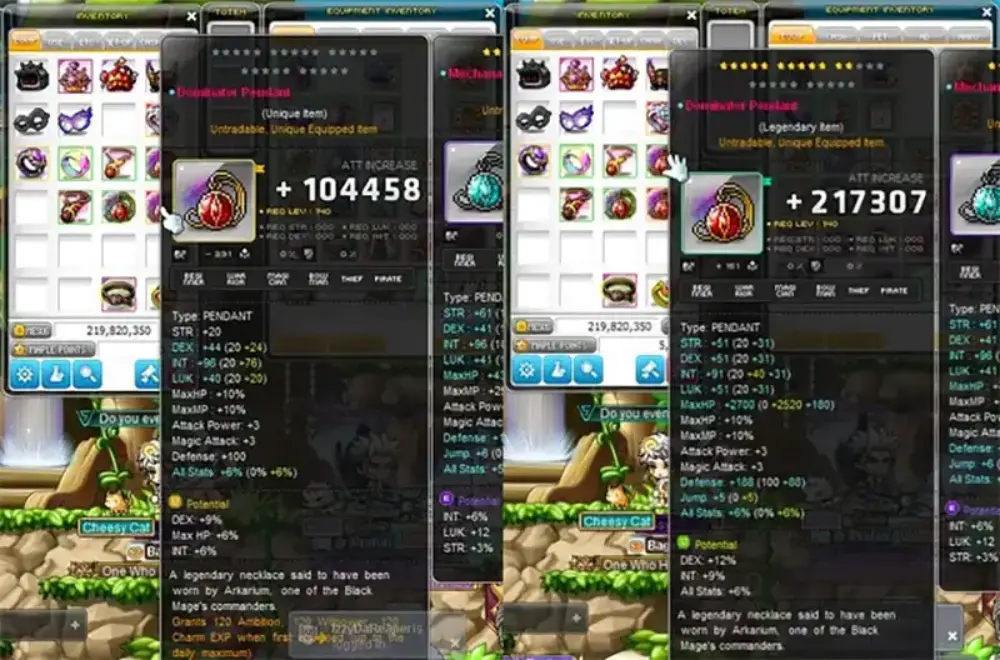
Optimizing flames in MapleStory isn’t just about hitting high numbers—it’s about strategy, timing, and efficiency. The right moves can save you billions of mesos and rare consumables.
Should you use flames or cubes?
Use flames when:
- The item has flame advantage (e.g., boss gear, event gear).
- You’re optimizing bonus stats, not potential lines.
- You’re targeting flat stats and attack power boosts.
Use cubes when:
- You're trying to get Legendary tier potentials.
- You need to reroll for specific potential lines like Boss Damage or Crit Rate.
- You’re preparing gear for late-game min-maxing.
For players just getting started, Nexon also provides a dedicated MapleStory quick start guide with basics on account creation, early gear, and first steps into the world—perfect for those who want to learn flames alongside other core systems.
When to flame gear:
- Prioritize BiS gear: Use Eternal Flames on gear you won’t replace.
- Flame during events: Look for Sunny Sundays, Miracle Time, and events that offer discounted flames or increased stat tiers.
- Evaluate before flaming: Use a flame calculator to check if the gear has potential for improvement.
What Stats Matter Most by Class?
Different classes benefit from different stat priorities. Here's a breakdown:
- Warrior Classes (Hero, Dark Knight, Paladin)
- Focus: STR, HP, Attack Power
- Archer and Pirate Classes (Bowmaster, Corsair)
- Focus: DEX, Critical Rate, Attack Power
- Mage Classes (Bishop, Ice/Lightning)
- Focus: INT, Magic Attack, MP
- Thief Classes (Night Lord, Dual Blade)
- Focus: LUK, Avoidability, Attack Power
- Xenon
- Balanced: STR/DEX/LUK, All Stat %, HP
Flame Selection Tips:
- Always flame items with flame advantage
- Use event flames on valuable gear only
- Keep backup gear to test flame values risk-free
Strategic Optimization Checklist:
- Identify BiS (Best-in-Slot) targets
- Use calculator to measure current flame score
- Reroll only if score < benchmark
- Avoid flaming gear close to obsolescence
- Flame before cubing to avoid wasting cube potential
How Do Advanced Players Use the MapleStory Flame Calculator?

At the top level, players optimize every line of gear. This is where advanced use of the MapleStory flame calculator becomes critical.
Compare combinations, not just totals
A flame score of 90 might look good—but if 30% comes from HP and your class doesn’t need it, it’s inefficient. Elite players compare flame combinations to see which offers the best damage gain per point.
Understand Tiers (T1–T7)
Each stat line has a tier. Higher tiers = better rolls. Tiers depend on:
- The level of the equipment
- Whether it has flame advantage
- The type of flame used
Advanced players:
- Track T6/T7 rolls manually
- Save flames for high-tier rerolls only
- Use spreadsheets or automation to record flame outcomes
Flame Tier Examples:
| Tier | Main Stat Roll | All Stat % | Attack Power |
| T7 | +87 | 10% | +43 |
| T6 | +75 | 8% | +38 |
| T5 | +60 | 7% | +32 |
Top Strategies Used by Pros:
- Combine flame calculator with DPS calculators
- Save flames during off-events; use during burst periods
- Reroll only for triple-stat lines when necessary
Frequently Asked Questions (FAQ)
Use a flame calculator by inputting stat bonuses. It weighs them based on your class and returns a total score. Manual formulas are also available using multipliers per stat.
A good score varies by gear level. Midgame gear may range between 40–70; endgame targets often exceed 90–120, depending on class and stat alignment.
Yes. Always enter your class, gear type, and current stat lines. Compare the score to benchmark values for your progression stage. Re-roll only when improvement is statistically likely.
Flames are gear enhancements that apply bonus stats. They differ from cubes by affecting a separate stat pool and use different mechanics and materials.
Higher level gear and gear with flame advantage can receive better flame stat lines. Equipment type affects the max tier possible for each stat.
Conclusion: Why the MapleStory Flame Calculator is a Must-Have Tool

Flaming gear is one of the most resource-intensive systems in MapleStory—but also one of the most rewarding. With the MapleStory flame calculator, you take the guesswork out of enhancement and make informed decisions that maximize every flame used.
Don’t just hope for good rolls. Know what you’re aiming for, and hit it with precision.
Use ExitLag to enhance your grinding sessions.
Pairing optimized gear with a lag-free experience gives you the ultimate edge—whether you’re farming, bossing, or just flexing your stats.
Get ExitLag now and experience smoother gameplay while you flame, cube, and grind like a pro.



