MapleStory hit registration can become frustrating when an attack appears on screen but the expected damage or combat feedback seems delayed, inconsistent, or absent. However, what looks like a missed hit does not automatically prove there is a problem with the game server.
Understanding MapleStory hit registration requires separating several possibilities. Attack and Hit behavior, connection latency, network instability, low FPS, game mechanics, and an actual bug can sometimes create similar symptoms from the player's perspective.
What causes MapleStory hit registration problems? There is no single universal cause. Players should first determine whether the behavior is reproducible, specific to one skill or enemy, connected to poor performance, or associated with unstable online responsiveness before deciding what needs to be fixed.
This distinction prevents unnecessary troubleshooting. Changing graphics settings will not repair a network route, while optimizing a connection cannot rewrite an incorrectly functioning game mechanic.
Therefore, the best approach is systematic. Reproduce the problem, isolate its symptoms, check official information, and only then decide whether local troubleshooting, Bug Reporting, or connection optimization makes sense.
MapleStory Hit Registration: What Does It Actually Mean?
What players mean by hit registration
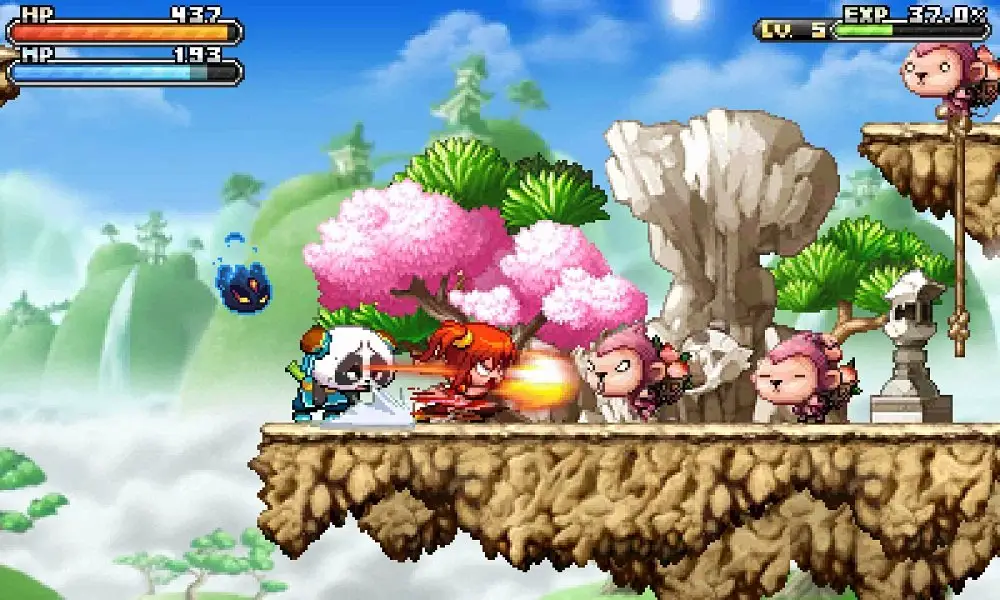
"Hit registration" is a useful player-facing term, but it can describe several observations.
A player may activate a skill and expect an enemy to take damage immediately. If that feedback appears later than expected or does not appear at all, the natural conclusion is that the attack did not register.
Possible observations include:
- Attack feedback appearing delayed.
- Expected damage not appearing.
- A skill behaving inconsistently.
- One monster seemingly reacting differently.
- Combat feeling less responsive than usual.
- Problems appearing only in certain situations.
These observations are useful when troubleshooting, but they do not reveal the cause by themselves.
For example, a visual stutter could delay what you see without necessarily demonstrating a network failure.
Likewise, unusual behavior involving one specific skill may deserve a different investigation from several online interactions becoming delayed simultaneously.
Attack animation vs. confirmed game result
An animation appearing on your screen and the complete outcome of a game interaction should not automatically be treated as the same technical event.
Games contain multiple systems responsible for inputs, animations, attacks, interactions, damage, effects, and other results.
For players, these systems normally appear to work together seamlessly.
When something becomes delayed or behaves unexpectedly, however, the difference becomes more noticeable.
This is why a player should describe exactly what happened instead of simply reporting "hit registration is broken."
Did the attack animation play? Did damage appear? Was the monster vulnerable? Did other attacks work? Did the problem repeat?
Those details help narrow the investigation.
Attack and Hit: Understanding the Concepts in MapleStory Worlds
AttackComponent and HitComponent
The official MapleStory Worlds Creator Center provides a useful technical reference for understanding that an attack and a hit can be represented as distinct concepts in game logic.
MapleStory Worlds' API documentation includes components associated with attacking and being hit, including AttackComponent and HitComponent.
This separation is useful conceptually.
An attack represents an action or process associated with attacking, while hit-related logic deals with interactions resulting from attacks according to the implementation of a particular World.
However, there is an important limitation.
The MapleStory Worlds Creator Center documents tools for creating experiences in MapleStory Worlds. It should not be treated as documentation of Global MapleStory PC's internal production architecture.
Therefore, we can use it to understand general Attack and Hit concepts without claiming that Global MapleStory processes every combat interaction in exactly the same way.
Why Attack and Hit are different concepts
From a general game-development perspective, initiating an attack and determining its result are not necessarily one indivisible operation.
A simplified conceptual sequence could look like this:
- A player activates an attack.
- The game evaluates the relevant interaction.
- Hit-related logic determines an applicable result.
- Damage or another effect is processed.
- Visual and gameplay feedback is presented.
The exact implementation depends on the game or MapleStory World.
This distinction becomes useful when diagnosing perceived MapleStory hit registration problems because seeing the first part of an interaction does not necessarily tell the player everything that happened during later stages.
For MapleStory Worlds creators, the Creator Center documentation provides tools for understanding and implementing this logic.
For regular Global MapleStory players, troubleshooting focuses more on observation and reproduction because players cannot directly inspect the production game's internal code.
Why MapleStory Hit Registration Can Feel Delayed
Network latency and instability
MapleStory is an online game, so network conditions can affect the overall responsiveness of online interactions.
Latency describes delay associated with data traveling through a network. Meanwhile, connection instability can produce inconsistent behavior rather than one predictable level of delay.
Potential network-related symptoms can include:
- Delayed online feedback.
- Inconsistent responsiveness.
- Connection interruptions.
- Disconnects.
- Problems that change with network conditions.
However, do not immediately conclude that every unusual hit is caused by ping.
If only one skill behaves strangely while everything else remains responsive, investigating the skill or current game behavior may be more useful.
On the other hand, if several online interactions become inconsistent at the same time, connection conditions become more relevant.
Client performance and visual delays
Local performance can create another source of confusion.
Suppose your computer experiences severe frame drops during combat. The attack may appear visually delayed because frames are not being displayed smoothly.
From the player's perspective, this can feel like bad hit registration.
Yet lowering network latency will not necessarily fix low FPS.
Watch for signs such as:
- Choppy animations.
- Frame drops.
- Temporary freezes.
- Slideshow-like gameplay.
- Stuttering during intensive effects.
- Performance degradation in crowded situations.
If these symptoms occur at the same time as the perceived attack delay, investigate local performance before blaming the connection.
Is It a MapleStory Bug or a Connection Problem?
Signs worth investigating as a bug
A bug becomes more plausible when you can reproduce the same incorrect behavior under consistent circumstances.
For example, imagine one specific skill repeatedly produces an unexpected result against the same type of target while other skills continue functioning normally.
That pattern provides useful evidence.
Look for circumstances such as:
- One specific skill repeatedly behaves unexpectedly.
- The problem began after a game update.
- The same steps reproduce the behavior.
- Other players can reproduce the same interaction.
- The problem happens regardless of connection conditions.
- Official Known Issues mention similar behavior.
Before reporting a problem, check MapleStory's current Known Issues and update information.
The behavior you discovered may already be under investigation.
Signs worth investigating as connection instability
Connection problems often produce a broader pattern.
Instead of one particular skill failing under repeatable conditions, several online interactions may feel inconsistent.
You might notice delayed responses alongside other connectivity symptoms.
A useful comparison is:
| Symptom | Possible Area to Check | First Test |
| Delayed combat feedback | Network responsiveness | Check connection consistency |
| Choppy attack animation | PC/FPS performance | Monitor visual performance |
| One skill repeatedly fails | Skill/game behavior | Reproduce the interaction |
| Issue started after an update | Possible game issue | Check official notices |
| Multiple online actions feel delayed | Network path | Test connection conditions |
| MapleStory Worlds attack behaves incorrectly | World implementation | Review creator logic |
| Repeatable unexplained behavior | Possible bug | Document and report |
These are starting points, not definitive diagnoses.
A proper test should always come before a conclusion.
How to Test MapleStory Hit Registration Problems
Reproduce the issue consistently
Good troubleshooting turns a vague problem into a repeatable scenario.
Instead of saying "my attacks sometimes don't register," collect information about exactly when the behavior appears.
Use this process:
- Identify the affected skill.
- Record which monster or boss is involved.
- Note the map or activity.
- Repeat the same interaction.
- Check whether the problem happens consistently.
- Test another attack under similar conditions.
- Test another enemy or map.
- Restart MapleStory.
- Repeat the original interaction.
- Check official Known Issues and recent update information.
You can then add network testing if the symptoms suggest connection instability.
The more consistently you can reproduce the behavior, the more useful your information becomes.
Change one variable at a time
Controlled testing matters.
Imagine you restart MapleStory, change your graphics settings, update Windows, change network configuration, switch maps, and alter several game settings simultaneously.
If the problem disappears, you have no idea why.
Instead, change one meaningful variable.
If the behavior occurs only against one boss, test another enemy. If it occurs only with one skill, test comparable attacks.
If every online interaction becomes delayed, test your connection.
This approach makes Bug Reporting more useful because you can provide actual reproduction information rather than assumptions.
MapleStory Worlds Creator Center and Hit Detection
What creators can learn from official documentation
The MapleStory Worlds Creator Center provides documentation for building custom experiences within MapleStory Worlds.
Its resources cover components, services, events, game logic, entities, and other development concepts. Applied creation materials also help creators understand how different systems can be implemented.
For a creator investigating Attack and Hit behavior, these resources are much more relevant than general player troubleshooting.
Creators can examine the logic they built.
For example, if a custom attack consistently fails under one condition, the creator can investigate the components, scripts, event connections, and game logic associated with that interaction.
This makes debugging fundamentally different from troubleshooting Global MapleStory as a player.
Creator debugging vs. player troubleshooting
A MapleStory Worlds creator has access to the implementation of their own World.
A regular MapleStory player does not have access to Global MapleStory's internal production code.
That creates two different workflows.
A creator can ask:
- Is the correct component configured?
- Is the expected event firing?
- Does the logic handle the target correctly?
- Is a script producing an unintended condition?
- Can the problem be reproduced in a controlled environment?
A player instead asks:
- Which skill is affected?
- Which enemy is involved?
- Does the problem happen repeatedly?
- Is FPS stable?
- Is the connection stable?
- Is the behavior listed in Known Issues?
Keeping these workflows separate prevents confusion between MapleStory Worlds development tools and Global MapleStory troubleshooting.
Bug Reporting: How to Report a Hit Registration Problem
Gather useful evidence first
Effective Bug Reporting starts before you open a support ticket.
A report containing only "attacks don't work" gives technical teams very little information.
Instead, gather:
- Character class.
- Character level when relevant.
- Skill name.
- Monster or boss.
- Map or activity.
- Date and approximate time.
- Frequency of the issue.
- Steps required to reproduce it.
- Whether restarting changes the behavior.
- Whether other skills are affected.
- Whether the issue started after an update.
- Relevant screenshots or video evidence when appropriate.
Avoid presenting your theory as established fact.
For example, "Skill X does not display the expected damage after I perform steps A, B, and C" is more useful than "the server's hit-detection code is broken."
The first describes an observation that can potentially be reproduced.
Submit the problem to Nexon Support
If you can reproduce an unexplained bug and it is not already covered by Known Issues, reporting it to Nexon is the appropriate next step.
Nexon provides a support request system for MapleStory.
When writing the report, keep the reproduction process clear and concise.
For example:
- Enter the relevant activity.
- Use the affected skill.
- Target the specified monster.
- Perform the triggering action.
- Observe the unexpected result.
Include additional details only when they help investigation.
If the behavior occurs intermittently, say so. If it happens every time, mention that as well.
Precise Bug Reporting is more useful than an extremely long description without reproducible steps.
Bug Reporting in MapleStory Worlds
Reporting problems with a MapleStory World
MapleStory Worlds has its own creator and community ecosystem.
A problem inside a user-created World is not necessarily a Global MapleStory issue. It may originate from how that specific experience was designed or implemented.
Therefore, identify the environment first.
If you are playing a custom World and discover unusual Attack and Hit behavior, determine whether the issue belongs to the World itself or to the wider platform.
Creators can use the MapleStory Worlds Creator Center documentation to investigate their implementation.
Meanwhile, reports should contain enough information for the relevant developer or platform team to reproduce the problem.
Why detailed bug reports matter
A detailed report reduces uncertainty.
Imagine receiving two reports.
The first says:
"Hits are bugged."
The second explains the World, attack, target, exact reproduction sequence, expected result, actual result, and frequency.
The second report is far more actionable.
This principle applies whether you are dealing with Global MapleStory or a MapleStory Worlds experience.
Describe what happened, how to reproduce it, and what you expected to happen.
Then allow the developers to determine the technical cause.
Can ExitLag Help With MapleStory Hit Registration?
When connection optimization is relevant
ExitLag can be relevant when perceived hit-registration problems occur alongside unstable network responsiveness.
ExitLag is designed to optimize gaming traffic through its worldwide network infrastructure. Its Real-Time Optimization technology evaluates routes dynamically, helping game traffic use optimized network paths.
Multipath Connection adds another layer by allowing packets to use multiple simultaneous routes for greater connection stability.
ExitLag also includes technologies such as Traffic Shaper and Multi-Internet.
For MapleStory players, this matters when connection routing is contributing to inconsistent online responsiveness.
If several interactions feel delayed and your network path is unstable, improving route stability can create a more consistent gaming experience.
What ExitLag cannot fix
ExitLag cannot rewrite MapleStory's game code.
That distinction is essential.
ExitLag cannot directly repair:
- A confirmed MapleStory bug.
- Incorrect skill mechanics.
- Intended boss invulnerability.
- Game-defined hitboxes.
- Server maintenance.
- A scripting error inside another creator's MapleStory World.
- Hardware that cannot run the game properly.
Connection optimization addresses the network layer.
Therefore, if the perceived MapleStory hit registration issue comes from unstable routing, ExitLag may be relevant. If a skill itself is malfunctioning consistently because of a game issue, that requires a game-side fix.
Using the right solution for the right problem saves time.
MapleStory Hit Registration Troubleshooting Guide
Quick diagnostic workflow
When combat feels inconsistent, work through the problem systematically.
Start with this order:
- Identify exactly what appears delayed or incorrect.
- Test whether the behavior is reproducible.
- Determine whether only one skill is affected.
- Test another enemy or activity.
- Watch for FPS drops or stuttering.
- Check whether other online interactions are delayed.
- Restart MapleStory and reproduce the scenario.
- Check current Known Issues.
- Test network conditions if appropriate.
- Report repeatable unexplained behavior.
This process covers the most important categories without assuming the cause.
It also gives you much better information if you eventually need to contact support.
How to interpret the results
Suppose only one skill produces the problem.
That does not prove there is a bug, but it makes skill-specific behavior worth investigating.
Suppose instead that every online interaction suddenly becomes delayed while the game remains visually smooth.
That makes the network more relevant.
If the entire screen freezes during attacks, check local performance.
And if the behavior began immediately after an update and can be reproduced reliably, check official Known Issues before changing your computer or network configuration.
Troubleshooting is about narrowing possibilities.
FAQ
Several factors can make attacks feel delayed.
Possible causes include network latency, unstable routing, low FPS, game mechanics, or an actual bug.
Observe whether the problem affects one skill or multiple online interactions. Also check whether the game itself is visually stuttering.
Those clues help determine where to investigate first.
High network latency can affect how responsive online interactions feel.
However, avoid assuming that every unusual attack result is caused by ping.
If a problem is specific to one skill and reliably reproducible regardless of general connection behavior, investigate game mechanics and Known Issues as well.
The MapleStory Worlds Creator Center documents components related to attacking and receiving hits, including AttackComponent and HitComponent.
These concepts help creators implement combat interactions inside their Worlds.
However, MapleStory Worlds creator documentation should not be interpreted as a description of Global MapleStory PC's internal production architecture.
Start by reproducing the problem.
Record your class, affected skill, target, map, frequency, approximate time, expected behavior, actual behavior, and exact reproduction steps.
Check current Known Issues first.
If the problem remains unexplained, use Nexon's support channels for Bug Reporting and provide the evidence you collected.
You cannot always determine that conclusively as a player.
However, a bug becomes more plausible when the behavior is consistently reproducible, limited to a specific mechanic, appears after an update, or matches an officially acknowledged Known Issue.
Network-related problems often affect multiple online interactions rather than one perfectly repeatable skill scenario.
Use controlled tests instead of assumptions.
ExitLag can optimize the network route used for gaming traffic, which may help when unstable routing contributes to delayed or inconsistent online responsiveness.
Real-Time Optimization and Multipath Connection are particularly relevant to connection stability.
However, ExitLag cannot repair game code.
A confirmed skill bug or incorrect game mechanic requires a fix from the relevant developer.
Yes.
Severe frame drops or stuttering can delay visual feedback and make attacks appear less responsive.
If attack delays happen alongside frozen frames, choppy animations, or slideshow-like performance, investigate your PC's performance.
Network optimization does not replace graphics or hardware troubleshooting.
Not as documentation of Global MapleStory's internal systems.
The MapleStory Worlds Creator Center is designed for creators building MapleStory Worlds experiences.
Its documentation is useful for understanding development concepts such as Attack and Hit, components, events, and custom game logic.
Global MapleStory players should instead use official MapleStory support, Known Issues, patch information, and controlled gameplay testing.
MapleStory Hit Registration: Improve Combat Responsiveness
Diagnose the source before trying to fix it
MapleStory hit registration problems are easier to understand when you start with what you can actually observe. Determine whether the attack behavior is reproducible, check whether it affects one skill or the entire game, monitor performance, and compare the behavior with current Known Issues.
If you identify repeatable unexpected behavior, document it for Bug Reporting. If the problem occurs inside a custom MapleStory World, creators can use the MapleStory Worlds Creator Center to investigate their own Attack and Hit implementation and related game logic.
Optimize network stability when connection is the problem
When multiple online interactions become inconsistent while local performance remains healthy, connection conditions deserve attention. Network routing can influence responsiveness, which is where ExitLag's Real-Time Optimization and Multipath Connection technologies become relevant.
ExitLag can help optimize gaming traffic and improve route stability, but it should complement diagnosis rather than replace it. Game bugs require game-side fixes, performance problems require local troubleshooting, and connection problems require network-focused solutions.
Ultimately, MapleStory hit registration is best approached by separating observation from assumption. Reproduce the issue, identify whether performance, connection conditions, Attack and Hit behavior, or a bug is involved, and use ExitLag when network-route optimization is relevant to achieving more stable and responsive online gameplay.
All game images used in this blog belong to Nexon. They are used for informational/educational purposes only and do not imply endorsement or affiliation with the rights holders.