
The minecraft elytra is one of the most iconic endgame items in the entire game. Once unlocked, it completely changes how players move, explore, and travel across massive worlds. Instead of relying on walking, horses, or boats, the Elytra introduces true aerial movement to survival Minecraft.
For many players, obtaining the minecraft elytra represents freedom. Long-distance exploration becomes faster, safer, and more efficient, especially when paired with fireworks. That’s why so many players search for how to use elytra in minecraft and how to get elytra in minecraft as soon as they reach the End.
So what exactly is the minecraft elytra, where does it come from, and when can you use it? Simply put, Elytra is a wearable wing item found in the End dimension. Players typically obtain it after defeating the Ender Dragon, making it a true reward for late-game progression.
What Is the Minecraft Elytra and How Does It Work?
Minecraft What Is Elytra Explained
Elytra is a rare wearable item that functions like a pair of wings. When equipped in the chestplate slot, it allows players to glide through the air instead of falling normally.
Unlike armor, Elytra provides no defensive protection. Choosing to wear it means sacrificing chest armor in exchange for mobility. This trade-off is intentional and encourages strategic use during exploration rather than combat.
Elytra also has durability. Every second spent gliding consumes durability, meaning careless flying can leave players grounded far from home.
How Elytra Changes Movement in Minecraft
Once airborne, Elytra allows controlled gliding. Players can steer, dive for speed, and gain altitude using momentum.
Key movement mechanics include:
- Diving increases speed but reduces altitude
- Pulling up slows descent but costs momentum
- Height determines total flight distance
Understanding these mechanics is essential for mastering elytra in minecraft and avoiding fatal crashes.
How to Get Elytra in Minecraft Survival Mode
Where Elytra Spawns in Minecraft
Elytra cannot be crafted. This is important for players searching how to make elytra in minecraft - the answer is that you can’t.
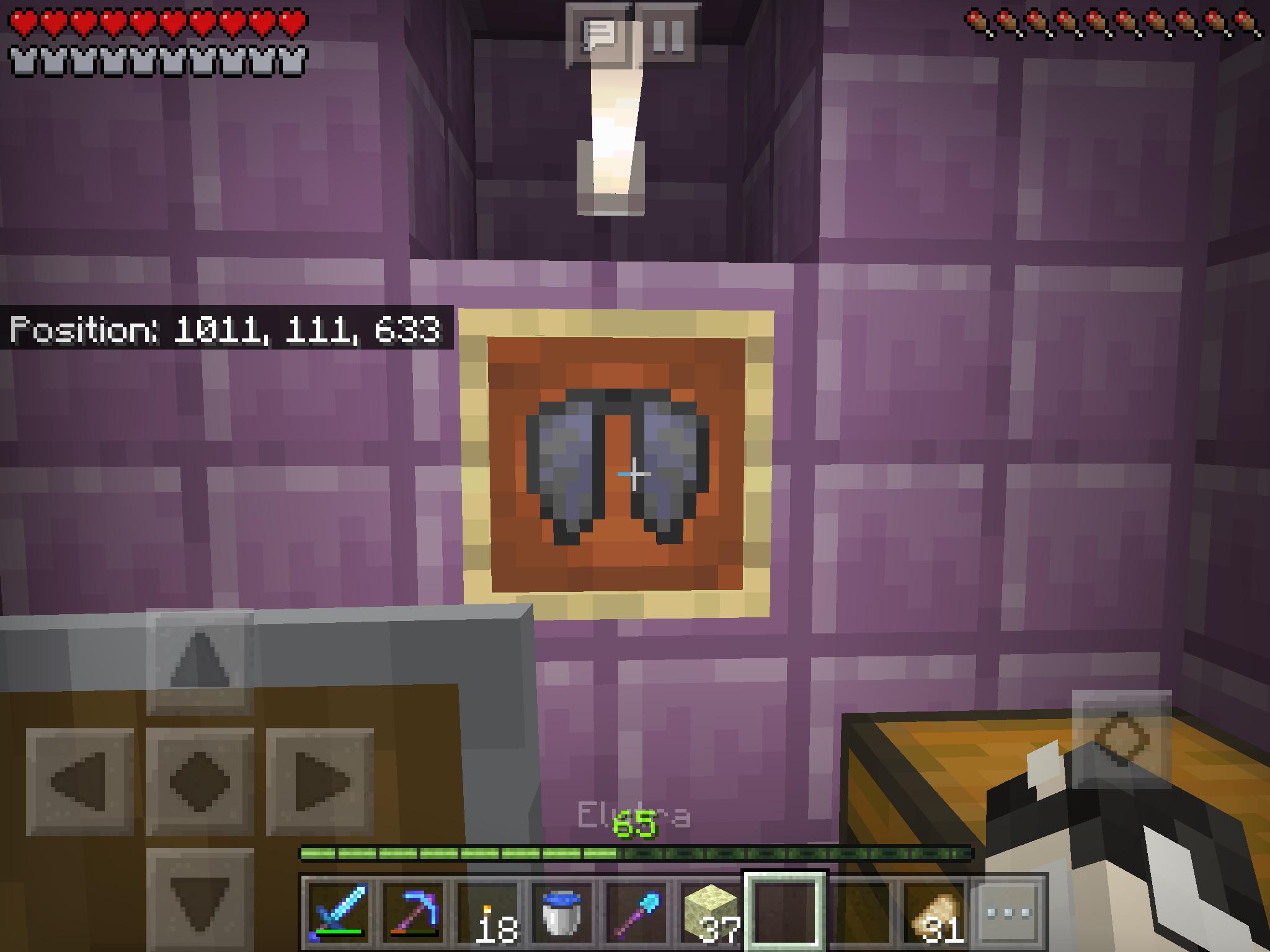
Instead, Elytra spawns naturally in End Ships, which are structures attached to End Cities. Not every End City has a ship, so exploration is required.
Each End Ship contains:
- One Elytra inside an item frame
- Shulkers guarding the area
- Valuable loot like diamonds and enchanted gear
Requirements Before Getting Elytra
Before you can reach an End City, several steps must be completed.
You will need:
- To defeat the Ender Dragon
- Access to End Gateways
- Strong armor and weapons
- Blocks for bridging
- Food and potions
Without preparation, reaching an Elytra can be extremely dangerous, especially for first-time players.
How to Use Elytra in Minecraft Step by Step
How Do You Use the Elytra in Minecraft?
Using Elytra is simple once you understand the activation process.
To glide with Elytra:
- Equip Elytra in the chestplate slot
- Jump from a high place
- Press the jump key again while falling
Once activated, you can steer mid-air using movement keys and control your descent angle.
Common Beginner Mistakes When Using Elytra
New players often struggle during their first flights.
Common mistakes include:
- Flying too close to the ground
- Forgetting to monitor durability
- Crashing at high speed into terrain
- Attempting to take off from flat ground
Learning how to use an elytra in minecraft safely takes practice, but mistakes decrease quickly with experience.
How to Use Fireworks With Elytra in Minecraft
Firework Rockets and Elytra Boosting
Firework rockets are what turn Elytra from gliding into true flight. When used mid-air, they provide forward thrust.
Key facts about fireworks:
- No explosion damage if crafted without stars
- Duration depends on firework flight time
- Can be used repeatedly during flight
This mechanic is essential for players learning how to use fireworks with elytra in minecraft efficiently.
Best Firework Setup for Elytra Flight
To maximize flight safety and control, proper firework management is crucial.
Best practices include:
- Use simple rockets with 1 paper + 1 gunpowder
- Avoid fireworks with stars
- Keep rockets on the hotbar
With correct usage, players can cross thousands of blocks in minutes.
Minecraft Elytra Durability, Repair, and Safety Tips
How Elytra Durability Works
Elytra loses durability every second while gliding. When durability reaches zero, it stops functioning entirely.
Visual cracks appear as Elytra wears down, warning players before it breaks completely.
Repairing Elytra the Right Way
Elytra can be repaired using Phantom Membranes on an anvil. Combining two damaged Elytras also works, but it’s inefficient.
The best long-term solution is the Mending enchantment, which repairs Elytra automatically using experience orbs.
When flying online, high-speed Elytra travel can expose connection issues like chunk loading delays or rubberbanding. These problems are especially dangerous when flying close to terrain. ExitLag helps stabilize your connection, reducing packet loss and improving responsiveness on multiplayer servers and Realms. With ExitLag, flying with a minecraft elytra becomes smoother, safer, and far more reliable.
Advanced Minecraft Elytra Flying Techniques
Momentum Control and Advanced Gliding
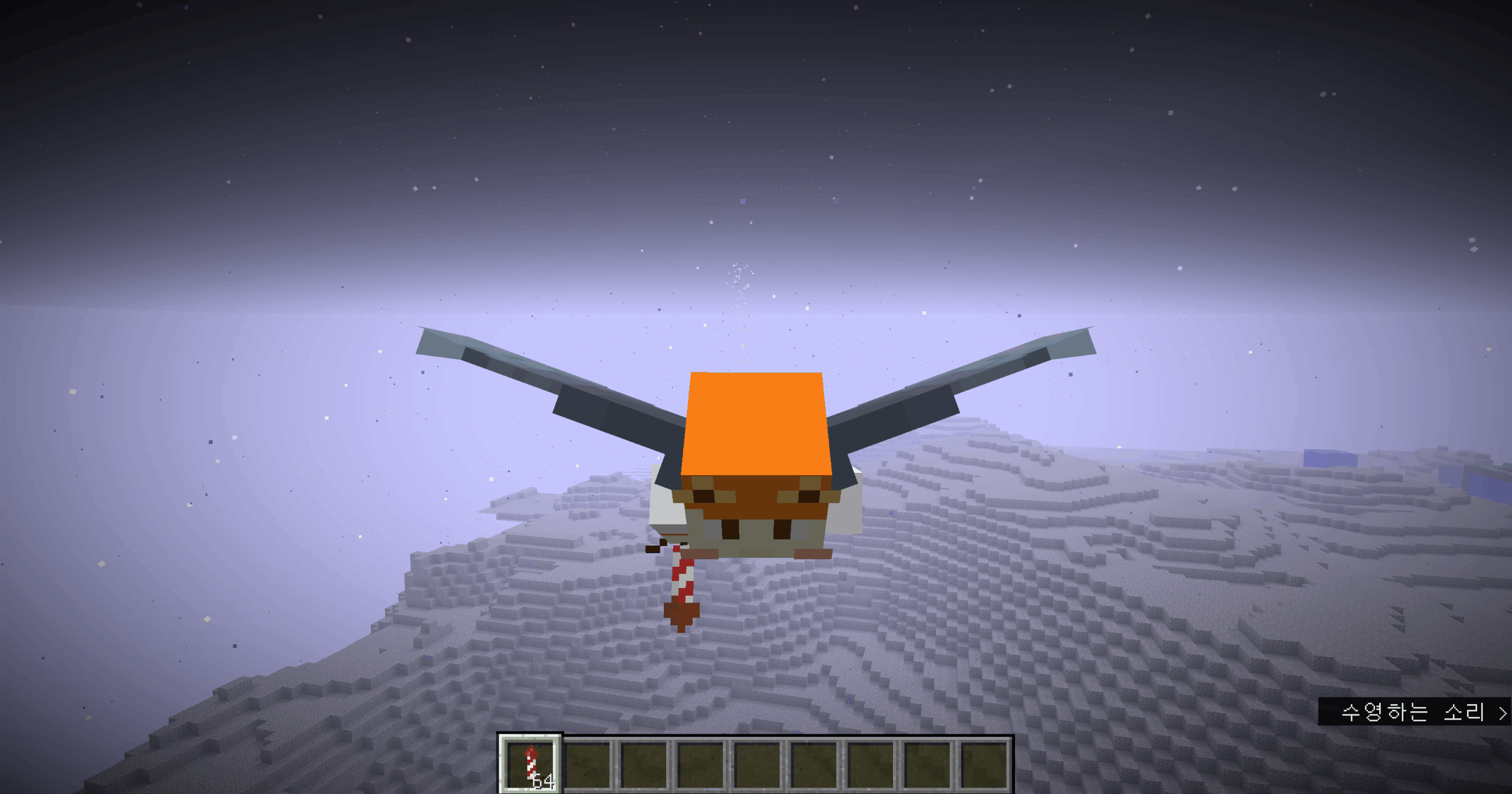
Mastering advanced flight with the minecraft elytra requires understanding momentum. Elytra flight is not true flying-it is controlled gliding that depends heavily on speed, height, and angle.
When diving downward, players gain speed rapidly. Pulling up converts that speed into lift, allowing longer flights. Managing this balance is essential for long-distance travel and safe navigation.
Key momentum tips for elytra in minecraft include:
- Start flights from high points like mountains or towers
- Dive slightly to build speed before leveling out
- Avoid sharp turns at high velocity
These mechanics are the foundation of learning how to use an elytra in minecraft efficiently without losing altitude too quickly.
Takeoff and Landing Techniques
Takeoff is only possible when falling from a height. Elytra cannot launch from flat ground without fireworks. Jumping from ledges, trees, or towers is the safest method.
For landing, always reduce speed before touching the ground. Colliding at high velocity often results in fatal damage.
Safe landing practices include:
- Pulling up to slow descent
- Aiming for water or soft terrain
- Avoiding cliffs and forests during descent
Elytra Combat and Exploration Strategies
Using Elytra During Exploration
Exploration becomes dramatically faster with Elytra. Players can scan large areas, locate structures, and map biomes in minutes instead of hours.
Benefits of Elytra exploration:
- Rapid biome discovery
- Efficient map filling
- Easy transport of loot over long distances
Knowing how to use the minecraft elytra properly makes it one of the most powerful exploration tools in the game.
Elytra in Combat Situations
Using Elytra in combat is situational. While it offers unmatched mobility, it removes chestplate armor, increasing risk.
In PvE, Elytra allows:
- Quick escapes from dangerous mobs
- Aerial positioning against ground enemies
In PvP servers, elytras minecraft are often used for:
- Hit-and-run tactics
- Fast repositioning
- Escaping unfavorable fights
However, Elytra is not recommended for direct combat without preparation.
Common Elytra Problems and How to Fix Them
Why Elytra Breaks or Stops Working
Elytra failure is usually caused by durability loss. When durability reaches zero, Elytra disables completely until repaired.
Other common issues include:
- Forgetting Elytra is unequipped
- Server desync during high-speed flight
- Lag causing delayed input
How Do I Use the Elytra in Minecraft Safely?
Flying safely requires discipline and preparation.
Safety checklist:
- Check Elytra durability before flight
- Carry spare fireworks
- Maintain minimum safe altitude
- Avoid flying during heavy lag
- Keep emergency blocks or water
Following these steps answers the question how do i use the elytra in minecraft without unnecessary risk.
How to Combine Elytra With Enchantments and Gear
Best Enchantments for Elytra
Elytra cannot be enchanted directly on an enchantment table, but an anvil allows enchantment books to be applied.
Best enchantments:
- Mending (essential)
- Unbreaking III
These dramatically extend Elytra lifespan and reduce repair costs.
Gear Loadouts for Elytra Users
Because Elytra replaces chest armor, smart loadouts are critical.
Recommended gear includes:
- Hotkeyed chestplate for quick swapping
- Totem of Undying in off-hand
- Fire Resistance and Slow Falling potions
- Feather Falling boots
These setups support players learning how to use a elytra in minecraft more confidently.
Minecraft Elytra Comparison: Travel Methods and Efficiency
| Travel Method | Speed | Risk Level | Resource Cost | Best Use Case |
| Elytra + Fireworks | Very High | Medium | Rockets | Long-distance travel |
| Elytra (Glide only) | Medium | Low | None | Short exploration |
| Horse | Medium | Low | Saddle | Early-game travel |
| Nether Travel | Very High | Medium | Portal setup | Server transport |
| Minecart | Low | Very Low | Rails | Automated routes |
Optimizing Multiplayer Performance With Minecraft Elytra
Why Lag Is Dangerous During Elytra Flight
High-speed Elytra flight amplifies network issues. Chunk loading delays or rubberbanding can instantly crash players into terrain.
This is especially common on multiplayer servers and Realms where server load fluctuates.
How ExitLag Improves Elytra Flight Online
ExitLag optimizes network routing in real time, reducing packet loss and stabilizing data flow. This results in smoother chunk loading, more responsive controls, and safer high-speed travel when using a minecraft elytra in multiplayer environments.
Disclaimer: All game images used in this blog belong to Mojang Studios. They are used for informational/educational purposes only and do not imply endorsement or affiliation with the rights holders.



