Playing Call of Duty: Black Ops 6 should feel fast, responsive and competitive, but when packet loss Call of Duty: Black Ops 6 starts ruining your matches, every gunfight becomes unpredictable. Therefore, players trying to fix packet loss Call of Duty: Black Ops 6 often feel stuck between rubberbanding, delayed shots and disconnects that cost ranked points. To make matters worse, even high-end hardware can suffer when the connection route is unstable, creating frustration and lost opportunities in critical moments.
However, understanding what causes Call of Duty: Black Ops 6 connection issues is the first step toward eliminating them for good. Packet loss has specific and solvable origins, especially when the problem lies in routing or server distance. Like this, once you understand how Call of Duty: Black Ops 6 lag works at the network level, you can take action instead of blaming your setup or ISP.
Finally, this guide shows exactly why ExitLag becomes the ultimate solution to reduce instability and truly reduce packet loss Call of Duty: Black Ops 6. With clear steps, verified optimizations and actionable tools, you’ll regain control during matches and avoid the interruptions that ruin competitive gameplay.
What is packet loss in Call of Duty: Black Ops 6?
Packet loss happens when data packets sent between your PC/console and the game servers don’t reach the destination. Therefore, during transmission, part of the information disappears along the route, creating delays, freezes and desynchronization. In Call of Duty: Black Ops 6, this means your character may behave differently from what you see on screen, or your actions may be registered too late.
However, a simple analogy helps: imagine sending multiple text messages to a friend. If some of them vanish before arrival, the conversation becomes confusing. The same happens here, but instead of words, your data represents movement, shots, hit registration, and real-time interactions.
Finally, when packet loss increases, the server stops receiving crucial inputs. This results in broken gameplay, rubberbanding and sudden spikes that players often confuse with normal lag.
How packet loss affects gameplay in Call of Duty: Black Ops 6
- Delayed inputs: pressing shoot or slide takes longer to register.
- Rubberbanding: your operator snaps back several steps unexpectedly.
- Hit registration issues: bullets connect on your screen but not on the server.
- Teleporting enemies: opponents appear in random positions.
- Sudden disconnections: dropped matches without warning.
- Skills not registering: tactical items activate too late or not at all.
- Scorestreak failures: commands to deploy streaks don’t respond.
Main causes of packet loss in Call of Duty: Black Ops 6
Inefficient routing
Routing defines the path your dados take across the internet. Sometimes, these routes pass through overloaded or unstable nodes that drop packets. Therefore, even with good internet speed, your connection becomes unreliable because each hop increases the risk of loss.
Unstable connection
Modems, routers or ISP-level issues may generate micro-disconnections. Like this, temporary signal drops cause inconsistent packet flow, directly impacting combat responsiveness.
Distance from servers
The farther you are from the official Call of Duty: Black Ops 6 servers, the higher the latency and chance of packet loss. More distance = more hops = more instability.
Network congestion
During peak hours or when many devices share your bandwidth, your traffic competes with other users. However, gaming traffic needs priority, otherwise packet drops become frequent.
Hardware problems
Damaged Ethernet cables, old routers or failing network cards may corrupt data. Finally, physical issues often cause intermittent loss that’s difficult to identify without testing.
How to identify packet loss in Call of Duty: Black Ops 6
You’ll first notice instability through inconsistent latency, even when your ping appears normal. Therefore, keep an eye on sudden spikes or freezes, especially during intense firefights. If players move in unnatural ways or objects load incorrectly, these are strong indications of dropping packets.
However, a more reliable method is using a ping test via your system’s command prompt or terminal. By sending continuous packets to a destination server, you can observe whether any of them fail to return. Like this, interpreting the results becomes easier: if multiple packets fail, you’re experiencing packet loss.
Finally, in-game indicators such as rubberbanding, broken animations and delayed weapon swaps also signal connectivity problems. Anytime your actions don’t match what’s happening on screen, packet loss is likely involved.
Packet loss levels comparison
| Packet loss level | Gameplay impact | Recommended action |
| 0% | Perfect | No issues |
| 1–2% | Playable | Monitor stability |
| 3–5% | Noticeable lag | Apply basic fixes |
| 6–10% | Hard to play | Requires solution |
| 10%+ | Unplayable | Use advanced tools |
Basic solutions to reduce packet loss in Call of Duty: Black Ops 6
Optimize your local connection
- Switch to Ethernet: wired connections reduce interference.
- Close background apps: streaming and downloads kill stability.
- Update network drivers: outdated drivers affect performance.
- Enable QoS: prioritize Call of Duty: Black Ops 6 traffic on your router.
- Test with different cables: faulty cables often cause silent packet drops.
- Adjust in-game network settings if applicable.
Contact your ISP
If your line has noise, instability or routing failures, contacting your provider becomes necessary. Therefore, you can request a line test, ask for routing improvements or check if maintenance is affecting your region. Finally, if problems persist despite good local settings, ISP intervention may be required.
ExitLag: the definitive solution for eliminating packet loss in Call of Duty: Black Ops 6
What is ExitLag?
ExitLag is a software specialized in connection optimization for gamers, designed to provide stable routes, reduce ping, and eliminate packet loss. Unlike stopgap solutions, it’s the ultimate solution for competitive gamers.
Therefore, instead of relying on unstable ISP routing, ExitLag gives you multiple optimized paths designed specifically for games like Call of Duty: Black Ops 6.
Finally, this means fewer interruptions, fewer unfair deaths and much smoother gameplay.
How ExitLag reduces packet loss
ExitLag uses a unique Multi-Internet technology, explained which works like this:
- Real-time route analysis
- Multiple simultaneous connections
- Automatic route switching
- Optimized hops
- Continuous stabilization
ExitLag advantages for Black Ops 6 players
- Eliminates packet loss: multiple clean routes ensure data reaches the server.
- Reduces ping: finds shorter and more direct paths.
- Stable connection: no more random spikes.
- DDoS protection: prevents forced disconnections.
- Easy interface: simple setup for any player.
- Works on all servers: official and private alike.
Each benefit directly enhances firefights, hit registration and movement precision.
Is ExitLag worth it?
If you play competitively, at peak hours, on international servers or suffer any kind of routing issue, ExitLag is one of the most valuable upgrades you can make.
How to use ExitLag in Call of Duty: Black Ops 6
The process is extremely simple:
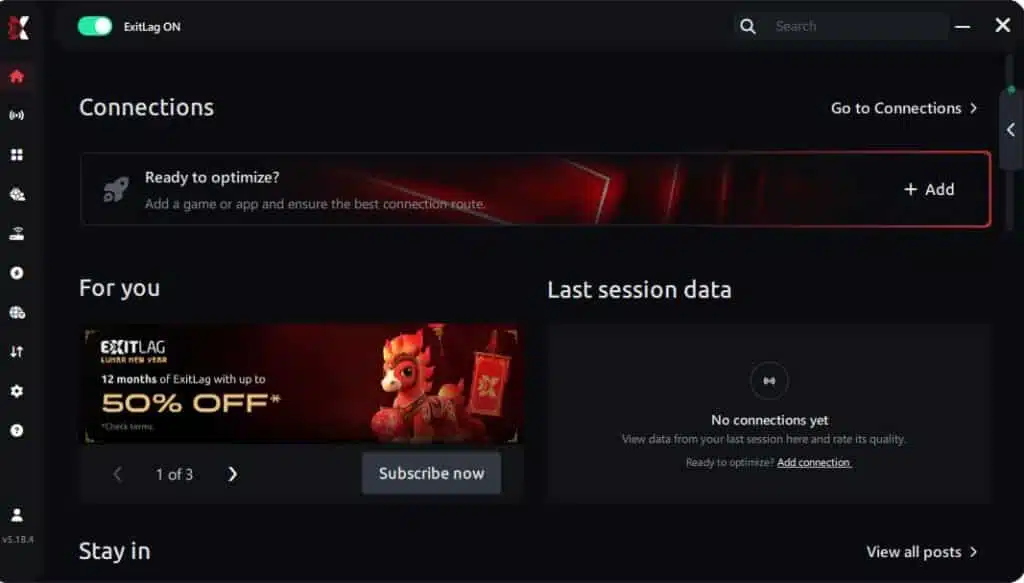
Step 1 – Access the official ExitLag website and download the application. There’s a free trial period for new users.
Step 2 – Install and open the program. Log in with your account.
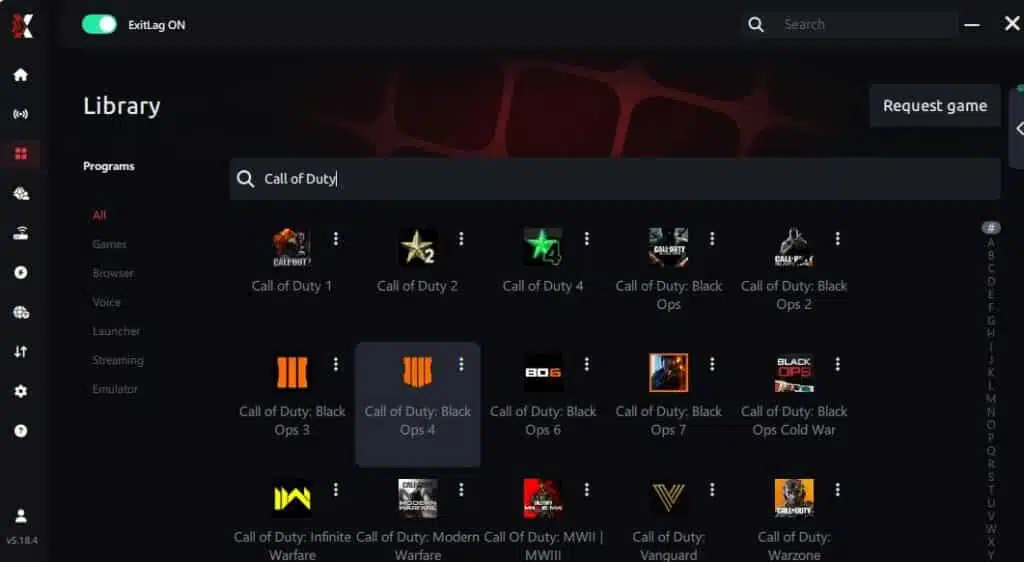
Step 3 – In the search bar, type “Call of Duty: Black Ops 6” and select the game from the list.
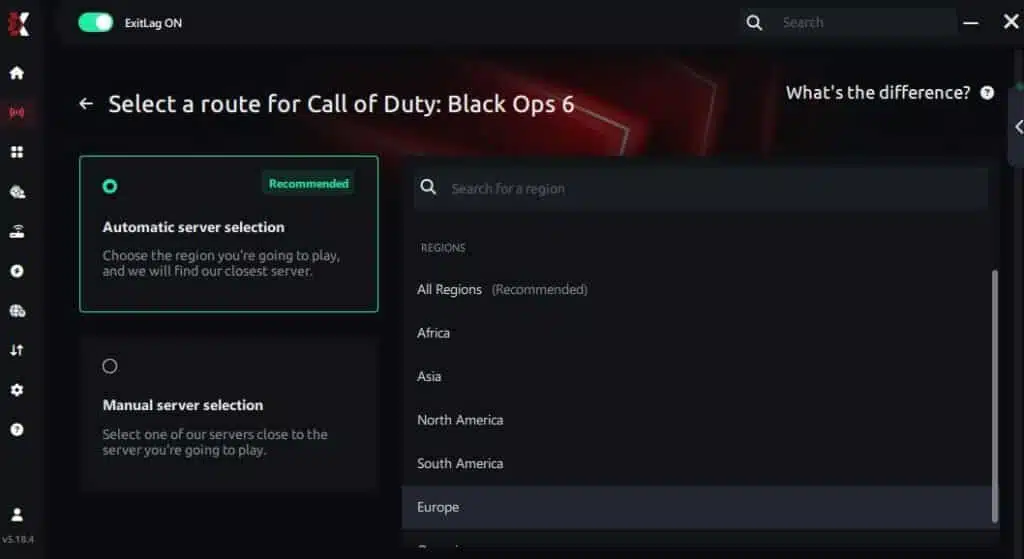
Step 4 – Choose between automated or manual route
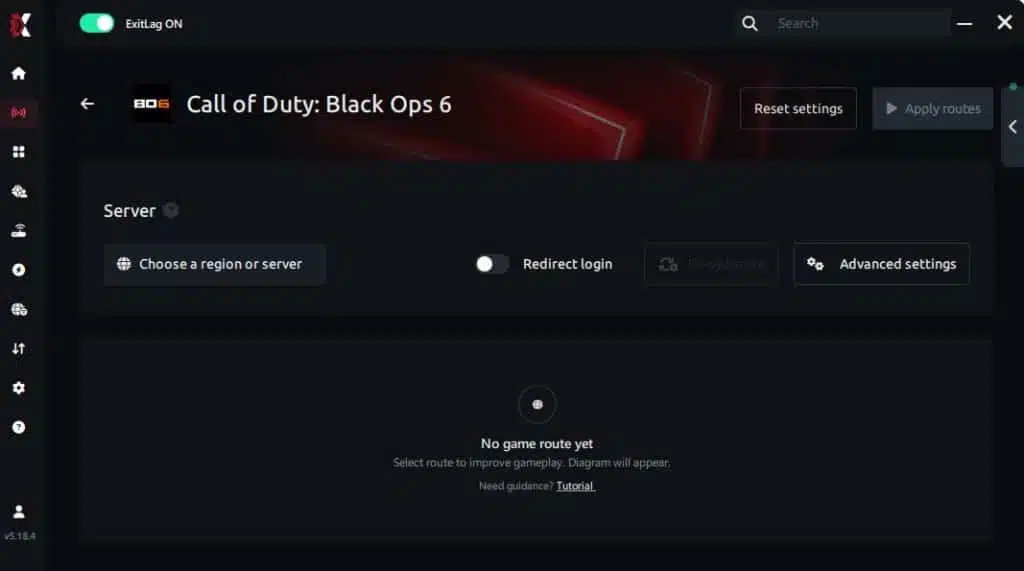
Based on the results, you can let ExitLag automatically select the best route or manually choose the server that showed the lowest latency for your connection.
AI-optimized automated route
Based on the results, you can let ExitLag automatically select the best route through AI optimization. The system analyzes multiple connection paths in real time and automatically identifies the most efficient route for your connection, ensuring the lowest possible latency without requiring manual choices.
Manual route
If you prefer to have full control over your connection, you can manually choose the server based on the ping test results. Simply select the server that showed the lowest latency or the one that best meets your specific gaming needs, allowing complete customization of your experience.
Step 5 – Click “Call of Duty: Black Ops 6” or the play button. ExitLag will begin optimizing your connection automatically.

Step 6 – Wait a few seconds until optimization is complete. You’ll see ping indicators in the interface.
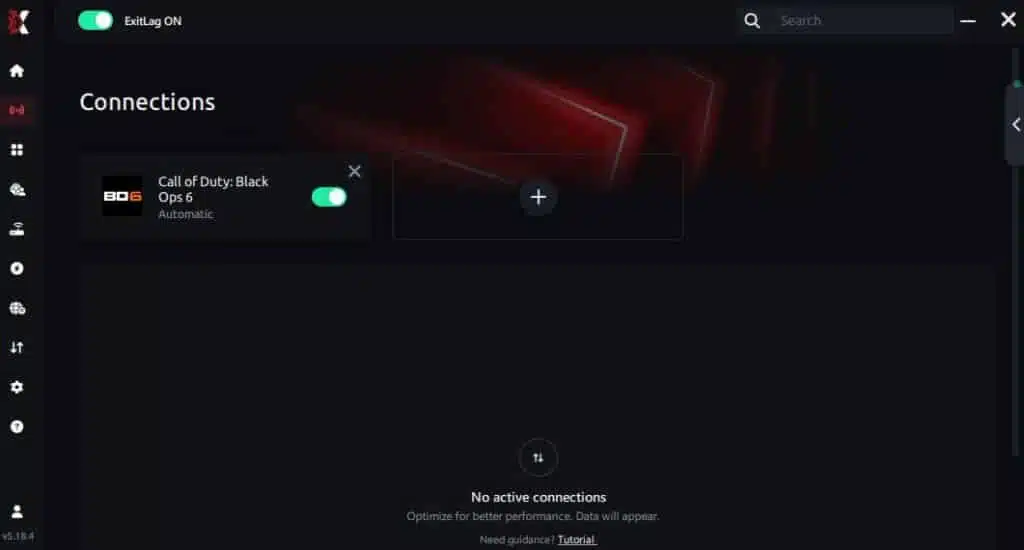
Step 7 – Launch Call of Duty: Black Ops 6 normally. The optimization will already be active.
ExitLag runs in the background while you play, constantly adjusting routes to maintain the best possible performance.
FAQ: Packet loss in Call of Duty: Black Ops 6
Is packet loss the same as lag?
No. Lag usually refers to high ping, while packet loss means missing dados. Therefore, you can have low ping and still experience serious issues if packets are being dropped.
Why do I have packet loss only in Black Ops 6?
Different games use different servers and routes. Like this, even if other games run fine, Black Ops 6 may route you through problematic nodes.
Can packet loss cause bans?
Usually not. However, extreme instability may look suspicious to automated systems and force disconnections, but it’s not treated as cheating.
How much packet loss is acceptable for competitive matches?
Ideally 0%. Finally, anything above 1% can affect gunfights and hit registration.
Can hardware cause packet loss?
Yes. Faulty network cards, modems and cables directly impact data flow.
Does ExitLag work on private Black Ops 6 servers?
Yes, as long as they appear or can be added.
Do I need Exilag active all the time?
Only while playing. This ensures consistent routing from start to finish of your session.
Eliminate packet loss and play Black Ops 6 without interruptions
Packet loss doesn’t need to ruin your Call of Duty: Black Ops 6 experience. Therefore, with the right approach, you can restore smooth, responsive gameplay and eliminate the interruptions that compromise ranked matches. Finally, by adopting ExitLag, you ensure stable routing, optimized paths and drastically reduced packet loss. This gives you the competitive edge you’ve been looking for.
Got questions or want to connect with other players? Join the conversation at the ExitLag Forum!