
Pax Dei crafting can become frustrating when an item starts processing and then appears to stop. You may see the crafting animation continue without progress. Sometimes the queue simply becomes unresponsive. The Pax Dei Crafting Freezing issue can have several causes. Some are related to crafting interactions, while others can come from connection problems, station loading, or specific game issues.
So, what should you do when Pax Dei Crafting Stops during a long production queue? Start by checking whether the station is responding, whether your character can still interact with other objects, and whether the game itself is experiencing connection or performance problems.
The good news is that you have several troubleshooting options before abandoning the craft. Recent official patch notes also confirm that some crafting stations and processing crafters can experience unusually slow loading and interaction times.
Pax Dei Crafting Freezing: Why Does Crafting Stop?
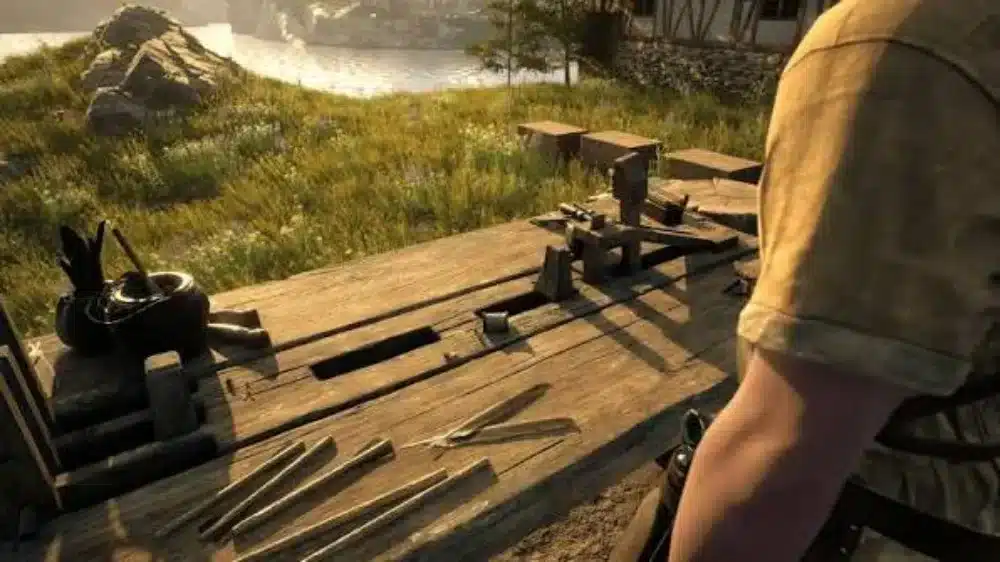
Crafting in Pax Dei is not just a simple button press. Production depends on your character, the crafting station, the game server, inventory interactions, and the recipe queue working together.
When one of those systems fails to respond correctly, crafting may appear frozen. This is especially noticeable with longer production queues. A player may start several items and then notice that the first craft completes while the next one never begins.
What Causes Pax Dei Crafting to Freeze?
There is no single cause for every crafting problem. Official patch information currently identifies slow loading and interaction times for some crafting stations and processing crafters as a known issue. Packed containers and nearby objects can also interfere with interactions.
Possible causes include:
- A slow or unresponsive crafting station
- A temporary server problem
- A connection timeout
- An interrupted interaction
- Inventory or container interaction problems
- A game-side crafting bug
- A crafting action being aborted
- Performance problems in dense areas
Community reports have also described situations where a player could craft one item successfully before the next item stalled. Some players reported that leaving the station until the game displayed a crafting-aborted message allowed them to try again. However, community workarounds are not guaranteed fixes.
Is Crafting Freezing Always a Connection Problem?
No. A connection problem is one possibility, but it should not be your first assumption. If the rest of the game remains responsive, your character can move normally, and other interactions work, the problem may be specific to the crafting station or crafting system.
On the other hand, if multiple interactions stop responding at the same time, connection problems become more likely.
Pax Dei’s official support documentation says connection timeouts can prevent communication with the zone server. It recommends checking service status, reviewing firewall or antivirus interference, and verifying that the computer meets the game’s requirements. That distinction can save you from making unnecessary changes to your game installation.
Pax Dei Crafting Stops: Check the Crafting Station First
Before restarting the entire game, inspect the station. A crafting station can sometimes take longer than expected to load or respond. This is particularly important in busy areas where many structures, containers, and crafting objects are close together.
Move Away and Interact Again
If the crafting UI stops responding, step away from the station. Do not immediately spam the crafting button. Move a short distance away and interact with another nearby object if possible. Then return to the station.
Community players have reported that opening another bench or a nearby container can sometimes refresh the interaction before returning to the original crafting station. This is a community workaround, not an official guaranteed solution. Still, it is worth trying because it does not require restarting your entire session.
Check for Nearby Objects
Object density can matter. Official patch notes currently list unreliable interaction with stacked or packed containers. Nearby objects can block interaction, making it harder for the game to identify the intended target.
If your crafting station is surrounded by chests, furniture, other stations, or decorative objects, create more physical space.
Try this sequence:
- Stop interacting with the station.
- Move away from nearby containers.
- Clear the immediate area if possible.
- Return to the station.
- Open the crafting interface again.
- Test one inexpensive recipe.
- Only then start a larger queue.
This is particularly useful when several crafting stations are packed together.
Pax Dei Craft All Not Working: What Should You Do?
The Pax Dei Craft All Not Working problem deserves special attention because it can behave differently from a completely frozen crafting station. Craft All tells the game to continue producing the available quantity. If the queue stalls, you may be unsure whether the station is still processing or whether the entire action has stopped.
Test One Item Before Using Craft All
Do not immediately restart a large queue. Instead, select a single inexpensive item. If that craft completes normally, the station may still be functional. You can then test another item.
If individual crafts work but Craft All consistently stops, the problem may be related to the queue rather than the station itself. This distinction is useful because it changes how you troubleshoot the problem.
Do Not Abort Expensive Crafts Without Checking
Aborting a craft can have consequences.vCommunity reports have described situations where materials were lost after a crafting action was aborted. Players specifically reported being cautious with Craft All because stopping a queue could result in lost resources.
Therefore, avoid repeatedly starting and canceling expensive recipes. Before you experiment, test the system with a recipe that uses inexpensive materials. That gives you a safer way to determine whether the station is responding.
What If Craft All Worked Before?
A previous successful Craft All session does not guarantee that the next one will work. Pax Dei continues to receive updates that modify crafting systems, recipes, crafting experience, and station behavior.
Recent official updates have included crafting fixes and changes across professions. The current patch notes also list crafting and processing interaction issues among known problems.
Therefore, if Craft All suddenly becomes unreliable after an update, check the current patch notes and known issues before assuming something is wrong with your character.
Pax Dei Crafting Interrupted Fix: Start With a Safe Recovery
When crafting becomes interrupted, the safest approach is controlled recovery. Do not immediately destroy the station, throw away materials, or repeatedly restart the same queue.
Step 1: Determine Whether the Craft Is Actually Frozen
Watch the crafting state. If the timer is progressing, give it time. Some stations can have slow loading or interaction behavior. Official patch notes specifically acknowledge this problem for some crafting and processing stations. If the timer does not progress at all, move to the next step.
Step 2: Leave the Station
Walk away. Wait for the crafting interaction to end or display an aborted state. Then return to the station. This workaround has been reported by community players dealing with stalled crafting.
However, because community reports also mention material losses in some aborted-crafting situations, use this approach carefully with expensive recipes.
Step 3: Test a Cheap Recipe
Once you regain control, test the station with something inexpensive. This is much safer than immediately attempting a recipe that consumes rare resources. A successful test craft tells you that the station is responding again. You can then return to the recipe you actually wanted to produce.
Step 4: Restart the Game if Necessary
If the station remains unresponsive, close and restart Pax Dei. A full restart can clear temporary client-side problems. It is especially worth trying if multiple crafting stations have become unresponsive during the same session.
Why Pax Dei Crafting Can Be Slow Even When It Is Not Frozen
Not every long pause is a true freeze. This distinction is important. A crafting station may appear stuck because the interaction is taking longer than expected. Official current patch notes list some crafting stations and processing crafters as having excessively slow loading and interaction times.
Slow Loading vs. Frozen Crafting
Use the following comparison to identify what you are seeing:
| Symptom | More Likely Explanation | First Action |
| Station takes a long time to open | Slow interaction | Wait briefly and retry |
| Craft timer continues | Normal processing | Let it finish |
| Timer completely stops | Possible crafting issue | Leave and retest |
| Several stations stop responding | Client or server issue | Restart and check connection |
| Other objects also stop responding | Connection or interaction issue | Check connection |
| Craft All stops after one item | Queue problem | Test individual crafts |
| Game freezes visually | Performance or client issue | Check graphics and drivers |
| Station works after reopening | Temporary interaction issue | Resume carefully |
The goal is to diagnose before taking action. That reduces unnecessary restarts and prevents avoidable resource losses.
Pax Dei Crafting Stops After Health Regeneration
One particularly important crafting problem has been documented in official patch notes. Pax Dei previously had an issue where crafting could be aborted when health regenerated after consuming certain Max HP consumables. Official patch notes identify this behavior as a crafting problem that was addressed.
This is important because it shows that crafting interruptions are not always caused by the crafting station itself.
Avoid Unnecessary Actions During Expensive Crafts
When performing a long or expensive craft, keep your character’s actions simple. Avoid unnecessary inventory management. Avoid rapidly switching between stations.
Avoid consuming items that could trigger additional character-state changes while the craft is processing. The safest approach is to start the craft and let it run. This is especially sensible when the recipe requires rare materials.
Watch for Repeatable Triggers
If crafting always stops after the same action, take note. For example, if the craft interrupts immediately after consuming a particular item, changing equipment, or interacting with another object, that pattern can help identify the problem. A repeatable trigger is much more useful than a random freeze.
Pax Dei Craft All Not Working: A Safer Queue Strategy
Large queues are convenient. They are also harder to troubleshoot. If you are dealing with repeated crafting freezes, temporarily change how you use Craft All.
Use Short Test Queues
Instead of starting dozens of items, begin with a small batch.
For example:
- Start one craft.
- Confirm completion.
- Start two crafts.
- Confirm both complete.
- Increase the queue gradually.
- Stop if the station becomes unresponsive.
This approach makes it easier to identify when the problem begins. It also limits the number of materials potentially affected by a failed interaction.
Separate Expensive and Cheap Recipes
Do not use a valuable recipe as your first test. Keep a cheap recipe available for troubleshooting. That lets you determine whether the station works without risking rare materials. This is one of the most practical Pax Dei Crafting Tips for anyone experiencing repeated interruptions.
Connection Problems Can Look Like Crafting Problems
Because Pax Dei is an online MMO, crafting interactions depend on communication with the game environment. A connection problem can therefore appear as a stalled interaction.
Check Whether Other Systems Work
Ask yourself a few simple questions:
- Can you open containers?
- Can you interact with other crafting stations?
- Can you move normally?
- Are other players behaving normally?
- Are objects loading correctly?
- Can you enter or leave different areas?
- Are multiple interactions delayed?
If everything except one crafting station works, focus on the station. If several systems become unresponsive, investigate the connection. Pax Dei’s support documentation recommends checking service status when connection problems occur. It also notes that antivirus and firewall software can interfere with connection attempts.
Check for Server-Side Problems
Sometimes there is nothing wrong with your computer. An online game can experience temporary server-side issues that affect interactions. If crafting suddenly stops working for several players, avoid repeatedly reinstalling the game.
First, check the official service information and community communication channels. This can prevent hours of unnecessary troubleshooting.
Pro Tips for Pax Dei Crafting Freezing
Use these habits whenever you are producing expensive items.
Pro Tip 1: Test Before Mass Crafting
Start with one inexpensive item. If it completes correctly, continue.
Pro Tip 2: Keep Stations Uncluttered
Give crafting stations physical space. Packed containers and nearby objects can interfere with interactions.
Pro Tip 3: Avoid Constant UI Switching
Once a long craft starts, leave it alone. Do not repeatedly open containers, crafting stations, and inventory screens unless necessary.
Pro Tip 4: Watch the Timer
A slow craft is not necessarily a frozen craft. If the timer continues, allow it to finish.
Pro Tip 5: Be Careful With Aborting
Do not cancel expensive crafts casually. Community reports indicate that interrupted crafting has, in some situations, resulted in lost materials.
Common Mistakes When Pax Dei Crafting Stops
Troubleshooting becomes harder when players react too quickly.
Mistake 1: Spamming Craft All
Problem: You repeatedly click the queue while the station is already processing. Correction: Wait, check the timer, and test one item at a time.
Mistake 2: Immediately Aborting an Expensive Recipe
Problem: You may lose materials if the crafting action is interrupted. Correction: Use a cheap test recipe whenever possible.
Mistake 3: Blaming Your Internet Immediately
Problem: A slow station interaction may be a game-side issue. Correction: Test other stations and interactions before changing network settings.
Mistake 4: Ignoring Nearby Objects
Problem: Packed containers and nearby objects can interfere with interaction. Correction: Create more space around important crafting stations.
Mistake 5: Reinstalling the Game Too Soon
Problem: Reinstallation will not necessarily fix a server-side or known game-side issue. Correction: Check current known issues, restart the client, and test another station first.
Improve Pax Dei Performance With ExitLag
Connection stability can matter when you are playing an online MMO like Pax Dei. A routing problem can make interactions feel delayed, especially when other network activity is also competing for bandwidth.
ExitLag can optimize your connection route to the game servers, helping reduce lag and improve connection stability during Pax Dei sessions. This can be useful when you are moving between gathering areas, crafting stations, storage areas, and other parts of the world.
Keep in mind that ExitLag cannot repair a game-side crafting bug or a server-side outage. Its role is to improve the network path between your connection and the game server. That distinction matters when diagnosing Pax Dei Crafting Freezing.
If only crafting is broken while everything else works, the cause may be inside the game rather than your connection.
The most reliable approach is to identify the exact behavior first. Check whether the timer is progressing, test another station, move away from crowded objects, and try a cheap recipe before risking valuable materials.
If Pax Dei Crafting Freezing continues after these steps, the issue may be related to a current game-side problem rather than something you can fix locally.



