If you’ve ever lost a duel because of delayed shots or inconsistent movement, understanding ping to faceit servers should be one of your top priorities. FACEIT offers one of the most competitive environments for Counter-Strike 2, where every millisecond matters. Even players with excellent aim can struggle if their network connection isn’t stable.
Knowing how ping to faceit servers works allows you to identify the factors affecting your connection and make informed adjustments. While internet speed is important, latency depends on many other elements, including server distance, routing quality, packet loss, and your home network configuration.
So, what is ping to faceit servers? Ping measures the time it takes for data to travel between your computer and the FACEIT game server. Lower ping generally results in faster hit registration, smoother player movement, and more responsive gameplay, making it a critical factor in competitive Counter-Strike 2.
Unlike casual matchmaking, FACEIT players often compete at much higher skill levels, where tiny differences in reaction time can determine the outcome of a round. Maintaining a low and stable ping becomes an important part of maximizing your performance.
Fortunately, improving your latency doesn’t always require upgrading your internet plan. In many cases, optimizing your network and selecting appropriate server locations can significantly improve your experience.
What is ping to FACEIT servers?

Before trying to reduce latency, it’s helpful to understand exactly what ping measures.
Although many players associate ping with internet speed, they are not the same thing.
Understanding ping
Ping is measured in milliseconds (ms).
It represents how long it takes for your computer to communicate with the game server and receive a response.
Generally speaking:
- Below 20 ms: Excellent
- 20–40 ms: Very good
- 40–60 ms: Good
- 60–80 ms: Playable
- Above 80 ms: Noticeable delay
- Above 100 ms: Significant latency
While these ranges vary depending on server location, lower values almost always provide a smoother competitive experience.
How FACEIT server selection works
FACEIT allows players to configure preferred server locations depending on their subscription level and region.
The matchmaking system attempts to place matches on one of the selected servers whenever possible.
However, preferred servers are not guaranteed. Matchmaking also considers:
- Queue population
- Team composition
- Regional availability
- Overall matchmaking quality
As a result, you may occasionally be assigned to a different server than expected.
What affects ping to FACEIT servers?
Several independent factors influence your latency.
Some are under your control, while others depend on external infrastructure.
Distance from the server
Physical distance remains one of the biggest contributors to latency.
The farther data must travel, the higher your ping tends to become.
Players located close to available FACEIT data centers generally enjoy lower latency than those connecting across regions.
ISP routing
Your internet provider determines how traffic travels across the internet.
Sometimes your ISP chooses longer or congested routes before reaching FACEIT servers.
Even players living near the same server may experience different ping because of ISP routing decisions.
Packet loss
Packet loss occurs when some data never reaches the server.
Instead of simply increasing latency, packet loss causes:
- Rubberbanding
- Delayed hit registration
- Teleporting players
- Missed updates
- Stuttering movement
Maintaining a stable connection is just as important as achieving low ping.
Wi-Fi interference
Wireless networks are convenient but more susceptible to interference.
Common sources include:
- Thick walls
- Other wireless devices
- Neighboring Wi-Fi networks
- Household appliances
Whenever possible, competitive players should use a wired Ethernet connection.
Regional server availability
FACEIT operates servers in multiple regions worldwide.
However, available locations differ depending on your region and queue.
During periods of low activity, matchmaking may prioritize faster queue times over optimal server placement.
How to lower ping to FACEIT servers
Although no solution can eliminate latency entirely, several optimizations consistently improve connection quality.
Select preferred servers
If available for your account, choose the server locations closest to your physical location.
Nearby servers generally provide:
- Lower latency
- Better hit registration
- More consistent gameplay
- Reduced packet travel time
Remember that preferred servers increase the likelihood of playing there but do not guarantee it.
Use Ethernet
Ethernet remains the gold standard for competitive gaming.
Compared to Wi-Fi, it offers:
- Lower latency
- Better stability
- Reduced interference
- Fewer packet loss issues
Even modest internet connections often perform significantly better when wired.
Optimize your network
Improving your home network can produce meaningful latency reductions.
Helpful practices include:
- Restart your router regularly.
- Update router firmware.
- Pause large downloads.
- Limit cloud synchronization.
- Reduce bandwidth-heavy activities while gaming.
Small improvements across multiple areas often create noticeable gains.
Monitor your connection
Network monitoring tools can help identify hidden issues.
Pay attention to:
- Ping
- Packet loss
- Jitter
- Upload stability
- Latency spikes
Understanding these metrics makes troubleshooting much easier.
Helpful optimization checklist:
- Select nearby FACEIT servers
- Use Ethernet whenever possible
- Keep network drivers updated
- Close unnecessary downloads
- Monitor packet loss
- Restart networking equipment periodically
FACEIT server selection explained
Many players misunderstand how server preferences work.
Understanding the matchmaking process helps set realistic expectations.
Preferred servers vs guaranteed servers
Selecting preferred locations tells FACEIT which servers you would like to use.
However, matchmaking must also balance:
- Queue times
- Team fairness
- Regional player availability
- Overall matchmaking quality
For this reason, your preferred server is not guaranteed every match.
Queue times and server availability
Expanding your list of acceptable servers may reduce queue times.
Conversely, selecting only a few locations can increase waiting time, particularly during off-peak hours.
Finding the right balance between latency and matchmaking speed often provides the best overall experience.
| Factor | Effect on Ping | Recommended Action |
| Nearby server | Lower latency | Keep selected |
| Poor routing | Higher ping | Optimize routing |
| Wi-Fi | Ping spikes | Use Ethernet |
| Busy server | Higher latency | Try another available location |
Additional ways to improve ping to FACEIT servers
Lower latency isn’t only about selecting the nearest server. Your local network, internet routing, and PC configuration all contribute to the overall quality of your connection during competitive matches.
Making a few adjustments before queuing can help reduce latency spikes and improve consistency throughout a game.
Optimize your router
Your router is responsible for managing every packet sent between your PC and the FACEIT servers.
To improve network stability:
- Restart your router regularly.
- Install the latest firmware updates.
- Place the router in an open location if using Wi-Fi.
- Reduce the number of devices actively using the network.
- Prioritize gaming traffic whenever your router supports Quality of Service (QoS).
Even small improvements in network stability can reduce ping fluctuations during matches.
Monitor your internet connection
Latency isn’t the only metric that matters.
You should also monitor:
- Packet loss
- Jitter
- Upload stability
- Download stability
- Sudden latency spikes
A connection with slightly higher but stable ping often performs better than one with constantly fluctuating latency.
Avoid network congestion
Heavy internet usage can negatively affect competitive gaming.
Activities that may increase latency include:
- Large game downloads
- Cloud backups
- Streaming high-resolution videos
- Software updates
- Multiple users sharing bandwidth
Reducing network congestion before launching Counter-Strike 2 helps maintain a more stable connection to FACEIT servers.
Best practices for competitive FACEIT matches
Professional and high-level players don’t rely solely on mechanical skill.
Maintaining a reliable gaming environment is equally important.
Before each session, consider the following checklist:
- Use an Ethernet connection whenever possible.
- Select nearby FACEIT server locations.
- Close unnecessary background applications.
- Keep Windows and network drivers updated.
- Restart your router if latency becomes inconsistent.
- Monitor packet loss during long gaming sessions.
- Avoid bandwidth-heavy activities while playing.
Building these habits helps create more consistent competitive performance over time.
How ExitLag helps improve ping to FACEIT servers
Although ExitLag cannot change the physical distance between your PC and a FACEIT server, it helps optimize how your traffic travels across the internet.
This can reduce inefficient routing, improve connection stability, and minimize packet loss during competitive matches.
Real-Time Optimization
Internet routing conditions constantly change.
ExitLag’s Real-Time Optimization technology continuously analyzes available routes and dynamically selects efficient paths throughout your gaming session.
This helps maintain lower latency even when network conditions fluctuate.
Multipath Connection
Traditional internet connections depend on a single network route.
ExitLag’s Multipath Connection technology sends game traffic across multiple optimized routes simultaneously, increasing connection reliability and helping reduce packet loss caused by unstable routing.
This is especially valuable during intense FACEIT matches where every millisecond counts.
Traffic Shaper
Background applications often compete with Counter-Strike 2 for available bandwidth.
Traffic Shaper intelligently prioritizes gaming packets, helping ensure that your network resources remain focused on gameplay rather than less important internet traffic.
FPS Boost
In addition to network optimization, ExitLag includes FPS Boost, which optimizes Windows processes to improve overall gaming performance.
Combined with Real-Time Optimization, Multipath Connection, and Traffic Shaper, FPS Boost helps create a smoother competitive experience across more than 3,000 supported games, including Counter-Strike 2.
When high ping isn’t caused by your connection
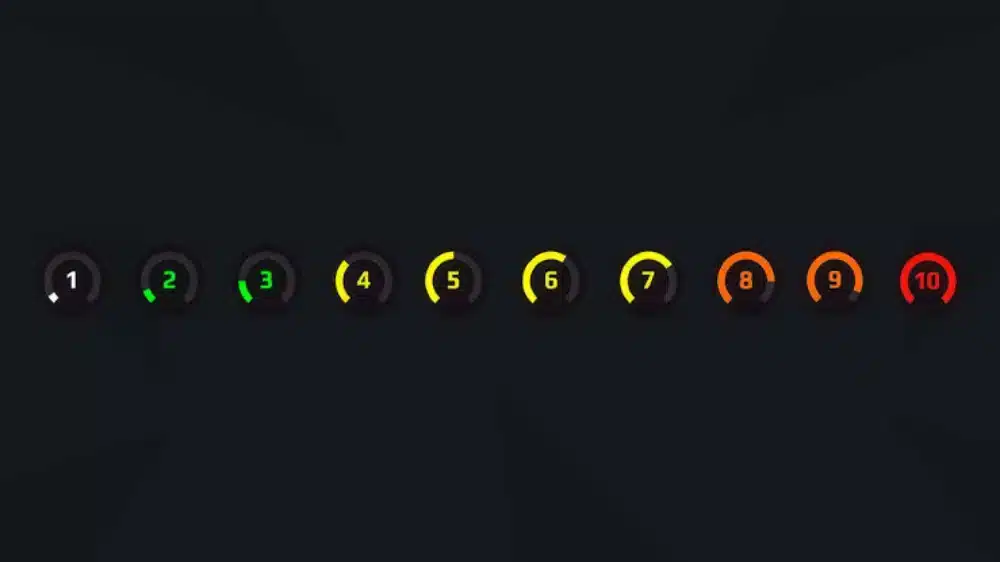
Not every latency issue originates from your home network.
There are situations where higher ping may be caused by external factors, such as:
- ISP routing problems
- Internet backbone congestion
- Temporary data center issues
- Regional network outages
- Increased traffic during peak hours
- Server maintenance
When multiple players report similar problems, the issue may be outside your control.
In these cases, monitoring FACEIT’s official status updates or waiting for network conditions to stabilize may be the best course of action.
Frequently Asked Questions
Most competitive players aim for a ping below 40 ms. However, maintaining a stable connection with minimal packet loss is often more important than achieving the lowest possible latency.
You can configure preferred server locations depending on your region and account options. FACEIT attempts to use your selected servers whenever possible, but matchmaking does not guarantee placement on a preferred location.
FACEIT servers may be located in different regions than Valve’s official matchmaking servers. ISP routing, server availability, and matchmaking requirements can also affect your latency.
Yes. Wi-Fi is generally more susceptible to interference, packet loss, and latency spikes than a wired Ethernet connection.
ExitLag cannot eliminate latency caused by physical distance or server-side issues. However, it can improve network routing, reduce packet loss, and provide a more stable connection between your PC and FACEIT servers.
Understanding ping to faceit servers is essential for anyone looking to compete consistently in Counter-Strike 2. By selecting nearby server locations, optimizing your network, and maintaining a stable connection, you can reduce latency, improve hit registration, and enjoy a more responsive gaming experience.
For players seeking every possible competitive advantage, ping to faceit servers can often be improved with ExitLag. Using Real-Time Optimization, Multipath Connection, Traffic Shaper, and FPS Boost, ExitLag helps optimize your connection to FACEIT infrastructure, reducing routing inefficiencies and delivering a smoother experience throughout every match.
Disclaimer: All game images used in this blog belong to Valve and FACEIT. They are used for informational and educational purposes only and do not imply endorsement or affiliation with the rights holders.
Got questions or want to connect with other players? Join the conversation at the ExitLag Forum!