

Nothing frustrates a player more than opening Poketibia and suddenly seeing the character freeze, commands delay, or enemies “teleport” across the screen. This is where Poketibia Lag starts to ruin the gameplay, even for players with stable internet. In many cases, this instability comes from an unstable Poketibia connection, affecting performance even when everything else seems normal.
Therefore, understanding what actually causes Poketibia Lag is the first (and most important) step toward finally fixing it. When you know why these issues happen, it becomes easier to diagnose the real source of the problem rather than blaming your PC or reinstalling the game unnecessarily. Many players struggle for months simply because they don’t know that lag, ping spikes and packet loss are often related to routing issues, not their setup.
Like this, you can take control of your performance and discover the tool capable of eliminating the instability once and for all. Once you learn what triggers the delays in Poketibia, you’ll see that there is a reliable way to stabilize your connection, reduce interruptions and enjoy smooth gameplay again. And that’s where ExitLag enters as the definitive fix, offering a professional solution for players who want to experience Poketibia Lag free gameplay without freezes or unpredictable spikes

What is lag in Poketibia?
Before solving anything, it’s essential to understand what “lag” really means inside the game. In simple terms, lag is the delay between the command you execute and the time the game server processes and displays the action. Therefore, Poketibia Lag happens when your connection experiences instability, slow routing, packet loss, or communication issues with the server.
However, many players confuse lag with FPS problems or graphic performance, which leads them to troubleshoot the wrong area. Lag is almost always a connection issue, not a hardware one and this is good news, because it means you can fix it without upgrading your PC.
Main causes of lag
- poor routing between you and the game server
- packet loss caused by network congestion
- unstable local internet connection
- distance from the server
- automatic routes chosen by your internet provider
- overloaded servers during peak hours
Lag, ping and fps: understand the difference
Many players try to fix lag by lowering graphics, changing resolution or tweaking their PC settings. However, lag, ping and FPS refer to completely different issues. Understanding these concepts helps you troubleshoot correctly and avoid wasting time with changes that won’t solve your Poketibia Lag.
| Term | Meaning | Problem Source |
| Lag | Delay between command and server response | Connection |
| Ping | Time your data takes to go to the server and return | Routing & latency |
| FPS | Frames per second rendered in your screen | Hardware/GPU/CPU |
Like this, you can see that lag cannot be fixed by improving graphics or upgrading your PC the issue lies in how your data reaches the game server.

Why lag happens even with good internet
You may have a fast connection, but Poketibia still stutters or delays your actions. Why?
The answer is routing. Your provider automatically chooses the paths your data travels through, and these paths are not always the shortest or the most stable. Sometimes, your information passes through overloaded or distant nodes, creating “digital traffic,” similar to taking a long, congested road even when a faster shortcut exists.
Therefore, the problem isn’t your internet speed, it’s the path your connection takes.
Exitlag: the solution for stable connection and zero lag
At this point, you already understand why your connection suffers. However, the real solution is choosing the right route manually and this is exactly what ExitLag does.
ExitLag is software specialized in connection optimization for games. It uses intelligent tunneling and multiple routes to ensure your data always takes the fastest and most stable path to the Poketibia servers.
How Exitlag works
- it analyzes several routing possibilities simultaneously
- it finds the best path between your PC and the server
- it prevents packet loss and latency spikes
- it stabilizes your ping even during peak hours
- it continuously re-routes your connection if the network changes
Finally, this ensures every action you perform in Poketibia is transmitted instantly and without interruptions.
Benefits of Exitlag for Poketibia players
Lower and more stable ping
Your commands register faster, giving you real-time responsiveness essential for PvP, farming and quests.
Reduced packet loss
No more rubberbanding, teleporting enemies or delayed movement.
Increased stability
Even in heavy traffic hours or crowded hunts, ExitLag keeps your gameplay smooth.
Improved hit registration
Attacks and spells register more consistently, reducing frustrating combat errors.
Easy to use
The interface is intuitive, and the setup takes less than two minutes.
How to use ExitLag in PokeTibia
The process is extremely simple:
Step 1 – Access the official ExitLag website and download the application. There’s a free trial period for new users.
Step 2 – Install and open the program. Log in with your account.
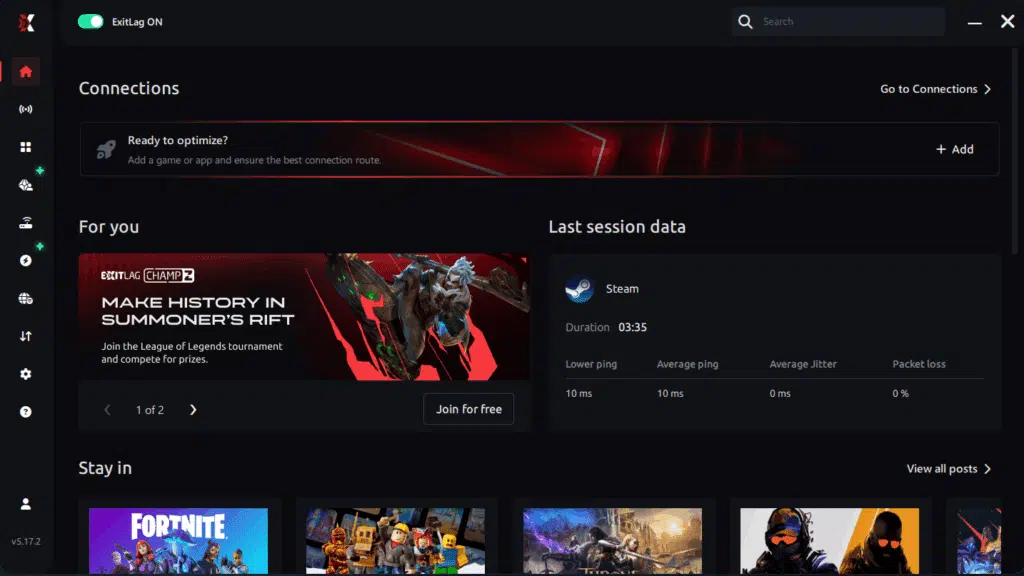
Step 3 – In the search bar, type “PokeTibia” and select the game from the list.

Step 4 – Choose between automated or manual route
Based on the results, you can let ExitLag automatically select the best route or manually choose the server that showed the lowest latency for your connection.
AI-optimized automated route
Based on the results, you can let ExitLag automatically select the best route through AI optimization. The system analyzes multiple connection paths in real time and automatically identifies the most efficient route for your connection, ensuring the lowest possible latency without requiring manual choices.
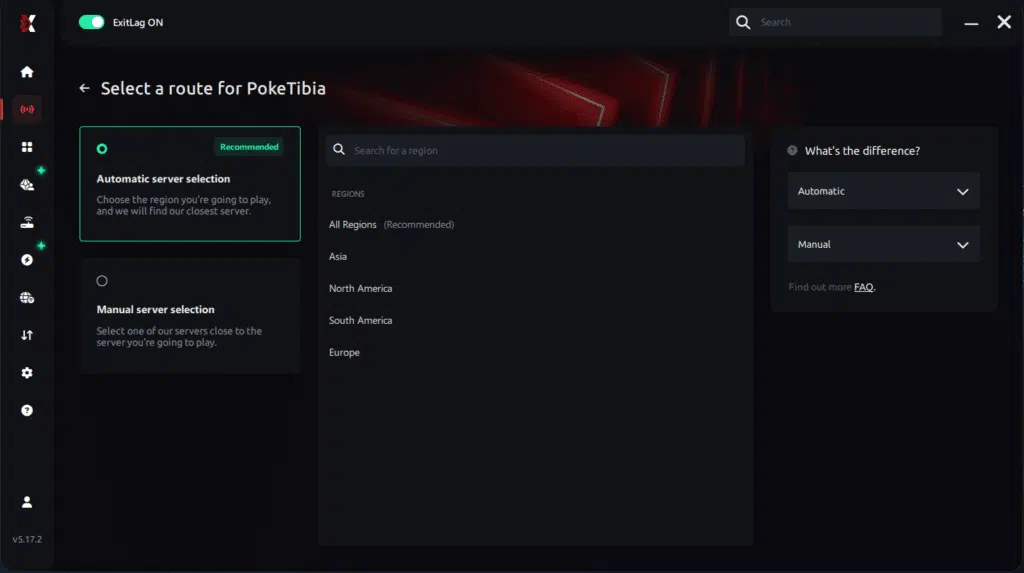
Manual route
If you prefer to have full control over your connection, you can manually choose the server based on the ping test results. Simply select the server that showed the lowest latency or the one that best meets your specific gaming needs, allowing complete customization of your experience.
Step 5 – Click “Apply routes” or the play button. ExitLag will begin optimizing your connection automatically.
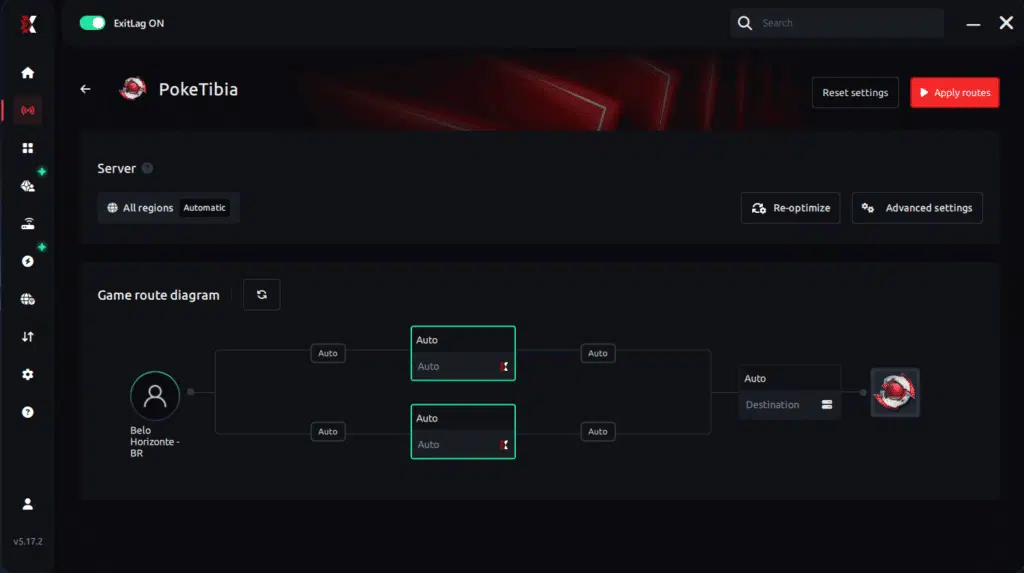
Step 6 – Wait a few seconds until optimization is complete. You’ll see ping indicators in the interface.
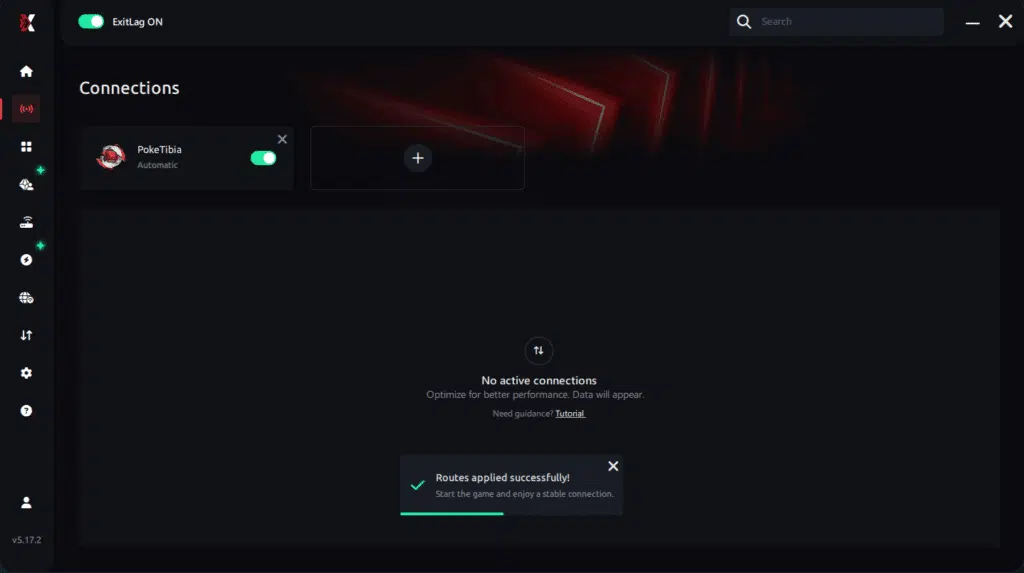
Step 7 – Launch PokeTibia normally. The optimization will already be active.
ExitLag runs in the background while you play, constantly adjusting routes to maintain the best possible performance.
Final thoughts: Play PokeTibia without lag forever
At the end of the day, PokeTibia lag should never ruin your experience. Whether you’re hunting Pokémon,™ training, questing, or battling other players, your internet connection should never be the reason you disconnect or lose progress.
With ExitLag, you finally take control of your network performance. The software finds the fastest routes, eliminates lag, and stabilizes your ping so that every step, every battle, and every capture happens exactly when you want it to.
Try ExitLag for free right now and experience how smooth PokeTibia can be when your connection is fully optimized. Play with confidence, progress faster, and make lag a thing of the past.
Got questions or want to connect with other players? Join the conversation at the ExitLag Forum!



