

POSTAL 2 Redux is being rebuilt for modern hardware with Unity, replacing the original game’s aging technology with a new technical foundation. That change is designed to improve stability, visuals, loading, and compatibility.
POSTAL 2 Redux Jitter is therefore a useful troubleshooting topic, but there is an important distinction. The game is currently unreleased, with its official release information targeting 2026 and Steam still listing the release date as to be announced.
If you are researching Jitter in POSTAL 2 Redux, do not confuse it with problems from the original POSTAL 2. The older game has documented stuttering and performance issues, while Redux is being rebuilt in Unity specifically to modernize the technical foundation.
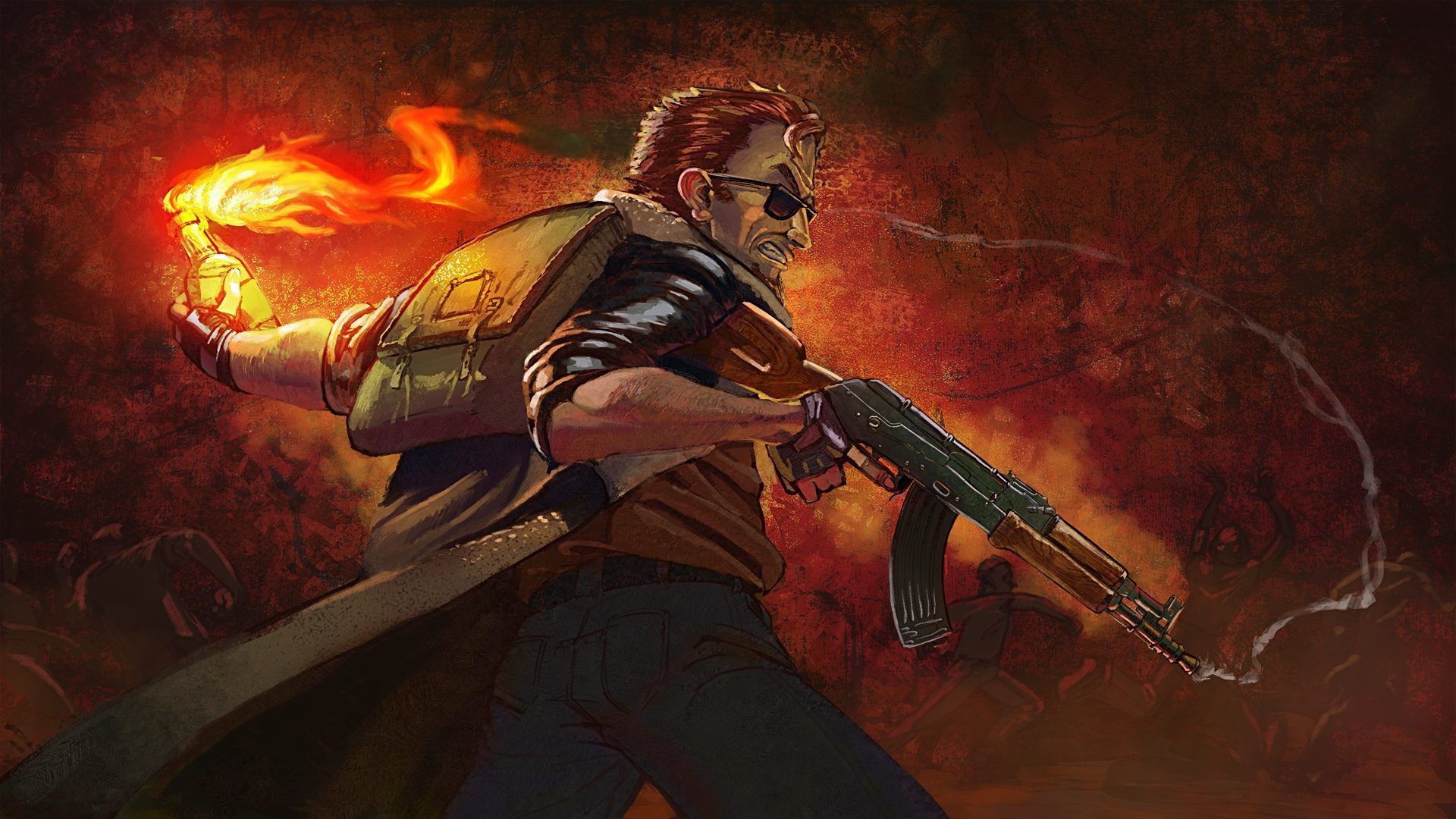
POSTAL 2 Redux Jitter: What Does It Mean?
Jitter describes inconsistent motion or uneven frame delivery. A game can show a high average FPS while still feeling rough if individual frames arrive at irregular intervals. This is why a counter showing 100 FPS does not automatically guarantee smooth gameplay.
How Is Jitter Different From Low FPS?
Low FPS means the game is consistently producing fewer frames than desired. Jitter is different because performance can fluctuate.
For example, a game could appear smooth for several seconds and then produce a short hitch. That hitch can make camera movement, character animation, or environmental motion feel uneven.
Common symptoms include:
- Brief freezes during movement.
- Uneven camera motion.
- Short visual hitches.
- Sudden frame-time spikes.
- Input feeling inconsistent.
- Smooth gameplay followed by periodic pauses.
These symptoms can have different causes. A graphics bottleneck is only one possibility.
Is POSTAL 2 Redux Currently Available?
Currently, POSTAL 2 Redux is still listed with a release date to be announced on Steam. Running With Scissors currently identifies 2026 as the target release window, while also describing the project as a ground-up rebuild in Unity.
That means there is not yet a finalized public troubleshooting guide for every possible POSTAL 2 Redux Jitter scenario. This is important when evaluating online fixes. A solution created for the original POSTAL 2 should not automatically be presented as an official Redux fix.
Jitter in POSTAL 2 Redux: What Can Cause It?
Jitter can originate from several different layers of a gaming system. The first step is identifying whether the problem is related to rendering, frame pacing, hardware, software, or networking.
Frame-Time Spikes
Frame time measures how long the system takes to produce each frame. When frame times remain consistent, movement tends to feel smooth. When they suddenly increase, you may notice a hitch even if the FPS counter remains relatively high.
Possible causes include:
- Background applications.
- Shader compilation.
- Asset streaming.
- CPU limitations.
- GPU saturation.
- Driver problems.
- Excessive graphics settings.
- Thermal throttling.
POSTAL 2 Redux is being built with streamed environments and modern rendering systems. The developers specifically describe Paradise as being designed to stream as the player moves rather than relying on traditional loading screens. That means future performance testing may need to consider both rendering and streaming behavior.
CPU and GPU Bottlenecks
A powerful GPU does not eliminate every performance problem. If the CPU becomes the limiting component, reducing graphical quality may have little effect. Likewise, if the GPU is saturated, reducing resolution or demanding visual settings can produce a larger improvement.
A useful first test is to monitor both components while the jitter occurs. If GPU usage is consistently near its limit, graphics settings are a logical place to start. If GPU usage drops while the game still hitches, investigate CPU load, background processes, or frame pacing.
How Can You Diagnose POSTAL 2 Redux Jitter?
Before changing several settings at once, reproduce the problem. This gives you a reliable baseline.
Step 1: Identify the Exact Symptom
Play the same area or repeat the same action. Then note when the jitter occurs.
For example, does it happen:
- When entering a new area?
- During combat?
- When many NPCs appear?
- During camera movement?
- After changing resolution?
- At regular intervals?
- Only when connected to an online service?
A repeatable pattern is extremely useful.
Step 2: Monitor Performance
Use your preferred system monitoring tool to observe FPS, frame time, CPU usage, GPU usage, and temperatures. Do not rely exclusively on the average FPS number. Frame-time consistency is more useful when investigating jitter.
A simple diagnostic sequence is:
- Start the game with default settings.
- Reproduce the hitch.
- Record what happens on screen.
- Check CPU and GPU utilization.
- Check temperatures.
- Change one setting.
- Test the same situation again.
Changing one variable at a time makes the result easier to understand.
Step 3: Check for Background Activity
Applications running behind the game can create sudden CPU, GPU, disk, or network activity. Temporarily close unnecessary programs before testing. Pay particular attention to applications that frequently perform background operations.
These can include:
- Cloud synchronization.
- Browser tabs with heavy content.
- Recording software.
- Hardware monitoring overlays.
- Download clients.
- Automatic update services.
If the jitter disappears, reopen applications individually to identify the source.
POSTAL 2 Redux Graphics Settings for Smoother Gameplay
Graphics settings are one of the easiest places to begin troubleshooting. However, lowering everything to minimum is not always necessary.
Start With Resolution and Rendering Load
Resolution directly affects GPU workload. If the GPU is struggling, reducing resolution can provide a quick diagnostic. You can also temporarily reduce demanding visual options. The goal is not to create the lowest possible image quality. The goal is to determine whether the GPU is responsible for the instability.
Reduce Demanding Effects First
Modern effects can create additional GPU workload. When troubleshooting POSTAL 2 Redux Jitter, test demanding settings individually rather than changing every option simultaneously.
A practical approach is:
- Lower resolution temporarily.
- Reduce shadow quality.
- Reduce effects quality.
- Reduce lighting quality.
- Test anti-aliasing settings.
- Disable unnecessary visual overlays.
- Compare frame-time behavior.
If jitter remains identical after major GPU reductions, the problem may not be GPU performance.
Why Should You Avoid Extreme Settings Immediately?
POSTAL 2 Redux is being designed to scale across modern hardware. The developers describe scalable requirements as part of the Unity transition, with the intention of adapting visual quality to different platforms and hardware. Therefore, the best configuration will depend on your system. A balanced configuration is usually better than blindly choosing every setting at maximum.
POSTAL 2 Redux Jitter and Frame Pacing
Frame pacing is especially important when the game appears fast but does not feel smooth.
Why Can High FPS Still Feel Choppy?
Imagine two systems. The first produces frames at almost identical intervals. The second produces some frames quickly and others much later. Both can show a similar average FPS. The second system will feel less consistent. This is why frame-time monitoring can reveal a problem that the standard FPS counter hides.
Should You Use an FPS Cap?
An FPS cap can sometimes improve consistency. However, the correct limit depends on your monitor, GPU, CPU, and the game’s own behavior. Do not assume that one number works for every system. Test a stable limit and compare frame-time consistency. If your monitor supports a variable refresh technology, also test the configuration recommended for your display.
Could Drivers Cause POSTAL 2 Redux Jitter?
Graphics drivers can influence game performance and compatibility. Because POSTAL 2 Redux is moving to a modern engine, keeping your GPU driver current is a sensible troubleshooting step.
Update Your Graphics Driver
Check the official driver software for your GPU manufacturer. Install a stable current driver rather than relying on a very old version. After updating, restart the PC before testing again. This helps ensure that the new driver is fully active.
What If the Problem Started After a Driver Update?
A newer driver is not automatically better for every game. If jitter began immediately after a driver change, compare the behavior with another supported driver version when practical. Keep track of which version you tested. That makes troubleshooting much easier.
POSTAL 2 Redux Jitter vs Original POSTAL 2 Stutter
This distinction deserves special attention. The original POSTAL 2 has documented performance problems, including stuttering and uneven FPS behavior. Running With Scissors has also previously recommended changing specific settings and the game’s configuration for certain issues.
Why Should You Avoid Copying Old Fixes?
The original POSTAL 2 uses an older engine architecture. POSTAL 2 Redux is being rebuilt in Unity. The developers state that Redux moves the game into Unity and replaces or upgrades the underlying technology.
Therefore, an old .ini modification designed for POSTAL 2 should not be assumed to work with Redux. This is especially important for guides that tell players to modify engine configuration files.
What Worked for the Original Game?
The original POSTAL 2 has community and developer-documented troubleshooting methods. For example, a developer discussion recommends changing ReduceMouseLag in the original game’s Postal2.ini for certain stuttering situations. That information applies to the original game. It should not be presented as a confirmed POSTAL 2 Redux Jitter fix.
| Issue | Original POSTAL 2 | POSTAL 2 Redux |
| Engine | Older Unreal technology | Unity |
| Release Status | Available | Targeting 2026 |
| .ini Fixes | Some documented fixes exist | No equivalent confirmed fix |
| Frame Stutter | Documented | Future testing required |
| Streaming | Older loading structure | Designed for streamed Paradise |
| Modern Hardware | Known compatibility challenges | Built for modern platforms |
This distinction prevents players from applying the wrong solution.
What Should You Do If POSTAL 2 Redux Jitter Appears?
If you encounter jitter in a current test build or after release, start with basic diagnostics.
Recommended Troubleshooting Order
Use this sequence before making advanced changes:
- Restart the game.
- Restart the PC.
- Update the graphics driver.
- Close unnecessary background applications.
- Return graphics settings to a balanced preset.
- Test a lower resolution.
- Monitor frame times.
- Test an FPS cap.
- Check temperatures.
- Verify the game installation if the platform provides that option.
- Check official developer updates for known issues.
- Report reproducible problems through the official support channels.
This order reduces the chance of creating new problems while troubleshooting.
What If Nothing Changes?
If jitter persists after reducing graphics load, investigate other possibilities. Check whether the issue occurs only in one location. Then compare the behavior after restarting.
If the problem happens at exactly the same point, it may indicate a game-side issue rather than a hardware limitation. Because Redux is still under development, official updates will be especially important once testing and release builds become available.

Pro Tips
Tip 1: Measure Before Changing Settings
Record your baseline first. This tells you whether a change actually helped.
Tip 2: Watch Frame Time
Average FPS can hide short spikes. Frame-time consistency gives you a better view of perceived smoothness.
Tip 3: Change One Setting at a Time
Changing ten options simultaneously makes troubleshooting much harder. Test one meaningful change, then reproduce the issue.
Tip 4: Keep Redux and Original POSTAL 2 Separate
Do not assume a configuration file or mod designed for the original game will work with Redux. The technical foundations are different.
Tip 5: Follow Current Developer Information
POSTAL 2 Redux is still being developed. Official updates can change the recommended troubleshooting process as new builds become available.
Common Mistakes
Mistake 1: Confusing Jitter With Low FPS
A low average FPS and inconsistent frame delivery are not identical problems. Correction: Monitor frame time as well as FPS.
Mistake 2: Copying Original POSTAL 2 Fixes
Old configuration changes may target the original engine. Correction: Only use Redux-specific instructions once they are confirmed for Redux.
Mistake 3: Blaming Internet Connection Immediately
Jitter can describe a visual or frame-pacing problem. Correction: First determine whether the hitch appears offline and whether frame times spike.
Mistake 4: Lowering Every Setting to Minimum
This can make troubleshooting harder without solving the underlying issue. Correction: Reduce GPU-heavy settings individually and compare the results.
Mistake 5: Ignoring Background Applications
A background process can create temporary CPU, disk, or GPU activity. Correction: Close unnecessary programs during testing.
Improve Your Connection With ExitLag
Network instability is different from frame-time jitter. If a future networked mode or online functionality produces high ping, packet loss, or unstable routing, ExitLag can help optimize the connection path between your device and the supported game service.
For PC, you can access the official ExitLag download page and use ExitLag when the problem is genuinely network-related. ExitLag does not modify POSTAL 2 Redux game files and does not interact with anti-cheat systems.
When Can ExitLag Actually Help?
ExitLag is relevant when the symptom involves network performance.
Examples can include:
- High ping.
- Packet loss.
- Route instability.
- Latency spikes.
- Connection inconsistency.
It will not fix GPU bottlenecks. It will not repair corrupted game files and It will not automatically solve frame-time spikes caused by CPU or GPU limitations. That distinction is important when troubleshooting POSTAL 2 Redux Jitter.
POSTAL 2 Redux Jitter: Fix Stutter & Lag Fast
POSTAL 2 Redux Jitter is a topic that needs careful treatment because the game is currently unreleased and its technical foundation differs significantly from the original POSTAL 2.
Redux is being rebuilt in Unity, with the developers targeting modern hardware, streamed environments, upgraded visuals, and broader platform support. If you experience Jitter in POSTAL 2 Redux, begin with frame-time monitoring, graphics testing, driver checks, background-process checks, and reproducible testing.
Do not immediately copy configuration edits designed for the original POSTAL 2. The original game has documented stuttering and performance workarounds, but those solutions belong to its older technology and should not be treated as confirmed Redux fixes.
Most importantly, separate visual stutter from network problems. If the game is rendering unevenly, changing your connection will not repair the frame pacing. If a future networked feature causes latency or packet loss, however, ExitLag may help stabilize the connection path. As POSTAL 2 Redux moves closer to release, official updates should provide the most reliable information about performance, compatibility, and confirmed fixes.



