
If you're exploring dungeons, fighting world bosses, or grinding levels with friends, nothing is more frustrating than SpiritVale packet loss. Skills fail to register, enemies suddenly teleport, and your character may rubberband across the map, turning challenging encounters into unnecessary defeats. Fortunately, there are several ways to improve your connection and enjoy a smoother experience.
As a real-time MMORPG, SpiritVale packet loss can have a much bigger impact than occasional lag. Since combat relies on accurate positioning, responsive abilities, and constant communication with the game's servers, even a small amount of packet loss can disrupt your gameplay. Understanding why it happens is the first step toward fixing the problem. You can also explore more supported online titles directly through the official ExitLag games page.
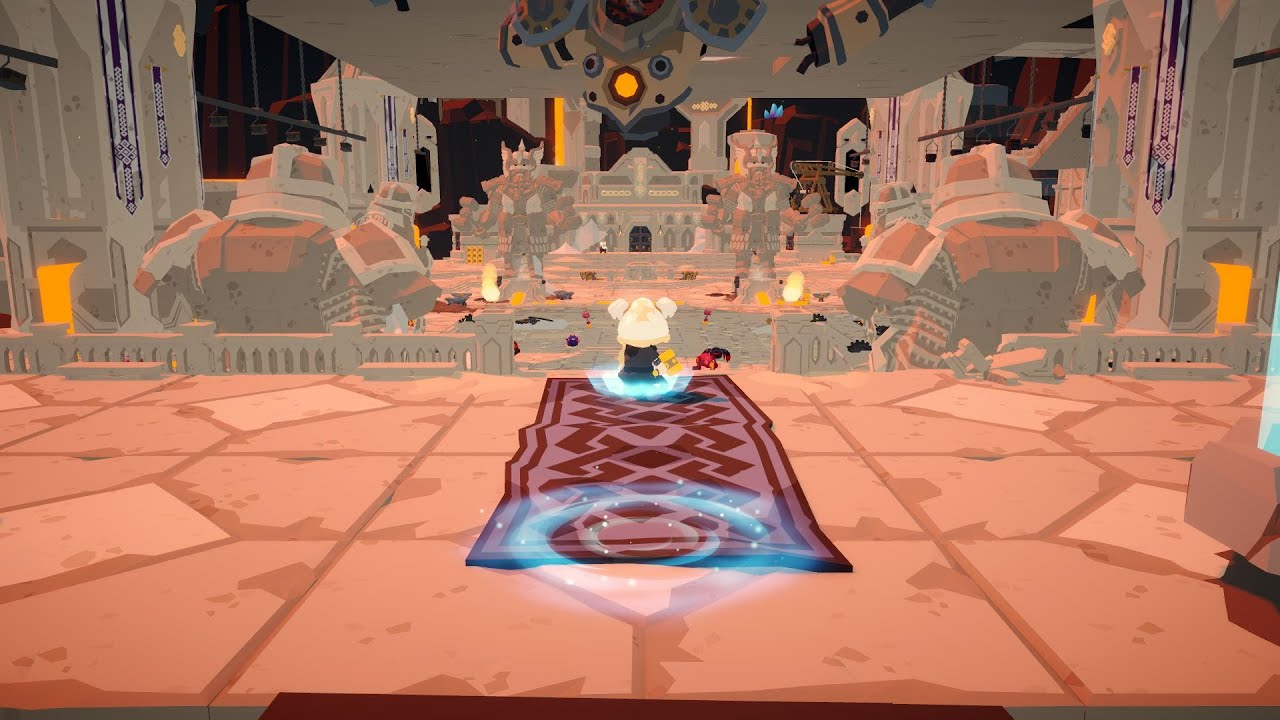
What is packet loss in SpiritVale?
So, what exactly causes SpiritVale packet loss, and how can you tell if it's affecting your game? The answer lies in how data packets travel between your PC and the game's servers. Whenever those packets fail to arrive correctly, your actions become delayed or disappear completely. This guide explains what packet loss is, why it happens, and how to identify it before it ruins your next adventure. SpiritVale is an online action MMORPG featuring cooperative multiplayer, PvE, PvP, and persistent online servers, making connection quality especially important.
Packet loss occurs when small pieces of information, known as data packets, never reach their destination during data transmission. Every movement, attack, dodge, chat message, or inventory action in SpiritVale depends on these packets traveling successfully between your computer and the game's servers.
Think of it like sending a series of letters through the mail. If every letter arrives, the message makes perfect sense. But if several letters disappear along the way, important information is lost. That's exactly what happens when packet loss affects an online game.
Because SpiritVale is a real-time MMORPG with shared zones, cooperative parties, PvP arenas, and world bosses, thousands of data packets are constantly exchanged while you play. Even a small percentage of packet loss can interrupt combat synchronization, making your client display information that no longer matches what the server sees.
Unlike high ping, which simply delays information, packet loss causes missing information. Your connection might still show a relatively low latency, yet attacks fail to connect, monsters freeze momentarily, or your character snaps back to a previous position.
In SpiritVale, these interruptions become especially noticeable during crowded events. Since the game features multiplayer parties, player trading, world bosses, and large shared environments, maintaining reliable data transmission is essential for responsive gameplay.
How packet loss affects your gameplay in SpiritVale
Even a small amount of packet loss can completely change how SpiritVale feels. Instead of smooth combat, every action becomes unpredictable because your game client and the server stop sharing the same information.
Some of the most common gameplay problems include:
- Delayed skill activation: abilities activate several moments after pressing the key.
- Rubberbanding: your character suddenly moves backward after running forward.
- Enemy teleporting: monsters or players appear to jump between positions.
- Failed hit registration: attacks visually connect but deal no damage.
- Interrupted boss mechanics: dodge timings become inconsistent during major encounters.
- Unexpected disconnections: severe packet loss may disconnect you from the server.
- Loot interaction delays: opening chests, collecting drops, or interacting with NPCs becomes inconsistent.
These issues become even more noticeable in SpiritVale because combat emphasizes positioning, dodging enemy attacks, and coordinating with teammates during difficult encounters. Missing just a few packets at the wrong moment can mean failing an entire boss mechanic instead of simply experiencing a brief delay.
Players participating in PvP are even more affected. Since every movement and ability is synchronized in real time, unreliable data transmission can make fights feel unfair, especially when opponents appear to react faster than what your screen displays.
Large community activities may also increase the visibility of connection issues. During busy maps, crowded towns, or world boss events, the amount of information exchanged with the game's servers grows considerably, making stable routing even more important.
Main causes of packet loss in SpiritVale
Inefficient routing
One of the most common reasons behind SpiritVale packet loss is inefficient internet routing.
Your connection doesn't travel directly from your PC to the game's servers. Instead, it passes through multiple routers owned by different internet providers before reaching its destination. Every additional hop creates another opportunity for data packets to be delayed or dropped.
If one of those network paths becomes congested or unstable, packet loss may occur even though your own internet connection appears to be working normally.
Unstable internet connection
Local network instability is another frequent cause.
Wireless interference, overloaded home networks, aging routers, or temporary ISP issues can all interrupt data transmission. Although web browsing or video streaming may seem normal, online games require continuous, uninterrupted communication with the server.
Even brief interruptions lasting only milliseconds can affect real-time MMORPG gameplay.
Distance from the game servers
Physical distance also matters.
The farther you are from SpiritVale's servers, the more network infrastructure your connection must cross. Longer routes naturally increase the chances of encountering congested or unstable network segments where packets may be discarded.
This becomes particularly important when joining servers located in another region or continent.
Network congestion
Heavy internet usage often contributes to packet loss.
Common situations include:
- multiple people streaming 4K video;
- cloud backups running automatically;
- large game downloads;
- operating system updates;
- multiple devices sharing the same connection.
During these periods, available bandwidth becomes limited, increasing the likelihood that data packets will be dropped before reaching the game server.
Faulty hardware
Connection problems aren't always caused by your ISP.
Old Ethernet cables, malfunctioning routers, outdated network adapters, or failing modems may all generate unstable communication between your computer and the internet.
Replacing damaged hardware often eliminates intermittent packet loss that software troubleshooting cannot fix.
Early Access server optimization
SpiritVale is currently in Early Access, and the developers continue improving server performance, database infrastructure, and network optimization. During testing, they have released updates specifically targeting rubberbanding, lag reduction, and server optimization as player counts increased. This means occasional connection inconsistencies may also originate from ongoing infrastructure improvements rather than your local network alone.
How to identify packet loss in SpiritVale
Many players mistake packet loss for ordinary lag, but the symptoms are different.
High ping usually creates consistent delays between your actions and what happens on screen. Packet loss, however, creates missing information, making gameplay feel random and inconsistent.
Inside SpiritVale, watch for signs such as:
- inconsistent latency during combat;
- rubberbanding while exploring maps;
- enemies suddenly changing position;
- attacks failing despite clear visual contact;
- delayed interaction with NPCs or objects.
You can also test your connection outside the game using the Windows Command Prompt.
Open Command Prompt and run a continuous ping test to a reliable destination, such as your router or a public server. If the results display "Request Timed Out" messages or missing replies, your connection may be experiencing packet loss before traffic even reaches SpiritVale's servers.
Another useful method is comparing your experience during different times of day. If gameplay becomes noticeably worse during evening peak hours but improves late at night, network congestion may be contributing to dropped packets.
Finally, remember that SpiritVale is an always-online MMORPG where every combat action depends on constant communication with the game's infrastructure. If your character frequently rubberbands, abilities stop responding, or multiplayer encounters become inconsistent despite acceptable ping values, SpiritVale packet loss is likely the underlying issue rather than simple latency.
Packet loss symptoms and quick fixes in SpiritVale
| Symptom | Possible cause | Recommended solution |
| Rubberbanding | Packet loss or unstable routing | Use a wired connection and reduce network congestion |
| Delayed skill activation | High latency or dropped packets | Close background downloads and restart your router |
| Enemy teleporting | Lost data packets | Test your connection and check for ISP issues |
| Random disconnections | Network instability | Verify cables, modem, and router health |
| Hit registration problems | Packet loss between client and servers | Optimize your connection before launching the game |
| Stuttering during world bosses | Network congestion | Avoid heavy bandwidth usage while playing |
Basic solutions to reduce packet loss in SpiritVale
Optimize your local connection
Before assuming the problem comes from the game servers, make sure your own network is running as efficiently as possible. A few simple adjustments can significantly improve connection stability.
- Use a wired Ethernet connection instead of Wi-Fi whenever possible.
- Close downloads, streaming services, cloud backups, and other background applications.
- Update your network adapter drivers to the latest version.
- Enable Quality of Service (QoS) on your router to prioritize gaming traffic.
- Test a different Ethernet cable if your current one is old or damaged.
- Restart your modem and router regularly to refresh your network connection.
These basic steps eliminate many common causes of SpiritVale packet loss and provide a more stable experience during long gaming sessions.
Contact your ISP
If packet loss continues after optimizing your local setup, your internet provider may be the source of the problem.
Ask your ISP to verify line quality, check for routing problems, and investigate packet loss between your home and the destination network. Providing ping or traceroute results can help their technical team identify the issue more quickly.
ExitLag: a smarter way to reduce packet loss in SpiritVale
What is ExitLag?
ExitLag is connection optimization software designed specifically for online games. Instead of changing the game itself, it analyzes network routes and attempts to improve how traffic travels between your PC and the game servers.
Developed by gamers for gamers, ExitLag was built specifically to improve route consistency, stabilize packet delivery, and eliminate connection instability. Learn more about the technology here.
For online games like SpiritVale, where combat depends on responsive server communication, connection optimization can help reduce instability caused by inefficient routing.
How ExitLag works
ExitLag continuously analyzes available routes and dynamically selects stable paths for your gaming traffic. Learn more about how the technology works.
Its core features include:
- Real-time route analysis.
- Dynamic route switching when network quality changes.
- Multi-path connection technology.
- Traffic optimization to reduce unnecessary network hops.
- Continuous monitoring throughout your gaming session.
These features are designed to improve connection consistency, although results vary depending on your network conditions and ISP.
Benefits for SpiritVale players
Players experiencing frequent routing problems may notice several advantages when optimizing their connection:
- Reduced routing instability.
- More consistent latency.
- Fewer sudden connection spikes.
- Improved responsiveness during multiplayer activities.
- Simple setup process.
- Support for thousands of online games.
While no software can eliminate every networking issue, optimizing your route may help reduce interruptions caused by unstable internet paths.
Is ExitLag worth using for SpiritVale?
It may be worth considering if you:
- Play on distant regional servers.
- Frequently experience packet loss.
- Participate in competitive PvP.
- Join world boss events with many players.
- Notice unstable routing from your ISP.
- Experience inconsistent latency during peak hours.
Since every network is different, the improvement depends on your location, internet provider, and the route your traffic follows.
You can compare available plans directly through the official pricing page.
How to configure ExitLag for SpiritVale
- Download and install ExitLag directly from the official page.
- Create or log into your account.
- Search for SpiritVale in the game list.
- Apply the recommended optimization profile.
- Launch SpiritVale through your preferred launcher.
- Monitor the connection statistics while playing.
- Test different optimization settings if needed.
- Keep ExitLag updated to receive the latest improvements.
FAQ: frequently asked questions about SpiritVale packet loss
Is packet loss the same as lag?
No. Lag usually refers to high latency, while packet loss means some data packets never reach the game server. You can experience low ping and still suffer from packet loss.
Why do I only experience packet loss in SpiritVale?
Different games use different server locations and network routes. A route that works well for one game may experience congestion when connecting to SpiritVale.
Can packet loss cause account bans?
Generally, no. Packet loss creates connection instability rather than behavior associated with cheating. However, severe instability may cause temporary disconnections from the server.
How much packet loss is acceptable?
Ideally, 0%. Casual gameplay may remain playable with very small amounts of packet loss, but competitive encounters benefit from a completely stable connection.
Can my hardware cause packet loss?
Yes. Faulty Ethernet cables, aging routers, damaged modems, or outdated network adapters can all contribute to connection instability.
Does ExitLag work with SpiritVale?
ExitLag is designed to optimize network routes for supported online games. The improvement depends on your network conditions, ISP, and routing path.
Should I keep ExitLag running all the time?
You only need to keep it running while you're playing online.
Can server maintenance cause packet loss?
Temporary server maintenance, infrastructure upgrades, or unexpected outages can occasionally affect connection quality for all players.
Conclusion: eliminate packet loss and enjoy smoother SpiritVale gameplay
Understanding how packet loss works, identifying its symptoms, and improving your local network are the first steps toward a more reliable online experience.
If routing issues continue even after basic troubleshooting, connection optimization tools may help improve stability depending on your network environment. Combined with a reliable internet connection and updated hardware, they can contribute to smoother combat, fewer interruptions, and a more enjoyable experience throughout your journey in SpiritVale. To learn more about connection performance, latency reduction, and gaming stability, explore more guides directly through the official ExitLag blog.
SpiritVale packet loss doesn't have to ruin your adventures.Try ExitLag for free and experience smoother gameplay, stable packet delivery, and a more reliable online connection. Start your free trial!



