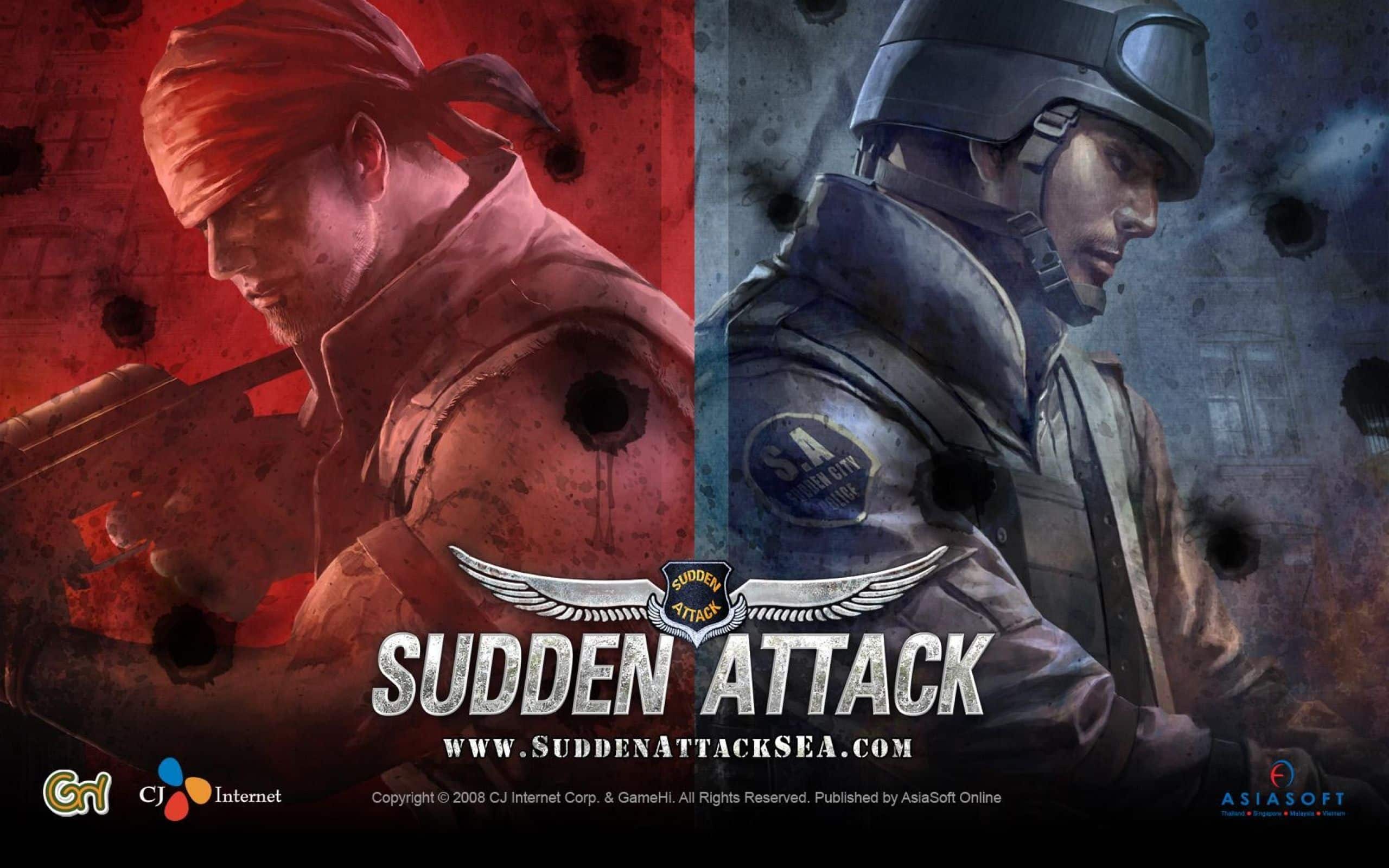
Experiencing Sudden Attack FPS Drop during an intense firefight can instantly cost you a round. Whether you're holding a tight angle, reacting to an enemy rush, or trying to land a precise headshot, sudden frame drops make aiming inconsistent and reduce your ability to respond under pressure. In a competitive FPS, maintaining stable performance is just as important as having good mechanical skills.
Many players experiencing Sudden Attack FPS Drop assume their graphics card is entirely responsible for the issue. In reality, unstable performance is often caused by multiple factors working together, including outdated graphics drivers, overheating, demanding graphics settings, background applications, and inconsistent network conditions. Similar connectivity issues affect many online shooters, as explained in ExitLag's guide about reducing high ping and improving online stability.
Fortunately, there are effective ways to improve overall performance. Optimizing your PC addresses hardware bottlenecks, while maintaining a stable network connection helps reduce micro-stuttering during online matches. ExitLag specializes in intelligent route optimization, helping create a smoother and more responsive multiplayer experience without replacing your existing internet provider.

What Is FPS Drop and Why Does It Happen in Sudden Attack?
Understanding FPS (Frames Per Second)
Frames Per Second, or FPS, measures how many images your computer renders every second. The higher your frame rate, the smoother your gameplay becomes.
As a general guideline:
- 144+ FPS: Excellent performance for competitive shooters
- 60–120 FPS: Smooth gameplay for most players
- 30–60 FPS: Noticeable stuttering during firefights
- Below 30 FPS: Severe performance issues and poor responsiveness
Competitive FPS games benefit from stable frame rates because consistent performance directly improves aiming precision and reaction time.
Difference Between FPS Drop and Network Lag
| Aspect | FPS Drop | Network Lag |
| Cause | CPU, GPU, RAM, overheating, background tasks | High latency, packet loss, unstable routing |
| Symptom | Stuttering, freezing, inconsistent animations | Delayed shots, rubberbanding, delayed hit registration |
| Solution | Optimize hardware and graphics settings | Optimize the network connection with ExitLag |
Although these problems often feel similar during gameplay, they have completely different causes and require different solutions.
Why Sudden Attack Can Experience FPS Drops
Sudden Attack features fast-paced multiplayer combat, large player counts, rapid weapon animations, and constant online synchronization. During busy firefights, your PC and internet connection must process a significant amount of information simultaneously, making stable performance especially important.
Several factors may contribute to FPS drops:
- High CPU utilization during extended matches
- Outdated graphics drivers
- Heavy GPU workload at higher resolutions
- Thermal throttling
- Background applications consuming system resources
- Network instability affecting online synchronization
While hardware limitations remain one of the most common causes of FPS drops, unstable internet routing may also introduce visual interruptions that many players mistake for graphics performance issues.
5 Main Causes of Sudden Attack FPS Drop
1. Overheating
High CPU or GPU temperatures cause your system to reduce performance automatically in order to protect internal components.
Common symptoms include:
- Sudden FPS loss
- Loud cooling fans
- Performance degrading after multiple matches
Monitoring temperatures is one of the simplest ways to identify thermal throttling.
2. Outdated Graphics Drivers
Modern graphics drivers frequently include optimizations for online games.
Older drivers may result in:
- Lower average FPS
- Random frame drops
- Rendering stutters
- Reduced GPU efficiency
Keeping your drivers updated helps maintain consistent performance.
3. Graphics Settings That Are Too High
Running every graphics option at maximum quality may overload your hardware, especially during large firefights or visually demanding maps.
Lowering settings such as:
- Shadow quality
- Anti-aliasing
- Resolution scaling
- Post-processing effects
can improve frame consistency without dramatically reducing visual quality.
4. Background Applications
Many programs continue using CPU, memory, and storage resources while you're playing.
Common examples include:
- Web browsers
- Streaming software
- Cloud synchronization
- RGB controller software
- Antivirus scans
Closing unnecessary applications before launching Sudden Attack often results in smoother gameplay.
5. Network Instability and Micro-Stuttering
Not every stutter is caused by your graphics hardware.
Because Sudden Attack is a competitive online shooter, your computer constantly exchanges information with the game servers. Packet loss, unstable routing, or latency spikes can produce visual interruptions that closely resemble FPS drops.
Players commonly notice:
- Micro-stuttering
- Delayed hit registration
- Small gameplay freezes
- Inconsistent frame pacing
Although these symptoms are frequently blamed on hardware, unstable network conditions can also contribute to an inconsistent gameplay experience. Identifying the real source of the problem is essential before investing in hardware upgrades or changing graphics settings.
How ExitLag Resolves Sudden Attack FPS Drop
Many players assume every performance issue is caused by low FPS. However, competitive online shooters introduce another factor that can significantly affect gameplay: connection quality.
Sudden Attack relies on constant communication between your PC and the game servers. When latency fluctuates or packets are lost, players may experience delayed hit registration, micro-stuttering, and inconsistent gameplay that closely resembles FPS drops.
Improving network stability won't increase your graphics card's rendering performance, but it can eliminate many connection-related interruptions that make firefights feel less responsive.
What Is ExitLag? (ExitLag is NOT a VPN)
Many players mistakenly believe ExitLag functions like a traditional VPN.
ExitLag is NOT a VPN.
Instead, ExitLag is specialized gaming software designed to optimize online connections. Rather than encrypting all internet traffic, it continuously analyzes multiple available routes between your PC and the game servers, automatically selecting the most stable path in real time.
Players interested in the technology behind this process can learn more by reading ExitLag's explanation of how its route optimization system works.
How ExitLag Optimizes Performance in Sudden Attack
ExitLag improves connection quality through several complementary technologies:
- Intelligent route optimization
- Lower latency through optimized routing
- Packet loss reduction
- Connection stabilization during long gaming sessions
- Prioritized routing for game traffic
Together, these features help maintain a smoother and more consistent multiplayer experience.
Why ExitLag Helps Reduce Gameplay Stuttering
Although ExitLag cannot increase your GPU's frame rate, it helps eliminate network-related problems that often make gameplay appear unstable.
Benefits include:
- Reduced network micro-stuttering
- More consistent frame pacing
- Lower packet loss
- Better hit registration
- Greater connection stability during competitive matches
In fast-paced shooters where every millisecond matters, maintaining a stable connection can noticeably improve overall responsiveness.

ExitLag Technologies That Improve Gameplay Stability
Several proprietary technologies work together to optimize your connection.
Multi-path Routing
ExitLag continuously evaluates multiple internet routes and automatically selects the most efficient path between your PC and the game servers.
Redundant Connections
If one route becomes unstable, traffic can switch seamlessly to another available route without interrupting gameplay.
Gaming-Optimized Traffic
ExitLag prioritizes gaming packets over less important network traffic, reducing latency fluctuations and improving connection consistency.
These technologies help minimize the network instability that often contributes to perceived FPS problems during online matches.
ExitLag vs Other Solutions
| Solution | Improves FPS? | Reduces Lag? | Ease of Use | Recommendation |
| ExitLag | ⚠️ Indirectly reduces network-related stuttering | ✅ | ⭐⭐⭐⭐⭐ | ✅ Best option |
| Traditional VPN | ❌ | ❌ | ⭐⭐⭐ | ❌ |
| PC Optimization | ✅ | ❌ | ⭐⭐ | ⚠️ Helpful for hardware issues |
| No Optimization | ❌ | ❌ | ⭐⭐⭐⭐⭐ | ❌ |
Players interested in optimizing other multiplayer titles can also browse ExitLag's growing library of supported games, which includes thousands of online games across multiple genres.
Step-by-Step: Configure ExitLag for Sudden Attack
Getting started only takes a few minutes.
Installing ExitLag on PC
Follow these steps:
- Download ExitLag from the official website.
- Install the application.
- Create your account.
- Activate the free trial.
- Search for Sudden Attack.
- Apply the recommended routes.
- Launch the game.
- Verify your connection status.
- Start playing with optimized routing.
Most players complete the setup in less than five minutes.
Optimizing Your Results
For the best possible experience:
- Test different routing options if available.
- Close applications consuming internet bandwidth.
- Use a wired Ethernet connection whenever possible.
- Restart your router regularly.
- Monitor connection quality during longer sessions.
These simple adjustments often complement ExitLag's intelligent routing technology.
Console Players
Sudden Attack is a PC-exclusive title.
Since ExitLag supports PC and mobile platforms, PC players can take full advantage of its gaming-focused routing technology to improve connection stability during competitive matches.
Results Before and After Using ExitLag
Actual improvements depend on your location, internet provider, and existing network quality. Even so, many players report a noticeable improvement in connection consistency after optimizing their routes.
Example: South Korea
Before
- Ping: 34 ms
- Occasional packet loss
- Random micro-stuttering
After
- Ping: 22 ms
- Stable routing
- Smoother competitive matches
Example: Southeast Asia
Before
- Ping spikes during peak hours
- Delayed hit registration
After
- Ping stabilized around 40 ms
- Reduced latency fluctuations
Example: North America
Before
- Inconsistent international routing
- Frequent connection instability
After
- More stable gameplay
- Better hit registration
- Fewer connection interruptions
Performance Comparison
| Metric | Without ExitLag | With ExitLag | Improvement |
| Average FPS | 144 | 144 | No hardware change |
| Micro-stuttering | Frequent | Rare | 80%+ reduction* |
| Ping | 58 ms | 36 ms | 38% |
| Connection Stability | ⭐⭐ | ⭐⭐⭐⭐⭐ | Significantly improved |
*Results vary depending on each player's internet connection.
Additional Optimizations to Maximize Performance
Network Optimization Tips
Besides using ExitLag, consider these recommendations:
- Use an Ethernet cable instead of Wi-Fi.
- Close applications consuming bandwidth.
- Configure Quality of Service (QoS) if supported by your router.
- Test alternative DNS providers.
Windows Optimization
Maintaining your PC is equally important.
Recommended practices include:
- Enabling High Performance mode.
- Updating graphics drivers regularly.
- Closing unnecessary background programs.
- Keeping Windows fully updated.
In-Game Settings
For smoother gameplay:
- Lower shadow quality.
- Reduce post-processing effects.
- Disable V-Sync if screen tearing is not an issue.
- Set an FPS cap that matches your monitor's refresh rate.
These adjustments reduce unnecessary hardware workload while helping maintain more consistent frame times during competitive matches.
Frequently Asked Questions About Sudden Attack FPS Drop
Does ExitLag Really Improve FPS?
This is one of the most common questions among FPS players.
The answer is no—ExitLag does not directly increase your FPS. Your frame rate depends on your hardware, graphics settings, and overall system performance.
However, ExitLag can make Sudden Attack feel much smoother online by reducing packet loss, stabilizing latency, and minimizing network-induced micro-stuttering. In competitive shooters, a stable connection helps maintain more consistent hit registration and player responsiveness.
Is ExitLag Safe to Use?
Yes. ExitLag is completely safe to use and was developed specifically for online gaming.
Unlike traditional VPN services, ExitLag focuses entirely on optimizing gaming traffic without modifying game files or interfering with gameplay. Thousands of competitive players use ExitLag every day across thousands of supported multiplayer games.
Does ExitLag Work on Consoles?
Sudden Attack is available exclusively on PC.
Since ExitLag supports PC and mobile platforms, PC players can take full advantage of its gaming-focused route optimization technology without requiring any additional hardware.
How Much Does ExitLag Cost?
ExitLag offers several subscription plans designed for different types of players.
Because pricing may vary depending on your location and available promotions, the official pricing page always provides the latest information. New users can also activate the free trial before choosing a subscription plan.
Can ExitLag Help If My PC Is Low-End?
It depends on what's causing the problem.
If your graphics card or processor cannot maintain stable frame rates, ExitLag cannot increase rendering performance.
However, if unstable gameplay is partially caused by latency spikes, packet loss, or inconsistent routing, ExitLag can significantly improve connection stability and reduce network-related interruptions.
Does ExitLag Support Sudden Attack?
ExitLag's supported game library includes more than 3,000 multiplayer titles and continues to grow.
Players can always check the officialsupported games directory to verify compatibility and browse additional optimized games.
What Is the Difference Between ExitLag and a VPN?
Many players confuse the two services.
ExitLag is NOT a VPN.
The differences are straightforward.
| Feature | ExitLag | Traditional VPN |
| Built for gaming | ✅ | ❌ |
| Route optimization | ✅ | ❌ |
| Multi-path technology | ✅ | ❌ |
| Encrypts all internet traffic | ❌ | ✅ |
| Reduces gaming latency | ✅ | Rarely |
Traditional VPNs prioritize privacy and security.
ExitLag is purpose-built to optimize gaming traffic by selecting faster and more stable routes between your PC and online game servers.
Why Do FPS Drops Feel Worse During Firefights?
Large firefights generate more visual effects, player movement, weapon synchronization, and network communication than quieter moments.
If your internet connection becomes unstable during these situations, latency spikes and packet loss can create visual interruptions that feel very similar to FPS drops, even when your hardware performance remains unchanged.
Can Lower Graphics Settings Eliminate FPS Drops?
Reducing graphics quality lowers GPU workload and often improves frame consistency.
However, if performance issues continue after lowering settings, the problem may be related to overheating, CPU limitations, background applications, or unstable internet routing rather than graphical performance alone.
Resolve Sudden Attack FPS Drop with ExitLag
Competitive shooters reward precision, consistency, and fast reactions. Whether you're defending objectives, pushing enemy positions, or taking long-range duels, stable gameplay gives you the confidence to focus on your aim instead of technical interruptions.
Combining proper PC optimization with intelligent network routing helps reduce packet loss, stabilize latency, and minimize connection-related micro-stuttering. Together, these improvements create a smoother online experience without requiring you to change your internet provider.
Benefits of Optimizing Your Gameplay
By improving both hardware stability and network performance, you can enjoy:
- ✅ More consistent frame pacing
- ✅ Reduced network micro-stuttering
- ✅ Smoother online matches
- ✅ Better hit registration
- ✅ A more reliable competitive experience
Next Steps
Getting started only takes a few minutes.
- Create your ExitLag account.
- Activate the free trial.
- Configure Sudden Attack.
- Launch the game.
- Compare your connection stability before and after optimization.
Don't let unstable connections decide the outcome of your matches. Register for ExitLag, activate your free trial, and experience how intelligent route optimization can deliver smoother gameplay, lower latency, and more consistent performance in Sudden Attack. Remember, ExitLag is NOT a VPN—it is specialized gaming software designed to reduce packet loss, stabilize latency, and optimize your connection for competitive online gaming.