

Teamspeak3 players know exactly how frustrating connection instability can be. Even though TS3 is a voice-communication tool rather than a traditional game, Teamspeak3 Lag can ruin competitive coordination, slow down reactions during matches, and create delays that break the flow of team communication. Nothing is worse than missing a strategy call because your audio cuts out or arrives seconds late.
However, many users still face audio delays, robotic voices, and random disconnects even with a seemingly good internet connection. This leads to confusion and irritation, especially when the issue is directly related to Teamspeak3 Lag, which becomes noticeable during crucial gaming sessions. Like this, players begin searching for definitive solutions that actually stabilize their connection instead of temporary workarounds that fail in peak hours.
Finally, this guide explains not only what causes Teamspeak3 Lag but also how ExitLag delivers a stable, optimized route that drastically improves performance. After reading, you’ll understand the technical reasons behind the issue and get a reliable method to solve it for good.

What is lag in Teamspeak3?
Lag in Teamspeak3 refers to the delay between your voice data being sent to the server and being delivered to your teammates. Therefore, lag creates delayed audio, robotic distortion, or even total disconnection.
To simplify:
- You speak.
- Your device sends packets to the TS3 server.
- The server distributes them to the channel.
- Everyone else hears you.
When this process is slow, unstable, or interrupted, lag occurs.
Why Teamspeak3 lags: causes explained
Connection route issues
Teamspeak3 relies heavily on the quality of the route your data takes before reaching the server. However, your ISP automatically chooses this route, and it is not always the fastest or the most stable. Congested paths and inefficient routing lead directly to delay.
Packet loss
Packet loss happens when part of your data fails to reach the server. Like this, your voice may cut, crack, or disappear entirely. Even a small percentage of packet loss is enough to distort audio.
Distance to the server
The farther you are from the TS3 server, the longer your voice packets travel. This naturally increases latency and can cause voice desync.
Isp instability
Even with high download speed, ISPs often suffer from routing failures, maintenance, or traffic overload. As a result, TS3 communication becomes unstable.
Lag, ping, and fps: what’s the difference?
Teamspeak3 doesn’t use FPS, but players often confuse connection terms. Therefore, clarifying them helps identify the real issue:
| Term | Meaning | Relevance to TS3 |
| Lag | Delay between voice data sent and received | Main issue affecting audio |
| Ping | Time taken for data to reach the server and return | High ping = delayed audio |
| FPS | Frames per second, visual performance | Not applicable in TS3 |
Understanding this difference helps you correctly diagnose Teamspeak3 Lag without blaming your hardware.
Even with good internet: why the lag happens
It’s common to assume a fast connection solves everything. However, this is not the case for Teamspeak3. ISPs often route your packets through slower, congested, or illogical paths.
Imagine your data getting stuck in "digital traffic." Instead of taking a straight road to the TS3 server, your packets might take a detour through overly busy nodes, causing delay. Like this, even premium internet can suffer from instability.

The solution: Exitlag
What if you could manually choose a faster, cleaner, and more direct route to Teamspeak3 servers? That’s exactly what ExitLag does.
ExitLag uses multi-route technology and intelligent tunneling to prioritize the best connection paths. It works by:
- Scanning multiple routes in real time
- Selecting the fastest, most stable path
- Reducing packet loss
- Ensuring stable performance even during peak hours
Therefore, ExitLag becomes a powerful tool for anyone tired of unstable TS3 communication.
Benefits of Exitlag for Teamspeak3
Stable and lower ping
Your commands and voice reach the server faster, providing immediate response and smooth communication.
Reduction of packet loss
ExitLag ensures your audio data arrives completely, preventing robotic distortion, cuts, and missing sentences.
Consistent stability
Even during peak ISP congestion, ExitLag maintains a stable route so your audio doesn’t fluctuate.
Perfect for competitive players
If you rely on precise callouts during gameplay, stable TS3 is essential.
Easy to use
No advanced configuration needed; the interface is intuitive and beginner-friendly.
How to use ExitLag in TeamSpeak 3
The process is extremely simple:
Step 1 – Access the official ExitLag website and download the application. There’s a free trial period for new users.
Step 2 – Install and open the program. Log in with your account.
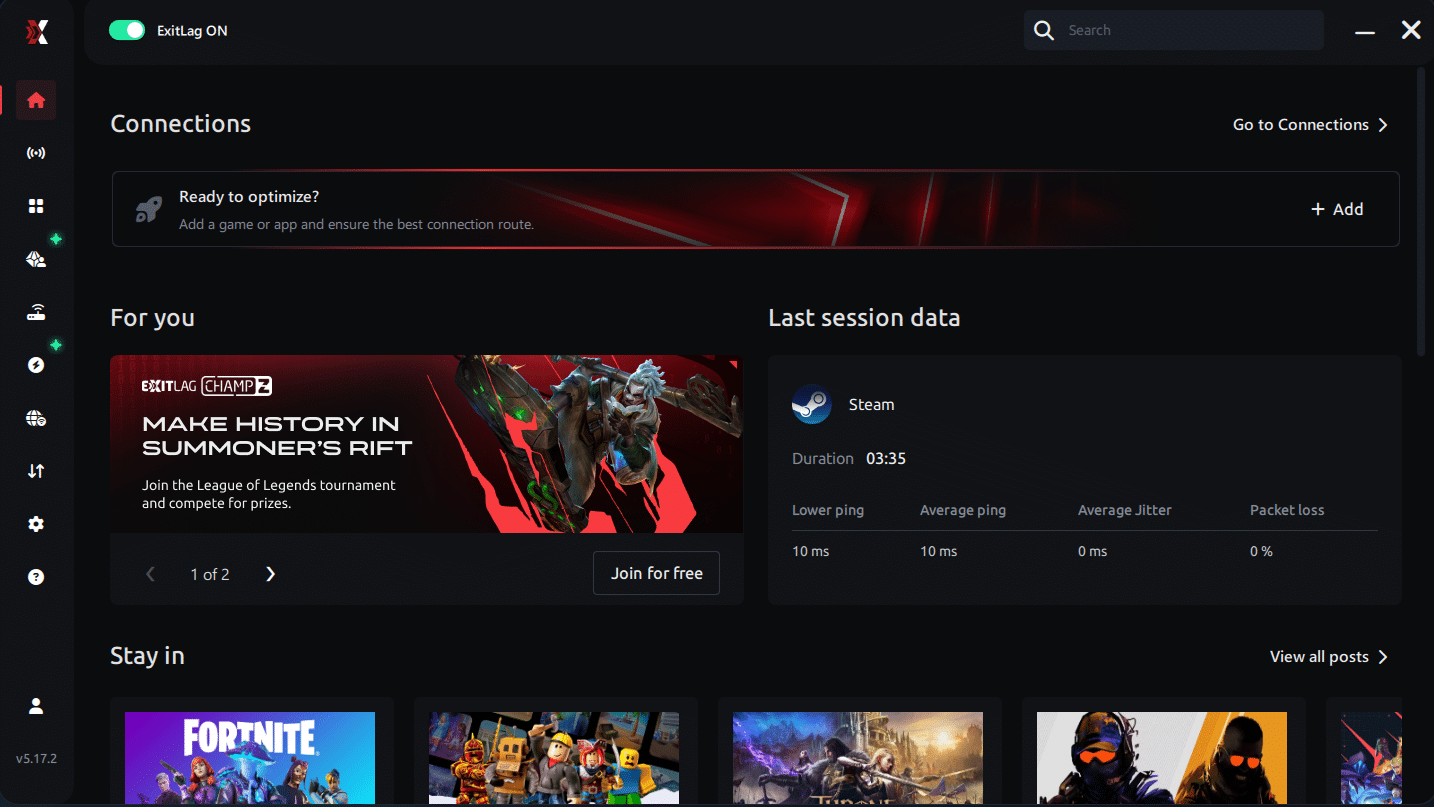
Step 3 – In the search bar, type “TeamSpeak 3” and select the game from the list.
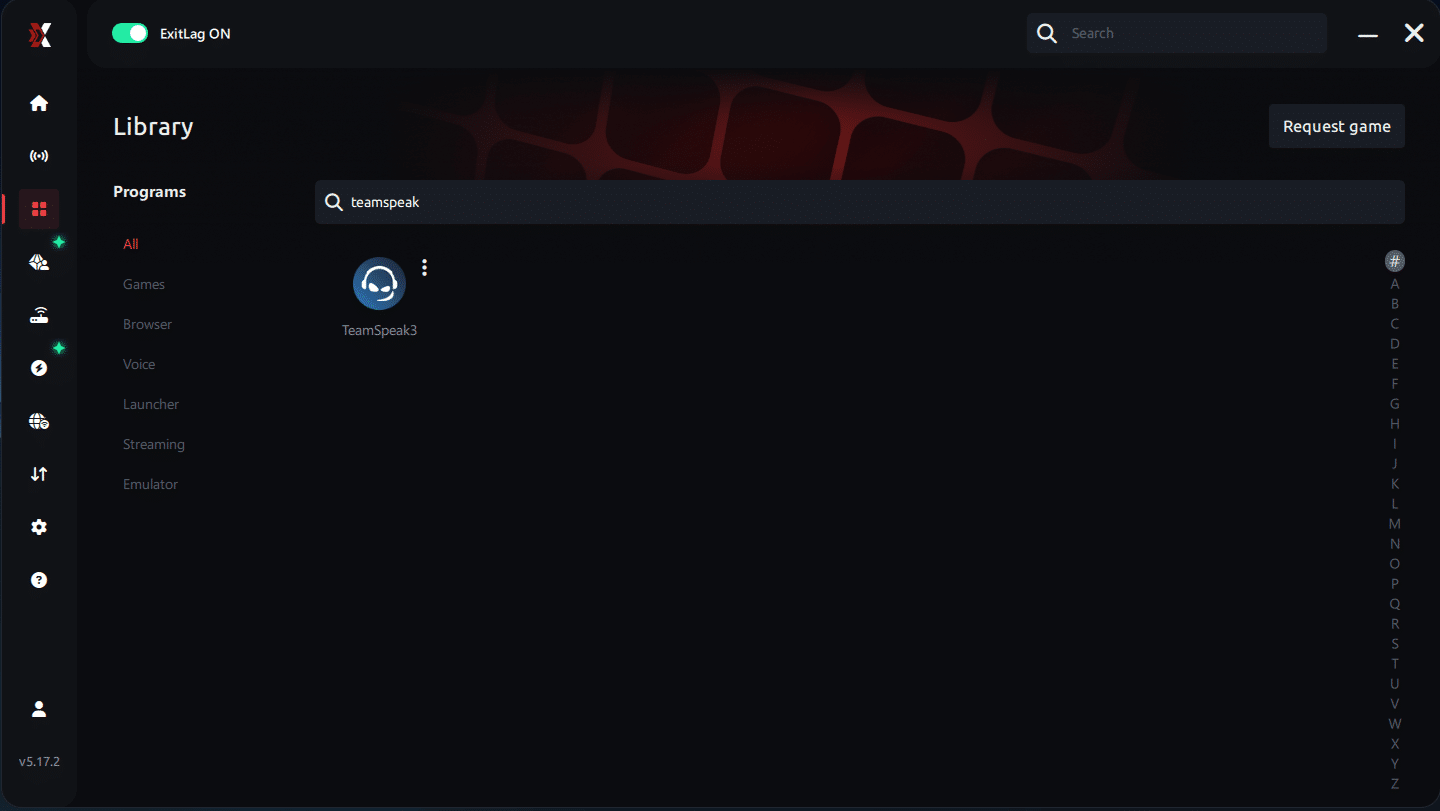
Step 4 – Choose Your Route
You can manually choose the server based on the ping test results. Simply select the server that showed the lowest latency or the one that best meets your specific needs, allowing full control over your connection.
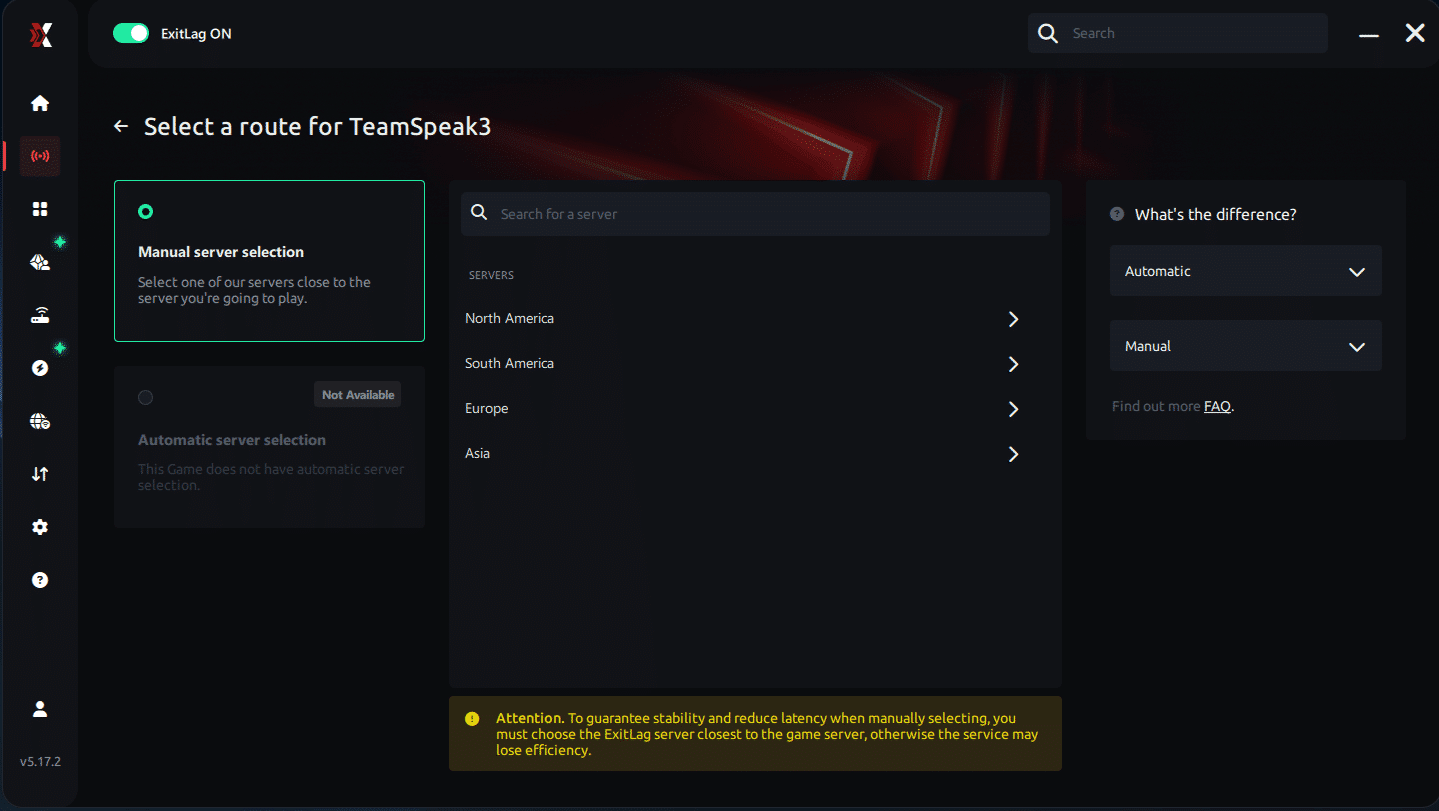
Step 5 – Click “TeamSpeak 3” or the play button. ExitLag will begin optimizing your connection automatically.
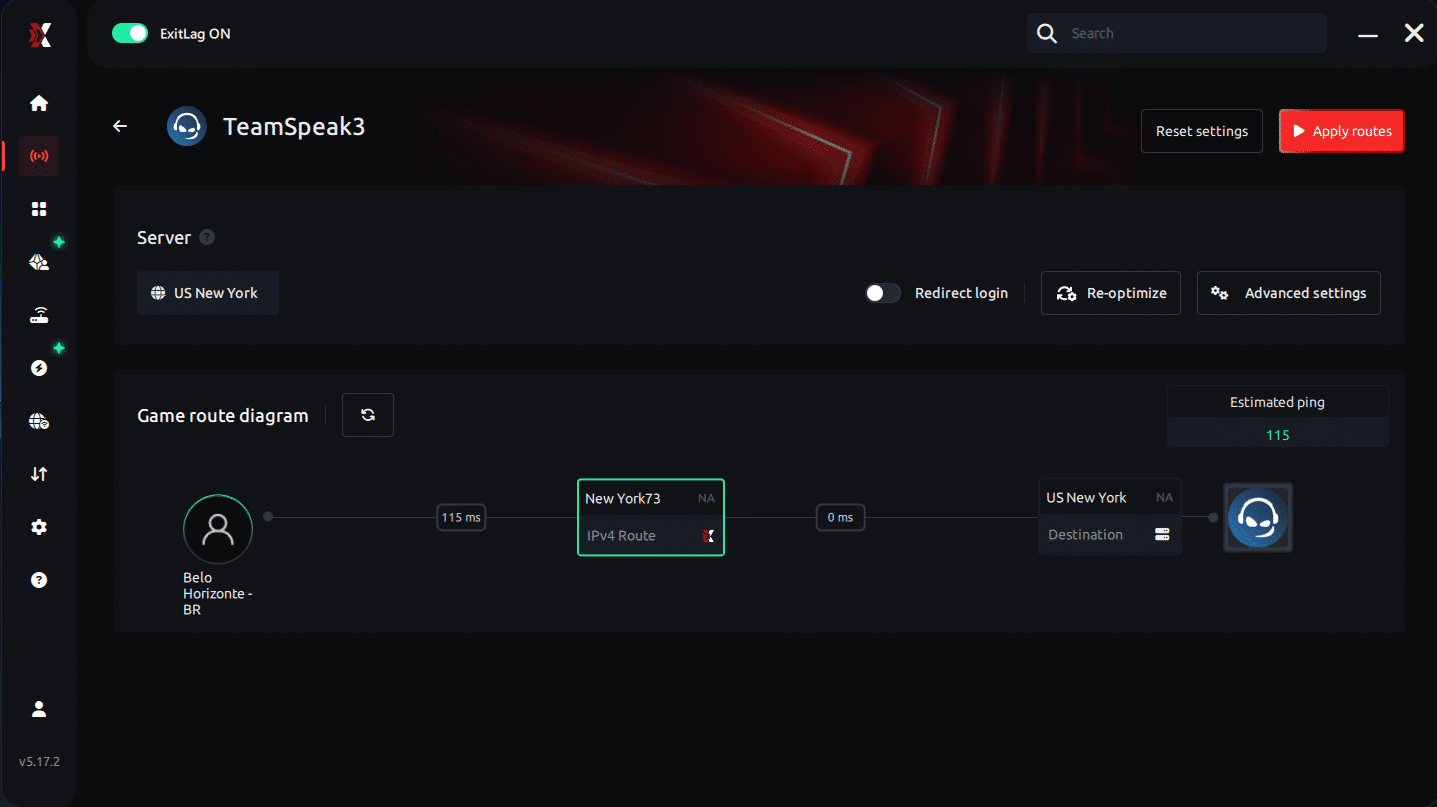
Step 6 – Wait a few seconds until optimization is complete. You’ll see ping indicators in the interface.
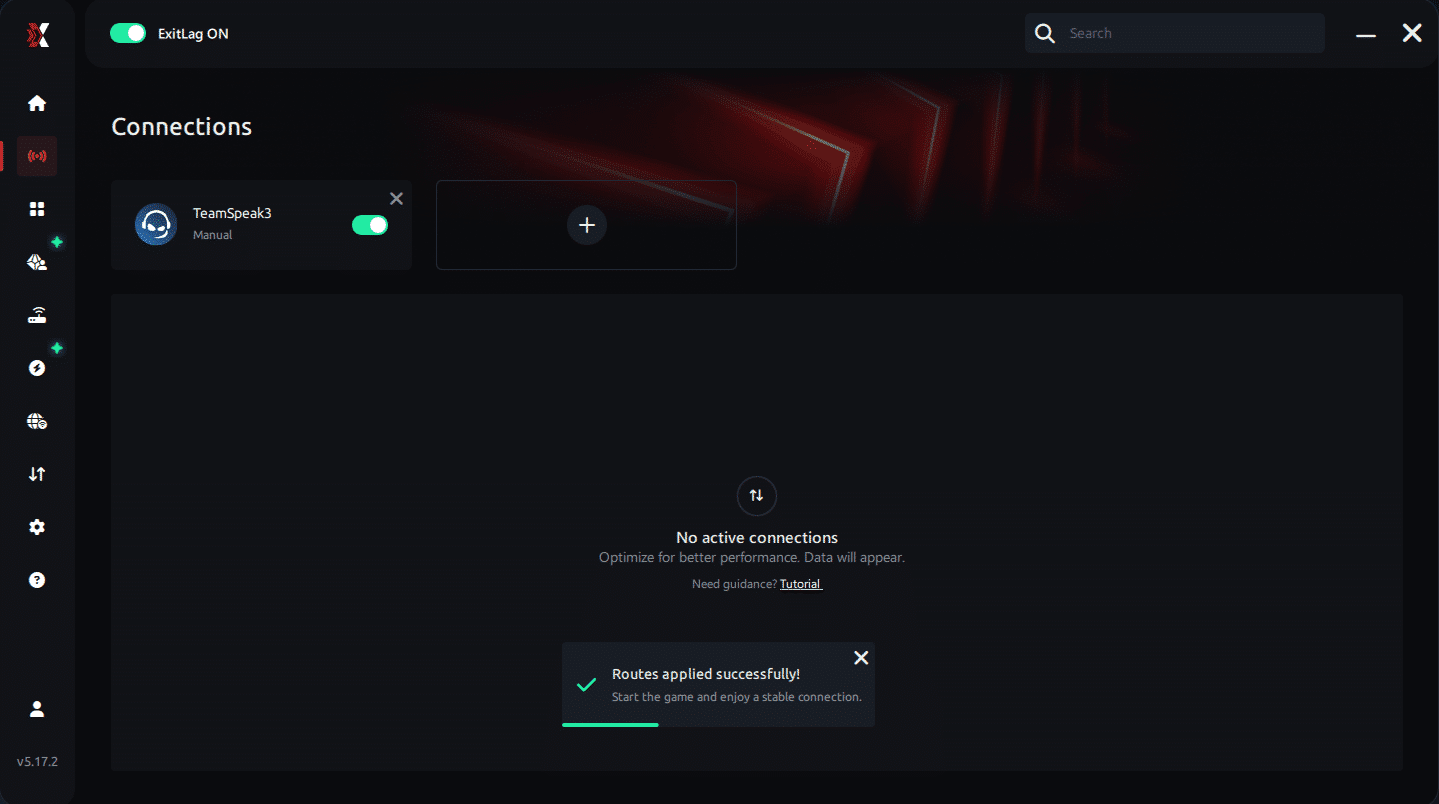
Step 7 – Launch TeamSpeak 3 normally. The optimization will already be active.
ExitLag runs in the background while you play, constantly adjusting routes to maintain the best possible performance.
Final thoughts
Finally, you no longer need to suffer from unstable communication or delayed callouts. Teamspeak3 Lag doesn’t have to destroy your coordination or affect your gaming performance. With ExitLag, you ensure the fastest and most stable connection route to TS3 servers, eliminating lag, packet loss, and random disconnects forever.
Start your free ExitLag trial now and experience Teamspeak3 with maximum stability and zero interruptions. Your team will feel the difference immediately.



