
Experiencing Throne and Liberty high ping during global matches is one of the most frustrating challenges for MMO players, and indeed for any player of any game. At first sight, it seems like enemies teleport, skills don’t activate on time, and large-scale battles become impossible to enjoy.
In advance, many players suffer from Throne and Liberty high ping because of overloaded routes, server distance, or unstable network paths—issues that can ruin PvP, dungeons, and open-world fights.
This guide explains why Throne and Liberty high ping happens globally, how to diagnose it, and how to fix your latency permanently.

What is high ping in Throne and Liberty?
Beforehand, to understand Throne and Liberty high ping, you must understand latency, data packets, and servers. Ping represents the time, in milliseconds (ms), that your device takes to send information to the server and receive a response.
Above all, latency is critical in Throne and Liberty because all combat—PvE, dungeons, field bosses, and massive PvP—relies on real-time action. Every dodge, every skill animation, and every damage calculation depends on data packets traveling smoothly through the network.
Now, when routes are unstable, the server receives your actions late. In the same way, even a delay of 100–150 ms can cause missed dodges, failed heals, wrong timing on combos, or sudden deaths during sieges. That’s why stable, low ping is essential for the global version of TL.
How high ping affects gameplay in Throne and Liberty
High ping impacts EVERY part of gameplay because TL is a reaction-heavy MMO. Below are the most common issues caused by unstable routing:
- Delayed skill activation
- Rubberbanding during movement and dodge rolls
- Inconsistent hit registration in PvE and PvP
- Skill queue failures during rotations
- Massive desync in large-scale battles
- Disconnects during high-load regions
- Competitive disadvantage against players with stable routing
Global PvP desync
Firstly, large-scale PvP is one of the biggest highlights of TL, but with high ping, your position is constantly out of sync. In summary, enemies may hit you before you even see them.
Dungeon and raid performance loss
Secondly, PvE content becomes harder when latency affects timing. Boss mechanics rely on movement precision. That way, delayed dodges or heals can wipe your team instantly.
Main causes of high ping in Throne and Liberty
Server distance
Global TL servers are spread across multiple regions. Often, players connect to distant servers because of matchmaking, guild location, or population. The longer your data packets travel, the higher your Throne and Liberty latency.
ISP / routing issues
According to network specialists, ISPs prioritize cost-efficient routes instead of the shortest ones. In other words, your packets may travel through multiple unnecessary hops, causing spikes, instability, and Throne and Liberty connection issues.
Network congestion
From now on, peak times create unstable ping. Home networks with multiple devices, streaming, downloads, or Wi-Fi interference lead to inconsistency and rubberbanding.
Outdated hardware
Routers with old firmware, outdated network cards, or failing modems introduce instability and random delays. Even more, Wi-Fi setups amplify packet loss.
Game-specific cause
TL’s global servers may experience overload, maintenance cycles, or region congestion—especially during updates or major events. Now, these moments naturally increase latency temporarily.
How to check and test your ping in Throne and Liberty
Firstly, you can monitor your ping using the in-game network monitor, which displays your latency and connection stability during gameplay. This allows you to identify when spikes occur, especially in PvP zones.
Soon after, for deeper diagnostics, OS tools help track routing issues. On Windows, “ping -t” and “tracert” expose packet delays and slow hops. Similarly, macOS/Linux users can test with “ping” and “traceroute.”
Reference ping ranges:
- 0–50ms: Excellent
- 50–90ms: Very good
- 90–130ms: Noticeable delay
- 130–200ms: High ping, unstable
- 200ms+: Critical for PvP and sieges
In other words, anything above 120ms greatly impacts skill timing and survival in Throne and Liberty.
Ping levels classification
| Ping Range | Quality | Gameplay Experience |
| 0–40 ms | Excellent | Smooth, responsive |
| 40–70 ms | Good | Slight delay, barely noticeable |
| 70–120 ms | Playable | Delays in skill checks, timing feels off |
| 120–200 ms | Poor | Rubberbanding and significant delay |
| 200+ ms | Critical | Unplayable interactions |
Basic fixes to reduce high ping in Throne and Liberty
Optimize local connection
- Prefer Ethernet over Wi-Fi
- Close background apps using bandwidth
- Update router firmware and network drivers
- Restart modem/router to refresh routing
- Disable automatic updates running in the background
- Disconnect unused devices sharing your network
These immediate fixes often reduce lag Throne and Liberty problems.
Contact your ISP
Beforehand, prepare a list of issues:
- Latency spikes during peak hours
- Packet loss while gaming
- Unstable routing to global servers
Then ask for:
- Line testing
- Routing adjustments
- Hardware upgrades
A simple checklist:
- Request a stability test on your connection
- Ask about congestion in your area
- Confirm if your plan supports low-latency routing
In contrast, ISPs rarely optimize gaming routes by default—so requesting support can resolve hidden issues.
ExitLag: the best solution to fix high ping in Throne and Liberty
When it comes to eliminating Throne and Liberty high ping, no tool delivers stability and precision like ExitLag.
What is ExitLag?
ExitLag is a software designed for advanced connection optimization, ensuring your game traffic follows the fastest and most stable routes available. It’s used by players worldwide to reduce unstable hops, reduce latency, and prevent desync in massively online games. You can explore how TL is supported by checking the full games list.
ExitLag is engineered for gamers who need reliability in global online games, especially large-scale MMOs like Throne and Liberty.
How ExitLag works
ExitLag boosts your connection using:
- Real-time route analysis
- Multiple routes simultaneously
- Automatic best route selection
- Hop optimization
- Connection stabilization
Together, these technologies reduce Throne and Liberty latency, reduce ping, and prevent unpredictable spikes during PvP, dungeons, and sieges.

Advantages for Throne and Liberty players
More reliable skill activation in large-scale battles
With ExitLag, global Throne and Liberty players experience far more consistent skill timing. In advance, crowded zones like sieges, world bosses, and guild fights rely heavily on stable routing, and ExitLag ensures your inputs reach the server instantly. In summary, abilities become more predictable, and your rotations flow smoothly even when hundreds of players are on screen.
Reduced rubberbanding while exploring the world
Above all, movement fluidity is essential in TL’s open-world design. When ping spikes, your character snaps backward or freezes momentarily, breaking immersion and causing unfair deaths. ExitLag stabilizes data packets, allowing you to glide through zones without interruptions.
Better performance in cross-region gameplay
Sometimes guilds recruit members globally, forcing you to play on servers far from your location. Even more, this typically creates severe Throne and Liberty latency, but ExitLag minimizes that impact by choosing the fastest routes regardless of distance. That way, international parties remain enjoyable and competitive.
Faster reaction time in PvP
At the same time, PvP duels and siege combat depend on immediate reactions. High ping creates massive disadvantages during exchanges, but optimized routes reduce delays so your skill hits, dodges, and counters occur exactly when you input them.
Stability during peak congestion
From the same point of view, MMO servers frequently face congestion during primetime. ExitLag bypasses overloaded hops automatically, preventing Throne and Liberty connection issues from impacting your gameplay during high-activity moments.
Consistent performance for players with unstable ISPs
Lastly, players with inconsistent routing or crowded home networks benefit significantly. ExitLag stabilizes traffic at the routing level, preventing unpredictable spikes caused by weaker infrastructure.
Is ExitLag worth it for Throne and Liberty?
Definitely. Throne and Liberty is a massive global MMO where ping doesn’t just affect convenience—it directly impacts survival, DPS, PvP effectiveness, and progression. In contrast, standard ISP routing often sends packets through long, inefficient paths that increase latency and cause unpredictable spikes. ExitLag resolves this by optimizing every hop between you and the server.
Furthermore, checking the available pricing options helps you compare plans and choose the one that fits your gaming routine. In the end, ExitLag is worth it for any TL player who wants stable performance in both PvE and large-scale global PvP.
How to use ExitLag in Throne and Liberty Global
The process is extremely simple:
Step 1 – Access the official ExitLag website and download the application. There’s a free trial period for new users.
Step 2 – Install and open the program. Log in with your account.
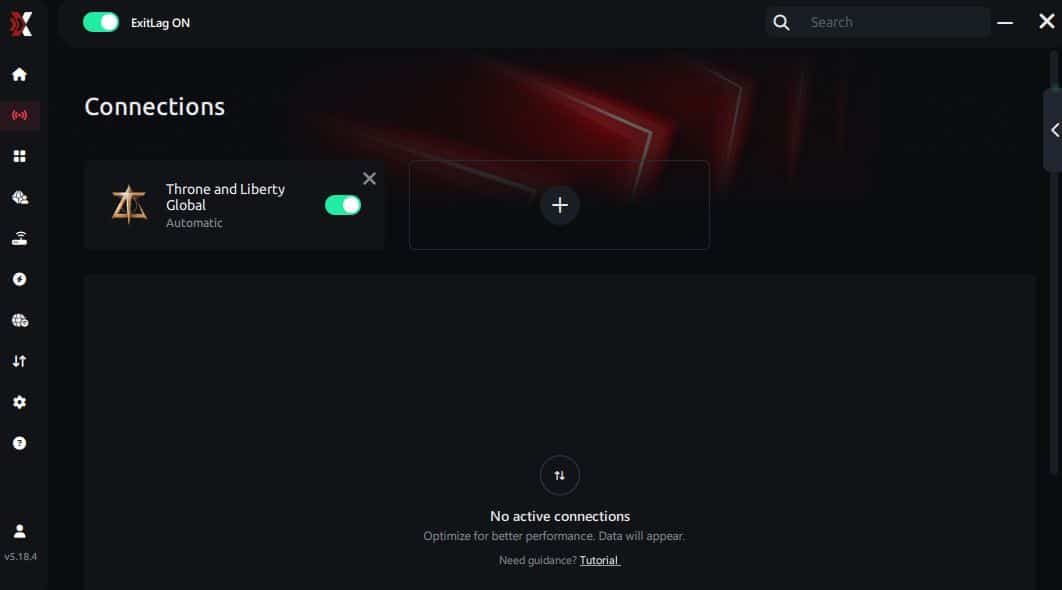
Step 3 – In the search bar, type “Throne and Liberty Global” and select the game from the list.
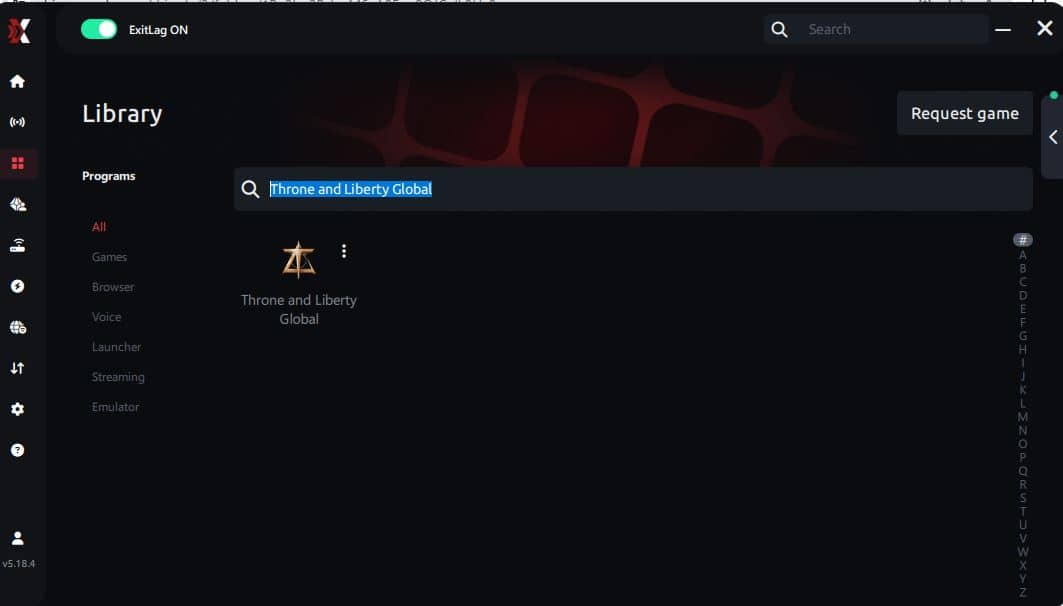
Step 4 – Choose between automated or manual route
Based on the results, you can let ExitLag automatically select the best route or manually choose the server that showed the lowest latency for your connection.
AI-optimized automated route
Based on the results, you can let ExitLag automatically select the best route through AI optimization. The system analyzes multiple connection paths in real time and automatically identifies the most efficient route for your connection, ensuring the lowest possible latency without requiring manual choices.
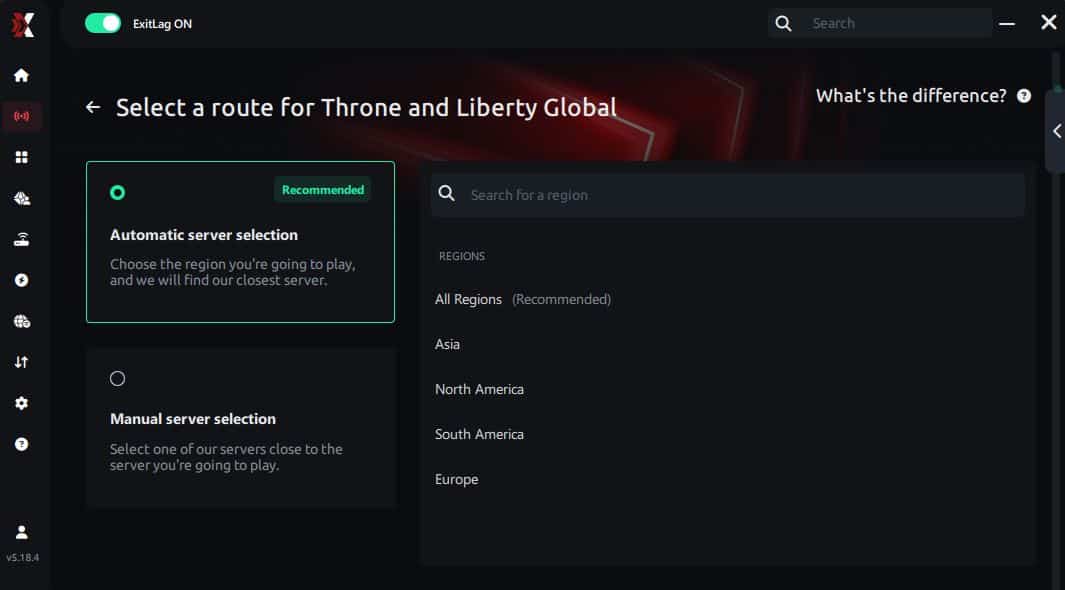
Manual route
If you prefer to have full control over your connection, you can manually choose the server based on the ping test results. Simply select the server that showed the lowest latency or the one that best meets your specific gaming needs, allowing complete customization of your experience.
Step 5 – Click “Throne and Liberty Global” or the play button. ExitLag will begin optimizing your connection automatically.
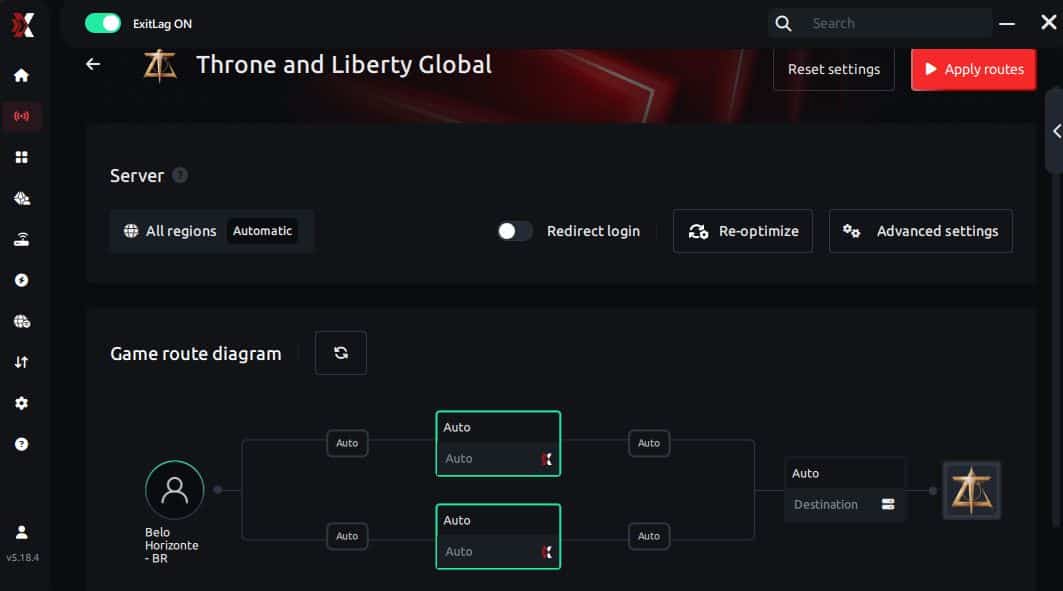
Step 6 – Wait a few seconds until optimization is complete. You’ll see ping indicators in the interface.
Step 7 – Launch Throne and Liberty Global normally. The optimization will already be active.
ExitLag runs in the background while you play, constantly adjusting routes to maintain the best possible performance.
FAQ: everything about high ping in Throne and Liberty
What causes high ping in Throne and Liberty?
High ping usually comes from server distance, poor regional routing, Wi-Fi instability, or overloaded network paths. According to connection patterns, many global players experience spikes because their ISPs route traffic through unnecessary hops. Throne and Liberty servers also get congested during primetime, causing additional delays. In summary, several factors combine to create unstable latency.
How do I check my ping in Throne and Liberty?
To check your ping, use the in-game network monitor that displays real-time latency and stability. Soon after, run OS diagnostics like “ping” or “tracert” to identify specific hops causing delays. At first sight, this helps determine whether the issue is local, regional, or routing-related.
What is good ping for Throne and Liberty?
Generally:
- 0–50ms: Excellent
- 50–90ms: Very good
- 90–130ms: Noticeable delay
- 130ms+: High ping, affects PvP
When latency exceeds 120ms, PvP timing, dodging, and skill rotations become inconsistent. In conclusion, lower ping means a more competitive experience.
Can high ping get you banned in Throne and Liberty?
No. High ping alone does not cause bans. However, if your latency leads to repeated disconnects or AFK behavior in matchmaking, you might receive temporary penalties. Even so, the TL system does not treat unstable ping as cheating or misconduct.
Does ExitLag work for Throne and Liberty?
Yes. ExitLag fully supports the global version of Throne and Liberty and improves routing, reduces latency, and prevents desync during PvP and large-scale content. In the meantime, its multi-route technology ensures your traffic avoids overloaded network paths. ExitLag is specifically built for online games that demand real-time precision.
Why does my ping spike during sieges and massive fights in Throne and Liberty?
Large-scale battles generate heavy data packets, stressing both the server and your network path. Sometimes your ISP fails to maintain a clean route during high activity. Additionally, visual effects and synchronized abilities increase data load. In advance, ExitLag helps by establishing faster, more stable routes that avoid overloaded hops.
Conclusion
In conclusion, Throne and Liberty high ping can ruin the global MMO experience—affecting PvP, PvE, guild fights, and world exploration. But now you understand the real causes, how to diagnose them, and the best solutions available. Above all, optimizing your routing is the most reliable long-term fix.
For more insights, tutorials, and tips, visit the official ExitLag blog.
Throne and Liberty high ping no longer needs to ruin your free time. Now that you understand the causes and how to stabilize your connection, you can finally enjoy your gaming smoothly. Start your free trial and see the difference for yourself.



