

Call of Duty: Warzone players across the Middle East have reported high ping, unstable matches, and unexpected matchmaking connections throughout 2026.
Some players in Kuwait and Saudi Arabia reported joining European lobbies instead of matches with lower regional latency.
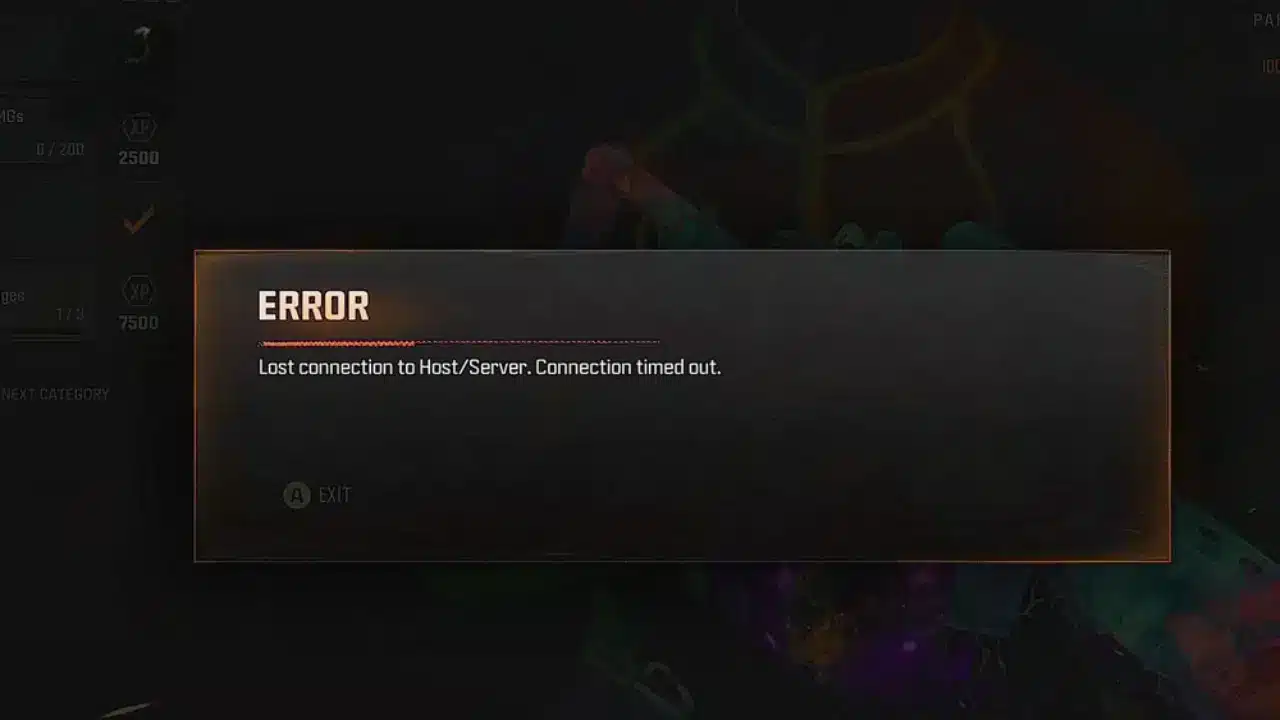
Others experienced packet burst warnings, packet loss, and connection problems following game updates.
These complaints raise an important question: why is Warzone high ping in the Middle East affecting players who previously had stable connections?
The answer depends on several factors, including matchmaking availability, geographical distance, ISP routing, and server performance.
However, these problems do not necessarily indicate that regional servers are permanently unavailable.
Here is what players should know about Warzone Middle East servers and how to troubleshoot connection problems.
 Reports of connection problems became particularly noticeable in March 2026.
On March 3, a Reddit user from Kuwait reported being connected to European matches instead of nearby servers.
The player claimed their usual latency was approximately 30–40 ms, but their connection had become considerably worse.
They also mentioned similar complaints from friends in Kuwait and Saudi Arabia.
However, these experiences did not establish that regional infrastructure was completely unavailable.
Connection problems continued appearing later in the year.
On October 16, another player reported experiencing approximately 160 ms in the Middle East.
Other participants described worsening latency following an update.
These figures represent individual experiences rather than official regional averages.
Several factors can contribute to Warzone server lag:
Reports of connection problems became particularly noticeable in March 2026.
On March 3, a Reddit user from Kuwait reported being connected to European matches instead of nearby servers.
The player claimed their usual latency was approximately 30–40 ms, but their connection had become considerably worse.
They also mentioned similar complaints from friends in Kuwait and Saudi Arabia.
However, these experiences did not establish that regional infrastructure was completely unavailable.
Connection problems continued appearing later in the year.
On October 16, another player reported experiencing approximately 160 ms in the Middle East.
Other participants described worsening latency following an update.
These figures represent individual experiences rather than official regional averages.
Several factors can contribute to Warzone server lag:
 For players experiencing Warzone Europe matchmaking, geographical distance is only one part of the problem.
Online matchmaking must assemble eligible players into suitable matches.
This process may involve connectivity conditions, available playlists, and other matchmaking requirements.
In April 2024, Activision published an official matchmaking explanation.
The company identified connection quality and time to match as important factors.
However, that initial explanation specifically concerned traditional Call of Duty multiplayer.
It should not be interpreted as a complete description of Warzone's matchmaking algorithm.
For players experiencing Warzone Europe matchmaking, geographical distance is only one part of the problem.
Online matchmaking must assemble eligible players into suitable matches.
This process may involve connectivity conditions, available playlists, and other matchmaking requirements.
In April 2024, Activision published an official matchmaking explanation.
The company identified connection quality and time to match as important factors.
However, that initial explanation specifically concerned traditional Call of Duty multiplayer.
It should not be interpreted as a complete description of Warzone's matchmaking algorithm.
 Before troubleshooting, check whether Activision has reported any service problems.
Visit the official Activision Online Services page and select Call of Duty: Warzone.
Check the available information for your platform.
If a confirmed outage is affecting services, local network adjustments cannot restore unavailable infrastructure.
However, a normal global status does not guarantee optimal regional connectivity.
Before troubleshooting, check whether Activision has reported any service problems.
Visit the official Activision Online Services page and select Call of Duty: Warzone.
Check the available information for your platform.
If a confirmed outage is affecting services, local network adjustments cannot restore unavailable infrastructure.
However, a normal global status does not guarantee optimal regional connectivity.
 Players experiencing Warzone high ping in Saudi Arabia, Kuwait, Bahrain, and neighboring countries should begin with basic troubleshooting.
The following steps can help identify problems before attempting advanced network adjustments.
Players experiencing Warzone high ping in Saudi Arabia, Kuwait, Bahrain, and neighboring countries should begin with basic troubleshooting.
The following steps can help identify problems before attempting advanced network adjustments.
Why Is Warzone Ping High in the Middle East?
Reports of connection problems became particularly noticeable in March 2026.
On March 3, a Reddit user from Kuwait reported being connected to European matches instead of nearby servers.
The player claimed their usual latency was approximately 30–40 ms, but their connection had become considerably worse.
They also mentioned similar complaints from friends in Kuwait and Saudi Arabia.
However, these experiences did not establish that regional infrastructure was completely unavailable.
Connection problems continued appearing later in the year.
On October 16, another player reported experiencing approximately 160 ms in the Middle East.
Other participants described worsening latency following an update.
These figures represent individual experiences rather than official regional averages.
Several factors can contribute to Warzone server lag:
- Matchmaking connecting players to distant servers.
- Internet providers using inefficient network routes.
- Congestion during peak gaming hours.
- Packet loss and unstable latency.
- Technical problems involving individual game servers.
Does Warzone Have Middle East Servers?
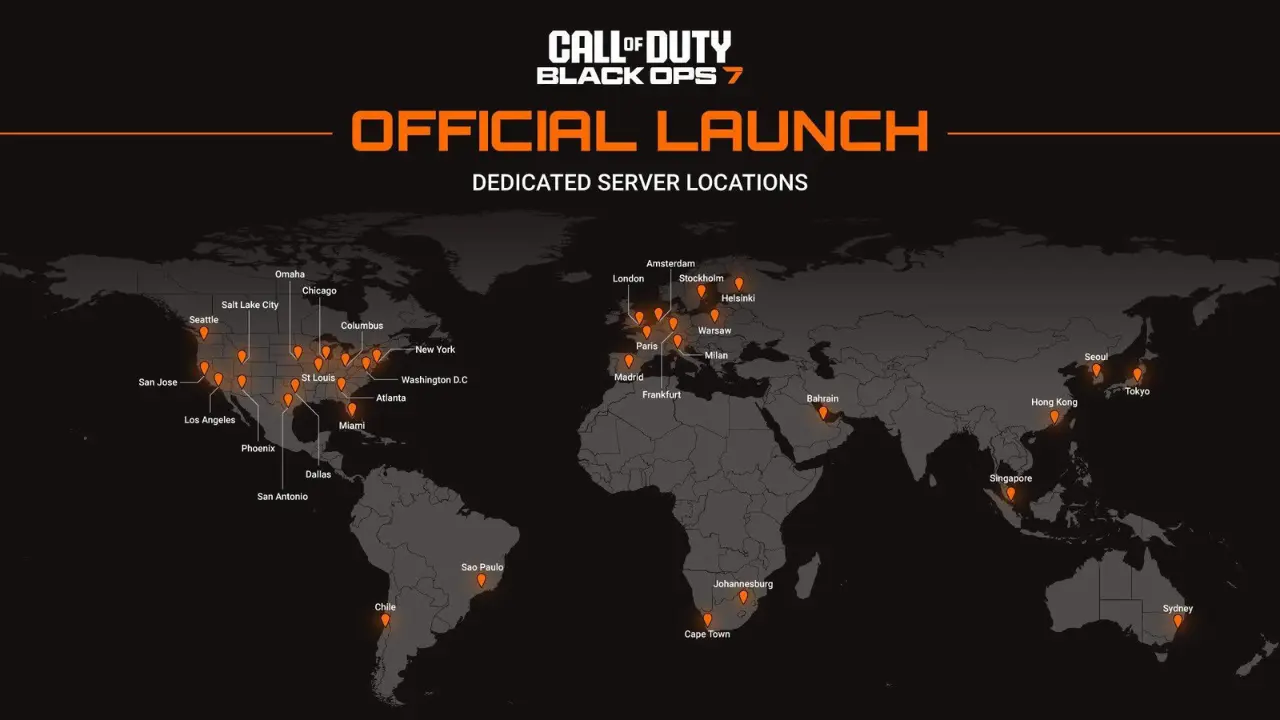
Warzone uses dedicated online infrastructure to host matches across different regions. Players from the Middle East have historically reported low-latency connections associated with regional infrastructure. However, Activision does not provide a comprehensive public list confirming every physical Warzone server location. Therefore, cities such as Dubai, Riyadh, or Manama should not be treated as verified Warzone hosting locations without supporting documentation. The same applies to searches for Warzone Bahrain servers and Warzone Dubai servers. Community references to these locations do not necessarily establish their exact infrastructure or current availability.What does Saudi Arabia's gaming report show?
Saudi Arabia's Communications, Space and Technology Commission (CST) publishes quarterly gaming connectivity measurements. Its Q2 2026 Game Mode report recorded an average national latency of 16 milliseconds for Call of Duty. The report classified the measured destination as Saudi Arabia. However, this measurement was published under the broader Call of Duty category. It cannot be attributed specifically to Warzone, its battle royale modes, or individual matchmaking servers. The measurements also came from participating fiber-optic connections rather than every player in the country. Importantly, Call of Duty: Mobile appears as a separate title in the report. The CST findings provide regional connectivity context, not proof of Warzone server availability.Why Does Warzone Matchmaking Connect Players to Europe?
For players experiencing Warzone Europe matchmaking, geographical distance is only one part of the problem.
Online matchmaking must assemble eligible players into suitable matches.
This process may involve connectivity conditions, available playlists, and other matchmaking requirements.
In April 2024, Activision published an official matchmaking explanation.
The company identified connection quality and time to match as important factors.
However, that initial explanation specifically concerned traditional Call of Duty multiplayer.
It should not be interpreted as a complete description of Warzone's matchmaking algorithm.
Why can matchmaking vary between modes?
Warzone offers different playlists and match formats. Player availability can differ between modes, particularly across regions and times of day. Consequently, searching for a popular playlist may produce different matchmaking conditions than searching for a less populated mode. Party composition and connectivity may also influence which matches are available. However, Activision has not publicly confirmed every factor or its relative importance within Warzone. A high-ping match does not automatically indicate an account restriction or shadowban. Players should investigate connection quality and matchmaking conditions before drawing conclusions.What Causes Packet Burst and Packet Loss in Warzone?
High ping is not the only problem affecting Warzone players. Warzone packet burst and packet loss can also create severe gameplay interruptions, even when average latency appears reasonable. However, these indicators represent different problems.| Problem | What it means | Possible symptoms |
| High Latency | Increased communication delay | Delayed actions and hit registration |
| Packet Loss | Network packets fail to arrive | Rubber-banding and missing updates |
| Packet Burst | Irregular delivery or processing of game data | Brief stutters and interrupted movement |
| Latency Variation | Network delay fluctuates | Sudden lag spikes |
| Low FPS | Local rendering performance decreases | Visual stuttering |
Is packet burst always an internet problem?
No. Although packet burst can involve network instability, it may also appear alongside local performance problems. CPU limitations, background applications, shader processing, or heavy resource usage can contribute to gameplay stutters. The game's texture-streaming behavior may also affect resource and bandwidth usage. However, disabling a graphics feature is not a guaranteed solution for packet burst. Players should distinguish network symptoms from local performance issues before changing settings.Why does packet loss affect gunfights?
Packet loss occurs when information traveling between the player's device and the server fails to arrive. In Warzone, this can produce movement corrections, interrupted updates, or delayed responses. A connection with stable 60 ms ping may provide a better experience than one fluctuating between 25 and 150 ms. Therefore, connection consistency matters alongside average latency.How to Check Warzone Server Status and Latency
Before troubleshooting, check whether Activision has reported any service problems.
Visit the official Activision Online Services page and select Call of Duty: Warzone.
Check the available information for your platform.
If a confirmed outage is affecting services, local network adjustments cannot restore unavailable infrastructure.
However, a normal global status does not guarantee optimal regional connectivity.
Enable Warzone network telemetry
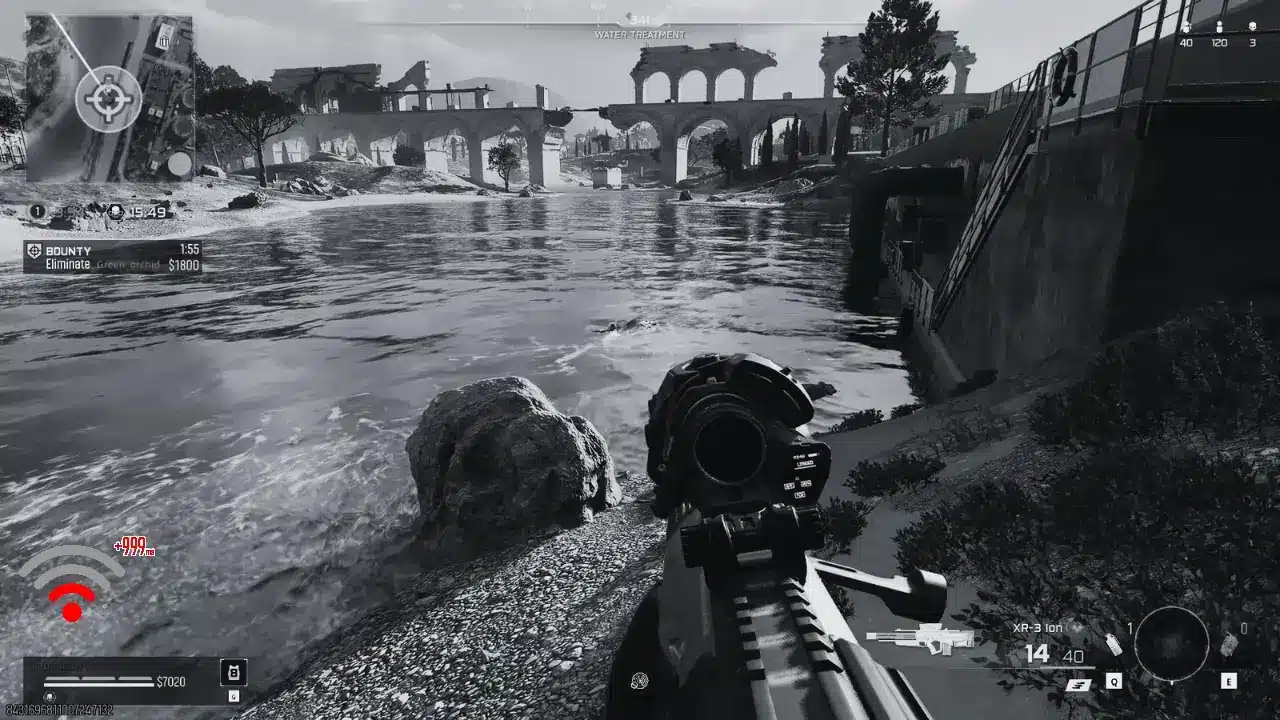
Warzone includes network indicators that help players monitor connection quality. Depending on the current game interface, these options can be found under the Interface or Telemetry settings. Look for available displays such as Server Latency and Packet Loss. Then follow this testing procedure:- Enable the available network indicators.
- Enter a Warzone match.
- Record your latency during gameplay.
- Monitor packet loss and connection warnings.
- Repeat the process across several matches.
How to Fix Warzone High Ping in Saudi Arabia and MENA
Players experiencing Warzone high ping in Saudi Arabia, Kuwait, Bahrain, and neighboring countries should begin with basic troubleshooting.
The following steps can help identify problems before attempting advanced network adjustments.
1. Use a wired internet connection
Activision recommends Ethernet connections for more consistent online performance. Wi-Fi can experience interference and fluctuating signal quality. Connect your PC or console directly to the router whenever possible. Restart your modem and router before testing again. These adjustments can reduce local instability, although they cannot fix distant servers.2. Reduce background network usage
Downloads, streaming applications, and cloud synchronization can compete for bandwidth. Pause unnecessary applications while playing. Check whether other devices are consuming significant network resources. If available, review your router's traffic management settings. These actions can help reduce congestion within your home network.3. Compare different Warzone playlists
Test multiple available game modes and record the resulting latency. For example, compare Battle Royale with another active Warzone playlist. If one mode regularly produces higher ping, differences in available matchmaking opportunities may contribute. However, these tests do not independently confirm the physical location of each match server. Repeat the comparison across several sessions.4. Investigate your ISP routing
If problems continue, examine whether latency changes during peak hours. Players using different providers may experience different international routes. A connection in Kuwait could travel through several network exchanges before reaching its destination. Record your ISP, connection type, typical ping, and packet loss. Contact your provider if the results suggest persistent routing problems. Internet download speed alone does not determine gaming latency.5. Test alternative routes with ExitLag
When inefficient ISP routing contributes to high ping, network optimization software may help. ExitLag analyzes alternative routes for supported games and attempts to improve connection efficiency. For Warzone players in the Middle East, this may be useful when traffic follows congested or unnecessarily long paths. To evaluate the results:- Launch Warzone without ExitLag.
- Record latency and packet loss across several matches.
- Close the game and activate ExitLag for Warzone.
- Apply the recommended route configuration.
- Repeat the tests under similar conditions.


