If your UI suddenly feels naked, you are not alone. The world of warcraft addon changes rolling out through the Midnight expansion have hit combat addons harder than any update in years. Thousands of raiders and PvP players are scrambling to rebuild their setups right now.
This is not a minor tweak. Blizzard has fundamentally rewritten how much information addons can access during combat, and the ripple effects touch everything from Mythic+ timers to arena cooldown tracking.
So what actually changed, and why does it matter? In short, Blizzard introduced “Secret Values” that hide real-time combat data from addons, gutting rotation helpers and reactive WeakAuras while leaving cosmetic and visual addons largely untouched. World of warcraft addon changes like this force every serious player to rethink their interface from scratch.
Whether you raid Mythic, push Mythic+ keys, or live in the arena, this guide breaks down exactly what happened, which tools still work, and how to adapt without losing your competitive edge.
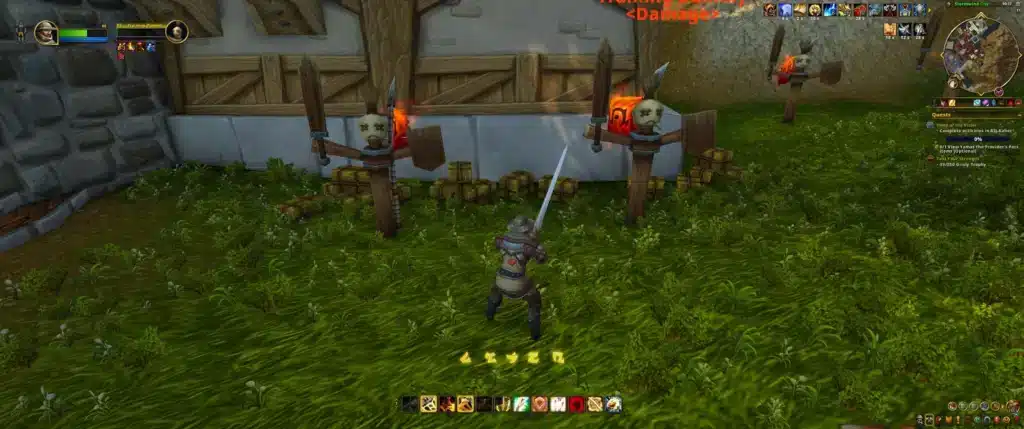
Why Did Blizzard Make These World Of Warcraft Addon Changes?
Blizzard’s stated goal was simple: stop addons from playing the game for the player. Ion Hazzikostas explained that rotation helpers and reactive combat addons created a gap between players running the “right” tools and everyone else.
This gap was especially visible in Mythic+ pushing and high-level PvP, where split-second automated callouts gave a measurable edge. Consequently, the developers decided that hidden game information needed to stay hidden.
The Core Problem With Old Addon Behavior
Before these changes, top addons could read combat log data instantly and calculate optimal decisions faster than any human reaction time. That created a few recurring complaints across the community.
- Rotation addons like Hekili told players exactly which button to press next, reducing skill expression.
- WeakAuras auras could track hidden enemy cooldowns and boss mechanics with near-perfect precision.
- Newer players felt pressured to install a dozen addons just to compete at a baseline level.
- Blizzard’s own class balancing became harder because addons were compensating for design gaps.
What Blizzard Wanted Players To Experience Instead
Rather than banning addons outright, Blizzard chose a middle path. The idea was to let customization thrive while removing the “solve combat for me” layer entirely.
- Preserve visual freedom: nameplates, buff trackers, and layout tools remain fair game.
- Remove automated decision-making: no more addons calculating your next move.
- Push core functionality into the default UI so fewer addons feel mandatory.
- Keep evaluating community feedback through the WoWUI Discord before finalizing values.
What Exactly Is The WoW Addon API Changes Rollout?
The technical centerpiece of this update is a system called Secret Values. Introduced with Patch 12.0, it strips out the raw numbers addons used to read from combat events.
Addons can still detect that something happened. However, they can no longer read the specific values needed to react intelligently, which breaks most automated logic instantly.
How Secret Values Actually Work
In practical terms, Secret Values wrap sensitive combat data so scripts cannot extract usable numbers from it. This single change is responsible for most of the disruption seen in this round of WoW Addon API Changes.
- COMBAT_LOG_EVENT and COMBAT_LOG_EVENT_UNFILTERED now error when addons try to register them directly.
- Enemy cooldowns, empowered cast stages, and hidden resource values are shielded from addon scripts.
- The local combat log text file remains fully readable, so external parsing tools outside the game are unaffected.
- Blizzard has continued Allowlisting select spells, including Maelstrom Weapon and Soul Fragments, based on community requests.
What Changed Most Recently Before Mythic Content Launched
Just ahead of the current Mythic raid tier and Mythic+ season, Blizzard pushed additional hotfixes to close exploits addon developers had found around the new restrictions. These last-minute adjustments were disruptive for a handful of popular tools that had built workarounds.
The takeaway is simple: this is an evolving system, not a one-time patch. Anyone serious about competitive play should expect further World Of Warcraft Addon Update cycles as Blizzard keeps refining the allowlist.
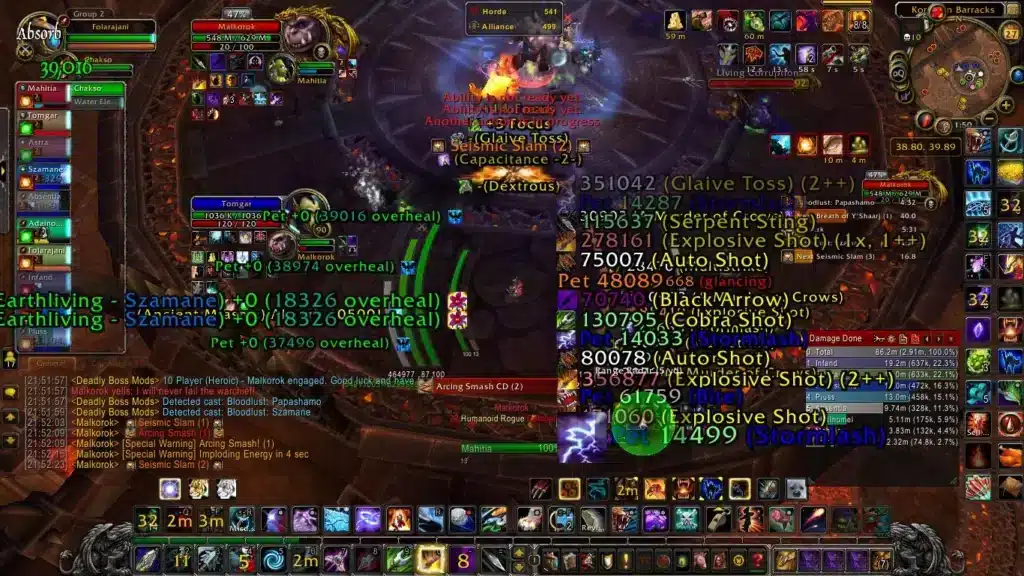
Which Addons Are Affected By The World Of Warcraft Addon Changes?
Some tools are essentially unusable in combat now, while others adapted quickly because they never relied on raw combat log parsing in the first place. Here is how the major names shook out.
| Addon | Change | Current Status |
|---|---|---|
| WeakAuras | Lost access to real-time combat and cooldown data | Loads, but most reactive combat auras no longer function |
| Hekili (rotation helper) | Core rotation logic relied on restricted data | Effectively removed from viable play |
| Deadly Boss Mods (DBM) | Switched to Blizzard’s official encounter data system | Still fully functional for boss timers and alerts |
| BigWigs | Same approach as DBM, hooks into encounter framework | Still fully functional |
| ElvUI | Action bars, chat, and bags mostly untouched | Partially working; raid frames and nameplates need adjustments |
Why Did DBM And BigWigs Survive While WeakAuras Struggled?
The difference comes down to data source. DBM and BigWigs never depended on scraping live combat math themselves.
Instead, they hook directly into Blizzard’s own encounter timer framework, which the developers chose to keep exposed. WeakAuras, on the other hand, was built around flexible real-time combat log reading, which is exactly what Secret Values blocks.
Is There A Replacement For Rotation Helper Addons?
Yes, sort of. Blizzard baked a feature called Assisted Highlights directly into the default UI, lighting up suggested abilities without a third-party addon.
It is intentionally less precise than Hekili ever was. That gap is the point: Blizzard wants players making the final call, not an addon doing the thinking.
How Do Players Adapt To The Latest World Of Warcraft Addon Update?
Adapting takes more than reinstalling old favorites and hoping they still work. Most players need a fresh approach to their entire interface strategy.
- Audit your current addon list and remove anything throwing combat log errors on login.
- Rely on nameplate and buff/debuff trackers, since these still work under the new rules.
- Lean on DBM or BigWigs for encounter timing instead of custom WeakAuras strings.
- Follow the WoWUI Discord or patch notes for the newest allowlist additions each month.
Steps To Rebuild A Combat-Ready Interface
- Start with a clean addon folder and reinstall only actively maintained addons.
- Confirm your boss mod (DBM or BigWigs) is updated to the current patch version.
- Replace any dead rotation helper with Assisted Highlights or manual cooldown tracking.
- Test your setup in a low-stakes dungeon before bringing it into Mythic content.
- Recheck your addon list after every content update, since Allowlists keep shifting.
Common Mistakes World Of Warcraft Addon Players Make
- Assuming an addon is broken forever: Many addons simply need an update after a patch. Fix: check for a new version before uninstalling.
- Overloading the UI with redundant trackers: Stacking five buff trackers doing the same job clutters the screen and hurts reaction time. Fix: pick one clean tracker per function.
- Ignoring official Blizzard tools: Some players skip Assisted Highlights entirely out of habit. Fix: try it, since it now covers a chunk of what rotation addons used to do.
Does Network Performance Matter During Addon-Heavy Raids?
It absolutely does, and this is where a lot of players overlook the bigger picture. Even a perfectly tuned addon setup cannot compensate for a laggy connection during a Mythic pull.
Boss mods, buff trackers, and nameplate addons all depend on smooth, consistent data flow between your client and the WoW server. A lag spike at the wrong second can wipe a raid regardless of how good your interface looks.
Why Connection Stability Complements Your Addon Setup
Think of your addon layout as the information you see, and your connection as how fast that information actually reaches you. Both matter equally during high-pressure content.
- Packet loss during a boss mechanic can delay visual cues from DBM or BigWigs.
- Desync during Mythic+ pulls throws off timing windows for cooldowns and interrupts.
- Rubber-banding in PvP arenas can cost a match even with perfect addon reads.
ExitLag: Keeping Your Connection Steady Through Every WoW Addon Update
This is where ExitLag earns its place in a raider’s toolkit. ExitLag is not a VPN. It is a connection optimizer that scans multiple network routes in real time and picks the fastest, most stable path to your WoW server.
For MMO players, that means fewer disconnects during progression pulls and steadier frame timing when boss mods and trackers need to fire on time. A stable connection lets every remaining addon in your interface actually do its job.
ExitLag supports over 4,000 PC and mobile games, with 1,500+ servers spread across 190+ countries. More than 30 million users rely on it, running over 18 million optimizations every week.
Key features that matter most for raiding and arena play:
- Real-time Optimization: Cuts delay and packet loss so your addon alerts and inputs land on time.
- Multipath Technology: Routes data through multiple paths at once, so one failing route does not tank your pull.
- Multi-Internet: Supports up to 4 simultaneous connections, switching instantly if one drops mid-fight.
- Traffic Shaper: Prioritizes WoW traffic over background downloads or streaming apps.
- AI-powered routing: Picks the fastest stable route automatically, with manual options for advanced users.
ExitLag never touches your game files, never injects code, and never interacts with anti-cheat systems, so it stays completely safe alongside your addon list. Just remember not to run it together with a VPN, since that can cancel out the routing benefits.
Since World Of Warcraft is a PC title, grabbing the ExitLag Download is the fastest way to test the difference during your next raid night.

Pro Tips: World Of Warcraft Addon Changes
- Keep a backup UI profile: Save a lightweight, addon-light interface you can switch to instantly if a patch breaks your main setup.
- Update addons through a manager: Tools that batch-update your addon list save time after every major patch cycle.
- Watch official Allowlist announcements: Blizzard keeps adding spells and values to the Allowlist, so an addon dead today might work again next month.
- Test in normal content first: Never debug a new addon setup during your first Mythic pull of the week.
- Combine visual clarity with connection stability: A clean UI paired with steady routing through ExitLag reduces the chance of a bad pull caused by factors outside your control.
The world of warcraft addon changes introduced through Midnight are not going away, and honestly, that is probably a good thing for long-term game balance. Players who adapt early, lean on encounter-based tools like DBM, and pair a clean interface with a stable connection will always be ahead of the curve. Staying current on every World Of Warcraft Addon Update is now part of playing at a high level.
All game images used in this blog post belong to Blizzard Entertainment. They are used for informational and educational purposes only and do not imply endorsement or affiliation with the rights holders.
Got questions or want to connect with other players? Join the conversation at the ExitLag Forum!