Few things kill a raid night faster than a sudden freeze at the worst possible moment. One second you are dodging a boss mechanic, the next you are staring at a frozen screen wondering if the server just died.
If this sounds familiar, you are dealing with World Of Warcraft Server Issues, and you are far from alone. Thousands of players run into lag spikes, dropped connections, and login errors every single week.
The good news is that most of these problems have real, fixable causes. In fact, World Of Warcraft Server Issues usually come down to either the game’s backend struggling under load, your local network choking on traffic, or the route between your PC and the server being inefficient. Once you know which one is happening, the fix is usually quick.
This guide breaks down exactly why these problems happen, how to tell your connection apart from an actual server outage, and what you can do right now to stop losing progress mid-fight.
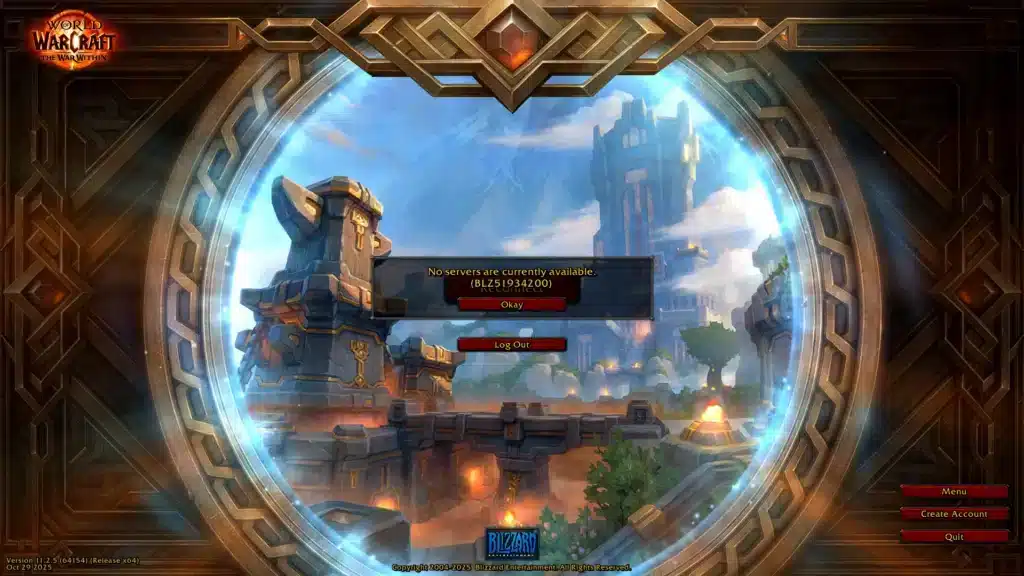
World Of Warcraft Server Issues: What’s Actually Going Wrong
Before jumping into fixes, it helps to understand what is actually failing. Not every disconnect is the same problem wearing a different mask.
Server-side trouble usually shows up as widespread lag affecting entire realms at once. Client-side and network trouble, on the other hand, tends to hit individual players while everyone else plays fine.
What Causes World Of Warcraft Server Issues
Several factors can trigger instability, and they rarely act alone. Understanding each one makes troubleshooting far less frustrating.
- High population load: Popular realms and packed zones during events push server capacity to its limits.
- Route congestion: Your data may hop through overloaded nodes between your ISP and the game’s data center.
- Client bugs: Outdated addons or corrupted cache files can cause the game to misbehave locally.
- Hardware bottlenecks: An aging router or a saturated home network adds delay before packets even leave your house.
- DDoS activity: Large-scale attacks on gaming infrastructure occasionally cause temporary, widespread instability.
How Do You Know If WoW Servers Are Down?
Check the realm status page inside the game launcher first. If your specific realm shows as down or in a queue, the problem is not on your end.
Additionally, look at community forums and social channels for reports from other players. Consequently, if many people report the same symptoms at the same time, it confirms a server-side issue rather than a local one.
WoW Lag Fix: Diagnosing High Ping And Rubber-Banding
Rubber-banding, where your character snaps back after moving, is one of the clearest signs of a WoW Lag Fix situation rather than an outright outage. It means packets are arriving late or out of order.
Ping spikes during raids often correlate with peak traffic hours. Therefore, testing your connection at different times of day can reveal patterns you would otherwise miss.
Is It Your Internet Or The Game Server?
Try loading a different online game or streaming service. If everything else runs smoothly, the issue is likely specific to World Of Warcraft’s servers or routing.
However, if your entire internet feels sluggish across multiple apps, the problem is almost certainly local. Restarting your modem and router is the fastest first test.
Running A Basic Network Diagnostic
A quick diagnostic can save you hours of guesswork. Follow these steps in order:
- Run a speed test to confirm your download and upload numbers match your plan.
- Use a ping and traceroute tool toward the game’s region to spot where delay is introduced.
- Close background apps that consume bandwidth, such as cloud backups or streaming clients.
- Switch from WiFi to a wired connection whenever possible for a more stable path.
- Note the exact time and duration of the lag spikes for pattern recognition.
WoW Disconnects: Error Codes And Mid-Session Crashes
Disconnects mid-dungeon or mid-raid are especially painful because they can cost you loot, achievements, or an entire attempt. Recognizing the WoW Disconnects pattern helps you respond faster.
Some errors point directly to authentication problems, while others point to a dropped data stream. Knowing the difference changes how you fix it.
Common WoW Error Codes Explained
Certain codes appear repeatedly in player reports, and each one hints at a different root cause.
| Error Type | Typical Cause | Recommended Fix |
|---|---|---|
| Authentication failure | Server login queue or account server hiccup | Wait a few minutes, then retry login |
| Sudden disconnect mid-session | Route instability or packet loss | Switch connection path or restart router |
| Client freeze without error | Corrupted cache or addon conflict | Clear cache, disable addons, relaunch |
| Repeated latency spikes | Congested ISP node during peak hours | Use a wired connection and optimize routing |
Router And ISP Settings That Cause Drops
Home routers are often the hidden culprit. Outdated firmware, overly aggressive firewall rules, or QoS settings can quietly throttle game traffic.
- Update your router firmware regularly to patch stability bugs.
- Disable any built-in “gaming mode” that sometimes misidentifies traffic.
- Assign a static local IP to your gaming PC to avoid DHCP conflicts.
- Avoid running large downloads or torrents while raiding.
Step-By-Step Fixes For World Of Warcraft Server Issues
Once you have identified whether the problem is local or server-side, applying the right fix becomes much easier. Start simple, then escalate.
Most players solve World Of Warcraft Server Issues without ever needing to contact support. The trick is working through fixes methodically instead of randomly.
Client-Side Fixes You Can Apply Right Now
These fixes address problems inside the game itself and take only a few minutes each.
- Clear the WTF and Cache folders to remove corrupted settings.
- Disable all addons temporarily to rule out conflicts.
- Verify game files through the launcher’s repair option.
- Lower graphics settings slightly to reduce local processing load.
- Restart the game client fully instead of just reloading the UI.
Network-Level Fixes For Persistent Problems
If client-side fixes do not help, the issue likely lives in your network path. Consider these deeper adjustments.
- Switch your DNS to a faster, more reliable provider.
- Reduce the number of devices actively streaming or downloading on your network.
- Contact your ISP if traceroutes consistently show delay at the same hop.
- Use a dedicated route optimization tool designed for online games.

Pro Tips: World Of Warcraft Connection Stability
- Test before raid time: Run a quick ping check thirty minutes before a scheduled raid so you have time to fix issues before they matter.
- Keep a backup connection: A mobile hotspot as a secondary option can save an entire raid night if your main line drops.
- Log addon changes: Note which addon was added right before problems started, since conflicts often trace back to a single update.
- Monitor peak hours: If lag consistently hits during prime time, plan demanding content outside those windows when possible.
- Restart weekly: A full router and PC restart on a regular schedule clears memory leaks that build up over days of uptime.
Common Mistakes World Of Warcraft Players Make
- Blaming the server first: Many players assume every disconnect is a server outage. Fix: always test your local connection before reporting a server problem.
- Ignoring addon updates: Outdated addons frequently cause crashes that look like connection issues. Fix: keep addons updated or disable unused ones.
- Staying on WiFi during raids: Wireless connections are more prone to interference and packet loss. Fix: use a wired connection for any high-stakes content.
- Never checking the route: Players rarely check where their traffic actually goes before it reaches the server. Fix: use a traceroute or a routing tool to spot bottlenecks early.
Solving World Of Warcraft Server Issues For Good With ExitLag
Once you have ruled out local hardware and client bugs, the remaining culprit is often the path your data takes to reach the game server. This is exactly where a route optimizer earns its keep.
ExitLag is not a VPN. It is a connection optimizer that analyzes multiple network paths in real time and automatically selects the fastest, most stable route to your game’s servers.
Why Route Optimization Helps WoW Players
During packed raid nights or contested world events, congested routing nodes can add real delay even when your home internet is perfectly fine. ExitLag’s Multipath technology sends data through multiple routes at once.
As a result, if one path gets congested or fails, others keep the connection alive, which directly reduces the rubber-banding and drops tied to WoW Latency Problems. ExitLag also offers Multi-Internet support for up to four simultaneous connections, so a single dropped line does not end your session.
Is ExitLag Safe To Use With World Of Warcraft?
Yes. ExitLag does not modify game files, does not inject code, and does not interact with anti-cheat systems in any way. It simply optimizes the network path your data already travels.
It supports 4,000+ titles across PC and Mobile, with 1,500+ servers spread across 190+ countries, and is trusted by over 30 million players worldwide. If you are ready to stop fighting WoW Connection Stability problems, you can grab the ExitLag Download and start routing smarter tonight.
All game images used in this blog post belong to Blizzard Entertainment. They are used for informational and educational purposes only and do not imply endorsement or affiliation with the rights h
Got questions or want to connect with other players? Join the conversation at the ExitLag Forum!