World of Warcraft players rely on many tools to stay ahead. Among them, the WoW character lookup is crucial. With an ever-expanding world and complex systems, having a centralized resource to evaluate your character can make a noticeable difference in your efficiency and enjoyment.
With just a few clicks, using WoW character lookup players can view their own character stats or inspect others. From analyzing PvE builds to preparing for PvP battles, this tool empowers players to make data-driven decisions. Even casual players can benefit by quickly assessing progress, comparing loadouts, or sharing profiles with friends and guilds.
What is the WoW Character Lookup?
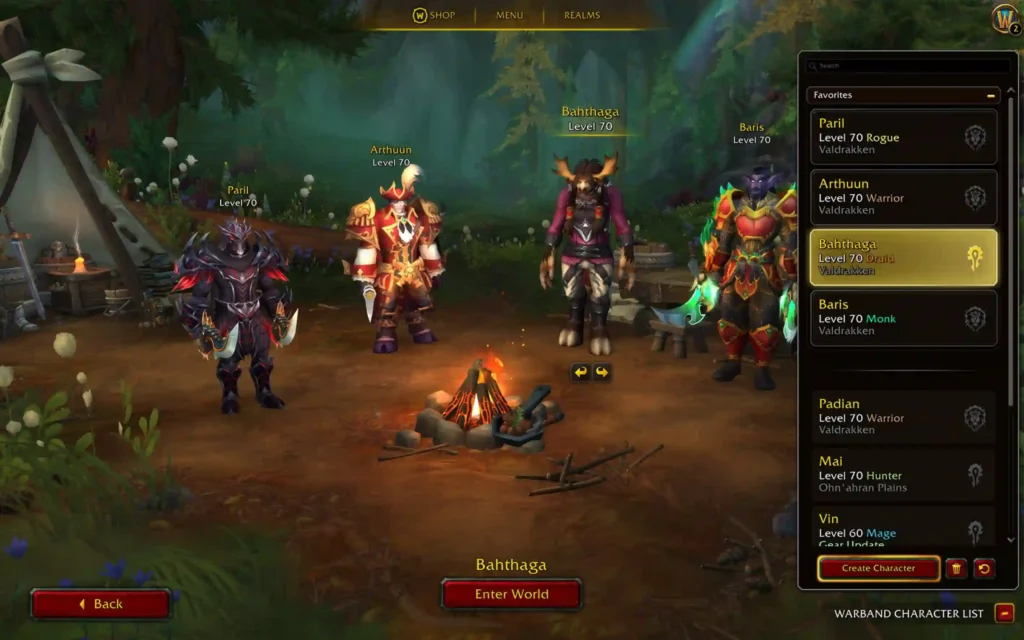
WoW character lookup in World of Warcraft refers to the process of retrieving detailed data about a player’s avatar. This includes equipped gear, talent builds, dungeon progress, PvP stats, and earned achievements. These profiles provide a snapshot of a character’s development, allowing players to benchmark their progress or evaluate others in a group or raid context.
It serves multiple purposes across gameplay types:
PvE Optimization
Players can optimize their roles in raids and dungeons. Whether you’re a tank adjusting for survivability or a DPS fine-tuning output, every bit of data counts.
PvP Evaluation
Evaluate resilience, gear, and loadouts of opponents. You can prepare counter-strategies or identify weaknesses before entering combat.
Progression Tracking
Track achievements, mount collections, and reputation levels. Long-term players can use it as a trophy case, while new players can use it as a roadmap.
Visual Overview
| Lookup Tool | Features | Best For |
| Blizzard Armory | Official data, achievements, gear | Casual & official use |
| Raider.io | Dungeon logs, M+ rankings, community tags | Competitive PvE |
| WoWProgress | Progression status, raid logs | Hardcore raiders |
Using a World of Warcraft character lookup by name, anyone can access data for strategy or admiration.
How to Use the Official Blizzard Site
To begin your journey with the WoW character lookup, start with Blizzard’s official website. It’s the most reliable source for real-time character info.
Step-by-Step Guide
- Go to the Blizzard Armory.
- Enter the Character Name.
- Choose Region
- US
- EU
- KR
- TW
- Review the Profile: The profile page includes gear, primary stats (Strength, Agility, Intellect), secondary stats (Critical Strike, Haste, Versatility), and achievements.
- Save the Link: Each character has a unique URL—perfect for sharing or bookmarking.
Navigation Breakdown
- Gear Tab: Item levels and enhancements
- Stats Tab: Core attributes and calculated ratings
- Achievements Tab: Personal progression logs
By following this guide, any player can execute a fast and efficient WoW account character lookup for immediate insights.
Raider.io vs Blizzard Armory: Which is Better?
For deeper analysis, many players look beyond the official site. Two of the most used tools are Raider.io and the Blizzard Armory. Each serves unique needs.
Side-by-Side Comparison
| Feature | Blizzard Armory | Raider.io |
| Gear Overview | ✔️ Basic item list | ✔️ With score integration |
| Mythic+ Score | ❌ | ✔️ Highly detailed |
| PvE Logs | ❌ | ✔️ Dungeon run history |
| UI/UX | Clean and official | Designed for elite play |
| Profile Badges | ❌ | ✔️ Community ratings |
What is Raider.io?
Raider.io specializes in PvE score tracking. It gives players dungeon scores, group finder ratings, and tag-based performance history. Use this when evaluating group members or pushing keys efficiently.
When to Use Blizzard’s Tool
Stick with the WoW armory character lookup to check WoW character casual info, verifying raid achievements, and viewing historical quest progress.
Lookup Options for Classic, SoD, and Retail
The WoW character lookup isn’t one-size-fits-all. Each version of the game has different databases and accessibility features.
Lookup by Version
- Retail (Dragonflight 2025): Fully supported via Blizzard Armory and Raider.io
- Classic WoW: Supported with limitations
- Season of Discovery (SoD): Often handled via third-party logs
How to Do a Classic WoW Character Lookup
- Use Ironforge.pro for community rankings
- Check Armory Classic (EU-only in some cases)
- Search logs via Warcraft Logs Classic mode
SoD Lookup
- No central Blizzard tool
- Reliant on add-ons like Details! or community logs
- Some profiles available through third-party SoD-specific tools
Tip: Always verify tool authenticity. Not all third-party tools are secure.
Finding Old Characters
Many players ask: “Can I see my old WoW characters?”
If the account is active:
- Log into Blizzard.net
- Visit “Game Services” → “Character Restoration”
- WoW character search by server and name
This is the simplest way to perform a WoW character lookup by name for inactive profiles.
How to Interpret Character Data for Better Gameplay
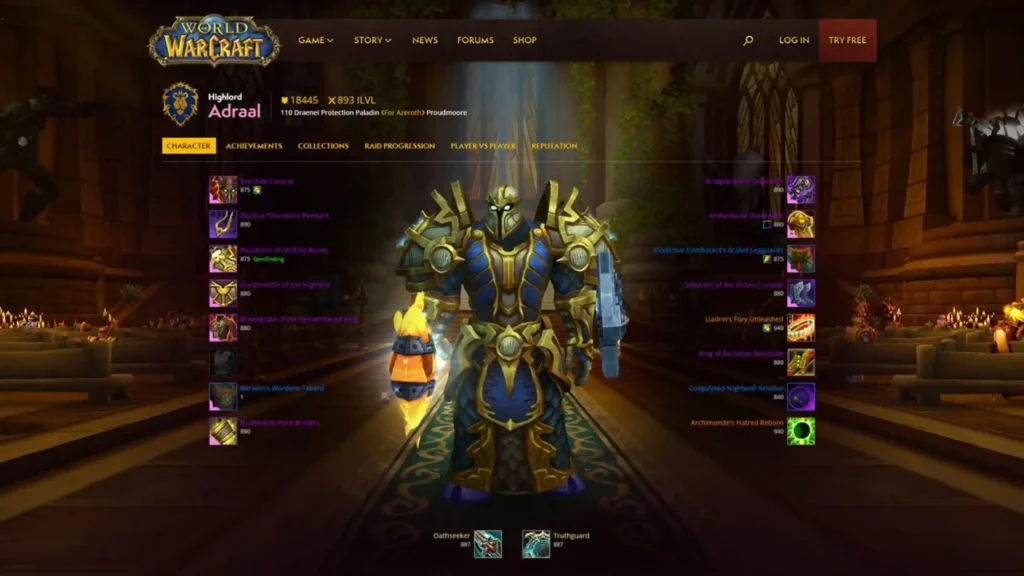
Once you’ve accessed your character profile, the next step is knowing what to do with the information. The WoW character stats lookup feature gives you raw data, but real value comes from smart interpretation.
Primary Stats: The Foundation of Your Build
- Strength (for Warriors, Paladins, Death Knights)
- Agility (for Rogues, Hunters, Demon Hunters)
- Intellect (for Mages, Warlocks, Priests)
Each class has a primary stat that influences spell power, attack power, or defensive capability. Prioritize accordingly.
Secondary Stats: Customizing Playstyle
Every gear piece contributes to Critical Strike, Haste, Mastery, and Versatility. Balancing these stats allows for class-specific optimization.
Achievement and PvE Insights
Use the WoW character achievement lookup to set goals, track milestones, and measure against others for motivation. Understanding achievements shows how a player interacts with the world—not just how much damage they deal.
Learn how ExitLag helps improve gameplay by reducing lag and stabilizing connection for competitive edge.
How to Lookup a WoW Character by Name
Searching by name is one of the most common uses of the tool. Whether you’re looking for a friend, guildmate, or competitor, here’s how it works:
Steps to Lookup by Name
- Visit Blizzard’s character database or Raider.io
- Enter the character name
- Select the correct realm and region
- View full profile including gear, achievements, and logs
Important: Names are not unique across all realms. Always match the server when searching.
Use Cases
- Verifying opponents in Rated Battlegrounds
- Researching guild applicants
- Tracking your own alt progression
You’ll quickly see why the WoW character lookup by name remains a staple among serious players.
Can You See Old or Deleted WoW Characters?
Yes, but with some conditions. Blizzard offers a character restoration service for recently deleted characters.
How to Restore
- Log into Blizzard.net
- Go to the “Services” tab
- Click on Character Restoration
- Follow prompts for realm and name
You’ll be able to view and restore characters that meet the criteria. For reviewing old characters still on your account, the WoW account character lookup is sufficient.
Enhance Your Game Strategy with Community Tools
Community tools like WoW armory, Raider.io, and WoWProgress allow you to track metrics, compare gear, and strategize effectively.
- Analyze raid strategies using top-tier players’ profiles
- Compare PvP gear loadouts to improve battleground performance
- Track progression of your guild members and rivals
Table of Key WoW Character Lookup Tools
| Tool | Primary Function | Ideal For |
| Blizzard Armory | Official stats and achievements | Casual players |
| Raider.io | Mythic+ and dungeon scoring | Competitive raiders |
| WoWProgress | Raid progression tracking | Hardcore raiders |
| Ironforge.pro | Classic rankings and stats | Classic players |
| Warcraft Logs | Combat logs and performance tracking | PvE optimization |
Conclusion: Get the Most from Your WoW Character Lookup
The WoW character lookup isn’t just a vanity tool—it’s your window into character progress, gear strategy, and game performance. By learning how to analyze this data, you’ll play smarter, optimize faster, and lead better. Also, use ExitLag to ensure your connection is just as optimized as your character. ExitLag routes your game traffic through the best possible path, reducing lag, ping spikes, and disconnects.
FAQ — WoW Character Lookup
Use the official Blizzard Armory or tools like Raider.io. Enter the character’s name, select the correct realm and region, then review the profile.
Blizzard’s Armory is the most official and accurate. Raider.io is ideal for PvE insights. For Classic or SoD, use third-party tools like Warcraft Logs or Ironforge.pro.
Yes. You can use Blizzard’s character restoration service. Log into your account, navigate to “Services”, and select “Character Restoration”.
Yes, but it’s limited. Blizzard doesn’t offer full Armory support. Use third-party platforms like Ironforge.pro for classic WoW character lookup.
Mostly. Blizzard updates character stats regularly, though changes may be delayed by a few minutes or logouts. Raider.io updates based on dungeon completion.
Got questions or want to connect with other players? Join the conversation at the ExitLag Forum!