You log in for a quick run, and the screen hangs on a login error or a long queue. Naturally, the first thought is that WoW Forever Servers Down is the problem, and you start refreshing forums.
Sometimes that is true, and sometimes it is not. The WoW Forever beta has gone through planned offline windows, population cap changes and queue bugs, so a WoW Forever Servers Down scare is common right now.
In short, the beta is not down all the time. WoW Forever Servers Down usually means one of three things: a planned maintenance window, a full realm queue, or a local connection problem on your side. This guide helps you tell them apart in minutes.
The error code detail comes from player reports on the forums, so treat it as a clue, not an official diagnosis.

What Does WoW Forever Servers Down Really Mean?
The beta is a limited test, so it behaves differently from the live game. Blizzard uses it to push builds, tune capacity and fix bugs, which means offline periods are part of the process.Is WoW Forever Servers Down or Is It Just You?
Start with the simplest check. If other players report the same thing on the official forums, the cause is on Blizzard's side. If nobody else sees it, look at your own setup. Here is a quick way to separate the two:- Many players report WoW Forever Servers Down: the beta is likely offline or restarting.
- Only you see the problem: check your router, Wi-Fi and background downloads.
- Login works but the game stutters: this points to routing or packet loss, not an outage.
- A queue appears but moves slowly: the realm is probably at capacity.
Why Do WoW Forever Servers Down Alerts Happen?
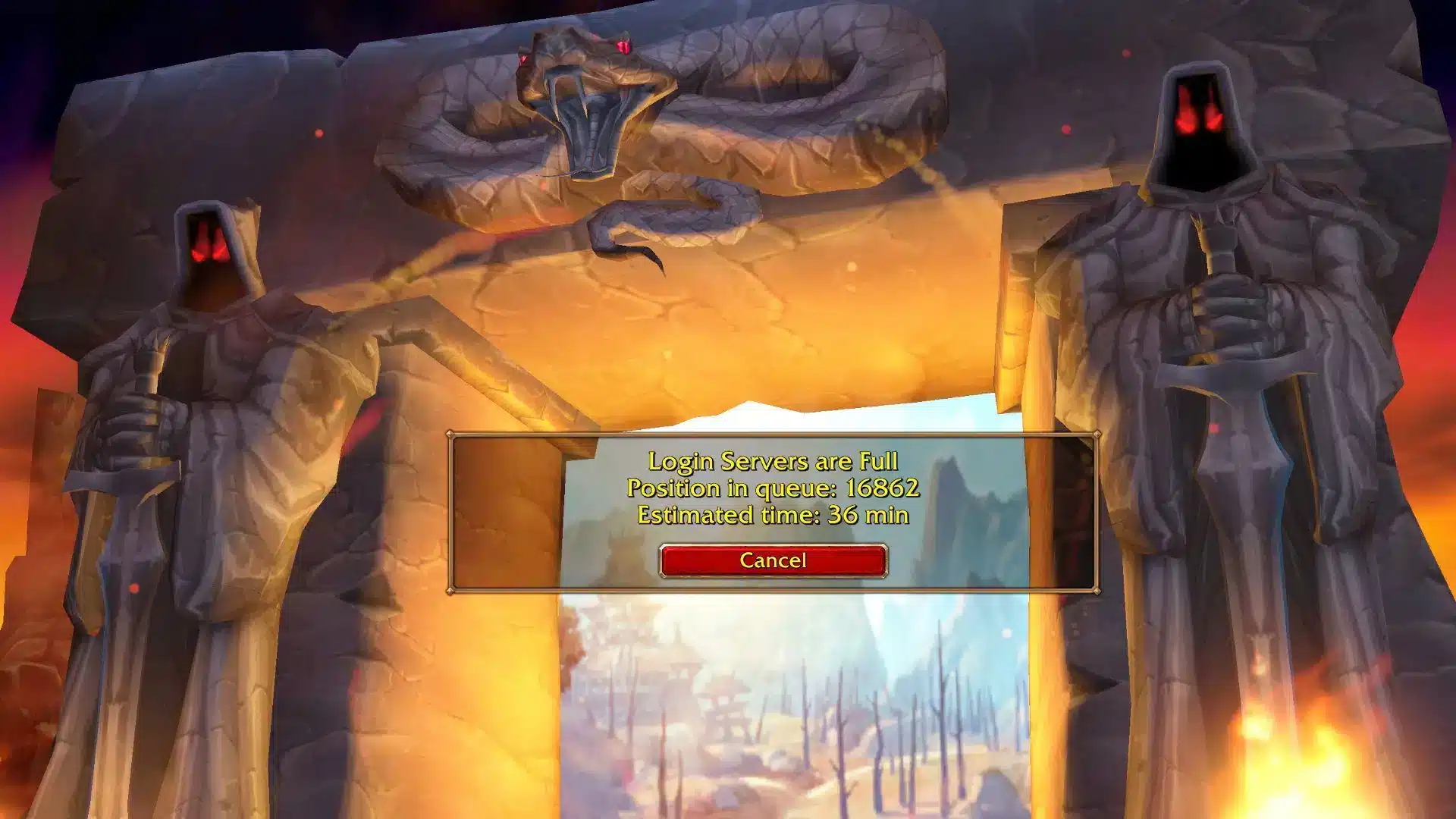
A closed beta is tested in short cycles. Blizzard takes the servers offline, applies a new build, and brings them back. Furthermore, capacity changes can cause temporary queues even when everything is technically online. Here is what has happened during this test:- A planned offline window on October 1 raised the level cap to 30 with an updated build.
- The population cap was raised more than once as more players joined.
- A queue bug that refilled the line after disconnects was fixed in late September.
WoW Forever Beta Maintenance: What Happened On October 1?
The most recent big event was a planned offline window. According to the official forum announcement, Blizzard took the beta offline in the morning Pacific time, and it resumed several hours later with an updated build. That build raised the level cap from 20 to 30. In addition, it brought changes and fixes that Blizzard promised to detail afterward.How Long Does WoW Forever Beta Downtime Last?
Blizzard did not give an exact duration in the announcement of the WoW Forever Servers Down window. Players on the forums asked for clearer windows, since "a few hours" is vague when your evening plans depend on it. The EU post said the beta would return early on October 2 local time. As a result, players in different regions felt the downtime at very different hours.What Should You Do While the Beta Is Offline?
When WoW Forever Servers Down is confirmed, do not keep hammering the login button. Repeated attempts can add to the load and will not bring the realm back sooner. Use the time well instead, for example by planning your build with the WoW Forever Druid guide:- Read the official announcement thread for the latest estimate.
- Close the launcher and wait for the stated return window.
- Restart your router once while you wait.
- Update graphics drivers so you are ready when it returns.
- Log in again after the build is live and the queue settles.
How To Read WoW Server Status And WoW Forever Server Status
Blizzard does not always post a live WoW Forever Beta Server Status board for a closed beta. Therefore, the best signals are the official forums, the WoW news page and your own error messages.Which Signals Can You Trust?
Not every source is equal. Here is how to rank them:- Official Blizzard forum posts: the most reliable source for planned downtime.
- Blizzard's WoW news page: good for patch and build announcements.
- Community status pages: useful for trends, but often based on user reports.
- Social media chatter: fast, but frequently wrong.
What Do the Common Error Messages Mean?
Players have reported messages such as a full realm notice, a disconnect notice and error code BLZ51901016 during maintenance. Here is a simple reading guide:| Message or Symptom | Likely Cause | What To Do |
|---|---|---|
| Realm is full | Population cap or queue | Wait in line, avoid relogging |
| Disconnected from the server | Restart, routing or unstable link | Reconnect after a minute, test your network |
| BLZ51901016 during maintenance | Beta offline or restarting | Check the forum thread for timing |
| Long queue after a drop | Queue refill bug (fixed in late September) | Report it if it returns |
Are WoW Forever Servers Down Because of Queues?
Queues are the most common reason players believe WoW Forever Servers Down is true. The beta has a population limit, and Blizzard has raised it more than once to let more people in.Why Do Queues Keep Appearing?
Interest in the beta is high, and access comes from owning certain Epic Pack bundles or being picked from the opt-in waitlist. Consequently, evenings and weekends feel crowded. Disconnects make it worse. When a drop sends you back to the end of the line, a stable connection becomes the real advantage.How Do You Get Through a Queue Faster?
You cannot skip the line, but you can avoid making it longer:- Log in once and stay in the queue without closing the client.
- Use a wired connection, since a Wi-Fi drop can reset your spot.
- Pause large downloads and streaming on other devices.
- Try off-peak hours, such as early morning in your region.
- Rejoin only after a full minute if you are disconnected.
Pro Tips: Beta Login and Stability
- Stay logged in: Leaving the game idle in the queue keeps your place better than relogging, because each new attempt may start the line again.
- Use a wired link: Ethernet removes Wi-Fi drops, which are a common cause of mid-queue disconnects.
- Check the forums first: A quick look at the official thread tells you if a restart is planned before you waste time troubleshooting.
- Close background apps: Cloud sync and game launchers compete for bandwidth and add jitter to your session.
Is It Lag Instead of Downtime?
Many reports that ask Are WoW Forever Servers Down are actually lag. The servers are up, but your packets take a bad path or get lost on the way. That feels like WoW Forever Servers Down because actions fail, spells delay and you get random kicks.How Can You Tell Lag From an Outage?
Use these signs to decide:- Skills fire late but you stay connected: this is high latency.
- Your character rubber-bands: packets are arriving unevenly.
- Random disconnects with no error code: often routing or packet loss.
- Everyone in your guild is fine: the issue is likely your route.
What Should You Test First?
Run these checks in order:- Restart your router and modem, then wait two minutes.
- Switch to a wired connection if you are on Wi-Fi.
- Close all background downloads and cloud sync tools.
- Run a ping test to see latency and packet loss.
- Try again after the beta resumes from any announced maintenance.
Common Mistakes Players Make During WoW Forever Beta Downtime
Most wasted time comes from a few habits. Fixing them gets you back in faster.Which Habits Slow You Down?
- Spamming the login button: It adds load and may restart your queue. Fix: wait a minute between attempts.
- Reinstalling the game: It rarely helps during an outage. Fix: check the official thread before touching files.
- Trusting random status sites: Some report guesses as facts. Fix: rely on Blizzard forum announcements first.
- Blaming the servers every time: Home network issues look identical. Fix: test your connection before you complain.
How Does ExitLag Help When WoW Forever Servers Down Feels Real?
When the beta is online but your session keeps falling apart, the problem is often the path between you and the realm. That is where ExitLag fits in. ExitLag is a game connection optimizer, not a VPN. It tests multiple network routes in real time and picks the fastest, most stable one to the game's servers.What Features Matter for the Beta?
For a test where disconnects can send you back into a queue, stability is the key:- Multipath technology: sends packets through several routes, so if one path fails, others keep the connection alive.
- Real-time optimization: reduces delay and packet loss, so spells and movement register on time.
- Multi-Internet: supports up to four connections, and another takes over if one drops.
- Traffic Shaper: gives game traffic priority over other apps.
How Do You Set It Up?
Follow these steps:- Download and install ExitLag on your PC.
- Search for World of Warcraft in the game list.
- Pick the region closest to your realm, or let the AI choose.
- Launch the game from ExitLag and log in.
Final Checklist: When WoW Forever Servers Down Is Not a Real Outage
Before you decide WoW Forever Servers Down is the cause, run through this short list. It covers almost every case players have reported during the beta.What Is the Fastest Way to Decide?
- Check the official forum thread: look for announced maintenance first.
- Watch for queue messages: a line means the realm is online.
- Test your own connection: a wired link and a clean router fix many drops.
- Use a route optimizer: it helps when the path, not the server, is the weak point.