

Factorio mods are one of the biggest reasons the game keeps feeling fresh years after release. Factorio’s official wiki still treats modding as a core part of the ecosystem, and the official Mod Portal remains the main place to browse, download, and manage them. In practice, that means you can change the game in small ways with planning tools and interface tweaks, or completely rebuild it with giant overhaul packs that replace recipes, progression, and even the shape of the enoverha
Planning gets much easier when you can estimate what your factory actually needs before rebuilding half of it. A tool like the Factorio calculator for production planning can help you think through ratios, resource flow, and scaling decisions before a modded run becomes too complex to manage casually.
For most players, the real appeal of Factorio mods is freedom. You can stay close to vanilla with Factorio quality of life mods, jump into a curated Factorio mod list for a smoother megabase run, or move into full Factorio Overhaul mods like Krastorio 2, Nullius, Bob’s suite, or the famous Factorio space exploration mod that can stretch a run well past 500 hours.
That is also why choosing Factorio mods in 2026 is a little different from older guides. Factorio 2.0 and the official Space Age expansion changed the baseline game, and some of the community’s old “must-install” recommendations are now less essential, while others have been updated specifically for 2.0 and Space Age. Factory Planner, for example, explicitly states that it is fully compatible with Factorio 2.0 and the Space Age expansion, while Space Exploration’s March and April 2026 changelogs show that it is still actively evolving on 2.0.
The official expansion also changed what many players expect from late-game logistics, planets, and progression. Before stacking community overhauls on top of that foundation, it is worth checking a Factorio Space Age guide so you know which challenges already exist in the base expansion.
So this guide focuses on what is current and useful now: the best Factorio mods for planning and usability, the most important Factorio mods for beginners, the standout Factorio Overhaul mods worth your time, and the right way to install them for solo or multiplayer play without creating version chaos.
What are the best Factorio mods right now?
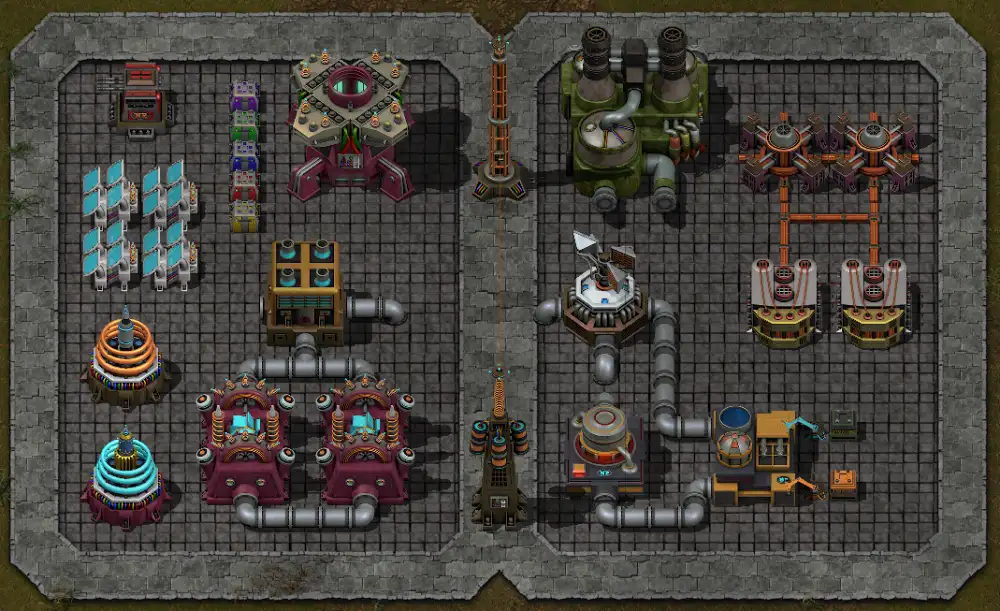
The best current picks fall into two broad groups. First, there are utility and planning tools that improve the default experience without changing the core factory loop. Second, there are larger overhauls that replace huge parts of the game’s economy and progression. The right choice depends on whether you want “better vanilla” or “a new game built inside Factorio.”
A good modern Factorio mod list usually mixes both categories carefully. If you are starting a serious long run, it is often smarter to begin with a few Factorio quality of life mods first, then add one large overhaul later, rather than stacking several massive systems together on your first attempt. That advice matters even more now because some overhauls are intentionally designed as standalone experiences with low compatibility. Space Exploration’s own page explicitly says that compatibility is currently low and that standalone play is the intended experience.
Best Factorio quality of life mods
If you want the cleanest first step into modding, these are some of the strongest Factorio quality of life mods available right now:
| Mod | Why it stands out |
| Factory Planner | Deep production planning, nested subfloors, module and machine calculation |
| Rate Calculator | Quick production and consumption rate checks on selected machines |
| Bottleneck Lite | Instant machine status indicators with zero runtime overhead |
| Squeak Through 2 | Lets you move through tight entity gaps more naturally |
| FNEI | Recipe and usage browser for items and fluids |
| Milestones | Tracks progress times and supports presets for big mods |
This is the kind of Factorio mod list that improves the game without rewriting it. Each one solves a common pain point: planning, diagnosing, moving, checking recipes, or tracking long-run progression.
Factory Planner is probably the single most important utility recommendation for players building bigger factories. Its Mod Portal page says it is fully compatible with Factorio 2.0 and Space Age, and it can plan products, recipes, machines, modules, mining productivity, and even more complex production trees through nested subfloors. That makes it one of the easiest best Factorio mods picks to recommend in any serious guide.
Rate Calculator and Bottleneck Lite pair extremely well with it. Rate Calculator’s Mod Portal metrics page shows roughly 394K release downloads over the last year for its 2.0 branch, while Bottleneck Lite describes itself as a zero-runtime-overhead machine status tool that instantly shows whether your machines are starved, blocked, underpowered, or working properly. Together, they are excellent Factorio quality of life mods for diagnosing real production problems instead of guessing.
FNEI is still worth keeping around even with newer in-game references because it remains a fast recipe-and-usage browser for modded environments. Its page says it shows all recipes to create a selected item and all the uses of that item, and it currently supports Factorio 2.0 with version 0.4.6. When you start mixing overhauls, that kind of lookup tool becomes one of the most practical Factorio mods for beginners and veterans alike.
Best Factorio Overhaul mods
Once you want more than polish, the conversation shifts to Factorio Overhaul mods. These are the big experience-changing packs that replace recipes, science pacing, resource chains, and late-game structure.
The most important current names are:
- Krastorio 2
- Space Exploration
- Bob’s mods suite
- Nullius
Krastorio 2 remains one of the easiest large overhauls to recommend because it is established, broad, and still actively used. Its page also says it has native compatibility with Space Exploration, which is a big deal if you want a truly huge run. However, Krastorio 2 also warns that it does not properly support the official Space Age mod on its own and recommends a separate add-on if you want to combine those.
The Factorio space exploration mod is still the giant in the room for players who want a very long and very complex campaign. Its own page says completion times average 500 hours, that it is a logistics and complexity challenge rather than a pure scale challenge, and that it is still in experimental status. Its April 19, 2026 changelog confirms that it is still actively updated for 2.0, which matters because many players assume it is old or abandoned when it is not.
Factorio Bob mods are still highly relevant too, but it is better to think of them as a suite than a single mod. Bob’s Electronics changes circuit production into a deeper chain with electronic components, circuit boards, and an extra electronics tier, while Bob’s Metals, Chemicals and Intermediates expands ores, plates, chemistry, and manufacturing. Both are available for 2.0, and both are designed to function best as part of the larger Bob’s ecosystem.
Nullius is the most distinctive recommendation in this group. Its page describes it as a Factorio prequel where you play as an android terraforming planets and seeding them with life, with no coal, no oil, no wood, no biters, and no free oxygen at the start. That alone makes it one of the most distinctive best Factorio mods choices if you want an overhaul that feels genuinely different instead of just “harder vanilla.” Its changelog also shows an update on April 19, 2026 for the 2.0 branch.
Which Factorio mods are best for beginners?
Beginners should not start with the harshest overhaul they can find. The best Factorio mods for beginners are the ones that remove friction, improve visibility, and help you understand the base game more clearly without replacing everything you are still trying to learn.
That is why a beginner-friendly setup should usually avoid the biggest Factorio Overhaul mods for a first or second run. Overhauls like Space Exploration and Nullius are excellent, but they are deliberately complex. Space Exploration says outright that some circuitry knowledge is required to complete it, and Nullius replaces all recipes and technology with a fundamentally different premise. Those are not ideal first steps unless you already know the base game well.
Best starter mods that keep the game close to vanilla
If you are learning Factorio and want help without turning it into something unrecognizable, start with these:
- Bottleneck Lite
- FNEI
- Rate Calculator
- Milestones
- Squeak Through 2
These are the strongest Factorio mods for beginners because they help you see what is happening rather than changing what the game fundamentally is. Bottleneck Lite tells you which machines are blocked or starved. FNEI explains what recipes an item belongs to. Rate Calculator helps you understand throughput. Milestones makes progress easier to track and compare. Squeak Through 2 removes some of the movement frustration that newer players often feel when walking through tight factory layouts.
Milestones is especially good for newer players because it gives your run structure without changing balance. Its page says it tracks how fast you created key items, lets you compare with friends, supports presets for popular large mods, and can be added to existing games. That makes it a very safe “always useful” recommendation.
Beginner-friendly overhauls to try after vanilla
Once you have completed vanilla and want more depth, Krastorio 2 is usually the safest first big jump. It is still a substantial overhaul, but it is easier to recommend before Space Exploration, Bob’s full suite, or Nullius because it has a more familiar progression feel than the heaviest alternatives.
By contrast, Space Exploration should be treated as an advanced project, not a casual add-on. Its own page says it is “challenging and very long,” that it averages 500-hour completions, and that standalone play is intended because compatibility is low. That is not a criticism. It is exactly why it is one of the best Factorio mods for experienced players and a poor first overhaul for most beginners.
How do you install Factorio mods and add them to a server?

The good news is that mod installation is much easier than it used to be. Factorio’s official wiki says the game can download and install mods directly, and it can also synchronize mods with a save file. That means you do not always need to handle every file manually, especially for normal solo play.
For multiplayer, version control matters more. Factorio’s systems are designed around deterministic simulation, so matching mod sets and settings are essential. The wiki also notes that the game can offer to synchronize mods with a save and that you can manually use “Sync mods with save” from the load menu. If you hold Ctrl while clicking, the game uses the exact same mod versions as the save instead of just the latest ones.
Installing mods in single-player
For a solo game, the easiest path is:
- Open the in-game mod browser.
- Download the mods you want from the official Mod Portal.
- Enable them and restart the game when prompted.
- Start a new save or sync them with an existing compatible save.
That flow is supported by the official wiki’s modding page, which explains that mods can be downloaded and installed directly and also explains how syncing works when a save is missing required mods.
If you install zipped mods manually, the official modding page also points players to the application directory instructions for where they should be placed. In other words, manual installation still works, but in-game installation is usually the easiest route for most players in 2026.
For clean installation paths, version checks, and official purchase or account access, the safest starting point is still the official Factorio website. It keeps players connected to the core game ecosystem before they start layering community mods, expansions, and multiplayer setups.
Adding mods to a multiplayer server
For multiplayer, the simplest rule is: use the same save, the same enabled mods, and the same relevant settings. Factorio’s multiplayer page confirms that multiplayer can be hosted directly or via a dedicated/headless server, while the wiki’s modding page explains that saves can sync mods automatically. For headless servers, the command-line documentation also includes a –sync-mods option, with a note that the server needs service credentials if it must download mods.
So a clean server process looks like this:
- upload or create the save with the desired mods
- use the same enabled mod list on the server
- let clients sync from the save when joining
- use exact version sync when stability matters most
General background can also help when you are explaining the game to friends before inviting them into a modded server. The Factorio overview on Wikipedia is useful for quick context on the game’s premise, development, and wider reception without interrupting the technical setup process.
That is the best modern answer to the “how to add mods to server” question, because it uses the tools Factorio already provides instead of relying on trial and error.
Why use ExitLag with modded Factorio multiplayer?
Modded Factorio is usually more CPU-heavy and more session-sensitive than vanilla. The larger your factory gets, the more annoying connection instability becomes, especially when you are playing long co-op sessions with friends or hosting a dedicated world that everyone keeps returning to.
That is where ExitLag makes sense in a Factorio context. It is not about reflex aim or hit registration here. It is about keeping long multiplayer sessions smoother, more stable, and less likely to be disrupted by route instability when your server is already carrying the load of a complex modded save.
Why it matters more with large mod packs
Bigger overhauls mean bigger sessions. A Factorio space exploration mod run or a long Krastorio 2 game is not usually a quick two-hour experiment. These are often multi-week or multi-month campaigns. If your group is playing a heavily modded save with complex logistics, sync hiccups and unstable routing become much more frustrating simply because the investment is so much larger.
That makes ExitLag especially relevant for:
- dedicated multiplayer servers
- long-running co-op campaigns
- remote play with teammates in different regions
- heavily modded saves where reconnects are extra disruptive
What ExitLag helps with in practice
In practical terms, ExitLag can help reduce the annoyance around:
- unstable routing during long sessions
- sudden ping spikes in co-op play
- inconsistent connection quality when joining distant servers
- avoidable interruptions during large multiplayer saves
For a game like Factorio, that means smoother collaboration, fewer “wait, I lagged” moments, and a better chance to keep your factory night moving instead of troubleshooting the connection.
FAQ
A lot of the most common questions about Factorio mods come down to compatibility, difficulty, and whether you should start small or go straight into an overhaul. The right answer depends on your goal, but the official tools and current mod pages make the big decisions easier than they used to be.
For most players, the first best Factorio mods to install are Bottleneck Lite, Rate Calculator, FNEI, Milestones, and Squeak Through 2. They improve visibility, planning, movement, and recipe lookup without radically changing the base game.
There is no single universal winner, but the biggest current names are Krastorio 2, Space Exploration, Bob’s suite, and Nullius. Krastorio 2 is the safest first overhaul for many players. Space Exploration is one of the deepest and longest. Bob’s mods are a classic modular ecosystem. Nullius is one of the most distinctive total-conversion style experiences.
No. The Factorio space exploration mod is a community-made overhaul on the Mod Portal. It is not the same thing as Space Age, which is the official expansion referenced in Factorio’s official wiki and supported by some mods like Factory Planner.
Yes. Factorio Bob mods are still active and available for 2.0. Bob’s Electronics and Bob’s Metals, Chemicals and Intermediates both have 2.0 support on the Mod Portal and remain core entries in the Bob’s ecosystem.
Yes. Factorio’s official wiki says the game can offer to synchronize mods with a save file, and there is also a “Sync mods with save” option in the load menu. Using Ctrl while clicking uses the exact versions from the save. Headless servers can also use the –sync-mods command-line option.
Final thoughts
The smartest way to approach Factorio mods is to decide what kind of experience you actually want. If you want cleaner planning and smoother building, start with Factorio quality of life mods like Factory Planner, Rate Calculator, Bottleneck Lite, FNEI, Milestones, and Squeak Through 2. If you want a deeper late-game challenge, move into Factorio Overhaul mods like Krastorio 2, Factorio Bob mods, Nullius, or the massive Factorio space exploration mod once you are ready for a longer commitment.
If you want the smoothest modded multiplayer experience on top of that, pair your Factorio mods setup with a more stable connection. Use ExitLag before your next co-op run so you can spend more time scaling your factory and less time dealing
Got questions or want to connect with other players? Join the conversation at the ExitLag Forum!



