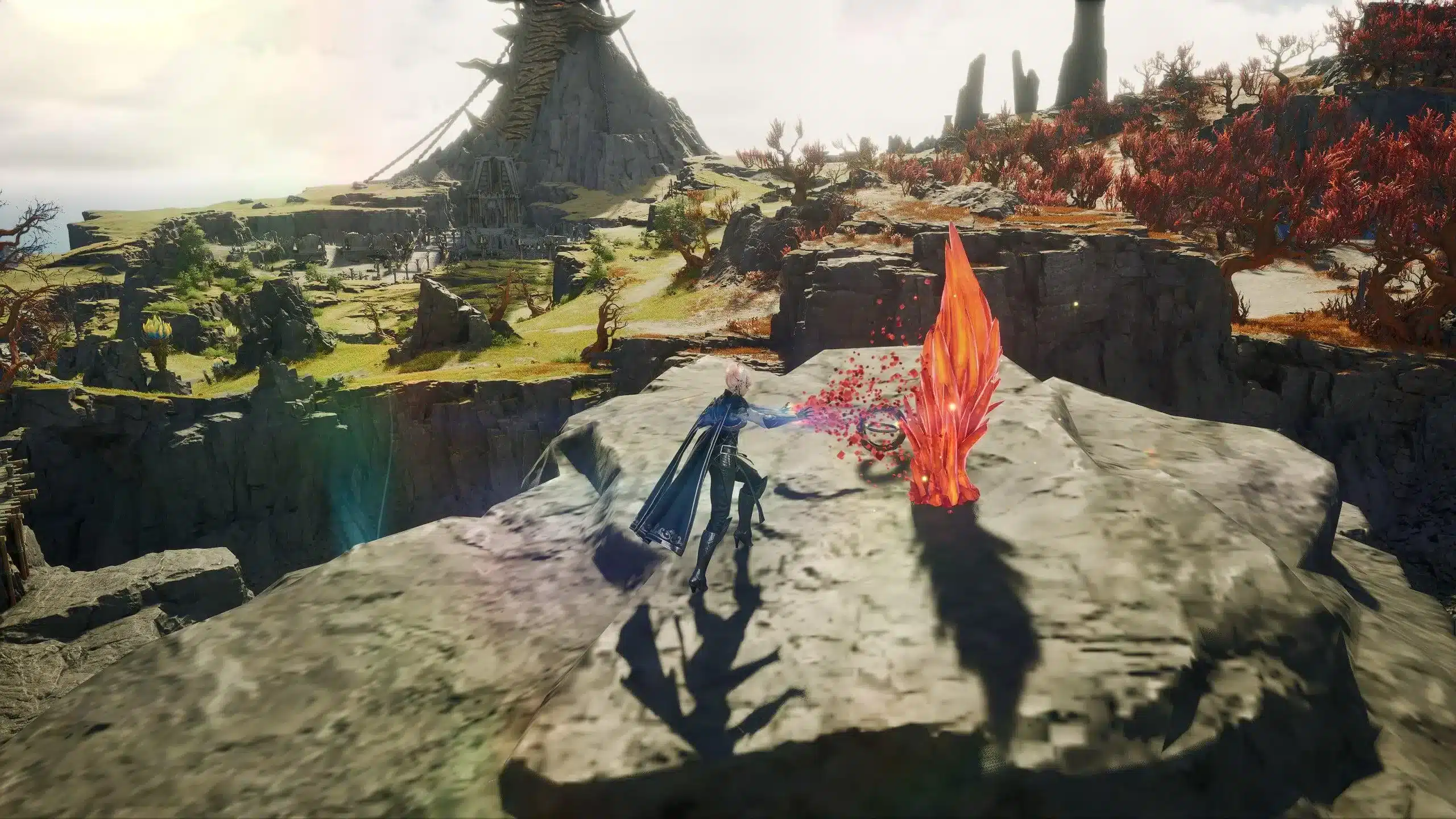
The Aion 2 character creation system redefines how immersive MMORPG avatars can be. Whether you're crafting a fierce warrior or a delicate spellcaster, Aion 2 gives you the tools to build a truly personalized look from the ground up.
From the face and body editor to advanced morphing tools and a broad range of character presets, the customization system is robust and beginner-friendly. It strikes the perfect balance between artistic freedom and performance optimization-vital for creating a memorable main character in this high-fantasy universe.
What is Aion 2 Character Creation?
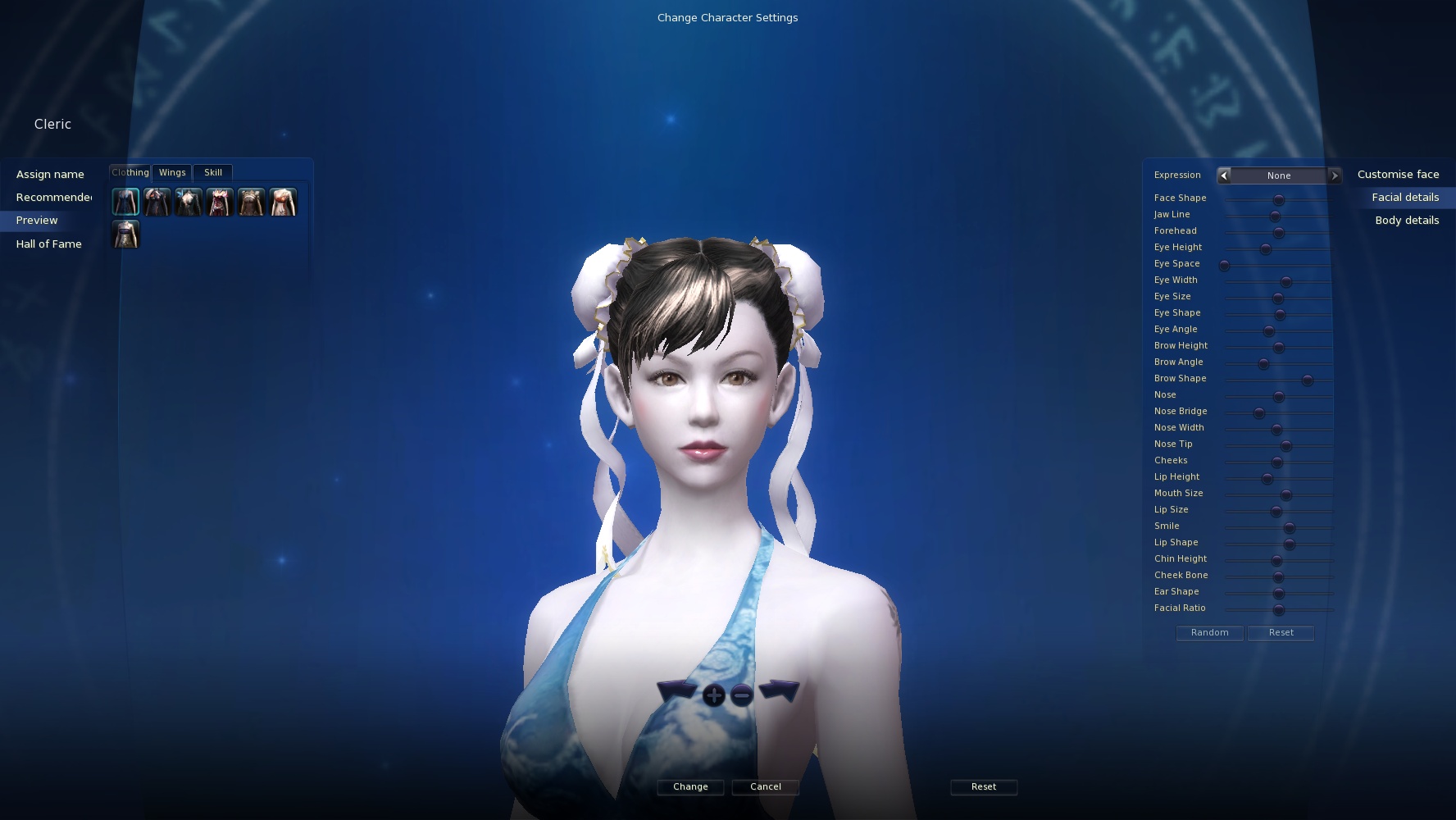
Aion 2 features a next-gen editor powered by Unreal Engine 5, allowing deep manipulation of facial features, body proportions, animations, and cosmetic effects. Character creation is more than aesthetic-it's an extension of the game's lore, race identity, and even your combat role.
Players can fine-tune their character's appearance across what NCSoft has stated as "over 200 adjustable features" in the character creation suite. While exact slider labels and body-part scaling have not been officially disclosed in full, expectations include granular control over facial dimensions, body silhouette, and visual detail.
This system includes real-time rendering previews, dynamic lighting, and fully rotatable models that respond to user input. This ensures that what you see in the creator closely matches what you’ll see in gameplay.
Where Do You Access It?
You enter the character creator at the very start of your journey, just after choosing your faction, race, and class. The tool is available on PC platforms at launch, and while a mobile version has been announced, full parity between versions is expected but not confirmed. Re-customization later in the game is likely to be done through appearance salons or similar mechanics, potentially via change vouchers-though this remains speculative.
Customization may be revisited post-launch depending on game service models, with further information expected upon global release.
Aion 2 Customization Options
Extensive Facial Controls (Expected Features)
- Multiple facial sliders including likely control over eyes, eyebrows, nose, mouth, cheekbones, and jawline
- Eye color customization and visual overlays (e.g., makeup, tattoos, scars)
- Opacity and positioning options for facial accessories (pending confirmation)
Body Morphing and Scaling (Speculative)
- Customizable body dimensions such as height, shoulder width, waist, hips, and limbs
- Presumed control over silhouette and muscle volume based on past NCSoft games
- Animations previewed with posture test modes
These features would put Aion 2’s editor on par with systems found in Black Desert Online or Blade & Soul, although this comparison is editorial and not based on official confirmation.
Aion 2 Character Presets (Planned or Expected)
To help players get started or save time, Aion 2 is expected to include a variety of visual presets. While the exact number (e.g., “30+”) and community sharing system details have not been officially confirmed, early builds suggest:
- Preset templates separated by race, gender, and combat role
- Save/load functionality for player-made designs
- The potential for a sharing system through appearance codes or launcher integration
Role-Based Presets (Likely Archetypes)
- Paladin-style characters with stern facial features
- Mystics and casters with ethereal designs
- Agile and stealth-themed character presets
These are based on traditional MMORPG archetypes and may evolve as the game approaches full release.
How ExitLag Enhances Your Aion 2 Character Creation Experience
Character creation isn’t just about design-it’s about performance. Lag, stutter, or delayed UI response during the creation process can degrade the experience. That’s where ExitLag comes in.
Why Use ExitLag During Creation?
- Loads high-resolution textures and assets faster
- Reduces UI lag when previewing poses or styles
- Prevents disconnection when rendering shaders or animations
Even though you're not in combat, the character creation process demands high data throughput. ExitLag ensures:
- Multipath Connection: Sends data through multiple routes to avoid congestion
- Real-Time Optimization: Chooses the fastest server routes instantly
- Worldwide Servers: Supports mobile and PC players globally
- Traffic Shaper: Prioritizes Aion 2 packets for faster response
How to use ExitLag in Aion 2
The process is extremely simple:
Step 1 - Access the official ExitLag website and download the application. There's a free trial period for new users.
Step 2 - Install and open the program. Log in with your account.
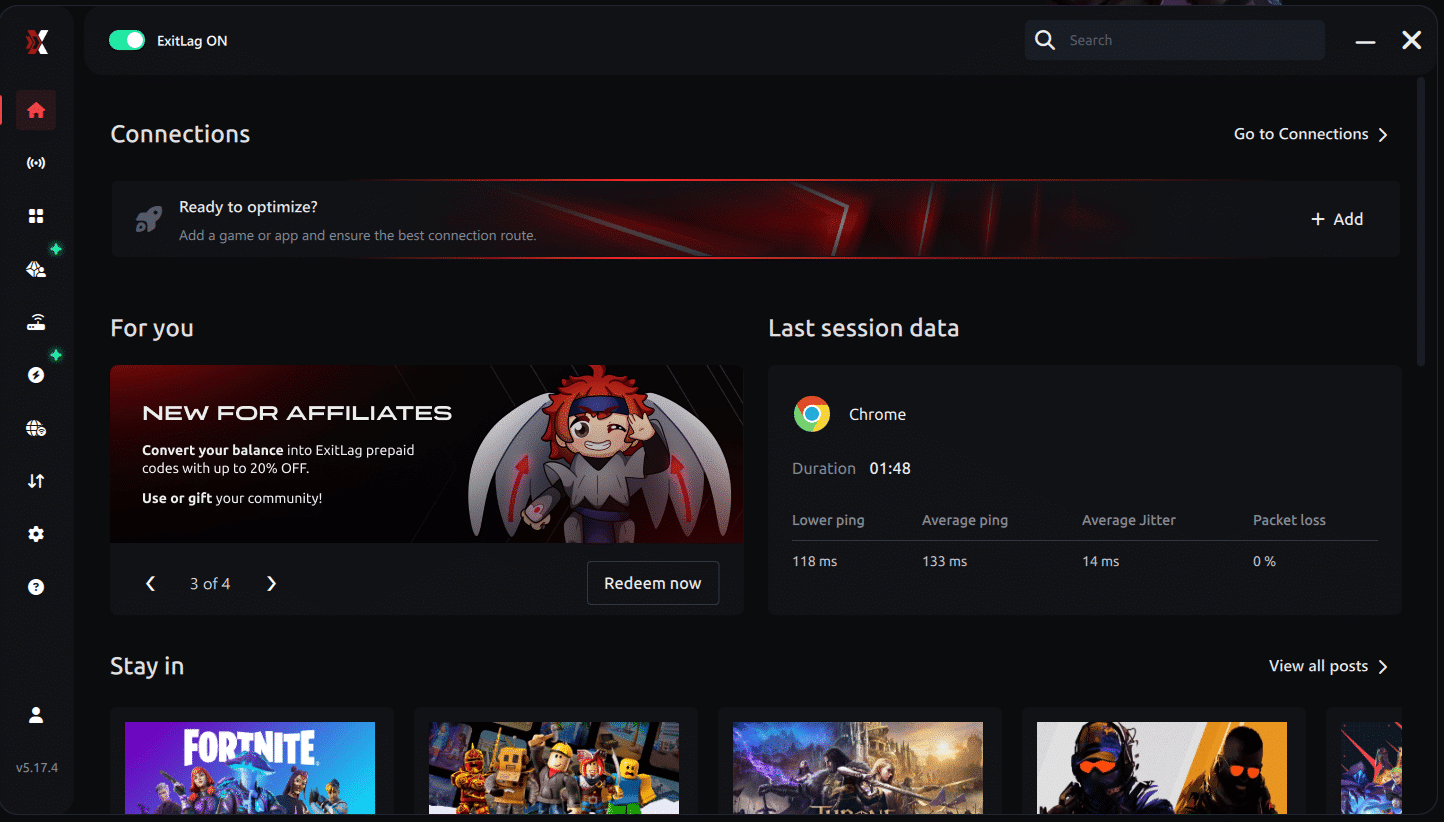
Step 3 - In the search bar, type "Aion 2" and select the game from the list.
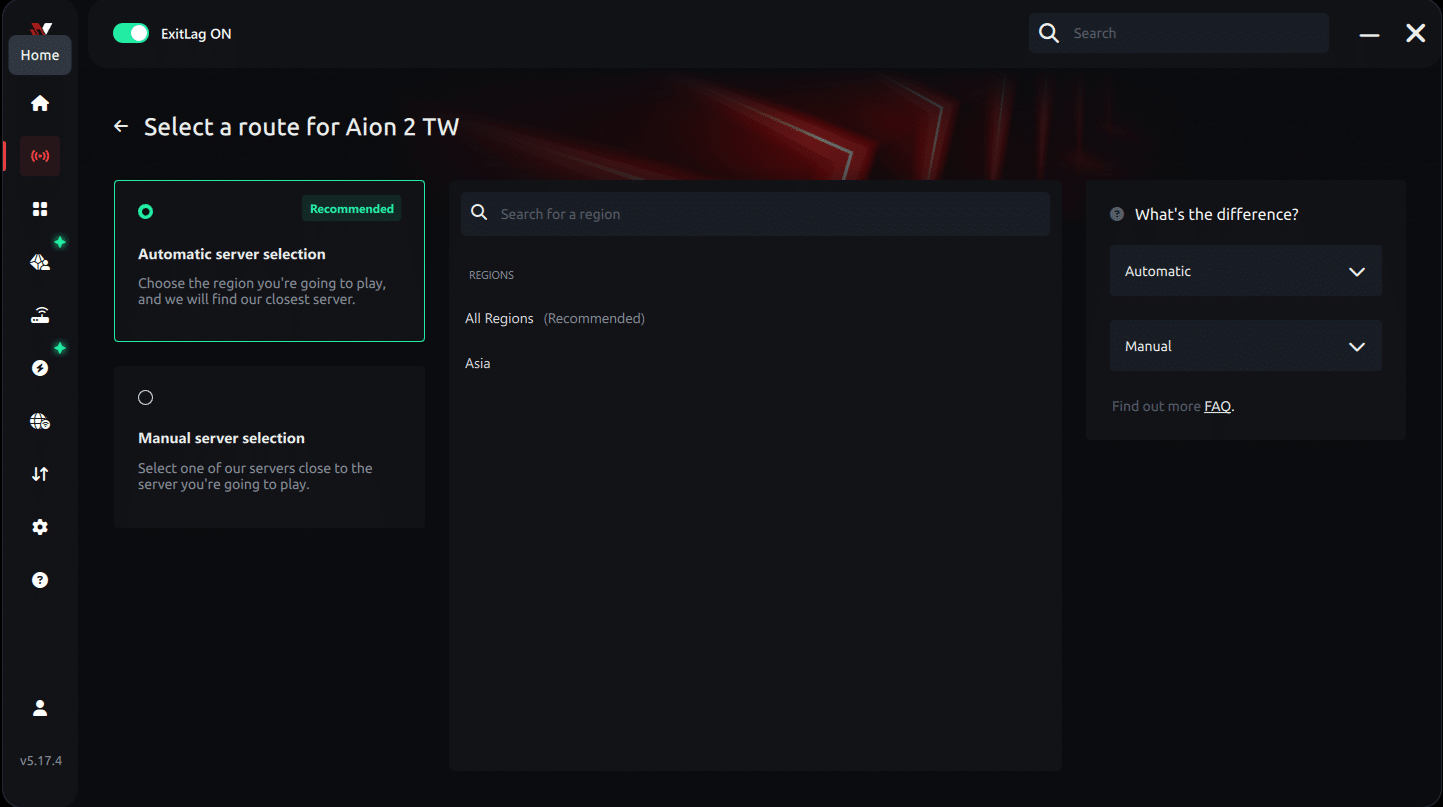
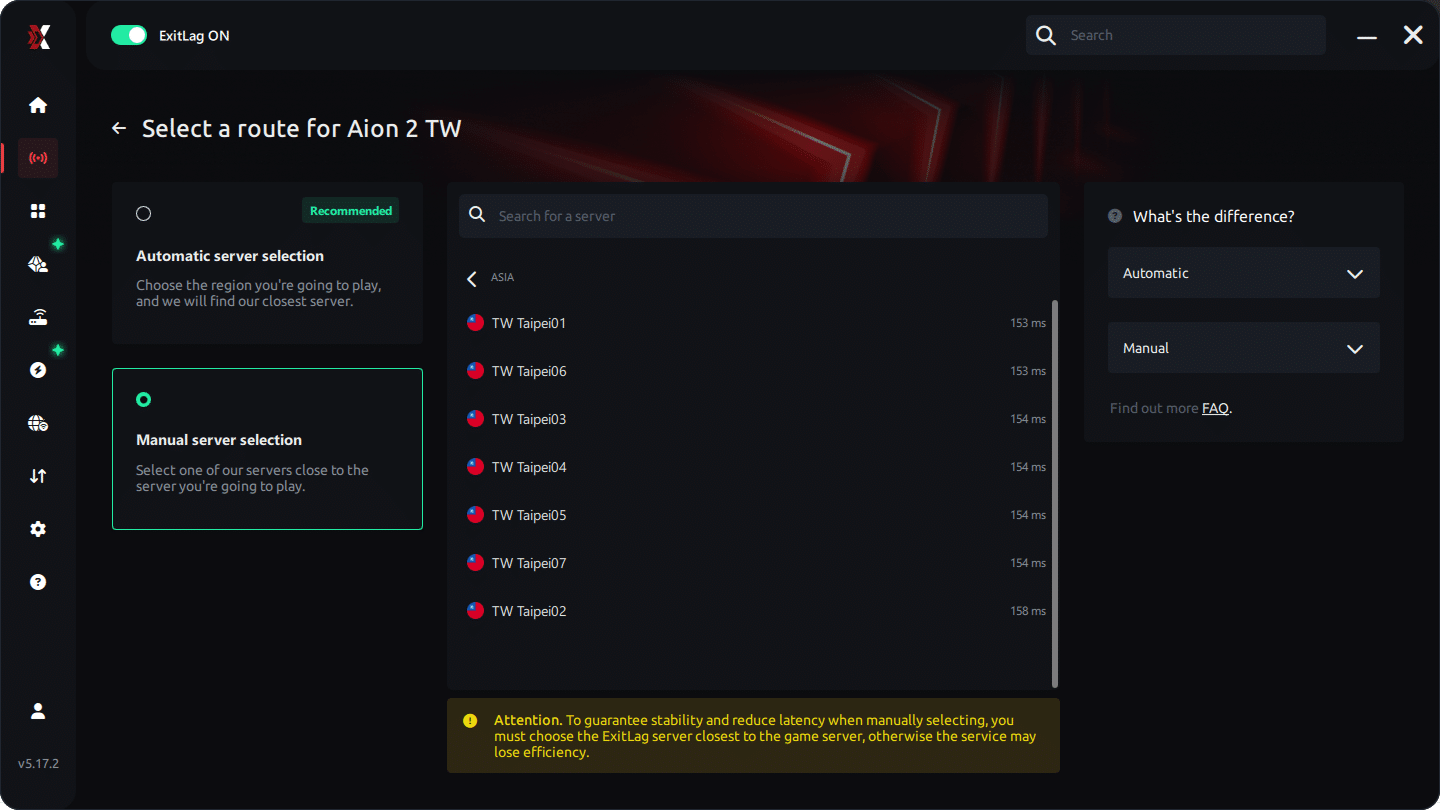
Step 4 - Choose between automated or manual route
Based on the results, you can let ExitLag automatically select the best route or manually choose the server that showed the lowest latency for your connection.
AI-optimized automated route
Based on the results, you can let ExitLag automatically select the best route through AI-optimized . The system analyzes multiple connection paths in real-time and automatically identifies the most efficient route for your connection, ensuring the lowest possible latency without requiring manual choices.
Manual route
If you prefer to have full control over your connection, you can manually choose the server based on the ping test results. Simply select the server that showed the lowest latency or the one that best meets your specific gaming needs, allowing complete customization of your experience.
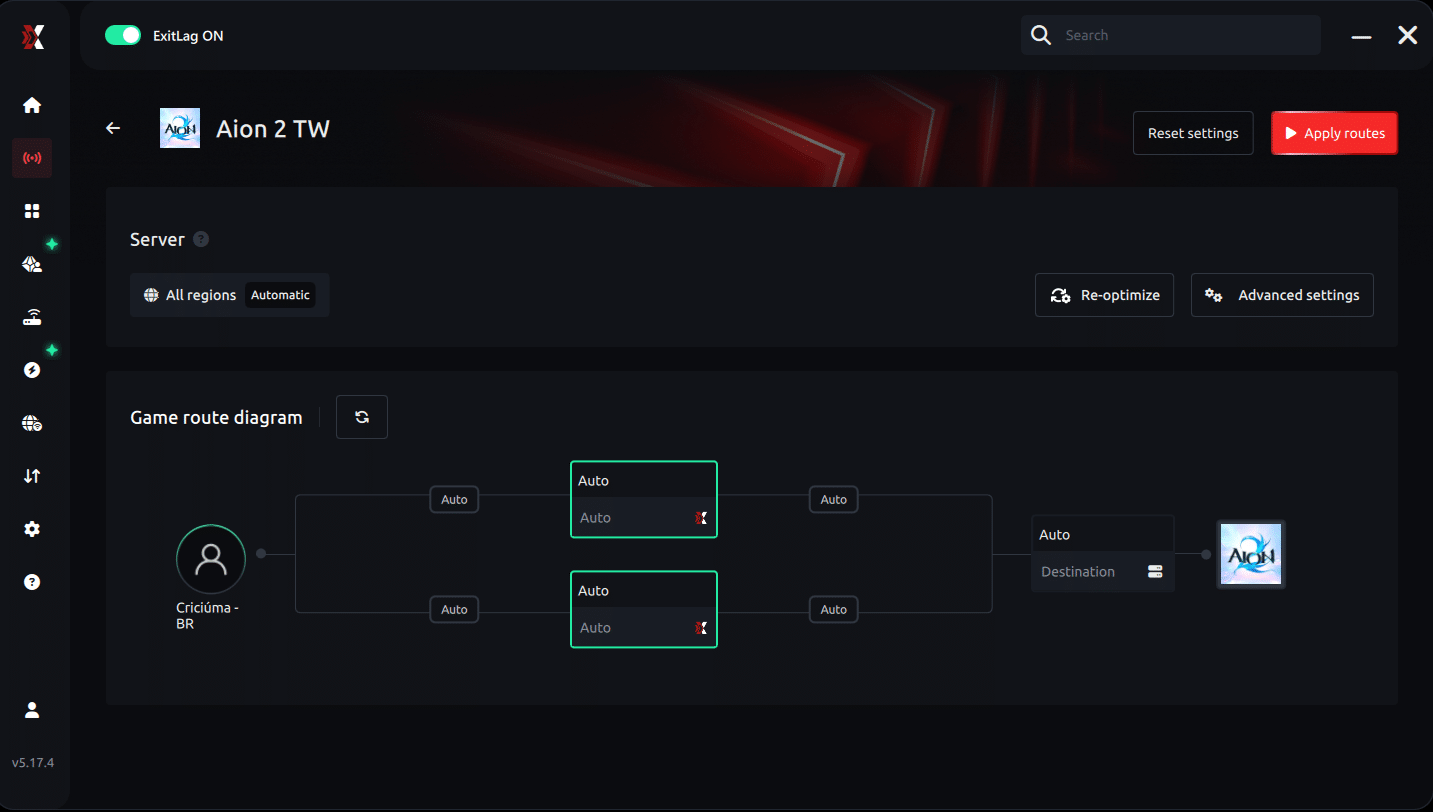
Step 5 - Click "Apply routes" or the play button. ExitLag will begin optimizing your connection automatically.
AI-optimized automated route:
Manual route:
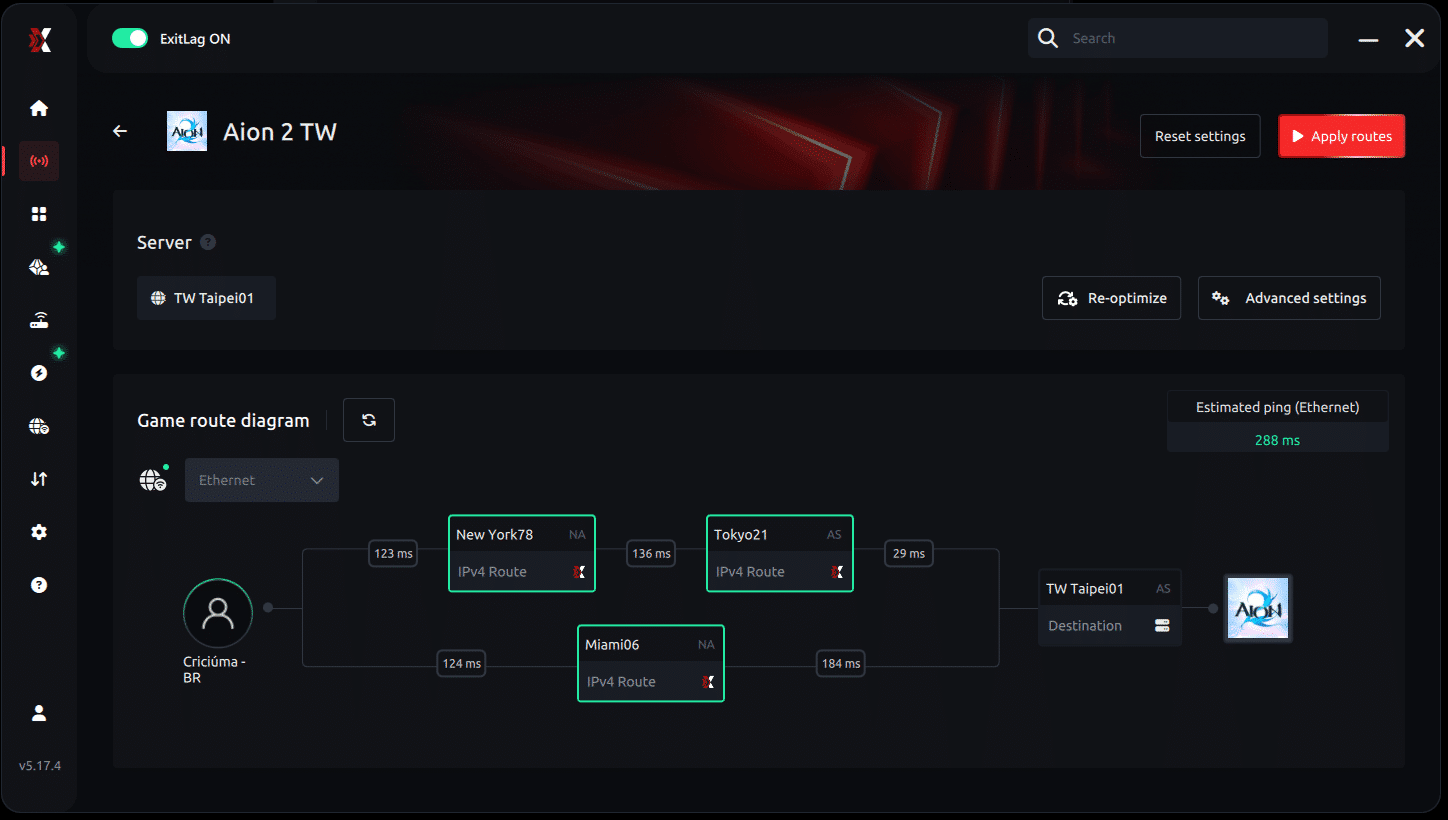
Step 6 - Wait a few seconds until optimization is complete. You'll see ping indicators in the interface.
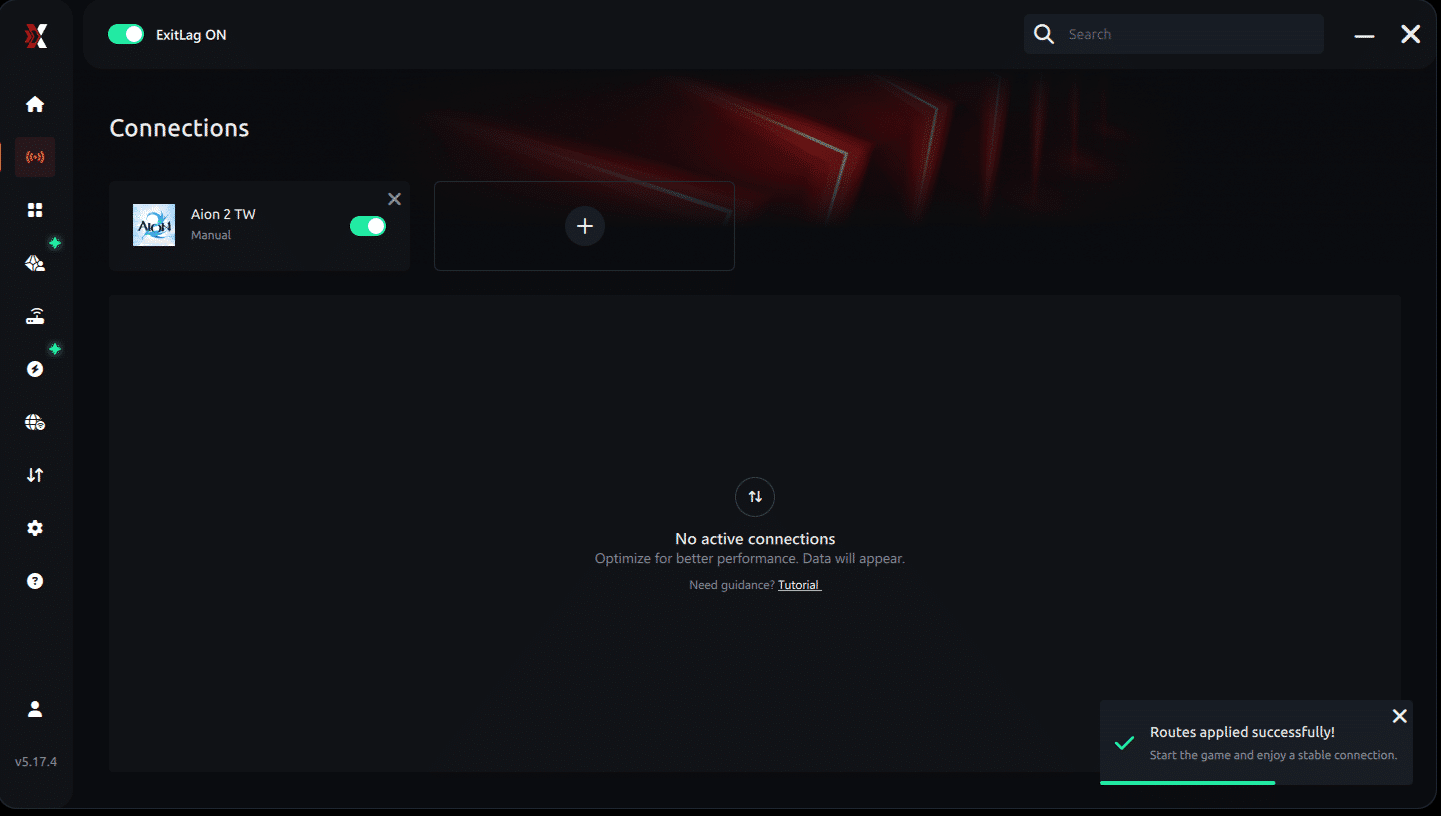
Step 7 - Launch Aion 2 normally. The optimization will already be active.
ExitLag runs in the background while you play, constantly adjusting routes to maintain the best possible performance.
How to use Ping for Games: step-by-step guide
Checking your connection quality before entering a match has never been easier. Here's how to use Ping for Games in just a few steps:
1. Open the ExitLag software on your PC
Ensure the application is installed and open. The feature is integrated into the platform and available for free to all users.
2. Access the Network Analyzer tool
Locate the Network Analyzer in the software menu. This is where you'll find Ping for Games along with other connection analysis features.
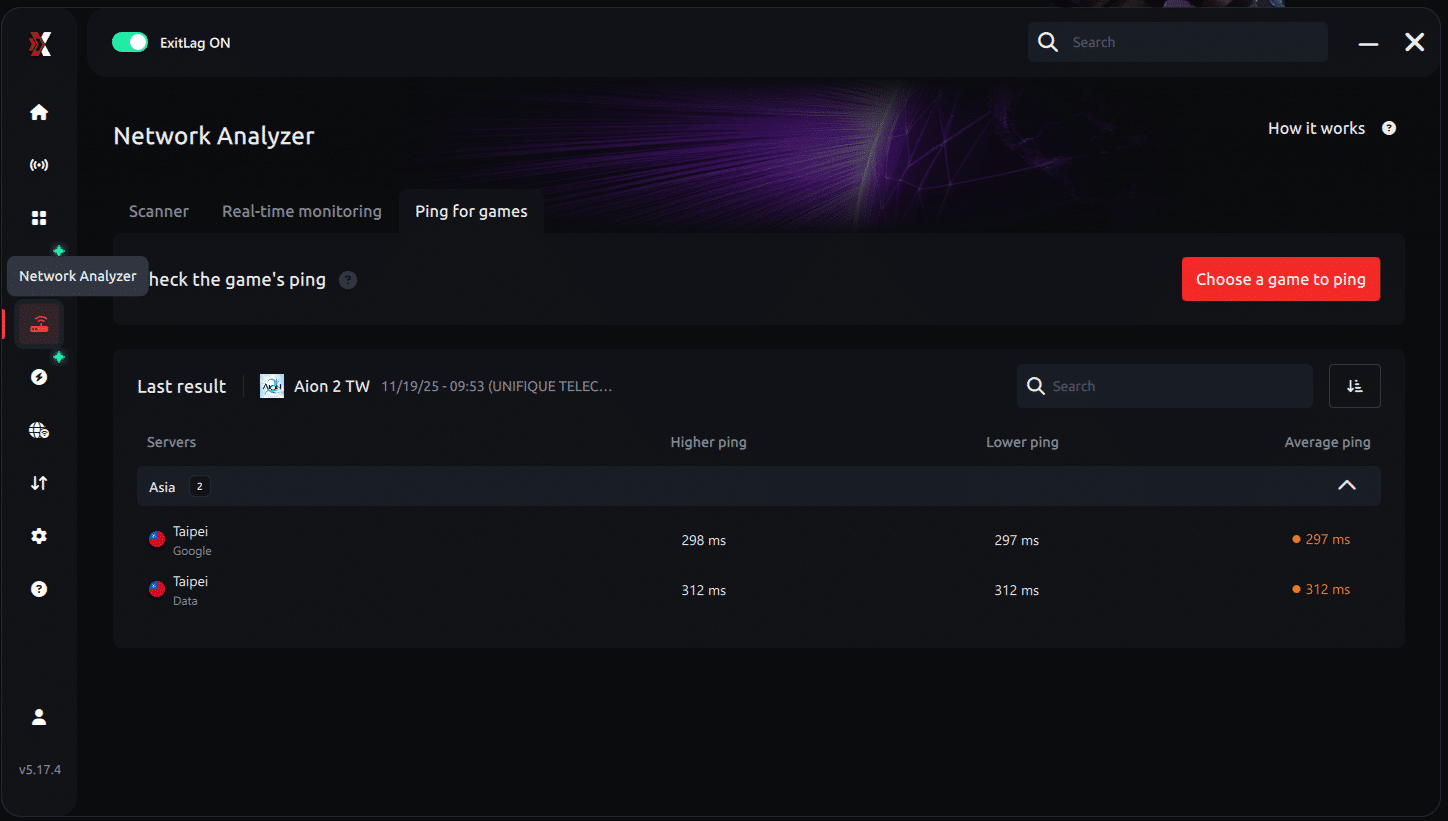
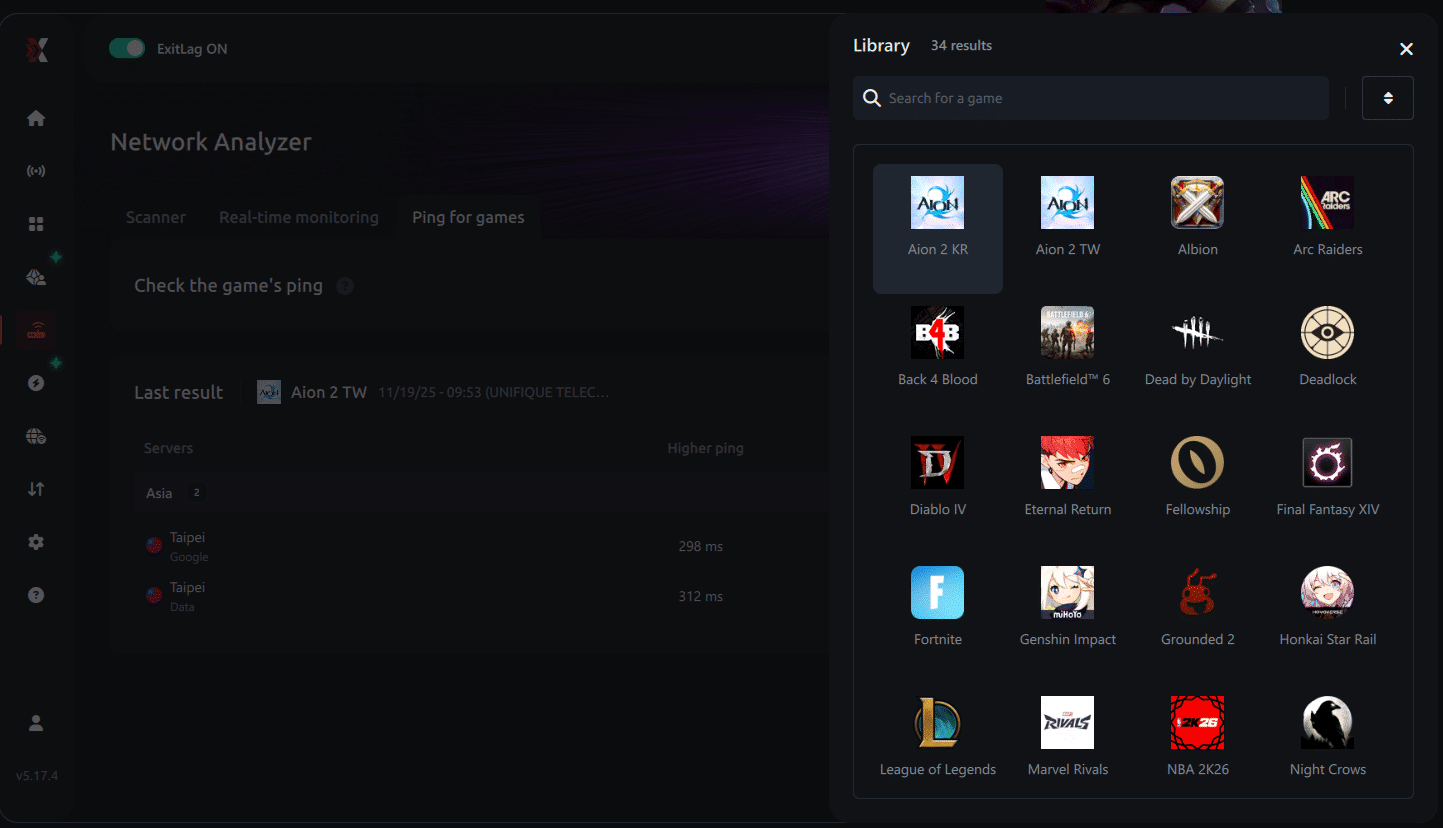
3. Select the game you want to test
Choose from the list the title you plan to play. The tool supports major online multiplayer games, including MOBAs, FPS, Battle Royales, MMORPGs, and more.
4. Choose the specific server
Now you select directly the server you want to test, instead of just a generic region. This ensures much more accurate results for your choice.
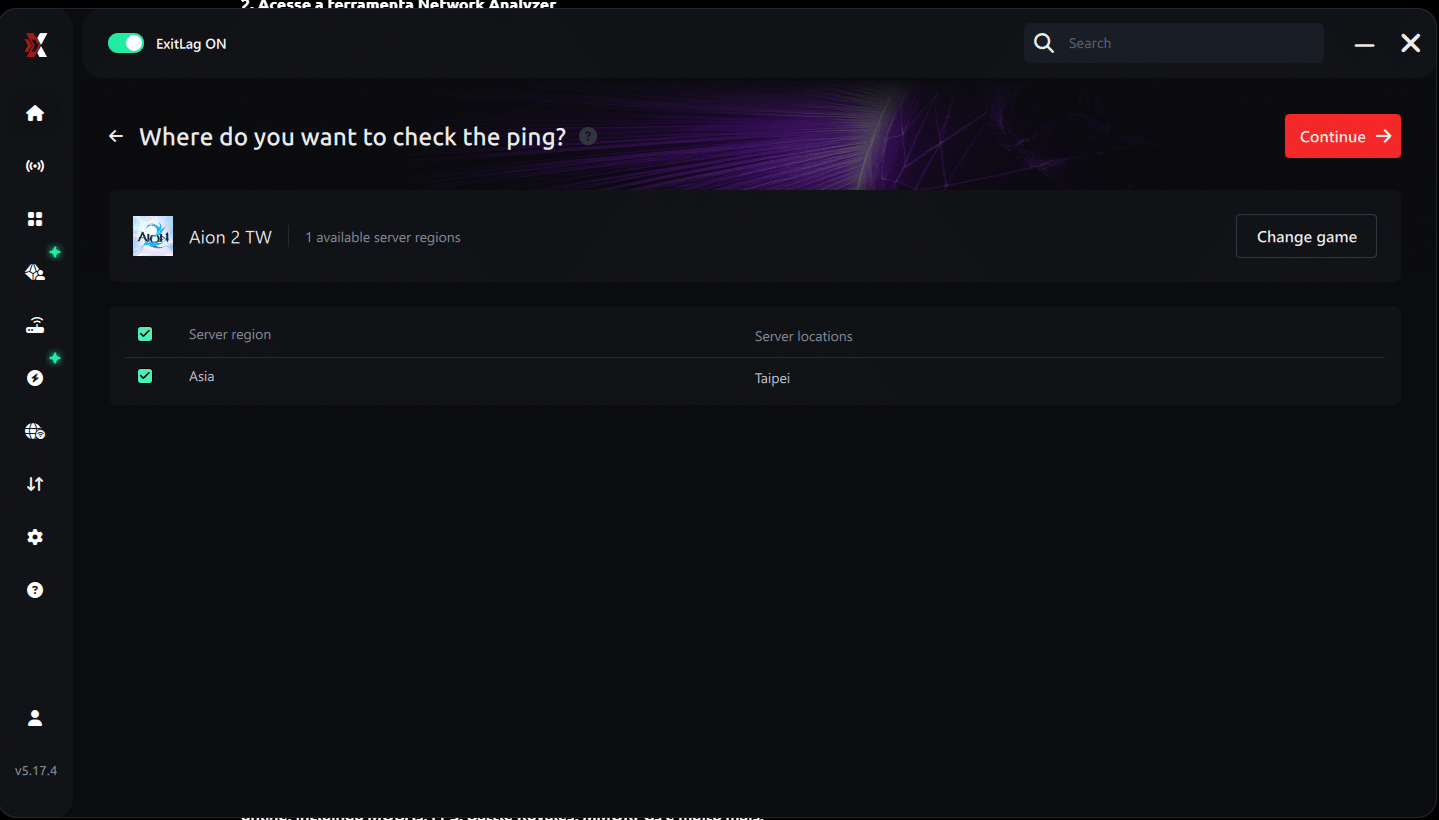
5. Start the ping test
With one click, the measurement is performed in real-time between your device and the chosen server, considering your current connection (cable or Wi-Fi).
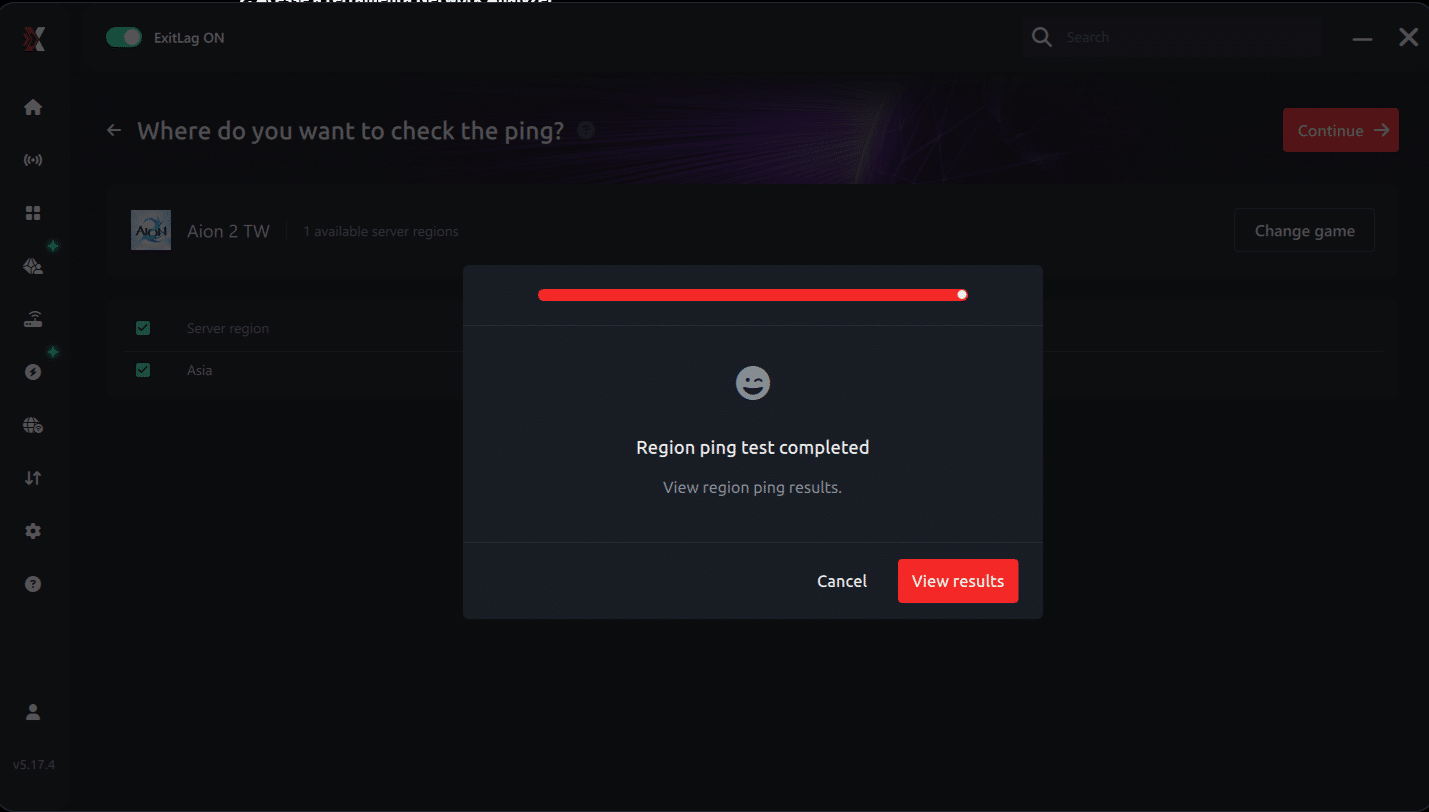
6. Analyze the results
Results appear in milliseconds (ms), automatically sorted from best to worst ping. You can also reorganize the view alphabetically, if you prefer.
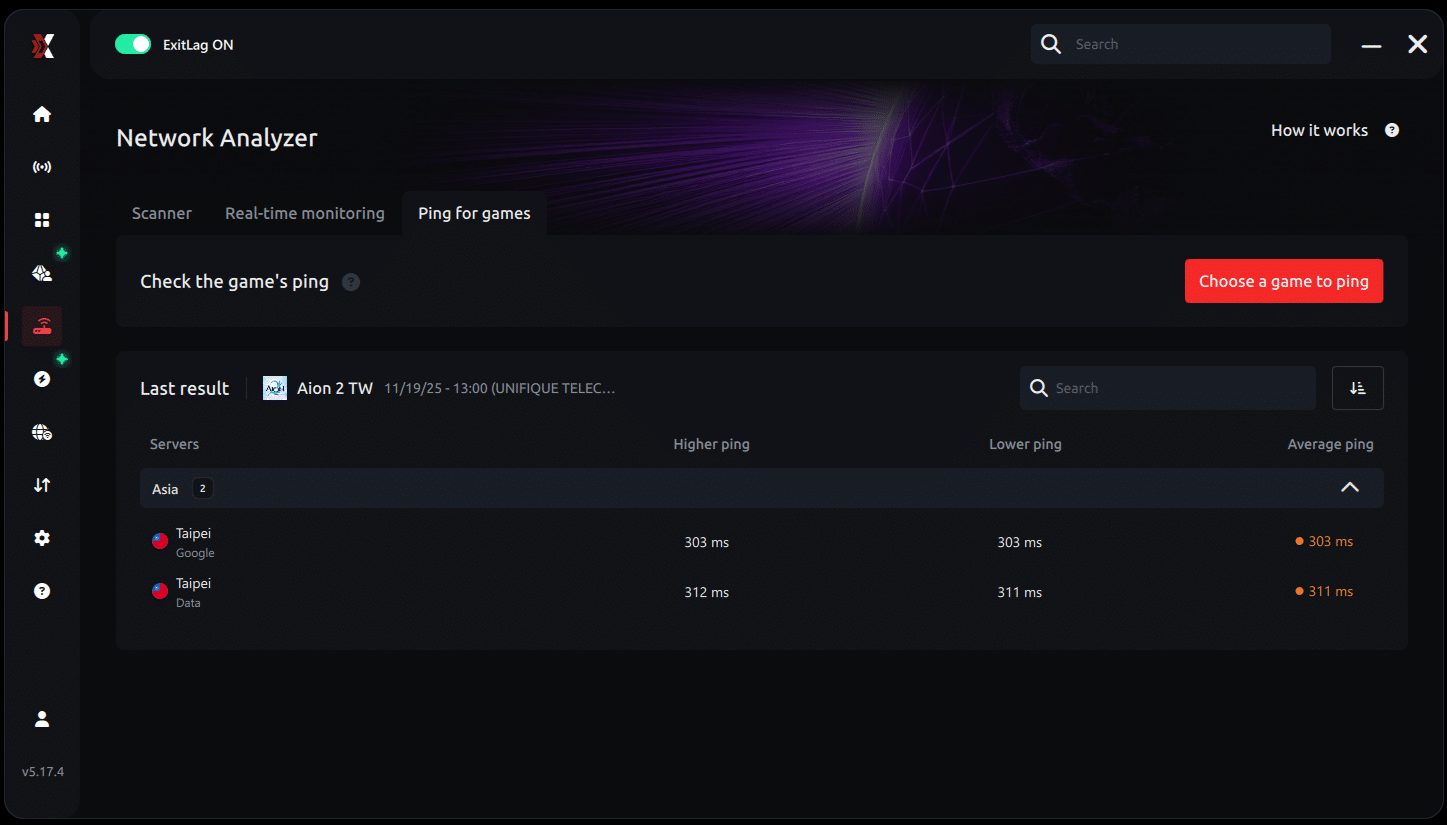
7. Choose the best server and play worry-free
With the information in hand, just select the server with the lowest latency and enter the match knowing your connection is optimized.
The Importance of Character Design in Aion's Lore
Aion has always emphasized the connection between lore and appearance. In Aion 2, that link evolves into a powerful narrative tool. Each faction, race, and class combination is crafted with intentional thematic cues that can and should influence your character's look.
For example:
- Warlocks and spellcasters are naturally suited to refined, mysterious designs. Narrowed, intelligent eyes, pale or otherworldly skin tones, and mystical tattoo overlays can visually reinforce their magical prowess. Incorporating subtle glows or elemental cues (such as frost or fire marks) helps sell the fantasy.
- Knights and warriors, often frontline classes, benefit from bold silhouettes. Square jawlines, deep-set eyes, scars, and heavy muscle tone can suggest a battle-hardened veteran. You might match armor style with tribal face paint or historic war tattoos to amplify their backstory.
- Rangers and rogues, built for agility and stealth, thrive with leaner bodies, feline eye shapes, and sharper jawlines. Accessories like hoods, eye scars, or asymmetrical hairstyles enhance their elusive persona.
These visual strategies help define not just how your character looks but how they're perceived. Role-playing is enhanced when form supports function-and few games do this as well as Aion 2 promises to.
Beyond aesthetics, visual storytelling improves team synergy and PvP recognition. Your character’s style becomes part of your group identity.
Using Presets as a Storytelling Tool
Presets in Aion 2 are not just about saving time-they’re about saving stories. With a deep enough system, players can:
- Save looks for different phases of a character’s life-like a noble past and a corrupted present.
- Adapt to seasonal content, such as winter-themed skins, battle-damaged looks, or festival appearances.
- Reflect narrative arcs, e.g., scars added after campaign completion, or aging a character over time.
Community presets can also serve educational purposes:
- Learn racial lore through themed presets built by lore enthusiasts.
- Discover style trends, from anime-inspired builds to traditional fantasy motifs.
- Promote guild culture, where all members adopt a visual theme for public events or screenshots.
In this context, presets are not shortcuts. They're powerful tools for visual authorship in an open-ended role-play sandbox.
Advanced Tips for Visual Cohesion
Combine Color Theory and Class Design
Creating a visually striking character doesn’t require being an artist-it just requires smart color alignment. Here’s how:
- Magic users: Use blues, purples, whites, and silvers to suggest serenity, arcane power, or divine energy.
- Tanks and melee DPS: Earth tones like browns and dark reds signal strength and aggression.
- Assassins or stealth users: Greys, blacks, and muted greens convey concealment and subtlety.
Don’t forget:
- Use hair color or tattoos to create focal points.
- Avoid blending your outfit into your surroundings in PvP zones.
- Match the environment of your character’s origin zone (e.g., volcanic regions, icy plains, or sky cities).
Facial Expression Matching
Facial structure impacts perception:
- Lower brows + tight lips = focus or anger.
- Wide eyes + parted lips = curiosity or youth.
- Scarred cheek + sunken eyes = experienced or wounded soul.
Iris detail and pupil size are subtle but impactful. Reducing iris opacity can create a haunting look, while enlarging it creates innocence.
Pair these with animation previews to see how expressions change under lighting, movement, and gear overlays.
Anticipated Post-Launch Enhancements
Based on patterns seen in previous NCSoft titles and other AAA MMORPGs, Aion 2 may evolve its character creator with the following expansions:
- New race and class additions: These would likely come with unique preset styles and exclusive visual features.
- Event-based customization unlocks: Limited-time tattoos, war paint, or hairstyle rewards.
- Achievement-linked styles: Characters who defeat major bosses or reach max rank might unlock golden eye auras, custom glows, or thematic scars.
- Progressive aging or transformation: Visual changes based on questline decisions or faction reputation.
These speculative features, if implemented, would further encourage long-term character investment.
Players interested in these options should remain active in Aion 2’s patch cycles, keep an eye on developer streams, and participate in community feedback surveys.
Final Verdict: Creation as a Core Gameplay Loop
Unlike most MMOs, where character creation is just the prologue, Aion 2 makes it a recurring gameplay loop. Revisit it as your story progresses. Let your visual design grow alongside your lore, equipment, and combat achievements.
The system is expected to reward both casual customizers and hardcore role-players. For screenshot communities, machinima creators, and streamers, this is a goldmine.
It’s not just about making a beautiful avatar. It’s about owning your hero’s evolution visually and narratively.
This concludes the in-depth exploration of Aion 2’s character creation system. Stay tuned for updates as the global release approaches and customization features go live in full detail.