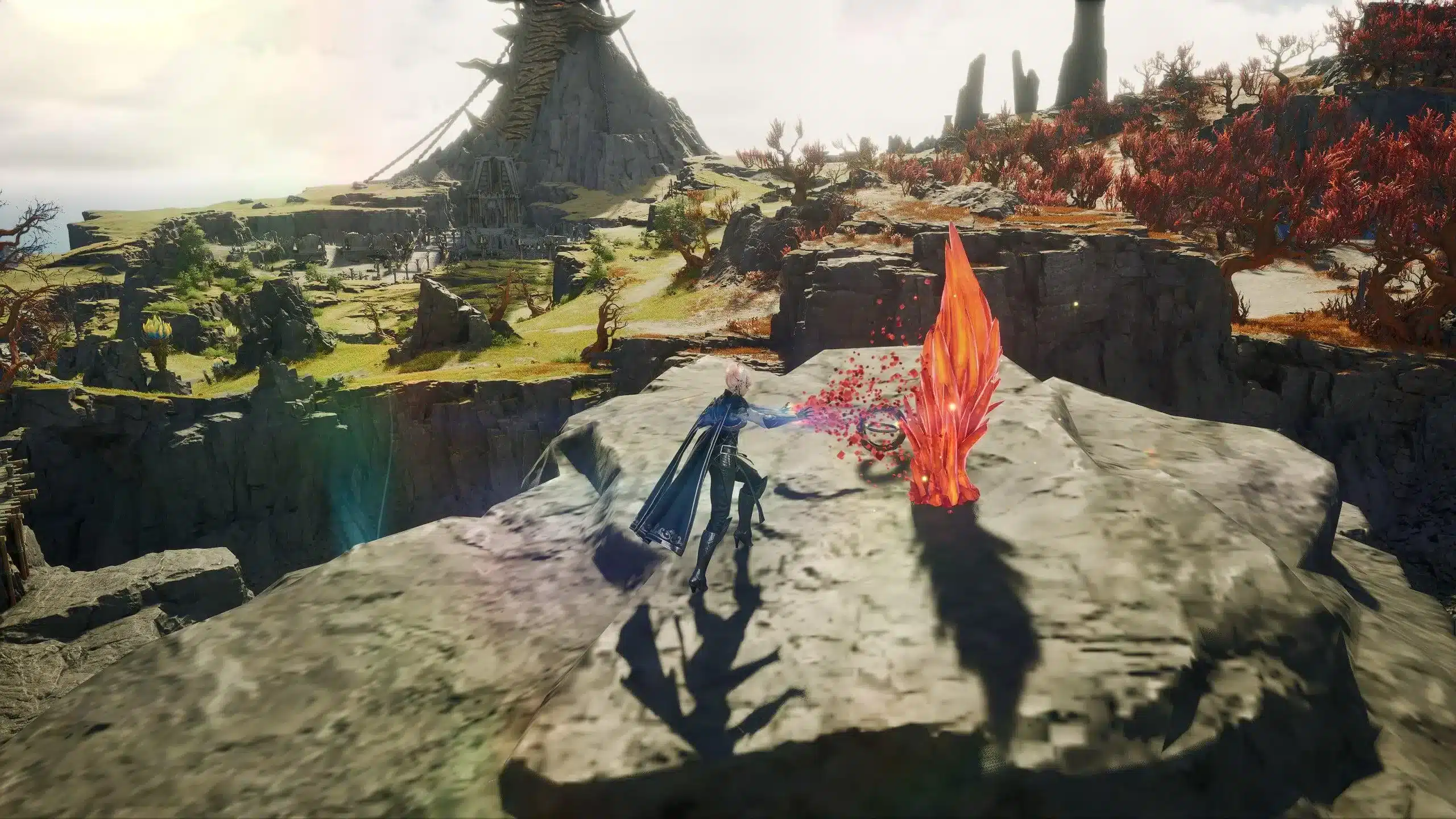
Choosing the best Aion 2 server isn’t just about geographic location-it’s a crucial decision that affects your entire experience. From latency and content access to language support and PvP culture, every server offers unique dynamics that can make or break your journey in Aion 2’s vast fantasy world.
Whether you're preparing for launch day or planning to reroll a character, understanding how Aion 2’s server system works is essential. Let’s break it down.

What Are Aion 2 Servers?
In MMORPGs, a server (or “shard”) represents an isolated version of the game world. You create your character on one server and interact with all players hosted on that instance. Aion 2 is expected to follow a similar model, ensuring player distribution across multiple zones for optimal performance.
Aion 2’s official server infrastructure is anticipated to host:
- Multiple regional servers for language and timezone considerations (based on prior NCSoft practices)
- Server names likely inspired by Aion lore and deities
- Controlled population caps to prevent overcrowding
- Real-time updates and server expansions based on demand
Although community discussion suggests there may be around 20 servers at launch, NCSoft has not confirmed the final number or specific names for Aion 2 servers. In prior announcements, it was mentioned that Korean and Taiwanese servers would include names based on deities or major NPCs-but specific names such as “Siel”, “Israphel”, “Nezekan”, or “Kaisinel” are speculative and may reflect earlier versions of the game rather than Aion 2.
Aion 2 Regional Servers: Which Region Is Best for You?
Selecting a server by region involves more than just choosing the one closest to your country. Here’s how regional differences shape the Aion 2 experience:
Factors That Impact Regional Choice
- Ping & Latency: The farther you are from a server’s physical location, the higher your ping. For real-time combat systems like Aion 2’s, ping under 100ms is generally ideal, though thresholds can vary depending on your role, class, and gameplay style.
- Language Support: Korean servers often have minimal English support, while international or NA/EU servers are more accommodating (when available).
- Event Timing: In-game events are time-zoned to server regions. If you play during off-peak hours, you might miss PvP windows or raid events.
- Community Culture: Regional communities often bring different gameplay norms. Korean servers may favor hardcore PvP, while NA/EU servers may balance casual and competitive play.
Recommended Regional Picks
- Korean (KR) Servers
- Pros: Fastest updates, largest player base
- Cons: May require Korean mobile verification (based on precedent in other NCSoft titles), language barriers
- Taiwan (TW) Servers
- Pros: Good latency for Southeast Asia, some English-speaking communities
- Cons: May lag behind KR updates
- Europe (EU) and North America (NA) Servers
- Expected as part of the future global release roadmap, though no official dates or server lists have been confirmed by NCSoft.
- Potential benefits: localized language support, timezone-aligned events
Aion 2 Server List (Speculative Preview)
While there is no verified official list of server names at this time, the following are speculative examples based on prior Aion versions and community discussions. These names have not been confirmed for Aion 2 and are presented solely for illustrative purposes:
| Server Name | Region | Notes |
| Siel | Korea | Referenced in prior Aion lore; not confirmed for Aion 2 |
| Israphel | Korea | Classic Aion server name; speculative reuse |
| Nezekan | Korea | Previously used in older Aion titles; unconfirmed |
| Kaisinel | Korea | Deity name from legacy Aion lore; inclusion not verified |
Future servers and names will be revealed closer to global launch.
How to Choose the Best Aion 2 Server
A well-informed server choice can determine whether your Aion 2 experience is smooth and fulfilling or lag-ridden and frustrating.
Step-by-Step Server Selection Guide:
- Run a Ping Test
- Use in-game tools or services like ExitLag to test your latency to each available region.
- Match Language and Play Style
- Prefer a server where communication is easy, and the community aligns with your goals (PvP, PvE, RP, casual).
- Research Population Health
- Forums and Discords often share server stats. Too high = long queues; too low = dead zones.
- Reserve Your Name Early
- During pre-launch, name reservation is competitive. Secure your main’s name and possible alts ahead of time.
- Check Access Requirements
- While no confirmation exists for Aion 2, some Korean servers in other NCSoft games have required local verification. Players should review regional login conditions before choosing.
- Be Open to Migration
- Aion 2 may eventually offer paid or free server transfers. Stay flexible in case your initial server choice becomes unplayable.
ExitLag: Optimize Your Aion 2 Server Connection
When server choice isn’t enough to solve your ping problems, ExitLag steps in as the ultimate solution for stability, speed, and consistency.
What ExitLag Does for Aion 2 Players:
- Reduces Ping: Connects you through optimized routes to minimize lag
- Stabilizes Latency: Avoids spikes caused by poor ISP routing
- Prevents Packet Loss: Uses Multipath technology for smoother data flow
- Improves Load Times: Faster transitions between zones and character selection
Why It Works:
ExitLag uses:
- Multipath Connection: Sends your game data through multiple paths simultaneously, ensuring the fastest delivery
- Real-Time Optimization: Continuously analyzes route quality and adjusts on the fly
- Worldwide Servers: Whether you're in Asia, South America, or Europe, there's a node near you
- Traffic Shaper: Prioritizes Aion 2 packets so other apps don’t interfere
How to use ExitLag in Aion 2
The process is extremely simple:
Step 1 - Access the official ExitLag website and download the application. There's a free trial period for new users.
Step 2 - Install and open the program. Log in with your account.
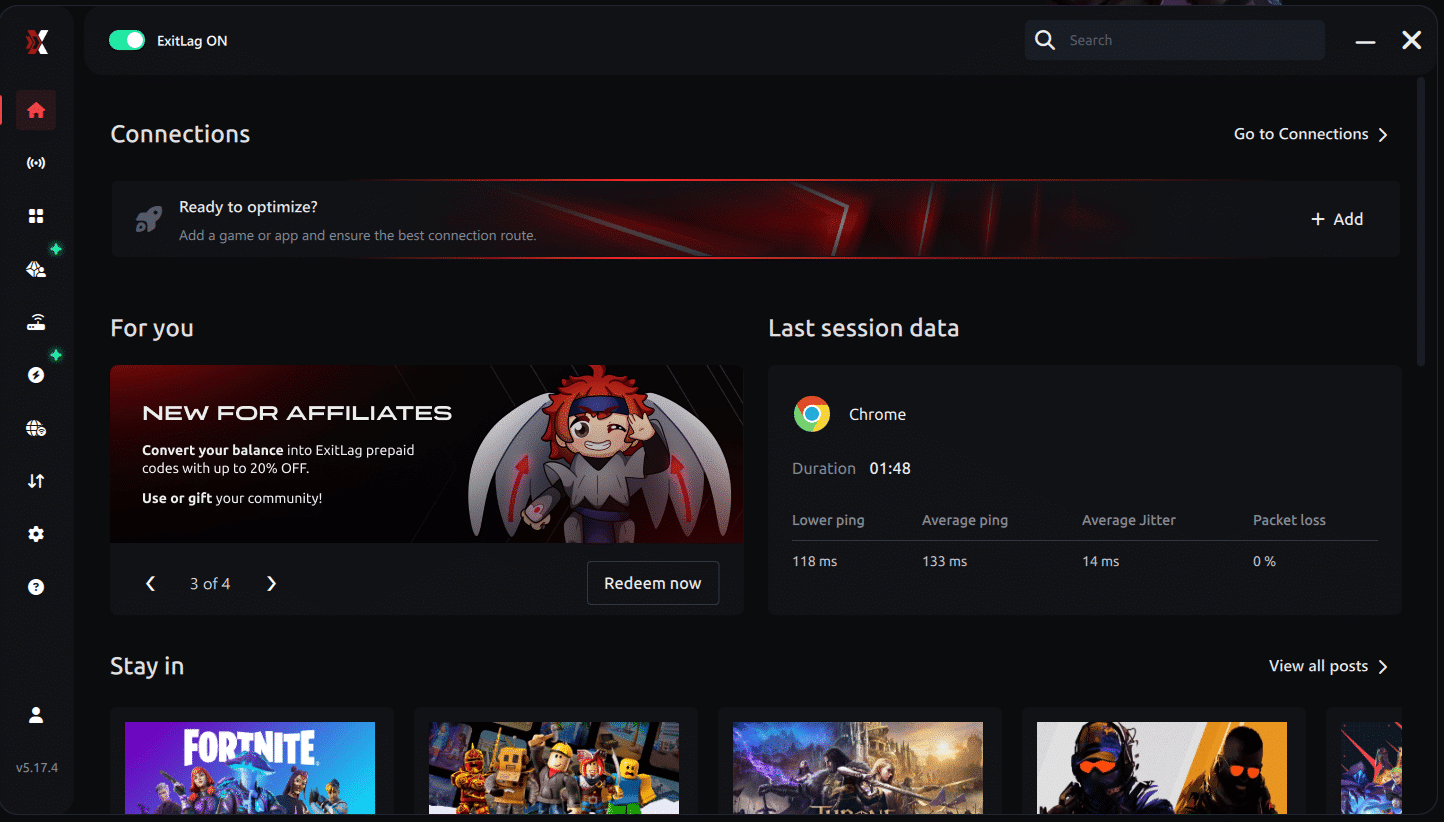
Step 3 - In the search bar, type "Aion 2" and select the game from the list.
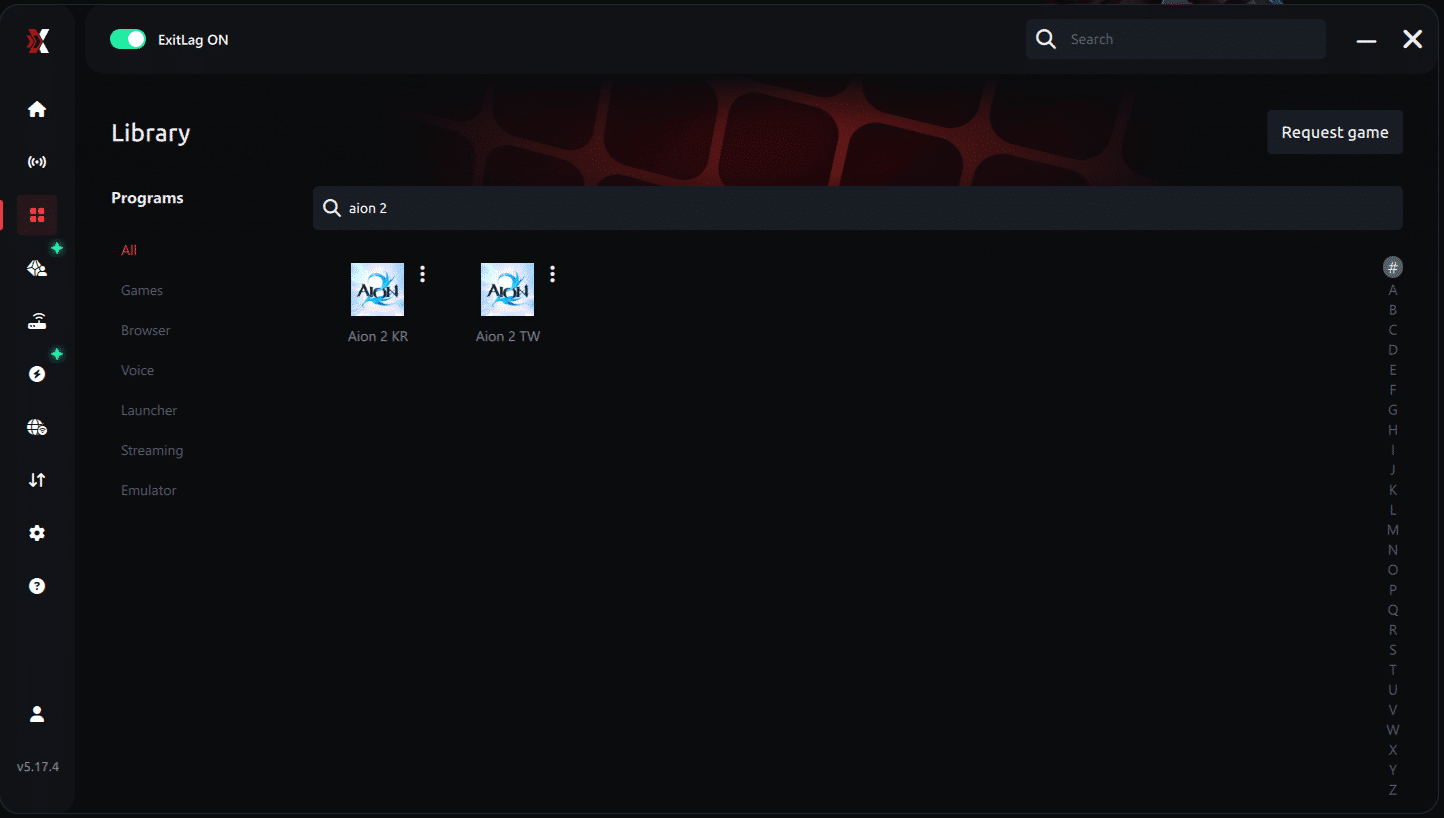
Step 4 - Choose between automated or manual route
Based on the results, you can let ExitLag automatically select the best route or manually choose the server that showed the lowest latency for your connection.
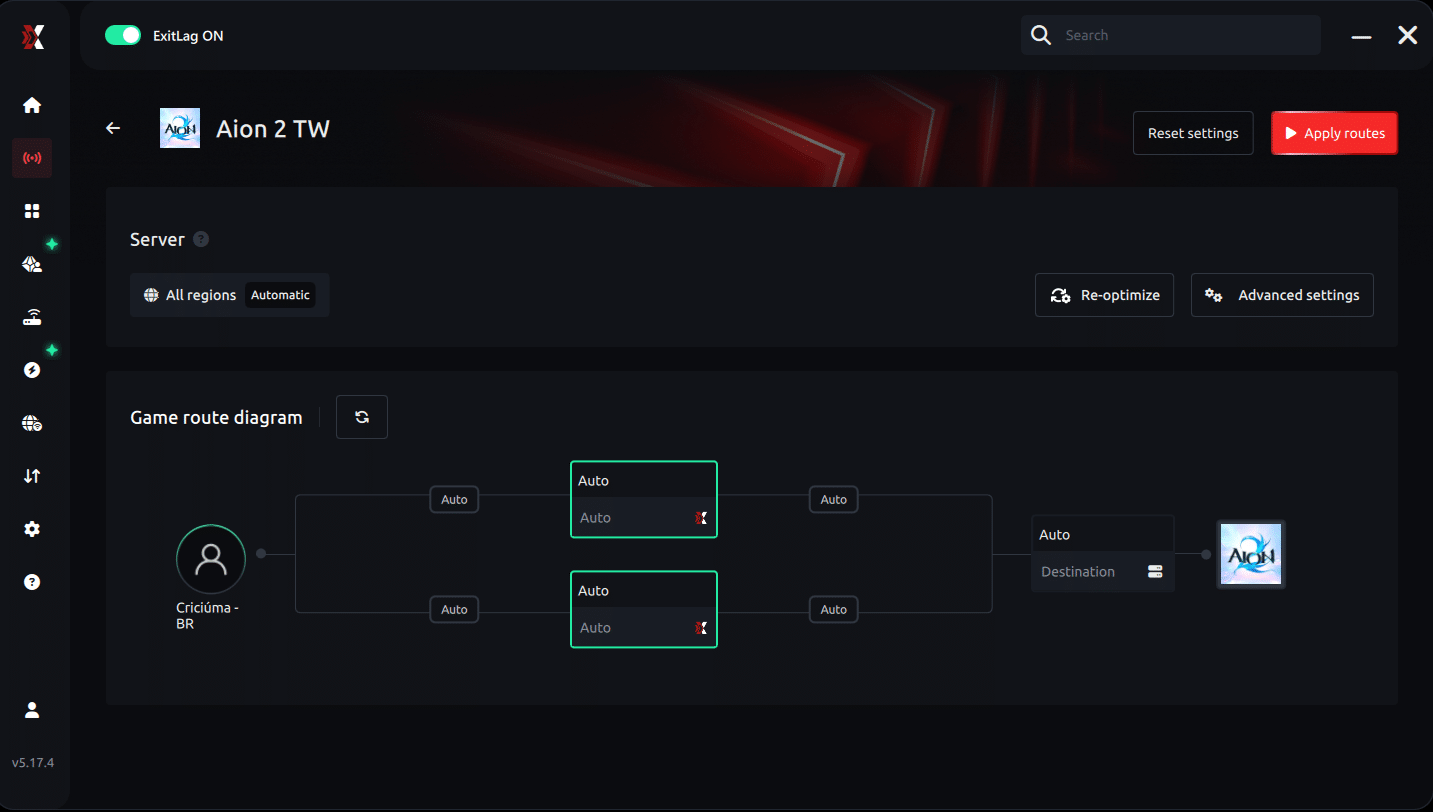
AI-optimized automated route
Based on the results, you can let ExitLag automatically select the best route through AI-optimized . The system analyzes multiple connection paths in real-time and automatically identifies the most efficient route for your connection, ensuring the lowest possible latency without requiring manual choices.
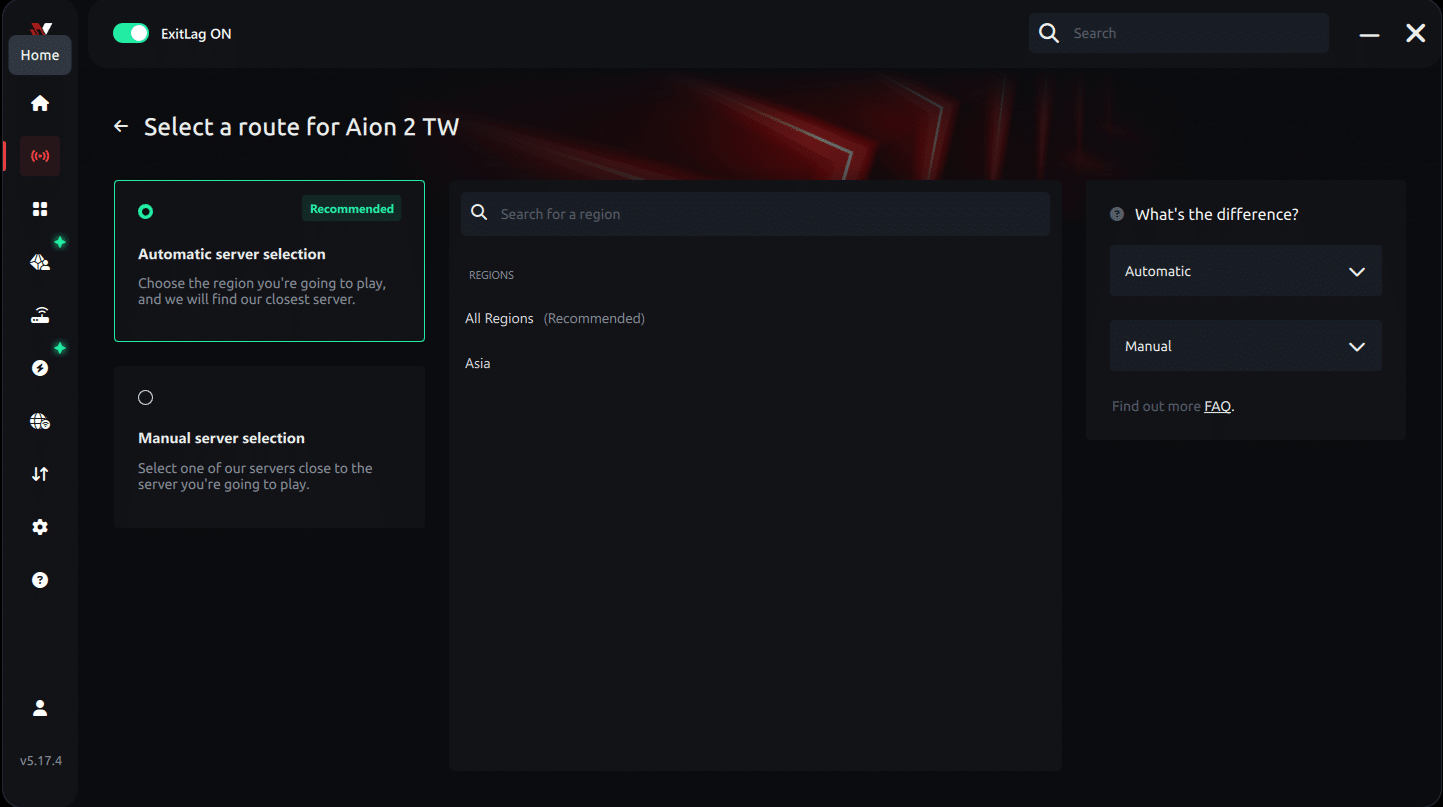
Manual route
If you prefer to have full control over your connection, you can manually choose the server based on the ping test results. Simply select the server that showed the lowest latency or the one that best meets your specific gaming needs, allowing complete customization of your experience.
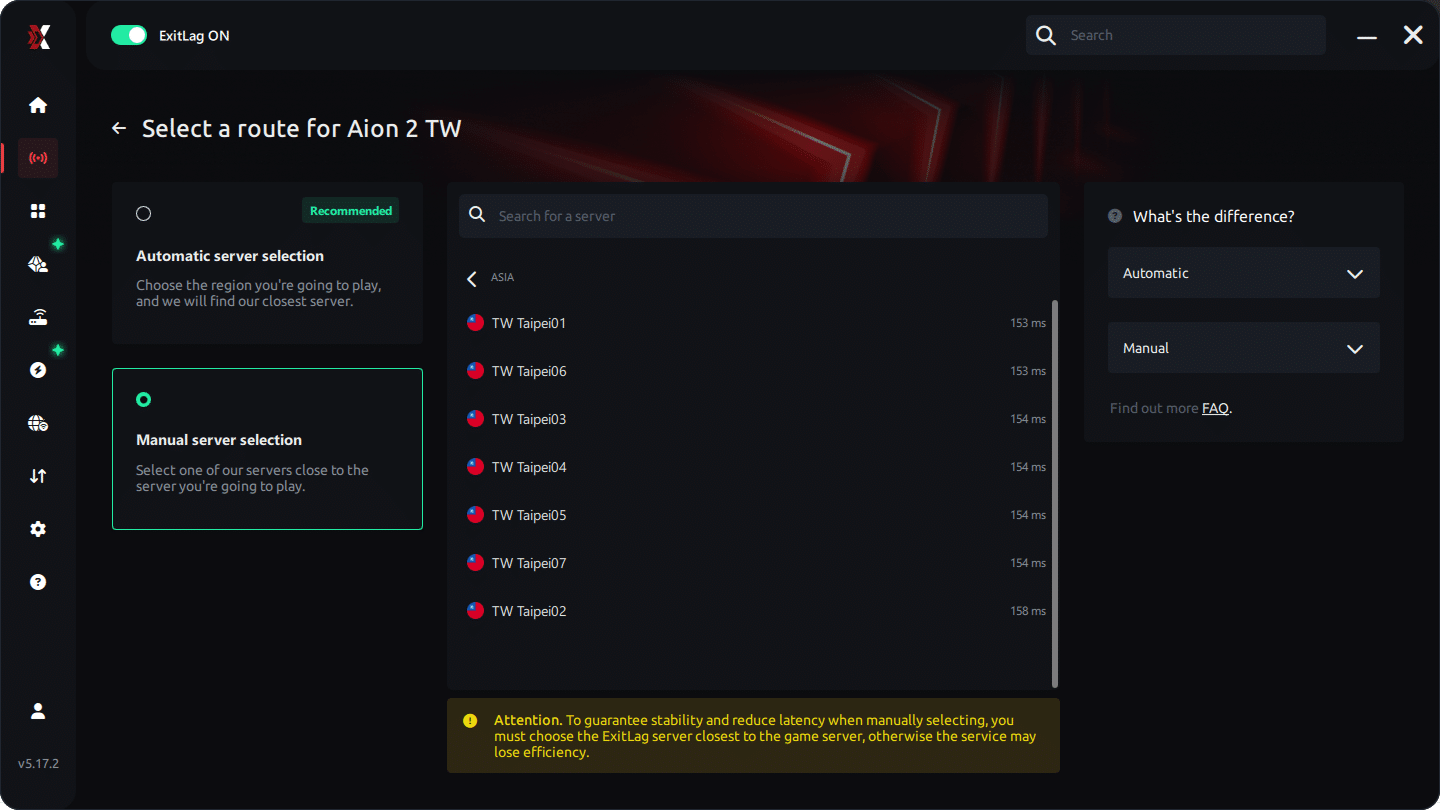
Step 5 - Click "Apply routes" or the play button. ExitLag will begin optimizing your connection automatically.
AI-optimized automated route:
Manual route:
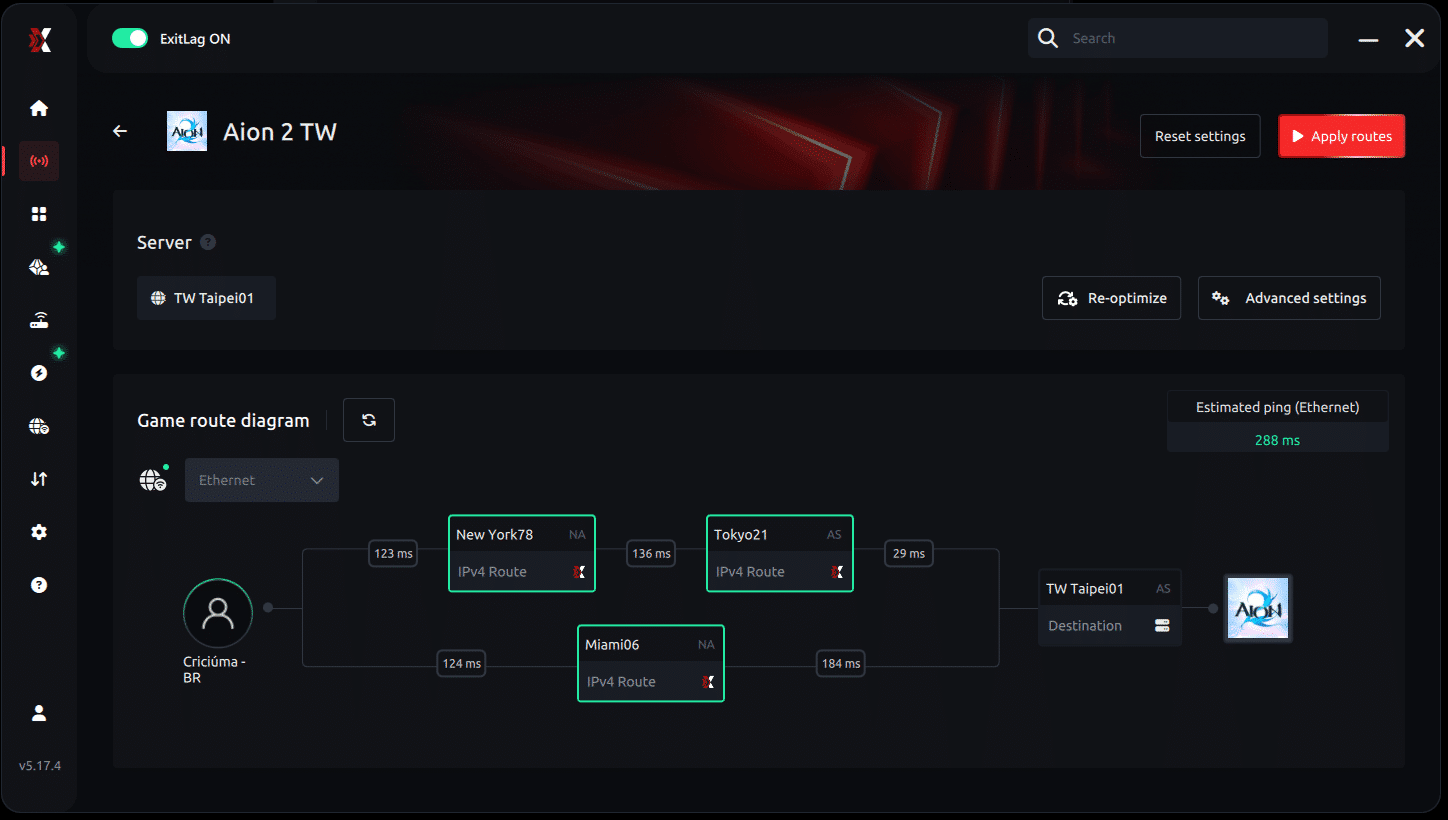
Step 6 - Wait a few seconds until optimization is complete. You'll see ping indicators in the interface.
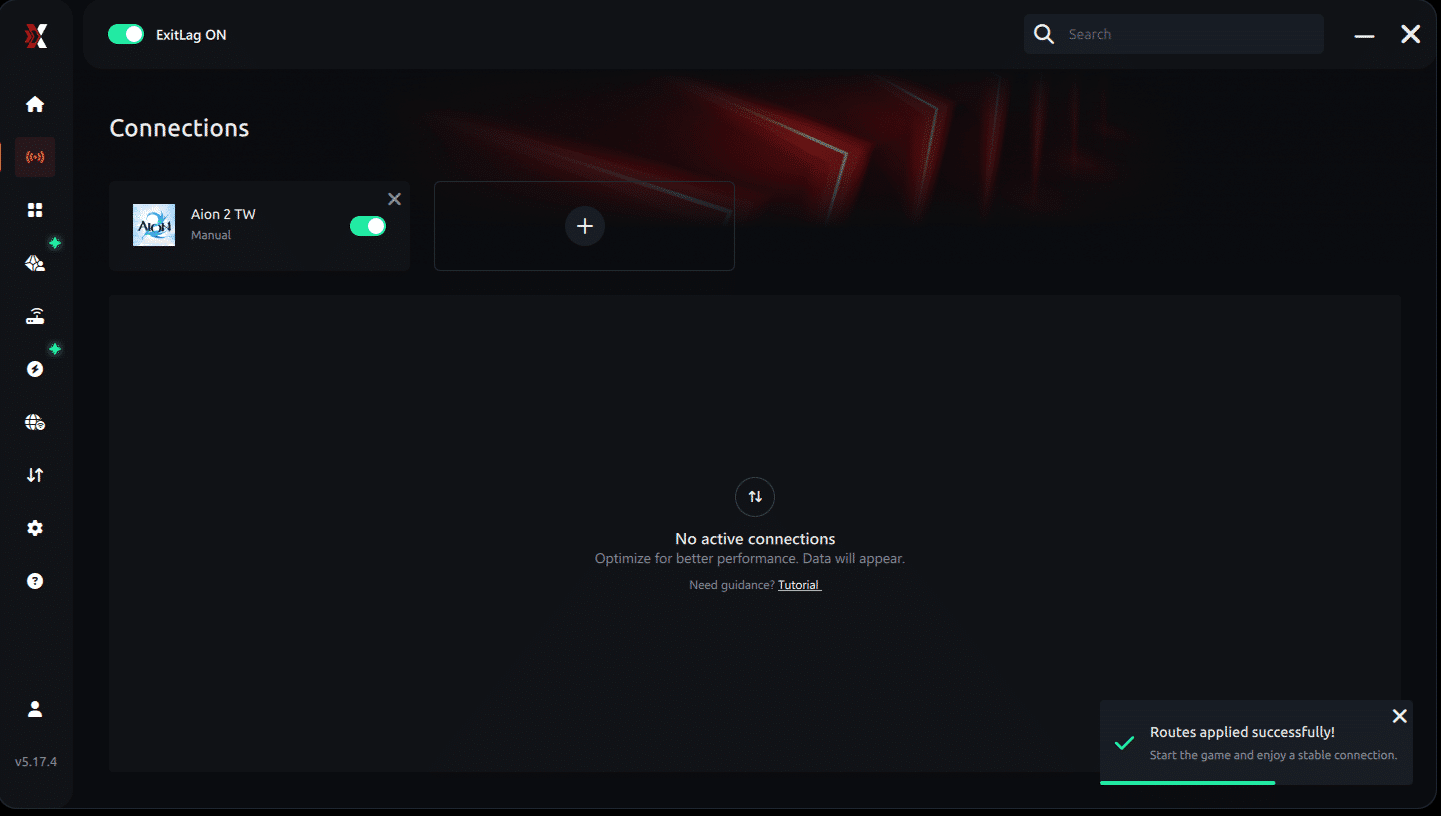
Step 7 - Launch Aion 2 normally. The optimization will already be active.
ExitLag runs in the background while you play, constantly adjusting routes to maintain the best possible performance.
How to use Ping for Games: step-by-step guide
Checking your connection quality before entering a match has never been easier. Here's how to use Ping for Games in just a few steps:
1. Open the ExitLag software on your PC
Ensure the application is installed and open. The feature is integrated into the platform and available for free to all users.
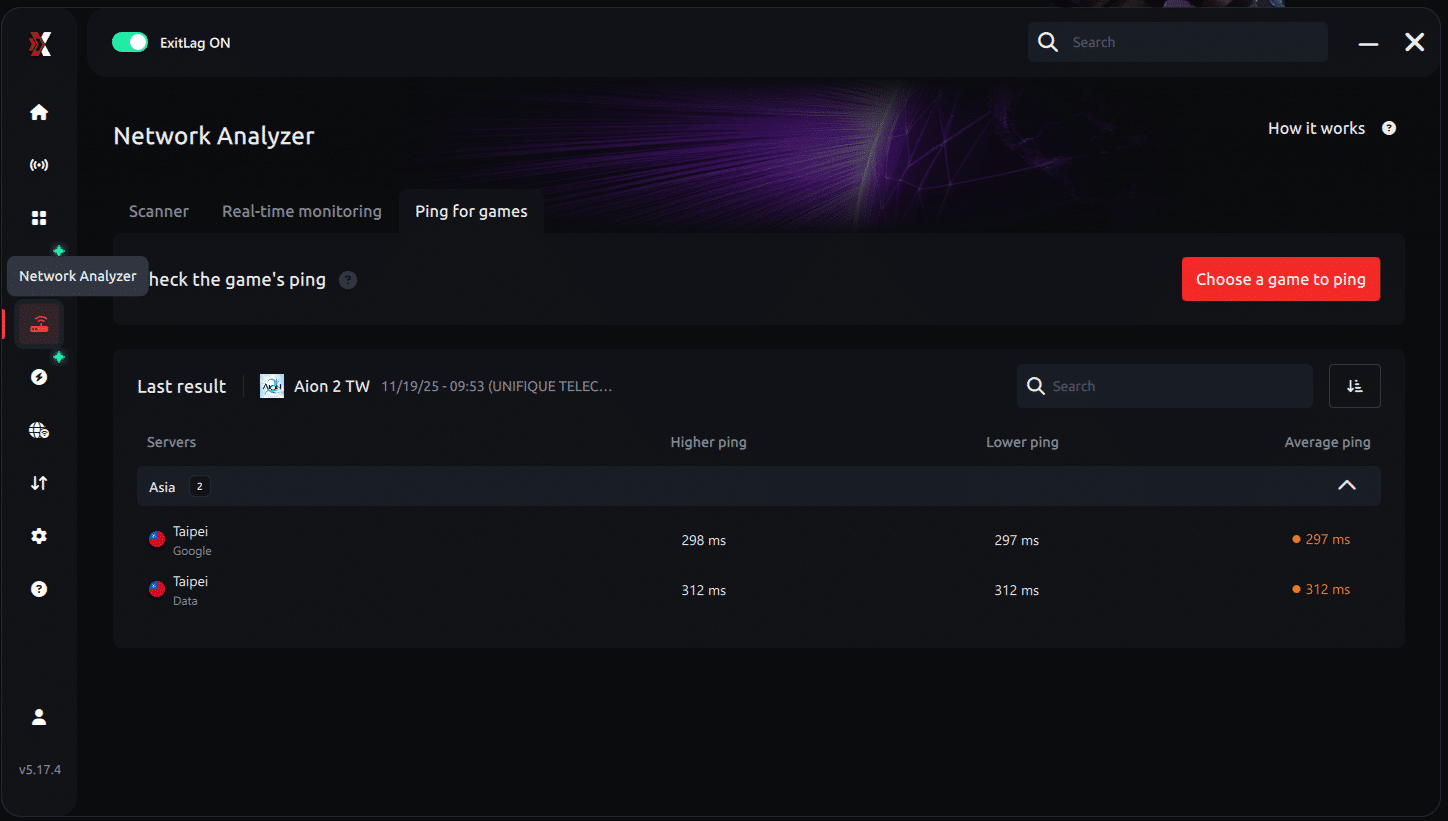
2. Access the Network Analyzer tool
Locate the Network Analyzer in the software menu. This is where you'll find Ping for Games along with other connection analysis features.
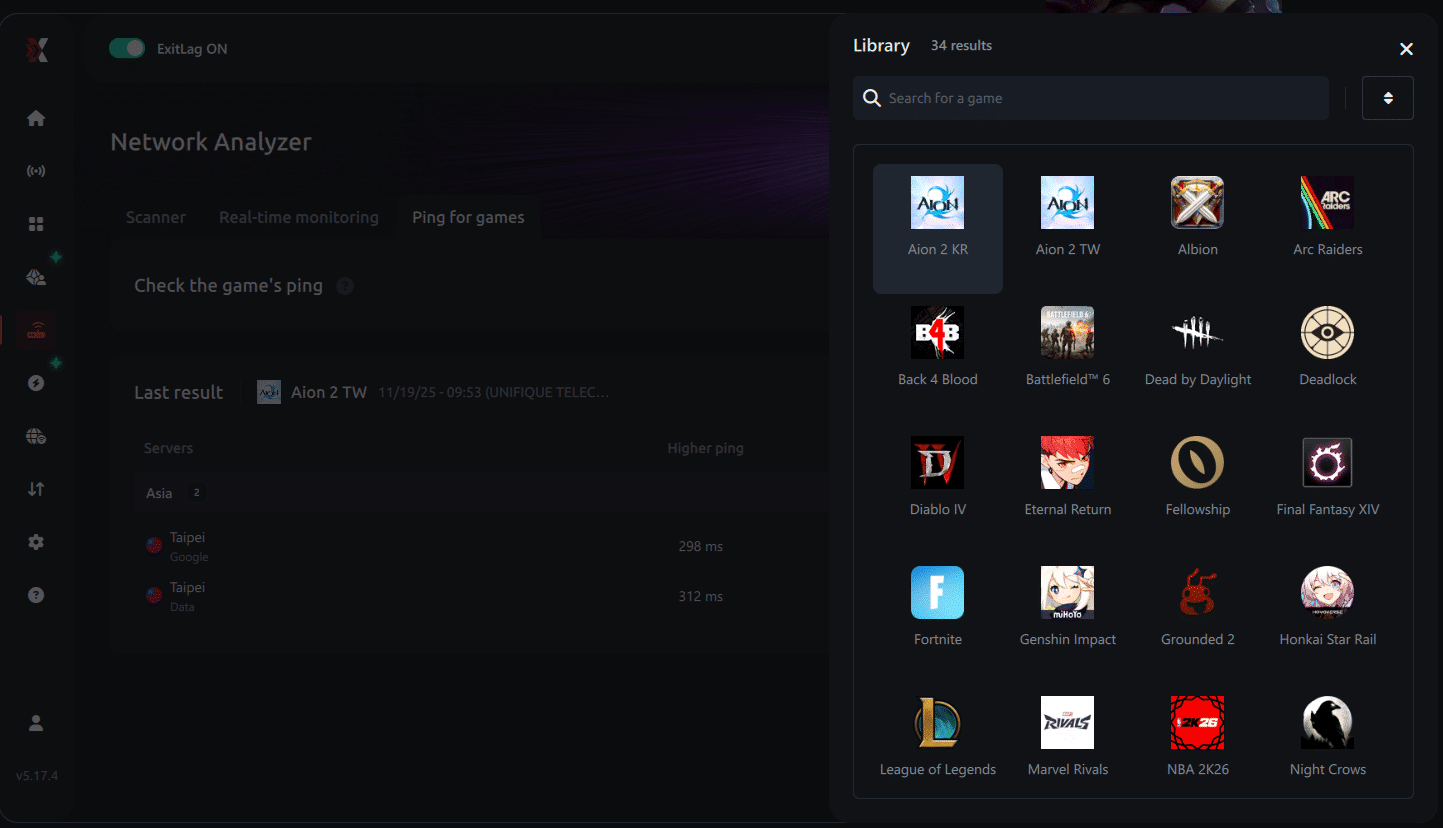
3. Select the game you want to test
Choose from the list the title you plan to play. The tool supports major online multiplayer games, including MOBAs, FPS, Battle Royales, MMORPGs, and more.
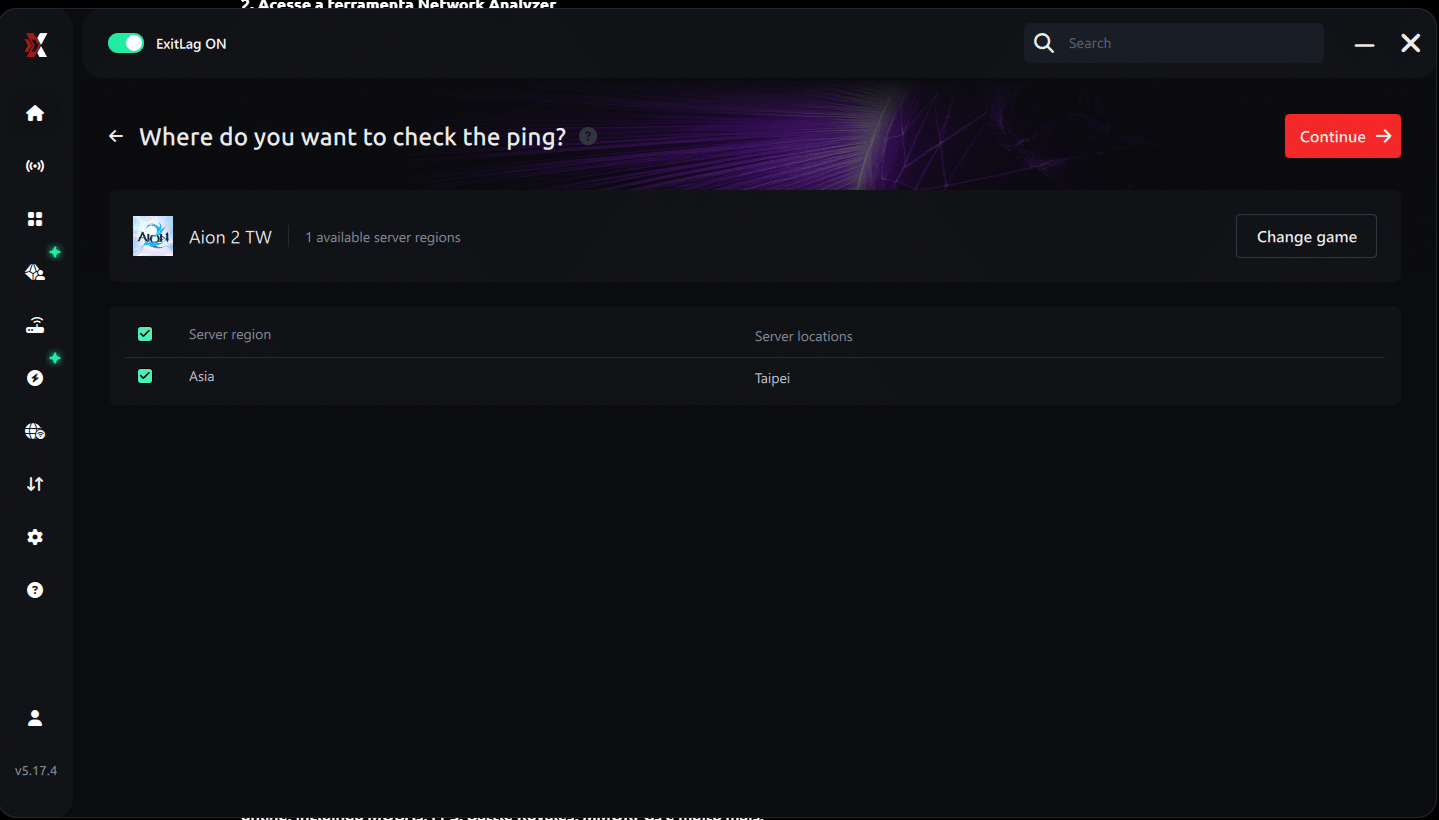
4. Choose the specific server
Now you select directly the server you want to test, instead of just a generic region. This ensures much more accurate results for your choice.
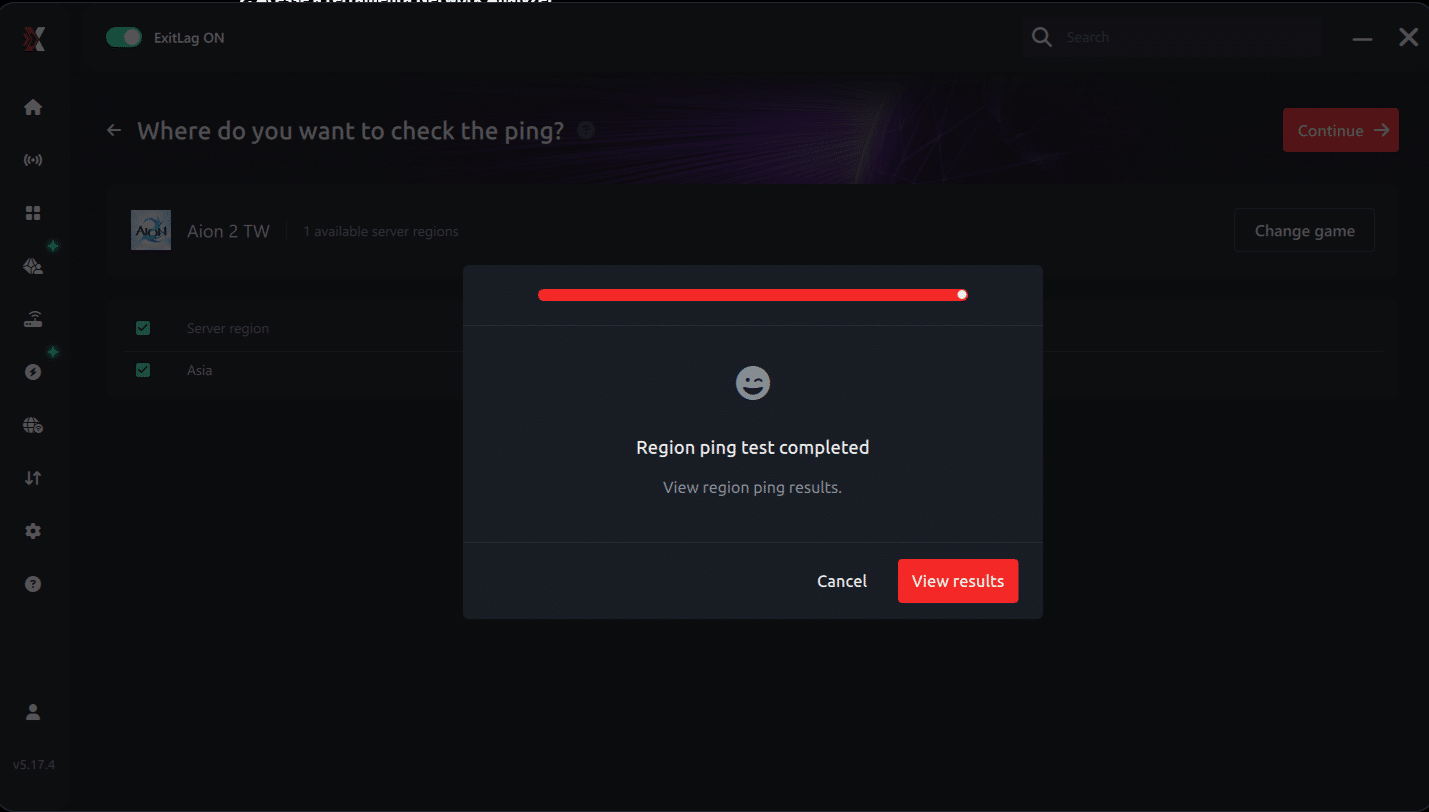
5. Start the ping test
With one click, the measurement is performed in real-time between your device and the chosen server, considering your current connection (cable or Wi-Fi).
6. Analyze the results
Results appear in milliseconds (ms), automatically sorted from best to worst ping. You can also reorganize the view alphabetically, if you prefer.
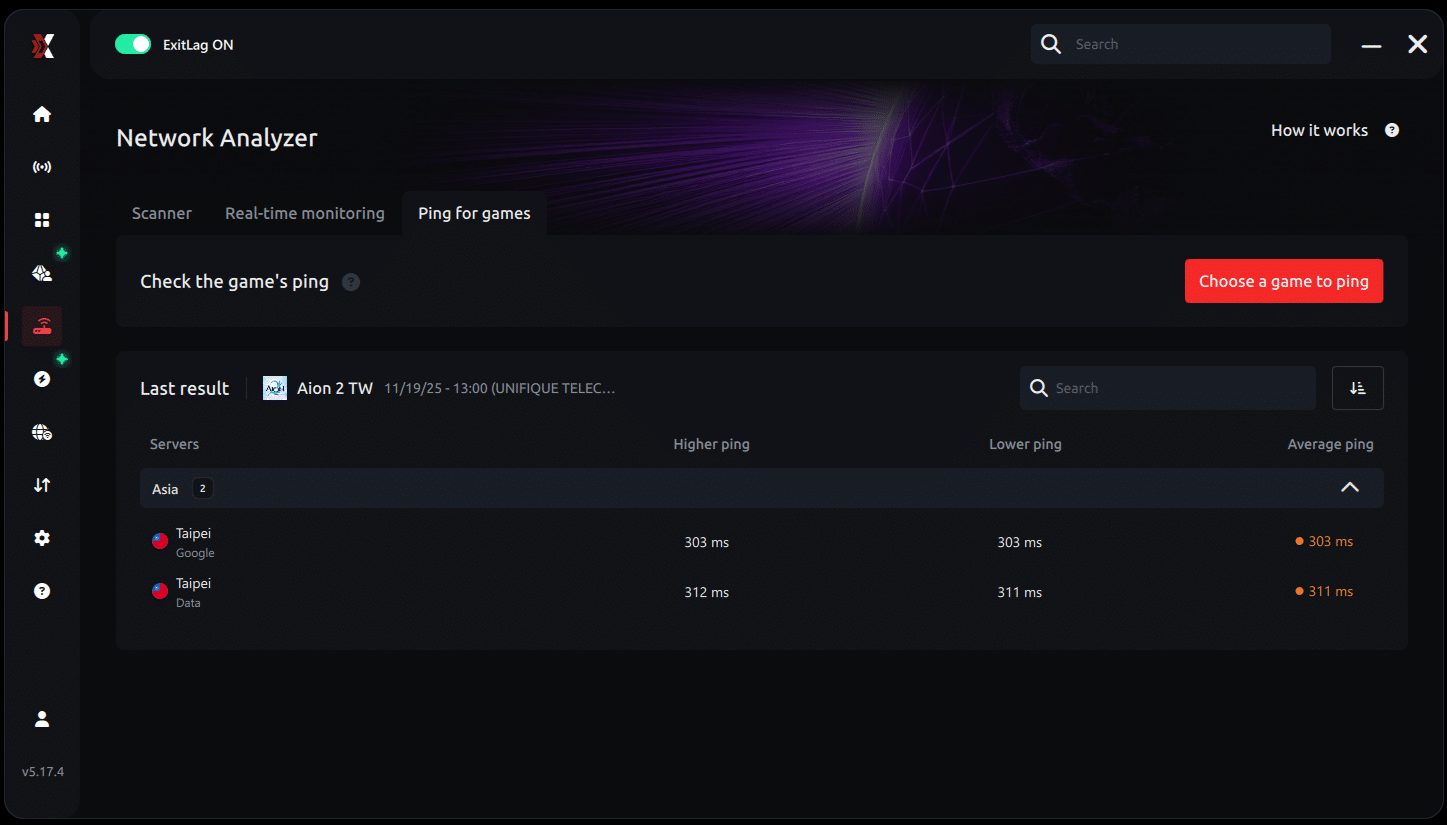
7. Choose the best server and play worry-free
With the information in hand, just select the server with the lowest latency and enter the match knowing your connection is optimized.
Understanding Aion 2 Private Servers: Risks and Realities
While official servers dominate the Aion 2 ecosystem, some players may explore private server options in the future. These unofficial servers often aim to recreate or modify the core Aion 2 experience, but they come with significant trade-offs:
- No support from NCSoft: Bugs, crashes, or account issues won’t be resolved.
- Security risks: Private servers may expose your data or install harmful software.
- Content inconsistency: Rates, balance, and updates are altered or outdated.
- Community fragmentation: These servers have smaller, less stable populations.
- Terms of service violations: Many private servers operate in legal gray areas or directly violate NCSoft’s terms of use. Players who access them risk potential account bans or other consequences.
Important: Aion 2 private servers are not endorsed or authorized by NCSoft. Players should approach with caution and understand the implications of joining unofficial networks.
How to Run a Ping Test for Aion 2
Latency can make or break your Aion 2 experience-especially in PvP. To ensure the best connection:
Step-by-Step Ping Testing:
- Use ExitLag’s built-in ping tool for real-time latency feedback.
- Run the command prompt (Windows):
- Type ping [server IP] -t (if known)
- Observe average response times and stability.
- Use third-party latency testers like PingPlotter or Haste for visual routing insights.
Ping under 100ms is ideal for most classes. For classes reliant on reflexes (like assassins or ranged DPS), lower latency improves combat responsiveness.
What to Do If Your Aion 2 Server is Overcrowded
Launch day may bring queues or congestion. Here’s how to adapt:
- Consider rerolling on a lower-pop server until congestion eases.
- Use ExitLag to avoid connection drops during peak hours.
- Watch official news for potential server transfers or population balancing.
- Coordinate with guilds early to avoid split groups.
Preparing for Potential Global Aion 2 Servers
NCSoft has not yet announced an official global launch date for EU or NA servers. However, based on past game releases, global servers are expected but not guaranteed. Until an official confirmation is provided, players should consider this possibility as planned rather than promised.
Here’s how to prepare in advance:
- Follow Aion 2 social channels and forums for real-time updates.
- Create accounts and verify details in advance on the selected launcher.
- Test ExitLag performance on Korean or Taiwanese servers if planning to start early.
- Join Discord groups or Reddit communities to align with future guilds.
The global rollout-if it occurs-will likely follow the structure of past NCSoft titles: phased server openings, name reservations, and localization updates.
ExitLag: Stay Ahead of Server Issues and Connection Spikes
Whether you're facing high ping, packet loss, or unstable routes, ExitLag remains your best defense:
- Traffic Shaper reroutes your data away from crowded paths
- Multi-Internet auto-switches between ISPs if one goes down
- FPS Boost disables background processes to improve performance
For global launch or regional access, ExitLag ensures your connection stays ahead of the curve. Prepare now and avoid launch-day chaos.
Tip: Several ExitLag users located outside of Korea and Taiwan have reported excellent stability and surprisingly low ping when selecting optimized routes to Aion 2’s early servers. This has allowed them to enjoy smooth gameplay!
General Disclaimer
"All game images used in this blog belong to NCSoft. They are used for informational/educational purposes only and do not imply endorsement or affiliation with the rights holders."