Checking the AION 2 system requirements before installing the game is one of the easiest ways to avoid crashes, low frame rates, and long loading times. As NCSoft brings back one of its most recognizable MMORPG franchises with modern visuals and large-scale combat, players should know whether their hardware is ready for the adventure.
Whether you’re planning to explore Atreia at launch or join massive PvE and PvP battles later on, understanding the AION 2 system requirements helps you prepare your PC for a smoother experience. In this guide, we’ll break down the official specifications, explain what each component does, and help you decide if an upgrade is necessary before you start playing. And before we continue, know that to know more about all the relevant content about gaming, you just have to check our blog.

AION 2 system requirements: official minimum and recommended specs
The AION 2 system requirements refer to the official hardware specifications published by NCSoft for running the game on PC. Built with modern graphics technology, AION 2 features expansive environments, detailed character models, dynamic lighting, and large multiplayer battles. As a result, meeting the recommended specifications provides a significantly better gameplay experience, especially during crowded events and open-world encounters.
Below are the official PC requirements currently available.
Minimum system requirements
If your goal is simply to launch the game and play at lower graphics settings, the minimum specifications should be sufficient.
- Operating System: Windows 10 64-bit
- Processor: Intel Core i5-8600 or AMD Ryzen 5 3600
- Memory: 16 GB RAM
- Graphics: NVIDIA GeForce GTX 1660 Ti or AMD Radeon RX 6600
- DirectX: Version 12
- Storage: 100 GB available space
- Storage Type: SSD recommended
These specifications are designed to deliver a playable experience with reduced graphical settings. However, demanding situations such as world bosses, city hubs, and large PvP encounters may still push your hardware close to its limits.
Recommended system requirements
Players looking for higher frame rates, better image quality, and more consistent performance should aim for the recommended specifications.
| Component | Minimum | Recommended |
| Operating System | Windows 10 64-bit | Windows 11 64-bit |
| Processor | Intel Core i5-8600 / Ryzen 5 3600 | Intel Core i7-12700K / Ryzen 7 7700X |
| Memory | 16 GB RAM | 32 GB RAM |
| Graphics Card | GTX 1660 Ti / RX 6600 | RTX 3070 / RX 6800 XT |
| DirectX | Version 12 | Version 12 |
| Storage | 100 GB SSD | 100 GB SSD |
The recommended hardware is intended for players who want to enjoy higher visual settings while maintaining stable performance during the game’s largest encounters.
Can your PC run AION 2?
Meeting the minimum requirements means your computer should be able to launch AION 2, but your actual experience depends on several factors. Background applications, storage speed, graphics settings, and network quality all influence overall performance. Even systems that technically meet the requirements can experience frame drops if resources are heavily used elsewhere.
Before installing the game, check the following components:
- Available RAM
- GPU model and VRAM
- Processor generation
- Free SSD space
- Windows version
- Latest graphics drivers
Keeping your operating system and drivers updated helps prevent compatibility issues while also improving stability after major game patches.
Which hardware matters the most?
Every component contributes to the overall experience, but some parts have a greater impact than others.
The graphics card is responsible for rendering AION 2’s detailed environments, lighting effects, and character models. Since the game features large open areas and visually rich cities, GPU performance becomes especially important at higher resolutions.
Meanwhile, the processor plays a major role during crowded battles where dozens of players, NPCs, and combat calculations occur simultaneously. A stronger CPU helps maintain smoother frame pacing in these demanding situations.
Memory also deserves attention. While 16 GB satisfies the minimum requirements, 32 GB allows Windows, background applications, and the game itself to operate more comfortably without frequent memory bottlenecks.
Storage speed is another factor many players overlook. Installing AION 2 on an SSD significantly reduces loading times while helping the game stream textures and world assets more efficiently.
Expected performance at different settings
Although actual performance varies depending on your exact hardware configuration, players can generally expect different experiences based on their systems.
Entry-level systems (minimum requirements)
Players meeting the minimum specifications should expect:
- Low to medium graphics settings
- Stable gameplay during exploration
- Reduced performance during large-scale PvP
- Longer loading times if using slower storage
Mid-range gaming PCs
Systems equipped with newer CPUs and GPUs typically provide:
- Medium to high graphics settings
- Better frame consistency
- Faster asset loading
- Improved visual quality across open-world zones
High-end gaming rigs
Players using recommended or stronger hardware can expect:
- High or Ultra settings
- Higher frame rates
- Better performance in large battles
- Smoother gameplay at higher resolutions
Of course, hardware is only one part of the overall experience. MMORPGs like AION 2 rely heavily on stable online connections, especially during large-scale PvP events, world bosses, and populated cities where hundreds of players share the same servers. Even with a powerful gaming PC, network routing, latency, and packet loss can still affect responsiveness.
Why You Might Face Performance or Lag Issues
Meeting the AION 2 system requirements is an important first step, but it doesn’t guarantee perfect gameplay. MMORPGs are among the most demanding online games because they combine detailed graphics with constant communication between your PC and the game servers. Even high-end systems can experience frame drops, stuttering, or network latency under certain conditions.
Performance problems usually come from two different sources. The first is your hardware, including the CPU, GPU, memory, and storage drive. The second is your network connection, which affects how quickly data travels between your computer and the game servers. Understanding both areas can help you troubleshoot problems more effectively.
Hardware bottlenecks
Your computer may meet the minimum specifications while still struggling during the most demanding moments. Large PvP battles, crowded cities, and world boss encounters place a much heavier workload on your hardware than solo questing or exploration.
Some of the most common hardware limitations include:
- Older processors with limited multi-core performance
- Graphics cards with insufficient VRAM for higher settings
- Limited RAM causing background applications to compete for memory
- Installing the game on a traditional HDD instead of an SSD
- Outdated graphics drivers
Lowering graphics settings can improve frame rates, but it may not completely eliminate performance drops during large-scale events. If your hardware is close to the minimum requirements, reducing shadows, view distance, and post-processing effects often provides the biggest performance gains.
Keeping Windows and GPU drivers updated is equally important. Developers frequently release optimization patches that improve compatibility and stability after launch.
Network latency and server routing
Even if your PC delivers high frame rates, poor network quality can still create an inconsistent experience. High ping, unstable routing, and packet loss may cause delayed skill activation, rubberbanding, or characters teleporting during combat.
Several factors can affect your connection:
- Long routing paths between your ISP and the game servers
- Network congestion during peak hours
- Wi-Fi interference
- Packet loss caused by unstable internet routing
- Regional server distance
Because MMORPG combat depends on continuous communication with the server, maintaining a stable connection is just as important as running the game at high FPS.
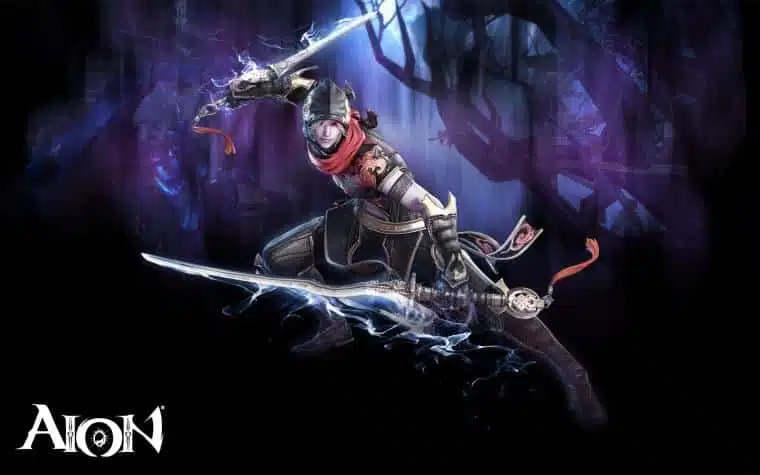
How ExitLag Helps You Play Aion 2 Smoothly
While hardware upgrades improve local performance, network optimization focuses on reducing delays between your computer and the game servers. This is where ExitLag can make a noticeable difference for online titles like AION 2.
Instead of changing your internet speed, ExitLag optimizes the route your game traffic takes by selecting more efficient paths to the server. This helps reduce unnecessary hops that can increase latency or create packet loss.
Real-Time Optimization and Multi-Path Routing
One of ExitLag’s core technologies is Real-Time Optimization, which constantly monitors your connection and adjusts routing whenever a better path becomes available.
Its proprietary Multipath Connection technology sends traffic through multiple optimized routes simultaneously. If one route becomes unstable, another route can continue delivering packets with minimal interruption.
This approach helps improve:
- Connection stability
- Lower average latency
- Reduced packet loss
- More consistent gameplay during long sessions
Because routing conditions constantly change throughout the day, automatic optimization allows your connection to adapt without requiring manual configuration.
Lower ping and more stable gameplay
Online MMORPGs depend on quick communication between players and servers. Delays of only a few milliseconds can affect combat timing, movement, and skill responsiveness during intense encounters.
ExitLag includes several technologies designed to improve online gaming performance:
- Traffic Shaper, which prioritizes game traffic over less important background processes.
- Multi-Internet, which intelligently manages available network connections for greater stability.
- FPS Boost, which helps optimize Windows by reducing unnecessary background resource usage.
- Global routing infrastructure that supports thousands of online games across multiple regions.
Together, these features create a smoother overall experience, particularly during large PvP battles and crowded server events where stable communication becomes essential.
ExitLag Game Tools for the Ultimate Aion 2 Experience
Optimizing your connection doesn’t stop after installing the software. ExitLag includes several built-in tools that allow players to monitor both system and network performance while gaming.
Network Monitor
The Network Monitor provides real-time information about your connection quality, making it easier to identify issues before they impact gameplay.
Players can monitor:
- Ping fluctuations
- Packet loss
- Route quality
- Connection stability
This visibility helps determine whether performance issues originate from your hardware or your internet connection.
FPS Boost and connection optimization
Besides improving routing, ExitLag also includes tools that help reduce unnecessary system load while gaming.
To optimize AION 2 with ExitLag:
- Install and launch ExitLag.
- Search for AION 2 in the supported games list.
- Apply the recommended optimized routes.
- Enable FPS Boost if your system can benefit from background optimization.
- Launch the game and monitor your connection using the built-in tools.
The setup process only takes a few minutes and can be adjusted later if different server regions become available.
Before deciding whether network optimization is necessary, it’s helpful to compare the overall experience.
| Feature | Without ExitLag | With ExitLag |
| Server Routing | Standard ISP route | Optimized routing |
| Ping Stability | May fluctuate | More consistent |
| Packet Loss | Possible during congestion | Reduced whenever possible |
| Connection Monitoring | Not included | Built-in tools |
| Route Optimization | No | Yes |
While no software can eliminate every network issue, optimized routing can improve consistency, especially for players connecting to distant servers.
Frequently Asked Questions (FAQ)
What are the AION 2 system requirements?
As said by the official AION 2 website, The official minimum requirements include Windows 10 64-bit, an Intel Core i5-8600 or AMD Ryzen 5 3600 processor, 16 GB of RAM, a GTX 1660 Ti or Radeon RX 6600 graphics card, DirectX 12 support, and 100 GB of available SSD storage.
Is 16 GB of RAM enough for AION 2?
Yes. Sixteen gigabytes meets the minimum requirements. However, 32 GB is recommended for players who want smoother multitasking and better overall performance during demanding gameplay.
Does AION 2 require an SSD?
Although storage requirements may vary over time, installing AION 2 on an SSD is strongly recommended because it significantly improves loading times and asset streaming.
Can I play AION 2 with a GTX 1660 Ti?
Yes. The GTX 1660 Ti is listed among the official minimum graphics requirements, making it capable of running the game at lower graphics settings.
How can I reduce lag in AION 2?
Start by using a wired internet connection, updating your network drivers, closing unnecessary background applications, and selecting the closest available game server. If routing issues are affecting your connection, ExitLag can help optimize the network path between your PC and the game servers.
Conclusion
Understanding the AION 2 system requirements is the best way to prepare your PC before launch. Comparing the official minimum and recommended specifications allows you to identify potential hardware limitations and decide whether upgrades are necessary for your preferred graphics settings and performance goals.
However, hardware is only one part of the experience. Since AION 2 is a large-scale online MMORPG, network quality also plays a major role in gameplay. High ping, unstable routing, and packet loss can affect combat responsiveness even on powerful gaming PCs. Combining capable hardware with an optimized connection helps create a smoother experience during exploration, dungeons, and massive PvP encounters.
If you want to get the most out of AION 2 system requirements, ExitLag offers intelligent routing, Real-Time Optimization, Multi-Internet, Traffic Shaper, and FPS Boost technologies to help improve connection stability and reduce latency. With your PC ready and your network optimized, you’ll be prepared to explore Atreia with greater confidence from day one. Download ExitLag now!
Got questions or want to connect with other players? Join the conversation at the ExitLag Forum!